
Quick verdict
- What it is
- Store information collected; an Apoku editorial summary is not yet published.
- At a glance
-
- From $1.66/mo
- Free to download
- In-app purchases
Categories and search queries
Official categories
- Photo & Video
- Graphics & Design
Apoku categories
Key functions
| Function | Availability | Access | Scope | Evidence |
|---|---|---|---|---|
| Free app | Yes | Free | Context-specific | Store published |
| In-app purchases | Yes | Limited free | Context-specific | Store published |
Screens
App Store
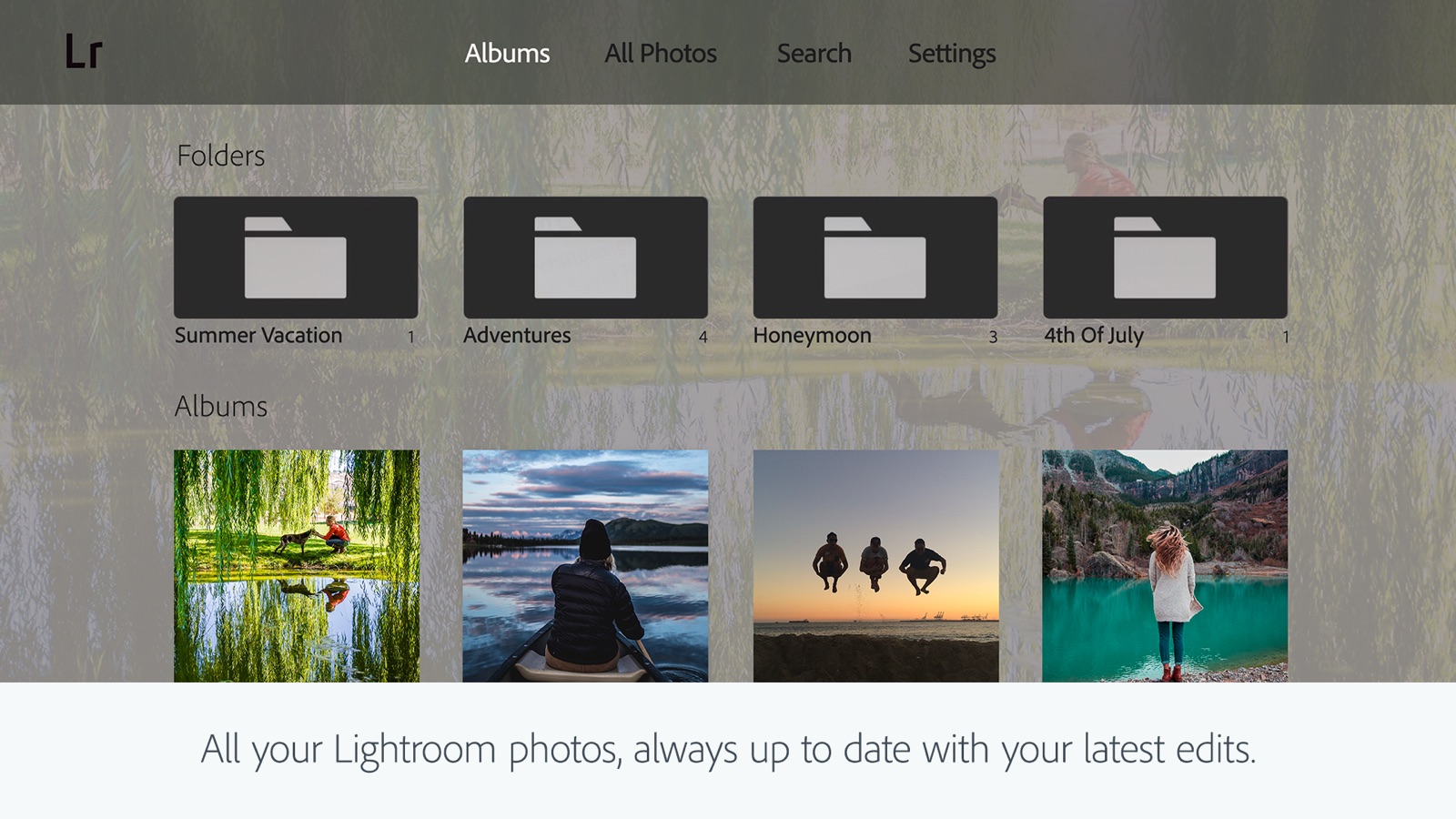
26 store screenshots



Pricing & paywalls
App Store
- Premium monthly 40GB — $1.99/month
- Premium monthly 40GB — $19.99/year ($1.66/mo)
- Premium Monthly 100GB — $3.99/week
- Premium Monthly 100GB — $6.99/month
- Premium Monthly 100GB — $7.99/month
- Premium Monthly 100GB — $49.99/year ($4.16/mo)
- AI Photo Enhancer & Blur — $49.99
- Lightroom plan 1TB — $9.99
Ratings & reviews
App Store
-
5/5The best review of all by David Boswell and Bonnie Boswell
i’m so thankful to have Lightroom that I’ve always dreamed about. I’m taking a editing course from a iPhone photography editing class. I’ve always wanted to be able to edit pictures correctly. Thanks to Lightroom and learning how in the class it has been wonderful beyond words. I am going to cancel the old Lightroom that I had years ago that I didn’t know how to use like I'm learning now. After getting the premium as I’m learning with Clifford on the photography class, I realize in my class I was needing updated to your new updated ones now that's available. So when my premium stops March 8, I will immediately apply for the new Lightroom getting the premium that you folks offer at a price I can afford. Doing the Lightroom with my instructor as I'm writing out Word for Word what he's teaching me ,I can't follow at all with my old Lightroom of years ago because everything is different with the new one he’s using. So when you see my cancellation that’s what I am doing to get my newest Lightroom update. I was hoping I could get it sooner, but since I’m paid up till February 8, it wouldn’t let me update to the newest Lightroom . So please know when I cancel that’s what I am doing to get the newest Lightroom. please inform whomever that I’m not trying to play games or take advantage of your system. I can’t wait to get the newest version so I can learn with my instructor with the one obviously he has as the newest one. I advertise your Lightroom to everybody. Thank you so very much folks for making life easier for all the iPhone and others. I thank my Lord for knowledge he’s given all of you. you sincerely Dave and Bonnie Boswell.
A photography nut · 29 Sep 2026
-
3/5Mobile Lightroom design is clunky
Long time designer and consider myself tech-savvy. Lightroom on mobile is fine—I use it—but they really need to rethink what it means to be a convenient, intuitive mobile app. My grievances are: 1. The whole import process is a pain. It’s like they’re trying to give you some pseudo-desktop experience but it just has me scratching my head thinking why is this such a convulsed multi-step process. Import photo? Launch Lightroom? Get over yourself, you’re an app. Look at how easy importing a photo is on any other app. The step-by-step parade of trying to give you the impression it’s more robust than it is is so ridiculous. 2. The filters. Is this 2012? 90% of what you get is blown-out, over-saturated, vignette or die type filters. It takes some serious digging to find something useable enough. Most of the filters listed subtle are still very effected looking. They’re lacking the nuance the other dedicated apps have where the choices are made for people who grew out of their Tumblr phase. Lightroom is supposed to be pro so it’s a bit confusing. Other than these gripes it’s nice to at least feel like I’m getting even a bit of my moneys worth from the ludicrous subscription price of Adobe. I do use it. But in my opinion they really need to modernize and simplify them UX by cutting out the useless fluff and actually invest in some quality options. Beyond that, what it offers in color grading is offered in other comparable apps with much more intuitive build quality. 3 stars as of January 2024.
flowercalls · 29 Sep 2026
-
5/5Adaptable and incredibly user-friendly!
My journey with Adobe Lightroom has been truly transformative. After uncovering the app's remarkable features, I've greatly enjoyed the process of editing my photos. The intuitive interface has facilitated a smooth transition from my previous editing habits, and I'm genuinely amazed by the app's ability to enhance my images efficiently and effectively. Prior to using Lightroom, I heavily depended on the photo editing functions built into my iPhone. However, a recent survey conducted by Lightroom sparked my interest in the app's extra features, leading me to delve deeper. I'm completely captivated, and Adobe Lightroom has become my preferred tool for photo editing. While I haven't yet tried out the app's video editing features, I'm excited to learn more about them. Although there are some snippets of tutorials available in the app, I hope it offers more comprehensive guides or examples to assist me in discovering its functionalities. Adobe Lightroom is a worthwhile investment for anyone aiming to elevate their creative endeavors. I've been so impressed with the application that I've opted for the yearly premium subscription. My goal is to enhance my editing abilities and explore opportunities within professional photography and the video industry.
Francis B... · 29 Sep 2026
-
5/5Very comprehensive
I’ve used Lightroom AI on perhaps a dozen photos of birds captured by a bird feeder camera in my backyard. In AI mode, I find it to be quite good at identifying the various elements present in the photo, such as sky, water, architecture, artificial surfaces, etc., and then providing me with specific editing options which are only performed on that particular element - such changing the blue tone of the water, the saturation or contrast of just the image of the bird itself, etc. It also has an erasing function that does a significantly better job than the iOS Photo app at replacing a part of the photo I’d like removed. Take the edge of the white plastic feeding tray that the bird is eating out of, which is essentially impossible to avoid being included in a photo. The AI is quite good at replacing the portion I highlight with something that looks like whatever is next to or behind the tray, such as plants or water, if it appears that what’s behind the white tray is our swimming pool. I was very impressed with the app’s ability to intelligently determine what might be seen or revealed if the unwanted part of the native photo weren’t there. All in all, I find Lightroom AI to be a definite step up from what Apple’s iOS Photo app can do, which is pretty good itself.
Way Sr · 29 Sep 2026
-
5/5Greatest program yet
Load up your photos on your desktop or laptop from a REAL camera or phone. Create a collection in Lightroom, transfer to Photoshop and back to Lightroom. Share entire album within seconds to your contacts. Pretty smooth. Absolutely NOTHING comes close to what PSCC & Lightroom can do. Absolutely love this system. I generally shoot with dslrs and use several features in photoshop that Lightroom can’t duplicate or run. I only have the “save as smart previews only” because the don’t take up much room on the server and I can send the “collections link” to anyone I wish to share. There is a slider to allow the sender to download the smart preview. Most of the senders are family and only view on their phones or tablets. I keep originals(RAW) on portable drives and connects with saved presets from PSCC/Lightroom. This is still my best program for travel and family photos. I still can’t get away from focal lengths, aperatures available and picture quality of a real camera. I print and display my work at the office and my home . There is a difference between cell phone and larger sensor size. Physics still dominates , no way around that yet but, maybe in my lifetime ?
badcreditnothelping · 29 Sep 2026
Privacy & accessibility
App Store
Privacy
- Data Linked to You — Analytics — Diagnostics — Crash Data Developer declared
- Data Linked to You — Analytics — Identifiers — Device ID Developer declared
- Data Linked to You — Analytics — Identifiers — User ID Developer declared
- Data Linked to You — App Functionality — Contact Info — Email Address Developer declared
- Data Linked to You — App Functionality — Contact Info — Name Developer declared
- Data Linked to You — App Functionality — Diagnostics — Other Diagnostic Data Developer declared
- Data Linked to You — App Functionality — Diagnostics — Performance Data Developer declared
- Data Linked to You — App Functionality — Identifiers — Device ID Developer declared
- Data Linked to You — App Functionality — Identifiers — User ID Developer declared
- Data Linked to You — App Functionality — Location — Coarse Location Developer declared
- Data Linked to You — App Functionality — Sensitive Info Developer declared
- Data Linked to You — App Functionality — Usage Data — Other Usage Data Developer declared
- Data Linked to You — App Functionality — Usage Data — Product Interaction Developer declared
- Data Linked to You — App Functionality — User Content — Photos or Videos Developer declared
- Data Linked to You — Developer’s Advertising or Marketing — Contact Info — Email Address Developer declared
- Data Linked to You — Developer’s Advertising or Marketing — Contact Info — Name Developer declared
- Data Linked to You — Developer’s Advertising or Marketing — Identifiers — Device ID Developer declared
- Data Linked to You — Developer’s Advertising or Marketing — Identifiers — User ID Developer declared
- Data Linked to You — Developer’s Advertising or Marketing — Usage Data — Other Usage Data Developer declared
- Data Linked to You — Developer’s Advertising or Marketing — Usage Data — Product Interaction Developer declared
- Data Linked to You — Other Purposes — Other Data — Other Data Types Developer declared
- Data Linked to You — Product Personalization — Identifiers — Device ID Developer declared
- Data Linked to You — Product Personalization — Identifiers — User ID Developer declared
- Data Linked to You — Contact Info Developer declared
- Data Linked to You — Diagnostics Developer declared
- Data Linked to You — Identifiers Developer declared
- Data Linked to You — Location Developer declared
- Data Linked to You — Other Data Developer declared
- Data Linked to You — Sensitive Info Developer declared
- Data Linked to You — Usage Data Developer declared
- Data Linked to You — User Content Developer declared
- Data Used to Track You — Identifiers — Device ID Developer declared
- Data Used to Track You — Identifiers Developer declared
Accessibility
No accessibility labels collected yet.
Versions
App Store
-
10.2.1
- Dynamically adjust tones and colors of your raw photos with Adaptive Profiles, available in color or black and white - Quickly share albums by creating public, shareable links 4X faster than before - Customize and show an in-app preview of your shared albums - Straighten your photo in a tap by using the Fix Angle tool in Quick Actions - Get support for the latest cameras and lenses (full list at https://adobe.com/go/supported_cameras). - Bug fixes and stability improvements
-
10.2.2
- Dynamically adjust tones and colors of your raw photos with Adaptive Profiles, available in color or black and white - Quickly share albums by creating public, shareable links 4X faster than before - Customize and show an in-app preview of your shared albums - Straighten your photo in a tap by using the Fix Angle tool in Quick Actions - Get support for the latest cameras and lenses (full list at https://adobe.com/go/supported_cameras). - Bug fixes and stability improvements
-
10.2.3
- Bug fixes and stability improvements
-
10.3
- Zoom in, retouch, and make precise edits to any individual in a group photo with Quick Actions - Send photos directly to others by choosing multiple images from a carousel view - Easily share albums via a link or QR code that automatically lets others see and add photos - Get support for the latest cameras and lenses (full list at https://adobe.com/go/cameras) - Bug fixes and stability improvements
-
10.3.1
- Bug fixes and stability improvements
-
10.4
- Get creative assistance in Quick Actions to enhance parts of an outdoor scene, like the sky, water, or plants - Instantly detect and remove extra people in a few taps with Generative Remove - Give or like comments on photos in privately shared albums - Get support for the latest cameras and lenses (full list at https://adobe.com/go/cameras) - Bug fixes, stability, and performance improvements
-
10.4.1
- Bug fixes and stability improvements
-
10.4.2
- Bug fixes and stability improvements
-
10.5
- Generative Remove is better than ever, with an updated AI model and workflow that makes removals faster and more seamless - Items added to the trash will be permanently deleted after 30 days - Get support for the latest cameras and lenses (full list at https://adobe.com/go/cameras) - Bug fixes, stability, and performance improvements
-
10.5.2
- Bug fixes and stability improvements
-
11.0
- Now retouch in Quick Actions allows you to quickly edit portraits and selfies or group photos by reducing unwanted blemishes like acne or scars. Get clear skin, bright smiles, and more in just a few clicks. - Scene Enhance in Quick Actions can now detect snow, making it simpler than ever to adjust snow and get the perfect winter landscape. - Adaptive Landscape Presets now allow you to select and enhance up to eight new landscapes, including sky, water, snow and more. - Enable Object Detection in Generative Remove to remove an object along with its shadow or reflection for cleaner, more accurate results. - New camera & lens support (full list at https://adobe.com/go/cameras) - Bug fixes and updates
-
11.0.1
- Bug fixes and stability improvements
-
11.1
- Now, you can go seamlessly from editing to sharing customized photo albums of your favorite moments via a unique link or QR code--no subscription required - New camera & lens support (full list at https://adobe.com/go/cameras) - Bug fixes and stability improvements
-
11.1.1
- Bug fixes and stability improvements
-
11.2
- It is now faster and easier to select and export photos to share from Lightroom. -- Multi Photo Carousel for Device Photos: Select more than one photo at a time to share from your device, in Edit Loupe or Grid View. -- Sharing performance improvements to increase speed of export and reduce failure rates. - Crop handles now allow support for smoother scrolling/zooming to the desired crop area. - New camera & lens support (full list at https://adobe.com/go/cameras) - Bug fixes and stability improvements
-
11.2.1
- It is now faster and easier to select and export photos to share from Lightroom. -- Multi Photo Carousel for Device Photos: Select more than one photo at a time to share from your device, in Edit Loupe or Grid View. -- Sharing performance improvements to increase speed of export and reduce failure rates. - Crop handles now allow support for smoother scrolling/zooming to the desired crop area. - New camera & lens support (full list at https://adobe.com/go/cameras) - Bug fixes and stability improvements
-
11.2.2
- Bug fixes and stability improvements
-
11.3
- Film-Inspired Presets turn any standard snapshot into a feed-worthy photo in seconds. Inspired by iconic film stock, these 12 professionally designed presets are built into Lightroom and can be adjusted to make the look truly yours. - Easily manage access to your shared private albums with notifications to quickly approve and deny requests. - Improved experience opening multiple photos directly from your native photo apps. - New camera & lens support (full list at https://adobe.com/go/cameras). - Bug fixes and stability improvements.
-
11.3.1
- Film-Inspired Presets turn any standard snapshot into a feed-worthy photo in seconds. Inspired by iconic film stock, these 12 professionally designed presets are built into Lightroom and can be adjusted to make the look truly yours. - Easily manage access to your shared private albums with notifications to quickly approve and deny requests. - Improved experience opening multiple photos directly from your native photo apps. - New camera & lens support (full list at https://adobe.com/go/cameras). - Bug fixes and stability improvements.
-
11.3.2
- Get clear skin in seconds with one-tap and new manual touch-up tools, now unified in one view within Retouch of Quick Actions. - Save time with improved keyboard shortcuts by connecting a physical keyboard to your iPad or iPhone: https://adobe.ly/kbshortcuts - Bug fixes and stability improvements.
-
11.3.3
- Get clear skin in seconds with one-tap and new manual touch-up tools, now unified in one view within Retouch of Quick Actions. - Save time with improved keyboard shortcuts by connecting a physical keyboard to your iPad or iPhone: https://adobe.ly/kbshortcuts - Bug fixes and stability improvements.
-
11.4
- Map view now also offers “edit location” option on iPad and iPhone - New camera & lens support (full list at https://adobe.com/go/cameras) - Bug fixes and stability improvements.
-
11.4.10
- Bug fixes and stability improvements
-
11.4.20
- Bug fixes and stability improvements
-
11.4.21
· 21 Jul 2026
- Bug fixes and stability improvements
-
11.5
- Extend your photo’s edges to fit any size, readjust your shot, and fill in what’s missing with Generative Expand. - New camera & lens support (full list at https://adobe.com/go/cameras) - Bug fixes and stability improvements.
-
11.5.1
- Extend your photo’s edges to fit any size, readjust your shot, and fill in what’s missing with Generative Expand. - New camera & lens support (full list at https://adobe.com/go/cameras) - Bug fixes and stability improvements.
-
11.5.10
· 25 Aug 2026
- Bug fixes and stability improvements
-
11.5.20
- Bug fixes and stability improvements
-
11.5.21
- Bug fixes and stability improvements
-
11.5.30
· 14 Sep 2026
- Transform your favorite photos into shareworthy videos with Photo to Video - Find photos more quickly with improved, AI-powered search. - Bug fixes and stability improvements
-
11.6
· 28 Sep 2026
- New camera & lens support (https://adobe.com/go/cameras) - Bug fixes and stability improvements
Alternatives
- Afterlight: Film Photo Editor — Same category + similar ratings
- Darkroom: Photo & Video Editor — Same category + similar ratings
- Presets for Lightroom - FLTR — Same category + similar ratings
- Snapseed: Photo Editor — Same category + similar ratings
- PRESETS: Filters for Pictures — Same category + similar ratings
- Focos — Same category + similar ratings
Availability by market
- US
Data quality & evidence
- Page completeness
- Live store listing
- Last verified
- 29 Sep 2026
- Sources
- App Store
- Apoku editorial summary has not been published yet.