
Quick verdict
- What it is
- Store information collected; an Apoku editorial summary is not yet published.
- At a glance
-
- Free to download
Categories and search queries
Official categories
- Medical
- Health & Fitness
Apoku categories
Key functions
| Function | Availability | Access | Scope | Evidence |
|---|---|---|---|---|
| Free app | Yes | Free | Context-specific | Store published |
Screens
11 store screenshots

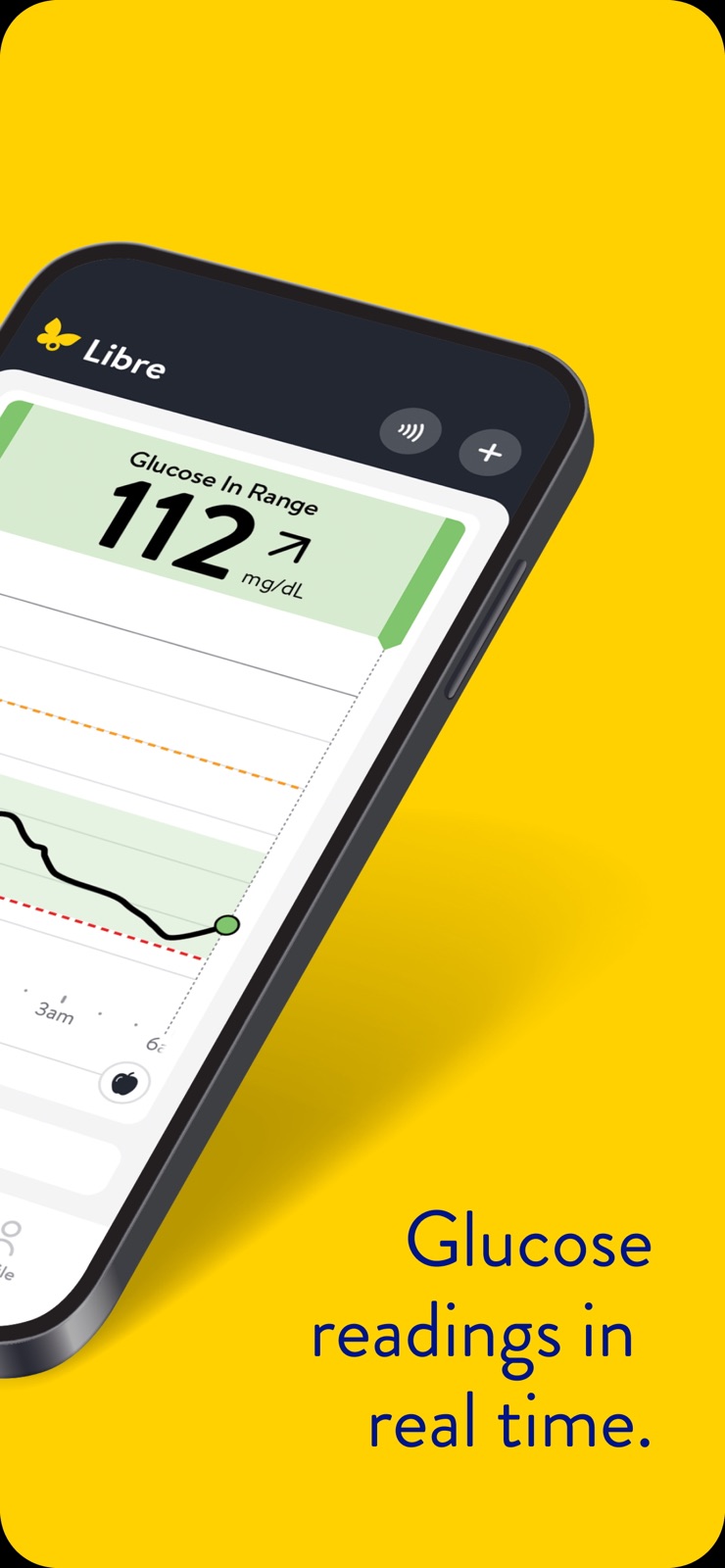

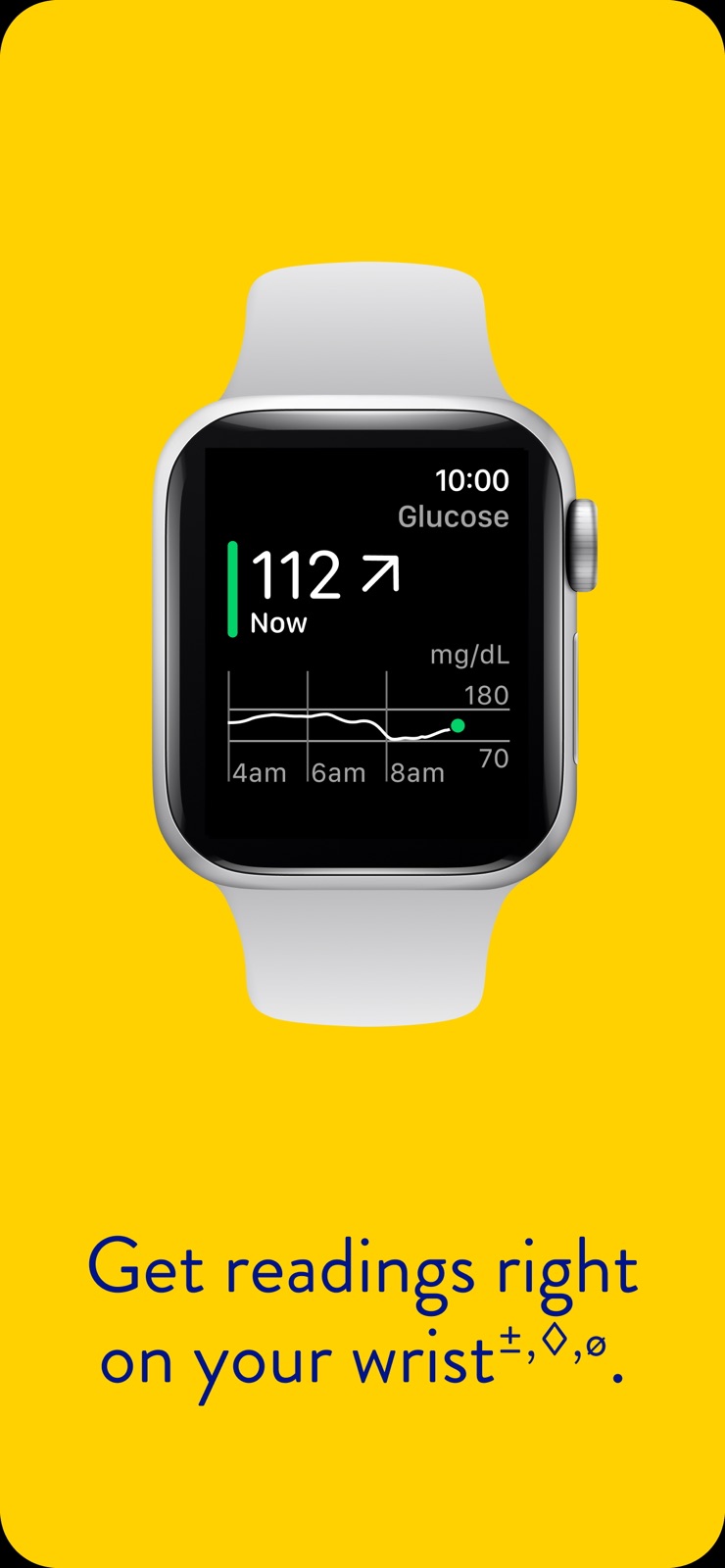
6 store screenshots


Pricing & paywalls
Shown for US
- Free to download
Shown for US
- Free to download
Ratings & reviews
Shown for US
-
5/5not compatible
Since the iPhone did a new update last Sunday the libre is not giving me any alarms. I had a 349 reading this evening. And a 60 some reading this morning. I spent two days on the phone with Apple often on to see what the problem was. I thought it was on their end, but it wasn’t. Then I called libre and got someone who knew absolutely nothing at least about this problem and we finally decided that it is with your operating system that doesn’t communicate with the new operating system from the iPhone. The young man that I spoke to seem to not be cognizant of what my problem was, and it didn’t appear that he had any support he could turn to. I am really disappointed. The suggestion that the young man gave me was I should try a new sensor well the problem with that is if I try a new sensor and it didn’t work. Boat and have to wait 15 days or ruin the sensor because you can’t switch between the sensor reader and my iPhone like you could with the 2. If I start a new sensor with the reader, then I’m locked into that for the next 15 days and I cannot send the information to my doctor and I don’t have a number two to use. I don’t know I’m just whole situation. I rely on this product and now I’m even afraid to go to sleep because I think I took too much insulin to bring my blood sugar 349 this is just. It is so frustrating. I’m gonna sound like an absolute idiot, which I am not. I have been using this product for a long came out with it.
bgsee · 29 Sep 2026
-
5/5Very pleased
I’ve been a type II PATIENT and heavily insulin dependent for over 40 years. I started using the Libre about 5 years ago and have been very pleased with it. About 2 years ago I started using Ozempic and lost 99 lbs. I have not used insulin since a month after starting Ozempic. Although I digressed a bit the point is I have been able to to monitor my glucose readings with a significantly accurate reading vs finger sticks since using the Libre. Periodically I check with a finger stick and the numbers are right on. Recently I started to use the 2 plus sensor with the new software supplied for my iPhone. What impresses me is the readings are real time and I don’t have to manually scan as often. I also like the new 7-90 day history charts,especially the chart that outlines how well I comply with my target ranges. Finally, the GMI reading is equal to the lab computed A1C. That is just awesome as I really don’t have to wonder how I’m really doing. Thank you Abbot Labs!
Dr BobG · 29 Sep 2026
-
1/5It is what it is
I work in the medical field and try to medical conditions to myself. Libre by Abbott is not having it. It wants the world to know that you are diabetic and that your glucose level is real high or real low. Discreet is not in the Abbott vocabulary. The very first day I wore it to work, it went off in the morning stand up meeting. The medical director asked where the “noise” was coming from. I told him DHL has a loud notification for “package out for delivery”. I also told him I will figure out how to disable the “noise”. Later Abbott set it up where you can delay the noise for up to six hours (still looking for a job with a six hour workday and no lunch). By the way, don’t throw away your old school glucometer yet because the sensor never knows when it is going to quit temporarily or permanently. And by the way, customer service still owes me two replacement sensors. The call to customer service was a waste of time. I still think the person on the other end was AI because it never helped. User friendly is not in the description of the LIBRE sensor. I guess it is still in beta mode. There has got to be a better way. $74 a month (my copay) for two sensors is a waste of money if they are not going to work half the time. I am “stuck” with this until someone comes along with something that works and is discrete.
mikemikelrar · 29 Sep 2026
-
4/5Best version so far.
Saying that this is the best version so far is not saying a whole lot. From my experience the Libre series of CGM is flawed at best and dangerous at worst. While they do what they are supposed to do, the lack of adjustments makes it difficult to trust the results. There is no way to let the system know that the sensor is giving inaccurate results except removing it and putting on a new one. The addition of the sound control is something the series has really needed. Having to completely turn off the sensor to have it be quiet for a short time seems dangerous, so this new feature is greatly appreciated. My one complaint about the interface is the selector that looks like some kind of WiFi or signal connection, but is actually used to install a new sensor is baffling. The only two selectable items on the Home Screen are this WiFi looking thing and a plus sign to add new information, ie food eaten, long acting insulin, slow acting insulin, etc. This edition of the Libre series is the best so far, maybe soon they’ll catch up to the Dexcom, but by then my insurance won’t pay for the Libre and I’ll have to switch back to the Dexcom.
chrisfromiowa · 29 Sep 2026
-
2/5Not very functional
Not impressed with the app. Very basic in terms of what’s really important functionality wise. Before using the Freestyle Libre 3 Plus, I was using the Dexcom G7. The CGM sucked, but the phone app was very functional. If there was a significant difference between the CGM and the finger stick reading, the user could type in the finger reading and the app would make the appropriate calibration adjustment. The graph on the Dexcom App would allow the user to use their fingers to widen the graph and use a cursor to pinpoint a reading at a particular point in time. The Dexcom app had numerous other function , including being able to print out a 30, 60, or 90 day report that could be given to a primary care doctor. The alarms setting allow for different volume levels. With the Libre app the use can see the reading and set alarms but no calibration feature. The Libre App has a few other minor options that are worthless if the CGM isn’t sending a correct reading to the phone app. Seem like high school student could have come up with a better Libre app. You might be better off better off just using the lousy Libre 3 pocket receiver.
$MW · 29 Sep 2026
Shown for US
-
5/5
life saving unit
Ismail Saadiq · 6 Aug 2026
-
2/5
my problem is since switching from the original libre 3 app, I had 6 straight lost signal errors. in over 3 years of using libre products, I NEVER had a lost signal error. the techies tell me the sensor is obstructed??? well, why was it never obstructed before? only since the new updated app, well something must be wrong with the new app. update the program so that in the event of a lost signal the sensor can be restarted, also add a turn off for the alarm.
James Cerrone · 6 Aug 2026
-
2/5
horrible it keeps going off and I have to remove app and reinstall numerous times. I am fed up.
Marina Aleshire · 6 Aug 2026
-
4/5
usually very reliable app.
Irene Hallett · 6 Aug 2026
-
4/5
good
Livo Ramirez · 6 Aug 2026
Privacy & accessibility
Privacy
- Data Linked to You — Analytics — Diagnostics — Crash Data Developer declared
- Data Linked to You — Analytics — Diagnostics — Other Diagnostic Data Developer declared
- Data Linked to You — Analytics — Diagnostics — Performance Data Developer declared
- Data Linked to You — Analytics — Identifiers — Device ID Developer declared
- Data Linked to You — Analytics — Location — Coarse Location Developer declared
- Data Linked to You — Analytics — Usage Data — Product Interaction Developer declared
- Data Linked to You — App Functionality — Contact Info — Email Address Developer declared
- Data Linked to You — App Functionality — Contact Info — Name Developer declared
- Data Linked to You — App Functionality — Contact Info — Phone Number Developer declared
- Data Linked to You — App Functionality — Diagnostics — Crash Data Developer declared
- Data Linked to You — App Functionality — Diagnostics — Other Diagnostic Data Developer declared
- Data Linked to You — App Functionality — Diagnostics — Performance Data Developer declared
- Data Linked to You — App Functionality — Health & Fitness — Health Developer declared
- Data Linked to You — App Functionality — Identifiers — Device ID Developer declared
- Data Linked to You — App Functionality — Identifiers — User ID Developer declared
- Data Linked to You — App Functionality — Location — Coarse Location Developer declared
- Data Linked to You — App Functionality — Usage Data — Product Interaction Developer declared
- Data Linked to You — App Functionality — User Content — Photos or Videos Developer declared
- Data Linked to You — Contact Info Developer declared
- Data Linked to You — Diagnostics Developer declared
- Data Linked to You — Health & Fitness Developer declared
- Data Linked to You — Identifiers Developer declared
- Data Linked to You — Location Developer declared
- Data Linked to You — Usage Data Developer declared
- Data Linked to You — User Content Developer declared
Accessibility
No accessibility labels collected yet.
Privacy
- Data collected — Analytics — App activity — App interactions Developer declared
- Data collected — Analytics — App info and performance — Crash logs Developer declared
- Data collected — Analytics — App info and performance — Diagnostics Developer declared
- Data collected — Analytics — App info and performance — Other app performance data Developer declared
- Data collected — Analytics — Location — Approximate location Developer declared
- Data collected — Analytics, Developer communications, Fraud prevention, security, and compliance, Account management — Personal info — Email address Developer declared
- Data collected — App functionality — App activity — Other user-generated content Developer declared
- Data collected — App functionality — Health and fitness — Fitness info Developer declared
- Data collected — App functionality — Health and fitness — Health info Developer declared
- Data collected — App functionality — Photos and videos — Photos Developer declared
- Data collected — App functionality, Account management — Personal info — Name Developer declared
- Data collected — App functionality, Fraud prevention, security, and compliance, Account management — Personal info — Other info Developer declared
- Data collected — App functionality, Fraud prevention, security, and compliance, Account management — Personal info — Phone number Developer declared
- Security practices — Your data is transferred over a secure connection — Data is encrypted in transit Developer declared
- Security practices — The developer provides a way for you to request that your data be deleted — You can request that data be deleted Developer declared
Accessibility
No accessibility labels collected yet.
Versions
- 1.0.0
-
1.1.0
Interactive Glucose Graph: Slide along your glucose graph to see how the day’s activities impacted your glucose readings.
-
1.2.0
With Libre Assist [ǂ], you’ll learn how to make glucose-friendly modifications that work for you. Readings right on your wrist [±,◊,ø], with the Libre app on watch.
-
1.2.1
With Libre Assist [ǂ], you’ll learn how to make glucose-friendly modifications that work for you. Readings right on your wrist [±,◊,ø], with the Libre app on watch.
-
1.3.0
· 29 Apr 2026
Bug fixes and performance improvements.
- 1.3.0 · 1 Apr 2026
Alternatives
- LibreLinkUp — Same category + similar ratings
- Glucose | Blood Sugar Tracker — Same category + similar ratings
- Diabetes food tracker - Gococo — Same category + similar ratings
- Gluroo Diabetes Logger — Same category + similar ratings
- Dexcom G7 — Same category + similar ratings
- Dexcom Clarity — Same category + similar ratings
Availability by market
- US
Data quality & evidence
- Page completeness
- Live store listing
- Last verified
- 5 Oct 2026
- Sources
- App Store, Google Play
- Apoku editorial summary has not been published yet.