
Quick verdict
- What it is
- Store information collected; an Apoku editorial summary is not yet published.
- At a glance
-
- Free to download
Categories and search queries
Official categories
- Photo & Video
- Graphics & Design
Apoku categories
Key functions
| Function | Availability | Access | Scope | Evidence |
|---|---|---|---|---|
| Free app | Yes | Free | Context-specific | Store published |
Screens
App Store
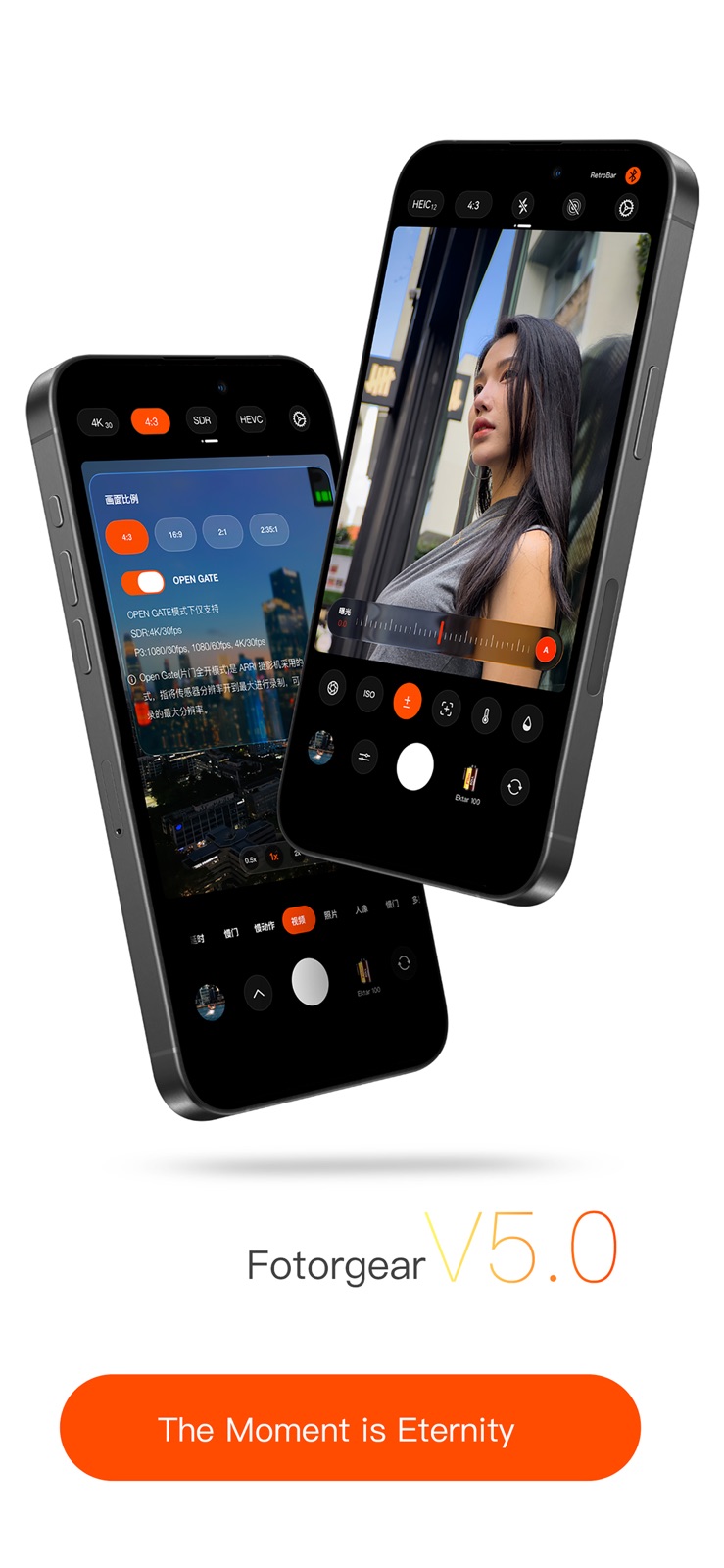
8 store screenshots


Pricing & paywalls
App Store
- Free to download
Ratings & reviews
App Store
-
5/5This app works better than any paid app I could find
This is the app you’re looking for, completely free, and the film simulations look the best out of what I’ve tested. I can’t recommend this app enough, it is now my favorite app on my phone, and has me second guessing bringing my physical camera to places.
lunardigitmusic · 7 Aug 2026
-
4/5Pretty good app but has some problems
This app is useful for adjusting the camera setting manually, but has a few glitches. I will set something to manual but if I switch to a different setting it will adjust it back to automatic sometimes. Also the picture I take on the app will sometimes be over exposed in the photo gallery when I go back to view it when using raw format, so that can be VERY annoying, and the app will crash when I zoom in on the preview. I would also prefer if you could adjust the f-stop but sadly you can’t, only the iso and shutter speed as well as a few other settings. But it’s decent for being a free app. It doesn’t appear to have HDR quality like the normal photos app and can look a little bland sometimes when compared to it. But on the up side, it has a lot more features such as light trails and prolonged motion blur (which can be used for soft water effects) as well as numerous editing filters which I appreciate.
Someone else42 · 7 Aug 2026
-
4/5Good but not great
I purchased the official retro grip and used it with this app. There’s some kind of bug with adjusting EV. It doesn’t really adjust. It just bounces around. I’ve tried moving the setting to the different toggles and the behavior is the same. Another annoying bug I’d love to see fixed, is when going to the gallery page, instead of scrolling to the last photo taken, it like snaps up a couple of rows from the the last one. Literally every single time no matter orientation. Also, on that page when in landscape, the “Resents” tag is kinda messed up. Other than that, this app has so many things to play with and is awesome with the official grip. One last thing I’d like as an option, is the ability to like remove the shutter button on screen if the retrobar is connected.
Reviewer 9768 · 7 Aug 2026
-
4/5Great app but has some language glitches
Opening the app from the lock screen and it’s in Mandarin language. You have to close it the app and restart it to see it in English. Also in some of the menus you will see it’s in Mandarin so I can’t select an option because I don’t know what it means. Also while taking a photo in 2:35 and XPan ratios the mode selection stays in the same place as when taking 3:2 or 1:1 shots. It’s just really in the way, you can see behind it but they’re just “floating” there. Isn’t there a better way? Other apps just have the view finder smaller or moved the menu to the far right edge of the screen and reduced the menu options for those wide aspect ratios. These aren’t enough for me not to use the app. But I can’t use all the options.
Izzy29 · 7 Aug 2026
-
4/5The App and RetroBar want to be great
The App and hardware “RetroBar” want to be great. The app feature set looks great and works fine on screen. However the RetroBar does not fully communicate; the app shows it disconnected, even though it powers on and pairs with the phone. The shutter button works, but the knobs and control ring do nothing. Also the RetroBar settings page does not scroll to show all its settings. Bug with iOS 18.4.1?? I like that the app claims not to collect data.
PorscheRat · 7 Aug 2026
Privacy & accessibility
App Store
Privacy
- Data Not Collected Developer declared
Accessibility
No accessibility labels collected yet.
Versions
App Store
-
5.1.4
1. HEIF PRO format has been added to the file format, which is based on Proraw file processing and supports up to 48 million pixels. It completely eliminates sharpening and supports HDR photo shooting by turning on the HDR switch. This feature requires an iPhone 14 or higher Pro model and an iOS 18 or higher operating system 2. HDR supports display on the Xiaohongshu platform 3. Provide 4 different tones 4. Provide three metering methods 5. Known bug fixes, optimized user experience
-
5.1.5
1. Added an external lens stabilization mode. In this mode, real-time image stabilization is achieved when a telephoto lens is installed. Supports 135mm, 400mm, 2x telephoto teleconverters, and 2.35x telephoto teleconverters. 2. Adjusted the level indicator vibration intensity. 3. Resolved the issue where screen swiping could not switch filters when RAW mode was enabled in other shooting modes. 4. Resolved the issue of incomplete cache clearing in Heif Pro format. 5. Resolved the issue of abnormal colors in Live shots after adjusting filter hues. 6. Resolved the issue of 1080P 240fps not working. 7. Other bug fixes and optimizations.
-
5.1.6
1. Added an external lens stabilization mode. In this mode, real-time image stabilization is achieved when a telephoto lens is installed. Supports 135mm, 400mm, 2x telephoto teleconverters, and 2.35x telephoto teleconverters. 2. Adjusted the level indicator vibration intensity. 3. Resolved the issue where screen swiping could not switch filters when RAW mode was enabled in other shooting modes. 4. Resolved the issue of incomplete cache clearing in Heif Pro format. 5. Resolved the issue of abnormal colors in Live shots after adjusting filter hues. 6. Resolved the issue of 1080P 240fps not working. 7. Other bug fixes and optimizations.
-
5.1.7
1. Added a Year of the Horse watermark 2. Resolved the issue of inconsistent image orientation when shooting from above 3. Other bug fixes and optimizations
-
5.1.8
1. Updated support for Fotorgear external flash 2. Fixed an issue where the 4X lens widget wouldn't start 3. Optimized video recording 4. Resolved an issue with abnormal recording times in some countries 5. Other bug fixes
-
5.1.9
1. Supports iPhone Air models 2. Resolved an issue where pop-up windows frequently appeared after Bluetooth was turned off for some users. 3. Other bug fixes and optimizations.
-
5.2.0
1. Fix known bugs
-
5.2.1
1. The camera stabilization algorithm has been upgraded to accommodate the 400mm pro lens 2. Anti-shake mode supports 48 million pixels 3. Video stabilization recording cache 4. Adjustment of community entrance 5. Fix known bugs
-
5.2.2
1. The camera stabilization algorithm has been upgraded to accommodate the 400mm pro lens 2. Anti-shake mode supports 48 million pixels 3. Video stabilization recording cache 4. Adjustment of community entrance 5. Fix known bugs
-
5.2.3
1. Bug fixes and optimizations
-
5.2.4
1. Updated HDR capabilities for Photo and CineShot modes, featuring high-brightness screen previews and support for direct-output HDR photos with added borders. 2. Optimized video write speeds. 3. Added 0.3s and 0.5s duration options to Light Painting and Motion modes. 4. Added battery level and storage capacity displays in Video mode. 5. Enhanced lens stabilization algorithms. 6. Hidden non-essential UI elements during video recording. 7. Other bug fixes.
-
5.2.5
1. Updated HDR capabilities for Photo and CineShot modes, featuring high-brightness screen previews and support for direct-output HDR photos with added borders. 2. Optimized video write speeds. 3. Added 0.3s and 0.5s duration options to Light Painting and Motion modes. 4. Added battery level and storage capacity displays in Video mode. 5. Enhanced lens stabilization algorithms. 6. Hidden non-essential UI elements during video recording. 7. Other bug fixes.
-
5.2.6
1. Fixed the app crashing issue when taking photos on iOS 17. 2. Optimized the lens stabilization algorithm.
-
5.2.7
1. Fixed the issue of 4x crashes in HDR mode for some users 2. Update the telephoto stabilization algorithm 3. Other optimizations
-
5.2.8
1. Fix the issue of missing lens information in video files 2. Fix the mono audio issue in part of the exported videos 3. Fix the color shift issue of exported SDR videos 4. Optimize the lens stabilization algorithm 5. UI interface optimization 6. Fix other known issues
-
5.2.9
1. The enhanced stabilization video mode now supports capturing photos while recording video. 2. Fixed an intermittent audio conflict issue that occurred during video recording. 3. Other bug fixes and optimizations.
-
5.3.0
1. The enhanced stabilization video mode now supports capturing photos while recording video. 2. Fixed an intermittent audio conflict issue that occurred during video recording. 3. Other bug fixes and optimizations.
-
5.3.1
1. The enhanced stabilization video mode now supports capturing photos while recording video. 2. Fixed an intermittent audio conflict issue that occurred during video recording. 3. Other bug fixes and optimizations.
-
5.3.2
Fixed some issues.
-
5.3.3
1. Fix known bugs
-
5.3.4
1. Fix known bugs
-
5.3.5
1. Improve video recording performance 2. Fix the issue that some external hard drives cannot be recognized 3. Watermark optimization, add timestamp watermark 4. Optimize lens stabilization algorithm 5. HEIF Pro supports borders + HDR 6. Optimize the color algorithm of filters 7. UI optimization for the filter list page 8. Optimize the settings page 9. Optimize the logic for judging phone orientation 10. Fix missing location data when shooting in portrait mode 11. Fix front camera mirroring failure on some devices 12. Resolve other bugs
-
5.3.6
1. Fixed issues where saving the original image in HEIF Pro mode failed, and where saved still frames included filter effects. 2. Fixed stuttering or blurring issues that could occur when switching from video mode to the "Cinematic Still" or photo interface. 3. Optimized gallery loading speed and improved the gallery's display UI and logic. 4. Fixed a crash occurring when loading cloud-based filters during Live Photo editing. 5. Added search and sorting functions for cloud-based filters. 6. Improved the visibility of focus peaking in Lens Stabilization mode. 7. Fixed an issue where parameter adjustments for original image filters could not be saved. 8. Fixed an issue where favorited cloud filters appeared as "not downloaded" in the community. 9. Fixed an issue with the "Year of the Horse" watermark logo. 10. Fixed an issue where the image format setting was not retained in Lens Stabilization photo mode. 11. Other bug fixes and optimizations.
-
5.3.7
1. Optimize lens stabilization 2. Fix freezing frame issue for clean HDMI output 3. Optimize mode switching speed 4. Fix inconsistent aspect ratio between light painting and dynamic footage in time-lapse 5. Live Photos support 48MP HDR 6. Improve shooting stability for 48MP mode 7. Add soft glow effect to filter parameters 8. Fix mirroring error of Live selfie preview 9. Fix green border defect on 1:1 Live Photos 10. Fix HDR rendering failure when sharing HDR photos to Xiaohongshu and WeChat 11. Fix green color cast on movie still frames 12. Add partial zoom window for manual focus mode 13. Fix underexposure issue for HEIF Pro outputs 14. Add face detection autofocus to lens stabilization mode 15. Add blurred background border effect 16. Fix stuttering zoom during video recording 17. Add full-screen mode 18. Other bug fixes and optimizations
-
5.3.8
· 5 Aug 2026
1.Support 48MP on iPhone17e 2.Fixed an issue where filters could not be switched by swiping left or right in landscape mode for some modes 3.Added focus magnification toggle in Settings 4.Support Center Stage for front camera on iPhone 17 and later models 5.Optimized time-lapse shooting to fix focus and exposure fluctuations 6.Optimized memory usage during image editing 7.Optimized exposure compensation sensitivity 8.Optimized Retro Bar zoom speed 9.Optimized album loading speed 10.Added frame support for lens stabilization mode 11.Added video light painting feature 12.Added synchronized dual recording in Video mode 13.Added audio source selection in Settings 14.Optimized Live Photo capture synchronization with COB flash 15.Other bug fixes and optimizations
Alternatives
- No Fusion-Powerful Pro Cam — Same category + similar ratings
- NOMO RAW - The ProRAW Camera — Same category + similar ratings
- Protake - Mobile Cinema Camera — Same category + similar ratings
- Spectre Camera — Same category + similar ratings
- DSLR Camera - Manual Camera — Same category + similar ratings
- LUT Studio: Color Grading App — Same category + similar ratings
Availability by market
- US
Data quality & evidence
- Page completeness
- Live store listing
- Last verified
- 7 Aug 2026
- Sources
- App Store
- Apoku editorial summary has not been published yet.