
Quick verdict
- What it is
- Store information collected; an Apoku editorial summary is not yet published.
- At a glance
-
- Free to download
- In-app purchases
Categories and search queries
Official categories
- Lifestyle
- Utilities
Apoku categories
Key functions
| Function | Availability | Access | Scope | Evidence |
|---|---|---|---|---|
| Free app | Yes | Free | Context-specific | Store published |
| In-app purchases | Yes | Limited free | Context-specific | Store published |
| Family Sharing | Unknown | Unknown | Scope unknown | Store published |
Screens
App Store
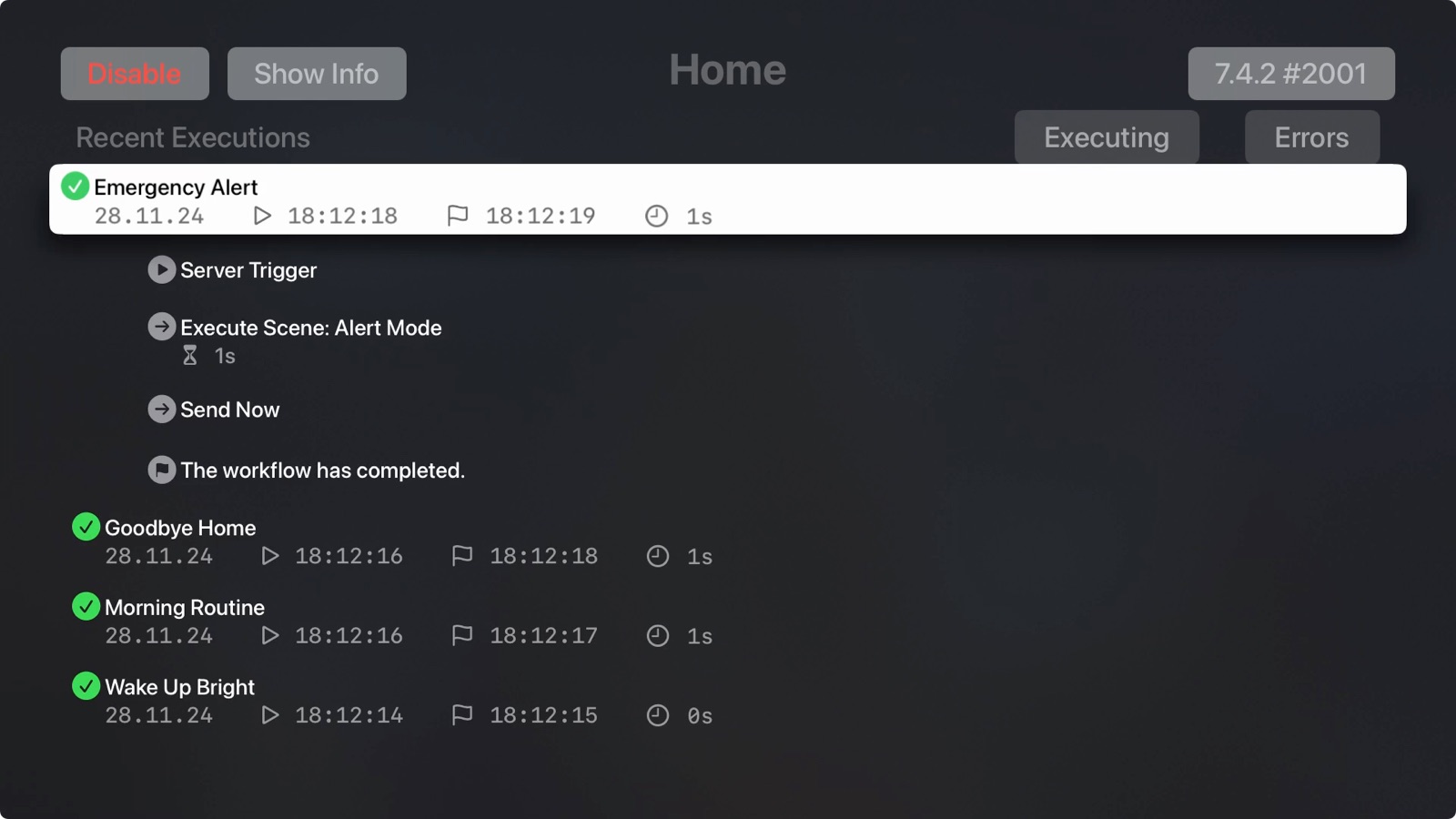
47 store screenshots


Pricing & paywalls
App Store
- Controller Essentials — $4.99
- Controller Essentials — $39.99
- Controller Essentials Lifetime — $99.99
- Controller Plus — $8.99
- Controller Plus — $79.99
- Essentials Lifetime - Plus Addon — $4.99
- Essentials Lifetime - Plus Addon — $39.99
Ratings & reviews
App Store
-
4/5Automations are not deleted when deleting from HomeKit
The Controller for HomeKit is a great app. I purchased the lifetime quite a while back because I am a power smart home user. That said, I am always having to delete this app and reinstall to clear no longer used automations. When I have to redo an automation, it is NOT deleted in this app. I see automations with numbers, like (lights on) 1, 2, 3, 4, etc) and no way to just clear the list. Not only that, the list of the same automations (not being deleted) adds to the number of automations for Apple Home and when you think you only have 35-40 automations, it stops you from creating more because it is using the numbers in the Controller app. This is the most frustrating thing of the app. If you have fixed it, then thank you. I really want to build on this app for my home but it is an ongoing tedious and time consuming chore to clear old automations no longer in use. PLEASE PLEASE fix this! Thanks
crownkid · 6 Aug 2026
-
5/5The Best!
This app is the best HomeKit manager available. The Apple Home app is excellent for automations converted to Shortcuts, but beyond that, you have to have access to more power of the HomeKit API. This app is exactly that. Use it with Apple’s HomeKit and Home app. The ability to peg exact attributes of lights is, alone, worth the price. I can now peg exact matches for lights across scenes. Color Temp, Saturation, Hue, Brightness, and Power. Five attributes for every single device! Exact matches are easy. I will say that it take patience. When setting attributes, some times you wait a few to see it accept the result. No biggie. Just wait on it. Build your scenes EXACTLY as desired. Don’t try to replace the Home App. Use that and Shortcuts and Siri all you want. This app is for configuring stuff behind the scenes more than a front end. I nearly never write reviews. This is worth it. I bought the $65 Lifetime without hesitation. How many $40-$50 bulbs do you own…. Spend this and be thrilled with the access and power. I have only had it for a few days. Changed my HomeKit! I redid all scenes with exact accuracy. I am thrilled! UPDATE: I just installed the MAC app. No delay there, it appears! Fast to configure a scene with every attribute pegged. Fast. Better. Much faster (responsive) than the iPad app.
BarclayMcRae · 6 Aug 2026
-
5/5Expand Apple Home’s Capabilities
This app is a great extension of Apple Home’s capabilities. It has allowed me to create more complex Automations with multiple conditions not possible just using the Apple Home app. The backup feature is also nice to have, especially if you have spent a lot of time customizing your setup. The recent addition of Workflows really ups the capabilities even further. I use an old iPad to run Workflows I have created using this app. What I like about the Workflows is that they run on the dedicated iPad, taking some load off of the Apple Home hub. The workflows allow If/then/else conditions, loops, and even more capabilities. All of these additional capabilities would not be valuable if the Workflows didn’t run reliably. But they do run reliably on my dedicated iPad! I have been using this app for years now and highly recommend it. It is the next logical step forward from the Apple Home app as your home’s setup expands. It doesn’t replace the Apple Home app, it complements it.
soccerman1930 · 6 Aug 2026
-
5/5Just used it to restore pretty much everything!
I’ve used this in the past (around version 4.0.0) when my HomeKit setup got corrupted and I had to reset; and it was useful, but took a while to manually assign unknown devices. Luckily, I made a backup when 4.2.0 came out (current version when writing this is 4.2.1); and when I needed to restore this time (I deleted a second home in the Home app and it deleted my main home instead), all I had to do was use the Home app to add my bridges and other devices (this app says Apple doesn’t allow creating HomeKit devices, I don’t remember if I had to do that last time or not), but this time, all the devices paired up! My home went from everything with default names in Default Room, to all the custom names, rooms, scenes, and scheduled events executed by an Apple TV.
GS/LS · 6 Aug 2026
-
1/5Profits before customers is a losing scenario
Imagine spending $50 for a lifetime subscription to an app, only to watch a major feature you paid for get ripped out and sold AGAIN as a separate product. The developer originally did a good job keeping the app up-to-date and adding new features—but once a certain feature gained popularity, their response was to break it off and charge extra for it, even though it was already promised to lifetime subscribers. This is a bait-and-switch tactic and an insult to loyal users who invested in the platform with good faith, expecting lifetime access to the full experience. This move puts profits before customers and sets a dangerous precedent. If “lifetime” means “until we decide to change the rules,” then what’s the point of premium subscriptions? Practices like this are precisely why users are skeptical of investing in paid apps—once trust is lost, it’s nearly impossible to regain. Rumors suggest Apple is close to releasing a home hub device that could make this entire app obsolete. After witnessing this stunt, it’s clear the app deserves to be “sherlocked” by Apple. Developers should remember: users have choices, and treating customers poorly only guarantees they’ll take their business elsewhere. Final verdict: Don’t reward greedy behavior. Look for alternatives, and warn your friends before they waste money on a so-called “lifetime” subscription that comes with fine print and broken promises.
Jmonda · 6 Aug 2026
Privacy & accessibility
App Store
Privacy
- Data Not Linked to You — Analytics — Purchases — Purchase History Developer declared
- Data Not Linked to You — Analytics — Usage Data — Product Interaction Developer declared
- Data Not Linked to You — App Functionality — Purchases — Purchase History Developer declared
- Data Not Linked to You — Purchases Developer declared
- Data Not Linked to You — Usage Data Developer declared
Accessibility
No accessibility labels collected yet.
Versions
App Store
-
7.6.8
Improved overall stability and performance.
-
7.6.9
Improved overall stability and performance.
-
7.7.0
We’re happy to bring you version 7.7.0 with useful improvements and important fixes to make Controller even smoother. Improvements: * iOS 26 Support: Controller is now fully compatible with iOS 26. * Metadata Consistency: Inconsistencies in metadata are now displayed more clearly. * Floor Plan: If you move too far away from your virtual home view, you can now quickly re-center with a new button. * Smoother Startup: Launching Controller now feels smoother and more responsive. Fixes: * Battery Types: Certain battery types could not be saved correctly — this is now resolved. * Smart Folders: Fixed an issue where smart folders were sometimes reset to their default name. And as always, we’ve made various other fixes and improvements throughout the app.
-
7.7.1
This update brings a few nice improvements to Controller for HomeKit: * Automations, Scenes, and Service Groups can now be sorted for better organization * You can favorite rooms, and they’ll show up on the home screen for quick access * We’ve updated the widgets and made them more reliable * Plus: minor bug fixes and general improvements Thanks for your continued support!
-
7.7.3
Improved overall stability and performance.
-
7.7.4
Improved overall stability and performance.
-
7.7.5
Improved overall stability and performance.
-
8.0.0
New Features * CHARTS & INSIGHTS: See how your Apple Home evolves over time. The new charts in Controller for HomeKit show how values like temperature, humidity or battery usage change – across all your devices and brands. * CONTROLLER HUB: After a full year of testing by thousands of users, the Controller Hub becomes a permanent part of Controller. Reliable, powerful and ready to automate your home like never before. * TEXT-TO-SPEECH IN WORKFLOWS: Your workflows can now talk! Add a text-to-speech step to make your Controller Hub announce custom messages. Improvements * You can now analyze the availability of your Controller Hub - a new chart on the status page shows uptime and connectivity. * Receive a notification when workflow executions stop because the app was closed. * The Controller Hub now runs even more reliably, especially on the Mac. Update now and see the bigger picture with Controller 8.0.
-
8.0.1
New Features * CHARTS & INSIGHTS: See how your Apple Home evolves over time. The new charts in Controller for HomeKit show how values like temperature, humidity or battery usage change – across all your devices and brands. * CONTROLLER HUB: After a full year of testing by thousands of users, the Controller Hub becomes a permanent part of Controller. Reliable, powerful and ready to automate your home like never before. * TEXT-TO-SPEECH IN WORKFLOWS: Your workflows can now talk! Add a text-to-speech step to make your Controller Hub announce custom messages. Improvements * You can now analyze the availability of your Controller Hub - a new chart on the status page shows uptime and connectivity. * Receive a notification when workflow executions stop because the app was closed. * The Controller Hub now runs even more reliably, especially on the Mac. Update now and see the bigger picture with Controller 8.0.
-
8.0.2
Neue Funktionen * CHARTS & EINBLICKE: Sieh, wie sich dein Apple Home im Laufe der Zeit verändert. Die neuen Charts in Controller für HomeKit zeigen, wie sich Werte wie Temperatur, Luftfeuchtigkeit oder Batteriestand verändern – über alle Geräte und Marken hinweg. * CONTROLLER HUB: Nach einem Jahr intensiver Tests durch tausende Nutzer wird der Controller Hub nun ein fester Bestandteil von Controller. Zuverlässig, leistungsstark und bereit, dein Zuhause besser denn je zu automatisieren. * SPRACHAUSGABE IN WORKFLOWS: Deine Workflows können jetzt sprechen! Füge einen Sprachausgabe-Schritt hinzu, damit dein Controller Hub individuelle Nachrichten ansagen kann. Verbesserungen * Du kannst jetzt die Verfügbarkeit deines Controller Hubs auswerten – ein neues Diagramm auf der Statusseite zeigt Betriebszeit und Konnektivität. * Erhalte eine Benachrichtigung, wenn Workflow-Ausführungen abbrechen, weil die App geschlossen wurde. * Der Controller Hub läuft jetzt noch stabiler, insbesondere auf dem Mac. Aktualisiere jetzt und entdecke das große Ganze mit Controller 8.0.
-
8.1.0
* VIRTUAL STATES: Add virtual states and use them across multiple workflows - as start event, condition, step or stop event. Set them via Shortcuts or URL. Great for presence detection, vacation modes or motion sensor overrides. * THERMOSTAT CONTROL FOR MORE DEVICES: Thermostat Control now supports even more devices, including the popular Aqara Thermostat. Comfort control has never been easier. * IMPROVED STABILITY & FIXES: Fixed setting color temperatures in scenes, improved issue display after switching homes, updated localizations and more behind-the-scenes improvements. Update now and take your Apple Home to the next level with Controller for HomeKit.
-
8.1.1
* VIRTUAL STATES: Add virtual states and use them across multiple workflows - as start event, condition, step or stop event. Set them via Shortcuts or URL. Great for presence detection, vacation modes or motion sensor overrides. * THERMOSTAT CONTROL FOR MORE DEVICES: Thermostat Control now supports even more devices, including the popular Aqara Thermostat. Comfort control has never been easier. * IMPROVED STABILITY & FIXES: Fixed setting color temperatures in scenes, improved issue display after switching homes, updated localizations and more behind-the-scenes improvements. Update now and take your Apple Home to the next level with Controller for HomeKit.
-
8.1.2
Improvements * Notification snoozing works without opening Controller * Improved chart display for window coverings * CO₂ sensors now display exact values in the overview * Improved accessibility for smart folder buttons Bug Fixes * Charts: Temperature sensor axis labels now display correctly in Fahrenheit * Fixed an issue where states were not always set via Shortcuts * Resolved a bug where a backup could incorrectly appear as “outdated” Improved overall stability and performance.
-
8.1.3
Improved overall stability and performance, including fixes for widget display issues.
-
8.1.4
Improved overall stability and performance.
-
8.1.5
This update improves backups, provides an optimized accessory setup experience, and brings various performance improvements and bug fixes.
-
8.1.6
New - Setup codes can now be derived from QR codes – including 21-digit Matter codes - CO₂ measurements are now supported in charts - Hub devices are marked in the device list, with a warning before deletion Improved - Charts: Significantly smoother scrubbing with large data sets - Widgets: Better rendering of background boxes in Dark and Light Mode - Device services without assignment are now easier to identify - More reliable deeplinks in notifications Fixed - Scrubbing line in range bar charts snapped incorrectly - Backup comparison incorrectly showed scenes and automations as outdated
-
8.1.7
- Fixed an issue where backups appeared as "outdated" when viewed on a different device - Fixed unreliable evaluation of multiple workflow conditions
-
8.2.0
This update makes workflows smarter, states more visible, and widgets more useful. Workflows: - Try/Catch error handling lets workflows recover gracefully when a device is unreachable - Sun angle as a start event and condition for actions based on solar position - Date range condition to limit actions to specific periods like Christmas or summer - Compare two device characteristics directly against each other - Use the trigger event as a condition to control multi-button switches with a single workflow - Calendar & Reminders as start events, conditions, and steps: your calendar can now steer your home - Improved editor with a more modern design, better user guidance, improved drag & drop, and copy/cut/paste States: - History charts to track how states change over time - States can now also be read via URLs and Shortcuts - Detail view showing which workflows use each state Widgets: - Background execution without opening the app for workflows and states - New state widgets for Home Screen and Control Center - More visible text in widget layouts
-
8.2.1
This update makes workflows smarter, states more visible, and widgets more useful. Workflows: - Try/Catch error handling lets workflows recover gracefully when a device is unreachable - Sun angle as a start event and condition for actions based on solar position - Date range condition to limit actions to specific periods like Christmas or summer - Compare two device characteristics directly against each other - Use the trigger event as a condition to control multi-button switches with a single workflow - Calendar & Reminders as start events, conditions, and steps: your calendar can now steer your home - Improved editor with a more modern design, better user guidance, improved drag & drop, and copy/cut/paste States: - History charts to track how states change over time - States can now also be read via URLs and Shortcuts - Detail view showing which workflows use each state Widgets: - Background execution without opening the app for workflows and states - New state widgets for Home Screen and Control Center - More visible text in widget layouts
-
8.2.2
This update focuses on stability and polish across the app. * Improved Apple Watch synchronization * Faster, smoother rendering of history charts * Fixed an app crash that could occur on iOS 17 and iOS 18 for some users * Numerous additional improvements and bug fixes Thanks for your feedback – update now and enjoy a smoother experience.
-
9.0.0
Controller AI. Just say it. You describe what should happen, and Controller builds the scene, the automation, or the workflow for you. Sentences you'd think to yourself in everyday life. Whether you want a scene for movie night, an automation that turns on a dim light when you come home at night, or a workflow that waters your garden as efficiently as possible - Controller builds it for you. You don't have to know how. Controller understands what you mean.
-
9.0.1
Controller AI. Just say it. You describe what should happen, and Controller builds the scene, the automation, or the workflow for you. Sentences you'd think to yourself in everyday life. Whether you want a scene for movie night, an automation that turns on a dim light when you come home at night, or a workflow that waters your garden as efficiently as possible - Controller builds it for you. You don't have to know how. Controller understands what you mean.
-
9.0.2
This update fixes a crash on iOS 26.5 that could close the app immediately on launch or when saving an automation that uses an iBeacon-based location trigger.
-
9.0.3
· 20 Jun 2026
Improvements to AI creation of workflows, scenes and automations.
Alternatives
- Aqara Home — Same category + similar ratings
- Meross — Same category + similar ratings
- Home Assistant — Same category + similar ratings
- Nanoleaf — Same category + similar ratings
- HomePass for HomeKit & Matter — Same category + similar ratings
- Lutron App — Same category + similar ratings
Availability by market
- US
Data quality & evidence
- Page completeness
- Live store listing
- Last verified
- 6 Aug 2026
- Sources
- App Store
- Apoku editorial summary has not been published yet.