
Quick verdict
- What it is
- Store information collected; independent summary not yet available.
- At a glance
-
- Free to download
Categories and search queries
Official categories
- Navigation
- Reference
AppCorpus categories
Key functions
| Function | Availability | Access | Scope | Evidence |
|---|---|---|---|---|
| Free app | Yes | Free | — | Store published |
Screens
App Store
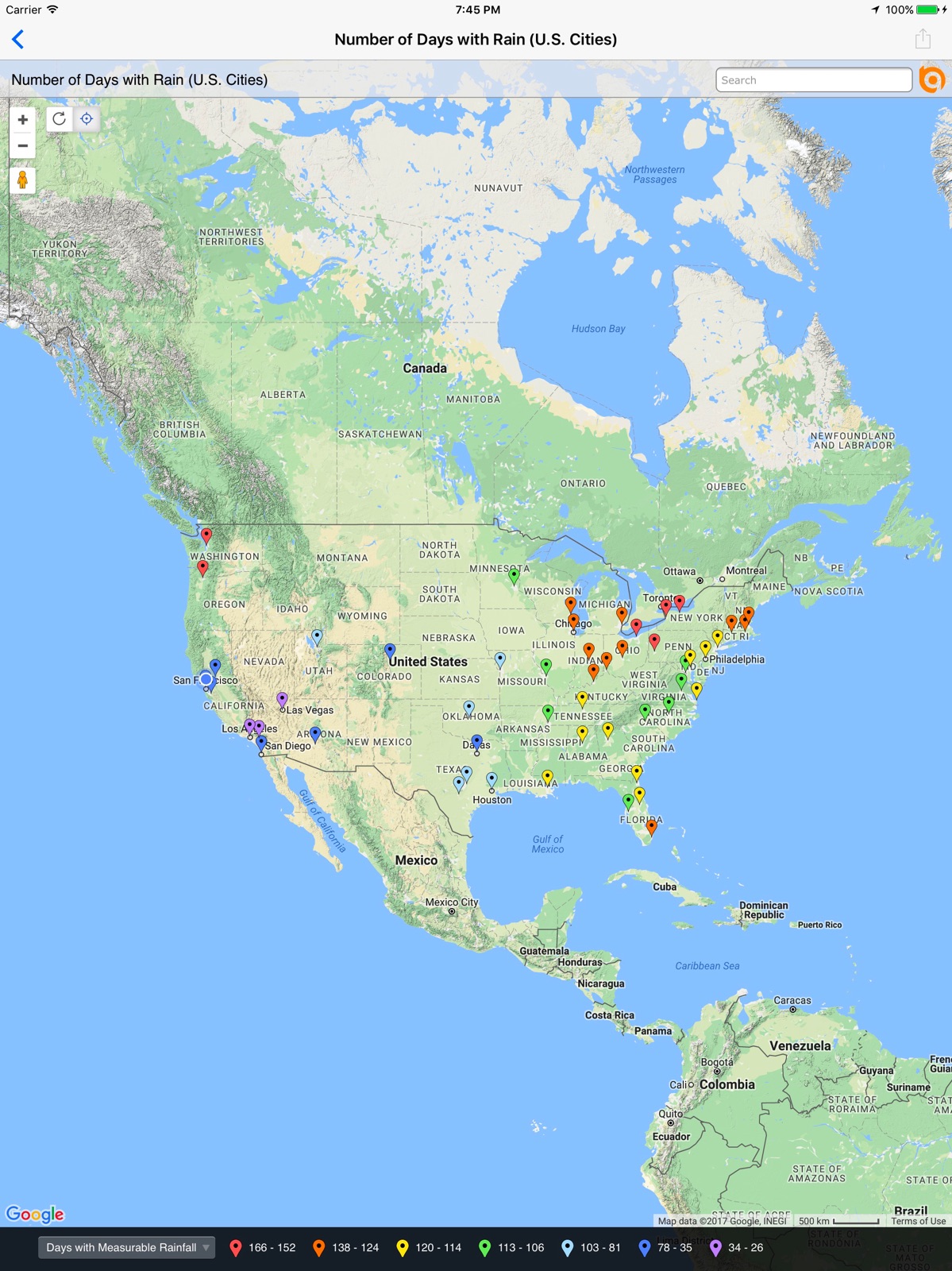
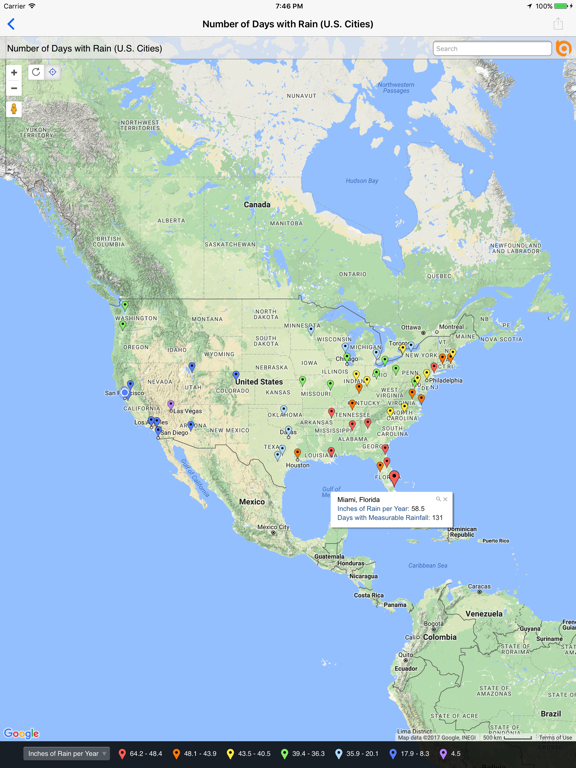
10 store screenshots


Pricing & paywalls
App Store
Shown for US
- Free
Ratings & reviews
App Store
Shown for US
-
5/5Been using batch 4+ years now
If you have A list of multiple locations on a spreadsheet this is the best app to automatically map . Just need to make sure formatting is correct before copy and pasting. Also, this app is free which is really nice.
BatchGeo rules 123 · 6 Aug 2026
-
5/5Easy and Accurate
Excellent!
Hey Sayler · 6 Aug 2026
-
1/5Stopped working and no help
The app stopped working today and I’ve tried to email multiple times but it’s a bad email. How do you fix things if you don’t know they’re broken because you don’t have a good email address paid for a subscription and here I am stranded.
Natetrain1 · 6 Aug 2026
-
1/5App doesn’t work
When you try to use the app it says your maps are not saved to the email. But when you use the website on your phone or computer it pulls up your maps.
Need2FixASAP · 6 Aug 2026
-
1/5I find this app not easy to use
I drive for a couple different companies and I find this app difficult to use. You almost have to pull over on the side of the road gas.
Yard exit not working · 6 Aug 2026
Privacy & accessibility
App Store
Privacy
- Data Not Collected Developer declared
Accessibility
No accessibility labels collected yet.
Versions
App Store
-
2.0.1
New in 2.0.1 · Fixed text rendering problem that appeared with iOS 7.1 New in 2.0.0 · New iOS 7 user interface. · Improved handling of maps containing large numbers of data points. · Improved security and handling of password protected maps. · Performance improvements. · Improved stability. · Bug fixes.
-
2.1.0
New in 2.1.0 · Support for iOS 10 · Support for new Apple devices · Bug fixes. New in 2.0.1 · Fixed text rendering problem that appeared with iOS 7.1 New in 2.0.0 · New iOS 7 user interface. · Improved handling of maps containing large numbers of data points. · Improved security and handling of password protected maps. · Performance improvements. · Improved stability. · Bug fixes.
-
2.1.1
New in 2.1.1 · Fix bug related to location services New in 2.1.0 · Support for iOS 10 · Support for new Apple devices · Bug fixes.
-
2.1.2
New in 2.1.2 ▪ Fix iPad search bug New in 2.1.1 ▪ Fix bug related to location services New in 2.1.0 ▪ Support for iOS 10 ▪ Support for new Apple devices ▪ Bug fixes
-
2.1.3
New in 2.1.3 ▪ Handle when device has not been configured to send email messages New in 2.1.2 ▪ Fix iPad search bug New in 2.1.1 ▪ Fix bug related to location services New in 2.1.0 ▪ Support for iOS 10 ▪ Support for new Apple devices ▪ Bug fixes
-
2.1.4
New in 2.1.4 ▪ Fix iPad share map bug New in 2.1.3 ▪ Handle when device has not been configured to send email messages New in 2.1.2 ▪ Fix iPad search bug New in 2.1.1 ▪ Fix bug related to location services New in 2.1.0 ▪ Support for iOS 10 ▪ Support for new Apple devices ▪ Bug fixes
-
3.0.0
New in 3.0.0 ▪ Re-written to support iOS 10 and all current iOS devices. ▪ Works with all data display styles including point symbols and colors, point clustering, pie charts and, if available, heat maps. ▪ Select, filter and zoom to map data. ▪ Now share maps via email or iMessage. ▪ Bug fixes and many performance enhancements.
-
3.0.1
New in 3.0.1 ▪ Re-written to support iOS 10 and all current iOS devices. ▪ Works with all data display styles including point symbols and colors, point clustering, pie charts and, if available, heat maps. ▪ Select, filter and zoom to map data. ▪ Now share maps via email or iMessage. ▪ Bug fixes and many performance enhancements.
-
3.0.10
New in 3.0.10: ▪ iOS 14 compatibility. ▪ Bug fixes and performance enhancements. New in 3.0.x: ▪ Support for Dark Mode. ▪ GPS updates and enhancements. ▪ Improved ability for the BatchGeo app to open a map URL that was tapped in another app. ▪ Ability to filter My Maps, only showing maps you own instead of all maps in your organization. ▪ Adds support for iPhone X. ▪ Re-written to support iOS 10+. ▪ Works with all data display styles including point symbols and colors, point clustering, pie charts and, if available, heat maps. ▪ Select, filter and zoom to map data. ▪ Now share maps via email or iMessage.
-
3.0.11
New in 3.0.11: ▪ Copy to clipboard added to map share sheet. ▪ Bug fixes and performance enhancements. New in 3.0.x: ▪ iOS 14 compatibility. ▪ Support for Dark Mode. ▪ GPS updates and enhancements. ▪ Improved ability for the BatchGeo app to open a map URL that was tapped in another app. ▪ Ability to filter My Maps, only showing maps you own instead of all maps in your organization. ▪ Adds support for iPhone X. ▪ Re-written to support iOS 10+. ▪ Works with all data display styles including point symbols and colors, point clustering, pie charts and, if available, heat maps. ▪ Select, filter and zoom to map data. ▪ Now share maps via email or iMessage.
-
3.0.12
New in 3.0.12: ▪ Bug fixes and performance enhancements. New in 3.0.x: ▪ Copy to clipboard added to map share sheet. ▪ Bug fixes and performance enhancements. ▪ iOS 15 compatibility. ▪ Support for Dark Mode. ▪ GPS updates and enhancements. ▪ Improved ability for the BatchGeo app to open a map URL that was tapped in another app. ▪ Ability to filter My Maps, only showing maps you own instead of all maps in your organization. ▪ Works with all data display styles including point symbols and colors, point clustering, pie charts and, if available, heat maps. ▪ Select, filter and zoom to map data. ▪ Now share maps via email or iMessage.
-
3.0.2
New in 3.0.2 ▪ Re-written to support iOS 10+ and all current iOS devices. ▪ Works with all data display styles including point symbols and colors, point clustering, pie charts and, if available, heat maps. ▪ Select, filter and zoom to map data. ▪ Now share maps via email or iMessage. ▪ Bug fixes and many performance enhancements.
-
3.0.3
New in 3.0.3 ▪ Adds support for iPhone X ▪ Re-written to support iOS 10+ ▪ Works with all data display styles including point symbols and colors, point clustering, pie charts and, if available, heat maps ▪ Select, filter and zoom to map data ▪ Now share maps via email or iMessage ▪ Bug fixes and many performance enhancements
-
3.0.4
New in 3.0.4 ▪ Ability to filter My Maps, only showing maps you own instead of all maps in your organization. ▪ Adds support for iPhone X ▪ Re-written to support iOS 10+ ▪ Works with all data display styles including point symbols and colors, point clustering, pie charts and, if available, heat maps ▪ Select, filter and zoom to map data ▪ Now share maps via email or iMessage ▪ Bug fixes and many performance enhancements
-
3.0.5
New in 3.0.5 ▪ Bug fixes and many performance enhancements ▪ Ability to filter My Maps, only showing maps you own instead of all maps in your organization. ▪ Adds support for iPhone X ▪ Re-written to support iOS 10+ ▪ Works with all data display styles including point symbols and colors, point clustering, pie charts and, if available, heat maps ▪ Select, filter and zoom to map data ▪ Now share maps via email or iMessage
-
3.0.6
New in 3.0.6: ▪ Fixes iPad crash when attempting to share map. New in 3.0.X: ▪ Bug fixes and many performance enhancements . ▪ Ability to filter My Maps, only showing maps you own instead of all maps in your organization. ▪ Adds support for iPhone X. ▪ Re-written to support iOS 10+. ▪ Works with all data display styles including point symbols and colors, point clustering, pie charts and, if available, heat maps. ▪ Select, filter and zoom to map data. ▪ Now share maps via email or iMessage.
-
3.0.7
New in 3.0.7: ▪ Improved ability for the BatchGeo app to open a map URL that was tapped in another app. ▪ Bug fixes and performance enhancements. New in 3.0.x: ▪ Ability to filter My Maps, only showing maps you own instead of all maps in your organization. ▪ Adds support for iPhone X. ▪ Re-written to support iOS 10+. ▪ Works with all data display styles including point symbols and colors, point clustering, pie charts and, if available, heat maps. ▪ Select, filter and zoom to map data. ▪ Now share maps via email or iMessage.
-
3.0.8
New in 3.0.8: ▪ Support for Dark Mode. ▪ GPS updates and enhancements. ▪ Bug fixes and performance enhancements. New in 3.0.x: ▪ Improved ability for the BatchGeo app to open a map URL that was tapped in another app. ▪ Ability to filter My Maps, only showing maps you own instead of all maps in your organization. ▪ Adds support for iPhone X. ▪ Re-written to support iOS 10+. ▪ Works with all data display styles including point symbols and colors, point clustering, pie charts and, if available, heat maps. ▪ Select, filter and zoom to map data. ▪ Now share maps via email or iMessage.
-
3.0.9
New in 3.0.9: ▪ Bug fixes and performance enhancements. New in 3.0.x: ▪ Support for Dark Mode. ▪ GPS updates and enhancements. ▪ Improved ability for the BatchGeo app to open a map URL that was tapped in another app. ▪ Ability to filter My Maps, only showing maps you own instead of all maps in your organization. ▪ Adds support for iPhone X. ▪ Re-written to support iOS 10+. ▪ Works with all data display styles including point symbols and colors, point clustering, pie charts and, if available, heat maps. ▪ Select, filter and zoom to map data. ▪ Now share maps via email or iMessage.
-
4.0.10
· 2 Jun 2026
Updated session invalid error message
-
4.0.4
Updates to iOS version Minor bug fixes
-
4.0.5
Bug fix that solves an issue where the map view was not correctly loading deep links after already displaying a loaded map.
-
4.0.7
Fixes bug with map link redirects If a user isn't logged in, the settings will now open on app start up to prompt login. This should help avoid confusion for users who don't see their maps.
-
4.0.8
Fixes an issue that would inconsistently log some users out of the app.
-
4.0.9
* Fixes bug with login that was preventing some passwords with specific special characters from working * Adds ability for users to hide maps from the main map screen * Adds new Hidden Maps view to see all Hidden maps on the Settings screen
Alternatives
- Route4Me Route Planner — Same category + similar ratings
- RoadWarrior Route Planner — Same category + similar ratings
- Route Planner, Delivery, MyWay — Same category + similar ratings
- PlaceMaker Route Planner — Same category + similar ratings
- Optiway Multi Stop Planner — Same category + similar ratings
- inRoute - Intelligent Routing — Same category + similar ratings
Availability by market
- US
Data quality & evidence
- Page completeness
- Live store listing
- Last verified
- 6 Aug 2026
- Sources
- App Store
- Independent summary has not been published yet.