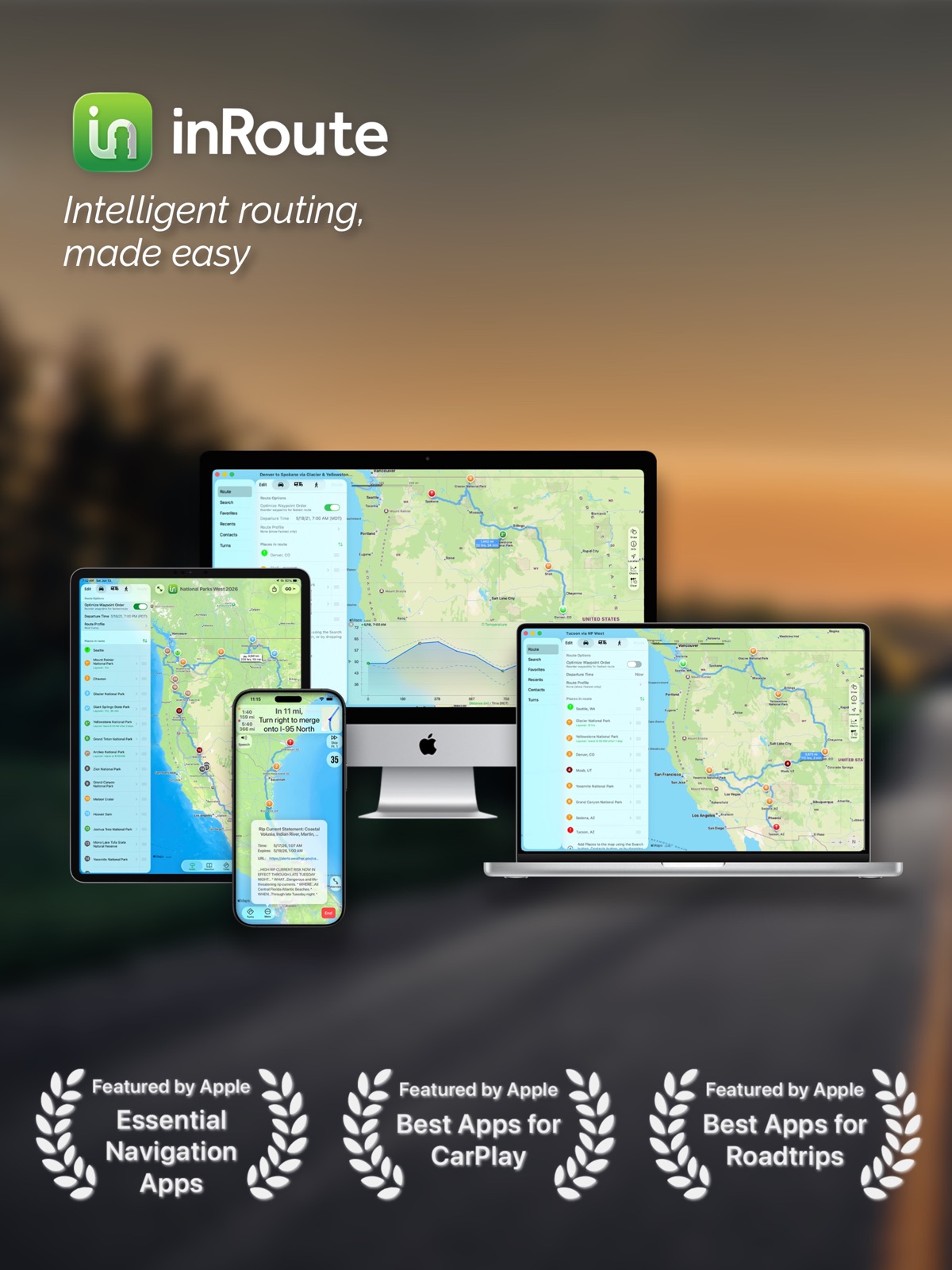
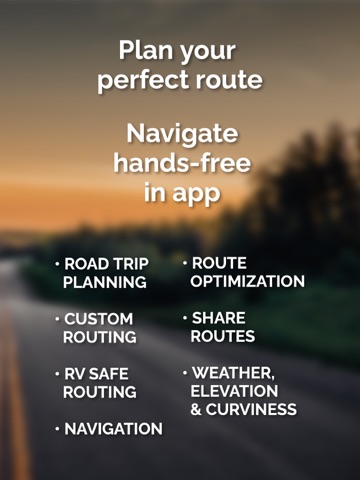
Apoku MCP provides app discovery, detailed cards, evidence, sources and screenshots where available. Unknown or conflicting prices stay explicit.
View JSON
GET /api/v3/apps/703796787
{
  "app_id": 703796787,
  "canonical_url": "https://appcorpus.com/apps/inroute-intelligent-routing-703796787",
  "identity": {
    "name": "inRoute - Intelligent Routing",
    "slug": "inroute-intelligent-routing",
    "developer": {
      "name": "Carob Apps, LLC",
      "url": "https://appcorpus.com/developers/carob-apps-llc-developer_cac88d53b874ea9abf7acd36d5f5b3e7"
    },
    "icon_url": "https://is1-ssl.mzstatic.com/image/thumb/Purple221/v4/77/2c/c3/772cc38f-e30c-dd71-d961-1fdff73b2279/AppIcon-0-0-1x_U007epad-0-0-0-1-0-0-sRGB-85-220.png/512x512bb.jpg",
    "stores": [
      "apple"
    ],
    "platforms": [
      "iphone",
      "ipad"
    ],
    "status": {
      "state": "active",
      "label": "Active",
      "last_checked": "2026-09-30",
      "last_checked_label": "30 Sep 2026",
      "banner": null,
      "region_note": null,
      "data_state": "stale",
      "data_state_label": "Some store data may be out of date"
    }
  },
  "listings": [
    {
      "store": "apple",
      "status": "ACTIVE",
      "url": "https://apps.apple.com/gb/app/inroute-intelligent-routing/id703796787?uo=4",
      "rating": 4.6,
      "rating_count": 10711,
      "formatted_price": "Free",
      "is_free": true,
      "has_iap": true,
      "has_subscription": null,
      "version": "9.0.5",
      "updated": "2026-09-30",
      "currency": "USD"
    }
  ],
  "summary": {
    "one_liner": null,
    "summary": null,
    "best_for": [],
    "not_for": [],
    "status": "fallback",
    "at_a_glance": [
      "From $4.99/mo",
      "Free download · core features require a paid plan",
      "In-app purchases"
    ]
  },
  "categories": {
    "official": [
      "Navigation",
      "Travel"
    ],
    "appcorpus": [
      {
        "category_id": "navigation",
        "label": "Navigation",
        "url": "https://appcorpus.com/categories/navigation"
      },
      {
        "category_id": "travel",
        "label": "Travel",
        "url": "https://appcorpus.com/categories/travel"
      }
    ]
  },
  "use_cases": [],
  "features": [
    {
      "capability_id": "free_app",
      "label": "Free app",
      "availability": "yes",
      "access_level": "free",
      "scope": null,
      "evidence": "Store published"
    },
    {
      "capability_id": "in_app_purchases",
      "label": "In-app purchases",
      "availability": "yes",
      "access_level": "free_limited",
      "scope": null,
      "evidence": "Store published"
    },
    {
      "capability_id": "subscription",
      "label": "Subscription",
      "availability": "yes",
      "access_level": "paid",
      "scope": null,
      "evidence": "Store published"
    },
    {
      "capability_id": "family_sharing",
      "label": "Family Sharing",
      "availability": "unknown",
      "access_level": "unknown",
      "scope": null,
      "evidence": "Store published"
    }
  ],
  "pricing": [
    {
      "store": "apple",
      "formatted_price": "Free",
      "is_free": true,
      "has_iap": true,
      "has_subscription": null,
      "currency": "USD",
      "market": "us",
      "last_verified": "2026-09-30",
      "rows": [
        "inRoute Pro ( ) — $5.99/month (derived from the IAP title)",
        "inRoute Pro ( ) — $59.99/year ($4.99/mo) (derived from the IAP title)",
        "Pro for Families ( ) — $7.99/month (derived from the IAP title)",
        "Pro for Families ( ) — $79.99/year ($6.66/mo) (derived from the IAP title)"
      ],
      "state": "current"
    }
  ],
  "screens": [
    {
      "url": "https://is1-ssl.mzstatic.com/image/thumb/PurpleSource211/v4/ea/46/19/ea46196c-fdf4-a0e9-6aac-3056dc3dd560/01.jpeg/1600x1600bb.jpg",
      "store": "apple",
      "platform": "ipad",
      "alt": "inRoute - Intelligent Routing ipad screenshot 1"
    },
    {
      "url": "https://is1-ssl.mzstatic.com/image/thumb/PurpleSource211/v4/ea/46/19/ea46196c-fdf4-a0e9-6aac-3056dc3dd560/01.jpeg/360x480bb.jpg",
      "store": "apple",
      "platform": "ipad",
      "alt": "inRoute - Intelligent Routing ipad screenshot 2"
    },
    {
      "url": "https://is1-ssl.mzstatic.com/image/thumb/PurpleSource221/v4/c0/99/7d/c0997dfb-9685-1d52-8ab6-6b2740e5f134/02.jpeg/1600x1600bb.jpg",
      "store": "apple",
      "platform": "ipad",
      "alt": "inRoute - Intelligent Routing ipad screenshot 3"
    },
    {
      "url": "https://is1-ssl.mzstatic.com/image/thumb/PurpleSource221/v4/c0/99/7d/c0997dfb-9685-1d52-8ab6-6b2740e5f134/02.jpeg/360x480bb.jpg",
      "store": "apple",
      "platform": "ipad",
      "alt": "inRoute - Intelligent Routing ipad screenshot 4"
    },
    {
      "url": "https://is1-ssl.mzstatic.com/image/thumb/PurpleSource221/v4/7c/ad/24/7cad24aa-774a-c0c3-682a-9e9e3aa6c971/03.jpeg/1600x1600bb.jpg",
      "store": "apple",
      "platform": "ipad",
      "alt": "inRoute - Intelligent Routing ipad screenshot 5"
    },
    {
      "url": "https://is1-ssl.mzstatic.com/image/thumb/PurpleSource221/v4/7c/ad/24/7cad24aa-774a-c0c3-682a-9e9e3aa6c971/03.jpeg/360x480bb.jpg",
      "store": "apple",
      "platform": "ipad",
      "alt": "inRoute - Intelligent Routing ipad screenshot 6"
    },
    {
      "url": "https://is1-ssl.mzstatic.com/image/thumb/PurpleSource211/v4/4f/bb/84/4fbb84f4-50fb-9f99-6587-4ece08638e59/04.jpeg/1600x1600bb.jpg",
      "store": "apple",
      "platform": "ipad",
      "alt": "inRoute - Intelligent Routing ipad screenshot 7"
    },
    {
      "url": "https://is1-ssl.mzstatic.com/image/thumb/PurpleSource211/v4/4f/bb/84/4fbb84f4-50fb-9f99-6587-4ece08638e59/04.jpeg/360x480bb.jpg",
      "store": "apple",
      "platform": "ipad",
      "alt": "inRoute - Intelligent Routing ipad screenshot 8"
    },
    {
      "url": "https://is1-ssl.mzstatic.com/image/thumb/PurpleSource221/v4/7d/09/76/7d097645-08ec-5849-272f-5bc7108d05f8/05.jpeg/1600x1600bb.jpg",
      "store": "apple",
      "platform": "ipad",
      "alt": "inRoute - Intelligent Routing ipad screenshot 9"
    },
    {
      "url": "https://is1-ssl.mzstatic.com/image/thumb/PurpleSource221/v4/7d/09/76/7d097645-08ec-5849-272f-5bc7108d05f8/05.jpeg/360x480bb.jpg",
      "store": "apple",
      "platform": "ipad",
      "alt": "inRoute - Intelligent Routing ipad screenshot 10"
    },
    {
      "url": "https://is1-ssl.mzstatic.com/image/thumb/PurpleSource211/v4/99/cc/61/99cc618a-6307-4ab3-e1bc-f07c305086ce/06.jpeg/1600x1600bb.jpg",
      "store": "apple",
      "platform": "ipad",
      "alt": "inRoute - Intelligent Routing ipad screenshot 11"
    },
    {
      "url": "https://is1-ssl.mzstatic.com/image/thumb/PurpleSource211/v4/99/cc/61/99cc618a-6307-4ab3-e1bc-f07c305086ce/06.jpeg/360x480bb.jpg",
      "store": "apple",
      "platform": "ipad",
      "alt": "inRoute - Intelligent Routing ipad screenshot 12"
    },
    {
      "url": "https://is1-ssl.mzstatic.com/image/thumb/PurpleSource221/v4/6e/a0/26/6ea02656-1d55-af45-98d2-e8402ccbd19a/07.jpeg/1600x1600bb.jpg",
      "store": "apple",
      "platform": "ipad",
      "alt": "inRoute - Intelligent Routing ipad screenshot 13"
    },
    {
      "url": "https://is1-ssl.mzstatic.com/image/thumb/PurpleSource221/v4/6e/a0/26/6ea02656-1d55-af45-98d2-e8402ccbd19a/07.jpeg/360x480bb.jpg",
      "store": "apple",
      "platform": "ipad",
      "alt": "inRoute - Intelligent Routing ipad screenshot 14"
    },
    {
      "url": "https://is1-ssl.mzstatic.com/image/thumb/PurpleSource211/v4/29/0b/07/290b0772-0042-7e91-c916-c1de21e91d03/01.jpeg/1320x1600bb.jpg",
      "store": "apple",
      "platform": "iphone",
      "alt": "inRoute - Intelligent Routing iphone screenshot 15"
    },
    {
      "url": "https://is1-ssl.mzstatic.com/image/thumb/PurpleSource221/v4/fa/b1/72/fab172f3-bf5c-c49f-9031-ed84e8f66ae5/02.jpeg/1320x1600bb.jpg",
      "store": "apple",
      "platform": "iphone",
      "alt": "inRoute - Intelligent Routing iphone screenshot 16"
    },
    {
      "url": "https://is1-ssl.mzstatic.com/image/thumb/PurpleSource221/v4/13/76/29/137629c2-e507-b1d5-2ce4-9782eb6ccd5c/03.jpeg/1320x1600bb.jpg",
      "store": "apple",
      "platform": "iphone",
      "alt": "inRoute - Intelligent Routing iphone screenshot 17"
    },
    {
      "url": "https://is1-ssl.mzstatic.com/image/thumb/PurpleSource211/v4/a4/2f/36/a42f3681-a823-b63b-1b77-b72c4b1c1c82/04.jpeg/1320x1600bb.jpg",
      "store": "apple",
      "platform": "iphone",
      "alt": "inRoute - Intelligent Routing iphone screenshot 18"
    },
    {
      "url": "https://is1-ssl.mzstatic.com/image/thumb/PurpleSource211/v4/bd/7c/1c/bd7c1c65-acad-5a13-bb81-54afa7d8b373/05.jpeg/1320x1600bb.jpg",
      "store": "apple",
      "platform": "iphone",
      "alt": "inRoute - Intelligent Routing iphone screenshot 19"
    },
    {
      "url": "https://is1-ssl.mzstatic.com/image/thumb/PurpleSource221/v4/3c/12/2c/3c122c03-b3a9-dbd1-1371-30e53acced47/06.jpeg/1320x1600bb.jpg",
      "store": "apple",
      "platform": "iphone",
      "alt": "inRoute - Intelligent Routing iphone screenshot 20"
    },
    {
      "url": "https://is1-ssl.mzstatic.com/image/thumb/PurpleSource211/v4/04/9a/a3/049aa36a-1ba0-3d3c-5cfe-2c1effa021a5/07.jpeg/1320x1600bb.jpg",
      "store": "apple",
      "platform": "iphone",
      "alt": "inRoute - Intelligent Routing iphone screenshot 21"
    },
    {
      "url": "https://is1-ssl.mzstatic.com/image/thumb/PurpleSource221/v4/8c/4f/17/8c4f179e-8ad3-c592-6deb-8880fd097f8e/08.jpeg/1320x1600bb.jpg",
      "store": "apple",
      "platform": "iphone",
      "alt": "inRoute - Intelligent Routing iphone screenshot 22"
    }
  ],
  "data_states": {
    "screens": "current"
  },
  "ratings": [
    {
      "store": "apple",
      "average": 4.6,
      "count": 10711,
      "market": "us",
      "observed_at": "2026-09-30",
      "state": "current",
      "reviews": [
        {
          "rating": 5,
          "title": "Don’t Know Where I’d Be Without inRoute!",
          "body": "I’ve been using this app for about 4 years to plan long RV road-trips. I love that I can synch my extensive route planning across multiple devices. The app helps me find all kinds of cool stuff to see along the way and, by tapping on the info icon, I can usually access a website for the location. I often add my own notes (in the note section for the stop) including little tidbits of history, where to park, admission, fees, etc. for easy access. With the ability to add layover times, I am always sure I’ll get to my final destination on the day intended, which is especially helpful when I’m on the road for an extended period of time. For me, the very best part is being able to see my updated arrival and departure times (in the info section of each pin) each time I make a change to my stops. The navigation part of this system is spot on and rivals Apple Maps and Waze (which I compared closely when I first started using the inRoute navigation.) I cannot tell you how many awesome sites I have discovered along the way using this app…including great places to overnight in our RV. My husband is blown away by the lesser known places that inRoute has helped me locate. And finally, the couple of times I’ve had a question about the app and emailed inRoute Support, I’ve received a quick, thorough and personal response from the support team. This is truly one of my most favorite and most used apps!! The path is the goal, and inRoute will absolutely help you make the most of the path you’re on!",
          "author": "PourHaus",
          "date": "30 Sep 2026"
        },
        {
          "rating": 5,
          "title": "Throughly impressed!",
          "body": "Just started using this app and I’m basically a pro at it already! We like motorcycle trips. We stop every 45 minutes or so to relax and grab a beverage. With this app, I can set a route, include stops AND tell it about how long I am planning to “layover” at each stop. I can tell it what time I’m leaving the house and it will calculate what time I will arrive at my final destination, including my layover times in the trip! Also I love that you can search around any of the layover locations for restaurants, gas, etc. If you add in another stop while planning your trip, it will recalculate your route. You can save these routes so I’m getting a lot of planning done, and this app has made it enjoyable! There are also options to choose windy roads, avoid freeways, and it even lets you have the option of telling the app how many mph you plan on driving over the marked speed (my husband has a hard time with speed limits and it can throw off arrival times)🤣 I am quite pleased and will definitely upgrade in the future if we take more trips. For now, this hasn’t cost anything and has given me so much. Very pleased! I cannot say enough good things about it. Immediately just download it you won’t regret it!",
          "author": "Min19737",
          "date": "30 Sep 2026"
        },
        {
          "rating": 5,
          "title": "My Favorite App - Since 2014",
          "body": "I'm a long distance motorcycle rider and love taking the back, winding road. I also run a large sport touring motorcycle group and plan very complex rally routes in the Smokey Mountains. I've tried out so many route apps and have paid for all of them. InRoute stands out far ahead of all others. It's not even a contest. Many other apps depend on a computer based application where you can view a route on the app. Some focus on uploading to a GPS, but few, if any, do it all on your phone or tablet. Those that can display a route rarely provide spoken turn by turn directions and none provides the ability to find gas stations along the route at 200 mile intervals and hotels ever 8 hours of driving, while adding layovers and stops at designated points. But where all others fall down is editing a given route on the fly from your phone. One more point of interest. Data is needed when you start a route. If you ride into areas where there is zero data access, you will always see your designated route and spoken turn by turn directions will always take you on your planned route. All in all, there is no better route planner - period. Faithful InRoute user since 2014.",
          "author": "Pparker1024",
          "date": "30 Sep 2026"
        },
        {
          "rating": 4,
          "title": "Free Version Useless With No Weather At All",
          "body": "I must be missing something? Why would one use the free app with nothing offered that one doesn’t get in planning a trip in Apple or Google Maps. **UPDATE** The developer is attentive & responsive and replied below. I’ll try the Trial subscription route but I’m not a big fan as that puts the onus on the trial user to remember to cancel the subscriptions different apps’ trials may have setup. But still appreciate an attentive developer. Will change star rating once I’ve successfully trialed and either paid or cancelled. **UPDATE** VERY attentive developer. VERY real world use based thinking. Great tools find spots along route eg gas every 200 miles. Changed to 4-stars. I still find the weather graph at the bottom much less useful than DriveWeather’s overlay right on the route line, plus changing start time is very tedious if exploring options on best time/day to leave with least rain (DW great UI for that). The developer explained their limitations but understood my use case above and saw the value. So, can’t give 5-stars but solid 4-star app. I trialed but didn’t cancel yet. It’s $40 per year vs DW’s $10 is a reason I will likely only get it for the months I am planning a long drive. Dev should consider better lower pricing.",
          "author": "IMRAN.TV",
          "date": "30 Sep 2026"
        },
        {
          "rating": 5,
          "title": "Very helpful, just a couple suggestions",
          "body": "This app has been really helpful for me. I am an autistic adult who struggles with driving and InRoute is my preferred navigation by far. Being able to plan a route at any time, save my planned routes, avoid interstates completely, proceed on the exact route selected without the app changing to arrive faster, and so much more make this app a better fit for me than Google Maps, Apple Maps, and especially Waze. While I love Waze’s UI and community, InRoute is the superior choice if you want to plan a route and stay there. This is super beneficial for me as someone who struggles with driving because it allows me to take all the time I need to review my route in advance and become familiar. I’ve never driven alone more than the distance of school to home, but a couple months ago I decided to challenge myself and attempt a 200 mile round trip solo to visit my SO. I’d never done anything close to this in the 8 years I’ve been driving. My family and I researched navigation apps to find the best fit for my needs, and with the assistance of InRoute I successfully made the trip without any issues. That was monumental for me and I could not have done it without the specific way InRoute works. Waze, Google Maps, and Apple Maps all lacked the necessary things that InRoute had that made the trip possible. My only suggestions would be to maybe update the UI as I have experienced some lack of flow in using the app itself, but nothing deal-breaking. I would also suggest re-examining the connection from phone to car systems, just because I experience mild problems when trying to set up the navigation to my car screen. Again, nothing deal-breaking. I want to thank the team behind this app, because you enabled me to achieve a level of independence we didn’t think I could do anytime soon. Thank you.",
          "author": "emothy2",
          "date": "30 Sep 2026"
        }
      ]
    }
  ],
  "privacy": [
    {
      "store": "apple",
      "declarations": [
        {
          "title": "Data Not Collected",
          "detail": "",
          "source": "Developer declared"
        }
      ],
      "accessibility": []
    }
  ],
  "changes": [
    {
      "store": "apple",
      "version": "8.6.3",
      "released_at": null,
      "notes": "Bug fixes"
    },
    {
      "store": "apple",
      "version": "8.8.2",
      "released_at": null,
      "notes": "- Improved driving routes when avoiding tolls/highways, including better routing to dropped pins and to the front side of addresses - Bug fixes"
    },
    {
      "store": "apple",
      "version": "8.8.3",
      "released_at": null,
      "notes": "Compatibility updates for upcoming iOS releases"
    },
    {
      "store": "apple",
      "version": "8.8.4",
      "released_at": null,
      "notes": "Compatibility updates for upcoming iOS releases"
    },
    {
      "store": "apple",
      "version": "8.8.5",
      "released_at": null,
      "notes": "Compatibility updates for upcoming iOS releases"
    },
    {
      "store": "apple",
      "version": "8.8.6",
      "released_at": null,
      "notes": "Bug fix for restoring purchases on iOS 26.4"
    },
    {
      "store": "apple",
      "version": "8.8.7",
      "released_at": null,
      "notes": "Bug fix for restoring purchases on iOS 26.4"
    },
    {
      "store": "apple",
      "version": "9.0",
      "released_at": null,
      "notes": "- New Design for iOS 26 - New App Icon: Customizable for dark/clear/tinted modes"
    },
    {
      "store": "apple",
      "version": "9.0.3",
      "released_at": "2026-08-26",
      "notes": "Bug fixes"
    },
    {
      "store": "apple",
      "version": "8.6.9",
      "released_at": null,
      "notes": "Performance updates for large libraries of saved routes and pins (Favorites)"
    },
    {
      "store": "apple",
      "version": "8.7.1",
      "released_at": null,
      "notes": "Minor bug fixes"
    },
    {
      "store": "apple",
      "version": "8.7.2",
      "released_at": null,
      "notes": "- Exit Number Map: A new map type to help plan routes based on highway exit numbers. This map is in public preview and can be enabled in the map's More button > App Settings > Advanced. Public preview features/availability may change. - Bug fixes and minor improvements"
    },
    {
      "store": "apple",
      "version": "8.8",
      "released_at": null,
      "notes": "Improved driving routes when avoiding tolls/highways, including better routing to dropped pins and to the front side of addresses"
    },
    {
      "store": "apple",
      "version": "8.6.4",
      "released_at": null,
      "notes": "Performance updates"
    },
    {
      "store": "apple",
      "version": "8.6.5",
      "released_at": null,
      "notes": "Bug fixes"
    },
    {
      "store": "apple",
      "version": "8.6.10",
      "released_at": null,
      "notes": "Several small improvements and bug fixes, including: - Map searches for common terms (Food, Gas, etc.) use the same default pin colors as a Route search - RV routes now include advisories for unpaved roads and low emission zones - Updated toll road handling for RV routes - Importing a GPX file with different RV specs now shows a warning - Selecting a waypoint on the Route screen highlights the waypoint on the map - Improvements to the \"Zoom for Minor Changes\" setting, and \"Undo\" for map changes - Improved handling of character encodings when importing GPX files - Improvements reloading saved Favorites from iCloud - Fixed intermittent problems loading Siri shortcuts and app icon shortcuts"
    },
    {
      "store": "apple",
      "version": "8.6.7",
      "released_at": null,
      "notes": "Bug fix for weather errors on some routes 10+ days in the future"
    },
    {
      "store": "apple",
      "version": "8.7.3",
      "released_at": null,
      "notes": "- Share route points to the Tesla or Rivian apps for navigation (in the \"Route\" list, press and hold on a waypoint to share) - Added option to disable playing a tone instead of speaking turn instructions during phone calls (More > App Settings > Navigation) - \"Contacts\" button has been restored to the macOS sidebar - Bug fixes"
    },
    {
      "store": "apple",
      "version": "8.6.6",
      "released_at": null,
      "notes": "- Bug fix for a duplicate pin appearing after editing some waypoints on iOS 18 - Performance updates"
    },
    {
      "store": "apple",
      "version": "8.8.1",
      "released_at": null,
      "notes": "- Improved driving routes when avoiding tolls/highways, including better routing to dropped pins and to the front side of addresses - Bug fixes"
    }
  ],
  "alternatives": [
    {
      "app_id": 1538749505,
      "name": "Roadie: Road Trip Planner & RV",
      "url": "https://appcorpus.com/apps/roadie-road-trip-planner-rv-1538749505",
      "reason": "Same category + similar ratings"
    },
    {
      "app_id": 844256133,
      "name": "Road Trip Planner Viewer",
      "url": "https://appcorpus.com/apps/road-trip-planner-viewer-844256133",
      "reason": "Same category + similar ratings"
    }
  ],
  "evidence_summary": {
    "index_state": "S1",
    "evidence_level": 1,
    "level_label": "Live store listing",
    "indexable": true,
    "last_verified_at": "2026-09-30",
    "unknown_fields": [
      "Apoku editorial summary has not been published yet."
    ],
    "sources": [
      "App Store"
    ]
  },
  "availability_markets": {
    "live": [
      "gb",
      "us",
      "de"
    ],
    "selected": "us",
    "note": null
  },
  "feature_events": {
    "events": [
      {
        "type": "new_subscription",
        "occurred_at": "2026-09-26 18:44:45.555266+00:00",
        "plan_code": null,
        "capability_id": null,
        "previous": {},
        "current": {},
        "scope": {
          "store_id": "apple",
          "change_id": "change_8699a2d52d7efb1d0d6bdf315d55d5ae",
          "storefront_id": "us"
        },
        "source": "store_diff"
      },
      {
        "type": "new_subscription",
        "occurred_at": "2026-09-26 18:44:45.555266+00:00",
        "plan_code": null,
        "capability_id": null,
        "previous": {},
        "current": {},
        "scope": {
          "store_id": "apple",
          "change_id": "change_8699a2d52d7efb1d0d6bdf315d55d5ae",
          "locale_id": "en-US",
          "storefront_id": "us"
        },
        "source": "store_diff"
      },
      {
        "type": "new_subscription",
        "occurred_at": "2026-08-27 18:43:01.889017+00:00",
        "plan_code": null,
        "capability_id": null,
        "previous": {},
        "current": {},
        "scope": {
          "store_id": "apple",
          "change_id": "change_015a05b1e82e77095c3d084a32fbdabf",
          "storefront_id": "us"
        },
        "source": "store_diff"
      },
      {
        "type": "new_subscription",
        "occurred_at": "2026-08-27 18:43:01.889017+00:00",
        "plan_code": null,
        "capability_id": null,
        "previous": {},
        "current": {},
        "scope": {
          "store_id": "apple",
          "change_id": "change_015a05b1e82e77095c3d084a32fbdabf",
          "locale_id": "en-US",
          "storefront_id": "us"
        },
        "source": "store_diff"
      },
      {
        "type": "new_subscription",
        "occurred_at": "2026-08-27 18:42:53.611023+00:00",
        "plan_code": null,
        "capability_id": null,
        "previous": {},
        "current": {},
        "scope": {
          "store_id": "apple",
          "change_id": "change_ad7ccc0db03e8d9ba10b9c7b21fbf13b",
          "storefront_id": "us"
        },
        "source": "store_diff"
      },
      {
        "type": "new_subscription",
        "occurred_at": "2026-08-27 17:28:42.818764+00:00",
        "plan_code": null,
        "capability_id": null,
        "previous": {},
        "current": {},
        "scope": {
          "store_id": "apple",
          "change_id": "change_54bfa20b8ca606734a8a64c32878c9b0",
          "storefront_id": "us"
        },
        "source": "store_diff"
      },
      {
        "type": "new_subscription",
        "occurred_at": "2026-08-27 17:28:42.818764+00:00",
        "plan_code": null,
        "capability_id": null,
        "previous": {},
        "current": {},
        "scope": {
          "store_id": "apple",
          "change_id": "change_54bfa20b8ca606734a8a64c32878c9b0",
          "locale_id": "en-US",
          "storefront_id": "us"
        },
        "source": "store_diff"
      },
      {
        "type": "new_subscription",
        "occurred_at": "2026-08-27 08:22:33.567194+00:00",
        "plan_code": null,
        "capability_id": null,
        "previous": {},
        "current": {},
        "scope": {
          "store_id": "apple",
          "change_id": "change_3d26b2114f5cbb1b654fbf1334a23019",
          "storefront_id": "us"
        },
        "source": "store_diff"
      },
      {
        "type": "new_subscription",
        "occurred_at": "2026-08-27 08:22:33.567194+00:00",
        "plan_code": null,
        "capability_id": null,
        "previous": {},
        "current": {},
        "scope": {
          "store_id": "apple",
          "change_id": "change_3d26b2114f5cbb1b654fbf1334a23019",
          "locale_id": "en-US",
          "storefront_id": "us"
        },
        "source": "store_diff"
      },
      {
        "type": "new_subscription",
        "occurred_at": "2026-07-31 17:17:34.908633+00:00",
        "plan_code": null,
        "capability_id": null,
        "previous": {},
        "current": {},
        "scope": {
          "store_id": "apple",
          "change_id": "change_479a636647722e88171f271109ee3621",
          "storefront_id": "us"
        },
        "source": "store_diff"
      },
      {
        "type": "new_subscription",
        "occurred_at": "2026-07-31 17:17:34.908633+00:00",
        "plan_code": null,
        "capability_id": null,
        "previous": {},
        "current": {},
        "scope": {
          "store_id": "apple",
          "change_id": "change_479a636647722e88171f271109ee3621",
          "locale_id": "en-US",
          "storefront_id": "us"
        },
        "source": "store_diff"
      }
    ]
  },
  "features_slice": {
    "plans": [
      {
        "code": "inroute-pro",
        "label": "inRoute Pro ( )",
        "kind": "subscription",
        "status": "store_verified",
        "prices": [
          {
            "storefront": "us",
            "formatted": "$5.99",
            "billing_period": "monthly",
            "scope_status": "scoped",
            "market_mismatch": false,
            "source_market": "us",
            "observed_at": "2026-09-30 08:40:37.199222+00:00"
          },
          {
            "storefront": "us",
            "formatted": "$59.99",
            "billing_period": "yearly",
            "scope_status": "scoped",
            "market_mismatch": false,
            "source_market": "us",
            "observed_at": "2026-09-30 08:40:37.199222+00:00"
          }
        ],
        "trial": null
      },
      {
        "code": "pro-for-families",
        "label": "Pro for Families ( )",
        "kind": "subscription",
        "status": "store_verified",
        "prices": [
          {
            "storefront": "us",
            "formatted": "$7.99",
            "billing_period": "monthly",
            "scope_status": "scoped",
            "market_mismatch": false,
            "source_market": "us",
            "observed_at": "2026-09-30 08:40:37.199222+00:00"
          },
          {
            "storefront": "us",
            "formatted": "$79.99",
            "billing_period": "yearly",
            "scope_status": "scoped",
            "market_mismatch": false,
            "source_market": "us",
            "observed_at": "2026-09-30 08:40:37.199222+00:00"
          }
        ],
        "trial": null
      }
    ],
    "features": [],
    "unknown_features": [],
    "data_cutoff": "30 Sep 2026"
  }
}