
Quick verdict
- What it is
- Store information collected; independent summary not yet available.
- At a glance
-
- Free to download
Categories and search queries
Official categories
- Navigation
- Reference
AppCorpus categories
Key functions
| Function | Availability | Access | Scope | Evidence |
|---|---|---|---|---|
| Free app | Yes | Free | — | Store published |
Screens
App Store
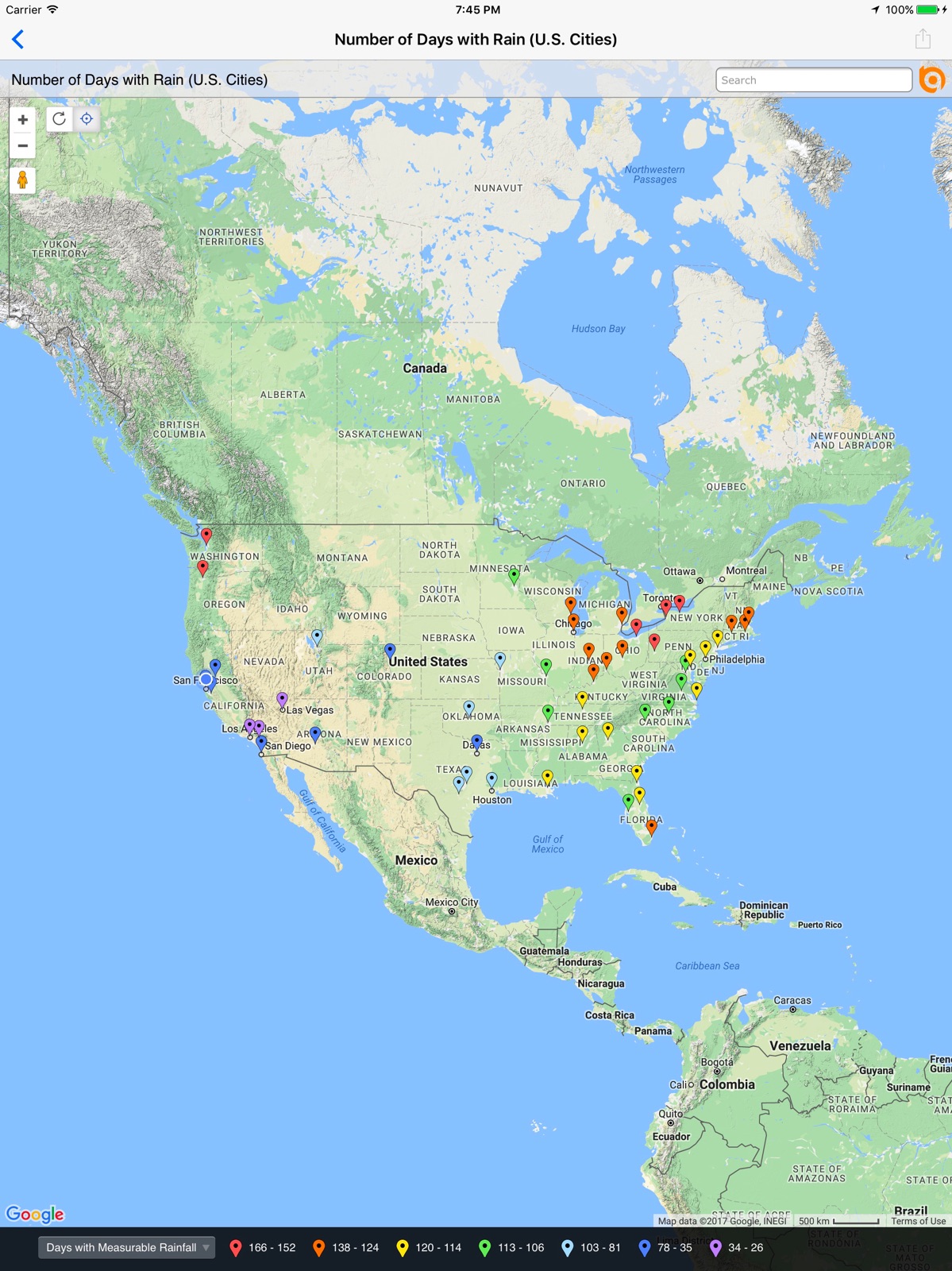
10 store screenshots


Pricing & paywalls
App Store
- Free
Ratings & reviews
App Store
-
1/5Deleting
Installed BatchGeo, couldn’t figure out how to create a new map. There’s a Settings gear that opens settings. Nothing about map creation there. And there’s a refresh button. Nothing to refresh. Waste of time. Buh-bye
Wm P II · 6 Aug 2026
-
1/5I find this app not easy to use
I drive for a couple different companies and I find this app difficult to use. You almost have to pull over on the side of the road gas.
Yard exit not working · 6 Aug 2026
-
1/5Too many errors
I pay over $15 for a monthly subscription that errors out too many times
Look elsewhere first · 6 Aug 2026
-
5/5Easy and Accurate
Excellent!
Hey Sayler · 6 Aug 2026
-
1/5Stopped working and no help
The app stopped working today and I’ve tried to email multiple times but it’s a bad email. How do you fix things if you don’t know they’re broken because you don’t have a good email address paid for a subscription and here I am stranded.
Natetrain1 · 6 Aug 2026
Privacy & accessibility
App Store
Privacy
- Data Not Collected Developer declared
Accessibility
No accessibility labels collected yet.
Versions
App Store
-
2.0.1
New in 2.0.1 · Fixed text rendering problem that appeared with iOS 7.1 New in 2.0.0 · New iOS 7 user interface. · Improved handling of maps containing large numbers of data points. · Improved security and handling of password protected maps. · Performance improvements. · Improved stability. · Bug fixes.
-
2.1.0
New in 2.1.0 · Support for iOS 10 · Support for new Apple devices · Bug fixes. New in 2.0.1 · Fixed text rendering problem that appeared with iOS 7.1 New in 2.0.0 · New iOS 7 user interface. · Improved handling of maps containing large numbers of data points. · Improved security and handling of password protected maps. · Performance improvements. · Improved stability. · Bug fixes.
-
2.1.1
New in 2.1.1 · Fix bug related to location services New in 2.1.0 · Support for iOS 10 · Support for new Apple devices · Bug fixes.
-
2.1.2
New in 2.1.2 ▪ Fix iPad search bug New in 2.1.1 ▪ Fix bug related to location services New in 2.1.0 ▪ Support for iOS 10 ▪ Support for new Apple devices ▪ Bug fixes
-
2.1.3
New in 2.1.3 ▪ Handle when device has not been configured to send email messages New in 2.1.2 ▪ Fix iPad search bug New in 2.1.1 ▪ Fix bug related to location services New in 2.1.0 ▪ Support for iOS 10 ▪ Support for new Apple devices ▪ Bug fixes
-
2.1.4
New in 2.1.4 ▪ Fix iPad share map bug New in 2.1.3 ▪ Handle when device has not been configured to send email messages New in 2.1.2 ▪ Fix iPad search bug New in 2.1.1 ▪ Fix bug related to location services New in 2.1.0 ▪ Support for iOS 10 ▪ Support for new Apple devices ▪ Bug fixes
-
3.0.0
New in 3.0.0 ▪ Re-written to support iOS 10 and all current iOS devices. ▪ Works with all data display styles including point symbols and colors, point clustering, pie charts and, if available, heat maps. ▪ Select, filter and zoom to map data. ▪ Now share maps via email or iMessage. ▪ Bug fixes and many performance enhancements.
-
3.0.1
New in 3.0.1 ▪ Re-written to support iOS 10 and all current iOS devices. ▪ Works with all data display styles including point symbols and colors, point clustering, pie charts and, if available, heat maps. ▪ Select, filter and zoom to map data. ▪ Now share maps via email or iMessage. ▪ Bug fixes and many performance enhancements.
-
3.0.10
New in 3.0.10: ▪ iOS 14 compatibility. ▪ Bug fixes and performance enhancements. New in 3.0.x: ▪ Support for Dark Mode. ▪ GPS updates and enhancements. ▪ Improved ability for the BatchGeo app to open a map URL that was tapped in another app. ▪ Ability to filter My Maps, only showing maps you own instead of all maps in your organization. ▪ Adds support for iPhone X. ▪ Re-written to support iOS 10+. ▪ Works with all data display styles including point symbols and colors, point clustering, pie charts and, if available, heat maps. ▪ Select, filter and zoom to map data. ▪ Now share maps via email or iMessage.
-
3.0.11
New in 3.0.11: ▪ Copy to clipboard added to map share sheet. ▪ Bug fixes and performance enhancements. New in 3.0.x: ▪ iOS 14 compatibility. ▪ Support for Dark Mode. ▪ GPS updates and enhancements. ▪ Improved ability for the BatchGeo app to open a map URL that was tapped in another app. ▪ Ability to filter My Maps, only showing maps you own instead of all maps in your organization. ▪ Adds support for iPhone X. ▪ Re-written to support iOS 10+. ▪ Works with all data display styles including point symbols and colors, point clustering, pie charts and, if available, heat maps. ▪ Select, filter and zoom to map data. ▪ Now share maps via email or iMessage.
-
3.0.12
New in 3.0.12: ▪ Bug fixes and performance enhancements. New in 3.0.x: ▪ Copy to clipboard added to map share sheet. ▪ Bug fixes and performance enhancements. ▪ iOS 15 compatibility. ▪ Support for Dark Mode. ▪ GPS updates and enhancements. ▪ Improved ability for the BatchGeo app to open a map URL that was tapped in another app. ▪ Ability to filter My Maps, only showing maps you own instead of all maps in your organization. ▪ Works with all data display styles including point symbols and colors, point clustering, pie charts and, if available, heat maps. ▪ Select, filter and zoom to map data. ▪ Now share maps via email or iMessage.
-
3.0.2
New in 3.0.2 ▪ Re-written to support iOS 10+ and all current iOS devices. ▪ Works with all data display styles including point symbols and colors, point clustering, pie charts and, if available, heat maps. ▪ Select, filter and zoom to map data. ▪ Now share maps via email or iMessage. ▪ Bug fixes and many performance enhancements.
-
3.0.3
New in 3.0.3 ▪ Adds support for iPhone X ▪ Re-written to support iOS 10+ ▪ Works with all data display styles including point symbols and colors, point clustering, pie charts and, if available, heat maps ▪ Select, filter and zoom to map data ▪ Now share maps via email or iMessage ▪ Bug fixes and many performance enhancements
-
3.0.4
New in 3.0.4 ▪ Ability to filter My Maps, only showing maps you own instead of all maps in your organization. ▪ Adds support for iPhone X ▪ Re-written to support iOS 10+ ▪ Works with all data display styles including point symbols and colors, point clustering, pie charts and, if available, heat maps ▪ Select, filter and zoom to map data ▪ Now share maps via email or iMessage ▪ Bug fixes and many performance enhancements
-
3.0.5
New in 3.0.5 ▪ Bug fixes and many performance enhancements ▪ Ability to filter My Maps, only showing maps you own instead of all maps in your organization. ▪ Adds support for iPhone X ▪ Re-written to support iOS 10+ ▪ Works with all data display styles including point symbols and colors, point clustering, pie charts and, if available, heat maps ▪ Select, filter and zoom to map data ▪ Now share maps via email or iMessage
-
3.0.6
New in 3.0.6: ▪ Fixes iPad crash when attempting to share map. New in 3.0.X: ▪ Bug fixes and many performance enhancements . ▪ Ability to filter My Maps, only showing maps you own instead of all maps in your organization. ▪ Adds support for iPhone X. ▪ Re-written to support iOS 10+. ▪ Works with all data display styles including point symbols and colors, point clustering, pie charts and, if available, heat maps. ▪ Select, filter and zoom to map data. ▪ Now share maps via email or iMessage.
-
3.0.7
New in 3.0.7: ▪ Improved ability for the BatchGeo app to open a map URL that was tapped in another app. ▪ Bug fixes and performance enhancements. New in 3.0.x: ▪ Ability to filter My Maps, only showing maps you own instead of all maps in your organization. ▪ Adds support for iPhone X. ▪ Re-written to support iOS 10+. ▪ Works with all data display styles including point symbols and colors, point clustering, pie charts and, if available, heat maps. ▪ Select, filter and zoom to map data. ▪ Now share maps via email or iMessage.
-
3.0.8
New in 3.0.8: ▪ Support for Dark Mode. ▪ GPS updates and enhancements. ▪ Bug fixes and performance enhancements. New in 3.0.x: ▪ Improved ability for the BatchGeo app to open a map URL that was tapped in another app. ▪ Ability to filter My Maps, only showing maps you own instead of all maps in your organization. ▪ Adds support for iPhone X. ▪ Re-written to support iOS 10+. ▪ Works with all data display styles including point symbols and colors, point clustering, pie charts and, if available, heat maps. ▪ Select, filter and zoom to map data. ▪ Now share maps via email or iMessage.
-
3.0.9
New in 3.0.9: ▪ Bug fixes and performance enhancements. New in 3.0.x: ▪ Support for Dark Mode. ▪ GPS updates and enhancements. ▪ Improved ability for the BatchGeo app to open a map URL that was tapped in another app. ▪ Ability to filter My Maps, only showing maps you own instead of all maps in your organization. ▪ Adds support for iPhone X. ▪ Re-written to support iOS 10+. ▪ Works with all data display styles including point symbols and colors, point clustering, pie charts and, if available, heat maps. ▪ Select, filter and zoom to map data. ▪ Now share maps via email or iMessage.
-
4.0.10
· 2 Jun 2026
Updated session invalid error message
-
4.0.4
Updates to iOS version Minor bug fixes
-
4.0.5
Bug fix that solves an issue where the map view was not correctly loading deep links after already displaying a loaded map.
-
4.0.7
Fixes bug with map link redirects If a user isn't logged in, the settings will now open on app start up to prompt login. This should help avoid confusion for users who don't see their maps.
-
4.0.8
Fixes an issue that would inconsistently log some users out of the app.
-
4.0.9
* Fixes bug with login that was preventing some passwords with specific special characters from working * Adds ability for users to hide maps from the main map screen * Adds new Hidden Maps view to see all Hidden maps on the Settings screen
Alternatives
- Route4Me Route Planner — Same category + similar ratings
- RoadWarrior Route Planner — Same category + similar ratings
- Route Planner, Delivery, MyWay — Same category + similar ratings
- PlaceMaker Route Planner — Same category + similar ratings
- Optiway Multi Stop Planner — Same category + similar ratings
- inRoute - Intelligent Routing — Same category + similar ratings
Availability by market
- US
Data quality & evidence
- Page completeness
- Live store listing
- Last verified
- 6 Aug 2026
- Sources
- App Store
- Independent summary has not been published yet.