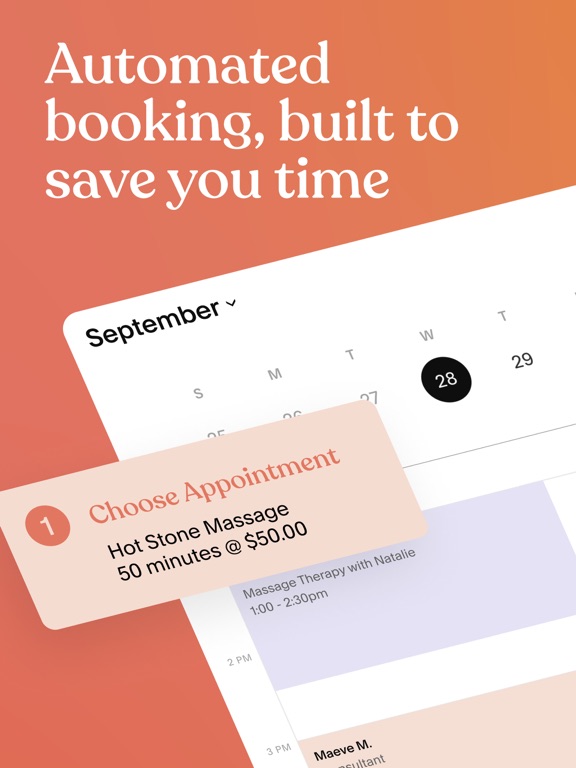
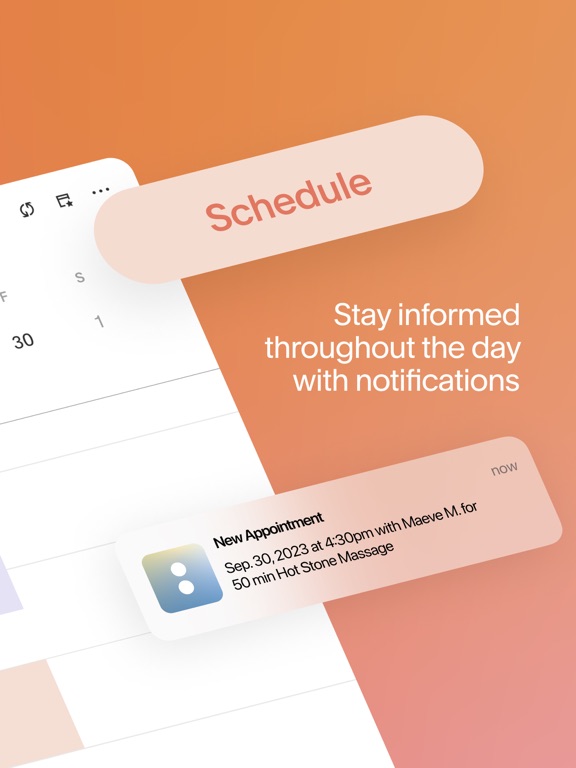
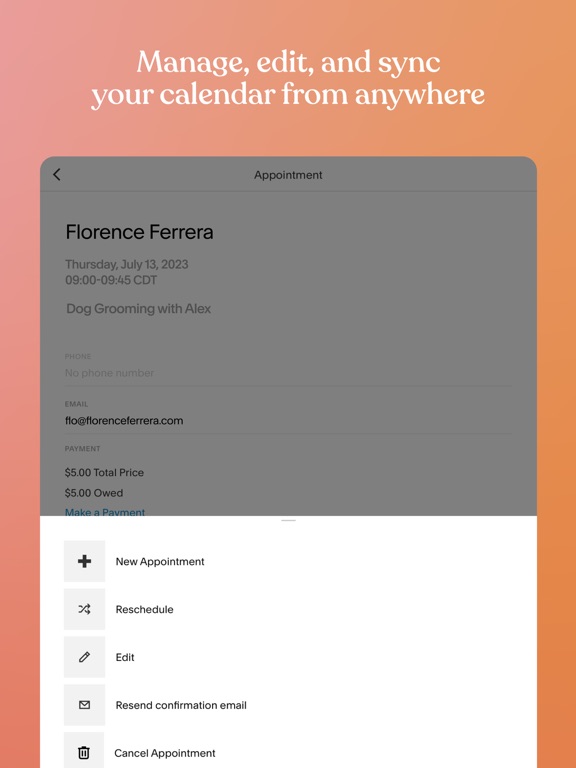
Apoku MCP provides app discovery, detailed cards, evidence, sources and screenshots where available. Unknown or conflicting prices stay explicit.
View JSON
GET /api/v3/apps/1179146771
{
"app_id": 1179146771,
"canonical_url": "https://appcorpus.com/apps/acuity-appointment-scheduler-1179146771",
"identity": {
"name": "Acuity: Appointment Scheduler",
"slug": "acuity-appointment-scheduler",
"developer": {
"name": "Squarespace, Inc.",
"url": "https://appcorpus.com/developers/squarespace-inc-developer_5bb07f665a78f63e21d7f3ce94bfd355"
},
"icon_url": "https://is1-ssl.mzstatic.com/image/thumb/Purple221/v4/6a/05/82/6a05829f-7c67-5f9d-ab39-c3200c448b1a/AppIcon-0-0-1x_U007emarketing-0-11-0-85-220.png/512x512bb.jpg",
"stores": [
"apple",
"gplay"
],
"platforms": [
"iphone",
"ipad",
"android"
],
"status": {
"state": "active",
"label": "Active",
"last_checked": "2026-08-06",
"last_checked_label": "6 Aug 2026",
"banner": null,
"region_note": null,
"data_state": "stale",
"data_state_label": "Some store data may be out of date"
}
},
"listings": [
{
"store": "apple",
"status": "ACTIVE",
"url": "https://apps.apple.com/us/app/acuity-appointment-scheduler/id1179146771?uo=4",
"rating": 4.8,
"rating_count": 29667,
"formatted_price": "Free",
"is_free": true,
"has_iap": true,
"has_subscription": null,
"version": "91.0.0",
"updated": "2026-08-06",
"currency": "USD"
},
{
"store": "gplay",
"status": "ACTIVE",
"url": "https://play.google.com/store/apps/details?id=com.acuityscheduling.app.android",
"rating": 4.2724457,
"rating_count": 5098,
"formatted_price": "Free",
"is_free": true,
"has_iap": false,
"has_subscription": null,
"version": "90.0.0",
"updated": "2026-07-29",
"currency": "USD"
}
],
"summary": {
"one_liner": "Appointment scheduling and client management for service-based businesses",
"summary": "Acuity Scheduling is an all-in-one scheduling software that helps businesses manage bookings, clients, payments, and calendars in one place. It offers features such as automated reminders, customizable intake forms, and integration with payment gateways.",
"best_for": [
"service-based businesses",
"therapists",
"wellness practitioners",
"coaches",
"consultants"
],
"not_for": [],
"status": "published",
"at_a_glance": [
"From $24.08/mo",
"Free (App Store) · Free (Google Play)",
"In-app purchases"
]
},
"categories": {
"official": [
"Business",
"Productivity"
],
"appcorpus": [
{
"category_id": "business",
"label": "Business",
"url": "https://appcorpus.com/categories/business"
},
{
"category_id": "productivity",
"label": "Productivity",
"url": "https://appcorpus.com/categories/productivity"
}
]
},
"use_cases": [],
"features": [
{
"capability_id": "free_app",
"label": "Free app",
"availability": "yes",
"access_level": "free",
"scope": null,
"evidence": "Store published"
},
{
"capability_id": "in_app_purchases",
"label": "In-app purchases",
"availability": "yes",
"access_level": "free_limited",
"scope": null,
"evidence": "Store published"
},
{
"capability_id": "apple_wallet",
"label": "Apple Wallet",
"availability": "unknown",
"access_level": "unknown",
"scope": null,
"evidence": "Store published"
}
],
"pricing": [
{
"store": "apple",
"formatted_price": "Free",
"is_free": true,
"has_iap": true,
"has_subscription": null,
"currency": "USD",
"market": "us",
"last_verified": "2026-08-06",
"rows": [
"iOS Starter Monthly — $29.00/month",
"iOS Starter Monthly — $289.00/year ($24.08/mo)",
"iOS Standard Monthly — $50.00/month",
"iOS Standard Monthly — $489.00/year ($40.75/mo)",
"iOS Premium Monthly — $89.00/month",
"iOS Premium Monthly — $869.00/year ($72.41/mo)"
],
"state": "current"
},
{
"store": "gplay",
"formatted_price": "Free",
"is_free": true,
"has_iap": false,
"has_subscription": null,
"currency": "USD",
"market": "us",
"last_verified": "2026-07-29",
"rows": [
"Free to download"
],
"state": "current"
}
],
"screens": [
{
"url": "https://is1-ssl.mzstatic.com/image/thumb/PurpleSource211/v4/14/b6/a3/14b6a387-49da-a154-7f20-21abdefc95a4/AcuityAppStore_iPad12.9_2048x2732_1.jpg/576x768bb.jpg",
"store": "apple",
"platform": "ipad",
"alt": "Acuity: Appointment Scheduler ipad screenshot 1"
},
{
"url": "https://is1-ssl.mzstatic.com/image/thumb/PurpleSource221/v4/51/f6/97/51f69753-4968-d24b-b0a3-f3ac98550303/AcuityAppStore_iPad12.9_2048x2732_2.jpg/576x768bb.jpg",
"store": "apple",
"platform": "ipad",
"alt": "Acuity: Appointment Scheduler ipad screenshot 2"
},
{
"url": "https://is1-ssl.mzstatic.com/image/thumb/PurpleSource211/v4/60/2a/6c/602a6ce4-b56c-44fb-84cc-c268f246d8ca/AcuityAppStore_iPad12.9_2048x2732_3.jpg/576x768bb.jpg",
"store": "apple",
"platform": "ipad",
"alt": "Acuity: Appointment Scheduler ipad screenshot 3"
},
{
"url": "https://is1-ssl.mzstatic.com/image/thumb/PurpleSource211/v4/b9/de/0c/b9de0c18-8559-5835-de87-1d1a7417c5b4/AcuityAppStore_iPad12.9_2048x2732_4.jpg/576x768bb.jpg",
"store": "apple",
"platform": "ipad",
"alt": "Acuity: Appointment Scheduler ipad screenshot 4"
},
{
"url": "https://is1-ssl.mzstatic.com/image/thumb/PurpleSource211/v4/0e/98/81/0e988158-b356-5421-8232-6704df23fc7b/AcuityAppStore_iPad12.9_2048x2732_5.jpg/576x768bb.jpg",
"store": "apple",
"platform": "ipad",
"alt": "Acuity: Appointment Scheduler ipad screenshot 5"
},
{
"url": "https://is1-ssl.mzstatic.com/image/thumb/PurpleSource211/v4/22/65/28/226528d7-eaf2-7740-eb0b-0d3fb9b462ae/AcuityAppStore_iPad12.9_2048x2732_9.jpg/576x768bb.jpg",
"store": "apple",
"platform": "ipad",
"alt": "Acuity: Appointment Scheduler ipad screenshot 6"
},
{
"url": "https://is1-ssl.mzstatic.com/image/thumb/PurpleSource211/v4/78/bd/01/78bd0101-7dad-f4b4-4816-e527d929c1dd/AcuityAppStore_iPad12.9_2048x2732_6.jpg/576x768bb.jpg",
"store": "apple",
"platform": "ipad",
"alt": "Acuity: Appointment Scheduler ipad screenshot 7"
},
{
"url": "https://is1-ssl.mzstatic.com/image/thumb/PurpleSource211/v4/50/a7/98/50a798a3-d59e-6531-2062-89fc99502f75/AcuityAppStore_iPad12.9_2048x2732_8.jpg/576x768bb.jpg",
"store": "apple",
"platform": "ipad",
"alt": "Acuity: Appointment Scheduler ipad screenshot 8"
},
{
"url": "https://is1-ssl.mzstatic.com/image/thumb/PurpleSource221/v4/3f/91/15/3f9115c3-a482-c896-69c2-e9a747d75476/AcuityAppStore_iPad12.9_2048x2732_1.jpg/1600x1600bb.jpg",
"store": "apple",
"platform": "ipad",
"alt": "Acuity: Appointment Scheduler ipad screenshot 9"
},
{
"url": "https://is1-ssl.mzstatic.com/image/thumb/PurpleSource211/v4/b9/dd/f0/b9ddf040-757f-24d2-9151-67894eea7950/AcuityAppStore_iPad12.9_2048x2732_2.jpg/1600x1600bb.jpg",
"store": "apple",
"platform": "ipad",
"alt": "Acuity: Appointment Scheduler ipad screenshot 10"
},
{
"url": "https://is1-ssl.mzstatic.com/image/thumb/PurpleSource211/v4/03/b1/ad/03b1ad06-a53f-01e6-49ff-373df5385d10/AcuityAppStore_iPad12.9_2048x2732_3.jpg/1600x1600bb.jpg",
"store": "apple",
"platform": "ipad",
"alt": "Acuity: Appointment Scheduler ipad screenshot 11"
},
{
"url": "https://is1-ssl.mzstatic.com/image/thumb/PurpleSource211/v4/5b/10/41/5b104161-9606-8f04-5441-b233c48bb2c8/AcuityAppStore_iPad12.9_2048x2732_4.jpg/1600x1600bb.jpg",
"store": "apple",
"platform": "ipad",
"alt": "Acuity: Appointment Scheduler ipad screenshot 12"
},
{
"url": "https://is1-ssl.mzstatic.com/image/thumb/PurpleSource211/v4/c4/25/d7/c425d7fa-1b8f-cf07-79c2-08450a88cae5/AcuityAppStore_iPad12.9_2048x2732_5.jpg/1600x1600bb.jpg",
"store": "apple",
"platform": "ipad",
"alt": "Acuity: Appointment Scheduler ipad screenshot 13"
},
{
"url": "https://is1-ssl.mzstatic.com/image/thumb/PurpleSource221/v4/c0/c1/eb/c0c1ebbb-f509-a41c-5c7e-b9dc4195aa30/AcuityAppStore_iPad12.9_2048x2732_9.jpg/1600x1600bb.jpg",
"store": "apple",
"platform": "ipad",
"alt": "Acuity: Appointment Scheduler ipad screenshot 14"
},
{
"url": "https://is1-ssl.mzstatic.com/image/thumb/PurpleSource221/v4/1f/32/b4/1f32b42e-b980-0476-e71a-ce9c10859244/AcuityAppStore_iPad12.9_2048x2732_6.jpg/1600x1600bb.jpg",
"store": "apple",
"platform": "ipad",
"alt": "Acuity: Appointment Scheduler ipad screenshot 15"
},
{
"url": "https://is1-ssl.mzstatic.com/image/thumb/PurpleSource221/v4/4a/df/39/4adf3907-9207-6472-68f3-ab8dbc0d116b/AcuityAppStore_iPad12.9_2048x2732_8.jpg/1600x1600bb.jpg",
"store": "apple",
"platform": "ipad",
"alt": "Acuity: Appointment Scheduler ipad screenshot 16"
},
{
"url": "https://is1-ssl.mzstatic.com/image/thumb/PurpleSource221/v4/14/fa/2e/14fa2ea9-3357-5f12-3e6e-908a12772513/AcuityAppStore_iPhone6.5_1284x2778_1.jpg/1284x1600bb.jpg",
"store": "apple",
"platform": "iphone",
"alt": "Acuity: Appointment Scheduler iphone screenshot 17"
},
{
"url": "https://is1-ssl.mzstatic.com/image/thumb/PurpleSource211/v4/73/79/ab/7379ab24-42bf-a66f-556e-6c9fde1a1899/AcuityAppStore_iPhone6.5_1284x2778_2.jpg/1284x1600bb.jpg",
"store": "apple",
"platform": "iphone",
"alt": "Acuity: Appointment Scheduler iphone screenshot 18"
},
{
"url": "https://is1-ssl.mzstatic.com/image/thumb/PurpleSource221/v4/ea/f6/a3/eaf6a38d-9842-18b5-2e8a-d31cf95c05c9/AcuityAppStore_iPhone6.5_1284x2778_3.jpg/1284x1600bb.jpg",
"store": "apple",
"platform": "iphone",
"alt": "Acuity: Appointment Scheduler iphone screenshot 19"
},
{
"url": "https://is1-ssl.mzstatic.com/image/thumb/PurpleSource221/v4/2f/5d/94/2f5d94c7-e8c8-d0b2-61f2-ee15de00db59/AcuityAppStore_iPhone6.5_1284x2778_4.jpg/1284x1600bb.jpg",
"store": "apple",
"platform": "iphone",
"alt": "Acuity: Appointment Scheduler iphone screenshot 20"
},
{
"url": "https://is1-ssl.mzstatic.com/image/thumb/PurpleSource221/v4/72/a6/13/72a61315-1816-e2e9-b1dc-a382f27dab2d/AcuityAppStore_iPhone6.5_1284x2778_5.jpg/1284x1600bb.jpg",
"store": "apple",
"platform": "iphone",
"alt": "Acuity: Appointment Scheduler iphone screenshot 21"
},
{
"url": "https://is1-ssl.mzstatic.com/image/thumb/PurpleSource211/v4/48/0f/9d/480f9d2a-071f-177a-ec53-0b826fb46aea/AcuityAppStore_iPhone6.5_1284x2778_9.jpg/1284x1600bb.jpg",
"store": "apple",
"platform": "iphone",
"alt": "Acuity: Appointment Scheduler iphone screenshot 22"
},
{
"url": "https://is1-ssl.mzstatic.com/image/thumb/PurpleSource211/v4/eb/dc/4d/ebdc4d78-4799-a568-8d03-4542484d26b1/AcuityAppStore_iPhone6.5_1284x2778_6.jpg/1284x1600bb.jpg",
"store": "apple",
"platform": "iphone",
"alt": "Acuity: Appointment Scheduler iphone screenshot 23"
},
{
"url": "https://is1-ssl.mzstatic.com/image/thumb/PurpleSource211/v4/8c/f0/be/8cf0be01-8cac-94b4-c6a3-97d3580ac9e5/AcuityAppStore_iPhone6.5_1284x2778_8.jpg/1284x1600bb.jpg",
"store": "apple",
"platform": "iphone",
"alt": "Acuity: Appointment Scheduler iphone screenshot 24"
},
{
"url": "https://is1-ssl.mzstatic.com/image/thumb/Purple211/v4/7b/74/c1/7b74c17d-a3dd-be11-4d0a-b43b4397cc36/pr_source.png/312x390bb.jpg",
"store": "apple",
"platform": "watch",
"alt": "Acuity: Appointment Scheduler watch screenshot 25"
},
{
"url": "https://is1-ssl.mzstatic.com/image/thumb/Purple221/v4/48/a8/8c/48a88c2c-9653-756e-a1b7-f2893a07e7d7/pr_source.png/312x390bb.jpg",
"store": "apple",
"platform": "watch",
"alt": "Acuity: Appointment Scheduler watch screenshot 26"
},
{
"url": "https://play-lh.googleusercontent.com/dVbv341iyfAWO8U9ftQrKSQ39dIV8L5BmN2H9DFbVpz_ojsFYnyLN926-MemY7IYQy6lEKzqgOY6B5dhF50J",
"store": "gplay",
"platform": "android",
"alt": "Acuity: Appointment Scheduler android screenshot 1"
},
{
"url": "https://play-lh.googleusercontent.com/DaFtFJZbp2P8ltz0XNVOKYjioRRH7OpOG6sHur_Zvl76fUQ2MD1aiffpa85LzwejLbKGhFMe2Ao3rVPj82yBLg",
"store": "gplay",
"platform": "android",
"alt": "Acuity: Appointment Scheduler android screenshot 2"
},
{
"url": "https://play-lh.googleusercontent.com/k7Jh2F2J9UT2yQ5Pzvm1FekK6g-3UeIJkdlk_F5AJk14450PIuPJjhie47_awYXuyUgDg3uSa7nJG7Mz-jMXaA",
"store": "gplay",
"platform": "android",
"alt": "Acuity: Appointment Scheduler android screenshot 3"
},
{
"url": "https://play-lh.googleusercontent.com/obNMqogI7fkWxOrKJjcy6rmR9kCAJ9MwCLu8FVNFJ7bQFD23zbVYRpa8oAlosNlWoqKwr_NeGlqI_bbr5osH",
"store": "gplay",
"platform": "android",
"alt": "Acuity: Appointment Scheduler android screenshot 4"
},
{
"url": "https://play-lh.googleusercontent.com/RgMRPRU16yMPXf4Uw0z9L2BbsKoY7P14jrCY_ObfTFj5MPUzOiynTJlP7p0tpmVfjvSqn1qn0MrsaveLL7sQYmw",
"store": "gplay",
"platform": "android",
"alt": "Acuity: Appointment Scheduler android screenshot 5"
},
{
"url": "https://play-lh.googleusercontent.com/2Rk4CwrqReAXEXlBe8JqEsHO8W-TQdBUO_oxuEUAMfegf58vvdiGlKJRiyMDm8OOPdN4lsW8eHOYpo1LkteB",
"store": "gplay",
"platform": "android",
"alt": "Acuity: Appointment Scheduler android screenshot 6"
},
{
"url": "https://play-lh.googleusercontent.com/dVbv341iyfAWO8U9ftQrKSQ39dIV8L5BmN2H9DFbVpz_ojsFYnyLN926-MemY7IYQy6lEKzqgOY6B5dhF50J",
"store": "gplay",
"platform": "android",
"alt": "Acuity: Appointment Scheduler android screenshot 7"
},
{
"url": "https://play-lh.googleusercontent.com/DaFtFJZbp2P8ltz0XNVOKYjioRRH7OpOG6sHur_Zvl76fUQ2MD1aiffpa85LzwejLbKGhFMe2Ao3rVPj82yBLg",
"store": "gplay",
"platform": "android",
"alt": "Acuity: Appointment Scheduler android screenshot 8"
},
{
"url": "https://play-lh.googleusercontent.com/k7Jh2F2J9UT2yQ5Pzvm1FekK6g-3UeIJkdlk_F5AJk14450PIuPJjhie47_awYXuyUgDg3uSa7nJG7Mz-jMXaA",
"store": "gplay",
"platform": "android",
"alt": "Acuity: Appointment Scheduler android screenshot 9"
},
{
"url": "https://play-lh.googleusercontent.com/NP5hB-TOYZQQDxs_7BbiWbRtXnzo-rtZPJymeok7EJX-UmxPn2B0g9Y4YMSF9EyGC80S69Le9lsBpvNJXAiiZQ",
"store": "gplay",
"platform": "android",
"alt": "Acuity: Appointment Scheduler android screenshot 10"
},
{
"url": "https://play-lh.googleusercontent.com/obNMqogI7fkWxOrKJjcy6rmR9kCAJ9MwCLu8FVNFJ7bQFD23zbVYRpa8oAlosNlWoqKwr_NeGlqI_bbr5osH",
"store": "gplay",
"platform": "android",
"alt": "Acuity: Appointment Scheduler android screenshot 11"
},
{
"url": "https://play-lh.googleusercontent.com/RgMRPRU16yMPXf4Uw0z9L2BbsKoY7P14jrCY_ObfTFj5MPUzOiynTJlP7p0tpmVfjvSqn1qn0MrsaveLL7sQYmw",
"store": "gplay",
"platform": "android",
"alt": "Acuity: Appointment Scheduler android screenshot 12"
},
{
"url": "https://play-lh.googleusercontent.com/_PPX8KjYaU1GtWAQ-6h9G2_5j6wpw90mr_4nnBQQCIZsgOIQyO4qoLpIEfsAjV0vrsHb1ketG_8NXLWFsnXc",
"store": "gplay",
"platform": "android",
"alt": "Acuity: Appointment Scheduler android screenshot 13"
},
{
"url": "https://play-lh.googleusercontent.com/2Rk4CwrqReAXEXlBe8JqEsHO8W-TQdBUO_oxuEUAMfegf58vvdiGlKJRiyMDm8OOPdN4lsW8eHOYpo1LkteB",
"store": "gplay",
"platform": "android",
"alt": "Acuity: Appointment Scheduler android screenshot 14"
},
{
"url": "https://play-lh.googleusercontent.com/dVbv341iyfAWO8U9ftQrKSQ39dIV8L5BmN2H9DFbVpz_ojsFYnyLN926-MemY7IYQy6lEKzqgOY6B5dhF50J",
"store": "gplay",
"platform": "android",
"alt": "Acuity: Appointment Scheduler android screenshot 15"
},
{
"url": "https://play-lh.googleusercontent.com/DaFtFJZbp2P8ltz0XNVOKYjioRRH7OpOG6sHur_Zvl76fUQ2MD1aiffpa85LzwejLbKGhFMe2Ao3rVPj82yBLg",
"store": "gplay",
"platform": "android",
"alt": "Acuity: Appointment Scheduler android screenshot 16"
},
{
"url": "https://play-lh.googleusercontent.com/k7Jh2F2J9UT2yQ5Pzvm1FekK6g-3UeIJkdlk_F5AJk14450PIuPJjhie47_awYXuyUgDg3uSa7nJG7Mz-jMXaA",
"store": "gplay",
"platform": "android",
"alt": "Acuity: Appointment Scheduler android screenshot 17"
},
{
"url": "https://play-lh.googleusercontent.com/obNMqogI7fkWxOrKJjcy6rmR9kCAJ9MwCLu8FVNFJ7bQFD23zbVYRpa8oAlosNlWoqKwr_NeGlqI_bbr5osH",
"store": "gplay",
"platform": "android",
"alt": "Acuity: Appointment Scheduler android screenshot 18"
},
{
"url": "https://play-lh.googleusercontent.com/RgMRPRU16yMPXf4Uw0z9L2BbsKoY7P14jrCY_ObfTFj5MPUzOiynTJlP7p0tpmVfjvSqn1qn0MrsaveLL7sQYmw",
"store": "gplay",
"platform": "android",
"alt": "Acuity: Appointment Scheduler android screenshot 19"
},
{
"url": "https://play-lh.googleusercontent.com/NP5hB-TOYZQQDxs_7BbiWbRtXnzo-rtZPJymeok7EJX-UmxPn2B0g9Y4YMSF9EyGC80S69Le9lsBpvNJXAiiZQ",
"store": "gplay",
"platform": "android",
"alt": "Acuity: Appointment Scheduler android screenshot 20"
},
{
"url": "https://play-lh.googleusercontent.com/_PPX8KjYaU1GtWAQ-6h9G2_5j6wpw90mr_4nnBQQCIZsgOIQyO4qoLpIEfsAjV0vrsHb1ketG_8NXLWFsnXc",
"store": "gplay",
"platform": "android",
"alt": "Acuity: Appointment Scheduler android screenshot 21"
},
{
"url": "https://play-lh.googleusercontent.com/2Rk4CwrqReAXEXlBe8JqEsHO8W-TQdBUO_oxuEUAMfegf58vvdiGlKJRiyMDm8OOPdN4lsW8eHOYpo1LkteB",
"store": "gplay",
"platform": "android",
"alt": "Acuity: Appointment Scheduler android screenshot 22"
},
{
"url": "https://play-lh.googleusercontent.com/NP5hB-TOYZQQDxs_7BbiWbRtXnzo-rtZPJymeok7EJX-UmxPn2B0g9Y4YMSF9EyGC80S69Le9lsBpvNJXAiiZQ",
"store": "gplay",
"platform": "android",
"alt": "Acuity: Appointment Scheduler android screenshot 23"
},
{
"url": "https://play-lh.googleusercontent.com/_PPX8KjYaU1GtWAQ-6h9G2_5j6wpw90mr_4nnBQQCIZsgOIQyO4qoLpIEfsAjV0vrsHb1ketG_8NXLWFsnXc",
"store": "gplay",
"platform": "android",
"alt": "Acuity: Appointment Scheduler android screenshot 24"
}
],
"data_states": {
"screens": "current"
},
"ratings": [
{
"store": "apple",
"average": 4.8,
"count": 29667,
"market": "us",
"observed_at": "2026-08-06",
"state": "current",
"reviews": [
{
"rating": 5,
"title": "Needs a Few Tweaks",
"body": "I love acuity. I’ve been using it for almost two years now and I appreciate the updates made every now and then. However, there are some things I think should be added to make it more convenient for both business owners and customers. It would be helpful if the calendar availability had differentiating colors so clients know when dates are almost booked up. Example: the days that have all times available to book are in black font and the days that are almost fully booked are in a lighter font. Similar to how us business owners see the small calendar in the main page, but change the FONT color of the days, instead of putting color coded bubbles around the days. Also, I think it would be extremely helpful if the emails could include a “remaining balance” portion. When customers book, the email sends them the total, not what’s left for them to pay since they paid a deposit already. It gets confusing for them. Also, it would be helpful to make subcategories for categories made. It could clean up booking sites for business owners a lot more. If possible, I think implementing these changes would add that much more value to Acuity.",
"author": "AbbyR3",
"date": "6 Aug 2026"
},
{
"rating": 2,
"title": "Worse over the years",
"body": "I have been with acuity for maybe 8 years. They updated a few years ago and made things alot more clunky with the day to day scheduling, ESP ON APP. I have made them aware of these simple things several times and still to this day, YEARS later, they have not been fixed. Heres one example, if we have a client scheduled in the future and say its in 6 weeks, looking at the upcoming appt it will say 0 months…how can you know this is an issue and not do something about it? idk. Also they removed the basic client info like cell phone from the contact page so you then have to click client, then click client profile to get contact info….INEFFICIENT. You can have as many bells and whistles as you want but at the end of the day the basic schedule functions need to WORK! and work well so your business users can save time, not spend more time clicking around. Next we are now required to either have the office check a box, or the client check a box EVERY SINGLE APPT!!! That is TERRIBLE. One opt in, and then an opt out if needed. LIKE EVERYONE ELSE DOES. CLUNKY, CLUNKY, CLUNKY. SEVERAL TIMES we have contacted them over the years to make them aware of these basic simple issues with the schedule. STILL NOT FIXED. You may want to look elsewhere if you want a streamlined experience. Still waiting for mine. We had it till someone thought these were better ways to have 0 months as when the next appt is…or to have to dig deeper to get a clients cell phone. And the text checkbox thing is the worst yet.",
"author": "mgs7471",
"date": "6 Aug 2026"
},
{
"rating": 2,
"title": "Updates are bringing the company down",
"body": "The beauty of the version I’ve been using for years was its graphic simplicity, clarity and ease of use. Ever since square entered the picture it seems like every upgrade makes things unnecessarily complicated, messy and frustrating to use. Why mess with something that works? The latest version has the days dynamically slide whether you want them to or not and doesn’t give you the option of seeing the whole week. It makes it jerky and and prone to mistakes in what you are selecting. Also why do we now have to scroll through 24-hours when before it limited the view to your operating hours which makes sense. These stupid changes are making the app unwieldy and unpleasant to use. The only reason I am not continuing to use the older version is that for some equally stupid reason they removed a great feature—I used to be able to press a clients phone number and get a pop up of options to voice call or sms. Why they limited it to just voice calls is unfathomable. If you’re going to ruin the upgrade at least preserve the functionality of the previous version. I never thought I’d consider leaving Acuity but it’s rapidly going downhill and user experience is deteriorating. I have referred so many colleagues to this company. Now in all honesty I can’t recommend it without reservation. Get the old design crew back and get rid of whoever is responsible for these idiotic “flaming logo” moves.",
"author": "RVAspeak",
"date": "6 Aug 2026"
},
{
"rating": 5,
"title": "New update",
"body": "The card information was updated & so was the glitch however the notification was never fixed, even with the new updates I still don’t get any notifications when there is an appointment. I deleted the app & reinstalled it & was still unsuccessful. Im not sure what my other options are because it no longer shows up in my notifications applications ever since i updated the acuity app. The issue was fixed. However in the midst of that the notifications stopped working. I am no longer alerted when a client books an appointment. The app does not show up in my notifications center anymore once I’ve updated it. What can i do now? Thank you There customer service is amazing There is a glitch in the system. Now it won’t allow me to take cArd transaction after I’ve updated the the latest version. It keeps saying there is no microphone or bluetooth connected but nothing changed on my end besides the updated version of acuity. I used it the day prior to take card transactions and it worked.",
"author": "Shanue",
"date": "6 Aug 2026"
},
{
"rating": 4,
"title": "Best booking app Ive used!",
"body": "I run a photography business and I wanted to find a solution for client booking and management. This has definitely solved most of my issues. It works seamlessly with Facebook and Instagram business accounts by adding a booking button that takes clients straight to the scheduling page. Also if you use Squarespace as a website host, Squarespace is now partnered with Acuity and you can add a booking page to your website just by copying and pasting your scheduling page link into squarespace. Only reason I did not give Acuity 5 stars is because there are still a few key things missing. It still needs a way to add products/services to sell without having clients select a date & time frame for it. So if people would like to just got to your site and buy extras, or an item, or a service they can just add it to their cart. But there is currently no cart option. Also there is no straight through way to confirm appointments. I feel as though if a client wants to request a date and time for a service I should be able to either confirm, change, or deny their request. That is currently not an option. Although there is a workaround but it is just too much work especially if you already have your services set up.",
"author": "TheRealBryce",
"date": "6 Aug 2026"
}
]
},
{
"store": "gplay",
"average": 4.2724457,
"count": 5098,
"market": "us",
"observed_at": "2026-07-29",
"state": "current",
"reviews": [
{
"rating": 1,
"title": "",
"body": "It has been constantly logging me out for weeks and support has been useless. I close the app and open it again and I'm logged out. UPDATE: After a week of back and forth and making me do all the work to troubleshoot, nothing is fixed and they closed the ticket. So I have to start all over again. Garbage.",
"author": "Mario Iulianella",
"date": "29 Jul 2026"
},
{
"rating": 5,
"title": "",
"body": "It's been seamless, user friendly and extremely accommodating for my basketball business!!",
"author": "Melissa Hobbs",
"date": "29 Jul 2026"
},
{
"rating": 1,
"title": "",
"body": "this should be a free app. my hair place recommended it, I tried to download, tells me \"my free trial ended\" (have never used it), so i cant log in....",
"author": "Black2007 Nissan",
"date": "29 Jul 2026"
},
{
"rating": 1,
"title": "",
"body": "I have been using this since 2021 and was absolutely fine till recently its so slow wont load and cant even load send feedback so no option for contact",
"author": "Claire Adams",
"date": "29 Jul 2026"
},
{
"rating": 2,
"title": "",
"body": "Slow to load. I'm an Acuity user for 4+ years. Running on S25 Ultra so not a phone or connection issue. Occasionally logs me out if I happen to be logged in on desktop or a second phone simultaneously, not sure if this is app related or a Squarespace/Acuity thing. On the flip side, I do see added features which is novel, but not part of my day to day usage. But load time is the biggest annoyance with latest updates.",
"author": "Jenniffer Garfield",
"date": "29 Jul 2026"
}
]
}
],
"privacy": [
{
"store": "apple",
"declarations": [
{
"title": "Data Linked to You",
"detail": "Analytics — Contact Info — Email Address",
"source": "Developer declared"
},
{
"title": "Data Linked to You",
"detail": "Analytics — Diagnostics — Crash Data",
"source": "Developer declared"
},
{
"title": "Data Linked to You",
"detail": "Analytics — Diagnostics — Performance Data",
"source": "Developer declared"
},
{
"title": "Data Linked to You",
"detail": "Analytics — Identifiers — Device ID",
"source": "Developer declared"
},
{
"title": "Data Linked to You",
"detail": "Analytics — Identifiers — User ID",
"source": "Developer declared"
},
{
"title": "Data Linked to You",
"detail": "Analytics — Usage Data — Product Interaction",
"source": "Developer declared"
},
{
"title": "Data Linked to You",
"detail": "App Functionality — Contact Info — Email Address",
"source": "Developer declared"
},
{
"title": "Data Linked to You",
"detail": "App Functionality — Diagnostics — Crash Data",
"source": "Developer declared"
},
{
"title": "Data Linked to You",
"detail": "App Functionality — Diagnostics — Performance Data",
"source": "Developer declared"
},
{
"title": "Data Linked to You",
"detail": "App Functionality — Identifiers — Device ID",
"source": "Developer declared"
},
{
"title": "Data Linked to You",
"detail": "App Functionality — Identifiers — User ID",
"source": "Developer declared"
},
{
"title": "Data Linked to You",
"detail": "App Functionality — Location — Coarse Location",
"source": "Developer declared"
},
{
"title": "Data Linked to You",
"detail": "App Functionality — Location — Precise Location",
"source": "Developer declared"
},
{
"title": "Data Linked to You",
"detail": "App Functionality — Usage Data — Product Interaction",
"source": "Developer declared"
},
{
"title": "Data Linked to You",
"detail": "Developer’s Advertising or Marketing — Contact Info — Email Address",
"source": "Developer declared"
},
{
"title": "Data Linked to You",
"detail": "Developer’s Advertising or Marketing — Usage Data — Product Interaction",
"source": "Developer declared"
},
{
"title": "Data Linked to You",
"detail": "Other Purposes — User Content — Customer Support",
"source": "Developer declared"
},
{
"title": "Data Linked to You",
"detail": "Product Personalization — Contact Info — Email Address",
"source": "Developer declared"
},
{
"title": "Data Linked to You",
"detail": "Product Personalization — Contact Info — Name",
"source": "Developer declared"
},
{
"title": "Data Linked to You",
"detail": "Product Personalization — Identifiers — User ID",
"source": "Developer declared"
},
{
"title": "Data Linked to You",
"detail": "Contact Info",
"source": "Developer declared"
},
{
"title": "Data Linked to You",
"detail": "Diagnostics",
"source": "Developer declared"
},
{
"title": "Data Linked to You",
"detail": "Identifiers",
"source": "Developer declared"
},
{
"title": "Data Linked to You",
"detail": "Location",
"source": "Developer declared"
},
{
"title": "Data Linked to You",
"detail": "Usage Data",
"source": "Developer declared"
},
{
"title": "Data Linked to You",
"detail": "User Content",
"source": "Developer declared"
},
{
"title": "Data Not Linked to You",
"detail": "App Functionality — Contact Info — Physical Address",
"source": "Developer declared"
},
{
"title": "Data Not Linked to You",
"detail": "Contact Info",
"source": "Developer declared"
}
],
"accessibility": []
},
{
"store": "gplay",
"declarations": [
{
"title": "Data collected",
"detail": "Account management — Personal info — Name",
"source": "Developer declared"
},
{
"title": "Data collected",
"detail": "Analytics — App info and performance — Crash logs",
"source": "Developer declared"
},
{
"title": "Data collected",
"detail": "Analytics — App info and performance — Diagnostics",
"source": "Developer declared"
},
{
"title": "Data collected",
"detail": "Analytics — App info and performance — Other app performance data",
"source": "Developer declared"
},
{
"title": "Data collected",
"detail": "App functionality — App activity — App interactions",
"source": "Developer declared"
},
{
"title": "Data collected",
"detail": "App functionality — Contacts",
"source": "Developer declared"
},
{
"title": "Data collected",
"detail": "App functionality — Financial info — Purchase history",
"source": "Developer declared"
},
{
"title": "Data collected",
"detail": "App functionality — Financial info — User payment info",
"source": "Developer declared"
},
{
"title": "Data collected",
"detail": "App functionality — Photos and videos — Photos",
"source": "Developer declared"
},
{
"title": "Data collected",
"detail": "App functionality — Photos and videos — Videos",
"source": "Developer declared"
},
{
"title": "Data collected",
"detail": "App functionality, Analytics — Device or other IDs",
"source": "Developer declared"
},
{
"title": "Data collected",
"detail": "App functionality, Analytics, Fraud prevention, security, and compliance, Account management — Personal info — User IDs",
"source": "Developer declared"
},
{
"title": "Data collected",
"detail": "App functionality, Fraud prevention, security, and compliance — Location — Approximate location",
"source": "Developer declared"
},
{
"title": "Data collected",
"detail": "Fraud prevention, security, and compliance — Location — Precise location",
"source": "Developer declared"
},
{
"title": "Data shared",
"detail": "App functionality, Analytics, Fraud prevention, security, and compliance — Location — Approximate location",
"source": "Developer declared"
},
{
"title": "Security practices",
"detail": "Your data is transferred over a secure connection — Data is encrypted in transit",
"source": "Developer declared"
},
{
"title": "Security practices",
"detail": "The developer provides a way for you to request that your data be deleted — You can request that data be deleted",
"source": "Developer declared"
}
],
"accessibility": []
}
],
"changes": [
{
"store": "apple",
"version": "68.0.0",
"released_at": null,
"notes": "- Bug fixes / Improvements"
},
{
"store": "apple",
"version": "69.0.0",
"released_at": null,
"notes": "- Bug fixes / Improvements"
},
{
"store": "apple",
"version": "70.0.0",
"released_at": null,
"notes": "- Bug fixes / Improvements"
},
{
"store": "apple",
"version": "71.0.0",
"released_at": null,
"notes": "- Bug fixes / Improvements"
},
{
"store": "apple",
"version": "72.0.0",
"released_at": null,
"notes": "Bug fixes / Improvements"
},
{
"store": "apple",
"version": "73.0.0",
"released_at": null,
"notes": "Bug fixes / Improvements"
},
{
"store": "apple",
"version": "74.0.0",
"released_at": null,
"notes": "- Bug fixes / Improvements"
},
{
"store": "apple",
"version": "74.1.0",
"released_at": null,
"notes": "- Bug fixes / Improvements"
},
{
"store": "apple",
"version": "75.0.0",
"released_at": null,
"notes": "- Bug fixes / Improvements"
},
{
"store": "apple",
"version": "76.0.0",
"released_at": null,
"notes": "- Bug fixes / Improvements"
},
{
"store": "apple",
"version": "77.0.0",
"released_at": null,
"notes": "Bug fixes / Improvements"
},
{
"store": "apple",
"version": "78.0.0",
"released_at": null,
"notes": "- Bug fixes / Improvements"
},
{
"store": "apple",
"version": "79.0.0",
"released_at": null,
"notes": "- Bug fixes / Improvements"
},
{
"store": "apple",
"version": "80.0.0",
"released_at": null,
"notes": "Bug fixes / Improvements"
},
{
"store": "apple",
"version": "81.0.0",
"released_at": null,
"notes": "Bug fixes / Improvements"
},
{
"store": "apple",
"version": "82.0.0",
"released_at": null,
"notes": "Bug fixes / Improvements"
},
{
"store": "apple",
"version": "83.0.0",
"released_at": null,
"notes": "Bug fixes / Improvements"
},
{
"store": "apple",
"version": "84.0.0",
"released_at": null,
"notes": "Bug fixes / Improvements"
},
{
"store": "apple",
"version": "85.0.0",
"released_at": null,
"notes": "- Bug fixes / Improvements"
},
{
"store": "apple",
"version": "85.1.0",
"released_at": null,
"notes": "- Bug fixes / Improvements"
},
{
"store": "gplay",
"version": "90.0.0",
"released_at": "2026-07-17",
"notes": ""
}
],
"alternatives": [
{
"app_id": 1081286979,
"name": "GlossGenius: Booking, Payments",
"url": "https://appcorpus.com/apps/glossgenius-booking-payments-1081286979",
"reason": "Same category + similar ratings"
},
{
"app_id": 1023050786,
"name": "Square Appointments: Scheduler",
"url": "https://appcorpus.com/apps/square-appointments-scheduler-1023050786",
"reason": "Same category + similar ratings"
},
{
"app_id": 1068911190,
"name": "Goldie: Appointment Scheduler",
"url": "https://appcorpus.com/apps/goldie-appointment-scheduler-1068911190",
"reason": "Same category + similar ratings"
},
{
"app_id": 725335996,
"name": "Booksy Biz: Booking & Payments",
"url": "https://appcorpus.com/apps/booksy-biz-booking-payments-725335996",
"reason": "Same category + similar ratings"
},
{
"app_id": 346778559,
"name": "Vagaro Pro",
"url": "https://appcorpus.com/apps/vagaro-pro-346778559",
"reason": "Same category + similar ratings"
},
{
"app_id": 665859578,
"name": "Setmore Appointment Scheduling",
"url": "https://appcorpus.com/apps/setmore-appointment-scheduling-665859578",
"reason": "Same category + similar ratings"
}
],
"evidence_summary": {
"index_state": "S2",
"evidence_level": 2,
"level_label": "Apoku summary published",
"indexable": true,
"last_verified_at": "2026-08-06",
"unknown_fields": [],
"sources": [
"App Store",
"Google Play"
]
},
"availability_markets": {
"live": [
"us"
],
"selected": "us",
"note": null
},
"feature_events": {
"events": []
},
"features_slice": {
"plans": [
{
"code": "ios-starter",
"label": "iOS Starter Monthly",
"kind": "subscription",
"status": "store_listed",
"prices": [
{
"storefront": "us",
"formatted": "$29.00",
"billing_period": "monthly",
"scope_status": "scoped",
"market_mismatch": false,
"source_market": "us",
"observed_at": "2026-08-06 21:29:59.969915+00:00"
},
{
"storefront": "us",
"formatted": "$289.00",
"billing_period": "yearly",
"scope_status": "scoped",
"market_mismatch": false,
"source_market": "us",
"observed_at": "2026-08-06 21:29:59.969915+00:00"
}
],
"trial": null
},
{
"code": "ios-standard",
"label": "iOS Standard Monthly",
"kind": "subscription",
"status": "store_listed",
"prices": [
{
"storefront": "us",
"formatted": "$50.00",
"billing_period": "monthly",
"scope_status": "scoped",
"market_mismatch": false,
"source_market": "us",
"observed_at": "2026-08-06 21:29:59.969915+00:00"
},
{
"storefront": "us",
"formatted": "$489.00",
"billing_period": "yearly",
"scope_status": "scoped",
"market_mismatch": false,
"source_market": "us",
"observed_at": "2026-08-06 21:29:59.969915+00:00"
}
],
"trial": null
},
{
"code": "ios-premium",
"label": "iOS Premium Monthly",
"kind": "subscription",
"status": "store_listed",
"prices": [
{
"storefront": "us",
"formatted": "$89.00",
"billing_period": "monthly",
"scope_status": "scoped",
"market_mismatch": false,
"source_market": "us",
"observed_at": "2026-08-06 21:29:59.969915+00:00"
},
{
"storefront": "us",
"formatted": "$869.00",
"billing_period": "yearly",
"scope_status": "scoped",
"market_mismatch": false,
"source_market": "us",
"observed_at": "2026-08-06 21:29:59.969915+00:00"
}
],
"trial": null
}
],
"features": [],
"unknown_features": [],
"data_cutoff": "6 Aug 2026"
}
}