
Quick verdict
- What it is
- Store information collected; an Apoku editorial summary is not yet published.
- At a glance
-
- Free to download
- In-app purchases
Categories and search queries
Official categories
- Graphics & Design
- Productivity
Apoku categories
Key functions
| Function | Availability | Access | Scope | Evidence |
|---|---|---|---|---|
| Free app | Yes | Free | Context-specific | Store published |
| In-app purchases | Yes | Limited free | Context-specific | Store published |
| Family Sharing | Unknown | Unknown | Scope unknown | Store published |
Screens
App Store
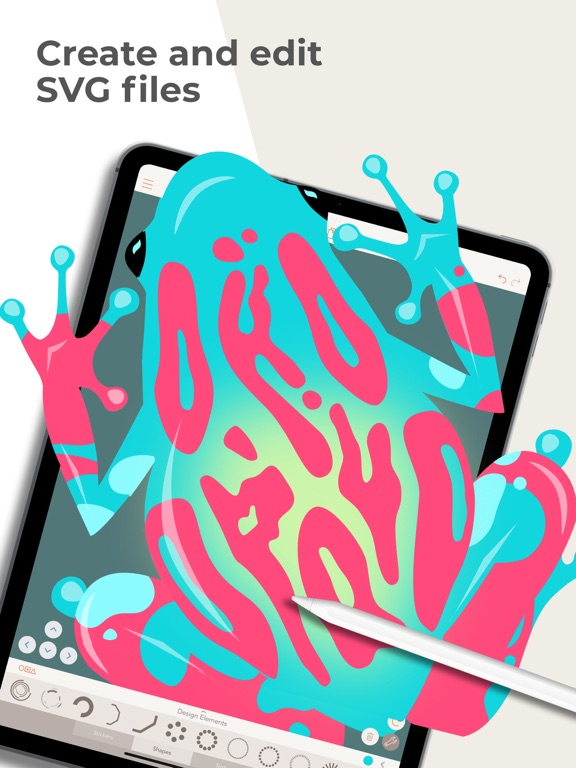
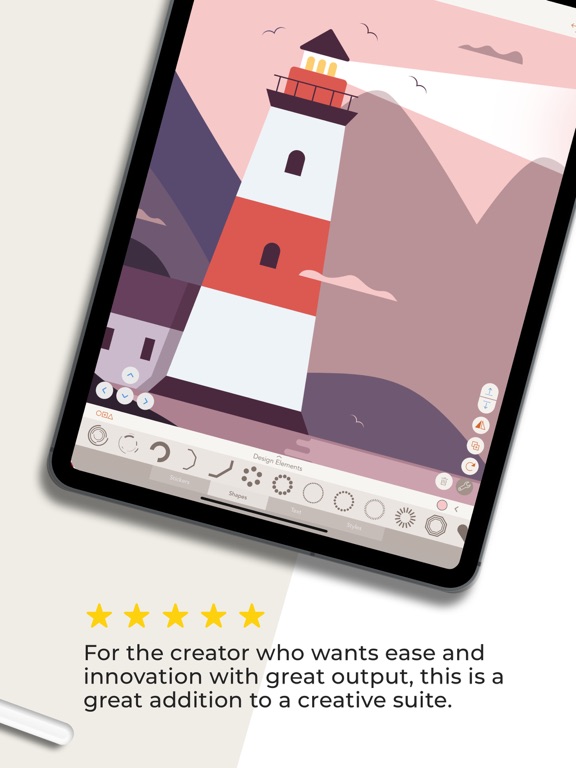
22 store screenshots


Pricing & paywalls
App Store
Shown for US
- Assembly Pro
- Forever Unlock (Discontinued)
Ratings & reviews
App Store
Shown for US
-
5/5This app saved me
I’ve always been into art and design. I love creating but have struggled with learning major and advanced softwares such as adobe. Then I came across this app one day. I made some stupid robot collages with shapes and eventually got super good at creates logos on here. It’s helped my resume dramatically and given me so much confidence in what I’m able to accomplish. It’s a puzzle Bc not every shape fits and I have to layer upon layer to get the outcome I want. I really just want this to become acceptable in future work for the industry Bc it works well for me and helps me make stuff on the fly. My only complaint about this is the quality of exporting my work. Maybe I’m wrong but it feels like it’s not fully finished. I once sent my logo to a client and it went through but they weren’t able to save it or put it in their cover page. I had to go through a hassle of steps just to make it work which I think lead me to just screenshotting it on my phone, which will lead to problems down the line. All in all I love the app. I’ve designed numerous amounts of logos on here and am excited for what more I can learn with it. Thank you
AshDona · 29 Sep 2026
-
3/5Great for beginners but not worth a subscription
I teach Vector art to high school students and I loved using this app as an introduction. It comes with a wide variety of basic shapes so they don’t feel so overwhelmed and you can edit the points easily...if you have the paid for version. Which my school had for a bit but we can’t justify a subscription based app. If it were a straight up payment I could make it work for the budget but sadly it’s not. Without the ability to edit the points, it’s basically a sticker making app and no longer useful for an introduction to vectors. I wish you could pay a flat fee to be able to adjust the points. When I say it’s not worth a subscription it’s because there hasn’t seemed to be any ‘new additions’ to it in the past few years I’ve used it. No new shapes, no added features that we need, nothing that makes it justifiable to keep paying for it over and over again for the class. A flat fee, even of $10 like procreate, would be fine and I would willing work that into the budget for an app like this. Heck I’d even pay it myself for use at home, using the basic shapes as a jumping off point for clip art and other things I need for class is an awesome time saver. All this being said, if you need a program that allows for simplified vector creation that can get complex if you want and are willing to pay the fee I’d highly suggest this app. I used to all the time for my art teacher colleagues, but I just can’t anymore knowing budgeting for a subscription is a pain in all teacher’s lives.
dcovart · 29 Sep 2026
-
3/5Would give 5 stars but...
So I would say it’s a “my device thing” but now I’m fully convinced it’s an app thing. First off I’m using a brand new iPad Pro and when I use the app on my phone I’m using an iPhone 11. The app from the beginning, I thought, this is amazing! Especially if you are staring off in the design world or just want a different creative outlet other than freehand drawing. Here’s where the issues arise... yes sometimes your work gets deleted as some other reviews have said. it happened more before (a couple months ago) than it does now but it will show up on the preview page and when you open it the meltdown inside of you starts because you have lost potentially hours of work. But recently the worst thing happened. I spent 6 hours on a project.. and on that 6th hour the app crashed, ok.. weird, no problem just reboot it. Keeps crashing every time I try to open that project. I have tried everything to get this project back but it’s unreachable. IT WONT STOP CRASHING. I’m so devastated because I forgivingly started another project today thinking it was just a glitch on that one thing I was doing and it did it again, another project that I can’t touch. I paid for a whole year for an app that I can’t even use. So disappointed and heartbroken. I was using this to create art for my business and now I have to find something else.
Errieboo · 29 Sep 2026
-
5/5Assembly
If you take the time to discover its almost limitless possibilities, you will have trouble putting your iPad down. Not only are there hundreds of shapes to start with, the shapes are almost infinitely changeable. The learning curve is a little steep: you have to tap everything before moving it. You have to figure out how to move, as opposed to change, a shape. The rules of play are initially a little strict: you can’t really draw your own objects from scratch, you can’t paint or draw per se, you have to think outside the shape. A little more specific explanation about the functions in the help menu would save some time. But after playing with it a while, you will find yourself moving and altering shapes in your sleep. I am deliciously obsessed with its possibilities. One important tip: if you find it lagging, restart your iPad. Love love love it. Thank you.
jilsybean · 29 Sep 2026
-
4/5Great! But some suggestions..
This app is super helpful for me, especially because I do freelance logo design here and there. This has a lot more features than one would expect from a phone application. Absolutely killer! I’ve had this app for a while and I can’t help but notice that the “save video” option has changed. Now you get four different options for how the video will get played back. While those transitions do look pretty cool, I miss the video playback style where it was just a time lapse of every change that was made from the blank canvas to the final product. It was always super satisfying to watch my projects come together and it helped me a lot to see which shapes and methods I ditched and which ones I used along the way. It was also funny to show my friends and see their reaction to my almost-creepy desire for every little thing to be perfect😂 also if you could create an option to erase parts of shapes in the shape editor, that’d be cool! With a hardness adjuster and all the other standard things that an erase/fill brush should come with! Just a thought. My main thing is that I really miss the timelapse-style playback! PLEASE BRING THAT BACK!!! Thank you! :)
Xjohnny2000 · 29 Sep 2026
Privacy & accessibility
App Store
Privacy
- Data Linked to You — Analytics — Identifiers — Device ID Developer declared
- Data Linked to You — Analytics — Purchases — Purchase History Developer declared
- Data Linked to You — Analytics — Usage Data — Product Interaction Developer declared
- Data Linked to You — App Functionality — Diagnostics — Crash Data Developer declared
- Data Linked to You — App Functionality — Purchases — Purchase History Developer declared
- Data Linked to You — Developer’s Advertising or Marketing — Identifiers — Device ID Developer declared
- Data Linked to You — Developer’s Advertising or Marketing — Purchases — Purchase History Developer declared
- Data Linked to You — Product Personalization — Identifiers — Device ID Developer declared
- Data Linked to You — Diagnostics Developer declared
- Data Linked to You — Identifiers Developer declared
- Data Linked to You — Purchases Developer declared
- Data Linked to You — Usage Data Developer declared
- Data Not Linked to You — App Functionality — Diagnostics — Performance Data Developer declared
- Data Not Linked to You — Diagnostics Developer declared
- Data Used to Track You — Identifiers — Device ID Developer declared
- Data Used to Track You — Identifiers Developer declared
- Data Used to Track You — Purchases — Purchase History Developer declared
- Data Used to Track You — Purchases Developer declared
Accessibility
No accessibility labels collected yet.
Versions
App Store
-
1.8.3
New in version 1.8.3: This update fixes a minor bug related to opening and closing shapes during point editing. New in version 1.8: Customize any shape now with Point Editing! - Tap the pencil 'edit' icon on a shape and move, add, delete points and adjust curves. You can also now create stroke only shapes without fills. Fill Strokes, Split Shapes - Fill strokes and separate multi-part shapes with ease for more powerful editing. Distribute Snapping - Intelligent snapping now detects distance between two shapes and snaps others to that distance. Updated Icon - A fresh new look for the app on your home screen. Lots of Bug fixes and performance improvements as usual. Let us know if you have any issues and as always, writing a review really helps us out. Show as what you’re making and share your work on Instagram with #assemblyapp
-
1.8.4
Updated screenshots.
-
1.8.5
Now you can save and export 4 new process animation videos of your completed work! Enjoy Fade, Pop, Slide, and Shuffle animations to show off your design!
-
1.8.6
Fixed app name on home screen New in version 1.8.5: Now you can save and export 4 new process animation videos of your completed work! Enjoy Fade, Pop, Slide, and Shuffle animations to show off your design!
-
1.8.7
Minor bug fixes New in version 1.8.5: Now you can save and export 4 new process animation videos of your completed work! Enjoy Fade, Pop, Slide, and Shuffle animations to show off your design!
-
1.9
This update has a whole new "My Work" section that now lets you organize your projects into folders! This update also includes several bug fixes and performance improvements. As always, if you enjoy Assembly please write a review on the App Store. Thank You!
-
1.9.1
Minor bug fixes and UI tweaks. -- New in Version 1.9: This update has a whole new "My Work" section that now lets you organize your projects into folders! This update also includes several bug fixes and performance improvements. As always, if you enjoy Assembly please write a review on the App Store. Thank You!
-
1.9.2
Fixed project renaming from project preview screen
-
2.0
Lots of bug fixes and performance improvements. As always, if you love Assembly please write a review!
-
2.1
We've added two new areas in the Gallery social experience: Featured - where we highlight some of the best new content made in Assembly Debut - when a new artist makes their first post, it will be highlighted here We're also working on a lot of "under the hood" changes to the app in preparation for some exciting new features. Please report any issues you may experience.
-
2.1.1
Bug fixes for app startup issues and upgrading of older project formats.
-
2.2
This version of Assembly has a completely reworked approach to color! We've also added features, improved accuracy, and enhanced efficiency across the entire app. - Real-time color updates. No more jumping in and out of the color view to check your work. - Fullscreen color sampling with the eyedropper tool. Grab any color on the screen. - Hex color code support. Match those web colors you love with precision. - Easy toggling between Fill, Stroke and Shadow settings. - Create and save custom color palettes with up to 16 colors. - The working color palette now keeps track of all the colors in your project for easy access. - Adjust opacity with greatly improved precision. - Easy one-button access to removing color attributes. - Access colors directly from the Shapes Tab. No need to toggle between Shapes and Styles. - Improved contrast within the color interface for improved readability. - Other bug fixes and refinements.
-
2.3
This update includes bug fixes and performance improvements.
-
2.3.1
This latest update includes a variety of bug fixes and performance improvements.
-
2.3.2
Solves issue with international keyboard support.
-
2.3.3
This latest update includes a variety of bug fixes and performance improvements.
-
2.3.4
This latest update includes a variety of bug fixes and performance improvements.
-
2.4
This version of Assembly includes a few new productivity features. • Copy & Paste - Streamline your workflow and easily copy parts of a file into other Assembly projects. • Custom Export Resolution & Cropping - Now you can set exact dimensions for your output and crop without editing the original document. • Canvas Size Options - Pick from a wider selection of canvas sizes, including Zinnia Journal spreads! • A ton of optimizations and bug fixes.
-
2.4.1
This update includes several bug fixes and performance improvements, as well as all the productivity features released in version 2.4. • Copy & Paste - Streamline your workflow and easily copy parts of a file into other Assembly projects. • Custom Export Resolution & Cropping - Now you can set exact dimensions for your output and crop without editing the original document. • Canvas Size Options - Pick from a wider selection of canvas sizes, including Zinnia Journal spreads!
-
2.4.2
This update fixes an issue with restoring purchases for legacy and education users.
-
2.4.3
Small bug fixes and tweaks for the school version of the app.
-
2.4.4
Small bug fixes and tweaks for the school version of the app.
-
2.4.5
This latest update includes a variety of bug fixes and performance improvements.
-
2.4.6
This update is all about making your design experience smoother than ever. We tackled bugs and worked on some under-the-hood polish to keep everything fast and responsive.
-
2.4.7
· 4 Dec 2023
This update include bug fixes and under-the-hood performance improvements to keep everything fast and responsive.
-
2.5
· 28 Sep 2026
This update include bug fixes and under-the-hood performance improvements to keep everything fast and responsive.
Alternatives
- Adobe Capture: Illustrator, Ps — Same category + similar ratings
- uMake: 3D CAD Modeling, Design — Same category + similar ratings
- Linearity Curve Graphic Design — Same category + similar ratings
- MediBang Paint for iPhone — Same category + similar ratings
- Wallpapers App for iPhone — Same category + similar ratings
- Vector Drawing & Logo Design — Same category + similar ratings
Availability by market
- US
Data quality & evidence
- Page completeness
- Live store listing
- Last verified
- 29 Sep 2026
- Sources
- App Store
- Apoku editorial summary has not been published yet.