
Quick verdict
- What it is
- Store information collected; an Apoku editorial summary is not yet published.
- At a glance
-
- From $8.25/mo
- Free to download
- In-app purchases
Categories and search queries
Official categories
- Productivity
- Utilities
Apoku categories
Key functions
| Function | Availability | Access | Scope | Evidence |
|---|---|---|---|---|
| Free app | Yes | Free | Context-specific | Store published |
| In-app purchases | Yes | Limited free | Context-specific | Store published |
| Apple Wallet | Unknown | Unknown | Scope unknown | Store published |
| Family Sharing | Unknown | Unknown | Scope unknown | Store published |
Screens
App Store
34 store screenshots

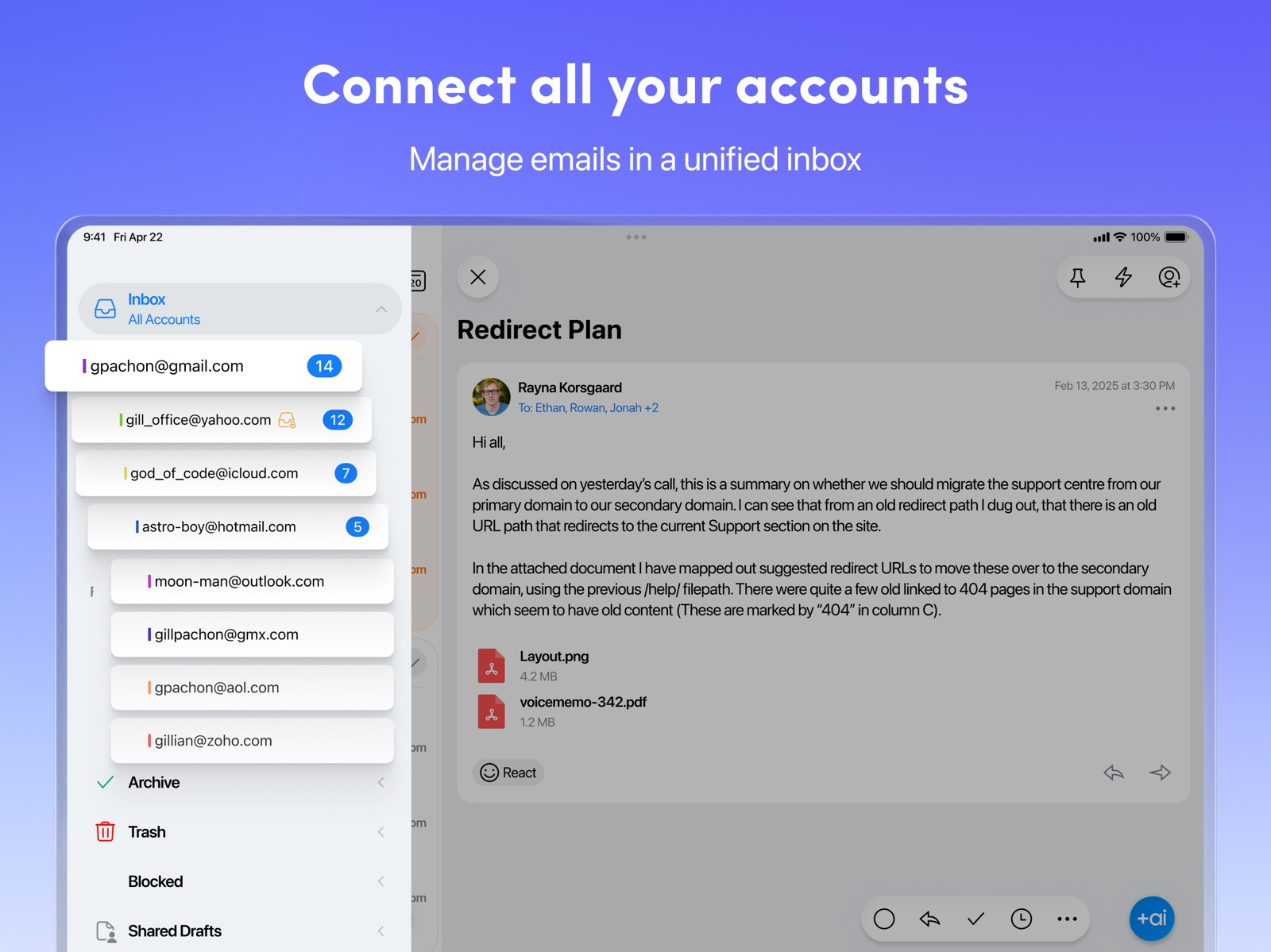


Pricing & paywalls
App Store
- Spark Plus Monthly — $10.00/month
- Spark Plus Monthly — $99.00/year ($8.25/mo)
- Spark Pro Monthly — $20.00/month
- Spark Pro Monthly — $199.00/year ($16.58/mo)
- Get Spark Premium — $41.99
- Get Spark Premium — $59.99
- Spark Premium — $7.99
- Spark Premium — $59.99
Ratings & reviews
App Store
-
5/5Really slick email
There's a reason this is a 5 star app there's more to this app than initially meets the eye. Once I went under the hood, that's when I started taking advantage of what this email app offers in comparison to other email apps. It's smooth, easy to use right after download and gives me so many different options like being able to snooze and set reminders, easily move emails around and because I might hand my phone to someone so they can look at photos, medical ID or other info, I'm able to lock this email and open it using face ID. I can go through spam, tap on spam emails I need but don't really want in my contacts and mark them as "not spam" so they go to a different folder. This makes emptying spam much easier and more efficient. Tapping on the red trashcan icon deletes spam quickly. There are ways of retrieving accidentally deleted emails. This really is the best email app I've used and it's ideal for work. When I finally convince a co-worker to give Spark a try, inevitably, they love it. In the past, I'd download an email app and inevitably go back to the iOS/Mac native apps because it's familiar m and there's no learning curve but I found this app to be easy to navigate from day one. When I started taking advantage of all this app offers, I found out that it really is "smart" email that learns my preferences over time. There's plenty of information and instructions within the app to use it to its full potential. My only regret is that I didn't start using it long ago.
Flyby777 · 29 Sep 2026
-
5/5One of the best free apps ! Room for improvement
I’ve used this app for over a year and I don’t have words to express how grateful I am to have found Spark. I’d talk about every nice feature and how this app has made my e-mail experience a lot easier, but I will only mention that it’s just very simple to use and has a great design. The ability to sync every account (gmail, college mail) you may have is not new but it works perfect. I really recommend giving it a try if you haven’t already. If the creators of the app are reading this, there are a couple of things I’d like: 1. We should be able to manipulate how certain emails are categorised (notifications, newsletter). 2. It’d amazing if we could have “rules”, so every time we recieve an email from an specific person or company, it’s automatically sent to archive or spam. 3. I’d love to have different design options. The ability to not only change the basic color but also the layout or different fonts and more (personally, I like minimal desings and I think Spark has the potential to reach that). I know that as a free app it may be difficult and I don’t know if you’ve thought about it but it’d be an interesting idea if there was a paid account to have those additional features that I mentioned and other REALLY important ones. If it was the case, I’d be willing to pay as long as you don’t create constant pop ups about it. Apart from that, I keep recommending this app to my friends and I still think this is one of the best apps despite being free ! 🙌🏼
PESista99 · 29 Sep 2026
-
5/5Hands down the best email client.
I’ve been using Spark for many years across many devices (iPhone, multiple iPads, multiple MacBooks, Mac mini, pc) and it is the most clean and well functioning client. I’ve used both the free and paid tiers and am currently back on free tier which is perfect for a regular person. All your mail is stored on sparks servers and syncs perfectly across devices. The layout is clean and the ui is functional. I prefer the simple inbox and that’s true no matter which client I’m using. I just find it much easier to search and organize instead of grouping emails, but that’s probably just because I’m old school and used to it this way. If you’re a Gmail user you might know that you can’t use apple stock mail client without huge frustration. Every time I plug my phone in the charger I get bombarded with days of email notifications rapidly firing on my watch and phone. It’s the most annoying frustrating thing ever to happen every single time you charge your phone. It’s not apple’s fault; google blocks users from using push on apple mail app so you’re forced to use fetch. No matter what frequency you choose to fetch it still causes Gmail to fetch every time you plug in and since I have two Gmail accounts it’s a lot of notifications. I get email notifications for mail I already checked! It’s Google’s push to get users to use the Gmail app but I don’t like it as much as spark. Spark doesn’t have the issue apple does so I can use my favorite client without getting 50 notifications machine gunning my phone and watch every time power is connected. This app is great and the only one I’ll ever need for my purposes. Give it a try.
Maddog 11 Bang Bang · 29 Sep 2026
-
4/5UPDATED: Long-time Users Forced into “Sent with Spark” Email Signature
UPDATE: Spark has since patched this app, so the bottom complaint is no longer relevant but the effect of it still sours things slightly, so I don’t know that I can give this 5 stars. This app is a good app again though. —————- (The following a copy of an email I sent to support. This was a 5 star app now reduced to a 1 star app that I will be forced to stop using due to this problem.) I’ve been using Spark for almost 3 years now. I use it professionally. I am upset that I am forced to have a “Sent with Spark“ signature at the end of any email I send out. The only way I can disable this is to pay you a significant amount of money a year. I have looked at what your premium service offers and unfortunately you are offering nothing extra with premium that I need or desire. Basically, you are asking me to spend $42 in order to get rid of an annoyance signature tag. Please consider allowing free users to disable “Sent with Spark” in your very next update or grandfathering previous purchasers of your product into not having to deal with this built-in annoyance meant to compel us into upgrading our service. I am happy to see that your business is growing, but it should not be done this way. Alternatively, I would be happy to purchase a “disable Sent with Spark“ add-on purchase for a reasonable amount such as five dollars, though that probably wouldn’t please everyone of your long-time user-base, but I understand.
Elvite · 29 Sep 2026
-
4/5Needs UNDO Button
I've been using Spark for years on my iPhones, and it's a great alternative to the native MAIL app and also allows me an easy way to keep my personal email accounts separate from my work emails (by using the GMAIL app for work, thus checking that one only during business hours). I have no complaints, but after a handful of experiences where while typing up a lengthy email draft, all of my text spontaneously disappears as if Ive typed nothing, Im here to request a serious UNDO button. Hear me out: I know that if you awkwardly tilt the iPhone quickly, you get a chance to undo your most recent action. That doesnt usually fix this issue. I also suspect that the disappearing text is not the fault of Spark, but likely something more like an unfortunate, accidental and simultaneous selection and typing over of the body of text that probably is some buried iPhone feature. Nonetheless, an UNDO button (that had a deeper history than one single UNDO process) would remedy this problem. Did something funky and everything disappeared? Cool. UNDO. Still screwed? UNDO. Nothing? UNDO. Problem solved (I hope). In a perfect world, none of us would be (or should be) typing lengthy responses on our phones. But as more people are mobile or working remotely now, and many of us are fatigued by another day in front of a laptop, these little devices make it possible to type that lengthy response from a park, a beach, or even from bed (which is where Im using my iPhone to type this lengthy review from right now).
saturnine75 · 29 Sep 2026
Privacy & accessibility
App Store
Privacy
- Data Linked to You — Analytics — Identifiers — Device ID Developer declared
- Data Linked to You — App Functionality — Contact Info — Email Address Developer declared
- Data Linked to You — App Functionality — Contact Info — Name Developer declared
- Data Linked to You — App Functionality — Identifiers — Device ID Developer declared
- Data Linked to You — App Functionality — User Content — Customer Support Developer declared
- Data Linked to You — App Functionality — User Content — Emails or Text Messages Developer declared
- Data Linked to You — Developer’s Advertising or Marketing — User Content — Customer Support Developer declared
- Data Linked to You — Contact Info Developer declared
- Data Linked to You — Identifiers Developer declared
- Data Linked to You — User Content Developer declared
- Data Not Linked to You — Analytics — Diagnostics — Crash Data Developer declared
- Data Not Linked to You — Analytics — Diagnostics — Performance Data Developer declared
- Data Not Linked to You — Analytics — Usage Data — Product Interaction Developer declared
- Data Not Linked to You — App Functionality — Diagnostics — Crash Data Developer declared
- Data Not Linked to You — App Functionality — Diagnostics — Performance Data Developer declared
- Data Not Linked to You — App Functionality — Usage Data — Other Usage Data Developer declared
- Data Not Linked to You — App Functionality — Usage Data — Product Interaction Developer declared
- Data Not Linked to You — Developer’s Advertising or Marketing — Usage Data — Product Interaction Developer declared
- Data Not Linked to You — Product Personalization — Usage Data — Product Interaction Developer declared
- Data Not Linked to You — Diagnostics Developer declared
- Data Not Linked to You — Usage Data Developer declared
Accessibility
- Dark Interface — SUPPORTED Store published
- Larger Text — SUPPORTED Store published
- Reduced Motion — SUPPORTED Store published
Versions
App Store
-
3.17.9
In this update, we’ve fixed some bugs and made performance tweaks to keep things running smoothly. But the fun part? You can now attach stickers and Memojis to your emails, adding that fun, personal flair to every message you send. Update now and get creative! If you’d like to share feedback, we’d love to hear from you at [email protected].
-
3.18.1
Meet your new AI Assistant! Your integrated assistant is here to help you work smarter. AI Assistant understands your emails, attachments, calendar, and meeting notes — surfacing key details, summarizing information, and helping you stay on top of everything in your inbox. Now, tracking down info and managing your inbox is as easy as asking a question. We’d love to hear what you think! Share your feedback with us at [email protected]
-
3.18.2
Meet your new AI Assistant! Your integrated assistant is here to help you work smarter. AI Assistant understands your emails, attachments, calendar, and meeting notes — surfacing key details, summarizing information, and helping you stay on top of everything in your inbox. Now, tracking down info and managing your inbox is as easy as asking a question. We’d love to hear what you think! Share your feedback with us at [email protected]
-
3.18.4
Meet your new AI Assistant! Your integrated assistant is here to help you work smarter. AI Assistant understands your emails, attachments, calendar, and meeting notes — surfacing key details, summarizing information, and helping you stay on top of everything in your inbox. Now, tracking down info and managing your inbox is as easy as asking a question. We’d love to hear what you think! Share your feedback with us at [email protected]
-
3.18.6
In this update: Just some fresh paint and tune-ups. No bigs. We're always here for you at [email protected]
-
3.19.0
Gmail labels are available on iOS, making it easier to organize emails, store important information, and search your inbox. Choose where labels appear across the app via Spark Settings > Appearance. Share your feedback with us at [email protected]
-
3.19.10
In this update: Just some fresh paint and tune-ups. No bigs. We're always here for you at [email protected]
-
3.19.11
In this update: Just some fresh paint and tune-ups. No bigs. We're always here for you at [email protected]
-
3.19.12
In this update: Just some fresh paint and tune-ups. No bigs. We're always here for you at [email protected]
-
3.19.13
In this update: Just some fresh paint and tune-ups. No bigs. We're always here for you at [email protected]
-
3.19.14
In this update: Just some fresh paint and tune-ups. No bigs. We're always here for you at [email protected]
-
3.19.15
In this update: Just some fresh paint and tune-ups. No bigs. We're always here for you at [email protected]
-
3.19.16
In this update: Just some fresh paint and tune-ups. No bigs. We're always here for you at [email protected]
-
3.19.17
In this update: Just some fresh paint and tune-ups. No bigs. We're always here for you at [email protected]
-
3.19.18
Gmail labels now bring color to your inbox. Labels you've set in Gmail or Spark Desktop appear in their assigned colors, making your inbox easier to scan at a glance. We've also fixed an issue where Microsoft 365 accounts repeatedly showed a calendar authentication pop-up. Share your feedback at [email protected]
-
3.19.19
Spark now uses a more secure connection for Microsoft 365, Outlook, and Hotmail accounts, with one sign-in for email and calendar. Already use a Microsoft account? Just sign in again when Spark asks. It takes a few seconds. Share your feedback at [email protected]
-
3.19.20
Spark now uses a more secure connection for Microsoft 365, Outlook, and Hotmail accounts, with one sign-in for email and calendar. Already use a Microsoft account? Just sign in again when Spark asks. It takes a few seconds. Share your feedback at [email protected]
-
3.19.21
Spark now uses a more secure connection for Microsoft 365, Outlook, and Hotmail accounts, with one sign-in for email and calendar. Already use a Microsoft account? Just sign in again when Spark asks. It takes a few seconds. Share your feedback at [email protected]
-
3.19.22
We've made Spark more reliable for Microsoft 365, Outlook, and Hotmail accounts — your connection stays steady in the background, with fewer unexpected sign-in requests. This update also includes general stability and performance improvements. Share your thoughts at [email protected]
-
3.19.23
· 29 Jul 2026
We don't always post about the smaller fixes — but plenty changed behind the scenes this release. Here's what improved: – Search returns results more reliably on Microsoft accounts. – Folders outside your inbox now sync faster. – Fixed attachments being added twice when you forward an email. Share your feedback at [email protected]
-
3.19.24
We’ve made a round of technical refinements in this update to keep your experience smooth and stable. As always, we're listening — drop us a note at [email protected].
-
3.19.25
In this update: - Attaching files from Google Drive is now more reliable, with a redesigned file picker. - Fixed an issue where Microsoft and Outlook calendar events could show at the wrong time in some time zones. - Fixed an issue where the Spam folder could get stuck on an endless loading spinner on Outlook accounts. Share your feedback at [email protected]
-
3.19.26
· 27 Aug 2026
In this release, we've addressed the following issues: - Fixed an issue where deleted or hidden folders could still appear for Microsoft accounts. - Fixed an issue where the Read Statuses information link was missing. - Fixed an issue where duplicate messages could briefly appear during push notifications. We're always here for you at [email protected]
-
3.19.27
This update includes several behind-the-scenes technical improvements to keep Spark running smoothly. We're always working to make it better — feel free to share your thoughts at [email protected].
-
3.19.28
Happy iOS 27 Day! With today’s update Spark is ready to go on the latest and greatest that Apple has to offer. – Siri now understands what's on your screen in Spark — say "archive this one" while viewing a message and it knows exactly which one you mean, or ask "who's on this thread?" for a real answer pulled from the email itself. *Requires iPhone 15 Pro or later or an M-series iPad, with Apple Intelligence turned on. – Your calendar now works with Shortcuts, Spotlight, and Siri, so you can create, update, and delete events by voice or automation without opening the app. – Spark's interface now adapts more precisely across screen sizes, so it looks and feels right at any size. We hope you enjoy this release as much as we do! As always, keep your feedback coming at [email protected]
-
3.19.29
Happy iOS 27 Day! With today’s update Spark is ready to go on the latest and greatest that Apple has to offer. – Siri now understands what's on your screen in Spark — say "archive this one" while viewing a message and it knows exactly which one you mean, or ask "who's on this thread?" for a real answer pulled from the email itself. *Requires iPhone 15 Pro or later or an M-series iPad, with Apple Intelligence turned on. – Your calendar now works with Shortcuts, Spotlight, and Siri, so you can create, update, and delete events by voice or automation without opening the app. – Spark's interface now adapts more precisely across screen sizes, so it looks and feels right at any size. We hope you enjoy this release as much as we do! As always, keep your feedback coming at [email protected]
-
3.19.30
Happy iOS 27 Day! With today’s update Spark is ready to go on the latest and greatest that Apple has to offer. – Siri now understands what's on your screen in Spark — say "archive this one" while viewing a message and it knows exactly which one you mean, or ask "who's on this thread?" for a real answer pulled from the email itself. *Requires iPhone 15 Pro or later or an M-series iPad, with Apple Intelligence turned on. – Your calendar now works with Shortcuts, Spotlight, and Siri, so you can create, update, and delete events by voice or automation without opening the app. – Spark's interface now adapts more precisely across screen sizes, so it looks and feels right at any size. We hope you enjoy this release as much as we do! As always, keep your feedback coming at [email protected]
-
3.19.31
· 22 Sep 2026
In this release: - Spark now adapts to resizable iPhone windows. - Fixed several issues with Siri in Spark, including recipient fields getting cleared when adding an address, and New Senders messages being read as if they were your latest message. - Fixed several crashes, including ones that could occur while composing a message or using Siri shortcuts. We're always here for you at [email protected]
-
3.19.4
In this update: Just some fresh paint and tune-ups. No bigs. We're always here for you at [email protected]
-
3.19.5
Spark can now learn your unique writing style for each language — so suggestions match how you actually write. Check it out in Settings > Spark +AI > Writing Assistant. Share your feedback with us at [email protected].
-
3.19.7
In this update: Just some fresh paint and tune-ups. No bigs. We're always here for you at [email protected]
-
3.19.8
In this update: Fixed a sign-in issue affecting Outlook and Hotmail accounts. We're here if you need us at [email protected]
-
3.19.9
In this update: Just some fresh paint and tune-ups. No bigs. We're always here for you at [email protected]
Alternatives
- Canary Mail – AI Email — Same category + similar ratings
- Airmail for Gmail Outlook Mail — Same category + similar ratings
- Spike: AI Email & Team Chat — Same category + similar ratings
- Chuck – Email with Superpowers — Same category + similar ratings
- Fantastical Calendar — Same category + similar ratings
- Craft: Notes, Documents, AI — Same category + similar ratings
Availability by market
- US
Data quality & evidence
- Page completeness
- Live store listing
- Last verified
- 29 Sep 2026
- Sources
- App Store
- Apoku editorial summary has not been published yet.