
Quick verdict
- What it is
- Store information collected; an Apoku editorial summary is not yet published.
- At a glance
-
- Free to download
- In-app purchases
Categories and search queries
Official categories
- Productivity
- Business
Apoku categories
Key functions
| Function | Availability | Access | Scope | Evidence |
|---|---|---|---|---|
| Free app | Yes | Free | Context-specific | Store published |
| In-app purchases | Yes | Limited free | Context-specific | Store published |
Screens
App Store
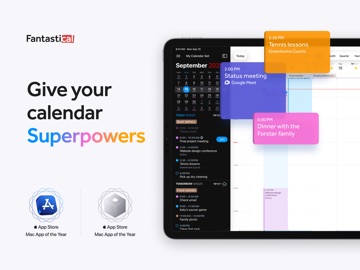
42 store screenshots



Pricing & paywalls
App Store
- Flexibits Premium — $6.99
- Flexibits Premium — $56.99
- Premium (2020 Upgrade) — $6.99
- Premium (2020 Upgrade) — $56.99
- Premium Family (2020 Upgrade) — $10.49
- Premium Family (2020 Upgrade) — $89.99
- Premium for Families — $10.49
- Premium for Families — $89.99
Ratings & reviews
App Store
-
4/5Longtime user, it’s time for me to leave
Hey listen Fantastical, I’ve had your $40 subscription for a couple of years now. I’ve stuck with you even when you would just crash on my macbook every day to the point where I had to uninstall the desktop application entirely. I stuck with you because your mobile app on my phone works great, and I live by my phone calendar. I love being able to type in when and where an event will be and have it autofill the event. But I have to let you go—not only because I’m now in way more student debt and every penny counts, but also because I just spent 30 minutes trying to sign into both the updated desktop application and the iPad app using my Apple ID and had no success. I’m starting a program where I need my calendar on my tablet and my desktop at all times. And yeah I probably could wait to call tech support tomorrow to get assistance, but considering the update to the desktop app took a while for me, I think I’ll pass on waiting for this fix. I’ll probably come back once I can just rely on the mobile app again. Until then, goodbye Flexbits, goodbye Fantastical. PS Originally I had this at 3 stars. I’ve bumped it up to 4 because I truly used this app every day on my phone for years. And it probably works just fine on iPads and macbooks too. But I guess I’ll never know
Jomama64 · 29 Sep 2026
-
5/5Best calendar app out there
I’ve been using fantastical premium for 2+ years now, which in itself says a lot. It seems like, prior to that, I had downloaded any and every calendar and agenda app on the market. All of them had left me wanting…until Fantastical! It has as much or as little functionality and personalization as you want. Although, if you are a minimal user you’re probably better off with the default calendar app. I, on the other hand, juggle 4-5 different calendars. Personal, work, family and another organization that I’m part of are just a few. This lets me work within all of them and allows for easy distinction between them with colors to coordinate. You can also create multiple views of calendars, such as a “Master” Calendar with the core info. You can also create different view calendar groupings for whatever you may need them for. For example, you may want to see your kid’s school calendar activities and so you can have it set as a view with each child’s individual calendar’s grouped into one view. This eliminates having to switch back & forth. The only thing that could improve this calendar app is adding task and/or separate reminder integration. Currently, it does function with whatever separate system or app you may be using for task/reminder items but would be The Holy Grail of calendar apps if it had that built in. It’s also very user friendly & quite easy to get the hang of quickly -so if you’re worried about trying to figure it out, don’t be.
NoCoVGal · 29 Sep 2026
-
5/5past 4 star review edit
my past review is below. I am so happy that it feels like my wish came true with the couple small issues i had because now they have been taken care of! I can have my app closed and still the icon shows the date, and there are even more updated features that i love, so way to go fantastical because i have finally deleted my ical [sorry, not sorry apple] and I am such a happy camper! just renewed my subscription for another year too, keep up the superb work and actually listening and responding to the wants of your users! my rating is definitely a 5 star one now! I absolutely love this app! It has replaced my reminders and calendar apps (almost!) completely. The one thing I keep my apple calendar around for, is to see the date on the icon, you know, as the icon image. It would be so fantastical if the developers could implement that as an option for the icon? I noticed that when I changed the icon in the phone app, it removed the date showing on my desktop app and even though I removed my ‘flat’ icon choice, the date hasn’t returned on my desktop icon’s dock. Otherwise though, this app has everything you need, keeps things intuitive and my favorite - the natural language input. It might be nice to be able to type ‘at my current location’ and have it enter your current location. If either of these things were updated I would, without hesitation, change my review to 5 stars for sure. Thanks for making an app that actually keeps me on time and let’s me add a bunch of alerts for one appointment! 👌🏻🎯👏🏻
ladymacintosh · 29 Sep 2026
-
5/5Wonderful app - don’t believe the low rating
I honestly don’t get people on the app store. I bought Fantastical 2 on my Mac and iOS and it was a great calendar application. At the time it didn’t do several things I needed and I preferred the UI of Calendars 5 but I never felt I had wasted any money. So spring forward to a couple of days ago and I re-installed Fantastical, now at version 3, on my devices expecting the worst from the 2.8 rating. Lots and lots of people upset by the change to the subscription model. So I expect the worst and see that I still have all of the features that I had to begin with including some UI updates to the things that made me leave in the first place. Listen folks, developers need to be able to make a living to support themselves and to keep bringing features to the apps you use on a daily basis. The subscription model is the only way this is possible and they’re not asking for a lot. You probably spend more on coffee every month than you would on a yearly subscription to Fantastical. Stop screwing the devs with these low ratings. If you have a problem reach out to them for help before leaving a 1-star rating. If the app doesn’t do something it never promised to do in the first place don’t leave a 1-star rating. Rate it based on what’s there, not what was never promised in the first place. Thanks Flexibits for the great application and keep up the good work! And to Michael Simmons from Flexibits....the Amiga was ALWAYS a better computer than the Mac. Just sayin’.
jek36jjjjj · 29 Sep 2026
-
5/5Excellent calendar app!
Firstly, I have to address some of the ridiculous, laughable reviews. I was smh 🤦🏻♀️. Some of these reviews lead me to believe that some users don’t pay attention to directions or read updates or use tutorials or contact support via the obvious channels. These developers listen and care and want to maintain a solid app. There are regular updates. Ignore any reviews about customer support or “I can’t get it to work”. Some reviewers are clueless and/or have no common sense. Why blame the app for your ignorance? Ugh, I hate that! ~~~~~~~~~~~~~~~~~~~~~~~~~~~ Now for some of the reasons this app deserves 5 stars. To start with, this is a very intuitive app. It’s as close to reading your mind as a calendar can get. lol You can set an event or reminder using natural language as you would in conversation. It knows what to pick out, and seeing the letters and numbers fall into place in cascade fashion and when correcting as it builds the event is really cool. lol That is a really cool feature, imo, and I’m willing to bet that a lot of users would agree with that. It’s an intelligent app. The UI is very nice looking. I could say more, but I need to cut this off at some point. Suffice it to say that I am very pleased w my purchase. Worth every penny. In fact, I wish I had it on my iPad as well, but that’s a separate purchase for $9.99. Very tempting... the native iOS calendar is so lame in comparison. Lol But I’ll just stick to using my iPhone for all of my calendar needs. I know...first world problems. 😁
Discount_Dracula · 29 Sep 2026
Privacy & accessibility
App Store
Privacy
- Data Linked to You — Analytics — Usage Data — Product Interaction Developer declared
- Data Linked to You — App Functionality — Contact Info — Email Address Developer declared
- Data Linked to You — App Functionality — Contact Info — Name Developer declared
- Data Linked to You — App Functionality — Diagnostics — Crash Data Developer declared
- Data Linked to You — App Functionality — Identifiers — Device ID Developer declared
- Data Linked to You — App Functionality — Identifiers — User ID Developer declared
- Data Linked to You — App Functionality — User Content — Other User Content Developer declared
- Data Linked to You — Contact Info Developer declared
- Data Linked to You — Diagnostics Developer declared
- Data Linked to You — Identifiers Developer declared
- Data Linked to You — Usage Data Developer declared
- Data Linked to You — User Content Developer declared
- Data Not Linked to You — App Functionality — Location — Coarse Location Developer declared
- Data Not Linked to You — Location Developer declared
Accessibility
- Dark Interface — SUPPORTED Store published
- Differentiate Without Color Alone — SUPPORTED Store published
- Larger Text — SUPPORTED Store published
- Reduced Motion — SUPPORTED Store published
- Sufficient Contrast — SUPPORTED Store published
- Voice Control — SUPPORTED Store published
- VoiceOver — SUPPORTED Store published
Versions
App Store
-
4.0.10
- Added an Ignore All Invitations option to the notifications section - Added support for iCloud attendee comments - Improved sync reliability with some custom CalDAV servers - Fixed a potential crash when receiving invalid data from Microsoft 365 - Importing ics files on iPad using drag and drop now jumps to the date of the imported event - Fixed a crash when acting on a group of notifications - Fixed an issue that caused slow performance and high memory usage when editing recurring events - Fixed a crash when tapping on multiple day events in month view on iPad - Fixed an issue where displaying certain settings would make the view smaller - Various fixes and improvements By the way, App Store reviews are very helpful to us. If you think Fantastical is worthy, would you mind taking a moment to write a nice review? We'd greatly appreciate it. Thanks for using Fantastical! :)
-
4.0.12
- Added support for Roam conferences - Improved reliability of UpNext Timeline complication - Improved handling of Zoom meeting passcodes when they're not part of the URL - Tapping on a date in full screen Month or Quarter view on iPad will now show items on that day larger - Fixed invitee search showing overlapping search results - Fixed an issue that changed the watch's UI to flicker when changing calendar sets - Fixed an issue completing all-day repeating tasks on certain CalDAV servers - Various fixes and improvements By the way, App Store reviews are very helpful to us. If you think Fantastical is worthy, would you mind taking a moment to write a nice review? We'd greatly appreciate it. Thanks for using Fantastical! :)
-
4.0.13
- Forward Emails to Fantastical! Forward emails to [email protected] from an email address associated with your Flexibits account and Fantastical will automagically detect events from them. Learn more at flexibits.com/fantastical/forwardemails. - Activating Up Next in the list will scroll past long events that have already started - Fantastical now detects duplicate Zoom meeting URLs and only offers to join a single meeting - Autocomplete suggestions when creating new events or tasks are now wider if there is space - Fantastical is now smarter about dismissing Proposals notifications - Fixed location alarms for Todoist tasks on iOS - Fixed an issue that caused the watch's UI to flicker when changing calendar sets - Fixed a rare crash happening when handling location data for Graph events - Fixed an issue where custom colors would not work when an account was first added - Various fixes and improvements By the way, App Store reviews are very helpful to us. If you think Fantastical is worthy, would you mind taking a moment to write a nice review? We'd greatly appreciate it. Thanks for using Fantastical! :)
-
4.0.14
- Workaround for a Microsoft 365 server error with personal accounts - Fixed a crash for some users when attempting to edit the calendar list - Fixed a crash that could occur when receiving unexpected data from a CalDAV server - Fixed a crash that could occur with events that have a Zoom URL in the location with no notes - Fixed an issue with some birthdays not showing up - Fixed an issue that caused some users to receive incorrect alerts for events with "Time to Leave" enabled - Fixed an issue where forwarded emails won't respect the default calendar for some users - Various fixes and improvements By the way, App Store reviews are very helpful to us. If you think Fantastical is worthy, would you mind taking a moment to write a nice review? We'd greatly appreciate it. Thanks for using Fantastical! :)
-
4.0.15
- Added support for custom weekly repeating tasks with Todoist - Invitee auto-complete now prioritizes contacts that you have previously invited - Ignoring invitations now syncs across devices - Diagnostics & Troubleshooting better handles the case when Fantastical has only write access to local calendars - Searching for Google rooms by floor number is now easier - Improved reliability of syncing Microsoft 365 accounts the first time - Improved reliability of UpNext Timeline complication - Google Workspace rooms in your main office building will be shown first in search results - Fixed setting an event to repeat on the last day of the month - Fixed an issue with using the swipe menu in the event list that would end up scrolling to the top of the day - Fixed an issue where importing ics files into Fantastical would cause server errors due to invalid characters - Fixed context menu actions not working from the more popover in Month view - Fixed an issue with adding Google Meet calls to a single event in a repeating series - Fixed an issue where creating a public Proposal would some times show a misleading error message - Fixed an issue where deleting certain recurring Google events would fail for some users - Fixed an issue that could cause RSVP events on Microsoft calendars to report a missing backing event - Various fixes and improvements By the way, App Store reviews are very helpful to us. If you think Fantastical is worthy, would you mind taking a moment to write a nice review? We'd greatly appreciate it. Thanks for using Fantastical! :)
-
4.0.16
- Added support for custom weekly repeating tasks with Todoist - Invitee auto-complete now prioritizes contacts that you have previously invited - Ignoring invitations now syncs across devices - Diagnostics & Troubleshooting better handles the case when Fantastical has only write access to local calendars - Searching for Google rooms by floor number is now easier - Improved reliability of syncing Microsoft 365 accounts the first time - Improved reliability of UpNext Timeline complication - Google Workspace rooms in your main office building will be shown first in search results - Fixed setting an event to repeat on the last day of the month - Fixed an issue with using the swipe menu in the event list that would end up scrolling to the top of the day - Fixed an issue where importing ics files into Fantastical would cause server errors due to invalid characters - Fixed context menu actions not working from the more popover in Month view - Fixed an issue with adding Google Meet calls to a single event in a repeating series - Fixed an issue where creating a public Proposal would some times show a misleading error message - Fixed an issue where deleting certain recurring Google events would fail for some users - Fixed an issue that could cause RSVP events on Microsoft calendars to report a missing backing event - Fixed an issue where Apple Contacts weren't showing up in auto-complete suggestions - Various fixes and improvements By the way, App Store reviews are very helpful to us. If you think Fantastical is worthy, would you mind taking a moment to write a nice review? We'd greatly appreciate it. Thanks for using Fantastical! :)
-
4.0.17
- Added animation when duplicating an item - Improved sync reliability with Google accounts when adding alerts - Fixed an issue where Day View would jump to a future date when navigating events using VoiceOver - Fixed slow application launches that could lead to crashes - Fixed responding to a single instance of a repeating event on Graph accounts - Various fixes and improvements By the way, App Store reviews are very helpful to us. If you think Fantastical is worthy, would you mind taking a moment to write a nice review? We'd greatly appreciate it. Thanks for using Fantastical! :)
-
4.0.18
- Fixed edge cases with ignoring invitations - Fixed an issue where alerts wouldn't appear for some Google events - Fixed creating Zoom meetings from templates - Fixed an issue that prevented some invitees from being properly sorted - Various fixes and improvements By the way, App Store reviews are very helpful to us. If you think Fantastical is worthy, would you mind taking a moment to write a nice review? We'd greatly appreciate it. Thanks for using Fantastical! :)
-
4.0.6
- Added new options to collectively handle groups of notifications or invitations - Added the ability to specify relative alarms - Up Next widget will prioritize showing events from tomorrow over all-day events after the configured end of day - Adding a Todoist account will now load completed tasks from the last year - The accessibility label of the parser text field is now updated to avoid confusion whenever the item type is changed - Improved the accessibility for the Up Next complication on watchOS - Fixed an issue where removing a date alert from a task would also remove the location alert that was set - Fixed an issue where task durations would get picked up as distance, offering physical conversions - Fixed an issue where notifications for Microsoft 365 tasks could say 12:00 AM even though they appear at the correct time - Fixed an issue where searching for invitees would cause Fantastical to crash for some users - Fixed an issue where activating overlapping calendar items in day view using VoiceOver would display the details of the wrong calendar item - Fixed an issue where changing the calendar and color of a Google event at the same time would not always sync - Fixed an issue where Fantastical would not update the travel time for certain events - Fixed removing Teams meetings from events - Fixed Focus Filters not changing calendar sets - Various fixes and improvements By the way, App Store reviews are very helpful to us. If you think Fantastical is worthy, would you mind taking a moment to write a nice review? We'd greatly appreciate it. Thanks for using Fantastical! :)
-
4.0.7
- Added new options to collectively handle groups of notifications or invitations - Added the ability to specify relative alarms - Up Next widget will prioritize showing events from tomorrow over all-day events after the configured end of day - Adding a Todoist account will now load completed tasks from the last year - The accessibility label of the parser text field is now updated to avoid confusion whenever the item type is changed - Improved the accessibility for the Up Next complication on watchOS - Fixed an issue where removing a date alert from a task would also remove the location alert that was set - Fixed an issue where task durations would get picked up as distance, offering physical conversions - Fixed an issue where notifications for Microsoft 365 tasks could say 12:00 AM even though they appear at the correct time - Fixed an issue where searching for invitees would cause Fantastical to crash for some users - Fixed an issue where activating overlapping calendar items in day view using VoiceOver would display the details of the wrong calendar item - Fixed an issue where changing the calendar and color of a Google event at the same time would not always sync - Fixed an issue where Fantastical would not update the travel time for certain events - Fixed removing Teams meetings from events - Fixed Focus Filters not changing calendar sets - Fixed an issue where alerts couldn't be added to exchange accounts - Various fixes and improvements By the way, App Store reviews are very helpful to us. If you think Fantastical is worthy, would you mind taking a moment to write a nice review? We'd greatly appreciate it. Thanks for using Fantastical! :)
-
4.0.8
- Shows custom Flexibits account avatars inside of Fantastical - AccuWeather MinuteCast is now shown in time to leave notifications when available - Improved OmniFocus drag and drop support - Fixed an issue with adjusting recurring events - Fixed an issue that could crash the app while editing an event in Free Mode - Fixed an issue with tasks from Microsoft Graph wrongly appearing to be at midnight in the day and week view time label - Fixed an issue where delegated calendars from Microsoft 365 would disappear briefly - Fixed a rare hang when adding a new item - Fixed an issue where editing the visibility of recurring events did not show the correct dialog options - Various fixes and improvements By the way, App Store reviews are very helpful to us. If you think Fantastical is worthy, would you mind taking a moment to write a nice review? We'd greatly appreciate it. Thanks for using Fantastical! :)
-
4.1
- Fantastical has a beautifully updated Liquid Glass design on iOS 26 and iPad 26 - Fantastical's natural language parser now uses Apple Intelligence to recognize events and tasks from complex sentences (requires Apple Intelligence and iOS 26) - Added full support for resizable windows on iPadOS 26 - Added support for widgets on visionOS 26 - Improved accessibility support for VoiceOver users - Fixed an issue that prevented attaching new photos to iCloud events - Fixed an issue where events on Microsoft Graph calendars might not show up - Fixed declining Google events - Fixed an issue where it wouldn't be possible to accept invitations on Google Calendar for some events - Fixed an issue that made selected dates in widgets unreadable - Fixed an issue where launching the app into Week view would some times display the all day section not aligned to the timed event section - Fixed two issues with creating events from a URL - Fixed an issue where the button for creating events would not be visible on visionOS - Fixed an issue where the parser text field would not wrap long sentences correctly - Fixed an issue where go to specific date would crash the app for VoiceOver users - Various fixes and improvements By the way, App Store reviews are very helpful to us. If you think Fantastical is worthy, would you mind taking a moment to write a nice review? We'd greatly appreciate it. Thanks for using Fantastical! :)
-
4.1.1
- Fantastical has a beautifully updated Liquid Glass design on iOS 26 and iPad 26 - Fantastical's natural language parser now uses Apple Intelligence to recognize events and tasks from complex sentences (requires Apple Intelligence and iOS 26) - Added full support for resizable windows on iPadOS 26 - Added support for widgets on visionOS 26 - Improved accessibility support for VoiceOver users - Fixed an issue that prevented attaching new photos to iCloud events - Fixed an issue where events on Microsoft Graph calendars might not show up - Fixed declining Google events - Fixed an issue where it wouldn't be possible to accept invitations on Google Calendar for some events - Fixed an issue that made selected dates in widgets unreadable - Fixed an issue where launching the app into Week view would some times display the all day section not aligned to the timed event section - Fixed two issues with creating events from a URL - Fixed an issue where the button for creating events would not be visible on visionOS - Fixed an issue where the parser text field would not wrap long sentences correctly - Fixed an issue where go to specific date would crash the app for VoiceOver users - Fixed an issue where the app would crash when removing alarms from events - Fixed an issue where the toolbar buttons could be pushed on screen for long calendar set names - Various fixes and improvements By the way, App Store reviews are very helpful to us. If you think Fantastical is worthy, would you mind taking a moment to write a nice review? We'd greatly appreciate it. Thanks for using Fantastical! :)
-
4.1.11
- Added support for triggering an alarm from tasks and events - Month view now separates months and highlights the selected one more prominently - Added support for using both timed and all-day events in a recurring series - Added a menu bar menu item to hide and unhide events: Edit > Hide - Google Tasks assigned from Google Docs will appear in Fantastical - Improved the reliability of configuring alerts - Improved support for finding conferences rooms for Microsoft 365 users that have more 100 rooms in their organization - Fixed an issue where events from forwarded emails would sometimes have the wrong duration - Fixed an issue where the checkbox for tasks would be missing or misaligned - Fixed an issue where Fantastical would become unresponsive when syncing Todoist accounts - Fixed times when using 24-hour time appearing as 8 instead of 8:00 in some locales - Fixed an issue that prevented syncing of completed tasks for Todoist - Fixed an issue that prevented widgets from updating correctly after modify calendar sets - Fixed adding repeat end rules to Google events being unreliable - Fixed some UI issues when configuring RSVP Fantastical links - Fixed an issue where Zoom AI companion summaries wouldn't be started automatically - Fixed the delete confirmation getting squished when long-swiping - Fixed an issue where the day preview of an invitation would show earlier events at the wrong time - Various fixes and improvements By the way, App Store reviews are very helpful to us. If you think Fantastical is worthy, would you mind taking a moment to write a nice review? We'd greatly appreciate it. Thanks for using Fantastical! :)
-
4.1.12
- Added the ability to tag any event with emoji - Improved which conference event's Join button is shown when multiple overlapping events are happening at the same time - The sidebar's width is retained across app launches on iPad - Fixed an issue where events created with a Microsoft Teams conference would offer to join two meetings - Fixed an issue where new events created on Apple Watch would use the wrong default calendar - Fixed an issue where editing a recurring event as an attendee could create a duplicate event series - Fixed an issue where removing Microsoft 365 accounts wouldn't work - Fixed an issue where SOGo calendars were not showing up in Fantastical - Fixed an issue where urgent alarms set on a template were not applied when creating an event from that template - Fixed invitee response statuses not appearing in event details - Fixed invitations responded to with Maybe not appearing dimmed when Dim Items on Previous Days is enabled - Fixed a bug that could cause calendars to not match across devices for things like Proposals and Openings - Fixed an issue that caused Todoist reminder times to reset to "time of event" - Fixed an issue where Watch widgets would not update in the background on watchOS 11+ - Fixed an issue where rescheduling a task with the Fantastical Connector (MCP) for Claude would not set the correct due date - Fixed searching for Asian text returning too many results - Fixed an issue where inputs typed in a language different from the system language could sometimes return no results in the Fantastical MCP Connector for Claude - Various fixes and improvements By the way, App Store reviews are very helpful to us. If you think Fantastical is worthy, would you mind taking a moment to write a nice review? We'd greatly appreciate it. Thanks for using Fantastical! :)
-
4.1.13
- Added support for combining events from Reclaim.ai on Microsoft 365 accounts added with Graph - Added a setting to show/hide emoji badges - Added an Open in Todoist button to the task details for Todoist tasks - Added support for honoring the Day Starts At setting when turning an all day event to timed - Improved navigating to the previous occurrence of an event when the series has exception dates - Improved error handling when syncing Microsoft Graph accounts - Fixed an issue where selecting a calendar that doesn't support floating timezones wouldn't update the form to reflect the default timezone - Fixed a crash that would happen when editing a detached event and choosing to save "future events" - Fixed a crash when long tapping on an event in the list - Fixed a crash in the alert configuration - Fixed an issue where the Action widget set to Open Fantastical would open to a date in the past - Fixed Microsoft 365 accounts not working when an external browser is required to sign in - Fixed a crash when using an already existing account to sign up - Fixed an issue where VoiceOver would incorrectly read the Fastmail account type when adding a new account - Fixed an issue where deleting an instance of a recurring Microsoft Graph event would fail showing the "Couldn't get identifier for instance of graph event" error - Fixed an issue where events in the America/Bahia_Banderas timezone were shifted by 3 hours - Fixed an issue where Todoist tasks could become out of date - Fixed searching for text after html tags - Fixed an issue where categories on Microsoft 365 accounts were not sorted by name - Fixed editing a template for a repeating event - Fixed an issue where renaming all instances of a Google Calendar event as a non-organizer would revert after sync - Fixed an issue where timed events ending at midnight would become a day longer when turned into all day events - Fixed an issue where the calendar week number would overlap with the blue today pill in Month view - Various fixes and improvements By the way, App Store reviews are very helpful to us. If you think Fantastical is worthy, would you mind taking a moment to write a nice review? We'd greatly appreciate it. Thanks for using Fantastical! :)
-
4.1.14
- Added support for combining events from Reclaim.ai on Microsoft 365 accounts added with Graph - Added a setting to show/hide emoji badges - Added an Open in Todoist button to the task details for Todoist tasks - Added support for honoring the Day Starts At setting when turning an all day event to timed - Added support for re-ordering Openings Meeting Templates - Added a cycling option for travel time - Improved navigating to the previous occurrence of an event when the series has exception dates - Improved error handling when syncing Microsoft Graph accounts - Improved search to immediately display results from Fantastical before results from EventKit are available - Fixed an issue where selecting a calendar that doesn't support floating timezones wouldn't update the form to reflect the default timezone - Fixed a crash that would happen when editing a detached event and choosing to save "future events" - Fixed a crash when long tapping on an event in the list - Fixed a crash in the alert configuration - Fixed an issue where the Action widget set to Open Fantastical would open to a date in the past - Fixed Microsoft 365 accounts not working when an external browser is required to sign in - Fixed a crash when using an already existing account to sign up - Fixed an issue where VoiceOver would incorrectly read the Fastmail account type when adding a new account - Fixed an issue where deleting an instance of a recurring Microsoft Graph event would fail showing the "Couldn't get identifier for instance of graph event" error - Fixed an issue where events in the America/Bahia_Banderas timezone were shifted by 3 hours - Fixed an issue where Todoist tasks could become out of date - Fixed searching for text after html tags - Fixed an issue where categories on Microsoft 365 accounts were not sorted by name - Fixed editing a template for a repeating event - Fixed an issue where renaming all instances of a Google Calendar event as a non-organizer would revert after sync - Fixed an issue where timed events ending at midnight would become a day longer when turned into all day events - Fixed an issue where the calendar week number would overlap with the blue today pill in Month view - Fixed editing all future events on Graph accounts in certain cases - Fixed an issue where Fantastical would not always parse event durations correctly - Fixed an issue with editing recurring all-day events on Microsoft Graph calendars across different time zones - Fixed an issue where duplicating an Openings Meeting Template would not show the editor - Fixed an issue where certain Microsoft 365 accounts would stop syncing in Fantastical - Fixed a crash that would happen when saving events to Microsoft 365/Exchange targeting the Vancouver timezone - Fixed an issue where the event title may be parsed incorrectly in some cases - Fixed an issue where you could save a private event to an account that doesn't support the "private" visibility - Fixed an issue where changing the event's calendar wouldn't reset categories if the new calendar didn't support them - Fixed an issue preventing some emojis from being used for tagging events - Various fixes and improvements By the way, App Store reviews are very helpful to us. If you think Fantastical is worthy, would you mind taking a moment to write a nice review? We'd greatly appreciate it. Thanks for using Fantastical! :)
-
4.1.15
- Avoid meeting conflicts! Fantastical will automatically copy events from one calendar to another based on rules you define. Set up mirroring rules in Fantastical’s settings - Meet With! Quickly check the schedules of other people in your organization, making it easier to decide when to meet with others - Improved error messaging when importing an invalid ICS file - Fixed an issue where Zoom meetings created with a UTC timezone could show up at the wrong time - Fixed Microsoft 365 room search being case-sensitive - Fixed an issue where opening a location from Fantastical would not use the right address in rare cases - Fixed an issue preventing some emojis from being used for tagging events - Various fixes and improvements By the way, App Store reviews are very helpful to us. If you think Fantastical is worthy, would you mind taking a moment to write a nice review? We'd greatly appreciate it. Thanks for using Fantastical! :)
-
4.1.16
- Avoid meeting conflicts! Fantastical will automatically copy events from one calendar to another based on rules you define. Set up mirroring rules in Fantastical’s settings - Meet With! Quickly check the schedules of other people in your organization, making it easier to decide when to meet with others - Added the ability to filter by calendars or calendar sets to the Fantastical Connector for Claude (MCP) - Improved error messaging when importing an invalid ICS file - Fixed an issue where Zoom meetings created with a UTC timezone could show up at the wrong time - Fixed Microsoft 365 room search being case-sensitive - Fixed an issue where opening a location from Fantastical would not use the right address in rare cases - Fixed an issue preventing some emojis from being used for tagging events - Fixed an issue preventing Calendar Mirroring from working for non-premium users - Various fixes and improvements By the way, App Store reviews are very helpful to us. If you think Fantastical is worthy, would you mind taking a moment to write a nice review? We'd greatly appreciate it. Thanks for using Fantastical! :)
-
4.1.17
· 21 Jul 2026
- Added emoji to templates - Added emoji badges to notifications - Added a Get Directions action to the event menu - Added a setting to control the visibility of events created using Calendar Mirroring - Improved Day and Week views to support displaying multiple additional time zones - Improved sync reliability for shared iCloud calendars - Improved birthday and anniversary notifications so dismissing one on a device also dismisses it on your other devices - Improved detection of conference call URLs that don't start with https - Improved Fantastical's MCP server, which is now included and can be used by any AI app that supports MCP - Fixed the appearance of some calendar colors in dark mode - Fixed some issues that could cause tasks to show up on the wrong day in month view - Fixed an issue where Zoho accounts could not be added - Fixed a task checkbox misalignment in landscape mode - Fixed an issue where some shared calendars weren't syncing all events with Graph - Fixed Room availability for Graph accounts - Fixed an issue where Meet With wouldn't load more than 500 events for a person on Google - Fixed an issue preventing Calendar Mirroring from working for non-premium users - Fixed an issue where Fantastical might make too many Zoom API requests and exceed the API limit - Fixed an issue where moving a recurring event past its recurrence end date with drag and drop could make it disappear - Various fixes and improvements By the way, App Store reviews are very helpful to us. If you think Fantastical is worthy, would you mind taking a moment to write a nice review? We'd greatly appreciate it. Thanks for using Fantastical! :)
-
4.1.18
· 14 Aug 2026
- Added support for Google Labels - Added the ability to complete tasks using VoiceOver actions (swipe up with one finger) - Improved search to find items by partial word matches - Improved performance when loading events at launch or when changing dates - Improved the performance of the parser autocomplete popups - Improved alarm handling when switching calendars or toggling All Day - Fixed proposal response time selections being lost while responding - Fixed an issue where calendars from Microsoft 365 accounts could disappear when Microsoft 365 is overloaded - Fixed some tasks showing the wrong alert time in search results - Fixed an issue that could cause duplicate mirrored events when mirrored events were hidden - Fixed an issue where existing Exchange calendar events couldn't be modified or deleted using MCP or Siri - Fixed an issue where saving an event required tapping Done twice when a date picker was open - Fixed a crash when syncing events from Microsoft 365 that were using the America/Edmonton time zone - Fixed a crash when adding new Todoist accounts - Fixed the custom color of an event being lost when moving it to another calendar of the same account - Fixed a rare issue where a multi-day all-day event would collapse to a single hour when turning off All-Day - Fixed an issue where opening locations from Fantastical in Citymapper would only show the coordinates in some cases - Fixed an issue where events created using the natural language parser would sometimes have the wrong end date - Fixed task titles being read twice by VoiceOver in lists - Various fixes and improvements By the way, App Store reviews are very helpful to us. If you think Fantastical is worthy, would you mind taking a moment to write a nice review? We'd greatly appreciate it. Thanks for using Fantastical! :)
-
4.1.19
- Added the option to extract events from images - Improved readability of Week view on iPhone when there are overlapping events - Improved the UI for adding or editing event locations - Fixed a sync error when deleting or declining an already-removed Outlook event - Fixed an issue where all-day events would not mirror to some calendars - Fixed a rare freeze when adding a new item - Fixed an issue where Fantastical might open the wrong location in Maps - Fixed an issue where event notes containing links would be incorrectly formatted - Fixed an issue where tapping on the notes field would move focus to the title field - Various fixes and improvements By the way, App Store reviews are very helpful to us. If you think Fantastical is worthy, would you mind taking a moment to write a nice review? We'd greatly appreciate it. Thanks for using Fantastical! :)
-
4.1.3
- Improved handling of large notes when editing events and tasks - Improved sync reliability with iCloud accounts - The app now counts notifications as well when the application badge is set to display the number of pending invitations (matching macOS' behavior) - Fixed an issue where the event list could become blank when using "Reduce Transparency" - Fixed an issue where the top edge of Month View and Quarter View could get blurred in some circumstances - Fixed an issue where only the first 9 Calendar Sets would be displayed in the iPad menu bar - Fixed an issue where the join button text was not readable in clear widgets - Fixed an issue with moving events between certain calendars - Fixed Microsoft Teams meetings not getting created sometimes - Fixed parsing long proposal sentences - Fixed a gap at the top of search results on iOS 26 - Fixed an issue where toggling new item mode would not work when invoked via keyboard shortcut (⌘K) - Fixed an issue where week end highlights would not show up in calendar view right after launch - Fixed an issue where the compact month would vend too many items to accessibility clients - Fixed an issue where Go to Date shortcut would crash on the iPad - Fixed the invitation response buttons cutting off on smaller phones. - Updated Meetup API support - Various fixes and improvements By the way, App Store reviews are very helpful to us. If you think Fantastical is worthy, would you mind taking a moment to write a nice review? We'd greatly appreciate it. Thanks for using Fantastical! :)
-
4.1.4
- Added support for events to show up in the smart stack on Apple Watch - Added an option to migrate Exchange-based Microsoft 365 accounts to Microsoft Graph - Checking availability on Google accounts will now show event titles if available - Improved the look and feel of invitee availabilities - Improved Openings availability view to reduce confusion about why some slots were marked as busy with no event being displayed as conflict - Improved date handling in the parser for events that reference holidays by name - Hiding or showing a calendar on an inactive calendar set will now make that calendar set active - All-day Proposals (in pending state) now have the availability set to free, matching regular events - Improved support for BigBlueButton conference URLs - Improved the buttons appearance when the accessibility setting to show button shapes is enabled - Improved error handling when creating Proposals - VoiceOver now disambiguates invitees by reading the email address if a contact has multiple email addresses - Fixed an issue syncing Meetup accounts - Fixed an issue where accounts that need to sign in again could show errors too frequently - Fixed an issue preventing adding delegates to exchange accounts - Fixed an issue that caused the last instance of a repeating event to not show up in the widgets - Fixed a visual glitch happening when scrolling to a different month in the Calendar view - Fixed a rare issue where searching for contacts didn't return any results from system contacts - Fixed an issue where the Australian Eastern Standard Timezone would get incorrectly changed to the Tasmania Standard Timezone - Fixed an issue where tapping on a day in Month view would not display the events in a popover - Fixed an issue where a selected task would not be readable in Month view - Fixed an issue where some items would fail to sync and would continue to show an error. - Various fixes and improvements By the way, App Store reviews are very helpful to us. If you think Fantastical is worthy, would you mind taking a moment to write a nice review? We'd greatly appreciate it. Thanks for using Fantastical! :)
-
4.1.6
- Added the option to skip events that already started when displaying the schedule for today using the 'Show Schedule' intent - Added the option to hide all-day items when displaying the schedule for a day using the 'Show Schedule' intent - Improved counting calendars used for determining Openings availability to avoid confusion - Improved the wording of the Openings availability window when showing time slots of Meeting Templates that have fixed booking periods - Improved reliability of push updates with Microsoft Graph accounts - Searching for an invitee email address will sort that contact to the top of the list - Fixed some issues with changing the recurrence rule on repeating events - Fixed an issue that could cause views to become hidden when using Reduce Transparency - Fixed an issue where an error message in the Openings meeting templates list doesn't update correctly when an account is enabled or disabled - Fixed an issue where the list of events and tasks could jump back to the top of the day unexpectedly - Fixed an issue causing Fantastical to crash on iOS 26 for some users - Fixed an issue that could cause Fantastical to lock up on launch - Fixed a crash that could occur in rare cases when using Microsoft Graph - Fixed an issue where events created from templates wouldn't appear for some users - Fixed an issue where task checkboxes would be misaligned in week view - Fixed an issue where creating a template from a task with a location-based reminder wouldn't work - Fixed an issue using an Apple Pencil to write a new event on iPad - Fixed an issue where the Show Relative Dates setting on Apple Watch was not being respected - Fixed visual glitches in Month and Quarter views when dragging Fantastical as a window on iPad - Fixed an issue that prevented configuring Calendar Sets for widgets on visionOS - Fixed an issue where you would not get prompted to save changes to this event only - Fixed an issue where some UI didn't adapt correctly to dark mode when setting a location alarm - Fixed an issue where locations could not be removed for some users - Fixed an issue where deleting All Future Events on a repeating Google event would cause previously deleted occurrences to come back - Fixed a crash when sharing events on visionOS - Fixed a bug that caused new Proposal times to be immediately marked as Declined - Fixed an issue where the weather view could not be dismissed for some users - Fixed an issue where categories for Graph accounts did only show up after the second sync after migration from Exchange - Fixed an issue where the calendar layout could be incorrect after unlocking the device following rotation - Fixed an issue that incorrectly allowed delegates using Microsoft Graph to edit private events when private item editing was disabled - Various fixes and improvements By the way, App Store reviews are very helpful to us. If you think Fantastical is worthy, would you mind taking a moment to write a nice review? We'd greatly appreciate it. Thanks for using Fantastical! :)
-
4.1.8
- Microsoft Graph is now preferred over Exchange Web Services for newly-added Microsoft 365 accounts - In Day and Week View the title showing the currently selected date updates as you scroll - Improved Month view when showing 5 weeks per month and the currently visible month has 6 weeks in it - Improved the accessibility of the Up Next complications on Apple Watch - Improved the appearance of the hover effect in Month view on iPadOS - Improved detection of conference links that are wrapped in brackets or parentheses - Improved handling of conferences when multiple conferences of the same type are detected - Proposals can now be toggled all day once they've been created - Fixed an issue where notifications for Openings requests would be removed from the lock screen too quickly - Fixed an issue causing some of the lock screen widgets to show an inaccurate time until the next event - Fixed an issue where editing an event with Microsoft Graph may result in an "Id is malformed" error - Fixed an issue where events created by Forward Emails to Fantastical could be added to an unexpected calendar - Fixed an issue where certain Zoom meetings couldn't get deleted - Fixed an issue where the Today's Schedule complication on Apple Watch failed to display all-day tasks - Fixed an issue where a single instance of a recurring event could not be edited in some cases - Fixed "Hide tasks assigned to nobody" for Todoist tasks - Fixed an issue where task notifications weren’t cleared when due dates changed - Fixed a rare issue causing errors when updating Zoom meetings - Fixed an issue where the full list of events would not be displayed in Month View after tapping on one of the events of said list - Fixed an issue where a calendar set might not use the correct default calendar in some cases - Fixed an issue that could cause shortcuts to fail if Fantastical hadn't been run recently - Fixed an issue where the bottom toolbar buttons were not visible on the iPad when the window was small - Various fixes and improvements By the way, App Store reviews are very helpful to us. If you think Fantastical is worthy, would you mind taking a moment to write a nice review? We'd greatly appreciate it. Thanks for using Fantastical! :)
-
4.1.9
- Microsoft Teams meetings can now be added to events that aren't on a Microsoft 365 account. Enable "Allow creating Microsoft Teams meetings on other accounts" in the Microsoft 365 account settings - Added support for categories to delegated calendars on Microsoft Graph accounts - Added support for Deadlines on Todoist tasks - Added support for Granola.ai meeting links - Event notifications now show when all invitees have declined - Improved background reliability of the Apple Watch app on watchOS 11 and later - Fixed an issue where you could not save events by sharing text to Fantastical - Fixed an issue where the end time wouldn't visibly update when changing the start time in the meeting proposal view - Fixed an issue where events created with a Microsoft Teams conference would offer to join two meetings - Fixed editing a recurring event's start date not updating the recurrence end date if the start date is after the recurrence end date - Fixed a rare issue where Fantastical would restore the wrong date at launch - Fixed tasks disappearing immediately when completed in the Tasks view - Fixed an issue where moving an event between calendars on a Microsoft Graph account was not working - Fixed an issue where a deleted all-day event might incorrectly show on Microsoft Graph accounts - Various fixes and improvements By the way, App Store reviews are very helpful to us. If you think Fantastical is worthy, would you mind taking a moment to write a nice review? We'd greatly appreciate it. Thanks for using Fantastical! :)
-
4.2
- Added support for Siri AI to work with Fantastical calendars - Added the ability to set invitee options on Microsoft 365 events - Added the ability to ignore an invite notification for all events in a series - Improved search to handle different punctuation variants - Improved de-duplication of recent locations - Improved the reliability of Calendar Mirroring when using calendars from your device's accounts - Improved Calendar Mirroring and Openings so canceled events are no longer included - Improved moving timed tasks off Todoist so the due date no longer changes unexpectedly - Improved email ingest by adding support for tasks - Improved MCP results so mirrored events are no longer included - Fixed an issue where the event list would reset to the top after scrolling - Fixed an issue where removing a reminder time would also remove the reminder location - Fixed an issue where removing a reminder location would also remove the reminder due date - Fixed an issue where moving certain tasks to Todoist would lose the reminder time - Fixed an issue where the color of delegated calendars on Microsoft 365 accounts could not be edited - Fixed an issue where days with an all-day event wouldn't show up in Up Next - Fixed an issue where deleting specific instances of certain repeating events on Google accounts would fail - Fixed a crash when selecting a recent location - Fixed an issue where repeating events would be mirrored as separate individual events when using local calendars - Fixed an issue where toggling an item to all day would clear urgent alerts - Fixed an issue where travel time could not be added to invitations - Fixed an issue where a location couldn't be edited after changing other fields - Fixed a crash that could occur when searching for people to add as a delegate on a Microsoft 365 account - Fixed an issue where changing the recurrence of a task would also change its due date - Fixed an issue where the URL field wouldn't appear - Fixed an issue preventing adding new delegates to graph or exchange calendars - Various fixes and improvements By the way, App Store reviews are very helpful to us. If you think Fantastical is worthy, would you mind taking a moment to write a nice review? We'd greatly appreciate it. Thanks for using Fantastical! :)
-
4.2.1
· 22 Sep 2026
- Improved support for IceWarp accounts - Fixed a crash when encountering invalid location data - Fixed a crash on launch on iOS 17 - Fixed an issue where creating events using the URL scheme would not validate the provided event availability - Various fixes and improvements By the way, App Store reviews are very helpful to us. If you think Fantastical is worthy, would you mind taking a moment to write a nice review? We'd greatly appreciate it. Thanks for using Fantastical! :)
Alternatives
- Bear - Markdown Notes — Same category + similar ratings
- Agenda: Notes meets Calendar — Same category + similar ratings
- minical - Planner & Calendar — Same category + similar ratings
- Timepage: Calendar Planner — Same category + similar ratings
- Tiny Calendar: Planner & Tasks — Same category + similar ratings
- Tiimo: To-Do List Planner — Same category + similar ratings
Availability by market
- US
Data quality & evidence
- Page completeness
- Live store listing
- Last verified
- 29 Sep 2026
- Sources
- App Store
- Apoku editorial summary has not been published yet.