
Quick verdict
- What it is
- Store information collected; independent summary not yet available.
- At a glance
-
- Free to download
Categories and search queries
Official categories
- Medical
AppCorpus categories
Key functions
| Function | Availability | Access | Scope | Evidence |
|---|---|---|---|---|
| Free app | Yes | Free | — | Store published |
Screens
App Store
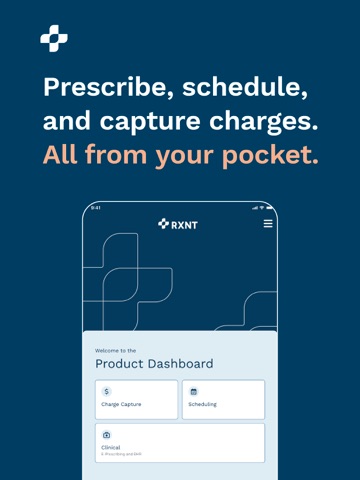
27 store screenshots



Pricing & paywalls
App Store
Shown for US
- Free
Ratings & reviews
App Store
Shown for US
-
4/5Very good- room for improvement
The app really is great- I am a full time provider and perhaps statistically have had the opportunity to find more bugs...the feedback offered is to to help the 4.5 increase to 5.0! Pro - easy to use, quick and efficient way to approve C2 medications. Con - Most important - the fob is very difficult to read - poor backlighting? Doesn't seem glasses should be needed to read a fob. Pro - quick, knowledgeable and friendly customer service when needed. Con - Appx once a week app will freeze eventually requiring I restart my phone. Just yesterday my RN entered meds that would not populate over to my "pending approval." Pro- I have the app installed on my personal phone, work tablet and personal iPad- easy to use on all devices. Con - definitely needs an edit option for mobile devices!! As a hospice provider I do not have a computer and usually approve meds from my car. Too bad I have to void a perfectly good entries just to add instructions, etc! Can't there be an easier way to locate meds? It is frustrating to scroll thru 100 different morphine combinations, on my phone, to find my specific need!
NP 0729 · 7 Aug 2026
-
2/5Changing for the worse!!
I’ve been using this software for 3 years & it feels like one issue after another!! It is technology so I understand there will be glitches.. but this is insanity!! The issues are near constant, having to reach out to customer support is painful because they want AI to troubleshoot first. Only the software doesn’t delineate between practice & patient. There’s always a feature down which prevents you from getting work completed.. today I’m not able to see any encounters; they’re all just blank!! And even when you connect to customer service there’s a 1 in 5 chance that they’re able to actually troubleshoot your issue. This software did get allot right, I love the automatic benefit checks, and the patient portal, the integrated PDMP, the ease of escribe.. I just feel like they’re spending more time on new, new, new.. instead of focusing on the quality, improvement, & upkeep of what is already there!! My last qualm with this software is the difficulty of making your own form templates I can customize forms for the patients to complete yet I can’t customize encounter forms & the ones that you can use are horrible, also not having the ability to identify an admin that can edit & correct dictation mistakes is a huge issue. That was one of the best features of Kipu software.
Crystalight😜 · 7 Aug 2026
-
2/5History No Longer Works on iPhone
I have been using this app for nearly 15 years and would ordinarily have given it 5 stars. Recently however, within last 2 months, it developed a bug and no longer allows me to search patient history. This is a critical function that allows the provider to see when meds were filled, and if other meds are being prescribed by other providers. The history function seems to continue to work fine with Windows on my PC, just not my iPhone. (I have an iPhone 12 Pro Max, running iOS 16.4.1 - most current). Fix this, and I will gladly remove or update this review, but with it, I would be forced to use another vendor.
Dr Johnnie Ham · 7 Aug 2026
-
1/5HORRIBLE!
The the new App with LiveScan crashes all the time. You can no longer log in with Apple FaceID. The app Fonts are so big that you can't see all the text on the screen and can only see 2 recent prescriptions without scrolling. When prescribing a controlled med, it FAILS to capture the face 50% of the time and the white oval is in such a WRONG position on the screen that it requires a strange positioning of my iPhone to get my face into the oval & there is NO confirmation that your face is in the correct spot!! Moreover, if your EPCS face scan does gets thru, it takes 20 sec or more while the app just seems frozen. Lastly, EPCS will not work on a second patient unless the app is quit & logged in all over. This is one of the worst app launches I have ever seen. RXNT is on its way out soon.
dinky234 · 7 Aug 2026
-
1/5Unusable Terrible
RXNT rolled out a new version of their once serviceable mobile app and it is horrendous and totally unusable. Doesn't show pharmacy requests 1/2 the time, can't open patients' charts, can't remember to keep you from having to do 2 point verification for 30 days so always have to do that, and most importantly new LiveID for controlled substances simply doesn't work. Basically, have to you use laptop for everything now. This company has gone downhill precipitously in the last few years on so many fronts including this simply unprofessional, rushed roll-out. Going to look for another vendor after over 10 years as a customer. Last straw.
CosmicBar · 7 Aug 2026
Privacy & accessibility
App Store
Privacy
- Data Linked to You — Analytics — Contact Info — Email Address Developer declared
- Data Linked to You — Analytics — Contact Info — Name Developer declared
- Data Linked to You — Analytics — Diagnostics — Crash Data Developer declared
- Data Linked to You — Analytics — Identifiers — User ID Developer declared
- Data Linked to You — Analytics — Usage Data — Other Usage Data Developer declared
- Data Linked to You — App Functionality — Contact Info — Email Address Developer declared
- Data Linked to You — App Functionality — Contact Info — Name Developer declared
- Data Linked to You — App Functionality — Diagnostics — Crash Data Developer declared
- Data Linked to You — App Functionality — Identifiers — User ID Developer declared
- Data Linked to You — App Functionality — Usage Data — Other Usage Data Developer declared
- Data Linked to You — Developer’s Advertising or Marketing — Contact Info — Email Address Developer declared
- Data Linked to You — Developer’s Advertising or Marketing — Contact Info — Name Developer declared
- Data Linked to You — Developer’s Advertising or Marketing — Diagnostics — Crash Data Developer declared
- Data Linked to You — Developer’s Advertising or Marketing — Identifiers — User ID Developer declared
- Data Linked to You — Developer’s Advertising or Marketing — Usage Data — Other Usage Data Developer declared
- Data Linked to You — Product Personalization — Contact Info — Email Address Developer declared
- Data Linked to You — Product Personalization — Contact Info — Name Developer declared
- Data Linked to You — Product Personalization — Diagnostics — Crash Data Developer declared
- Data Linked to You — Product Personalization — Identifiers — User ID Developer declared
- Data Linked to You — Product Personalization — Usage Data — Other Usage Data Developer declared
- Data Linked to You — Contact Info Developer declared
- Data Linked to You — Diagnostics Developer declared
- Data Linked to You — Identifiers Developer declared
- Data Linked to You — Usage Data Developer declared
Accessibility
No accessibility labels collected yet.
Versions
App Store
-
4.112
This update introduces improvements to enhance the performance, usability, and reliability of the application functionality and user experience. Improvements: Resolved an issue where the username no longer auto-populated at login. Corrected a bug causing the wrong date of birth to appear in patient search results.
-
4.113
This update introduces improvements to enhance the performance, usability, and reliability of the application functionality and user experience. Improvements: Fixed issues with “Remember this device” and “Do not ask again” settings so they now work as intended. Resolved a problem preventing patient search by last name when using apostrophes. Fixed an issue where void reasons were not readable due to color contrast.
-
4.114
This update focuses on a refreshed dashboard experience and improved role management. Improvements: Completely redesigned the Product Dashboard with a modern, intuitive, and accessible experience. Added support for limited access to Supervising Physician Roles for better role management.
-
4.116
This update introduces improvements to enhance the performance, usability, and reliability of the application functionality and user experience. Improvements: Fixed an issue where the patient’s preferred phone number was missing from search results. Corrected a problem sending multiple prescriptions at once. Fixed a typo in the Payment Source Failed banner. Improved the Account Locked banner to ensure it displays as a priority. Fixed limited access prompts that were cut off or appeared incorrectly. Addressed an issue with Product Dashboard review/feedback prompts not responding after submission.
-
4.117
Improvements: Redesigned the Write Rx flow with a modern, intuitive, and accessible experience Enhanced the Patient Dashboard with an interactive header & layout Expanded the clickable area for selecting current and previous medication cards Updated login text for clearer instructions Fixed incorrect business hours during appointment scheduling Corrected typo in HIPAA Patient Consent Agreement Fixed an issue where the inactive DEA banner incorrectly appeared for non-EPCS user
-
4.118
Improvements: Redesigned the Write Rx flow with a modern, intuitive, and accessible experience Enhanced the Patient Dashboard with an interactive header & layout Expanded the clickable area for selecting current and previous medication cards Updated login text for clearer instructions Fixed incorrect business hours during appointment scheduling Corrected typo in HIPAA Patient Consent Agreement Fixed an issue where the inactive DEA banner incorrectly appeared for non-EPCS users
-
4.119
This update includes important prescription workflow fixes to ensure accurate refill handling. Improvements: Corrected an issue where refill fields were disabled for all controlled substances instead of only Level 2 drugs. Fixed an issue where Level 2 drug refill values were not reverting to 0 when set incorrectly.
-
4.120
This update brings enhancements to improve usability and prescribing efficiency. Improvements: -Updated UI for adding current medications to the patient's record. -Refill medications from Patient History now opens the new Write Rx UIs. -Improved tap responsiveness when entering Quantity, Refills, and Days Supply. -Added an alert when no pharmacy is selected.
-
4.122
This update delivers several UI and workflow enhancements to improve prescribing and clinical review. Improvements: Enhanced the Prescriber Dashboard with a refined UI and an improved medication-selection experience. Updated the Clinical Drawer Menu with refreshed UIs for Analytics and Pharmacy Search. Improved Pharmacy Search workflow, including clearer success messages when adding or removing favorite pharmacies. Added PRN reason to the Rx Summary for more complete documentation.
-
4.123
Fixed an issue that caused the app to crash when staff users without a selected prescribing provider accessed the Clinical module.
-
4.124
This update introduces improvements to enhance the usability, and reliability of the application functionality and user experience. Improvements: Fixed empty value display issues on the payment report Resolved an issue for the keyboard to close properly after discharging a medication Updated the interaction view so drug names display fully without being cut off
-
4.125
Improvements: Fixed an issue that prevented location selection in the Scheduling product Resolved a crash that could occur immediately after logging in Fixed crashes related to LiveID authentication Corrected an issue where the "Link LiveID Token" banner appeared when already enrolled
-
4.126
Improvements: Fixed an issue where height and weight did not prepopulate when prescribing. Updated messaging shown when a DEA is inactive for improved clarity.
-
4.127
Improvements: Added missing links to the inactive DEA banner for clearer guidance. Fixed an issue preventing users from selecting a verification method. To support unique user accounts, the app now prompts users who share an email address with another account to update.
-
4.128
Improvements: Resolved a problem with the advanced patient search by date of birth. Corrected an issue preventing pharmacy requests from saving after adding a diagnosis. Fixed an issue in Ambient IQ sessions that could cause excessive noise errors, followed by app freeze and force close.
-
4.129
Improvements: • Improved session management and security controls • Fixed inactive logout issue affecting authentication • Resolved ambient session creation issue • Fixed in-app review UI overlapping issue • Corrected text truncation in prescription alert modal • General bug fixes and performance improvements
-
4.130
Improvements: A refreshed Charge Capture experience with a modern UI, enhanced navigation, improved visual hierarchy, and better accessibility for a more intuitive and seamless experience.
-
4.131
Bug fixes & improvements
-
4.132
Improvements: Corrected the ID.me link shown when DEA is inactive
-
4.133
Improvements: Added fill status to current medications for improved visibility. Corrected refill and total fill calculations for current medications. Fixed an issue with date of birth entry when creating a new patient in Charge Capture.
-
4.134
Fixes an issue causing the app to crash when attempting to send medications after searching for a drug.
-
4.135
Improvements: - Resolves an issue where creating an encounter would not automatically assign a rendering provider within the charge capture module. - Resolves an issue where diagnosis codes were not limited only to codes associated with the selected super-bill.
-
4.136
- Redesigned the LiveID enrollment flow from the ground up for a better and more modern experience. - Resolved an issue causing charges to disappear when applying diagnoses. - Resolved an issue causing some users to be logged out of the app after entering a zip code while adding a patient within the Charge Capture module.
-
4.137
We've redesigned Scheduler from the ground up to bring you a more refined, modern, and functional experience.
-
4.138
· 8 Jul 2026
Resolves an issue that could cause adding a patient to crash the app under certain circumstances.
Alternatives
- iPrescribe — Same category + similar ratings
- DocUpdate — Same category + similar ratings
- QliqCHAT Secure Texting — Same category + similar ratings
- Axxess Hospice — Same category + similar ratings
Availability by market
- US
Data quality & evidence
- Page completeness
- Live store listing
- Last verified
- 7 Aug 2026
- Sources
- App Store
- Independent summary has not been published yet.