
Quick verdict
- What it is
- Store information collected; an Apoku editorial summary is not yet published.
- At a glance
-
- From $1.66/mo
- Free download · core features require a paid plan
- In-app purchases
Categories and search queries
Official categories
- Photo & Video
- Graphics & Design
Apoku categories
Key functions
| Function | Availability | Access | Scope | Evidence |
|---|---|---|---|---|
| Free app | Yes | Free | Context-specific | Store published |
| In-app purchases | Yes | Limited free | Context-specific | Store published |
| Subscription | Yes | Paid | Context-specific | Store published |
| Family Sharing | Unknown | Unknown | Scope unknown | Store published |
Screens
App Store
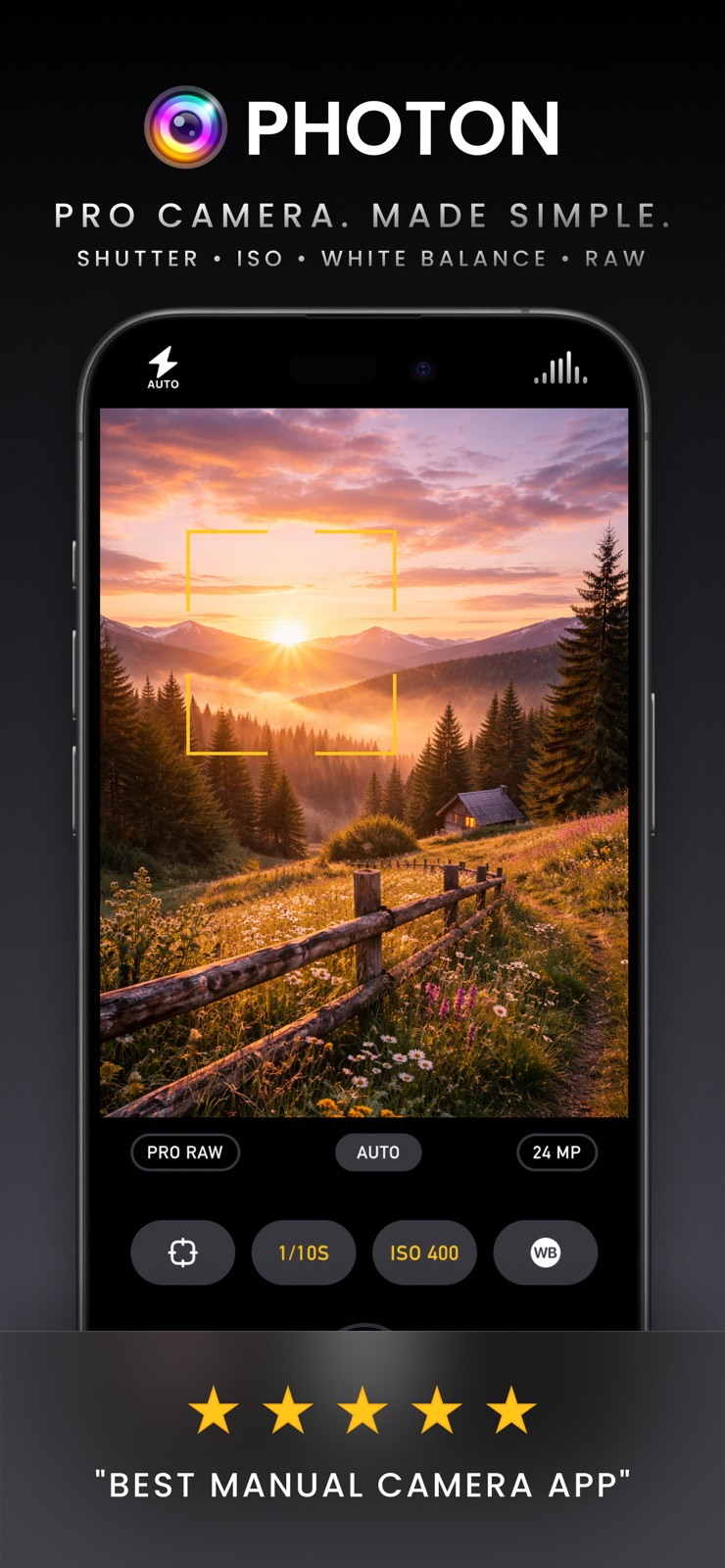
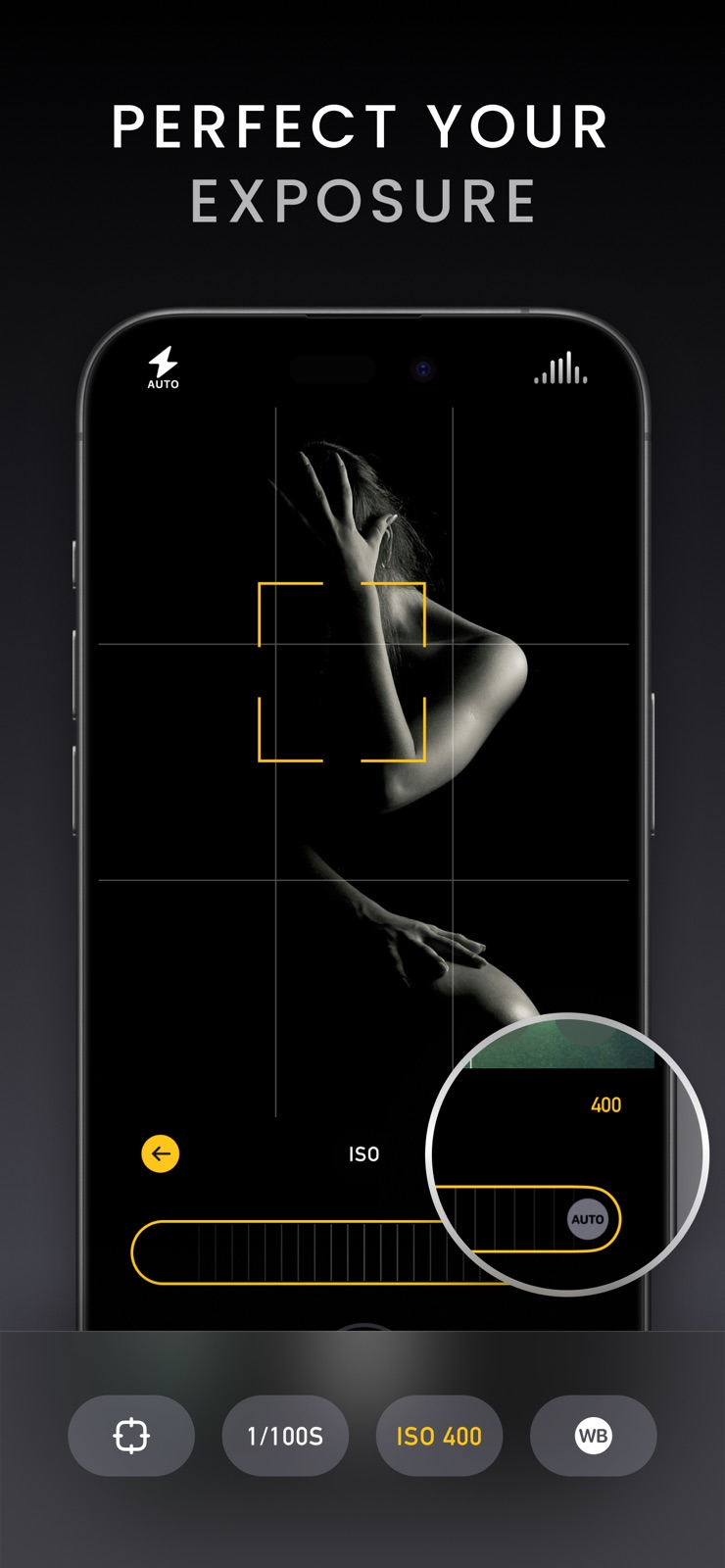
11 store screenshots


Pricing & paywalls
App Store
- Yearly — $19.99/year ($1.66/mo) (derived from the IAP title)
Ratings & reviews
App Store
-
5/5My favorite camera app
I have tried virtually all of the popular iOS camera apps and I have purchased most of them including Camera+ which is excellent. But my #1 favorite camera for those shots when I just want to pull the iPhone out of my pocket and take a quick photo (which is 95% of the time) is Photon. It nails the exposure and focus and the photos come out excellent.
JohnZeman · 6 Aug 2026
-
1/5Liars
Had the previous app that was discontinued. They said it was replaced by this, but this is a subscription app that doesn’t even do the same thing.
Page&Sound · 6 Aug 2026
-
2/5Review 9.5.25
Too screwy to figure out, other cameras are fine.
Jimbob049 · 6 Aug 2026
-
1/5Weak App
This app has such a nice polished front side but then when you open the app and start playing around with features, you notice that it’s actually pretty limiting! Unfortunately, camera+ does not work without wifi and this app does, but it doesn’t offer anywhere near the amount of features camera+ has. One feature in particular that is actually extremely important to me is being able to take pictures at different aspect ratios; I understand that the main purpose of this app is taking high quality images with powerful tools related primarily to exposure & ISO + shutter speed settings but switching aspect ratios is legitimately such a no-brainer I can’t imagine why the developers specifically opted to leave it out. I can even understand leaving out digital zoom but I shouldn’t be forced into having to crop my pics after the fact just because I want a particular size. I may be wrong here but I’m pretty sure that changing the aspect ratio wouldn’t affect image quality?? It just crops what’s being taken in by the lens and leaves everything else out, there’s no actual ‘zoom’. Half ready to go develop my own app for private usage just so I can relieve myself of the absolute headache that is finding an app that simply just WORKS and has the legitimately *basic* features I’m looking for! I need freedom with the pictures I take, at LEAST enough to be able to switch aspect ratio!!
Madsmartapple · 6 Aug 2026
-
1/5Confused about app ownership
April 2024 update: -1⭐️🤬 I bought every upgrade/optional upgrade for my iPhone and iPad since this app debuted over a decade ago. Obviously something happened ownership/management wise, but that’s still no excuse for leaving us hanging. Jumping ship and making a new app and then charging an outrageous amount of money is not being loyal to your longtime customer base. I have written five emails in eight months to the new owners of camera+ and NOBODY EVER REPLIED. Shame all of you, the old AND new owner. It’s Camera+ but it is not… The new owner won’t respond to communications, the new app is wildly the same but a sub or $40…and they also did not respond to communications requests…. I deserve to know who and where my sub/$40 is going… I no longer trust Camera+, so I deleted it…even though I paid for it, and the iPad app, and donated, AND PAID AGAIN recently in their now sketchy ‘hurry and buy into the app before it goes full subscription’ So I longer trust this developer to my $40, renting a camera app imo, is just useless. Plus, it shouldn’t be as buggy as it is because they made the decade old app perfect prior to this ‘ordeal’ Very unfortunate. I hope both devs have the honor to explain what transpired since I paid.
--** · 6 Aug 2026
Privacy & accessibility
App Store
Privacy
- Data Not Linked to You — App Functionality — Diagnostics — Crash Data Developer declared
- Data Not Linked to You — Diagnostics Developer declared
Accessibility
No accessibility labels collected yet.
Versions
App Store
-
5.1.1
The seasonal winter app icon has been removed as we transition back to the default look. As always, thank you for using Photon, and stay tuned for more updates!
-
5.2
Introducing Express Mode, a brand-new way to capture stunning photos with ease! Express Mode simplifies your shooting experience by replacing complex manual controls with intuitive options. Lock or unlock focus and white balance with a tap, adjust brightness effortlessly using a single EV wheel, and enjoy zoom functionality not available in Manual Mode. By streamlining the interface and skipping advanced tools like RAW, focus peaking, and exposure clipping, Express Mode ensures you can focus on the moment without being overwhelmed by settings. It’s photography, made simple. We’ve also resolved an issue affecting the touch area of the return buttons on the shutter speed and ISO toolbars when using the app in landscape mode. This fix improves accuracy and responsiveness, ensuring a smoother experience for all users. As always, thank you for your feedback and support—it helps us continue refining Photon Camera for you!
-
5.2.1
In version 5.2.1, we’ve made some subtle yet impactful UI improvements to enhance your experience. Also, in 5.2, we Introduced Express Mode, a brand-new way to capture stunning photos with ease! Express Mode simplifies your shooting experience by replacing complex manual controls with intuitive options. Lock or unlock focus and white balance with a tap, adjust brightness effortlessly using a single EV wheel, and enjoy zoom functionality not available in Manual Mode. By streamlining the interface and skipping advanced tools like RAW, focus peaking, and exposure clipping, Express Mode ensures you can focus on the moment without being overwhelmed by settings. It’s photography, made simple. As always, thank you for your feedback and support—it helps us continue refining Photon Camera for you!
-
5.2.2
We have made some tweaks to the settings menu. In version 5.2 we Introduced Express Mode, a brand-new way to capture stunning photos with ease! Express Mode simplifies your shooting experience by replacing complex manual controls with intuitive options. Lock or unlock focus and white balance with a tap, adjust brightness effortlessly using a single EV wheel, and enjoy zoom functionality not available in Manual Mode. By streamlining the interface and skipping advanced tools like RAW, focus peaking, and exposure clipping, Express Mode ensures you can focus on the moment without being overwhelmed by settings. It’s photography, made simple. We’ve also resolved an issue affecting the touch area of the return buttons on the shutter speed and ISO toolbars when using the app in landscape mode. This fix improves accuracy and responsiveness, ensuring a smoother experience for all users. As always, thank you for your feedback and support—it helps us continue refining Photon Camera for you!
-
5.2.3
We have made some tweaks to the settings menu. In version 5.2 we Introduced Express Mode, a brand-new way to capture stunning photos with ease! Express Mode simplifies your shooting experience by replacing complex manual controls with intuitive options. Lock or unlock focus and white balance with a tap, adjust brightness effortlessly using a single EV wheel, and enjoy zoom functionality not available in Manual Mode. By streamlining the interface and skipping advanced tools like RAW, focus peaking, and exposure clipping, Express Mode ensures you can focus on the moment without being overwhelmed by settings. It’s photography, made simple. We’ve also resolved an issue affecting the touch area of the return buttons on the shutter speed and ISO toolbars when using the app in landscape mode. This fix improves accuracy and responsiveness, ensuring a smoother experience for all users. As always, thank you for your feedback and support—it helps us continue refining Photon Camera for you!
-
5.3
Organize your shots your way. With version 5.3, Photon now lets you choose exactly where your photos are saved. Select any existing album in the Photos app—or create a new one on the fly—directly from within Photon’s interface. As always, your feedback continues to shape Photon—thank you for helping us make it better with every release.
-
5.3.1
Small Fixes & Improvements: Minor histogram display issue resolved, fix crash when app is backgrounded. Thank you for helping us make it better with every release.
-
5.3.2
Small Fixes & Improvements. Thank you for helping us make Photon better with every release.
-
5.3.3
We've made some small yet impactful improvements to enhance your experience with Photon. Thanks to your feedback, every update makes Photon more reliable and user-friendly.
-
5.3.4
We've made some small yet impactful improvements to enhance your experience with Photon. Thanks to your feedback, every update makes Photon more reliable and user-friendly.
-
5.3.5
We've been hard at work refining your experience with this latest update. Behind the scenes, we've resolved several issues that were affecting stability and optimized core functionality to make everything run more smoothly.
-
5.3.6
Bug fixes and polished translations that feel native for a smoother experience in every language.
-
5.4
Photon 5.4 supercharges your workflow with a completely redesigned photo browser that packs a full-screen, drag-down grid, thumbnail scrubbing, and instant swipe-to-dismiss. You’ll see at-a-glance badges (and optional toggle) for any photo captured in Process Control mode. Our revision tracking process ensures only edited images reload, keeping everything up to date without stuttering. We’ve squashed a stack of pesky landscape, alignment, and gesture bugs. And if that wasn't enough, we also tightened the UI for a cleaner, distraction-free experience.
-
5.5
Photon 5.5 introduces seamless integration with Darkroom, making it easier than ever to edit your photos with pro-level tools. Now, after capturing an image in Photon, you can send it directly to Darkroom for instant editing—no exporting required. Whether you're working with RAW or not, this new workflow streamlines your process and lets you get from shoot to finished photo faster. As always, thank you for helping shape Photon with your feedback, we are excited to keep building the tools you need!
-
5.6
This release provides support for iPhone 17, iPhone 17 Pro, iPhone 17 Pro Max and iPhone Air.
-
6.0
Liquid Glass is here. This version introduces support for iOS 26 and the latest iPhone 17, 17 Pro, and iPhone Air models, ensuring seamless performance with Apple’s new Liquid Glass interface. This update brings full compatibility with iOS 26’s system behaviors. Whether you're shooting in Manual, Express, or Process Control mode, Photon continues to deliver professional-grade results with maximum efficiency and precision on the newest devices.
-
6.0.1
iOS 26 & Liquid Glass are here. This version introduces support for iOS 26 ensuring seamless performance with Apple’s new Liquid Glass interface. This update brings full compatibility with iOS 26’s system behaviors. Whether you're shooting in Manual, Express, or Process Control mode, Photon continues to deliver professional-grade results with maximum efficiency and precision.
-
6.0.2
Photon 6.0.2 fixes an issue where the front camera could not be selected on iPhone 17 Pro, and resolves a related bug that caused the viewfinder to display with incorrect orientation when using the front camera on that device.
-
6.0.3
Photon 6.0.3 includes some minor bug fixes, while Photon 6.0 introduced a more modern look with Liquid Glass styling, broader support for the newest iPhones (including 48MP capture on 2025 devices), and a smoother, more reliable camera experience with improved rotation/orientation handling.
-
6.0.4
Photon 6.0.4 includes some minor bug fixes, while Photon 6.0 introduced a more modern look with Liquid Glass styling, broader support for the newest iPhones (including 48MP capture on 2025 devices), and a smoother, more reliable camera experience with improved rotation/orientation handling.
-
6.0.5
In this update, we've addressed a variety of localization issues to enhance your experience, ensuring clearer content. Enjoy a more intuitive interaction with improved language support.
-
6.5
Photon 6.5 is here: meet Quick Editor. A fast, streamlined way to fine-tune photos without leaving Photon. Edit right where you shoot, faster than ever. * Real-time edits powered by our new rendering engine * Adjust contrast, vignette, filters, and more, all with live thumbnail previews * Use the crop tool, it is fast and precise * Non-destructive edits with reliable, atomic saving * Instant thumbnail refresh so your library stays in sync Darkroom integration: If Darkroom is installed, photos open there by default, long-press to jump straight into Quick Editor. Localized in English, Spanish, German, and Simplified Chinese, so more photographers can use Photon in their language.
-
6.6
Photon 6.6 adds remote shutter control to Apple Watch. Now you can open Photon on your iPhone, frame your photo, then use the Apple Watch shutter button to capture without touching your iPhone. On the Watch, you will see the camera readiness status, connection stays in sync with the iPhone camera, and a dedicated Photon trigger button is built for the smaller Apple Watch screen. Timer mode is supported as well. If you set a timer on iPhone, pressing the Watch shutter starts the countdown instead of taking the photo right away. During the countdown, tap again to cancel, just like the iPhone shutter button. Have feedback or suggestions? Use the in-app bug reporter to contact us. We are here to help.
-
6.7
This update is all about the Quick Editor, with faster improvements and more control in every edit. Auto enhance Tap the magic wand and Photon instantly analyzes your photo to correct exposure, contrast, color cast, and saturation. When the subject is clear, it can also suggest a crop. Each change is applied directly to the matching sliders, so you can fine-tune the look or undo the entire Auto result with a single tap. Undo & redo New buttons in the navigation bar make it easy to step back and forward through your edits. A slider drag counts as one step, and the preview crossfades smoothly as you move through your history, so you always know exactly what changed. RAW Mix For images that include both RAW and processed versions, use a new slider to blend them. Dial in the exact balance between RAW flexibility and processed polish, then keep your chosen mix because it’s saved with the edit. Polish We refined the toolbar for a cleaner workflow, kept Auto within reach for quick re-tries, added subtle haptic feedback, and expanded the editing view on iPhone when in portrait for a more comfortable, spacious experience.
-
6.7.1
· 18 Jul 2026
This update is all about the Quick Editor, with faster improvements and more control in every edit. Auto enhance Tap the magic wand and Photon instantly analyzes your photo to correct exposure, contrast, color cast, and saturation. When the subject is clear, it can also suggest a crop. Each change is applied directly to the matching sliders, so you can fine-tune the look or undo the entire Auto result with a single tap. Undo & redo New buttons in the navigation bar make it easy to step back and forward through your edits. A slider drag counts as one step, and the preview crossfades smoothly as you move through your history, so you always know exactly what changed. RAW Mix For images that include both RAW and processed versions, use a new slider to blend them. Dial in the exact balance between RAW flexibility and processed polish, then keep your chosen mix because it’s saved with the edit. Polish We refined the toolbar for a cleaner workflow, kept Auto within reach for quick re-tries, added subtle haptic feedback, and expanded the editing view on iPhone when in portrait for a more comfortable, spacious experience.
Alternatives
- Obscura — Pro Camera — Same category + similar ratings
- Spectre Camera — Same category + similar ratings
- Camera+ I Pro Camera & Editor — Same category + similar ratings
- Pro Camera - Reeflex — Same category + similar ratings
- Manual Camera, Pro DSLR | RAW+ — Same category + similar ratings
- ReeHeld - Long Exposure Camera — Same category + similar ratings
Availability by market
- US
Data quality & evidence
- Page completeness
- Live store listing
- Last verified
- 6 Aug 2026
- Sources
- App Store
- Apoku editorial summary has not been published yet.