
Quick verdict
- What it is
- Store information collected; an Apoku editorial summary is not yet published.
- At a glance
-
- From $1.66/mo
- Free to download
- In-app purchases
Categories and search queries
Official categories
- Productivity
- Health & Fitness
Apoku categories
Key functions
| Function | Availability | Access | Scope | Evidence |
|---|---|---|---|---|
| Free app | Yes | Free | Context-specific | Store published |
| In-app purchases | Yes | Limited free | Context-specific | Store published |
| Family Sharing | Unknown | Unknown | Scope unknown | Store published |
Screens
App Store
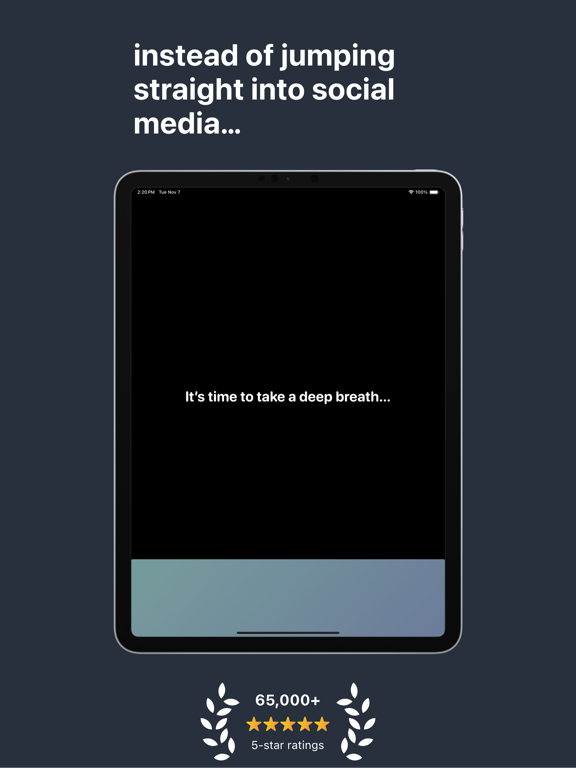
33 store screenshots


Pricing & paywalls
App Store
- one sec pro (1 Month) — $6.99/month
- one sec pro (1 Month) — $19.99/year ($1.66/mo)
- one sec pro | Family Plan (1 Month) — $9.99/month
- one sec pro | Family Plan (1 Month) — $29.99/year ($2.49/mo)
- one sec pro | Family Lifetime — $149.00
- one sec pro | Lifetime — $99.99
Ratings & reviews
App Store
-
5/5Brilliant
This app is brilliant. I have it on all my iOS devices. I feel like most screen time reducing apps come and go, as half baked ideas put together over a weekend. This one is different. It feels as put together, or even more so, than Apple’s own screen time controls. It’s obvious the creator of this app made this for themselves as it applies to users’ real uses very well. I’m someone who uses various ways to make my devices more “dumb” or minimal. I mix this with feed blockers, screen time settings, greyscale, and not having social media apps on my phone. This is a very important piece of my already pretty elaborate puzzle. This app can probably do more than I can grasp right now. I just use it to slow load apps and make them get progressively slower overtime. As my dopamine rush gets slower every time I wait for an app to load, I could just delete this app out of frustration. But I don’t. I feel like a kid knowing maybe it’s best if only mom can open the cookie jar. I also use the app for app blocking which is super cool. My only request is if I could set a timer for app blocking. What I mean: set timer and in 25 minutes all apps on the list will be blocked. That way maybe when I need or want to go down the rabbit hole, there is going to be a hard cutoff upcoming that I can’t stop. Otherwise I’ll just willingly not stop and go down a binge, which I unfortunately too often do.
Hihellohihelloh · 29 Sep 2026
-
5/5Very grateful I bought premium on One Sec
Crazy how these large corporations made social media apps so powerful that I'll subconsciously go on Instagram and snapchat without even thinking about it. I'm not a scroller and wouldn't endlessly scroll on social media but I would go on them to check notifications. Whenever there was pause in a video game, nothing going on in the moment in life, or I'm bored, I'd naturally pick up my phone and by default go to Instagram with 0 purpose. After I downloaded one sec and bought premium it made my unconscious habit conscious. It makes me ask myself in my head, "is there anything I absolutely need to do on this app?" If the answer is no, I get off. The habit has subsided too because my mind associates checking social media as one sec popping up. So grateful I got this because I'm a lot more mindful and in the moment than I was before and I'm a lot happier and less irritable. I highly recommend you get this app because if your someone like me who doesn't wanna delete their socials, this makes you in control of your decision to go on these high dopamine apps rather than the corporation being in control of you.
Robley B · 29 Sep 2026
-
3/5Great app, but…
This is a very clever application that does precisely what it’s advertised to. It requires a form of intervention before opening an app of your choice, and this is highly customizable. There are lots of interventions to choose from, and how long you want them to be. You can also have it choose a random exercise for you, and it supports website blocking as well, which is nice. You can also set up a bedtime schedule where it blocks all apps and websites. It provides an informative dashboard detailing approximately how much time you saved. However, I really can’t get behind the modern era of subscription based apps. Especially for the lifetime license costing a whopping FIFTY dollars, and SEVENTY for a “family plan”. I don’t have any problem supporting independent developers and paying for software, but I personally feel like this is overpriced for what it does. Most of it is just relying on the iOS shortcuts functionality anyway, and all the app is doing is showing a pretty GUI and recording the time. You could replicate something similar in shortcuts (although not entirely, like website blocking for instance.) If you don’t mind the cost, go for it, but I would probably pay $15 maximum for a lifetime license, not $50. Especially considering many people using this are likely college students.
Tech How · 29 Sep 2026
-
5/5Genuinely life changing - try try try it
Never in my life have I written a review for an app but I’ve tried every single thing to stop using Instagram (but still wanted to have it in my phone so I can use once in a while) and nothing worked. I deleted the app then used it on Safari (terrible interface so assumed I couldn’t possibly get addicted) and then used it sm I had to block the website on my phone. If I ever redownloaded Instagram I’d once more use it so so much. With One Sec, the little number of times opened in 24hrs and the x hours since last opened have an insane grip on me like I don’t want to see that number over like 1-2 times ever. So then I started like being more conscious about when I opened the app bc I don’t want to ‘waste’ my app opens (ex if Im switching between apps or have to leave the house in 5 mins not worth it). Now I’m opening Instagram just a couple times a week and just don’t feel the need to go on it much more. Anyways rant but so so good at least give it a try if you’ve ever wanted to use any app less you have nothing to lose.
Paula b d · 29 Sep 2026
-
1/5I am over it 👎
I have loved this app since I began using it 6 months ago. It even inspired me to purchase my cousin an iPhone, knowing that I would be able to restrict their screen time and break the dopamine-induced doom scrolling that social media and games can oftentimes induce. When I was going to sign up for the family plan, I saw the price had increased from $25 to $40. For reference, the individual plan is $20. Honestly, if I only intended to add one additional user to the subscription, what incentive is there in not receiving a discount? Look at it this way: 2x individual plans = $40; 2x users on family plan = $40. What's the difference? This is really shortsighted and selfish of the developer, in my opinion, and it makes me want to not even renew the individual subscription. $40 is too much. The app is good and well thought out, but it isn't actually providing that grand of a solution to justify that price, even for multiple users. $25 actually motivated me to add users to the app, given it was only a $5 increase from what I was paying. Doubling the price only frustrates me and makes me want to protest the developer's greed, and it shows that their intent isn't to actually provide a solution and make that accessible to more people, but to squeeze every dollar from their user base. What a careless decision towards users. I'll be deleting the app.
Anonymous19901 · 29 Sep 2026
Privacy & accessibility
App Store
Privacy
- Data Not Linked to You — Analytics — Usage Data — Product Interaction Developer declared
- Data Not Linked to You — Usage Data Developer declared
Accessibility
- Dark Interface — SUPPORTED Store published
- Larger Text — SUPPORTED Store published
- Reduced Motion — SUPPORTED Store published
- Sufficient Contrast — SUPPORTED Store published
- VoiceOver — SUPPORTED Store published
Versions
App Store
-
4.1.10
- Automatically removes target app lock / “intervention cheat prevention” after 1 minute. - Fixes an issue where on some devices Re-Interventions could be removed by locking and unlocking the device screen. - Fixes an issue where under some circumstanced blocked apps could be unlocked during blocks. - Delayed interventions now follow intervention schedules as well. - Fixes an issue with research studies.
-
4.1.11
This update fixes an issue where one sec’s “Settings Lock” could result in very short intervention times. On top of that, we’re adding a new research collaboration with Wuppertal University.
-
4.1.12
This update fixes an issue where one sec’s “Settings Lock” could result in very short intervention times. On top of that, we’re adding a new research collaboration with Wuppertal University.
-
4.1.4
Another small, but important bug-fix update: - Fixes an issue where per-app breathing prompts were not saved permanently. - Fixes an issue where the “Lock Target App during Intervention” feature would keep locking the target app even when the intervention is turned off or the intervention mode is switched. - Ensures that push permission is granted when “Always Ask” intervention is set up.
-
4.1.5
This update adds a new data donation research project in collaboration with RWTH Aachen. If you’d like to participate, please fill out the opt-in survey that’s shown in a banner on one sec’s Overview page.
-
4.1.6
- If a subscription expires, and you had the one sec settings lock enabled, you can now go through an intervention again to unlock one sec’s settings. - Fixes an issue where you couldn’t add new websites to one sec’s Safari extension. - Fixes an issue where the latest update of one sec would crash on iOS 16 devices. Sorry about the trouble!
-
4.1.7
– Fixes an issue where block sessions would not trigger for apps set up with the new delayed intervention mode. – Fixes an issue where the onboarding survey would pop up all the time for users who just want to use one sec’s block schedule feature. – Fixes an issue with importing vocabulary from LENGO.
-
4.1.8
- Fixes an issue where the anti-cheat protection would remain active even when the target app is allowed to be used (e..g allowed by focus filter). - Fixes an issue where the Structured intervention would not trigger for Delayed Interventions. You need to set up Automations for the target apps, in order for the Structured intervention to work, even for the new Delayed Intervention mode. - Accessibility VoiceOver improvements for the time interval picker (Re-Interventions and “Always Ask Intervention”). Shout-out to Marissa for bringing this to our attention! - Improves capabilities to re-connect apps via the Screen Time app picker in case glitches with Apple’s Screen Time framework occur. - Smaller UI improvements and bug fixes throughout the whole app. If you like one sec and the continuous work we put into app updates, I’d highly appreciate if you could take three minutes to leave a review on the App Store <3 – Frederik
-
4.1.9
This update contains smaller bug fixes and improvements: Ensures that the settings lock and shortcuts app lock uses the default breathing exercise when the budgeting feature is enabled.
-
5.0
We’re celebrating one sec’s 5th birthday this month. It’s hard to believe that it’s been 5 years already since I started working on one sec. I’m grateful every day I get to work on such an impactful app with the best team I could wish for! This summer, we’ve been working extremely hard on a large list of new features, improvements and bug-fixes and we can’t wait to get it into your hands. We decided to call this update: one sec 5.0 This update brings… …an all-new block tab: upcoming & past blocks at a glance (no matter if they are triggered by a Schedule, a manual Block, Good Morning Countdown, Focus Filter, a Structured task…). …an all-new tips tab with hands-on tips to get the most out of one sec & your new life. …a new conversational reflection intervention using the new on-device LLM helping you to reflect even more on why you open apps. …a much improved ”Good Morning Countdown“ that now integrates with the new no-mercy alarm clock app “Awake”. …many many design refinements and bug fixes throughout one sec.
-
5.0.1
We’re celebrating one sec’s 5th birthday this month. It’s hard to believe that it’s been 5 years already since I started working on one sec. I’m grateful every day I get to work on such an impactful app with the best team I could wish for! This summer, we’ve been working extremely hard on a large list of new features, improvements and bug-fixes and we can’t wait to get it into your hands. We decided to call this update: one sec 5.0 This update brings… …an all-new block tab: upcoming & past blocks at a glance (no matter if they are triggered by a Schedule, a manual Block, Good Morning Countdown, Focus Filter, a Structured task…). …an all-new tips tab with hands-on tips to get the most out of one sec & your new life. …a new conversational reflection intervention using the new on-device LLM helping you to reflect even more on why you open apps. …a much improved ”Good Morning Countdown“ that now integrates with the new no-mercy alarm clock app “Awake”. …many many design refinements and bug fixes throughout one sec. If you like one sec & our continuous work on it, please take a moment to write a review on the App Store. Thank you very much for your support! – Frederik
-
5.0.2
We’re celebrating one sec’s 5th birthday this month. It’s hard to believe that it’s been 5 years already since I started working on one sec. I’m grateful every day I get to work on such an impactful app with the best team I could wish for! This summer, we’ve been working extremely hard on a large list of new features, improvements and bug-fixes and we can’t wait to get it into your hands. We decided to call this update: one sec 5.0 This update brings… …an all-new block tab: upcoming & past blocks at a glance (no matter if they are triggered by a Schedule, a manual Block, Good Morning Countdown, Focus Filter, a Structured task…). …an all-new tips tab with hands-on tips to get the most out of one sec & your new life. …a new conversational reflection intervention using the new on-device LLM helping you to reflect even more on why you open apps. …a much improved ”Good Morning Countdown“ that now integrates with the new no-mercy alarm clock app “Awake”. …iCloud backup for your stats (preventions & time saved). …many many design refinements and bug fixes throughout one sec. If you like one sec & our continuous work on it, please take a moment to write a review on the App Store. Thank you very much for your support! – Frederik
-
5.0.3
Hey lovely one sec user! In addition to the BIG announcements of last week’s 5.0 update, we’re taking the time today to polish the update and address some bugs: - Fixes an issue where the phone-free morning / Awake integration wouldn’t display the selected set of apps and categories. - Changes the icon for the phone-free morning to a more friendly one. - Fixes multiple background crashes (hopefully). - Fixes an issue where the toggle to enable a weekday-based intervention schedule wouldn't work. - Automatically expands the new block sheet to full size while selecting a custom time interval. - Adds a new toggle in “Don’t get lost notifications” to show a warning notification when reaching a 50% threshold of a Re-Intervention or delayed intervention. - Applies new Liquid Glass design to “U sure bout that?” intervention. Don’t forget: if you like one sec, please write us a nice review on the App Store. This helps to spread the word about the app. Thanks a lot for your ongoing support, have a great day! – Frederik
-
5.0.4
Hey lovely one sec user! In addition to the BIG announcements of last week’s 5.0 update, we’re taking the time today to polish the update and address some bugs: - Fixes an issue where the intention picker would not show up. - Sheet automatically resizes to full-screen when selecting a custom block duration. - Overlapping blocks are now sorted correctly. - Advanced breathing exercises (such as box breathing or 4-7-8) now use Liquid Glass for the dismiss button as well. - Slightly refined settings UI – and moved iCloud Backup settings under the account tab. - Fix where the toggle to turn off 50% budget remaining notifications did not work. - Ensures that our FAQs are shown when pressing the FAQ button on the tips tab. - Fixes an issue where the phone-free morning / Awake integration wouldn’t display the selected set of apps and categories. - Changes the icon for the phone-free morning to a more friendly one. - Fixes multiple background crashes (hopefully). - Fixes an issue where the toggle to enable a weekday-based intervention schedule wouldn't work. - Automatically expands the new block sheet to full size while selecting a custom time interval. - Adds a new toggle in “Don’t get lost notifications” to show a warning notification when reaching a 50% threshold of a Re-Intervention or delayed intervention. - Applies new Liquid Glass design to “U sure bout that?” intervention. Don’t forget: if you like one sec, please write us a nice review on the App Store. This helps to spread the word about the app. Thanks a lot for your ongoing support, have a great day! – Frederik
-
5.0.5
Hey lovely one sec user! In addition to the announcements of our BIG 5.0 update, we’re taking the time today to polish the update and address some bugs: - Fixes an issue where the intention picker would not show up. - Sheet automatically resizes to full-screen when selecting a custom block duration. - Overlapping blocks are now sorted correctly. - Advanced breathing exercises (such as box breathing or 4-7-8) now use Liquid Glass for the dismiss button as well. - Slightly refined settings UI – and moved iCloud Backup settings under the account tab. - Fix where the toggle to turn off 50% budget remaining notifications did not work. - Ensures that our FAQs are shown when pressing the FAQ button on the tips tab. - Fixes an issue where the phone-free morning / Awake integration wouldn’t display the selected set of apps and categories. - Changes the icon for the phone-free morning to a more friendly one. - Fixes multiple background crashes (hopefully). - Fixes an issue where the toggle to enable a weekday-based intervention schedule wouldn't work. - Automatically expands the new block sheet to full size while selecting a custom time interval. - Adds a new toggle in “Don’t get lost notifications” to show a warning notification when reaching a 50% threshold of a Re-Intervention or delayed intervention. - Applies new Liquid Glass design to “U sure bout that?” intervention. Don’t forget: if you like one sec, please write us a nice review on the App Store. This helps to spread the word about the app. Thanks a lot for your ongoing support, have a great day! – Frederik
-
5.1
- Big update for one sec’s conversational reflection intervention. Completely redesigned & improved tech stack. - App Icon picker updated and UI fixes. - Bug fixes around strict block of apps. - Fixes an issue where strict block limitations were already enforced while a strict block was being created. - one sec uninstall protection during strict blocks. - Fix “Re-Intervention” and “Always Ask” time picker animation glitch. - Fix selection of breathing prompt text – and simplified breathing prompt customization while we were at it. - Fix glitch in LENGO vocab list, now you can select and delete words again. - Fix one sec’s time budget intervention. Hope you like these improvements & bug fixes! If one sec helps you, please support our work by writing a review on the App Store. Thank you :) – Frederik
-
5.2
Version 5.2 is a big update for one sec — but instead of adding headlining new features, this release focuses on improving what’s already there and making everything more reliable. - Re-Interventions now work with websites via our Safari extension. - Fixed an issue where 23-hour blocks could not be started. - Journaling Intervention redesigned for iOS 26, plus many bug fixes. - Journal entries now reliably sync via iCloud with our companion app Reflective. - Conversational Reflection is now faster and more reliable. - Fixed an issue where the Block Live Activity didn’t start when launching a block via the widget. - Bug fixes for the Intention Picker. - During strict blocks, screen time permissions can no longer be re-authenticated and apps cannot be reassigned (to prevent cheating). - The widget now refreshes regularly to always show up-to-date usage data. - Many additional bug fixes and improvements throughout the app. I really hope you like this update and the continuous improvements we’re making to one sec. If you do, leaving a quick review on the App Store would help us a lot. Thanks for your support! Frederik
-
5.2.1
Version 5.2 is a big update for one sec — but instead of adding headlining new features, this release focuses on improving what’s already there and making everything more reliable. - Re-Interventions now work with websites via our Safari extension. - Fixed an issue where 23-hour blocks could not be started. - Journaling Intervention redesigned for iOS 26, plus many bug fixes. - Journal entries now reliably sync via iCloud with our companion app Reflective. - Conversational Reflection is now faster and more reliable. - Fixed an issue where the Block Live Activity didn’t start when launching a block via the widget. - Bug fixes for the Intention Picker. - During strict blocks, screen time permissions can no longer be re-authenticated and apps cannot be reassigned (to prevent cheating). - The widget now refreshes regularly to always show up-to-date usage data. - Many additional bug fixes and improvements throughout the app. I really hope you like this update and the continuous improvements we’re making to one sec. If you do, leaving a quick review on the App Store would help us a lot. Thanks for your support! Frederik
-
5.2.10
· 19 Aug 2026
An update full of bug fixes!
-
5.2.2
This is a smaller update which includes a bunch of bug fixes and UI improvements: - Corner radii are now more consistent on iOS 26. - Fixes an issue where haptic feedback was not working on some devices. - Improves one sec’s Safari extension, especially the Re-Intervention. - Improves padding in onboarding. - Double checks if you really want to delete a recurring block before proceeding. - Concludes another scientific research project inside one sec. PS: We are super busy working on the next big update for one sec :)
-
5.2.3
- Performance improvements for one sec’s interventions. - New research infrastructure powering future studies within one sec. - Localization improvements. - Dynamic Island improvements. - Adds new math intervention. - Improved random text intervention.
-
5.2.4
- Performance improvements for one sec’s interventions. - New research infrastructure powering future studies within one sec. - Localization improvements. - Dynamic Island improvements. - Adds new math intervention. - Improved random text intervention.
-
5.2.5
This is probably one of the most impactful bug fix updates yet for one sec: - With this update, one sec implements a series of improvements with apps connected via screen time: if you’re using iOS 26.5 (or newer) there should now be way fewer glitches and issues. This is really a big step forward. I’d like to thank Apple for the great collaboration making that happen. Looking forward to more screen time bug fixes in the future :) - On top of that, this update addresses an issue where apps shielded by delayed interventions could be accidentally unlocked even before the next full hour hast started. Sorry about the trouble! - After our last performance focused update, this one also implements a series of smaller bug fixes and addresses UI glitches (especially inside interventions). - Implements improvements for an ongoing research project. - Fixes issues regarding the Shortcuts app lock feature. - Fixes an issue where blocked websites were not exposed in the block preview. - Improves layout for Dynamic Island timer, especially for longer intentions. - Fixes an issue where the start / end time stamps of Focus Filters were not displayed correctly in the block tab.
-
5.2.6
This is a small update with big impact: If you’re running iOS 26.5 (or newer) you will no longer have to do the notification dance when going through Re-Interventions or Delayed Interventions. When you press the “Intervention” button, the breathing exercise (or other intervention of your choice) will simply show up. On top of that, we’ve made small improvements to the Structured integration & the block tab in general. Hope you’re enjoying our little updates over the past few weeks! If you like one sec, it would help a lot if you could leave us a nice review on the App Store. Thank you! – Frederik
-
5.2.7
We’ve been working on a series of smaller improvements once again for one sec: - Improves app-usage insights during breathing interventions, adding a new “24-hour time spent” mode. - Fixes a hang when editing custom breathing prompts. - Fixes breathing prompt selection so global prompts are used when app-specific prompts are empty. - Fixes empty Healthy Alternatives screens. - Fixes Good Morning Countdown allow-list behavior. - Automatically ends live activities for manual blocks when the block is over. - Improves random text interventions to avoid offensive substrings. - General stability, accessibility, localization, and maintenance improvements. Thanks a lot for using one sec. If you like the app & our continuous work, please support us by writing a review on the App Store. That helps a lot! – Frederik
-
5.2.8
· 28 Jul 2026
- Manual block durations can now be configured up to 200 hours. - Scheduled blocking more clearly indicates that websites are supported; “Apps” is renamed to “Blocked.” - Corrected app counts in blocking configurations by avoiding duplicate-counting apps. - Unlocking one sec settings now enforces at least a “long” intervention duration. - Fixed a crash when editing interventions while healthy alternatives are visible. - Fixed the breathing transition layout during iPad rotation. - Fixed a potential Follow the Dot crash on future iOS versions. - Improved the “last 24 hours” usage text color for different intervention backgrounds. - Fixed the Safari extension typo: “one sec is no set up” → “not set up.”
-
5.2.9
- Fixes an issue where the “Last use” label in the intervention was displayed using a wrong text color. - Fixes an issue where the corner radius of the breathing animation was not correct. - Fixes an issue where the about page was not laid out correctly on iOS 15. - Manual block durations can now be configured up to 200 hours. - Scheduled blocking more clearly indicates that websites are supported; “Apps” is renamed to “Blocked.” - Corrected app counts in blocking configurations by avoiding duplicate-counting apps. - Unlocking one sec settings now enforces at least a “long” intervention duration. - Fixed a crash when editing interventions while healthy alternatives are visible. - Fixed the breathing transition layout during iPad rotation. - Fixed a potential Follow the Dot crash on future iOS versions. - Improved the “last 24 hours” usage text color for different intervention backgrounds. - Fixed the Safari extension typo: “one sec is no set up” → “not set up.”
-
5.3
· 30 Aug 2026
New features: Support for multiple simultaneous block sessions Pause and resume active block sessions Open the corresponding block session directly from widgets and Live Activities Custom intentions with emojis, history, per-app configuration, and iCloud sync Temporarily pause Porn Blocker instead of disabling it User Interface improvements: Redesigned Follow the Dot intervention with app-specific colors and clearer progress feedback Improved management and presentation of active and paused block sessions Faster, smoother intervention loading Updated launch screen appearance Accessibility improvements: Improved VoiceOver support throughout the app Better accessibility for healthy alternatives and app-usage statistics More accessible segmented controls and intervention settings Improved setup-instruction and overview-card descriptions Bug fixes: Fixed incorrectly displayed block shields Fixed timed interventions being reset or stopped unexpectedly Fixed expired block sessions leaving apps shielded Fixed Screen Time permission requests originating outside the main app Improved Shortcuts locking Fixed Porn Blocker URL-limit Fixed side effects of the Safari extension, web apps, and native apps General localization and stability improvements
-
6.0
The most impactful update we’ve shipped for one sec: With one sec 6.0 and the new big iOS update you no longer have to set up Shortcuts automations manually! Simply tap on “Add Intervention” to automatically import the automation. This makes one sec’s setup a one-step process, instead of a technical 10-step process. And this was by far the biggest complaint we’ve heard over the years for you, our users. Besides that, with this update one sec becomes better in every aspect: - Big accessibility improvements (especially voice over) - Bug fixes and performance improvements - Liquid Glass design improvements I’m really proud that we’re able to ship such a significant improvement for one sec alongside the big iOS update. And I’m especially grateful that I got to work on this amazing update with the best team I could dream of! Hope you’ll enjoy this update as much as we did working on it this summer :) – Frederik
-
6.0.1
· 20 Sep 2026
Here’s the most impactful update we’ve ever shipped for one sec: With one sec 6.0 and the new big iOS update you no longer have to set up Shortcuts automations manually! Simply tap on “Add Intervention” to automatically import the automation. This makes one sec’s setup a one-step process, instead of a technical 10-step process. And this was by far the biggest complaint we’ve heard over the years for you, our users. Besides that, with this update one sec becomes better in every aspect: - Big accessibility improvements (especially voice over) - Bug fixes and performance improvements - Liquid Glass design improvements I’m really proud that we’re able to ship such a significant improvement for one sec alongside the big iOS update. And I’m especially grateful that I got to work on this amazing update with the best team I could dream of! Hope you’ll enjoy this update as much as we did working on it this summer :) – Frederik
-
6.0.2
· 29 Sep 2026
Small & important bug fixes for an ongoing research project inside one sec.
Alternatives
- Opal: Screen Time Control — Same category + similar ratings
- ClearSpace: Reduce Screen Time — Same category + similar ratings
- Jomo - Screen Time Blocker — Same category + similar ratings
- SocialLite-Block Reels&Shorts — Same category + similar ratings
- Blank Spaces Launcher — Same category + similar ratings
Availability by market
- US
Data quality & evidence
- Page completeness
- Live store listing
- Last verified
- 29 Sep 2026
- Sources
- App Store
- Apoku editorial summary has not been published yet.