
Quick verdict
- What it is
- Store information collected; independent summary not yet available.
- At a glance
-
- From $2.99/mo
- Free to download
- In-app purchases
Categories and search queries
Official categories
- Photo & Video
- Travel
AppCorpus categories
Key functions
| Function | Availability | Access | Scope | Evidence |
|---|---|---|---|---|
| Free app | Yes | Free | — | Store published |
| In-app purchases | Yes | Limited free | — | Store published |
Screens
App Store
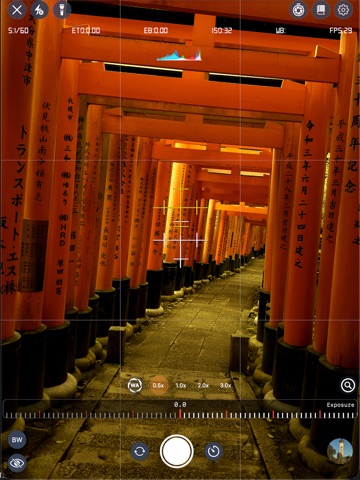
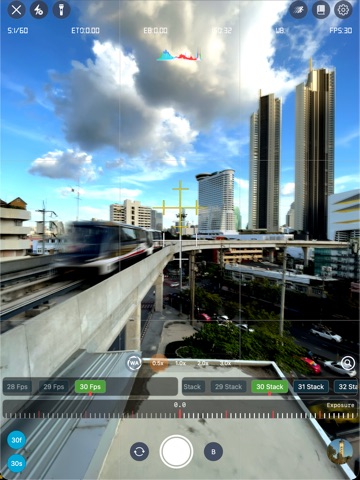
30 store screenshots


Pricing & paywalls
App Store
- Luwian Pro Monthly Membership — $2.99/month
- Luwian Pro Monthly Membership — $14.99/year ($1.24/mo)
Ratings & reviews
App Store
-
5/5From a Pro…
ok so I’ve had quite a bit of time to give this a go and I have to say this is actually quite a well designed app. There are very few aspects of it that I would say need improvement, but just like anything, this could use a little tweaking here and there, but overall, it’s excellent!! It makes my life a whole lot easier, instead of carrying my SLR equipment everywhere, I now use this and a small manfrotto monopod when just out and about and want to capture something. The interface with the watch works quite well, although is dependent on the signal, but is to be expected. Here’s the thing. If you want professional shots but don’t need to carry around thousands in lenses, lighting, bodies, and other equipment, then this is 100% what you need. I would endorse this app all day long!! It can be as simple or as diverse as you need it to be, has all the features of a DSLR yet can be as simple as a point and shoot.
MikeTV3708 · 7 Aug 2026
-
5/5My Favorite Photo App!
This app is great! I love the sharpness and clarity I get using ProRAW on my 15 pro max. I can take a photo of my sofa with the 48mp 24mm lens from 6 feet away and see every thread and fiber. That’s how precise this app focuses. Other third party apps don’t come as close to the clarity and image quality as I get with Luwain. The controls are easy and very detailed with precise adjustments. Manual focus with focus peeking is very precise with fine adjustments. I haven’t used this app in HEIF or JPEG yet because I only shoot Raw. I you are a fan of ProRAW then I highly recommend this app. I’m sure it’s great when using JPEG or HEIF. There are other features I haven’t used as of yet because I mostly focus on single frame images. I plan to test the HDRI feature soon… again, great app!
THPHY · 7 Aug 2026
-
5/5Amazing All-In-One Camera App!
This is by far one of the most intuitive, we'll put together camera apps out there. I really like how it embraces the vision of meshing oldskool with new. Tons of control and options and thank goodness for the built in tool tip I love it, was able to find my way around and know what each thing did, thanks for that. There's even a tutorial section to help get you going with what you'd like to achieve. The filters are really nice giving you that old film look which I love and the cinematic ones are awesome. A lot of thought went into this I can tell and the quality is excellent! Trust me, you will NOT be disappointed!
FinesseMediaPro · 7 Aug 2026
-
1/5Sadly, an absolute trainwreck
This app is an absolute disgrace, where are the positive reviews coming from? On paper it looks great and I really wanted to like it, but there are some major things wrong with it: First off, it works more or less on my iPhone, but not on my iPad Pro (same iOS on both). On startup it asks me for permissions, after that it crashes immediately. When I start it again, I see the logo for a split second then it crashes again every time. Tried reinstalling and everything with the same result. Trying to make panoramas, most of the time it starts "optimising" for 30 seconds, then tells me that I need to take the images in landscape mode. Which I did of course! IF for some reason it works, I end up with every photo taken plus TWO slightly different panoramas on my camera roll. WHY? I want ONE panorama, nothing else. UI/UX in general is impossibly bad and inconsistent. For instance the "busy" animation often keeps spinning even if there is nothing to wait for anymore and the only option is to exit. I tried reading the user manual, but instead I get a disclaimer in turkish or something that I can't read. I have no idea if this is going to be fixed or adresssed in any way, if so I am ready to update this review accordingly. Meanwhile I am just happy that I did not pay full price.
Redrioja · 7 Aug 2026
-
5/5Dude! Amazing
You have outdone yourself bro, it has everything my Sony camera would have and I’m very surprised how well the auto focus work! Definitely worth the money
Wheen'sWorld · 7 Aug 2026
Privacy & accessibility
App Store
Privacy
- Data Not Linked to You — Analytics — Diagnostics — Crash Data Developer declared
- Data Not Linked to You — Analytics — Diagnostics — Performance Data Developer declared
- Data Not Linked to You — Diagnostics Developer declared
- Data Used to Track You — Purchases — Purchase History Developer declared
- Data Used to Track You — Purchases Developer declared
Accessibility
No accessibility labels collected yet.
Versions
App Store
-
3.0.10
- Polish language support - Video edit, apply filter and export - Updates on the user manual - Fixed high-energy impact. - Bug fixes the Multi-Cam - Performance Improvements. - Bug fixes. - UI Improvements.
-
3.0.11
- A hotfix has been released to address the issue of users being stuck on the development insight page. - Polish language support - Video edit, apply filter and export - Updates on the user manual - Fixed high-energy impact. - Bug fixes the Multi-Cam - Performance Improvements. - Bug fixes. - UI Improvements.
-
3.0.4
- UI Improvements. - Performance Improvements. - Bug fixes. Previous Updates: - Raw saving option for HDRi and Long Exposure - Luwian Version 3.0 comes with significant updates. State-of-the-art HDRi module that gives you the ability to capture, edit, and adjust 48MP true high dynamic range images on your phone. There are three capture modes: Auto, Semi-Manual, and Manual. And HDRi tone mapping editor with all available algorithms and adjustment tools. - With auto mode, you just need to set minimum and maximum exposure. Luwian will take care of the rest. - In semi-manual mode, you can set shutter speed and ISO values that will give you the ability to take crystal clear and sharp pictures even in very dim environments. - In full manual mode, you can take advantage of RAW and ProRaw and 48mp image data to get sharper and clearer results.
-
3.0.5
- Crash hot fixes. - Performance Improvements. - Bug fixes.- Bug fixes.
-
3.0.6
- In addition to HDR video mode, Luwian now supports ProRes with PreRes422, ProRes422HQ, ProRes422LT, and ProRes422Proxy video codecs. To switch between HDR and ProRes modes, use functions in the Settings / Video Quality menu. - Performance Improvements. - Bug fixes.- Bug fixes.
-
3.0.7
- Performance Improvements. - Bug fixes.- Bug fixes. Previous updates: - In addition to HDR video mode, Luwian now supports ProRes with PreRes422, ProRes422HQ, ProRes422LT, and ProRes422Proxy video codecs. To switch between HDR and ProRes modes, use functions in the Settings / Video Quality menu.
-
3.0.8
- Automatic zoom adjustment for Bayer Raw format was added. Please note that Bayer Raw will not work in Auto mode. If your device supports Apple ProRaw, switch your file format to ProRaw. - Performance Improvements. - Bug fixes.- Bug fixes. Previous updates: - In addition to HDR video mode, Luwian now supports ProRes with PreRes422, ProRes422HQ, ProRes422LT, and ProRes422Proxy video codecs. To switch between HDR and ProRes modes, use functions in the Settings / Video Quality menu.
-
3.0.9
- Performance Improvements. - Bug fixes. - UI Improvements.
-
3.1.1
- Creativity and innovation always feed off each other and are the primary vision of Luwian. Luwian's new cutting-edge Third EYE feature will help you design the perfect frame by assisting you in quantifying and visualizing where people are likely to look in an image. To activate the Third EYE feature, use the eye button in photography mode. - Performance Improvements. - Bug fixes.
-
3.1.2
- Performance Improvements. - Bug fixes. Previous updates - Creativity and innovation always feed off each other, which is Luwian's primary vision. Luwian's new cutting-edge Third EYE feature will help you design the perfect frame by quantifying and visualizing where people are likely to look in an image. To activate the Third EYE feature, use the eye button in photography mode.
-
3.1.3
- Performance Improvements. - Bug fixes. Previous updates - Creativity and innovation always feed off each other, which is Luwian's primary vision. Luwian's new cutting-edge Third EYE feature will help you design the perfect frame by quantifying and visualizing where people are likely to look in an image. To activate the Third EYE feature, use the eye button in photography mode.
-
4.0.0
Luwian V4.0 is a platform equipped with cutting-edge computer vision and image processing features.
-
4.0.1
- Introducing Mega-lapse 8K time-lapse video recording from 48mp image data. - Performance improvements. - Bug and UI fixes *Previously Luwian V4.0 is a platform equipped with cutting-edge computer vision and image processing features.
-
4.0.2
- Introducing the Green Screen Video Recorder: Experience studio-grade quality with virtually no crop loss, advanced controls, and support for both portrait and landscape orientations. - Performance improvements. - Bug and UI fixes *Previously - Introducing Mega-lapse 8K time-lapse video recording from 48mp image data. - Luwian V4.0 is a platform equipped with cutting-edge computer vision and image processing features.
-
4.0.3
- Introducing the Base Pro Video Editor, equipped with a wide selection of film and filters, plus essential crop and trim functions. - Performance improvements. - Bug and UI fixes *Previously - Introducing the Green Screen Video Recorder: Experience studio-grade quality with virtually no crop loss, advanced controls, and support for both portrait and landscape orientations. - Introducing Mega-lapse 8K time-lapse video recording from 48mp image data. - Luwian V4.0 is a platform equipped with cutting-edge computer vision and image processing features.
-
4.0.4
- Thanks to your valuable feedback, this version features improved stability and addresses the areas you highlighted. - Performance improvements. - Bug and UI fixes *Previously - Introducing the Base Pro Video Editor, equipped with a wide selection of film and filters, plus essential crop and trim functions. - Introducing the Green Screen Video Recorder: Experience studio-grade quality with virtually no crop loss, advanced controls, and support for both portrait and landscape orientations. - Introducing Mega-lapse 8K time-lapse video recording from 48mp image data. - Luwian V4.0 is a platform equipped with cutting-edge computer vision and image processing features.
-
4.0.5
- Unlock professional-grade storytelling with the Cinematic Video Editor. - Performance improvements. - Bug and UI fixes *Previously - Thanks to your valuable feedback, this version features improved stability and addresses the areas you highlighted. - Introducing the Base Pro Video Editor, equipped with a wide selection of film and filters, plus essential crop and trim functions. - Introducing the Green Screen Video Recorder: Experience studio-grade quality with virtually no crop loss, advanced controls, and support for both portrait and landscape orientations. - Introducing Mega-lapse 8K time-lapse video recording from 48mp image data. - Luwian V4.0 is a platform equipped with cutting-edge computer vision and image processing features.
-
4.0.6
- Traditional HDR rendering algorithms are here for Standard Dynamic Range (SDR) video rendering. - Performance improvements. - Bug and UI fixes *Previously - Unlock professional-grade storytelling with the Cinematic Video Editor. - Thanks to your valuable feedback, this version features improved stability and addresses the areas you highlighted. - Introducing the Base Pro Video Editor, equipped with a wide selection of film and filters, plus essential crop and trim functions. - Introducing the Green Screen Video Recorder: Experience studio-grade quality with virtually no crop loss, advanced controls, and support for both portrait and landscape orientations. - Introducing Mega-lapse 8K time-lapse video recording from 48mp image data. - Luwian V4.0 is a platform equipped with cutting-edge computer vision and image processing features.
-
4.0.7
- Any to Depth video converter, which adds cinematic depth of field to any video, is here. - Performance improvements. - Bug and UI fixes *Previously - Traditional HDR rendering algorithms are here for Standard Dynamic Range (SDR) video rendering. - Unlock professional-grade storytelling with the Cinematic Video Editor. - Thanks to your valuable feedback, this version features improved stability and addresses the areas you highlighted. - Introducing the Base Pro Video Editor, equipped with a wide selection of film and filters, plus essential crop and trim functions. - Introducing the Green Screen Video Recorder: Experience studio-grade quality with virtually no crop loss, advanced controls, and support for both portrait and landscape orientations. - Introducing Mega-lapse 8K time-lapse video recording from 48mp image data. - Luwian V4.0 is a platform equipped with cutting-edge computer vision and image processing features.
-
4.0.8
- UI/UX Updates. - Performance improvements. - Bug and UI fixes *Previously - Any to Depth video converter, which adds cinematic depth of field to any video, is here. - Traditional HDR rendering algorithms are here for Standard Dynamic Range (SDR) video rendering. - Unlock professional-grade storytelling with the Cinematic Video Editor. - Thanks to your valuable feedback, this version features improved stability and addresses the areas you highlighted. - Introducing the Base Pro Video Editor, equipped with a wide selection of film and filters, plus essential crop and trim functions. - Introducing the Green Screen Video Recorder: Experience studio-grade quality with virtually no crop loss, advanced controls, and support for both portrait and landscape orientations. - Introducing Mega-lapse 8K time-lapse video recording from 48mp image data. - Luwian V4.0 is a platform equipped with cutting-edge computer vision and image processing features.
-
4.0.9
- Auto save - Native raw filter is now part of the main render pipeline - Luwian now supports any depth to all kinds of images - Using front and background depth to adjust different light and color setup to an image - HDRi is now part of the main render pipeline - New low-light series that uses the Luwian HQ-HDRI engine - Rich bokeh & blur effect engine - Now Luwian supports endless history *Previously - UI/UX Updates. - Performance improvements. - Bug and UI fixes - Any to Depth video converter, which adds cinematic depth of field to any video, is here. - Traditional HDR rendering algorithms are here for Standard Dynamic Range (SDR) video rendering. - Unlock professional-grade storytelling with the Cinematic Video Editor. - Thanks to your valuable feedback, this version features improved stability and addresses the areas you highlighted. - Introducing the Base Pro Video Editor, equipped with a wide selection of film and filters, plus essential crop and trim functions. - Introducing the Green Screen Video Recorder: Experience studio-grade quality with virtually no crop loss, advanced controls, and support for both portrait and landscape orientations. - Introducing Mega-lapse 8K time-lapse video recording from 48mp image data. - Luwian V4.0 is a platform equipped with cutting-edge computer vision and image processing features.
-
4.1.1
- Auto save - Native raw filter is now part of the main render pipeline - Luwian now supports any depth to all kinds of images - Using front and background depth to adjust different light and color setup to an image - HDRi is now part of the main render pipeline - New low-light series that uses the Luwian HQ-HDRI engine - Rich bokeh & blur effect engine - Now Luwian supports endless history *Previously - UI/UX Updates. - Performance improvements. - Bug and UI fixes - Any to Depth video converter, which adds cinematic depth of field to any video, is here. - Traditional HDR rendering algorithms are here for Standard Dynamic Range (SDR) video rendering. - Unlock professional-grade storytelling with the Cinematic Video Editor. - Thanks to your valuable feedback, this version features improved stability and addresses the areas you highlighted. - Introducing the Base Pro Video Editor, equipped with a wide selection of film and filters, plus essential crop and trim functions. - Introducing the Green Screen Video Recorder: Experience studio-grade quality with virtually no crop loss, advanced controls, and support for both portrait and landscape orientations. - Introducing Mega-lapse 8K time-lapse video recording from 48mp image data. - Luwian V4.0 is a platform equipped with cutting-edge computer vision and image processing features.
-
4.1.2
- Performance improvements and bug fixes *Previously - Auto save - Native raw filter is now part of the main render pipeline - Luwian now supports any depth to all kinds of images - Using front and background depth to adjust different light and color setup to an image - HDRi is now part of the main render pipeline - New low-light series that uses the Luwian HQ-HDRI engine - Rich bokeh & blur effect engine - Now Luwian supports endless history - UI/UX Updates. - Performance improvements. - Bug and UI fixes - Any to Depth video converter, which adds cinematic depth of field to any video, is here. - Traditional HDR rendering algorithms are here for Standard Dynamic Range (SDR) video rendering. - Unlock professional-grade storytelling with the Cinematic Video Editor. - Thanks to your valuable feedback, this version features improved stability and addresses the areas you highlighted. - Introducing the Base Pro Video Editor, equipped with a wide selection of film and filters, plus essential crop and trim functions. - Introducing the Green Screen Video Recorder: Experience studio-grade quality with virtually no crop loss, advanced controls, and support for both portrait and landscape orientations. - Introducing Mega-lapse 8K time-lapse video recording from 48mp image data. - Luwian V4.0 is a platform equipped with cutting-edge computer vision and image processing features.
-
4.1.3
- Performance improvements and bug fixes *Previously - Auto save - Native raw filter is now part of the main render pipeline - Luwian now supports any depth to all kinds of images - Using front and background depth to adjust different light and color setup to an image - HDRi is now part of the main render pipeline - New low-light series that uses the Luwian HQ-HDRI engine - Rich bokeh & blur effect engine - Now Luwian supports endless history - UI/UX Updates. - Performance improvements. - Bug and UI fixes - Any to Depth video converter, which adds cinematic depth of field to any video, is here. - Traditional HDR rendering algorithms are here for Standard Dynamic Range (SDR) video rendering. - Unlock professional-grade storytelling with the Cinematic Video Editor. - Thanks to your valuable feedback, this version features improved stability and addresses the areas you highlighted. - Introducing the Base Pro Video Editor, equipped with a wide selection of film and filters, plus essential crop and trim functions. - Introducing the Green Screen Video Recorder: Experience studio-grade quality with virtually no crop loss, advanced controls, and support for both portrait and landscape orientations. - Introducing Mega-lapse 8K time-lapse video recording from 48mp image data. - Luwian V4.0 is a platform equipped with cutting-edge computer vision and image processing features.
-
4.1.4
· 26 Jul 2026
- Performance improvements and bug fixes *Previously - Auto save - Native raw filter is now part of the main render pipeline - Luwian now supports any depth to all kinds of images - Using front and background depth to adjust different light and color setup to an image - HDRi is now part of the main render pipeline - New low-light series that uses the Luwian HQ-HDRI engine - Rich bokeh & blur effect engine - Now Luwian supports endless history - UI/UX Updates. - Performance improvements. - Bug and UI fixes - Any to Depth video converter, which adds cinematic depth of field to any video, is here. - Traditional HDR rendering algorithms are here for Standard Dynamic Range (SDR) video rendering. - Unlock professional-grade storytelling with the Cinematic Video Editor. - Thanks to your valuable feedback, this version features improved stability and addresses the areas you highlighted. - Introducing the Base Pro Video Editor, equipped with a wide selection of film and filters, plus essential crop and trim functions. - Introducing the Green Screen Video Recorder: Experience studio-grade quality with virtually no crop loss, advanced controls, and support for both portrait and landscape orientations. - Introducing Mega-lapse 8K time-lapse video recording from 48mp image data. - Luwian V4.0 is a platform equipped with cutting-edge computer vision and image processing features.
Alternatives
- Dramatic Black & White — Same category + similar ratings
- Pro Camera - Reeflex — Same category + similar ratings
- CameraPixels PRO — Same category + similar ratings
- ReeXpose - RAW Long Exposure — Same category + similar ratings
- Light Stack Camera — Same category + similar ratings
- FILCA - Vintage Film Camera — Same category + similar ratings
Availability by market
- US
Data quality & evidence
- Page completeness
- Live store listing
- Last verified
- 7 Aug 2026
- Sources
- App Store
- Independent summary has not been published yet.