
Quick verdict
- What it is
- Store information collected; independent summary not yet available.
- At a glance
-
- Free to download
- In-app purchases
Categories and search queries
Official categories
- Utilities
- Productivity
AppCorpus categories
Key functions
| Function | Availability | Access | Scope | Evidence |
|---|---|---|---|---|
| Free app | Yes | Free | — | Store published |
| In-app purchases | Yes | Limited free | — | Store published |
Screens
App Store
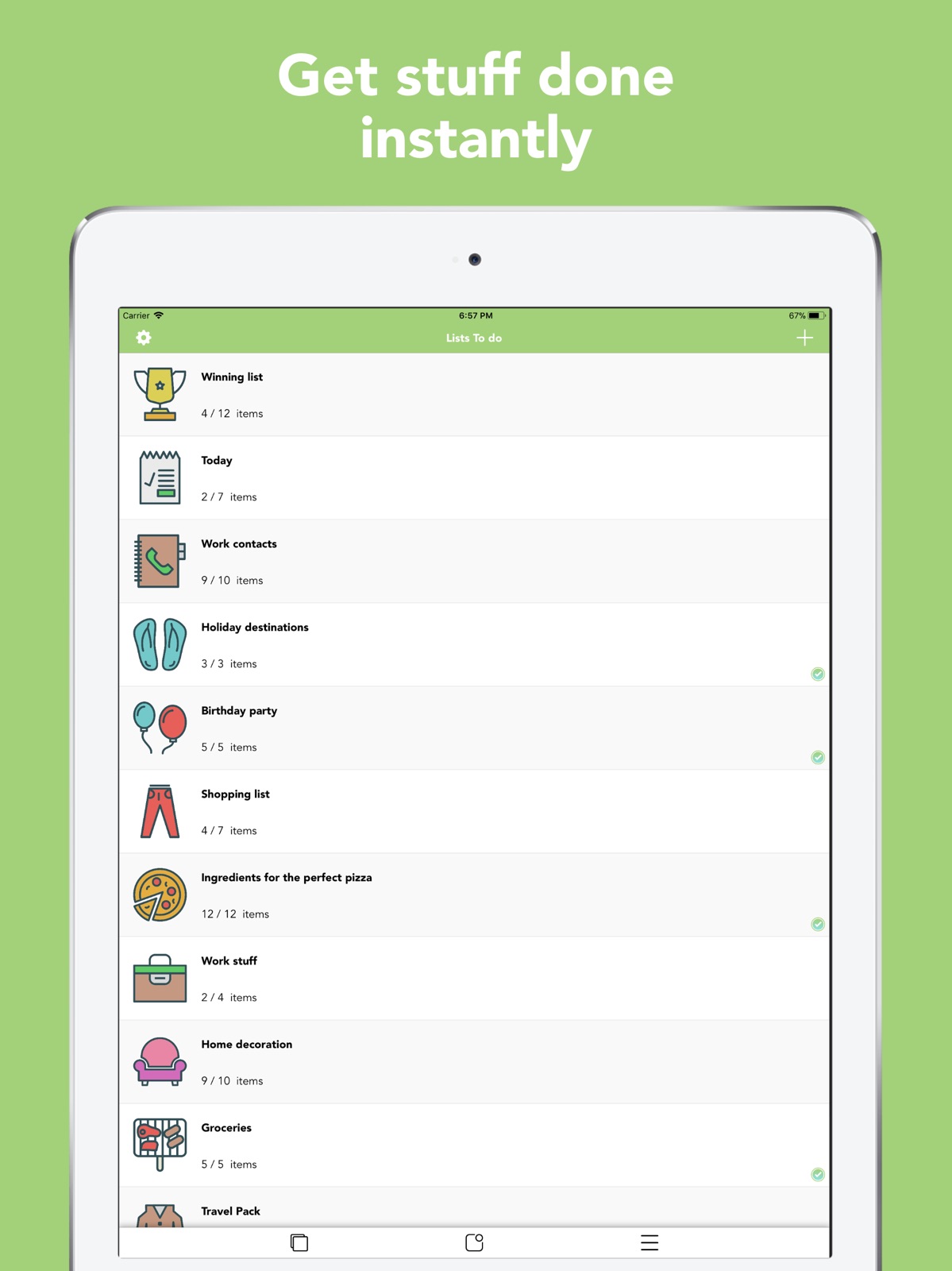
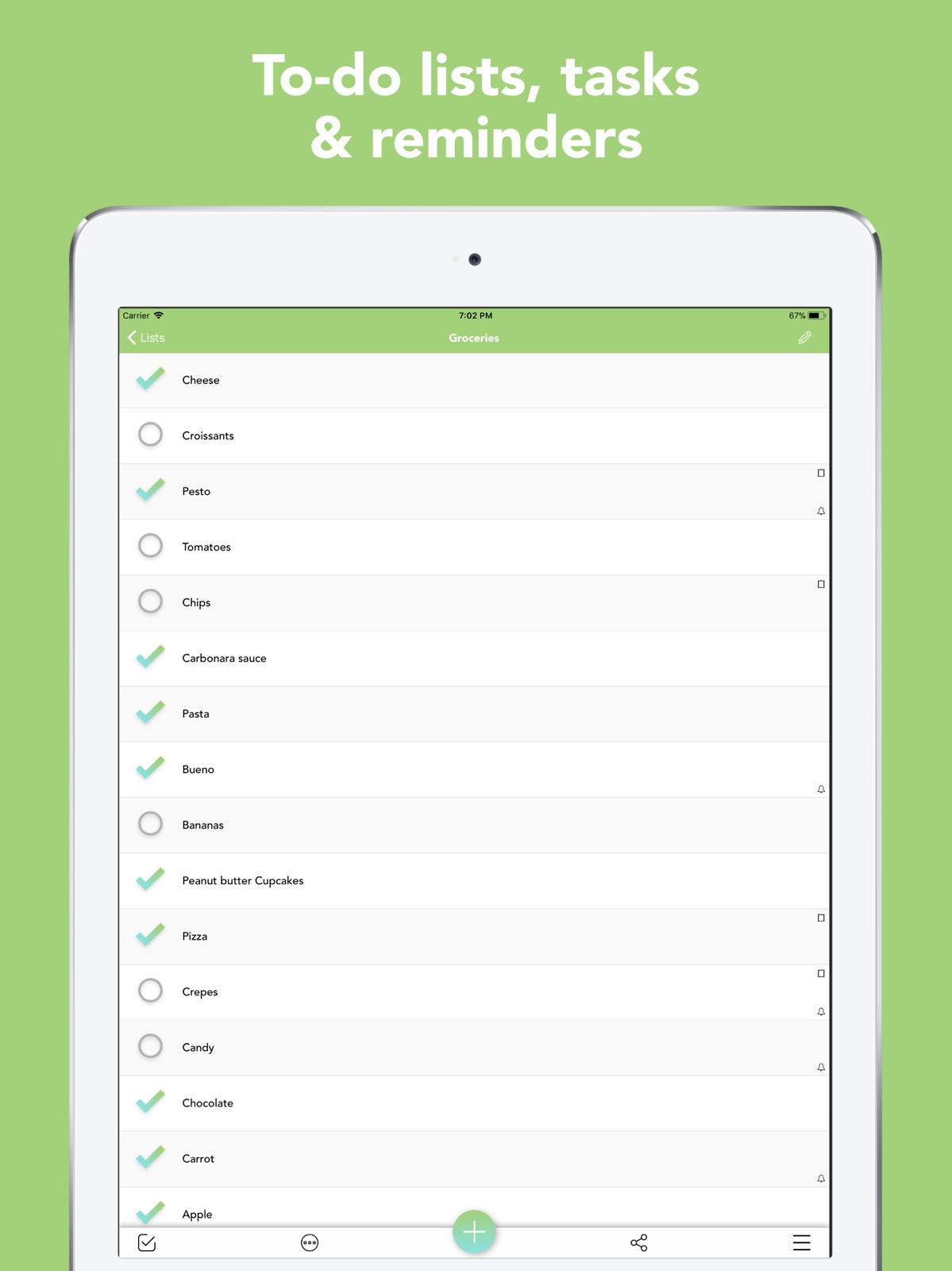
28 store screenshots
Pricing & paywalls
App Store
Shown for US
- Theme Colors and Stickers Pack — $1.99
Ratings & reviews
App Store
Shown for US
-
5/5This app is amazing!!
I couldn’t believe that this app was made by a college student. It’s so well developed, there have been no crashes, and it is so sleek and pretty! I’m not a computer major in my college, so that stuff is out of reach for me—but it really has the best of both worlds. Contrary to my disbelief that this could be pulled off by a college student, I’m also not surprised at all! They were so thoughtful in the way that it was made, I honestly could tell that this was made to be perfect for college students. You could only understand all of our specific problems if you were one! You can make tons of different checklists, and you have tons of different icon options to choose from (they even have several different categories of icons to choose from, like an emoji page—there’s food icons, business & school papers, outdoor icons, there’s just everything; which is so perfect because I can choose specific icons for my different lists, & the visuals remind me with even better clarity the reality of what they are!) Another feature I’m completely in love with is that when you’re adding something to a list, you can click *add to create, and make a new one* which makes the step even easier if you’re adding 100 different class items to your to-do list. It was made perfectly for a college student, a business man, or a busy mom. It’s convenient and user-friendly, and you can even create a calendar of your to-do list items, so you can be organized, prepared, and on-time. Amazing! It does all of the organizing for me. This app is a lifesaver!
This girl🎀 · 5 Sep 2026
-
5/5IT DOESN’T GET BETTER THAN THIS!!!
I VERY rarely write reviews, but this app is absolutely fantastic!! I’ve got an extremely important interstate trip early tomorrow & I’m really behind the 8 ball. I’ve always done hand written lists to remember what to pack ect, which are always a mess & time consuming!! I tried this app this morning & not only have I finished a detailed list of what to pack, but I went ahead & made other lists of things I need to buy from the store before I leave & things I have to DO before I leave ect, it’s fantastic!! I absolutely LOVE the way it’s set out, SUPER easy to use, big writing so you’re not struggling to read anything when you’re in a rush, big circles to tick which makes checking things off easy & I LOVE the huge selection of little icons you can add beside your list names, comes in very handy!! Honestly, I downloaded a few different “list apps” yesterday, expecting I’d have to try a few, but I’m glad I tried this one first & I’ve just deleted the others without even opening them, this ones TOO good!! I was really just looking for something to make a “don’t forget to pack list”, but with how great & easy this app is in every way, I went ahead & made other lists too I hadn’t thought of before, I’m also going to use it to make “to do” lists for while I’m away, for when I get home, future shopping lists, I’m even thinking about making “daily goal lists”, I’ll ALWAYS use this app now, I moved it straight to my first page, it’s just fantastic!! GREAT WORK!!!! 😃😃👊🏼👊🏼
🦋🙈🙉🙊🦋 · 5 Sep 2026
-
5/5Simple easy effective no log in required!
It only takes a few minutes to figure out the interface. Everything is easy to find and the buttons only contain a few options in their respective menus, avoiding confusion. The colors are distinctive and do not blend with Apple's default color scheme. The simplistic design allows the user to easily make a list in mere minutes. Multiple lists can be edited and sorted for organizational purposes. Individual lists can be sorted alphabetically, or by order of entry. List items can be checked off much like a list on paper. Items can be deleted one at a time by swiping left or mass deleted by deleting all checked items with the option at the bottom of the list. Enable the option to delete list items as they are checked off, for those nights when you're on a roll and don't want to delete things manually. I recommend this only after getting familiar with the app, which only takes a few minutes. The app doesn't require you to log into any account which makes it perfect for anyone who wants to use an app to replace the pen and paper method, without giving up their identity. Lastly but certainly the most exciting is there are no ads. The app developer is a college student, who I hope will continue to keep this app ad free even after they begin to develop paid apps.
mirozepha · 5 Sep 2026
-
4/5Beautifully Minimalist and Easy to Use!
This app is super cute and handy! I have ADHD and struggle remembering everything I want/need to get done sometimes so this has been very helpful in streamlining my thoughts. Typically I would have to-do lists all over the house and this helps me to keep them all in one place in a way that is organized, visually pleasing, and not as overwhelming. I love the icons and the color options, they are not necessary to use the app but worth it for 99¢ in my opinion! Beautifully minimalist and easy to use, I would absolutely recommend this app. However, I would love to get more use out of the reminders and notifications so the app would be more helpful for when I lose focus or just forget about something. The app requires a lot of manual input as far as reminders/notifications go. This can be time consuming and requires more setup than I’d personally like out of this kind of app. I wish you could put reminders/deadlines for entire lists instead of only individual items, as I use some lists to break larger projects down and it can be tedious to put reminders on every single item in a list. I feel I would get more use out of the “upcoming” tab that way, too. It would also make it easier for weekly lists, as I currently would have to reset the reminder for each individual item every week and tend to opt out of using the reminders in general for these reasons.
toniexalexis · 5 Sep 2026
-
5/5Perfect for minimalistic people or people that are/want to be organized!
It’s a simple, easy to use, and minimalistic app. I really like it so far because of this. The little icons are cute and fun to use, and you you still get that nice feeling after checking something off you list. I do have some small improvements the developer could include to make the app even better. To start off, I like how you can still change the title and icon of your checklist. But maybe you could make it so that the names of the things to do can be edited too. For example, if I typed something wrong, I would like to be able to go back and fix it without having to delete the whole checklist and re-type it all. My next improvement I’m not totally necessary, but it would really add to the beautiful design of the app, and help you stay organized when making larger checklists. I was thinking you could provide the option to color the checks and circles, maybe just starting with the colors of the rainbow. Thank you for taking the time to read this, whether you are the developer or not. I appreciate your time and effort to view my opinion and seek to relate with it. I think this app will exceed in taking action towards improving, no matter how long it takes. Stay safe folks!
fruitypebbles4444 · 5 Sep 2026
Privacy & accessibility
App Store
Privacy
- Data Not Linked to You — Analytics — Diagnostics — Crash Data Developer declared
- Data Not Linked to You — Analytics — Diagnostics — Other Diagnostic Data Developer declared
- Data Not Linked to You — Analytics — Diagnostics — Performance Data Developer declared
- Data Not Linked to You — Analytics — Identifiers — Device ID Developer declared
- Data Not Linked to You — Analytics — Location — Coarse Location Developer declared
- Data Not Linked to You — Analytics — Other Data — Other Data Types Developer declared
- Data Not Linked to You — Analytics — Usage Data — Other Usage Data Developer declared
- Data Not Linked to You — Analytics — Usage Data — Product Interaction Developer declared
- Data Not Linked to You — Diagnostics Developer declared
- Data Not Linked to You — Identifiers Developer declared
- Data Not Linked to You — Location Developer declared
- Data Not Linked to You — Other Data Developer declared
- Data Not Linked to You — Usage Data Developer declared
Accessibility
No accessibility labels collected yet.
Versions
App Store
-
1.7.1
-iOS 7 updated If you have problems with the app after iOS 7 update, please uninstall and reinstall. If you have set up an iCloud account on your device, your data will restore automatically. Just make sure that you have an active internet connection before uninstalling and reinstalling. After reinstalling it may take a couple of minutes for the data to appear. Open and close the app until they finally appear.
-
2.0
Brand new design, amazing functionalities!! Explore the new, stunning user experience of Lists To do!!!
-
2.0.6
iCloud bug fixed
-
2.1
- Print a list using AirPrint directly through the app - Sort the list of lists: manually, alphabetically or by date created Thank you for using Lists To do!! You are awesome :)
-
2.1.1
1) Lists Stickers for iMessages!! With over 40 different stickers to choose from, there are lots of ways to share lists stickers and make your messages more fun!! 2) Allowing Users to Manage Data Stored in iCloud: • Delete iCloud data • Export iCloud data • Turn On/Off iCloud Storage 3) Master Reset Option to delete all data from the app. Thank you for using Lists To do!! You are awesome :)
-
2.1.2
1) Lists Stickers for iMessages!! With over 40 different stickers to choose from, there are lots of ways to share lists stickers and make your messages more fun!! 2) Allowing Users to Manage Data Stored in iCloud: • Delete iCloud data • Export iCloud data • Turn On/Off iCloud Storage 3) Master Reset Option to delete all data from the app. Thank you for using Lists To do!! You are awesome :)
-
2.2
You saw it, you liked it, you wanted it, you got it!! New pack with more than 130 amazing list icons and 37 theme colours to make your lists stand out!!!
-
2.2.1
- Pin items on top of the list to easily access the important ones. Just swipe left on an item and select the pin button. - Take a list screenshot with an improved quality Version 2.2 New pack with more than 130 amazing list icons and 37 theme colours to make your lists stand out!!!
-
2.2.2
• When a note is available for a list item, it appears now on the right side of the row. By pressing it, you can easily access it, share it or print it. • Enable/Disable autocorrection when typing a list name or an item • Minor bug on note screen fixed for iPhone XR & iPhone XS Max Thank you for using Lists To do!! You are awesome :) Version 2.2 New pack with more than 130 amazing list icons and 37 theme colours to make your lists stand out!!!
-
2.2.3
We’ve got exciting new functionalities! Let’s start: 1) Universal Search Search for the list or list item you want. Just select the search icon in the bottom toolbar of the home screen! 2) Lists Statistics View the progress of all your lists combined, as well as each list individually. You have to check every last task to get that 100%!!! Just open the setting menu and select “See Lists Statistics”. 3) Pin Lists Pin lists to the top, to easily access the important ones. Just swipe left on a list and select the pin button! Thank you for using Lists To do!! You are awesome :)
-
2.2.4
Version 2.2.4: Now the red badge icon can show the number of unchecked items for all lists combined! Version 2.2.3: 1) Universal Search Search for the list or list item you want. Just select the search icon in the bottom toolbar of the home screen! 2) Lists Statistics View the progress of all your lists combined, as well as each list individually. You have to check every last task to get that 100%!!! Just open the setting menu and select “See Lists Statistics”. 3) Pin Lists Pin lists to the top, to easily access the important ones. Just swipe left on a list and select the pin button! Thank you for using Lists To do!! You are awesome :)
-
2.2.5
Have you accidentally deleted a list item? You can now recover it instantly! A bar with an "Add Back" button will appear every time you delete a list item. Alternatively, you can just open the settings and select the "Recently Deleted Items" option, to see a full list of all the items you have deleted in the last 30 days. Thank you for using Lists To do!! You are awesome :)
-
2.3.1
- iOS 13 support - Bug with restore of in-app purchase fixed Thank you for using Lists To do!! You are awesome :)
-
2.3.2
Minor bugs fixed Thank you for using Lists To do!! You are awesome :)
-
2.3.4
Upcoming list items are here! View now all your upcoming items, based on the reminders you have set, for all your lists combined. Just select the calendar icon in the bottom toolbar of the home screen! Thank you for using Lists To do!! You are awesome :)
-
2.3.8
New features: - Change the size of lists - Settings redesigned Thank you for using Lists To do!! You are awesome :)
-
2.4
Dark mode is here! You can now personalize the appearance of Lists with new skins: Dark mode & Dark Blue ;) Thank you for using Lists To do!! You are awesome :)
-
2.4.1
1) Dark mode is here! You can now personalize the appearance of Lists with new skins: Dark mode & Dark Blue ;) 2) Bug for iPads when pressing a tab bar button fixed Thank you for using Lists To do!! You are awesome :)
-
2.4.3
Dark mode is here! You can now personalize the appearance of Lists with new skins: Dark mode & Dark Blue ;) Thank you for using Lists To do!! You are awesome :)
-
2.5
Explore section is here! You can now discover trending, hand-picked products that will boost your productivity and increase your life quality. To open explore section, just select the fourth icon of home screen's bottom toolbar. The Red Badge Icon has been moved into settings. Thank you for using Lists To do!! You are awesome :)
-
2.5.1
1) Explore section is here! You can now discover trending, hand-picked products that will boost your productivity and increase your life quality. To open explore section, just select the fourth icon of home screen's bottom toolbar. The Red Badge Icon has been moved into settings. 2) Add Multiple Items: Long press the add button on a list, in order to instantly add multiple list items at once Thank you for using Lists To do!! You are awesome :)
-
2.5.2
1) Explore section is here! You can now discover trending, hand-picked products that will boost your productivity and increase your life quality. To open explore section, just select the fourth icon of home screen's bottom toolbar. The Red Badge Icon has been moved into settings. 2) Add Multiple Items: Long press the add button on a list, in order to instantly add multiple list items at once +bug fixes Thank you for using Lists To do!! You are awesome :)
-
2.6
You can now change the app icon from the settings menu. Thanks for using Lists To do! You are awesome :)
-
2.7
Minor bug fixes. Thanks for using Lists To do! You are awesome :)
-
3.0
· 4 May 2026
Minor bug fixes Thank you for using lists to do :)
-
3.1
· 29 Aug 2026
Fixed an issue with iCloud sync. Please update the app on all your devices. Thank you for using lists to do :)
Alternatives
- Sticky Notes & Color Widget — Same category + similar ratings
- Sticky Widgets — Same category + similar ratings
- Sticky Notes Widget — Same category + similar ratings
- Countdown — Same category + similar ratings
Availability by market
- US
Data quality & evidence
- Page completeness
- Live store listing
- Last verified
- 5 Sep 2026
- Sources
- App Store
- Independent summary has not been published yet.