
Quick verdict
- What it is
- Store information collected; an Apoku editorial summary is not yet published.
- At a glance
-
- Free to download
Categories and search queries
Official categories
- Business
- Productivity
Apoku categories
Key functions
| Function | Availability | Access | Scope | Evidence |
|---|---|---|---|---|
| Free app | Yes | Free | Context-specific | Store published |
Screens
App Store
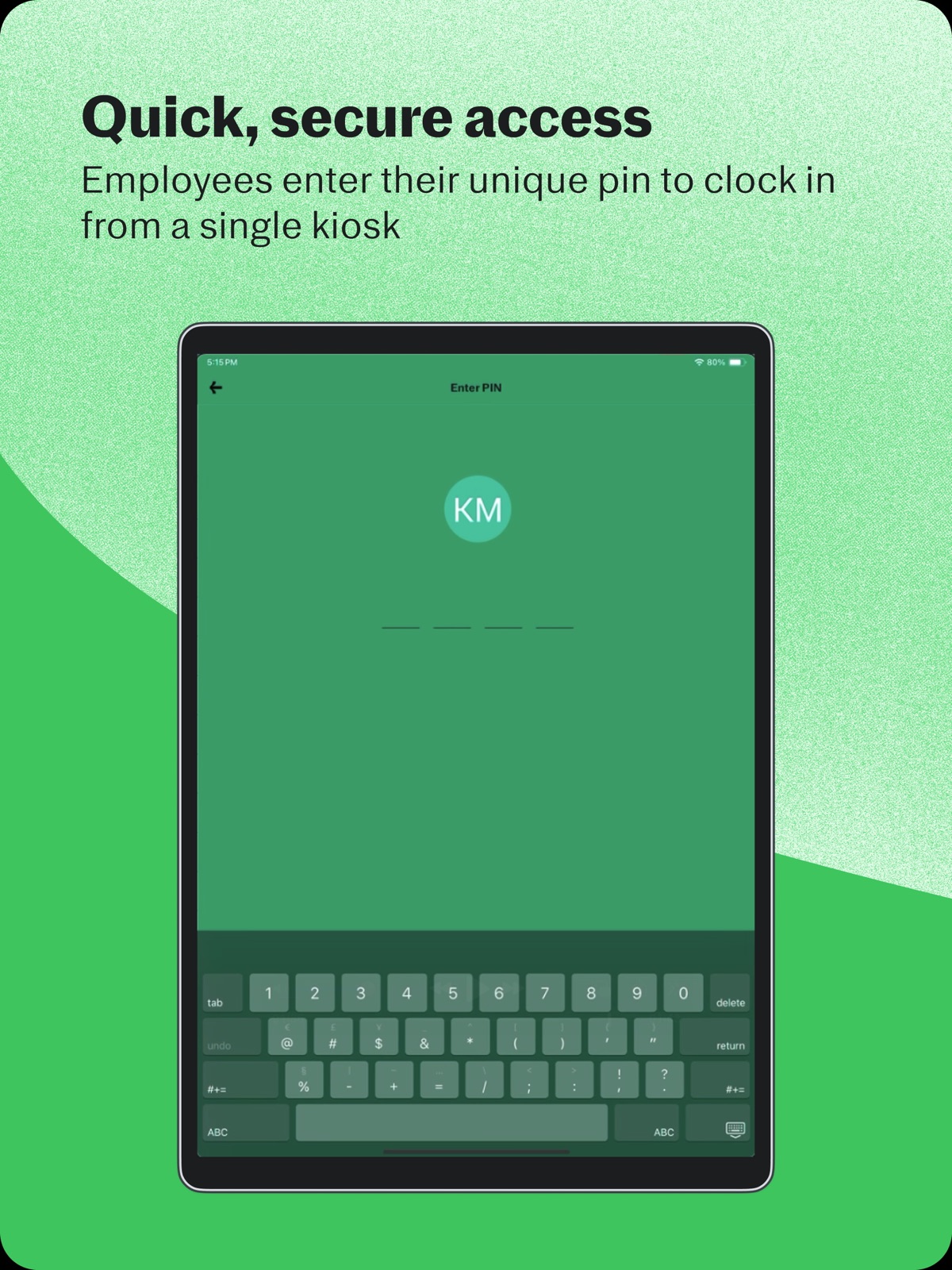
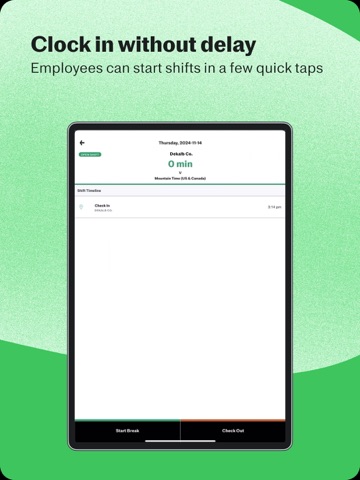
15 store screenshots

Pricing & paywalls
App Store
- Free to download
Ratings & reviews
App Store
-
5/5Better Than any other time tracking service
This app makes it easy for us the employees to simply check in via our smartphones and makes it extremely easy to view our previous shifts. I also love how the app tells you how much money you have earned per shift. Super easy to use and beautiful design. 👍
noahkabbob · 6 Aug 2026
-
1/5App is not really organized! NEEDS SO MUCH WORK!
It is a good way to track time HOWEVER! The buttons for CLOCK IN AND OUT AND THE 30 MIN MEAL BREAK OUT AND MEAL BREAK IN. It gets confusing because of the colors and how it is lay out. For clock in it says track time. It should at least say START or make the colors and shapes better. Specially for beginners who are starting a first job. They should also have an option to request HR correct a time. Such a time correction form or time correction tab or something. Asking why it needs ro be corrected so we don’t have to contact pay roll! Or it should be smart enough to notice if it needs correction if the Meal break has been 5hrs or something. ITS A BASIC APP. NOTHING SPECIAL. Needs a better way to set it up the buttons more clear, request, colors more understandable, A TUTORIAL would be better, A TESTING option, TIME CORRECT REQUEST tab. Etc. gosh i am giving you ideas! Yeah , this app needs WORK!!! Hopefully an update coming soon! Ok ive complained enough!
SleepingToyPoodle · 6 Aug 2026
-
4/5Pretty Great app, BUT…
All in all, this is a really great app. The only problem I’ve been having is the following: After I have checked in for work and I swipe up to get a new screen, it will often think that I am tapping the “start break” when I’m really just trying to clear the screen. And then hours later I’ll discover the mistake and my manager has to override it when looking at time sheets. It happens all the time - whether it’s ending a break, checking in, etc — it’s the swipe of the screen that follows the action that leads to the mistake. I would so appreciate it if someone could tell me if there’s a way around this and if not, I wonder if everyone runs into this. Thank you!!
nosoup4ouryou · 6 Aug 2026
-
4/5Boomr is super convenient!
I was first introduced to this app at my recent job. Although at first I was a little confused on the app, I have quickly become so fond of it! There is no waiting until someone is done at the register to clock in/out, and if you mess up your hours you can update that in the app. If you aren’t getting the hang of it too well, then the assistance they provide is super helpful. The app sends you step by step on how to log in/create account/comment/etc. The only thing that I wish would change would be a reminder on the app you could set to remind you to clock in/out because some people like myself, can be a little forgetful. All in all, it’s a great app!
Frenchfriesforeved · 6 Aug 2026
-
2/5Midnight rider
Please fix I will re-rate. If you work past midnight it will apply the entire shift to the next day. It should end the shift and start a new one for the next day. This causes havoc when you work into or out of a holiday. Also repeats this behavior week to week so if you work Friday past midnight you lose that entire shifts overtime not just what is worked past midnight. This means that if I work 50 hours in a week and 4 of it if Friday night I will only get 46 hours and the other 4 move to the next week as normal pay. Not cool I don’t even want to know what is going to happen when I drive over a time zone on the clock, at midnight, during a holiday that’s on a Sunday while it’s raining. Phones probably going to explode. Past that it’s pretty cool but please please please make like a buzzer you can turn on when my physical location is near my work. I will re-rate and change this review if I that happens, but like this it causes problems with my paycheck. Not cool.
Hotrhodium · 6 Aug 2026
Privacy & accessibility
App Store
Privacy
- Data Linked to You — Analytics — Diagnostics — Crash Data Developer declared
- Data Linked to You — Analytics — Diagnostics — Performance Data Developer declared
- Data Linked to You — Analytics — Financial Info — Other Financial Info Developer declared
- Data Linked to You — Analytics — Identifiers — Device ID Developer declared
- Data Linked to You — Analytics — Identifiers — User ID Developer declared
- Data Linked to You — Analytics — Location — Coarse Location Developer declared
- Data Linked to You — Analytics — Location — Precise Location Developer declared
- Data Linked to You — Analytics — Search History Developer declared
- Data Linked to You — Analytics — Usage Data — Product Interaction Developer declared
- Data Linked to You — App Functionality — Contact Info — Email Address Developer declared
- Data Linked to You — App Functionality — Contact Info — Name Developer declared
- Data Linked to You — App Functionality — Contact Info — Other User Contact Info Developer declared
- Data Linked to You — App Functionality — Contact Info — Phone Number Developer declared
- Data Linked to You — App Functionality — Contact Info — Physical Address Developer declared
- Data Linked to You — App Functionality — Diagnostics — Crash Data Developer declared
- Data Linked to You — App Functionality — Diagnostics — Performance Data Developer declared
- Data Linked to You — App Functionality — Financial Info — Other Financial Info Developer declared
- Data Linked to You — App Functionality — Identifiers — Device ID Developer declared
- Data Linked to You — App Functionality — Identifiers — User ID Developer declared
- Data Linked to You — App Functionality — Location — Coarse Location Developer declared
- Data Linked to You — App Functionality — Location — Precise Location Developer declared
- Data Linked to You — App Functionality — Search History Developer declared
- Data Linked to You — App Functionality — Usage Data — Product Interaction Developer declared
- Data Linked to You — App Functionality — User Content — Customer Support Developer declared
- Data Linked to You — App Functionality — User Content — Photos or Videos Developer declared
- Data Linked to You — Developer’s Advertising or Marketing — Contact Info — Email Address Developer declared
- Data Linked to You — Developer’s Advertising or Marketing — Contact Info — Phone Number Developer declared
- Data Linked to You — Developer’s Advertising or Marketing — Identifiers — Device ID Developer declared
- Data Linked to You — Developer’s Advertising or Marketing — Identifiers — User ID Developer declared
- Data Linked to You — Developer’s Advertising or Marketing — Location — Precise Location Developer declared
- Data Linked to You — Developer’s Advertising or Marketing — Usage Data — Product Interaction Developer declared
- Data Linked to You — Contact Info Developer declared
- Data Linked to You — Diagnostics Developer declared
- Data Linked to You — Financial Info Developer declared
- Data Linked to You — Identifiers Developer declared
- Data Linked to You — Location Developer declared
- Data Linked to You — Search History Developer declared
- Data Linked to You — Usage Data Developer declared
- Data Linked to You — User Content Developer declared
Accessibility
No accessibility labels collected yet.
Versions
App Store
-
4.5.2
This update contains general bug fixes and enhancements.
-
4.5.3
This update contains general bug fixes and enhancements.
-
4.6.0
This update contains general bug fixes and enhancements.
-
4.6.1
This update contains general bug fixes and enhancements.
-
4.6.2
- This update contains general bug fixes and enhancements.
-
4.7.0
* This update contains general bug fixes and enhancements.
-
4.8.1
This release contains general bug fixes and improvements.
-
4.8.2
This update contains general bug fixes and enhancements.
-
4.8.3
This release contains general bug fixes and enhancements.
-
4.9.0
This update contains general bug fixes and enhancements.
-
4.9.1
This update contains general bug fixes and enhancements.
-
5.0.0
This release contains general bug fixes and enhancements.
-
5.0.1
This update contains general bug fixes and enhancements.
-
5.0.2
This release contains general bug fixes and improvements.
-
5.0.3
This release contains general bug fixes and improvements.
-
5.0.4
This release contains general bug fixes and improvements.
-
5.0.5
This release contains general bug fixes and improvements.
-
5.0.6
This release contains general bug fixes and improvements.
-
6.0.0
This release contains general bug fixes and improvements.
-
6.1.0
We’ve streamlined this app to solely focus on shared-device clock in and out functionality. Now you can focus on planning your next vacation.
-
6.1.1
This release contains general bug fixes and improvements.
-
6.1.2
General bug fixes and improvements
-
6.1.3
Fixing pagination issue and ensuring PINs update more reliably.
-
6.2.0
Enhance analytics
-
6.5.0
· 26 May 2026
Terminal Mode - Added informational banners
Alternatives
- Clock In: Work Hours Tracker — Same category + similar ratings
- Clock in clock out: Flexishift — Same category + similar ratings
- Hours Keeper: Time Tracker — Same category + similar ratings
- Workforce.com - Time Clock — Same category + similar ratings
- Findmyshift — Same category + similar ratings
- OnTheClock employee time clock — Same category + similar ratings
Availability by market
- US
Data quality & evidence
- Page completeness
- Live store listing
- Last verified
- 6 Aug 2026
- Sources
- App Store
- Apoku editorial summary has not been published yet.