
Quick verdict
- What it is
- Store information collected; an Apoku editorial summary is not yet published.
- At a glance
-
- From $0.83/mo
- Free download · core features require a paid plan
- In-app purchases
Categories and search queries
Official categories
- Business
- Finance
Apoku categories
Key functions
| Function | Availability | Access | Scope | Evidence |
|---|---|---|---|---|
| Free app | Yes | Free | Context-specific | Store published |
| In-app purchases | Yes | Limited free | Context-specific | Store published |
| Subscription | Yes | Paid | Context-specific | Store published |
Screens
App Store
9 store screenshots

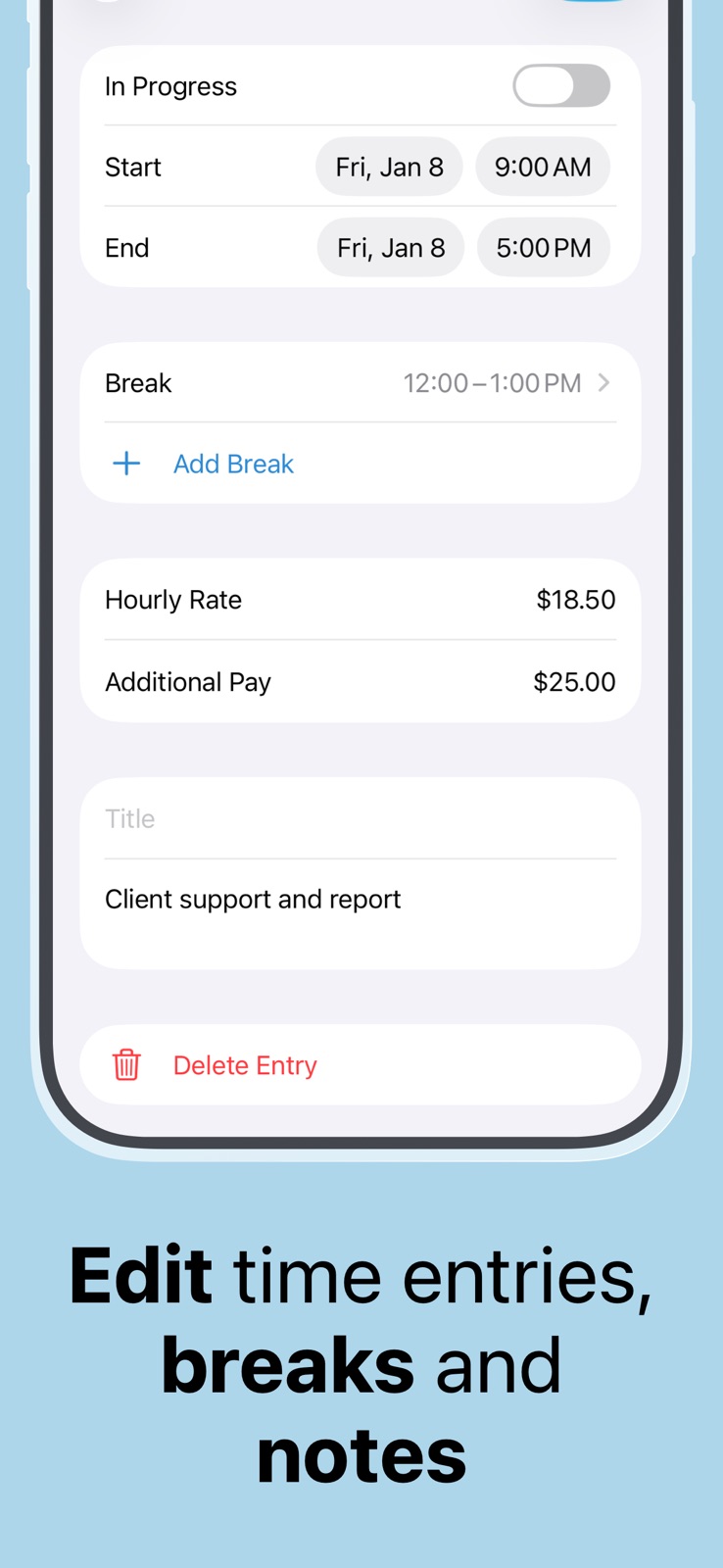


Pricing & paywalls
App Store
- Flexishift Pro ( ) — $9.99/year ($0.83/mo) (derived from the IAP title)
Ratings & reviews
App Store
-
5/5Wonderful App, Great customer service
I’ve been using this app since May 2018. I’ve never had a problem with it. I love the feature that reminds me to clock in when I am at work. I also love that I can export all my hours easily. I have recommended this app to everyone I know. However, I’ve never written a review until now. Unfortunately a mishap happened with a recent update and all my hours since May 2018 were gone. I was so upset because I rely on tracking my hours to be paid properly and need to keep a record of my hours. I emailed support and they got back to me so quickly. They had already put out a patch to fix the problem. My husband however, restored my phone from an old backup and my hours were restored that way. I am extremely impressed at the level of concern support had for my plight, I’m impressed with how quickly they responded to me as well as addressed and patched the issue. I definitely recommend this App!
Sarah.1003 · 6 Aug 2026
-
5/5It takes a lot for me to write a review
Easy to use and well worth it to me. I work for a farmer and keep track of my own hours. I do both farm work and a lot with technology so I can keep it separate according to what I’m doing that day. At the end of the week it’s extremely simple to send him my hours in a text and he can print it. It breaks everything down into categories. We both love it. I never write reviews, but I’ve been using this for quite some time and I believe the developer has done a very good job, that’s the reason for the review. I am using the pro version which is worth the money. I hope this app stays up-to-date and I hope the developer keeps it the way. It is very good app.
possard · 6 Aug 2026
-
4/5Great, but now an issue
I’ve really liked this app since getting it. Especially for the location-based clock in and out. However, for the past week or so that’s just totally stopped working and I don’t know why. Location is on and the permission is granted to the app, to use always, precise location enabled. I’m not having any issues with any other geofencing app (like the stock Reminders app). The app has every permission possible and it’s simply not registering me arriving or leaving work. Even when I have the app open and on my screen as I drive up to / away from work, it doesn’t do anything. It’s really frustrating because I unknowingly had an entire week of no hours logged and I’m stuck trying to remember them. It’s a great app. I don’t mean to discourage you. You should definitely try it. But this is a bummer and I’m hoping maybe the dev can advise on a solution?
Janejrank · 6 Aug 2026
-
5/5Meets my needs. Dependable.
I work as an RN part-time. I can write my own hours. Sometimes I go in during the day and sometimes on the evening or weekends. I needed an accurate way to document what hours I worked. This does a great job! The organization of the app is great! I like that I can see at a glance how much money I’ve made, I can set the paycheck length, and I can look back at previous paychecks and schedules to double check hours. this app has been very handy for me. I would appreciate if it reminded me when I go past a certain number of hours. I have forgotten to clock out on multiple occasions, and it just keeps ticking away.
MM of MO · 6 Aug 2026
-
5/5Calculation 🧮
I’m good at math but can ever seem to be able to count hours and minutes and deduct my breaks. This app does it all for you. Tells you your weekly total, deducts your breaks for you after you input clock in and out time, you can input time for previous weeks. It’s interface is smooth and simple. It has a pro mode which I don’t even need which is great, definitely will be looking into the pro features though.
Zach012343 · 6 Aug 2026
Privacy & accessibility
App Store
Privacy
- Data Linked to You — Analytics — Diagnostics — Other Diagnostic Data Developer declared
- Data Linked to You — Analytics — Identifiers — User ID Developer declared
- Data Linked to You — Analytics — Purchases — Purchase History Developer declared
- Data Linked to You — App Functionality — Diagnostics — Other Diagnostic Data Developer declared
- Data Linked to You — App Functionality — Identifiers — User ID Developer declared
- Data Linked to You — App Functionality — Purchases — Purchase History Developer declared
- Data Linked to You — Diagnostics Developer declared
- Data Linked to You — Identifiers Developer declared
- Data Linked to You — Purchases Developer declared
- Data Not Linked to You — Analytics — Identifiers — Device ID Developer declared
- Data Not Linked to You — Analytics — Location — Coarse Location Developer declared
- Data Not Linked to You — Analytics — Usage Data — Product Interaction Developer declared
- Data Not Linked to You — App Functionality — Diagnostics — Crash Data Developer declared
- Data Not Linked to You — App Functionality — Identifiers — Device ID Developer declared
- Data Not Linked to You — App Functionality — Location — Coarse Location Developer declared
- Data Not Linked to You — Product Personalization — Location — Coarse Location Developer declared
- Data Not Linked to You — Diagnostics Developer declared
- Data Not Linked to You — Identifiers Developer declared
- Data Not Linked to You — Location Developer declared
- Data Not Linked to You — Usage Data Developer declared
Accessibility
No accessibility labels collected yet.
Versions
App Store
-
3.10.0
Bug fixes and performance improvements.
-
3.11.0
- Initial work time balance - Time rounding
-
3.11.1
Bug fixes and performance improvements.
-
3.11.2
Performance improvements.
-
3.12.0
- Support for iOS 26 - Multi-job export - Bug fixes and improvements
-
3.12.1
Bug fixes and performance improvements
-
3.12.2
Bug fixes and performance improvements
-
3.7.0
- Support for future work start and/or end time - Support for more than one clock being active at the same time - Bug fixes and performance improvements
-
3.7.1
Localized the app to French, Spanish and Italian.
-
3.7.2
Bug fixes and performance improvements.
-
3.7.3
Bug fixes and performance improvements.
-
3.7.4
Bug fixes and performance improvements.
-
3.7.5
Bug fixes and performance improvements.
-
3.7.6
Bug fixes and performance improvements.
-
3.7.7
Bug fixes and performance improvements.
-
3.8.0
- Full support for iOS 18 - Bug fixes and performance improvements
-
3.8.1
Bug fixes and performance improvements.
-
3.8.2
Fixed timesheet entries that were not displayed at the end of the year when using a monthly pay period beginning on or after the 15th.
-
3.9.0
- Clock screen now displays the overall number of work hours, total earnings, and all-time work time balance - Exported timesheets can now include entry titles and notes (additional columns can be enabled in Settings)
-
4.0.0
- Added an Apple Watch app - Added Live Activities - Extended export file formats with PDF - Enabled leave export
-
4.0.1
Bug fixes and improvements.
-
4.0.2
Bug fixes and performance improvements.
-
4.1
- Added a new time display format: hours and minutes - Added an option to choose 12-hour or 24-hour time display - Improved Apple Watch, widget, and Live Activity refresh reliability - Improved Pro purchase and restore reliability - Fixed a daylight saving time edge case
-
4.1.1
- Bug fixes and performance improvements
-
4.1.2
· 3 Jun 2026
Bug fixes and performance improvements
Alternatives
- Clock In: Work Hours Tracker — Same category + similar ratings
- atWork Hours & Pay Tracker — Same category + similar ratings
- WorkTime: Hours Tracker Log — Same category + similar ratings
- Hours Keeper: Time Tracker — Same category + similar ratings
- Work Hours & Pay Calculator — Same category + similar ratings
- WorkHours: Time Tracker — Same category + similar ratings
Availability by market
- US
Data quality & evidence
- Page completeness
- Live store listing
- Last verified
- 6 Aug 2026
- Sources
- App Store
- Apoku editorial summary has not been published yet.