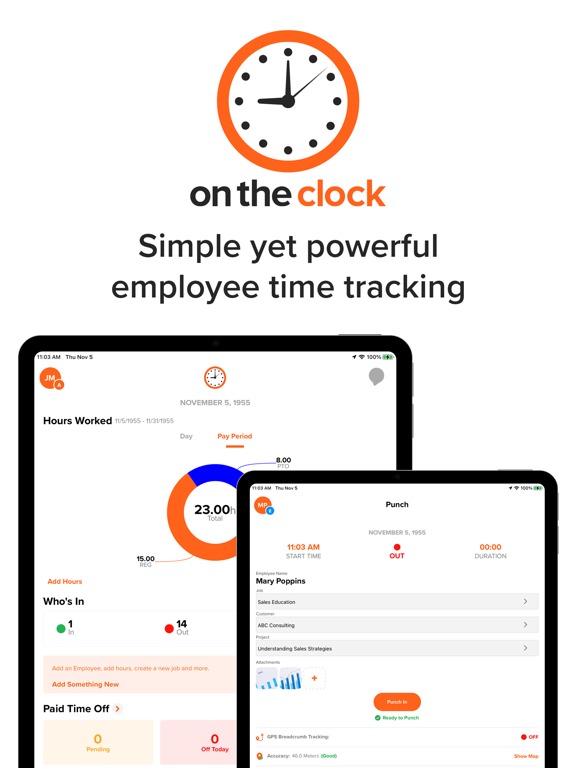
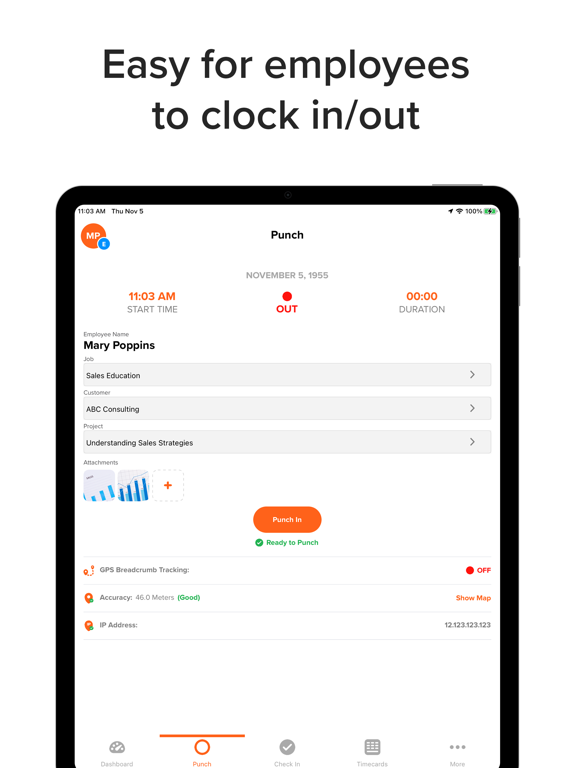
Apoku MCP provides app discovery, detailed cards, evidence, sources and screenshots where available. Unknown or conflicting prices stay explicit.
View JSON
GET /api/v3/apps/1029560603
{
  "app_id": 1029560603,
  "canonical_url": "https://appcorpus.com/apps/ontheclock-employee-time-clock-1029560603",
  "identity": {
    "name": "OnTheClock employee time clock",
    "slug": "ontheclock-employee-time-clock",
    "developer": {
      "name": "OnTheClock.com, LLC",
      "url": "https://appcorpus.com/developers/ontheclock-com-llc-developer_ad8a1f83011b645d300b00f939cd7ca8"
    },
    "icon_url": "https://is1-ssl.mzstatic.com/image/thumb/Purple221/v4/45/aa/7f/45aa7f56-8142-afe9-ef4f-d66a0d425c84/AppIcons-1x_U007emarketing-0-7-0-85-220-0.png/512x512bb.jpg",
    "stores": [
      "apple",
      "gplay"
    ],
    "platforms": [
      "iphone",
      "ipad",
      "android"
    ],
    "status": {
      "state": "active",
      "label": "Active",
      "last_checked": "2026-08-07",
      "last_checked_label": "7 Aug 2026",
      "banner": null,
      "region_note": null,
      "data_state": "stale",
      "data_state_label": "Some store data may be out of date"
    }
  },
  "listings": [
    {
      "store": "apple",
      "status": "ACTIVE",
      "url": "https://apps.apple.com/us/app/ontheclock-employee-time-clock/id1029560603?uo=4",
      "rating": 4.3,
      "rating_count": 468,
      "formatted_price": "Free",
      "is_free": true,
      "has_iap": false,
      "has_subscription": null,
      "version": "6.3.7",
      "updated": "2026-08-07",
      "currency": "USD"
    },
    {
      "store": "gplay",
      "status": "ACTIVE",
      "url": "https://play.google.com/store/apps/details?id=com.ontheclock.otc.otc",
      "rating": 3.2970297,
      "rating_count": 693,
      "formatted_price": "Free",
      "is_free": true,
      "has_iap": false,
      "has_subscription": null,
      "version": "6.3.7",
      "updated": "2026-08-07",
      "currency": "USD"
    }
  ],
  "summary": {
    "one_liner": null,
    "summary": null,
    "best_for": [],
    "not_for": [],
    "status": "fallback",
    "at_a_glance": [
      "Free to download"
    ]
  },
  "categories": {
    "official": [
      "Business",
      "Productivity"
    ],
    "appcorpus": [
      {
        "category_id": "business",
        "label": "Business",
        "url": "https://appcorpus.com/categories/business"
      },
      {
        "category_id": "productivity",
        "label": "Productivity",
        "url": "https://appcorpus.com/categories/productivity"
      }
    ]
  },
  "use_cases": [],
  "features": [
    {
      "capability_id": "free_app",
      "label": "Free app",
      "availability": "yes",
      "access_level": "free",
      "scope": null,
      "evidence": "Store published"
    }
  ],
  "pricing": [
    {
      "store": "apple",
      "formatted_price": "Free",
      "is_free": true,
      "has_iap": false,
      "has_subscription": null,
      "currency": "USD",
      "market": "us",
      "last_verified": "2026-08-07",
      "rows": [
        "Free to download"
      ],
      "state": "current"
    },
    {
      "store": "gplay",
      "formatted_price": "Free",
      "is_free": true,
      "has_iap": false,
      "has_subscription": null,
      "currency": "USD",
      "market": "us",
      "last_verified": "2026-08-07",
      "rows": [
        "Free to download"
      ],
      "state": "current"
    }
  ],
  "screens": [
    {
      "url": "https://is1-ssl.mzstatic.com/image/thumb/PurpleSource211/v4/d8/7d/d4/d87dd4f7-8b2c-dd3f-0e85-72bd35306d29/8a34ab7e-f464-425a-8c42-dcc40fccb91c_tablet-main-preview.png/1600x1600bb.jpg",
      "store": "apple",
      "platform": "ipad",
      "alt": "OnTheClock employee time clock ipad screenshot 1"
    },
    {
      "url": "https://is1-ssl.mzstatic.com/image/thumb/PurpleSource221/v4/70/f7/a7/70f7a768-846f-6dc6-55c3-cab001a4d4d0/d7005643-729d-49ff-94c5-45ec8d5cf8be_tablet-main-preview.png/576x768bb.png",
      "store": "apple",
      "platform": "ipad",
      "alt": "OnTheClock employee time clock ipad screenshot 2"
    },
    {
      "url": "https://is1-ssl.mzstatic.com/image/thumb/PurpleSource221/v4/5a/f8/31/5af831fa-440d-50a3-1995-948e0fc736eb/f34e2831-61eb-4d1a-b1f0-56f28c0c4846_tablet-punch.png/1600x1600bb.jpg",
      "store": "apple",
      "platform": "ipad",
      "alt": "OnTheClock employee time clock ipad screenshot 3"
    },
    {
      "url": "https://is1-ssl.mzstatic.com/image/thumb/PurpleSource211/v4/92/ea/65/92ea6503-cf8b-d4b5-0dc1-691c8b8208e6/4dc80d8e-79d9-4ece-ab90-ee5f4f969999_tablet-punch.png/576x768bb.png",
      "store": "apple",
      "platform": "ipad",
      "alt": "OnTheClock employee time clock ipad screenshot 4"
    },
    {
      "url": "https://is1-ssl.mzstatic.com/image/thumb/PurpleSource211/v4/e3/ab/7b/e3ab7bb5-4a04-5453-a9ab-f48cbddc1067/0cd5a670-b8dc-4ded-9fff-b60319bdf116_tablet-timecards.png/1600x1600bb.jpg",
      "store": "apple",
      "platform": "ipad",
      "alt": "OnTheClock employee time clock ipad screenshot 5"
    },
    {
      "url": "https://is1-ssl.mzstatic.com/image/thumb/PurpleSource211/v4/b9/b0/87/b9b087f8-8473-4f18-e441-a62a700f8112/037c1528-766a-4a5c-a248-48ab3327cec0_tablet-timecards.png/576x768bb.png",
      "store": "apple",
      "platform": "ipad",
      "alt": "OnTheClock employee time clock ipad screenshot 6"
    },
    {
      "url": "https://is1-ssl.mzstatic.com/image/thumb/PurpleSource211/v4/e8/a5/09/e8a509a4-d870-1a41-1d55-e36856792085/14558d2e-4cab-4853-b1bb-b59ac431f9be_tablet-timecard-entry.png/1600x1600bb.jpg",
      "store": "apple",
      "platform": "ipad",
      "alt": "OnTheClock employee time clock ipad screenshot 7"
    },
    {
      "url": "https://is1-ssl.mzstatic.com/image/thumb/PurpleSource221/v4/17/a2/59/17a25986-1c82-6607-0278-580d206f6989/1cc6cbfd-d561-43fb-a99f-04dcfb483f6f_tablet-timecard-entry.png/576x768bb.png",
      "store": "apple",
      "platform": "ipad",
      "alt": "OnTheClock employee time clock ipad screenshot 8"
    },
    {
      "url": "https://is1-ssl.mzstatic.com/image/thumb/PurpleSource221/v4/e2/f4/5d/e2f45d47-42c0-c81d-0b85-900a6f90fa63/ipad_payroll.png/1600x1600bb.jpg",
      "store": "apple",
      "platform": "ipad",
      "alt": "OnTheClock employee time clock ipad screenshot 9"
    },
    {
      "url": "https://is1-ssl.mzstatic.com/image/thumb/PurpleSource211/v4/99/72/93/997293a7-f780-fc6a-0753-f6576057238c/ipad_payroll.png/576x768bb.png",
      "store": "apple",
      "platform": "ipad",
      "alt": "OnTheClock employee time clock ipad screenshot 10"
    },
    {
      "url": "https://is1-ssl.mzstatic.com/image/thumb/PurpleSource221/v4/39/f8/9d/39f89d19-884b-f612-f1a4-a14504593591/87bed200-7552-4418-b78b-253bd7e94906_tablet-grouppunch.png/1600x1600bb.jpg",
      "store": "apple",
      "platform": "ipad",
      "alt": "OnTheClock employee time clock ipad screenshot 11"
    },
    {
      "url": "https://is1-ssl.mzstatic.com/image/thumb/PurpleSource221/v4/33/dc/db/33dcdb1f-e25d-0be7-43cf-13c61e718747/78ebfa3e-7c4d-4cae-850e-2a4418b49d1f_tablet-grouppunch.png/576x768bb.png",
      "store": "apple",
      "platform": "ipad",
      "alt": "OnTheClock employee time clock ipad screenshot 12"
    },
    {
      "url": "https://is1-ssl.mzstatic.com/image/thumb/PurpleSource211/v4/be/f1/b3/bef1b3c4-e2e1-16d9-2572-8a6fb5ed4365/4d047d8c-21bb-4828-b017-6a18f8d34596_tablet-map.png/1600x1600bb.jpg",
      "store": "apple",
      "platform": "ipad",
      "alt": "OnTheClock employee time clock ipad screenshot 13"
    },
    {
      "url": "https://is1-ssl.mzstatic.com/image/thumb/PurpleSource211/v4/f3/69/c9/f369c969-b69d-917d-340f-421e3dbabe17/62859911-d282-45f4-9433-a2f5147d8515_tablet-map.png/576x768bb.png",
      "store": "apple",
      "platform": "ipad",
      "alt": "OnTheClock employee time clock ipad screenshot 14"
    },
    {
      "url": "https://is1-ssl.mzstatic.com/image/thumb/PurpleSource211/v4/1b/55/39/1b553963-6cbf-744a-4b9c-51e939893bfc/c5837c0b-854b-4097-af8c-7ff998fbdca3_tablet-attachments.png/1600x1600bb.jpg",
      "store": "apple",
      "platform": "ipad",
      "alt": "OnTheClock employee time clock ipad screenshot 15"
    },
    {
      "url": "https://is1-ssl.mzstatic.com/image/thumb/PurpleSource211/v4/13/8d/ab/138dab95-776e-cc81-4f7a-95e1b916b331/ce3e3528-3efa-4dc7-b058-43ae672deac9_tablet-attachments.png/576x768bb.png",
      "store": "apple",
      "platform": "ipad",
      "alt": "OnTheClock employee time clock ipad screenshot 16"
    },
    {
      "url": "https://is1-ssl.mzstatic.com/image/thumb/PurpleSource211/v4/66/1a/55/661a556f-2cad-7023-08af-c904a4e3602c/09e4d125-3823-474c-802d-bf57a33cfbfd_tablet-schedule.png/1600x1600bb.jpg",
      "store": "apple",
      "platform": "ipad",
      "alt": "OnTheClock employee time clock ipad screenshot 17"
    },
    {
      "url": "https://is1-ssl.mzstatic.com/image/thumb/PurpleSource221/v4/c9/88/45/c988450d-0e10-fd9b-8db0-1c687c6ca31d/75e4aca0-9f42-41e4-b5ba-3336f0797606_tablet-schedule.png/576x768bb.png",
      "store": "apple",
      "platform": "ipad",
      "alt": "OnTheClock employee time clock ipad screenshot 18"
    },
    {
      "url": "https://is1-ssl.mzstatic.com/image/thumb/PurpleSource211/v4/c1/bf/c8/c1bfc88c-6655-71a2-34a3-e3a883d7a30d/3f2202fc-929a-474e-99c9-8f01a2c84df0_tablet-team-chat.png/1600x1600bb.jpg",
      "store": "apple",
      "platform": "ipad",
      "alt": "OnTheClock employee time clock ipad screenshot 19"
    },
    {
      "url": "https://is1-ssl.mzstatic.com/image/thumb/PurpleSource211/v4/ba/4f/b9/ba4fb936-f878-677f-b10f-6015c6a0f55f/5a7c82ac-a7dc-47f6-bc3f-ee6d350d9407_tablet-team-chat.png/576x768bb.png",
      "store": "apple",
      "platform": "ipad",
      "alt": "OnTheClock employee time clock ipad screenshot 20"
    },
    {
      "url": "https://is1-ssl.mzstatic.com/image/thumb/PurpleSource211/v4/b8/91/10/b8911066-ef58-646f-abd3-cbfbf4d30bf4/78249de5-50e8-4a71-bc37-cfdb722a08a3_iphone-store-image1.jpg/1242x1600bb.jpg",
      "store": "apple",
      "platform": "iphone",
      "alt": "OnTheClock employee time clock iphone screenshot 21"
    },
    {
      "url": "https://is1-ssl.mzstatic.com/image/thumb/PurpleSource211/v4/df/58/37/df5837f1-758e-61ca-9d1c-4e935ea5a6e6/859d0129-79af-4f38-abc9-040ca4671639_iphone-store-image-2.jpg/1242x1600bb.jpg",
      "store": "apple",
      "platform": "iphone",
      "alt": "OnTheClock employee time clock iphone screenshot 22"
    },
    {
      "url": "https://is1-ssl.mzstatic.com/image/thumb/PurpleSource221/v4/4f/4b/25/4f4b253d-39e4-2015-8425-77eca4d0dcfd/3b26c22d-be0d-48c2-b9d1-ff915c931e40_iphone-store-image-3.jpg/1242x1600bb.jpg",
      "store": "apple",
      "platform": "iphone",
      "alt": "OnTheClock employee time clock iphone screenshot 23"
    },
    {
      "url": "https://is1-ssl.mzstatic.com/image/thumb/PurpleSource221/v4/e4/73/b7/e473b763-a853-a62f-1109-ef5d7c9f00b6/a244b055-527e-477b-b9ef-e63f17d286f0_iphone-store-image4.jpg/1242x1600bb.jpg",
      "store": "apple",
      "platform": "iphone",
      "alt": "OnTheClock employee time clock iphone screenshot 24"
    },
    {
      "url": "https://is1-ssl.mzstatic.com/image/thumb/PurpleSource221/v4/66/f1/d1/66f1d176-c15c-98b5-d9ce-0e6469724480/06ea7754-1c54-4378-af24-34e2e5c2ef19_iphone-store-image5.jpg/1242x1600bb.jpg",
      "store": "apple",
      "platform": "iphone",
      "alt": "OnTheClock employee time clock iphone screenshot 25"
    },
    {
      "url": "https://is1-ssl.mzstatic.com/image/thumb/PurpleSource221/v4/ad/19/4c/ad194c35-8fa5-3c99-f38d-21fd748edcb2/f515a2b7-b784-4499-88d9-cd2c7dbc4d7b_iphone-store-image6.jpg/1242x1600bb.jpg",
      "store": "apple",
      "platform": "iphone",
      "alt": "OnTheClock employee time clock iphone screenshot 26"
    },
    {
      "url": "https://is1-ssl.mzstatic.com/image/thumb/PurpleSource221/v4/c2/be/90/c2be9013-f904-9d24-2b12-c3308a79cef9/apple_Payroll_65.png/1242x1600bb.jpg",
      "store": "apple",
      "platform": "iphone",
      "alt": "OnTheClock employee time clock iphone screenshot 27"
    },
    {
      "url": "https://is1-ssl.mzstatic.com/image/thumb/PurpleSource211/v4/79/fb/49/79fb4921-0672-a4ea-0785-af2c6b3a9e9b/c7f1a00d-ac7b-419b-8442-fc0c6b7d0a63_iphone-store-image7.jpg/1242x1600bb.jpg",
      "store": "apple",
      "platform": "iphone",
      "alt": "OnTheClock employee time clock iphone screenshot 28"
    },
    {
      "url": "https://is1-ssl.mzstatic.com/image/thumb/PurpleSource221/v4/35/65/cc/3565cced-0c86-f6dc-6e47-377b24deaeeb/1a4b5fd1-0bd2-4d6a-93b6-13f688a4609a_iphone-store-image8.jpg/1242x1600bb.jpg",
      "store": "apple",
      "platform": "iphone",
      "alt": "OnTheClock employee time clock iphone screenshot 29"
    },
    {
      "url": "https://play-lh.googleusercontent.com/3b20MIdzDNtZs_41g-CWQ_y5FzlMArdyUAaHugDI93KKkCZ1x0nbiviEMEcfCyONZg6up5J8frQspBlGRNpz7S8",
      "store": "gplay",
      "platform": "android",
      "alt": "OnTheClock employee time clock android screenshot 1"
    },
    {
      "url": "https://play-lh.googleusercontent.com/qnZ3QVofXaJGPlwJ_yOx25VaaZ3b9MdHGSnXKDFQh7JIisiRasVZB_Y6l5go70Dwlbb7UV2dw-Y6I_rBtwM8mg",
      "store": "gplay",
      "platform": "android",
      "alt": "OnTheClock employee time clock android screenshot 2"
    },
    {
      "url": "https://play-lh.googleusercontent.com/WYKlzqB4B_R2nWP1S5X3ND1ylzur84r6yRxuCWp28bzG3UWmnFxFehD-ujU7vZGMivg791lHLe9q-CPZzAmg",
      "store": "gplay",
      "platform": "android",
      "alt": "OnTheClock employee time clock android screenshot 3"
    },
    {
      "url": "https://play-lh.googleusercontent.com/7n0ilbjCKT5JF67dQRlsuzQvckfc2s6HkitVXJ7q1bnU3eXMuJVvgbIeSK25r2S5disrdLOl1AJ3ysrwbXpxoA",
      "store": "gplay",
      "platform": "android",
      "alt": "OnTheClock employee time clock android screenshot 4"
    },
    {
      "url": "https://play-lh.googleusercontent.com/rtcNnf1Ih8T-NYq40duSyO6j5NvKKaHnLkG8MiqW3koaeRQC6nQsPtXlnUqwKVQ_WNGNth3mIpof_FaT8l2kNw",
      "store": "gplay",
      "platform": "android",
      "alt": "OnTheClock employee time clock android screenshot 5"
    },
    {
      "url": "https://play-lh.googleusercontent.com/9HKPMHH5Pc5l7wOWb1ufWJACORcPDYZifnC16i-FCVC8vGZX_3UG2KhPIOVY9RQBcn1HeMYtl52YrXnDksTF",
      "store": "gplay",
      "platform": "android",
      "alt": "OnTheClock employee time clock android screenshot 6"
    },
    {
      "url": "https://play-lh.googleusercontent.com/Pev6sjb06eS5pUBGkSjSce-NDtzpr_57bOURknULeP42mQXQO_PfUhmnq8df7Sx1SvioOrk_CZ31fD5X9I0j",
      "store": "gplay",
      "platform": "android",
      "alt": "OnTheClock employee time clock android screenshot 7"
    },
    {
      "url": "https://play-lh.googleusercontent.com/sL4xVnp3jVvxn9wZB23DR1mM3Vhu-P-Hsvm7rpEjjMeoQESO6aCdNOc105Twji3usnsDW54MAc4srh-po7IG8A",
      "store": "gplay",
      "platform": "android",
      "alt": "OnTheClock employee time clock android screenshot 8"
    }
  ],
  "data_states": {
    "screens": "current"
  },
  "ratings": [
    {
      "store": "apple",
      "average": 4.3,
      "count": 468,
      "market": "us",
      "observed_at": "2026-08-07",
      "state": "current",
      "reviews": [
        {
          "rating": 4,
          "title": "Need to fix IP address lockdown for multiple IP addresses",
          "body": "The app is pretty good, I like being able to manage our 40 person office from an app. The two big issues I have are Paid Time Off accrual changes and authorizing a punch while using 2 WAN connections. Sometimes our primary internet goes down and our back up fails over. If an employee has 2 different IP addresses in the multi ip area (as sites with 2 internet connections would) then the employee can actually punch in from ANY IP address including a cellular one from home. This is not good so our punching is set to 1 IP address. If our primary goes out I have to log the punches manually. Once an employee has been here 5 years their accrual rate of time off changes. It’s not impossible to fix but you do need to essentially end the year for them, write down their current time off, change their accrual rate to today and then insert the time off that you hopefully wrote down as a positive starting value. Other systems allow this without the work around of ending a year. All in all it’s a good system with great access to speak to someone when needed. But the IP issue is a big deal that was present even in the old app versions before the rebuild.",
          "author": "Mewdane",
          "date": "7 Aug 2026"
        },
        {
          "rating": 4,
          "title": "Good but a small flaw",
          "body": "I went through a bunch of apps to find the right one for my business - basically I wanted a simple app where I could set up an iPad for a few employees and they could clock in and out, and we could pull reports. The functionality for my purposes is great - however the interface could use some work. It would be great if there were some buttons for punch in/out for each employee for instance, and the biggest complaint I have is that the punch only works in portrait mode - our iPad is situated in landscape mode in a fixed position on our reception counter - so staff has to turn their head sideways to punch in and out. These small fixes will make it perfect for us!",
          "author": "anisanur",
          "date": "7 Aug 2026"
        },
        {
          "rating": 5,
          "title": "Excellent Solution!",
          "body": "We’ve used OnTheClock for over two years now at our multi-specialty medical & dental clinic. With close to 80 employees working from 8 states, the option to give people app access or strictly group punching access and the punch mapping functions have been invaluable. As a manager I also really appreciate the note function as employees can leave correction requests right in the timecard record rather than inundating me with separate requests. Correcting errors becomes a simple process of reading the note, determining if an adjustment should be made, and if so, making it in the very same screen. We started using OnTheClock because at the time it was the most function rich software that fit within our budget conscious search parameters. Definitely recommend!",
          "author": "JRANMAN",
          "date": "7 Aug 2026"
        },
        {
          "rating": 1,
          "title": "removed my original review twice..",
          "body": "So I left a 1 star review a few months back due to constant issues with clocking in causing me to literally lose hours at my current job. Well I’m back not only to find that my comment was removed (makes sense they wouldn’t other people getting the app to see that this app has connection issues which will cause you to clock in late), but also to say that these connection issues are just getting worse. Took 15 minutes to login today. This adds up over time. Please fix your app it affects with my job almost every week. Update: my review has now been deleted several times. I have issues with both the app and the site most days at this point. It seems to be worse in the morning when you’re clocking in. Very inconsistent and frustrating app to use especially for something like work.",
          "author": "Tannerwood",
          "date": "7 Aug 2026"
        },
        {
          "rating": 5,
          "title": "Small business solution",
          "body": "We have used OnTheClock for several years now and have loved it. We are a small business and needed a solution that was inexpensive, easy to use, and had the basic features. They have added a lot of new features based on customers feedback and haven’t increased the cost which is very nice! I feel like they’re listening, they care, and they’re improving and adding new valuable tools. I have also used the customer service chat help feature a few times and they’re quick to respond and are helpful. We like working with OnTheClock and plan to continue using them even as our business grows!",
          "author": "Redlands runner",
          "date": "7 Aug 2026"
        }
      ]
    },
    {
      "store": "gplay",
      "average": 3.2970297,
      "count": 693,
      "market": "us",
      "observed_at": "2026-08-07",
      "state": "current",
      "reviews": []
    }
  ],
  "privacy": [
    {
      "store": "apple",
      "declarations": [
        {
          "title": "Data Linked to You",
          "detail": "App Functionality — Contact Info — Email Address",
          "source": "Developer declared"
        },
        {
          "title": "Data Linked to You",
          "detail": "App Functionality — Contact Info — Name",
          "source": "Developer declared"
        },
        {
          "title": "Data Linked to You",
          "detail": "App Functionality — Contact Info — Phone Number",
          "source": "Developer declared"
        },
        {
          "title": "Data Linked to You",
          "detail": "App Functionality — Identifiers — User ID",
          "source": "Developer declared"
        },
        {
          "title": "Data Linked to You",
          "detail": "App Functionality — Location — Coarse Location",
          "source": "Developer declared"
        },
        {
          "title": "Data Linked to You",
          "detail": "App Functionality — Location — Precise Location",
          "source": "Developer declared"
        },
        {
          "title": "Data Linked to You",
          "detail": "App Functionality — User Content — Emails or Text Messages",
          "source": "Developer declared"
        },
        {
          "title": "Data Linked to You",
          "detail": "Contact Info",
          "source": "Developer declared"
        },
        {
          "title": "Data Linked to You",
          "detail": "Identifiers",
          "source": "Developer declared"
        },
        {
          "title": "Data Linked to You",
          "detail": "Location",
          "source": "Developer declared"
        },
        {
          "title": "Data Linked to You",
          "detail": "User Content",
          "source": "Developer declared"
        },
        {
          "title": "Data Not Linked to You",
          "detail": "Analytics — Diagnostics — Crash Data",
          "source": "Developer declared"
        },
        {
          "title": "Data Not Linked to You",
          "detail": "Diagnostics",
          "source": "Developer declared"
        }
      ],
      "accessibility": []
    },
    {
      "store": "gplay",
      "declarations": [
        {
          "title": "Data collected",
          "detail": "Analytics — App activity — App interactions",
          "source": "Developer declared"
        },
        {
          "title": "Data collected",
          "detail": "App functionality — Device or other IDs",
          "source": "Developer declared"
        },
        {
          "title": "Data collected",
          "detail": "App functionality — Location — Approximate location",
          "source": "Developer declared"
        },
        {
          "title": "Data collected",
          "detail": "App functionality — Location — Precise location",
          "source": "Developer declared"
        },
        {
          "title": "Data collected",
          "detail": "App functionality — Messages — Other in-app messages",
          "source": "Developer declared"
        },
        {
          "title": "Data collected",
          "detail": "App functionality — Photos and videos — Photos",
          "source": "Developer declared"
        },
        {
          "title": "Data collected",
          "detail": "App functionality, Account management — Personal info — Email address",
          "source": "Developer declared"
        },
        {
          "title": "Data collected",
          "detail": "App functionality, Account management — Personal info — Name",
          "source": "Developer declared"
        },
        {
          "title": "Data collected",
          "detail": "App functionality, Account management — Personal info — Phone number",
          "source": "Developer declared"
        },
        {
          "title": "Data collected",
          "detail": "App functionality, Account management — Personal info — User IDs",
          "source": "Developer declared"
        },
        {
          "title": "Data shared",
          "detail": "Analytics — App activity — App interactions",
          "source": "Developer declared"
        },
        {
          "title": "Data shared",
          "detail": "Analytics — App info and performance — Crash logs",
          "source": "Developer declared"
        },
        {
          "title": "Data shared",
          "detail": "Analytics — App info and performance — Diagnostics",
          "source": "Developer declared"
        },
        {
          "title": "Security practices",
          "detail": "Your data is transferred over a secure connection — Data is encrypted in transit",
          "source": "Developer declared"
        },
        {
          "title": "Security practices",
          "detail": "The developer provides a way for you to request that your data be deleted — You can request that data be deleted",
          "source": "Developer declared"
        }
      ],
      "accessibility": []
    }
  ],
  "changes": [
    {
      "store": "apple",
      "version": "4.3.2",
      "released_at": null,
      "notes": "-Added validation to PTO request page to prevent incorrect data from being entered. -Resolved bug with GPS causing the app to crash."
    },
    {
      "store": "apple",
      "version": "4.3.3",
      "released_at": null,
      "notes": "Resolved map display issues where additional breadcrumbs were being displayed. Resolved GPS accuracy issue. Resolved issue with push notifications no working."
    },
    {
      "store": "apple",
      "version": "4.3.4",
      "released_at": null,
      "notes": "-Added a new photo attachment feature. -Resolved issue with GPS Location permission settings."
    },
    {
      "store": "apple",
      "version": "4.3.5",
      "released_at": null,
      "notes": "Standardized all dates to use Universal Time (UTC). Resolved minor bug in Chat feature."
    },
    {
      "store": "apple",
      "version": "5.0.0",
      "released_at": null,
      "notes": "We're really excited about this release: The OnTheClock mobile app has been redesigned to make your life easier. We've also added some new features. -New Admin and Manager dashboard (including Hours Worked, Who's In, Quick Add, PTO, and Punch Map widgets). -New Employee dashboard (including Punch, Hours Worked, PTO, and Punch Map widgets). -New tab navigation for quick access to the pages you use the most. -New flyout menu for easy to use and intuitive navigation. -Redesigned the chat feature. -Employee profile photos: employees will be able to upload their own photos and they'll be displayed in their profile. -Pull to refresh functionality added to the dashboard and punch pages. -Auto refresh of data on the new dashboard. -Landscape mode enabled. -Updated existing pages throughout to match the new OnTheClock style and colors."
    },
    {
      "store": "apple",
      "version": "5.0.1",
      "released_at": null,
      "notes": "-Minor bug fixes, performance enhancements, and improvements based on customer feedback. -Save selected Pay Period on the Timecards tab when switching amongst tabs. -On the flyout menu, added a link to the Settings page for easy and quick access. -Display totals to 2 decimal places on the Hours Worked widget. -For employees who are punched out and sitting on the Dashboard or Punch page, ensure that the displayed Start/Begin time stays current based on employee local time zone and that it honors punch rounding."
    },
    {
      "store": "apple",
      "version": "5.0.2",
      "released_at": null,
      "notes": "-Added automatic/real-time updates to the Dashboard and Punch pages. -Minor bug fixes and performance enhancements."
    },
    {
      "store": "apple",
      "version": "5.0.3",
      "released_at": null,
      "notes": "-Email invite functionality added -Text invite functionality added Added employee settings: -Enable Mobile Punch -Mobile Rule (GPS) -App GPS Tracking -Punch Messages -Employee Group overrides -Enabled landscape mode on iPads"
    },
    {
      "store": "apple",
      "version": "6.0.0",
      "released_at": null,
      "notes": "-Security enhancements -Improved user management -Minor bug fixes"
    },
    {
      "store": "apple",
      "version": "6.0.2",
      "released_at": null,
      "notes": "Minor bug fixes and enhancements."
    },
    {
      "store": "apple",
      "version": "6.0.3",
      "released_at": null,
      "notes": "-Add and manage Locations and GPS Punch Locations -Add employees using QR Code -Other improvements and minor bug fixes"
    },
    {
      "store": "apple",
      "version": "6.0.4",
      "released_at": null,
      "notes": "-Fix bug: landscape mode not working in some cases."
    },
    {
      "store": "apple",
      "version": "6.0.5",
      "released_at": null,
      "notes": "-Added Job and Project costing setup and management -Added Overtime and Breaks rules settings -Minor bug fixes and enhancements"
    },
    {
      "store": "apple",
      "version": "6.0.6",
      "released_at": null,
      "notes": "Bug fix: Resolved issue with clicking on items on the punch map."
    },
    {
      "store": "apple",
      "version": "6.0.8",
      "released_at": null,
      "notes": "-Improved the account creation and setup experience -Streamlined the process for adding multiple employees -Other minor improvements"
    },
    {
      "store": "apple",
      "version": "6.1.0",
      "released_at": null,
      "notes": "-Added PTO Settings management -Added Pay Rates management -Bug fixes"
    },
    {
      "store": "apple",
      "version": "6.1.2",
      "released_at": null,
      "notes": "-Improved onboarding experience -Bug fixes"
    },
    {
      "store": "apple",
      "version": "6.1.3",
      "released_at": null,
      "notes": "-Kiosk mode bug fix"
    },
    {
      "store": "apple",
      "version": "6.1.4",
      "released_at": null,
      "notes": "-minor bug fix"
    },
    {
      "store": "apple",
      "version": "6.1.5",
      "released_at": null,
      "notes": "-minor bug fixes"
    },
    {
      "store": "gplay",
      "version": "6.3.7",
      "released_at": "2025-11-12",
      "notes": ""
    }
  ],
  "alternatives": [
    {
      "app_id": 1400078107,
      "name": "Punch Time Clock",
      "url": "https://appcorpus.com/apps/punch-time-clock-1400078107",
      "reason": "Same category + similar ratings"
    },
    {
      "app_id": 534278133,
      "name": "Clock In: Work Hours Tracker",
      "url": "https://appcorpus.com/apps/clock-in-work-hours-tracker-534278133",
      "reason": "Same category + similar ratings"
    },
    {
      "app_id": 800807197,
      "name": "ezClocker: Employee Time Track",
      "url": "https://appcorpus.com/apps/ezclocker-employee-time-track-800807197",
      "reason": "Same category + similar ratings"
    },
    {
      "app_id": 1304431926,
      "name": "Clockify Time Tracker",
      "url": "https://appcorpus.com/apps/clockify-time-tracker-1304431926",
      "reason": "Same category + similar ratings"
    },
    {
      "app_id": 1132847984,
      "name": "Atto: Time Tracking & Shifts",
      "url": "https://appcorpus.com/apps/atto-time-tracking-shifts-1132847984",
      "reason": "Same category + similar ratings"
    },
    {
      "app_id": 336456412,
      "name": "Hours Tracker: Time Tracking",
      "url": "https://appcorpus.com/apps/hours-tracker-time-tracking-336456412",
      "reason": "Same category + similar ratings"
    }
  ],
  "evidence_summary": {
    "index_state": "S1",
    "evidence_level": 1,
    "level_label": "Live store listing",
    "indexable": true,
    "last_verified_at": "2026-08-07",
    "unknown_fields": [
      "Apoku editorial summary has not been published yet."
    ],
    "sources": [
      "App Store",
      "Google Play"
    ]
  },
  "availability_markets": {
    "live": [
      "us"
    ],
    "selected": "us",
    "note": null
  },
  "feature_events": {
    "events": []
  },
  "features_slice": {
    "plans": [],
    "features": [],
    "unknown_features": [],
    "data_cutoff": "7 Aug 2026"
  }
}