
Quick verdict
- What it is
- Store information collected; an Apoku editorial summary is not yet published.
- At a glance
-
- From $7.90/mo
- Free to download
- In-app purchases
Categories and search queries
Official categories
- Business
- Productivity
Apoku categories
Key functions
| Function | Availability | Access | Scope | Evidence |
|---|---|---|---|---|
| Free app | Yes | Free | Context-specific | Store published |
| In-app purchases | Yes | Limited free | Context-specific | Store published |
Screens
App Store
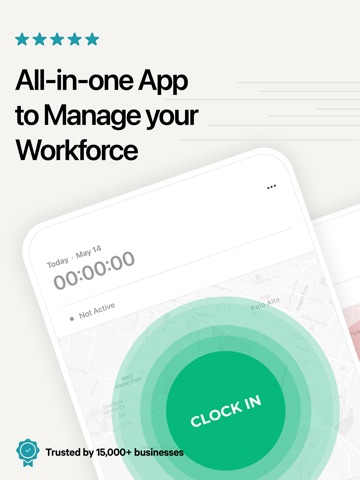
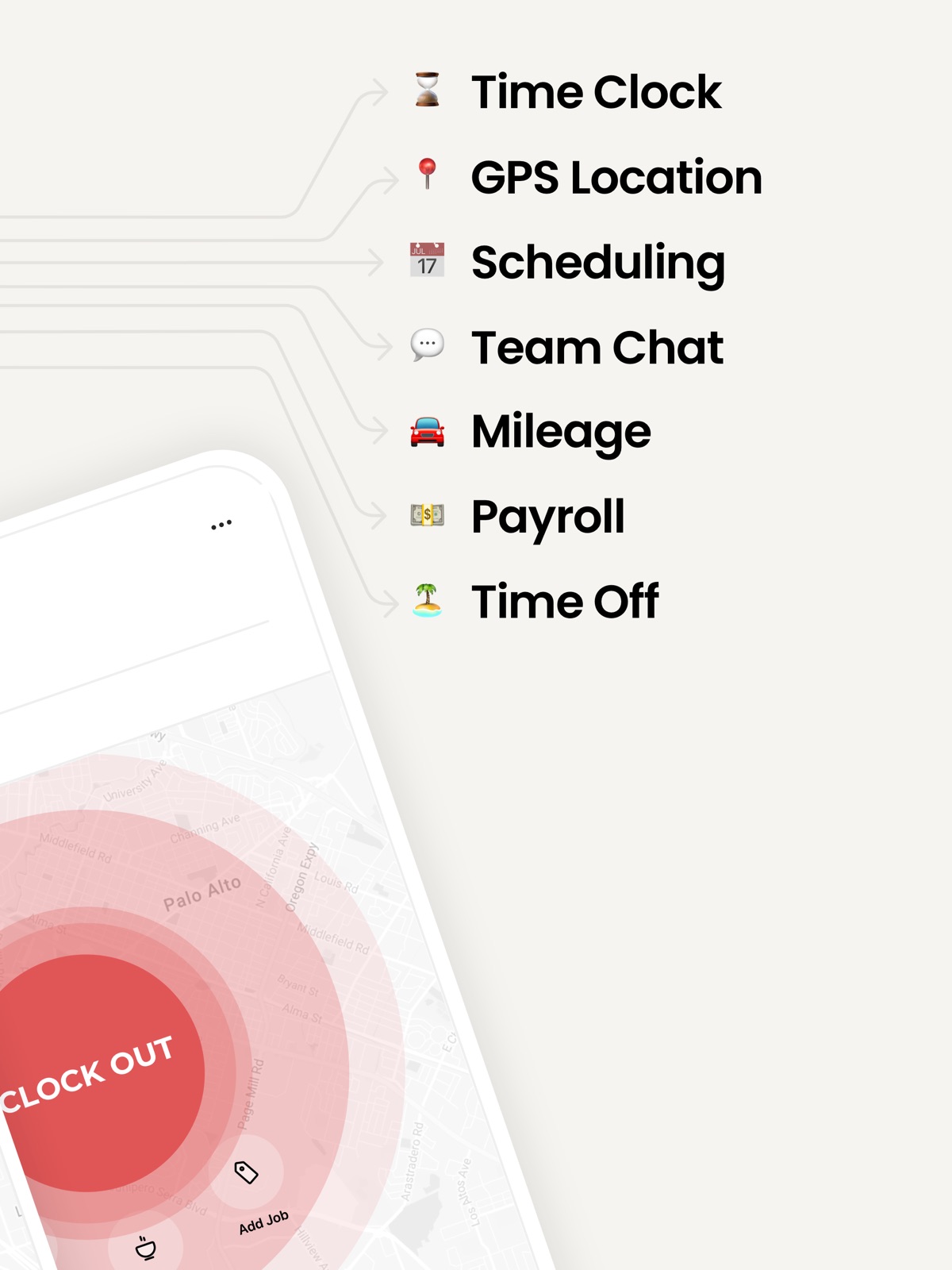
30 store screenshots

Pricing & paywalls
App Store
- Monthly User — $9.95/month
- Monthly User — $94.90/year ($7.90/mo)
Ratings & reviews
App Store
-
5/5Atto app is very helpful
Once I found atto was hoping it was going to be what I needed, all other apps do far have fell short but with Atto it’s definitely what I needed and looking for makes keeping track of my guys time very easy !!!! And for the people saying it’s harder after the update it actually only got better can do automatic breaks so for the people say you have to clock in and out for breaks that’s just not true that feature is my favorite!!!!! Especially for us contactors out there !!!!
thisfooljames · 6 Aug 2026
-
1/5Poor experience, very hard to cancel, not worth the time
We trialed this app at our store in nyc almost a month or more ago now. It has been the worst trial ever. Where to begin. We signed up and our trial got suspended mid way claiming it was expired. So we paid for it only for it to still read we didn’t have a subscription. Atto claimed they could not find the account so we were forced to go directly to our credit card company and it has just been an increasing nightmare ever since. Bank gave us back the charge because we kept their emails, only for the same charge to reappear again today this has long been cancelled and we have not used Atto in some time. This is incredibly unprofessional. There are certainly other time sheet programs out there that better do what they’re supposed to and don’t charge customers for things they aren’t getting. This is the second time they’ve charged us for a trial we not only didn’t get to complete but the second time we’ve been charged for a service we don’t even have. 0/5 stars if we could to be fair. Expected way better from Atto Trustpilot and more will be hearing about this completely unacceptable.
TrueCrownstore · 6 Aug 2026
-
4/5Amazing!!!
Atto has been a game changer for me when it comes to tracking my work hours. This app handles everything I need with ease – from clocking in and out to calculating my weekly earnings. One of the standout features is its ability to track my hourly wage and give me an accurate picture of how much I’ve made throughout the week. It’s even equipped to account for lunch breaks, which helps me stay organized and on top of my hours. For someone like me, who wants to ensure their company doesn’t underpay them, Atto provides that peace of mind. The user-friendly interface makes it easy to monitor my work hours, making sure every minute is counted. If I could suggest one improvement, it would be to add a feature that automatically calculates taxes. Having a rough estimate of what my paycheck will look like after taxes would be incredibly helpful for budgeting. Overall, Atto is an amazing tool that delivers exactly what I need for time tracking, and I highly recommend it!
Brockoli8904 · 6 Aug 2026
-
5/5Effective and Intuitive
I appreciate the simplicity yet advance feature of Atto. Knowing where my team members are and what they are working on allows us to communicate with our devices and takes the human (time) out of the loop. I could see many features making this app even better. The notes section needs to have spell check! And also adding pics to notes or files would be helpful.
Andyofthesun · 6 Aug 2026
-
4/5The February 2019 update is unnecessary
The way Atto worked before this update was super easy and seamless to use every day while at work. This new update has made it a pain and a waste of time to clock in and out of work and lunch breaks. Even editing time is too much work to do. I need to be able to open the app, do what I need to do, and pick my phone up without worrying about if I’m clocked in or out correctly. I understand the use of the new features from the employers side, but the employee just has to clock in and out and edit time, that’s it. Other than that, the app works great.
Devinisonfire · 6 Aug 2026
Privacy & accessibility
App Store
Privacy
- Data Linked to You — Analytics — Contact Info — Email Address Developer declared
- Data Linked to You — Analytics — Identifiers — Device ID Developer declared
- Data Linked to You — Analytics — Identifiers — User ID Developer declared
- Data Linked to You — Analytics — Other Data — Other Data Types Developer declared
- Data Linked to You — Analytics — Usage Data — Product Interaction Developer declared
- Data Linked to You — App Functionality — Contact Info — Email Address Developer declared
- Data Linked to You — App Functionality — Contact Info — Name Developer declared
- Data Linked to You — App Functionality — Diagnostics — Crash Data Developer declared
- Data Linked to You — App Functionality — Identifiers — Device ID Developer declared
- Data Linked to You — App Functionality — Identifiers — User ID Developer declared
- Data Linked to You — App Functionality — Location — Precise Location Developer declared
- Data Linked to You — App Functionality — Other Data — Other Data Types Developer declared
- Data Linked to You — App Functionality — User Content — Customer Support Developer declared
- Data Linked to You — App Functionality — User Content — Photos or Videos Developer declared
- Data Linked to You — Developer’s Advertising or Marketing — Identifiers — Device ID Developer declared
- Data Linked to You — Developer’s Advertising or Marketing — Identifiers — User ID Developer declared
- Data Linked to You — Developer’s Advertising or Marketing — Usage Data — Product Interaction Developer declared
- Data Linked to You — Product Personalization — Contact Info — Email Address Developer declared
- Data Linked to You — Product Personalization — Usage Data — Product Interaction Developer declared
- Data Linked to You — Contact Info Developer declared
- Data Linked to You — Diagnostics Developer declared
- Data Linked to You — Identifiers Developer declared
- Data Linked to You — Location Developer declared
- Data Linked to You — Other Data Developer declared
- Data Linked to You — Usage Data Developer declared
- Data Linked to You — User Content Developer declared
- Data Not Linked to You — App Functionality — Diagnostics — Performance Data Developer declared
- Data Not Linked to You — Diagnostics Developer declared
- Data Used to Track You — Contact Info — Email Address Developer declared
- Data Used to Track You — Contact Info Developer declared
- Data Used to Track You — Identifiers — Device ID Developer declared
- Data Used to Track You — Identifiers Developer declared
- Data Used to Track You — Usage Data — Product Interaction Developer declared
- Data Used to Track You — Usage Data Developer declared
Accessibility
No accessibility labels collected yet.
Versions
App Store
-
3.2
We are excited to introduce a bunch of new, exciting features, including: • LOCATION HISTORY Track your team’s movement throughout the day. Get insightful data on the hours spent at each job site or on the road and see a trace of their travel routes while on the clock. • PAY RATES Make payroll forecasting a breeze. Assign a pay rate to each team member and let Atto estimate total pay automatically for you. • CLOCK IN/OUT LOCATION ONLY Don’t need real-time location tracking? Switch the requirement to “On Clock In/Out” to only track the clock in & out location. • ADMIN NOTES Admins can now add notes to other members’ time entries and make recordkeeping simpler. • TIME OFF CATEGORIES You can now categorize each time off code as paid or unpaid to further simplify payroll. • BREAK TYPES Need to track paid and unpaid breaks in the same day? Switch to a custom break rule and add break types as you see fit. • NIGHT SHIFT TIME TRACKING Under “Time Options” disable “Split timesheets at midnight” to track all hours towards the clock in date. • DAILY DOUBLE OVERTIME Need to track weekly, daily AND daily double overtime. You can now do so by enabling the required overtime options under “Workweek & Overtime.” Need help or have questions? Contact us at [email protected]
-
3.2.1
We are excited to introduce a bunch of new, exciting features, including: • LOCATION HISTORY Track your team’s movement throughout the day. Get insightful data on the hours spent at each job site or on the road and see a trace of their travel routes while on the clock. • PAY RATES Make payroll forecasting a breeze. Assign a pay rate to each team member and let Atto estimate total pay automatically for you. • CLOCK IN/OUT LOCATION ONLY Don’t need real-time location tracking? Switch the requirement to “On Clock In/Out” to only track the clock in & out location. • ADMIN NOTES Admins can now add notes to other members’ time entries and make recordkeeping simpler. • TIME OFF CATEGORIES You can now categorize each time off code as paid or unpaid to further simplify payroll. • BREAK TYPES Need to track paid and unpaid breaks in the same day? Switch to a custom break rule and add break types as you see fit. • NIGHT SHIFT TIME TRACKING Under “Time Options” disable “Split timesheets at midnight” to track all hours towards the clock in date. • DAILY DOUBLE OVERTIME Need to track weekly, daily AND daily double overtime. You can now do so by enabling the required overtime options under “Workweek & Overtime.” Need help or have questions? Contact us at [email protected]
-
3.2.2
This release includes minor bug fixes and performance improvements. Need help or have questions? Contact us at [email protected]
-
3.2.3
This release includes minor bug fixes and performance improvements. Need help or have questions? Contact us at [email protected]
-
3.2.4
This release includes minor bug fixes and performance improvements. Need help or have questions? Contact us at [email protected]
-
3.2.5
This release includes minor bug fixes and performance improvements. Need help or have questions? Contact us at [email protected]
-
3.2.6
This release includes minor bug fixes and performance improvements. Need help or have questions? Contact us at [email protected]
-
3.2.7
This release includes minor bug fixes and performance improvements. Need help or have questions? Contact us at [email protected]
-
3.3
We are super excited to announce the release of Atto's Team Messaging. You can now bring all team communication onto a single platform and transform the way you communicate. Send messages, photos or videos to a co-worker or create a group. Keep your team connected in the most efficient way possible. And ensure everyone is on the same page at all times. Need help or have questions? Contact us at [email protected]
-
4.0.0
We're thrilled to roll out the latest updates to Atto, designed to further streamline and enhance the management of your team's workday. This release introduces a suite of new features that will boost efficiency and clarity in your daily operations. Here's a brief overview of what's new: Mileage Tracking Effortless and automatic - our new mileage tracking feature transforms the way you log work-related travel. Now, Atto automatically records every mile right from the moment you clock in, facilitating accurate reimbursements and smarter route planning, all from your smartphone. Improved Reporting Experience Quick, insightful, and more comprehensive than ever. Atto's new enhanced reporting capabilities provide a clearer picture of your business operations, helping you make informed decisions swiftly. Job Pay Rates Introducing a new level of precision in payroll management. Job pay rates ensure greater accuracy in timesheet management and payroll processing by providing specific hourly rates for each job code, ensuring that your team is compensated fairly and efficiently. Image Attachments Add a new layer of detail to your timesheets with the ability to attach images. Document tasks, incidents, or progress on-site visually, making your records more comprehensive and informative. Advanced Overtime Tracking Our overtime tracking is now more comprehensive, including options for public holidays, weekend hours, and night shifts, ensuring compliance and accuracy in overtime management. Break Tracking Automation Align break schedules seamlessly with company policies using our new Break Tracking Automation. This feature accommodates unique schedules and ensures that breaks are tracked consistently and accurately, aligning with your company's specific needs. These updates reflect our ongoing commitment to providing you with the most complete and user-friendly workforce management tool. Update your Atto app now to enjoy these new features and continue transforming your team's productivity and collaboration. For any feedback or support, please reach out to us at [email protected]. Your input is invaluable in our journey to continuously improve Atto.
-
4.0.1
This update includes performance improvements and minor bug fixes. For feedback or support, contact us at [email protected].
-
4.0.2
This update includes performance improvements and minor bug fixes. For feedback or support, contact us at [email protected].
-
4.1
Say hello to Scheduling! Now you can quickly create, update, and share team schedules to keep everyone aligned and your business thriving. • Schedule jobs in minutes, no matter where you are. • Update shifts instantly to meet changing demands. • Easily find replacements to ensure every shift is covered. Teams run better when there’s a plan. Take control, prevent no-shows, and create the perfect schedule for your team today. Update now and experience a whole new level of organization! For any feedback or support, please reach out to us at [email protected]. Your input is invaluable in our journey to continuously improve Atto.
-
4.2
Introducing Time Off Requests! Managing time off just got a whole lot easier! Now, your team can request, approve, and track time off — all in one place. • Submit requests in seconds and keep everything organized. • Get instant notifications to review requests and approve. • See who’s off at a glance to plan ahead with ease. No more guesswork, messages, or messy spreadsheets. Just a smooth, hassle-free way to manage time off. Update now and take control of your team’s time off! For any feedback or support, reach out to us at [email protected] — we’d love to hear from you!
-
4.2.1
Introducing Time Off Requests! Managing time off just got a whole lot easier! Now, your team can request, approve, and track time off — all in one place. • Submit requests in seconds and keep everything organized. • Get instant notifications to review requests and approve. • See who’s off at a glance to plan ahead with ease. No more guesswork, messages, or messy spreadsheets. Just a smooth, hassle-free way to manage time off. Update now and take control of your team’s time off! For any feedback or support, reach out to us at [email protected] — we’d love to hear from you!
-
4.3.0
Shift Trade & Cover Requests Are Here! Managing your schedule just got easier. Employees can now directly request shift trades or covers from teammates. No more waiting on managers. Whether you're swapping a Tuesday for a Friday or need someone to cover last-minute, it’s all handled right in the app. • Trade shifts with teammates • Request coverage with a tap • Get notified instantly • Manager-free, team-driven scheduling Empower your team. Keep the schedule moving. Update now and start swapping! For any feedback or support, reach out to us at [email protected] — we’d love to hear from you!
-
4.3.1
Shift Trade & Cover Requests Are Here! Managing your schedule just got easier. Employees can now directly request shift trades or covers from teammates. No more waiting on managers. Whether you're swapping a Tuesday for a Friday or need someone to cover last-minute, it’s all handled right in the app. • Trade shifts with teammates • Request coverage with a tap • Get notified instantly • Manager-free, team-driven scheduling Empower your team. Keep the schedule moving. Update now and start swapping! For any feedback or support, reach out to us at [email protected] — we’d love to hear from you!
-
4.4.0
This update brings powerful new features to help teams stay organized and in control: Timesheet Approvals Review, approve, and lock employee timesheets before payroll. Stay in control and ensure accuracy with every pay period. Shift Templates Create, save, and reuse your most common shifts in seconds. Scheduling just got a whole lot faster. Centralized Notifications Never miss a beat! Your notifications are now all in one place. Easily stay updated on clock-ins, shift changes, time off requests, and more. We’re always working to make Atto even better. For any feedback or support, reach out to us at [email protected] — we’d love to hear from you!
-
4.4.1
We’ve rolled out a few key updates to help you get more out of your data and keep everything running smoothly. Smarter Job Code Reports You can now view a detailed breakdown of hours by job code and team member in a clearer, easier-to-navigate format. We’ve also made general performance improvements and fixed a few bugs behind the scenes. Have feedback or need support? We’re here to help at [email protected].
-
4.4.2
This update includes performance improvements and minor bug fixes. For feedback or support, contact us at [email protected].
-
4.5.0
Time tracking just became automatic. Meet Auto Time Clock! Atto can now automatically clock employees in when they arrive at a job site and clock them out when they leave — so hours are captured without the extra steps. • Automatic clock-in and clock-out at every job site • GPS-powered — no action needed from your crew • Timesheets stay accurate without the back-and-forth Less admin. More accuracy. Every shift. For any feedback or support, reach out to us at [email protected] — we’d love to hear from you!
-
4.5.1
Time tracking just became automatic. Meet Auto Time Clock! Atto can now automatically clock employees in when they arrive at a job site and clock them out when they leave — so hours are captured without the extra steps. • Automatic clock-in and clock-out at every job site • GPS-powered — no action needed from your crew • Timesheets stay accurate without the back-and-forth Less admin. More accuracy. Every shift. For any feedback or support, reach out to us at [email protected] — we’d love to hear from you!
-
4.5.2
Minor bug fixes and performance enhancements to keep things running smoothly. Questions or feedback? Reach out to us at [email protected].
-
4.6.0
Get paid faster, now right from Atto. Meet Atto Invoicing! Send professional invoices, get paid faster, and keep your jobs and billing in one place. • Create invoices in 30 seconds and send in a tap • Track what's paid, pending, or overdue across all your jobs • Auto payment reminders chase late payments so you don't have to Less admin. Faster payments. One place. For any feedback or support, reach out to us at [email protected] — we'd love to hear from you!
-
4.6.1
· 3 Aug 2026
This update includes minor bug fixes and performance enhancements to keep things running smoothly. Questions or feedback? Reach out to us at [email protected].
Alternatives
- Punch Time Clock — Same category + similar ratings
- Hours Tracker: Time Tracking — Same category + similar ratings
- Work Hours & Pay Calculator — Same category + similar ratings
- Clock In: Work Hours Tracker — Same category + similar ratings
- Clockify Time Tracker — Same category + similar ratings
- ezClocker: Employee Time Track — Same category + similar ratings
Availability by market
- US
Data quality & evidence
- Page completeness
- Live store listing
- Last verified
- 6 Aug 2026
- Sources
- App Store
- Apoku editorial summary has not been published yet.