
JotNot Scanner App Pro
Digitize and organize paper documents with a PDF scanner app
iPhone · iPad
Quick verdict
- What it is
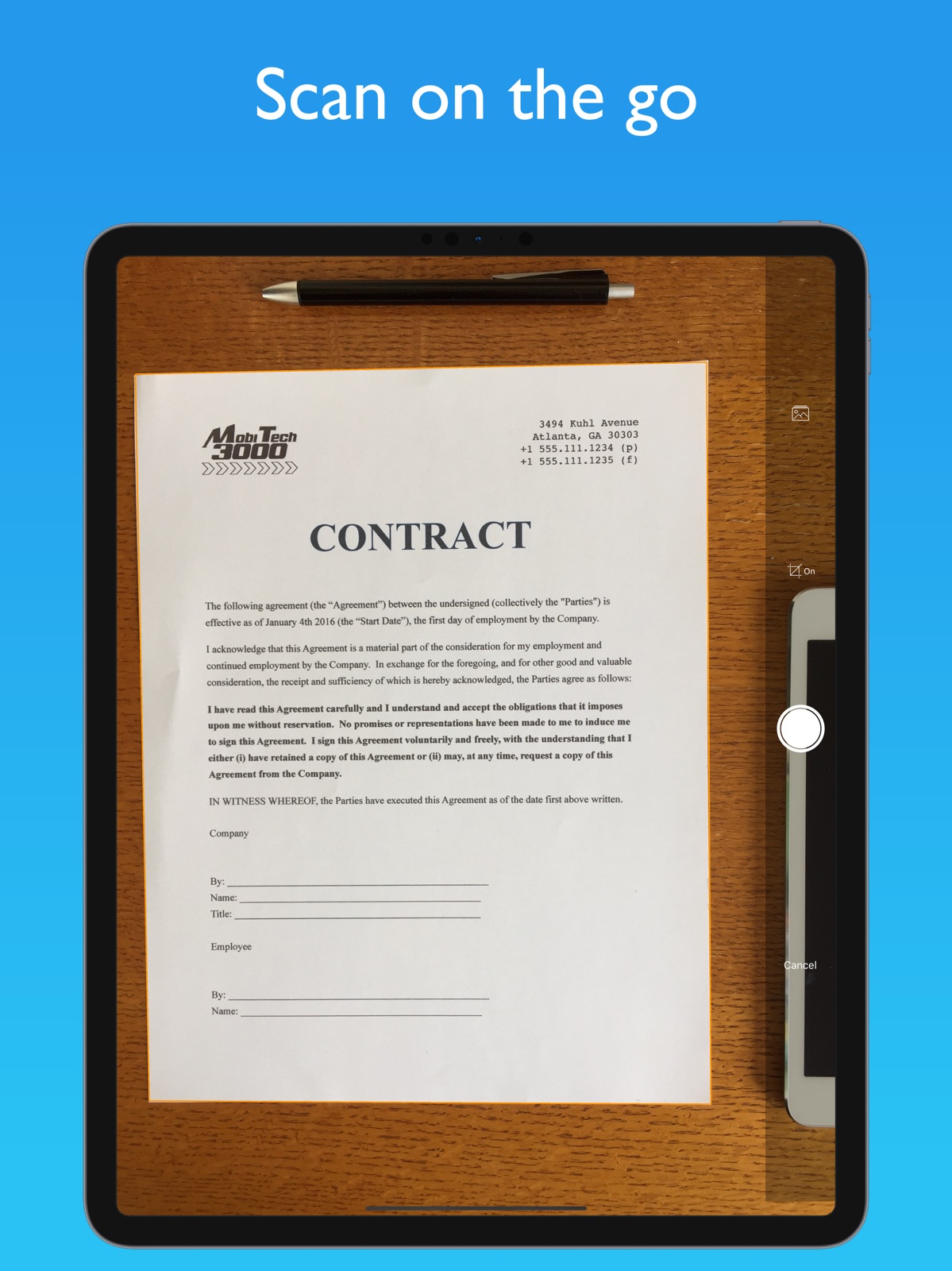
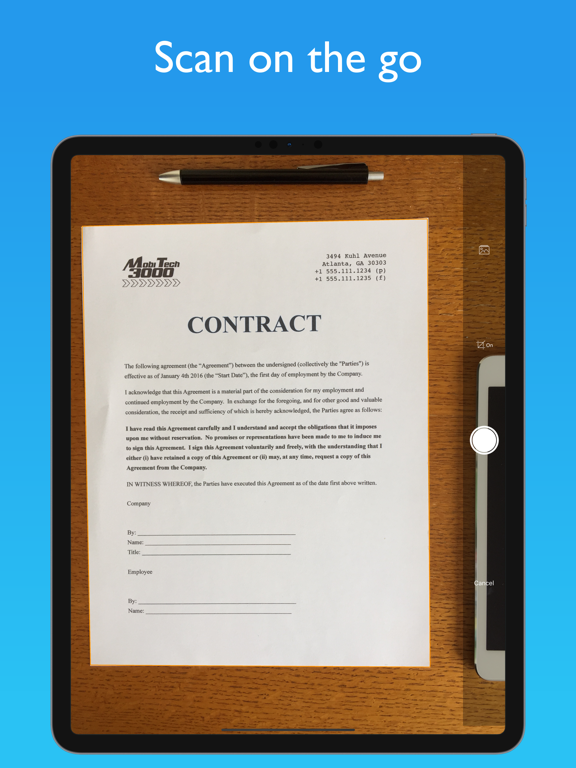
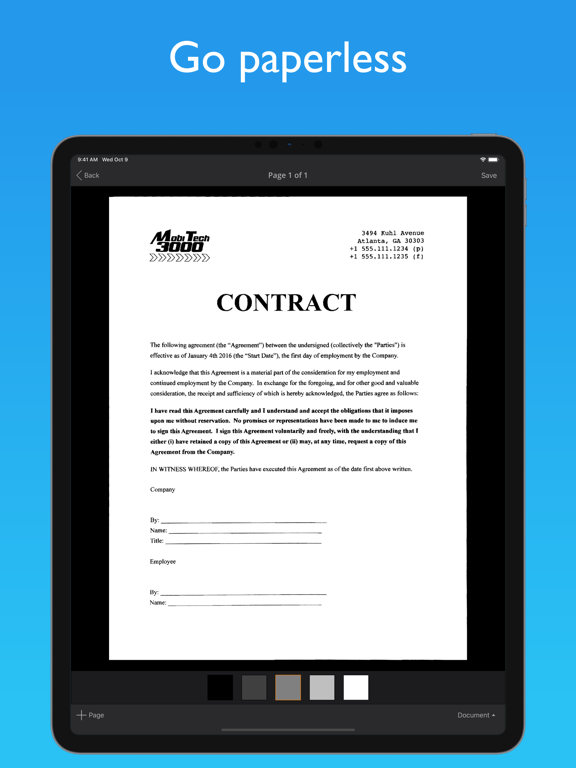
- JotNot is a PDF scanner app that allows users to digitize and organize paper documents, including receipts, contracts, and expense forms. It features advanced image processing algorithms, OCR, and cloud storage integration.
- Best for
-
- someone who scans paper receipts
- someone who needs to digitize documents
- At a glance
-
- $6.99
- In-app purchases
Categories and search queries
Official categories
- Business
- Productivity
AppCorpus categories
People use this app to
Relevant searches
- OCR scanner without watermark
- camera to PDF
- document scanner
Key functions
| Function | Availability | Access | Scope | Evidence |
|---|---|---|---|---|
| Document OCR | Yes | Unknown | — |
From listing
|
| Document scanning | Yes | Unknown | — |
From listing
|
| In-app purchases | Yes | Limited free | — | Store published |
Screens
App Store
15 store screenshots

Pricing & paywalls
App Store
- Price: $6.99
- 10 Fax Credits — $9.99
- 100 Fax Credits — $79.99
- 20 Fax Credits — $17.99
- 3 Fax Credits — $3.99
Ratings & reviews
App Store
-
5/5Used this for years and tried a couple of others
I’ve been using this app, and I’m pretty sure a free version of it prior for years now. Along the way I’ve tried others because as much as I like this app I want to make sure there isn’t something I’m missing out on that I didn’t know of. Now I did find others that do a great job, they exist. But this is the app for me, it’s so smooth and fast to use. I had a meeting last month where I was discussing with a client needed changes in their systems and everyone was adding and discussing items. I took notes and contributed to the conversation. Right after the conversation ended while everyone was chatting about others things I quickly added the notes to a pdf and emailed it to everyone in the meeting. The CEO came over and asked if I would type him up a copy of my notes because he saw me taking pictures of them. I notified him that I had just emailed them to him. A few seconds later he was blown away looking at the notes on his phone. He thinks I’m a magician or something because it looks like a perfect scan which phones could never do because it always comes out skewed. Thanks to this app I can quickly do amazing scans that impress my clients and helps me maintain my professional edge.
AvengingDragon · 30 Aug 2026
-
5/5Most Useful App on My Phone
This app sat on my phone for ages before I realized how valuable it is. Now I use it for all different kinds for things. For example, I am planning a trip. Rather than haul along a guidebook, I simply "scanned" the pertinent pages to refer to while I'm traveling. The scans are easier to read than photos and use less memory. Storing them within the app also means they won't get lost in a myriad of vacation photos. I have gone completely paperless at home. If an important paper comes in the mail, I quickly photo-scan it to PDF format, email it to myself, and save the scan to a folder on my laptop. And then I just shred the original. It takes seconds. My neighbor wanted a copy of a magazine article. I emailed her the PDF within moments. She was sure I'd sat down and scanned it by hand. I didn't....umm... disillusion her. ;-) I eliminated a four drawer metal file cabinet and bags of accumulated countertop paper this way. Everything's converted to data and at my fingertips when I want it now. My husband is amazed at how organized I am. I can hand or email him a copy of anything he wants in seconds. When we were buying and selling a home it came in handy as well,for scanning and getting info over to out agent quickly. We even used some of those old scans to create a Zip drive we have to our buyers. They were pleased as punch to have years worth of maintenance records. Truly 1001 uses. It's simple,easy to use, and truly makes life easier. The best app on my phone. This is what technology is SUPPOSED to be for.
Springlering · 30 Aug 2026
-
5/5Indispensable. Use it every week.
** May 2017 Update: STILL my favorite scanner. I've tried others. JotNot's GUI still looks a little old-fashioned, but it works great. End Update** So much more convenient than a scanner. I often use it to attach paper info to our electronic docs at work. (Sometimes I’ll send a JotNot doc to SignNow for my digital signature.) So useful that I've gifted this app to others. And I use it as a demo when showing off my iPhone. I've seen reviews which question the need for this app when you can “just take a snapshot of a document with your camera app”. To which I think: Sure…and you can scribble your business plans on napkins, too. That will work, right up until you want to bring someone else into your project. In business, you're judged by your presentation just as you are by your clothes. Your credibility is on the line. I frequently share these scanned docs, so I want them to look good. Automatic squaring of corners, autosensing of borders, autocropping — these make your snapshots look like real documents. But the best feature is the automatic variable contrast across the whole image. That's what changes a “photo of a paper” into something that looks like a paper. Something that can be printed on a laser printer and look great. Something easy to read, with black text on a white background, from edge to edge. JotNot Pro is brilliant. And indispensable.
MBinAZ · 30 Aug 2026
-
5/5Quickly produce high quality document scans
I have used Jotnot Pro so much. If you scan documents or pages of books, this app does what you want. It's simple to learn and doesn't hog your storage or processor like photo-processing apps such as Adobe. You can focus it and use it in low light, so you don't get a bright spot in the middle of your page from a flash, and can use it in libraries. One feature that makes a huge difference is the keystone correction feature, so it is simple and quick to make your lines of text come out straight and square. The enhancement presets are straightforward - choosing "document" and then the obvious tiles for darker or lighter text produces clean, legible copy. You can even go back later and change the keystone or enhancement settings. You can scan photos, but you are better off with a flatbed scanner for that. Jotnot Pro's forte is in scanning text-based documents. You can save multiple scans as one file or separately. Another simple feature not in photo apps that is really helpful - you can rename the files directly within the app on your iPhone. If you take a picture of a document in an iPhone camera app, you have to somehow get it into another app or onto your computer to rename it. It's time-consuming and easy to forget to do, or get mixed up in naming files that way. You can save the files in Dropbox, icloud, onedrive etc, as jpgs or pdfs. One reviewer complained about not being able to send a PDF, but you can - after you click on the share icon, you just have to go into "sharing format" and pick PDF. You can also share the files by email. I highly recommend this app.
miz.mdk · 30 Aug 2026
-
5/5old faithful
i just want to say as a customer who has used this app for 4+ YEARS that it was a one-stop-solution to my occasional send to fax machine needs. i have used it probably >100 times for important business-related faxes & never had a problem with it ever. it’s so convenient when i’m stranded with only my iphone but i need someone to receive a traditional fax in the office. i know it costs money to send to a landline but it’s totally worth whatever they charge. because it will get there. period. and it even generates a cover sheet. people have no idea that i’m sending “scans” that are really just pics from my phone. it’s been 4-5 years since i started using this app so there might be better, newer, maybe even free ways to send faxes now. but if you want the best and the most reliable, then this is your app.
K Wells, MD · 30 Aug 2026
Privacy & accessibility
App Store
Privacy
- Data Not Linked to You — Analytics — Identifiers — Device ID Developer declared
- Data Not Linked to You — Analytics — Usage Data — Product Interaction Developer declared
- Data Not Linked to You — App Functionality — Diagnostics — Crash Data Developer declared
- Data Not Linked to You — Developer’s Advertising or Marketing — Usage Data — Advertising Data Developer declared
- Data Not Linked to You — Diagnostics Developer declared
- Data Not Linked to You — Identifiers Developer declared
- Data Not Linked to You — Usage Data Developer declared
- Data Used to Track You — Identifiers — Device ID Developer declared
- Data Used to Track You — Identifiers Developer declared
- Data Used to Track You — Usage Data — Advertising Data Developer declared
- Data Used to Track You — Usage Data Developer declared
Accessibility
No accessibility labels collected yet.
Versions
App Store
-
4.7.0
New features and bug fixes: + Fax to 50 countries in Europe, Asia, and the Americas + updates to Box and Google Drive integrations + bugfix to Touch ID login for iOS 10 users + Various bug fixes and stability improvements Thank you for using JotNot! Help us to keep improving by leaving us a review in the App Store.
-
4.7.1
New features and bug fixes: + added 3D Touch shortcuts to app icon + added 'Duplicate' menu option to allow easy copying of documents + bugfix to Google Drive so that uploads show up in the correct folder + bugfix to camera for users in 'Zoomed' display mode + bugfix to make ratings prompt dismiss properly when users click on the X Thank you for using JotNot! Help us to keep improving by leaving us a review in the App Store.
-
4.7.2
Latest updates and bug fixes: + Google Drive now allow uploads to root directory (fix for "File Not Found (0)" error message) + Google Drive now shows shared folders but not deleted items + Switch to latest Google Drive and Dropbox APIs + Other bugfixes and stability improvements Thank you for using JotNot Pro! Help us improve by leaving us a review in the App Store.
-
4.7.4
Latest updates and bug fixes: + support for iOS 11 + JotNot is iPhone X ready, including Face ID + new Open to Camera feature, available in Settings + fixes the Save to Cloud screen on iOS 11 + Dropbox integration now prompts for overwrites + various bug fixes and performance improvement Thank you for using JotNot! Show your support by leaving us a review in the App Store.
-
4.8
Latest updates: + support for iOS 12 + added default upload folders for cloud Thank you for using JotNot! Show your support by leaving us a review in the App Store.
-
4.8.1
Latest updates: + support for iOS 12 + added default upload folders for cloud + bugfix to OneNote and Evernote cloud integrations Thank you for using JotNot! Show your support by leaving us a review in the App Store.
-
4.8.2
Latest updates: + bugfix to prevent crash when camera is slow to process an image + various bugfixes and stability improvements Thank you for using JotNot! Show your support by leaving us a review in the App Store.
-
4.8.3
Latest updates: + links with the latest JotNot Fax app, which provides the ability to fax multiple documents at once + bugfixes and stability improvements Thank you for using JotNot! Show your support by leaving us a review in the App Store.
-
5.0
We are proud to bring you JotNot 5! There are many new features in this release: Latest updates: On device OCR (you can copy and paste the text) Auto-upload for multiple cloud accounts simultaneously iOS 13 support including dark mode OneDrive support added Multi-page sharing bugfixes and stability improvements Thank you for using JotNot! Please show your support by leaving us a review in the App Store.
-
5.0.1
We are proud to bring you JotNot 5! There are many new features in this release: Latest updates: On device OCR (you can copy and paste the text) Auto-upload for multiple cloud accounts simultaneously iOS 13 support including dark mode OneDrive support added Multi-page sharing bugfixes and stability improvements Thank you for using JotNot! Please show your support by leaving us a review in the App Store.
-
5.0.10
We are proud to bring you JotNot 5! There are many new features in this release: Latest updates: On device OCR (you can copy and paste the text) Auto-upload for multiple cloud accounts simultaneously iOS 13 support including dark mode OneDrive support added Multi-page sharing bugfixes and stability improvements Thank you for using JotNot! Please show your support by leaving us a review in the App Store.
-
5.0.11
We are proud to bring you JotNot 5! There are many new features in this release: Latest updates: On device OCR (you can copy and paste the text) Auto-upload for multiple cloud accounts simultaneously iOS 13 support including dark mode OneDrive support added Multi-page sharing bugfixes and stability improvements Thank you for using JotNot! Please show your support by leaving us a review in the App Store.
-
5.0.12
We are proud to bring you JotNot 5! There are many new features in this release: Latest updates: On device OCR (you can copy and paste the text) Auto-upload for multiple cloud accounts simultaneously iOS 13 support including dark mode OneDrive support added Multi-page sharing bugfixes and stability improvements Thank you for using JotNot! Please show your support by leaving us a review in the App Store.
-
5.0.13
We are proud to bring you JotNot 5! There are many new features in this release: Latest updates: On device OCR (you can copy and paste the text) Auto-upload for multiple cloud accounts simultaneously iOS 13 support including dark mode OneDrive support added Multi-page sharing bugfixes and stability improvements Thank you for using JotNot! Please show your support by leaving us a review in the App Store.
-
5.0.2
We are proud to bring you JotNot 5! There are many new features in this release: Latest updates: On device OCR (you can copy and paste the text) Auto-upload for multiple cloud accounts simultaneously iOS 13 support including dark mode OneDrive support added Multi-page sharing bugfixes and stability improvements Thank you for using JotNot! Please show your support by leaving us a review in the App Store.
-
5.0.3
We are proud to bring you JotNot 5! There are many new features in this release: Latest updates: On device OCR (you can copy and paste the text) Auto-upload for multiple cloud accounts simultaneously iOS 13 support including dark mode OneDrive support added Multi-page sharing bugfixes and stability improvements Thank you for using JotNot! Please show your support by leaving us a review in the App Store.
-
5.0.4
We are proud to bring you JotNot 5! There are many new features in this release: Latest updates: On device OCR (you can copy and paste the text) Auto-upload for multiple cloud accounts simultaneously iOS 13 support including dark mode OneDrive support added Multi-page sharing bugfixes and stability improvements Thank you for using JotNot! Please show your support by leaving us a review in the App Store.
-
5.0.7
We are proud to bring you JotNot 5! There are many new features in this release: Latest updates: On device OCR (you can copy and paste the text) Auto-upload for multiple cloud accounts simultaneously iOS 13 support including dark mode OneDrive support added Multi-page sharing bugfixes and stability improvements Thank you for using JotNot! Please show your support by leaving us a review in the App Store.
-
5.0.8
We are proud to bring you JotNot 5! There are many new features in this release: Latest updates: On device OCR (you can copy and paste the text) Auto-upload for multiple cloud accounts simultaneously iOS 13 support including dark mode OneDrive support added Multi-page sharing bugfixes and stability improvements Thank you for using JotNot! Please show your support by leaving us a review in the App Store.
-
5.0.9
We are proud to bring you JotNot 5! There are many new features in this release: Latest updates: On device OCR (you can copy and paste the text) Auto-upload for multiple cloud accounts simultaneously iOS 13 support including dark mode OneDrive support added Multi-page sharing bugfixes and stability improvements Thank you for using JotNot! Please show your support by leaving us a review in the App Store.
-
5.1.0
We are proud to bring you JotNot 5! There are many new features in this release: Latest updates: New camera with multi-selection support On device OCR (you can copy and paste the text) Auto-upload for multiple cloud accounts simultaneously iOS 13 support including dark mode OneDrive support added Multi-page sharing bugfixes and stability improvements Thank you for using JotNot! Please show your support by leaving us a review in the App Store.
-
5.1.1
Fixed issues where scans were processed with an incorrect resolution. We are proud to bring you JotNot 5! There are many new features in this release: Latest updates: New camera with multi-selection support On device OCR (you can copy and paste the text) Auto-upload for multiple cloud accounts simultaneously iOS 13 support including dark mode OneDrive support added Multi-page sharing bugfixes and stability improvements Thank you for using JotNot! Please show your support by leaving us a review in the App Store.
-
5.1.2
Fixed issues where scans were processed with an incorrect resolution. We are proud to bring you JotNot 5! There are many new features in this release: Latest updates: New camera with multi-selection support On device OCR (you can copy and paste the text) Auto-upload for multiple cloud accounts simultaneously iOS 13 support including dark mode OneDrive support added Multi-page sharing bugfixes and stability improvements Thank you for using JotNot! Please show your support by leaving us a review in the App Store.
-
5.1.3
Latest updates: Camera now supports single page and batch mode iPad orientation fix Bugfixes and stability improvements Thank you for using JotNot! Please show your support by leaving us a review in the App Store.
-
5.1.4
· 18 Dec 2020
Latest updates: Camera now supports single page and batch mode iPad orientation fix Bugfixes and stability improvements Thank you for using JotNot! Please show your support by leaving us a review in the App Store.
Alternatives
- SalesPro, formerly Leap — Same category + similar ratings
- ProVia — Same category + similar ratings
- TurboScan™ Pro: PDF scanner — Same category + similar ratings
Availability by market
- US
Data quality & evidence
- Page completeness
- Independent summary published
- Last verified
- 30 Aug 2026
- Sources
- App Store