
Quick verdict
- What it is
- Store information collected; independent summary not yet available.
- At a glance
-
- Free to download
Categories and search queries
Official categories
- Education
AppCorpus categories
Key functions
| Function | Availability | Access | Scope | Evidence |
|---|---|---|---|---|
| Free app | Yes | Free | — | Store published |
Screens
App Store
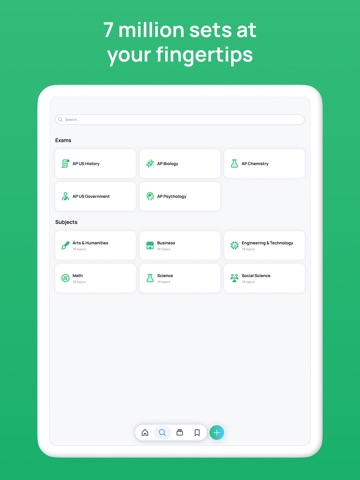
18 store screenshots


Pricing & paywalls
App Store
- Free
Ratings & reviews
App Store
-
4/5Best flashcard app around, but...
By far the best flashcard app I use. Similar features that make Anki so great with the simple interface and flexibility of a web-only service like Quizlet. However, please make folders for the app the way they exist on the website. It's a tedious process to have to go through so many decks for different classes all mixed in together. Also, make it possible that the program can automatically blank out words so that you have some context but need to figure out the words from memory (kind of like the Cloze system from Anki but more in the style of iMemorize). This would make it easier to memorize steps in a reaction/process or memorizing lists. These would be one-sided cards written by us, and the program can blank out words that you have to type in or guess or something. Also PLEASE make an offline PC/Mac version. I want to be able to make flashcards on my laptop when I'm traveling without Internet connection. Making them on my phone or iPad is too impractical since it wastes a lot of time. Having an offline program like this that syncs with the web when Internet is restored would make Cram the best service for flashcards I know of.
Grazillion · 6 Aug 2026
-
5/5Works great so far aside from repeat cards.
I've made 14 sets and probably 300 flash cards so far. This is a great tool and the app works fast but has one glitch where it makes repeat cards randomly and I can't figure out what causes it. Technical support responded and is working on it. Aside from that, I haven't had any issues with disappearing cards. The website does not appear to have the glitch but I prefer entering cards through the app because I use my phone's voice-to-text function to enter the data. Entering them this way has made it very quick and easy. I'm looking into a voice-to-text on the laptop for now but the phone is so convenient. Studying is easy and convenient even when I don't have Internet access!
Cek21or · 6 Aug 2026
-
5/5AWESOME FOR FOREIGN LANGUAGE STUDY!!
i'm studying korean right now in college and we have vocabulary quizzes twice a week and a about 25 new words per week. i just to have a family member rattle off the english in a random order while i'd write it in hangul (since they don't know the language) but it was always such a hassle to wait until one of them was free. CRAM makes it so much easier and convenient for me to study vocab!! i can do it alone and i can do it anywhere!!! the games are also very fun and helpful for memorization. the spelling one really improved my reaction time focus because i have to really look at the characters to make sure i am choosing the correct ones and in their proper order. i really recommend this app to everyone, especially those trying to memorize vocabulary and phrases!!
Bri4579 · 6 Aug 2026
-
5/5It is a great app but could be better....
It is my go to app, I will give credit where credit is due! Before I say anything I will say that it has more of a verity of options but I just wish there was a better way or should I say more options when it comes to remembering the cards themselves; such as when we know the card maybe swipe left and the ones we do t swipe right and a way to eliminate the ones we know so we can study more of the ones we don’t... so that way we can eventually and more efficiently get through them all and say “yup! I know all of them”! You know?
Happily In Love Long Distance · 6 Aug 2026
-
4/5Very useful app
It has changed the way I study. It’s great. A couple of things I would improve: That I didn’t have to log in so often. It would be better if I could just open the app from one day to the next, or in the morning and later in the evening and continue studying straight away where I left off. Also, it would be great if it memorized my progress in each flash card set. So I could “cram” one set, then study another and when I went back to study the previous set it would only quiz me on the flashcards that I answered incorrectly the previous time through. Lastly, the voice mode, where it reads the flashcards is strange on the latest version and reads at a super slow speed and I can’t find anywhere to adjust that or fix that?
MontecitoRat · 6 Aug 2026
Privacy & accessibility
App Store
Privacy
- Data Linked to You — Analytics — Contact Info — Email Address Developer declared
- Data Linked to You — Analytics — Contact Info — Name Developer declared
- Data Linked to You — Analytics — Diagnostics — Crash Data Developer declared
- Data Linked to You — Analytics — Diagnostics — Other Diagnostic Data Developer declared
- Data Linked to You — Analytics — Diagnostics — Performance Data Developer declared
- Data Linked to You — Analytics — Identifiers — Device ID Developer declared
- Data Linked to You — Analytics — Identifiers — User ID Developer declared
- Data Linked to You — Analytics — Usage Data — Product Interaction Developer declared
- Data Linked to You — App Functionality — Contact Info — Email Address Developer declared
- Data Linked to You — App Functionality — Contact Info — Name Developer declared
- Data Linked to You — App Functionality — Identifiers — Device ID Developer declared
- Data Linked to You — App Functionality — Identifiers — User ID Developer declared
- Data Linked to You — App Functionality — Usage Data — Product Interaction Developer declared
- Data Linked to You — Contact Info Developer declared
- Data Linked to You — Diagnostics Developer declared
- Data Linked to You — Identifiers Developer declared
- Data Linked to You — Usage Data Developer declared
- Data Not Linked to You — Analytics — Search History Developer declared
- Data Not Linked to You — Analytics — User Content — Audio Data Developer declared
- Data Not Linked to You — Analytics — User Content — Other User Content Developer declared
- Data Not Linked to You — Analytics — User Content — Photos or Videos Developer declared
- Data Not Linked to You — App Functionality — Search History Developer declared
- Data Not Linked to You — App Functionality — User Content — Audio Data Developer declared
- Data Not Linked to You — App Functionality — User Content — Other User Content Developer declared
- Data Not Linked to You — App Functionality — User Content — Photos or Videos Developer declared
- Data Not Linked to You — Search History Developer declared
- Data Not Linked to You — User Content Developer declared
Accessibility
No accessibility labels collected yet.
Versions
App Store
-
1.1.6
• UI enhancements and bug fixes.
-
1.2
Introducing text-to-speech audio: • Hear the correct pronunciation when learning a new language. • English, French, Spanish, Chinese, Korean and Japanese are currently supported. • Let the app read your cards to you when audio is turned on in slideshow mode. Other app enhancements: • Quickly switch between study modes in the new drop down menu. • Bug fixes.
-
1.3
In this release: • Test your skills on Jewels of Wisdom, now available on the Cram App. • Performance enhancements and bug fixes.
-
1.3.1
In this release: • Continuous Study - add, edit, delete your cards without losing your spot. • Minor Bug Fixes
-
1.3.2
Games • Play Stellar Speller on your phone. Audio Features • Use text to speech offline. • Replay the audio of a flashcard. UI Enhancements • Added the option to tap or swipe a card to flip it over. • New zoom icon to view larger images or read more text.
-
1.3.3
• Minor Bug Fixes
-
1.4
Cram Mobile now features flashcard styling. We’ve added to the apple keyboard allowing you to customize your card sets with features such as bolding, font size, custom colors and much more! Basic Features: Bolding Font Sizing Premium Members: Custom Colors Italics Underline Bullets Alignment Enjoy! Keep the questions and comments coming, we’re always listening to our users to enhance the Cram experience.
-
1.4.1
• UI enhancements and bug fixes.
-
1.4.2
• General bug fixes.
-
1.4.3
• General bug fixes.
-
1.4.4
• General bug fixes.
-
1.5
• General bug fixes.
-
1.5.1
• Fixed foreign languages display issue
-
1.5.2
Facebook Version updated to v2.9
-
1.5.3
Fixes for Facebook login on iOS 11
-
1.5.4
Fix for blank screen when adding a new flashcard.
-
1.5.5
Facebook sign-in fix
-
1.5.7
Fixed UI issues.
-
1.5.8
Bug fixes.
-
1.5.9
Bug fixes.
-
1.7.0
Cram is back — rebuilt from the ground up for the fastest, smoothest study experience yet. What's new: • Redesigned flashcards with buttery flip animations • Read Aloud with automatic language detection • Add photos and record voice clips on any card • Folders to organize your sets • Powerful search with smart filters • Refreshed home + public library • One-tap Google Sign-In • Cloud sync across all your devices • 60fps animations, full accessibility, and a fresh new look Thanks for studying with Cram. Happy cramming!
-
1.7.1
Stop reviewing. Start remembering. This update rebuilds Cram around one idea: every minute you study should move something into long-term memory. Whether you've got two weeks or two hours before an exam, there's now a mode built for exactly where you are. ## NEW - Cram Mode Our #1 most-requested feature. When the exam is tomorrow, Cram mode focuses you on what you're most likely to miss and drills it until it sticks. ## All 5 Study Modes, in one place Preview, Learn, Test, Spaced Repetition, and Cram - pick the right tool for the moment and switch whenever you need to. ## A completely reimagined card editor Build sets the way you think: • Add hints to nudge your memory • Attach images and media to any card • Reorder cards by dragging • Duplicate a card in one tap • Swap term and definition instantly ## Organize everything • Create, rename, and delete folders from Home and My Sets • Set menu: edit, print, make a copy, share, and report ## Make it yours A new theme switcher so the app looks the way you like to study. ## Sign in with Apple Get started in seconds - securely and privately, with no new password to remember. ## Polished and dependable • Flashcard text now renders with full, correct formatting • Tap any image anywhere in the app to preview it • Fixed memory crashes on the Edit screen and resolved a speech-related freeze • Faster and more stable across the board Update now and study like it actually counts.
-
1.8.0
STOP STUDYING. START PLAYING. MEET THE ALL-NEW CRAM! Your study routine just got a massive AI and gaming upgrade. If you are still studying with boring, static flashcards, you are doing it the hard way. Update Cram right now to unlock a completely reimagined, faster, and smarter way to ace your exams. Here is what is waiting for you inside this major update: GAMIFY YOUR STUDYING WITH GAMES Turn your study sets into addictive arcade sessions. Because who said cramming cannot be fun? - Three New Games: Master your material while playing Tetris, Sharpshooter, or Jewels of Wisdom wrapped in a beautiful, parchment-style UI. - Live Feedback: Track your progress with a game session header featuring live score updates and fully themed styling. - Enhanced Mechanics: Sharpshooter features clearer shooting feedback, updated target colors, and an all-new game-summary stats screen to track your wins. MEET YOUR NEW AI STUDY BUDDY Do not waste hours creating flashcards from scratch. Let our AI do the heavy lifting for you. - AI Card Generation: Instantly generate comprehensive flashcards using advanced text-based AI. - Import-to-Create: Got existing notes or content? Drop them into our streamlined import flow and watch your study sets build themselves in seconds. SUPERCHARGED EDITING AND FORMATTING Fixing a typo or adding a complex math formula should not disrupt your flow. - Inline Editing: Edit cards directly from the set screen with instant, per-card saving. Tap to flip a card for quick edits, or use undo/redo support. - Advanced Formatting: Full support for KaTeX math and chemistry rendering, superscript, subscript, and inline code with dedicated toolbar buttons. - Smart Search: Find what you need instantly with a sticky find bar, jump-to-card navigation, and a quick scroll-to-top button. SMARTER STUDYING AND A SLEEKER HOME - Redesigned Home Screen: Catch up quickly with loading skeletons, personalized trending/popular recommendations, and recent sets (even if you are logged out!). - Customized Study Modes: New flashcard question types, a "Study Starred Only" toggle, and a "Definition First" toggle that remembers your preferences across sessions. - Better Organization: Streamlined folder selection, consistent options sheets across all screens, and a bottom sheet that lets you rate sets instantly. UNDER-THE-HOOD POLISH AND CRASH FIXES We have completely ironed out the kinks to give you our smoothest experience yet. - Eliminated an annoying iOS animation crash and fixed native runtime bugs. - Optimized networking with headers for fetch and SSE to keep your data synced. - Smoothed out card-flip animations, fixed media picker layout bugs, and optimized theme switching. EXAM DAY IS CLOSING IN! Do not get left behind with slow, manual study habits. Download the latest update today, unleash the power of AI card creation, and gamify your way to an A+!
-
1.8.1
Bug fixes
-
1.8.2
· 30 Jul 2026
Studying your flashcards just got faster and smoother: • Card Finder: instantly jump to any card in a set from a searchable list. • Edit or delete a card right from the preview, and reset back to the first card in one tap. • Auto Read Aloud: turn it on to have cards read to you automatically, with audio that now plays fully before moving to the next card. • Scroll through longer card content with a new side scrollbar. • Expandable set descriptions with "show more." • A cleaner flashcard controls layout across Learn, Cram, and Preview. • Better editing: hint validation and a live character counter. Bug fixes and stability improvements: • Fixed a crash on startup for some devices. • Fixed heading formatting in card text. Thanks for using Cram!
Alternatives
- Brainscape - Study Flashcards — Same category + similar ratings
- Flashcards Maker — Same category + similar ratings
- Amazing Flash Cards — Same category + similar ratings
- Mochi - Flashcards and notes — Same category + similar ratings
- Mopiq: AI Flashcards Learning — Same category + similar ratings
- Prepware Aviation Maintenance — Same category + similar ratings
Availability by market
- US
Data quality & evidence
- Page completeness
- Live store listing
- Last verified
- 6 Aug 2026
- Sources
- App Store
- Independent summary has not been published yet.