
Quick verdict
- What it is
- Store information collected; an Apoku editorial summary is not yet published.
- At a glance
-
- Free to download
- In-app purchases
Categories and search queries
Official categories
- Education
- Productivity
Apoku categories
Key functions
| Function | Availability | Access | Scope | Evidence |
|---|---|---|---|---|
| Free app | Yes | Free | Context-specific | Store published |
| In-app purchases | Yes | Limited free | Context-specific | Store published |
Screens
24 store screenshots
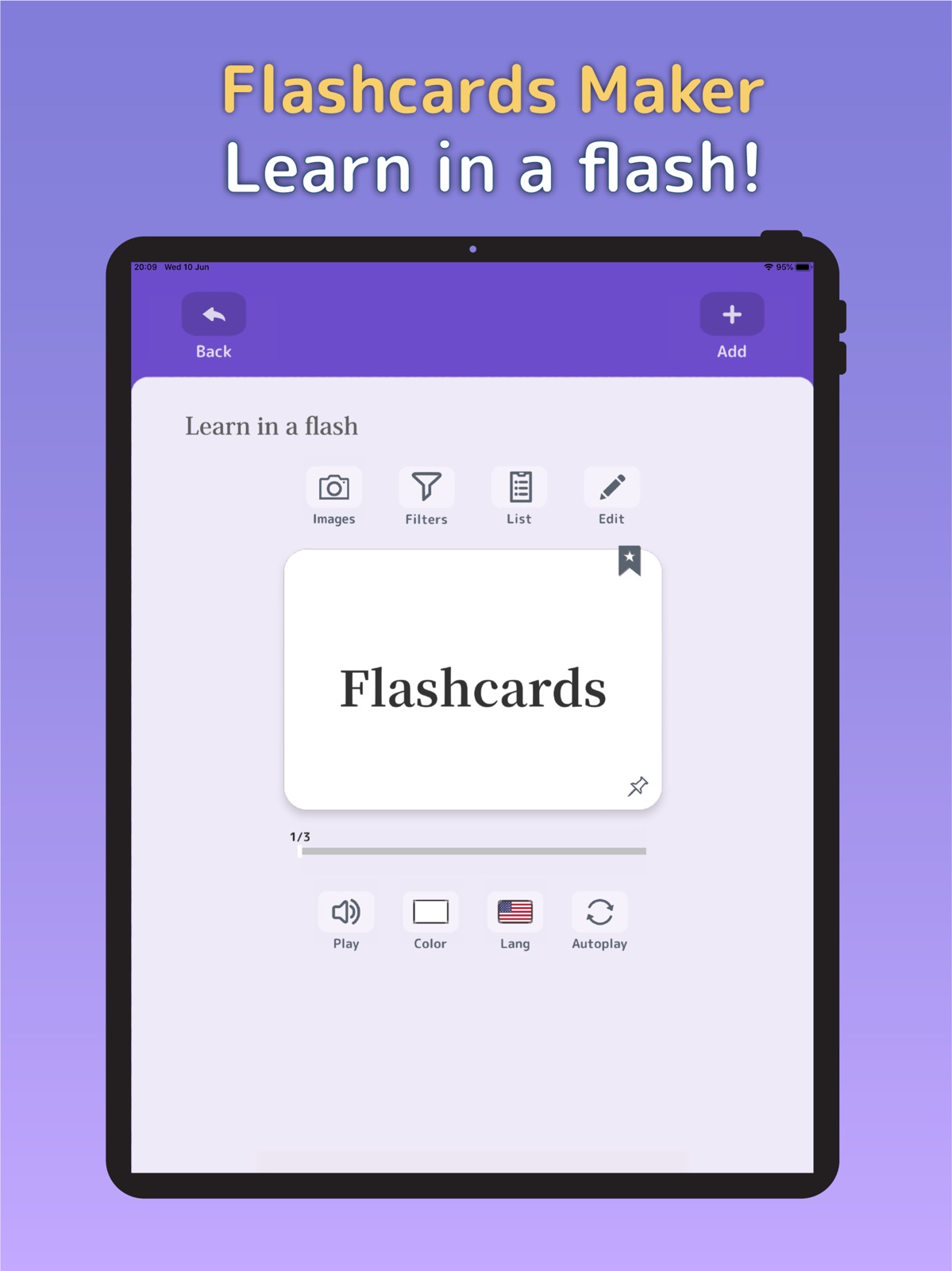

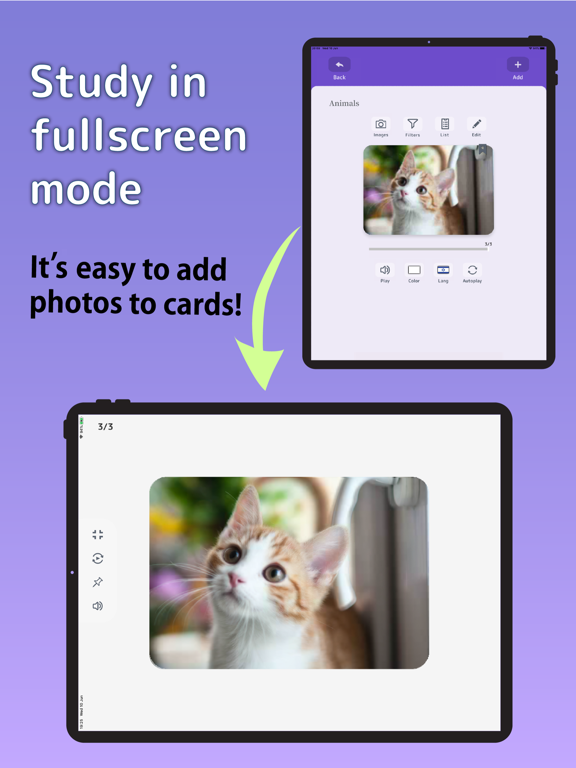
24 store screenshots


Pricing & paywalls
- フラッシュカードプレミアム — $1.99
- Free to download
- In-app purchases: $1.99 per item
Ratings & reviews
-
4/5Excellent app for my needs
I was looking for a flashcard app for my daughter to use to study for a spelling bee, and I was pleasantly surprised with this one. (The developer was very responsive to a question I had, too!) A wonderful feature is the ability to sync content across devices, so I was able to type in the words on my iPhone and my daughter was able to see them on her iPad. The only small changes I would make are small and probably wouldn’t bug many people, but in case there’s a wishlist out there: I didn’t see a way to change all of the cards (or at least one side) to a single language/dialect for the audio part. Each side of the card could be set separately, which would make sense if you were learning a different language and wanted to have two different ones, but I manually set all of them (200+ cards) to US English on the side we used—and the button was very tiny and I often flipped the card while trying to change it. The other thing is that the spelling defaulted to Title Case and there was no way to change this, even within my phone’s settings. It would have been handy so I could simply dictate every word instead of typing them, manually disabling the shift key each time. All that said, I am very pleased with the app and still would pay money for it. Getting it free was a bonus.
Eve314 · 6 Aug 2026
-
2/5Glitchy and Clumsy
I purchased a rather expensive two dollar a month subscription for this app, based upon the promise that you were able to sync across devices. In point of fact, you can only sync text materials, but no photos. That seems strange since you are able to upload the entire Flashcards to the cloud, including photos. however, when I tried to sync the 100 or so cards I had created to my wife’s phone, the app then informed me that it would only sync text to another phone, not photos. I’ve then purchased a second subscription for my wife, hoping that would solve the problem, but was disappointed to find that no matter how many times I tried it would only allow me to download 20 of the over 200 photos that formed the foundation of the flashcards. On top of that, I experienced the same problem that people have been reviewing for over four years: that is, that the camera function will cause the app to close down after anywhere from 3 to 5 clicks of the camera. You then have to reopen the app and find your deck, and the particular card you were working on to start all over again. There are much better options out there that have been used by many many more people. in particular, I would suggest Flashcard maker: easy to use, BY Yoshinobu Ikeda. An annual subscription is only six dollars, and you can purchase a lifetime subscription for just $13. This one is not worth your time.
Piritu · 6 Aug 2026
-
4/5Crashes Sometimes but otherwise good
I really like this app. It is simple, easy to use, and supports pictures. I do think it is a little overpriced and I think a single purchase structure would be better, but that is a business decision and I guess I’m still paying so.... The reason I’m not giving five stars is an extremely annoying bug that causes the app to crash while taking pictures to add to Flashcards. It occurs fairly frequently (about one in ten) so I don’t understand how it hasn’t come up in testing. For reference, I am on an iPhone SE 2, though I don’t think that should make much of a difference. Less importantly, it would be nice to have better image scaling available. As it stands the aspect ratio is absolute. It would be much more convenient if it could be modified by the user.
A player of head soccer · 6 Aug 2026
-
5/5Feb 2021: SYNC finally works again!
Feb 2021 Update I had given up on using this App but out of curiosity tried it one more time. To my surprise it has a new “sync” interface which works perfectly and very quickly. Thankyou! I can now restore my 5-star rating. Aug 2019 Update Further downgrade to 1 star. The developer Ben seems clueless. I’m going to look for another APP - without ability to sync between different devices this app is not very useful 😐. Has anybody gotten the Sync feature to work consistently? Jul 2019 Update I wld be happy to pay a few bucks for this app if the SYNC feature worked. Sometimes I get a server error message, other times it’s a wrong credentials message 🙄. Clearly, the upload/dowload feature needs work. So I’ve downgraded from 5 to 3 stars 😥. Jun 2019 Update. Has the developer abandoned this app. The SYNC feature no longer works. Apparently the server connection is down???.?😰 There are so many disappointing and overpriced apps in the App store (much like Apple Products 😏) that it is a delight to find an App that works as advertised. This is a no-frills app that allows folders and sub-folders of flash cards to be easily created. It is easy to move cards from one folder to another. It is also easy to make folders into sub-folders. Data entry is simple and intuitive; cards can be color coded. They can be moved up and down in the sequence; they can be easily edited. I used this App to create main language folders, then lessons as subfolders. Perfect for what I needed. Only discrepancy I noticed is that changing the language does not automatically change the keyboard. The ads are at the bottom and not too intrusive.
Music Lover 555 · 6 Aug 2026
-
4/5Great for what I need.
This app came at a perfect time for me. This is super easy to use and has been a great help to me. One thing I wish I could have on this app is to be able to easily switch cards from one folder to another. I started to put all my Flashcards in one folder before realizing I really needed them separated. Instead of being able to switch one card to another folder I had to instead delete that card and rewrite in in the folder I needed. Other than that, reading through the reviews, I have been able to find the other things I needed. Thanks for this app.!!
apnichole · 6 Aug 2026
No store reviews collected for Google Play · US
Privacy & accessibility
Privacy
- Data Linked to You — Analytics — Diagnostics — Performance Data Developer declared
- Data Linked to You — Analytics — Identifiers — Device ID Developer declared
- Data Linked to You — Analytics — Location — Coarse Location Developer declared
- Data Linked to You — Analytics — Usage Data — Advertising Data Developer declared
- Data Linked to You — Analytics — Usage Data — Product Interaction Developer declared
- Data Linked to You — Third-Party Advertising — Diagnostics — Performance Data Developer declared
- Data Linked to You — Third-Party Advertising — Identifiers — Device ID Developer declared
- Data Linked to You — Third-Party Advertising — Location — Coarse Location Developer declared
- Data Linked to You — Third-Party Advertising — Usage Data — Advertising Data Developer declared
- Data Linked to You — Third-Party Advertising — Usage Data — Product Interaction Developer declared
- Data Linked to You — Diagnostics Developer declared
- Data Linked to You — Identifiers Developer declared
- Data Linked to You — Location Developer declared
- Data Linked to You — Usage Data Developer declared
- Data Not Linked to You — Analytics — Diagnostics — Crash Data Developer declared
- Data Not Linked to You — Third-Party Advertising — Diagnostics — Crash Data Developer declared
- Data Not Linked to You — Diagnostics Developer declared
- Data Used to Track You — Diagnostics — Crash Data Developer declared
- Data Used to Track You — Diagnostics — Performance Data Developer declared
- Data Used to Track You — Diagnostics Developer declared
- Data Used to Track You — Identifiers — Device ID Developer declared
- Data Used to Track You — Identifiers Developer declared
- Data Used to Track You — Location — Coarse Location Developer declared
- Data Used to Track You — Location Developer declared
- Data Used to Track You — Usage Data — Advertising Data Developer declared
- Data Used to Track You — Usage Data — Product Interaction Developer declared
- Data Used to Track You — Usage Data Developer declared
Accessibility
No accessibility labels collected yet.
Privacy
- Data shared — Analytics — App info and performance — Crash logs Developer declared
- Data shared — Analytics — App info and performance — Diagnostics Developer declared
- Data shared — Analytics — Device or other IDs Developer declared
- Data shared — Analytics — Location — Approximate location Developer declared
- Security practices — Your data is transferred over a secure connection — Data is encrypted in transit Developer declared
- Security practices — The developer provides a way for you to request that your data be deleted — You can request that data be deleted Developer declared
Accessibility
No accessibility labels collected yet.
Versions
-
1.2.4
- Adds automatic speech in settings; text-to-speech will now play when cards are swiped and flipped if this setting is on - The number of questions can now be selected in the quiz (5,10 or 15 questions) - Minor bug fixes and localization improvements This update comes just a few days after 1.2.3. Many new feature were added so please check the app version history for details Please contact me at [email protected] with any questions or suggestions. I'm always happy to hear feedback. Enjoy!
-
1.2.5
- Adds 'read aloud' button to quiz panel. - Centers fullscreen mode text slightly. - Adds color to comment icon when comment is not empty - Search now displays if card has photo attached
-
1.2.6
- adds alphabetical order filter (see filters panel) - adds bar to fullscreen side menu that allows the menu to be collapsed - adds new search filter : ignore capitalization whereby lowercase and uppercase letters are considered - fixes password reset button not responding - fixes scroll issue for folder list - fixes the list view having not displaying card backs ui in list view when the 'Backs first' filter is on, - and more Contact me anytime at [email protected] with questions and feedback. Thank you
-
1.2.7
-Bug fixes and improvements -Add restore purchases button in the settings panel Contact support anytime at [email protected] with questions and feedback.
-
1.2.9
- Adds search filter to allow individual folder search results (see search filters). - Folder names can now be set when creating a new folder. - Multiple cards can now be selected and moved after a specified card in the List view (see 'Move After' in the actions menu). - Card filter settings are now stored individually for each folder and remembered by the app. - Fixes the folder creation date & time (UTC to local). - Turning off the bookmark icon on cards no longer moves focus to the beginning of the folder. - Other minor improvements and internal changes.
-
1.4.0
- Fixes possible crash when deleting cards with filters turned on - Adds new 'shake to shuffle' feature. On the card view, simply shake your device to shuffle cards. Shake again to unshuffle. This feature can also be turned off in the app settings. Contact [email protected] with any feature request or feedback
-
1.4.1
Bug fixes and improvements
-
1.4.2
Bug fix for searching with alphabetical filter enabled
-
1.4.3
The following features have been added: -- Adds 'dark mode'. Can be set on the app settings panel or via the folder screen toggle (top left of folder view). -- In 'List' view, tap the bookmark icon (star) to directly set the bookmark without needing to enter the 'Card view'. -- In 'List' view, tap the memo icon (drawing pin) to directly view the memo for that card without needing to enter the 'Card view'. -- Adds the marvelous Ukrainian language to the Text-to-Speech (TTS) roster for those studying Ukrainian. -- Adds fullscreen landscape mode for tablet devices (handheld mobile phone devices do not benefit due to small screen size, therefore this is a 'tablet only' addition). -- Adds the ability for users to delete their own account (found via the sync screen upon login). -- Subfolders are now automatically displayed when dragged into another folder, so that users don't mistakenly think folders are going missing. -- and multiple bug fixes: Once again, thank you for using my app. There are still many new features planned! Contact me at [email protected] with feedback and suggestions. Happy studies!
-
1.4.5
** New in this update: - Automatic incremental local backups (deleting app will also delete local backups so back up online also) - Added photos to quiz - Pinch-to-zoom for images in edit mode - Number index for each list view card - Pause setting for card transition timing - Continuous drag in list view (auto-scrolls when cursor reaches top/bottom) - Search functionality in list view - Select all/none cards in list view - Remove cards from quiz for remembered words (bookmarked only) - Current card displayed at the top of the list view - New UI localizations: French, German, Hindi, Arabic, Brazilian Portuguese, Spanish (Mex), and Italian (contact me for language accuracy updates) ** Fixes: - Card number visibility issue in dark mode - Improved list view performance with large lists - Fixed crash due to memory leak when importing multiple images - Fixed 'flip order' filter not applying - Improved search algorithm for finding cards Thanks for supporting the app! Feel free to share feedback at [email protected]. Happy studies!
-
1.4.6
This contains a minor patch on the previous updates below: ** New in this update: - Automatic incremental local backups (deleting app will also delete local backups so back up online also) - Added photos to quiz - Pinch-to-zoom for images in edit mode - Number index for each list view card - Pause setting for card transition timing - Continuous drag in list view (auto-scrolls when cursor reaches top/bottom) - Search functionality in list view - Select all/none cards in list view - Remove cards from quiz for remembered words (bookmarked only) - Current card displayed at the top of the list view - New UI localizations: French, German, Hindi, Arabic, Brazilian Portuguese, Spanish (Mex), and Italian (contact me for language accuracy updates) ** Fixes: - Card number visibility issue in dark mode - Improved list view performance with large lists - Fixed crash due to memory leak when importing multiple images - Fixed 'flip order' filter not applying - Improved search algorithm for finding cards Thanks for supporting the app! Feel free to share feedback at [email protected]. Happy studies!
-
1.4.7
This contains a minor patch on the previous updates below: ** New in this update: - Automatic incremental local backups (deleting app will also delete local backups so back up online also) - Added photos to quiz - Pinch-to-zoom for images in edit mode - Number index for each list view card - Pause setting for card transition timing - Continuous drag in list view (auto-scrolls when cursor reaches top/bottom) - Search functionality in list view - Select all/none cards in list view - Remove cards from quiz for remembered words (bookmarked only) - Current card displayed at the top of the list view - New UI localizations: French, German, Hindi, Arabic, Brazilian Portuguese, Spanish (Mex), and Italian (contact me for language accuracy updates) ** Fixes: - Card number visibility issue in dark mode - Improved list view performance with large lists - Fixed crash due to memory leak when importing multiple images - Fixed 'flip order' filter not applying - Improved search algorithm for finding cards Thanks for supporting the app! Feel free to share feedback at [email protected]. Happy studies!
-
1.4.8
This contains a minor patch on the previous updates below: ** New in this update: - Automatic incremental local backups (deleting app will also delete local backups so back up online also) - Added photos to quiz - Pinch-to-zoom for images in edit mode - Number index for each list view card - Pause setting for card transition timing - Continuous drag in list view (auto-scrolls when cursor reaches top/bottom) - Search functionality in list view - Select all/none cards in list view - Remove cards from quiz for remembered words (bookmarked only) - Current card displayed at the top of the list view - New UI localizations: French, German, Hindi, Arabic, Brazilian Portuguese, Spanish (Mex), and Italian (contact me for language accuracy updates) ** Fixes: - Card number visibility issue in dark mode - Improved list view performance with large lists - Fixed crash due to memory leak when importing multiple images - Fixed 'flip order' filter not applying - Improved search algorithm for finding cards Thanks for supporting the app! Feel free to share feedback at [email protected]. Happy studies!
-
1.4.9
This update contains overall stability to the app and better performance. It is recommended for all to upgrade to the latest version. Also adds split screen support. Contact [email protected] with feedback and requests. Thank you.
-
1.5.0
- Adds new Voice Recording feature! - Georgian font support is back! - TTS Settings and App Permissions can now be accessed in Settings - Many minor improvements
-
1.5.1
- Adds new Voice Recording feature! - Georgian font support is back! - TTS Settings and App Permissions can now be accessed in Settings - Many minor improvements - Fixes
-
1.5.2
Includes a fix for Macs (Designed for iPad) versions.
-
1.5.3
This version: - drastically improves how images are loaded. - fixes potential crash during iOS image picker result. - fixes minor image ui rotation issue when new card is created Thank you to all those who provided feedback and have contributed to improving Flashcards Maker. If you have any questions or feedback, as always, please don't hesitate to contact [email protected] Happy Studies!
-
1.5.4
This version adds: - fix for voice recorder timer. - accessibility to voice recordings during the quiz - new UI with voice recording attach and unattach buttons. - voice recording deletion warning, - new UI icons, - new localization
-
1.5.5
- new 'Stacks' mode - enables multi card studying Please contact [email protected] with questions and feedback. Thank you!
-
1.5.6
- this adds a patch to the new 'Stacks' mode - enables multi card studying Please contact [email protected] with questions and feedback. Thank you!
-
1.5.7
What's New: - Improved user experience for ad-supported content. - Added localized notifications for screen-mode requirements. - General stability improvements.
-
1.5.8
What's New: - Improved user experience for ad-supported content. - Added localized notifications for screen-mode requirements. - General stability improvements. - Bug fixes
-
1.5.9
Maintenance update and fixes
-
1.6.0
· 1 Aug 2026
Maintenance update
- 1.6.0 · 1 Aug 2026
Alternatives
- Flash Cards Flashcards Maker — Same category + similar ratings
- Plain Flashcards: AI & Study — Same category + similar ratings
- Amazing Flash Cards — Same category + similar ratings
- Flashcards World - AI Cards — Same category + similar ratings
- Flashcards maker - AI generate — Same category + similar ratings
- Brainscape - Study Flashcards — Same category + similar ratings
Availability by market
- US
Data quality & evidence
- Page completeness
- Live store listing
- Last verified
- 7 Aug 2026
- Sources
- App Store, Google Play
- Apoku editorial summary has not been published yet.