
Quick verdict
- What it is
- Store information collected; independent summary not yet available.
- At a glance
-
- Free to download
Categories and search queries
Official categories
- Education
AppCorpus categories
Key functions
| Function | Availability | Access | Scope | Evidence |
|---|---|---|---|---|
| Free app | Yes | Free | — | Store published |
Screens
App Store
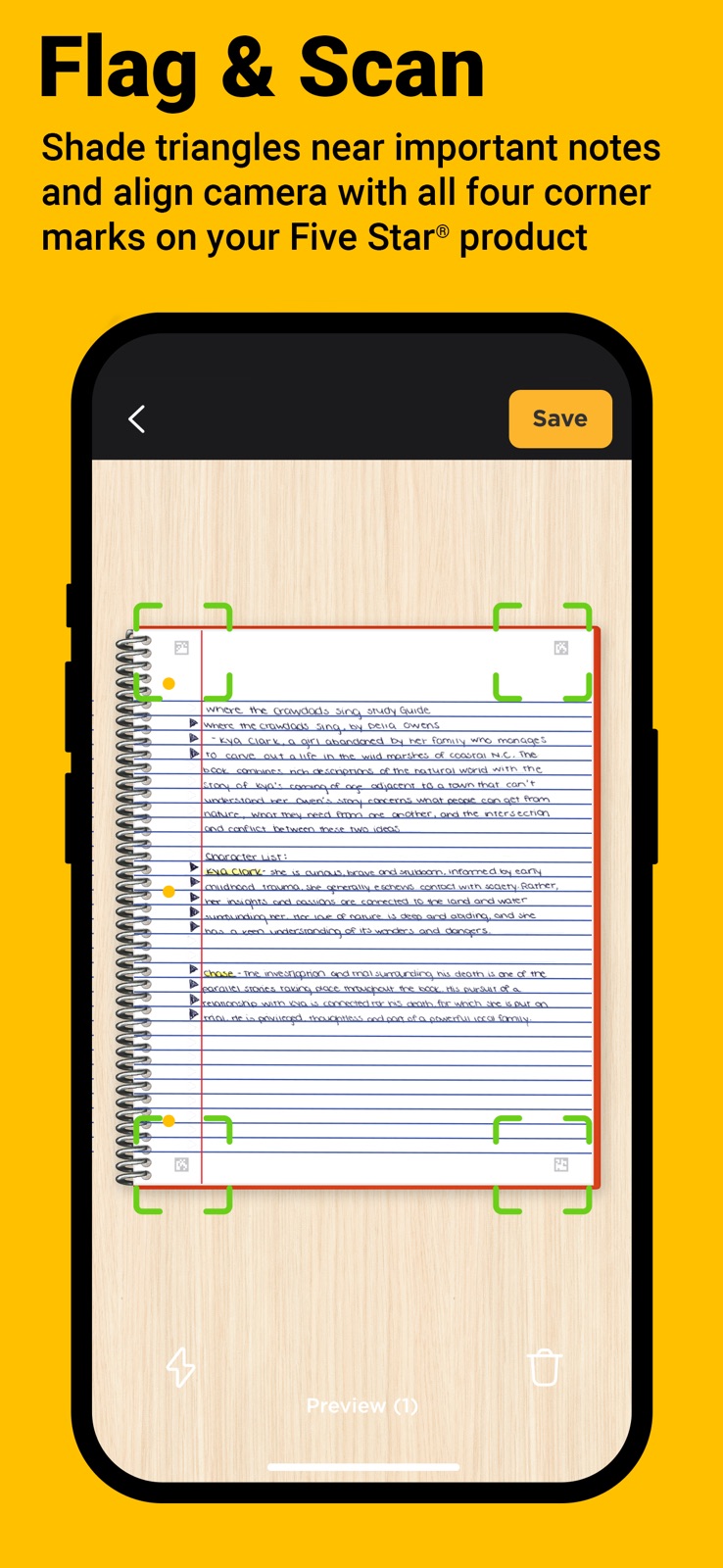
7 store screenshots


Pricing & paywalls
App Store
- Free
Ratings & reviews
App Store
-
3/5Planner is Hard to Use
I picked up both the notebook and planner to use for work and I like the concept but the usage feels limited and not very intuitive. I think the planner is newer so maybe Five Star is still working on it, but I wish they had figured it out before I spent money on it lol. The biggest issue I’m having is the planner subjects. I can add subjects to the planner but I can’t figure out how to assign scanned tasks to them. When you scan them in it will premake a planner subject but you can’t just pick an existing subject to assign it to. You also can’t reassign the task to a different subject after the fact. So basically you will forever be creating new subjects every time you make a scan and will eventually have a bunch of useless subject folders. The only features on the tasks are rename subject, change color (which has the same functionality as rename subject), delete, and merge tasks (actually useful). Please fix this so it’s not such a pain to try to use this planner! The tasks also don’t seem to have a copy of the scan to look at while you’re correcting/assigning the task so that you can type out what you actually wrote down, that would help a lot. Also, the notebook and planner don’t share subjects. These two items should work together but they’re totally separate which is a bummer. There is a big potential for a wide ecosystem of products but if they don’t interact then it just becomes tedious to use more than one product at a time. If the developers provide contact info I don’t mind helping with feedback/testing…
MonicaSM95 · 7 Aug 2026
-
2/5Potential, but ultimately disappointing (SUGGESTIONS)
I downloaded this app when I saw the ad on a five star notebook I got for the school year, and although I was initially very excited, the app was ultimately a disappointment. First off, the app has a lot of potential. The google drive integration is perhaps the strongest feature for me. Additionally, the ability to categorize notes into different subjects is also great. This is all well and good. Then there are the flaws, the biggest of which, in my mind, is the blurriness of the scans. I am very used to scanning documents with my phone, but the scanning quality on the fivestar app is simply abysmal. My handwriting looks washed out and pixelated. Having quality scans is the thing that needs to be fixed most urgently. Then there are minor things, such as the inability to rename scans, and the fact that when you take photos of multiple pages, they are shown as multiple documents as opposed to one, scrolling document. FiveStar, I would highly recommend you take a look at Rocketbook’s app and how that works. The scans are very crisp, and multiple scanned pages get put into one single document. Would love to see this app improve over the next month before school really gets started.
mcollier2557 · 7 Aug 2026
-
5/5Impressive!
Wow! A company that finally made something useful. I’m impressed and pleasantly surprised. I purchased a Five Star 5 subject notebook from Office Max on clearance today. I wasn’t feeling that great when I bought it so I didn’t noticed all of the little details about the app until later on in the evening. I downloaded the app not expecting much while making flash cards for my biochemistry class. I tested out the app by writing a question on the first page and keying in the answer. Then I placed my physical flash cards on the page and the question was on the front of the virtual card in app and I typed the answer in on the back. OMG! When you can turn biochemistry notes and questions into a fun game it makes a huge difference. This is a blessing for me. I’m going to go back to Office Max and buy as many of these notebooks as I can for my classes for next semester. The app is easy and fun to use. I can’t wait to tell my professor about this because it makes reviewing the material so much fun. I’ll definitely be using the app on my lunch break, for sure. Thank you Five Star.
Flora226 · 7 Aug 2026
-
3/5Pretty good app with some bugs. Lots of potential
Overall I like this app and the scanning functionality to make notecards is good, but there are a couple comments I have: -there is a bug that allows you to write more than 4 lines of text on the flash card, but doesn’t expand to let you edit the full content of the card if it’s past the 4 lines of text -it’s kind of a hard learning curve to get things to upload and saving cards to the decks / categories. But scanning itself is very easy and the app does it within a second -should be allowed to do basic formatting of text on slide (ie left align, bold, underline) I’ll still keep using it though! The scanning feature is s game changer and makes doing flash cards easier than anki.
sicorn · 7 Aug 2026
-
3/5Disappointing but, maybe one day
I was very excited for an app that could make digital copies for my notes to have them available via google drive. the other features such as scheduling and reminders seem promising. For the main feature though (making a digital copy of notes) I’ve found that a large amount of the margins are cropped out which means most of my notes end up unreadable unfortunately there’s no way to adjust the cropping of the scans. The app has a nice organization system but for people who use the whole page it becomes useless. Which is unfortunate considering said feature is the MAIN FOCUS, concerning how long this app has been out I doubt I’m the first to experience said issue and I don’t see it being changed anytime soon.
idekatthsisbe · 7 Aug 2026
Privacy & accessibility
App Store
Privacy
- Data Not Linked to You — Analytics — Usage Data — Product Interaction Developer declared
- Data Not Linked to You — Usage Data Developer declared
Accessibility
No accessibility labels collected yet.
Versions
App Store
-
2.0.157
- Bug fixes
-
3.0.168
- Enhanced flashcard creation - Bug fixes and performance improvements
-
3.0.172
- Added Yellow and White notebook colors - Improvements to scan feature
-
3.1.182
- Bug fixes
-
3.2.186
- Image filters - Flash On/Off settings - New study mode - Various UI improvements - Bug fixes
-
3.3.188
- Seasonal splash screen
-
3.4.189
- More notebook styles support - Bug fixes
-
3.5.191
- Bug fixes
-
4.0.212
New Five Star Planner - includes text recognition which conveniently transfers your handwritten assignments to your digital calendar. More ways to stay organized and prepared for that next big test!
-
4.0.224
- Bug fixes
-
4.1.230
- Bug fixes
-
4.1.236
- Bug fixes
-
4.1.242
- Bug fixes - Landscape orientation in Study Mode
-
4.1.243
- Bug fixes
-
4.1.258
- New editing tools for cropping and highlighting your notes.
-
4.1.266
Applied new Subject folder color (gradient)
-
4.1.270
Scanning fixes and performance improvements
-
4.2.0
- Bug fixes
-
5.0.0 (733)
Notice something different? Our app got a glow-up! It’s easier to use, cooler to look at, and still packed with all the tools you need to stay on top of your school game all year long.
-
5.0.1 (747)
Notice something different? Our app got a glow-up! It’s easier to use, cooler to look at, and still packed with all the tools you need to stay on top of your school game all year long.
-
5.0.2 (768)
Online storage and performance improvements.
-
5.0.3 (780)
Performance improvements.
-
5.0.4(802)
Introducing multi-select support in Study and Notes for faster organization and editing
-
5.0.5 (806)
Bug fixes and improvements
-
5.0.6 (807)
· 15 Apr 2026
Bug fixes and improvements
Alternatives
- 5-Star Students — Same category + similar ratings
- Knowt: AI Flashcards & Notes — Same category + similar ratings
- Coursicle — Same category + similar ratings
- Common App — Same category + similar ratings
- School Assistant – Planner — Same category + similar ratings
- My Study Life - School Planner — Same category + similar ratings
Availability by market
- US
Data quality & evidence
- Page completeness
- Live store listing
- Last verified
- 7 Aug 2026
- Sources
- App Store
- Independent summary has not been published yet.