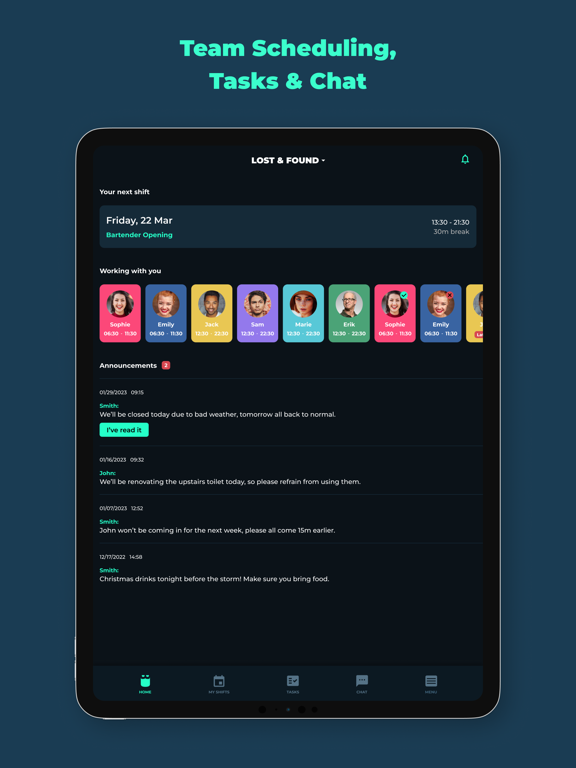
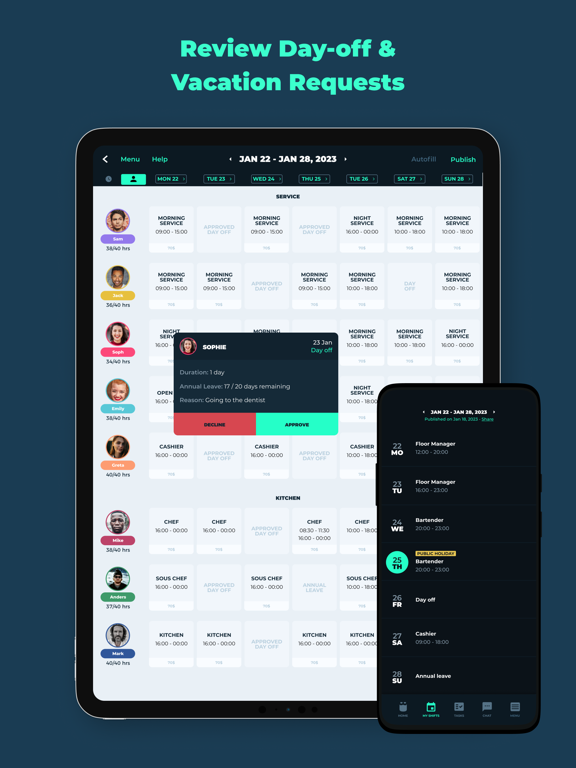
AppCorpus MCP gives your agent current app data, prices, screens, features and sources.
View JSON
GET /api/v3/apps/1414281492
{
  "app_id": 1414281492,
  "canonical_url": "https://appcorpus.com/apps/employee-scheduling-by-blend-1414281492",
  "identity": {
    "name": "Employee Scheduling by BLEND",
    "slug": "employee-scheduling-by-blend",
    "developer": {
      "name": "Blendapp Software Ltd",
      "url": "https://appcorpus.com/developers/blendapp-software-ltd-developer_2e5a09c496d17195b25fca8a88ca1774"
    },
    "icon_url": "https://is1-ssl.mzstatic.com/image/thumb/Purple211/v4/79/44/08/794408e1-042b-09e0-32c3-a7157570ab18/AppIcon-0-0-1x_U007emarketing-0-8-0-85-220.png/512x512bb.jpg",
    "stores": [
      "apple"
    ],
    "platforms": [
      "iphone",
      "ipad"
    ],
    "status": {
      "state": "active",
      "label": "Active",
      "last_checked": "2026-08-07",
      "last_checked_label": "7 Aug 2026",
      "banner": null,
      "region_note": null
    }
  },
  "listings": [
    {
      "store": "apple",
      "status": "ACTIVE",
      "url": "https://apps.apple.com/us/app/employee-scheduling-by-blend/id1414281492?uo=4",
      "rating": 4.6,
      "rating_count": 136,
      "formatted_price": "Free",
      "is_free": true,
      "has_iap": false,
      "has_subscription": false,
      "version": "18.8",
      "updated": "2026-05-19",
      "currency": "USD"
    }
  ],
  "summary": {
    "one_liner": null,
    "summary": null,
    "best_for": [],
    "not_for": [],
    "status": "fallback",
    "at_a_glance": [
      "Free to download"
    ]
  },
  "categories": {
    "official": [
      "Business",
      "Productivity"
    ],
    "appcorpus": [
      {
        "category_id": "business",
        "label": "Business",
        "url": "https://appcorpus.com/categories/business"
      },
      {
        "category_id": "productivity",
        "label": "Productivity",
        "url": "https://appcorpus.com/categories/productivity"
      }
    ]
  },
  "use_cases": [],
  "features": [
    {
      "capability_id": "free_app",
      "label": "Free app",
      "availability": "yes",
      "access_level": "free",
      "scope": null,
      "evidence": "Store published"
    }
  ],
  "pricing": [
    {
      "store": "apple",
      "formatted_price": "Free",
      "is_free": true,
      "has_iap": false,
      "has_subscription": false,
      "currency": "USD",
      "market": "us",
      "last_verified": "2026-08-07",
      "rows": [
        "Free"
      ]
    }
  ],
  "screens": [
    {
      "url": "https://is1-ssl.mzstatic.com/image/thumb/PurpleSource221/v4/6b/fa/87/6bfa87bc-6c53-e24e-3aaa-c31ef5fce290/10915fe7-9af3-483d-8a48-f8c2c4f1153e_Ipad_11.png/1600x1600bb.jpg",
      "store": "apple",
      "platform": "ipad",
      "alt": "Employee Scheduling by BLEND ipad screenshot 1"
    },
    {
      "url": "https://is1-ssl.mzstatic.com/image/thumb/PurpleSource221/v4/40/3a/a0/403aa0ea-03f8-01bf-a9bc-5a642d78cbca/0b60bad4-3f72-4bee-a9bf-6fcbfd812bc2_Ipad_11.png/576x768bb.png",
      "store": "apple",
      "platform": "ipad",
      "alt": "Employee Scheduling by BLEND ipad screenshot 2"
    },
    {
      "url": "https://is1-ssl.mzstatic.com/image/thumb/PurpleSource221/v4/b0/50/ce/b050ce90-2c94-b8ac-af76-cd64c59599a9/04882899-1e92-49e8-b8e2-8a4649dd08c8_Ipad_12.png/1600x1600bb.jpg",
      "store": "apple",
      "platform": "ipad",
      "alt": "Employee Scheduling by BLEND ipad screenshot 3"
    },
    {
      "url": "https://is1-ssl.mzstatic.com/image/thumb/PurpleSource211/v4/9f/b0/be/9fb0befb-2b7a-ce23-660a-da0fed65b584/a816c552-2221-45fc-b185-05d44a56a1b7_Ipad_12.png/576x768bb.png",
      "store": "apple",
      "platform": "ipad",
      "alt": "Employee Scheduling by BLEND ipad screenshot 4"
    },
    {
      "url": "https://is1-ssl.mzstatic.com/image/thumb/PurpleSource211/v4/08/c9/4c/08c94ccd-6db8-8ce7-a362-f501528ab869/2480b0da-1eb7-41a0-859b-738f8bbdd6fa_Ipad_13.png/1600x1600bb.jpg",
      "store": "apple",
      "platform": "ipad",
      "alt": "Employee Scheduling by BLEND ipad screenshot 5"
    },
    {
      "url": "https://is1-ssl.mzstatic.com/image/thumb/PurpleSource221/v4/b8/79/98/b87998fd-852f-ae94-ba67-d202e941a284/6a765a3b-7aad-4917-a7cc-e03dfa1bae4a_Ipad_13.png/576x768bb.png",
      "store": "apple",
      "platform": "ipad",
      "alt": "Employee Scheduling by BLEND ipad screenshot 6"
    },
    {
      "url": "https://is1-ssl.mzstatic.com/image/thumb/PurpleSource221/v4/94/1b/ad/941badc3-4a94-cd12-75b7-dc198e6d674f/97ec61c8-5ca3-4127-bb84-69fea69b0e8d_Ipad_14.png/1600x1600bb.jpg",
      "store": "apple",
      "platform": "ipad",
      "alt": "Employee Scheduling by BLEND ipad screenshot 7"
    },
    {
      "url": "https://is1-ssl.mzstatic.com/image/thumb/PurpleSource211/v4/8c/d4/a0/8cd4a0d7-fc66-d017-5dae-8bc2a279fbf2/a382c74c-a264-4d9c-a1d8-6d4ef21cba76_Ipad_14.png/576x768bb.png",
      "store": "apple",
      "platform": "ipad",
      "alt": "Employee Scheduling by BLEND ipad screenshot 8"
    },
    {
      "url": "https://is1-ssl.mzstatic.com/image/thumb/PurpleSource211/v4/d7/d0/5b/d7d05b16-9704-7ee4-2bcd-5bc7c2a520c8/1b02ae99-5b70-466a-a54f-a7c8f54c594d_Ipad_15.png/1600x1600bb.jpg",
      "store": "apple",
      "platform": "ipad",
      "alt": "Employee Scheduling by BLEND ipad screenshot 9"
    },
    {
      "url": "https://is1-ssl.mzstatic.com/image/thumb/PurpleSource211/v4/50/81/4a/50814a57-b926-0d9b-ad97-3cd7cb8e1f01/dd0617f9-4959-49ec-a740-e03dc934b766_Ipad_15.png/576x768bb.png",
      "store": "apple",
      "platform": "ipad",
      "alt": "Employee Scheduling by BLEND ipad screenshot 10"
    },
    {
      "url": "https://is1-ssl.mzstatic.com/image/thumb/PurpleSource221/v4/51/45/80/51458066-fe51-0b8d-65a7-cd94cbef4f2a/a74fa17c-2f76-4b85-bae5-8b7d1a8d7a93_Ipad_16.png/1600x1600bb.jpg",
      "store": "apple",
      "platform": "ipad",
      "alt": "Employee Scheduling by BLEND ipad screenshot 11"
    },
    {
      "url": "https://is1-ssl.mzstatic.com/image/thumb/PurpleSource221/v4/39/34/c5/3934c5dd-bc98-579f-031b-fa3833e7131f/645f69a2-f0db-4d72-abf2-f480bcd612e7_Ipad_16.png/576x768bb.png",
      "store": "apple",
      "platform": "ipad",
      "alt": "Employee Scheduling by BLEND ipad screenshot 12"
    },
    {
      "url": "https://is1-ssl.mzstatic.com/image/thumb/PurpleSource221/v4/41/30/97/41309756-bd29-9fa7-4a6a-d41e8310a02e/8ece3929-a17e-44ac-b4a2-0d0b45153f9d_Ipad_17.png/1600x1600bb.jpg",
      "store": "apple",
      "platform": "ipad",
      "alt": "Employee Scheduling by BLEND ipad screenshot 13"
    },
    {
      "url": "https://is1-ssl.mzstatic.com/image/thumb/PurpleSource211/v4/c3/30/ca/c330ca45-d986-ac4f-72cd-06998f9e67a1/d70343e1-18e1-4a02-a408-93d12f4392f8_Ipad_17.png/576x768bb.png",
      "store": "apple",
      "platform": "ipad",
      "alt": "Employee Scheduling by BLEND ipad screenshot 14"
    },
    {
      "url": "https://is1-ssl.mzstatic.com/image/thumb/PurpleSource221/v4/8a/a0/d0/8aa0d0ff-8235-6dda-e5d8-461cdb40c017/Ipad_18.png/1600x1600bb.jpg",
      "store": "apple",
      "platform": "ipad",
      "alt": "Employee Scheduling by BLEND ipad screenshot 15"
    },
    {
      "url": "https://is1-ssl.mzstatic.com/image/thumb/PurpleSource221/v4/80/0d/7f/800d7fbc-7fdb-108f-2e1a-ebb93fdf024b/0x0ss-2.png/576x768bb.png",
      "store": "apple",
      "platform": "ipad",
      "alt": "Employee Scheduling by BLEND ipad screenshot 16"
    },
    {
      "url": "https://is1-ssl.mzstatic.com/image/thumb/PurpleSource221/v4/79/87/a4/7987a4a9-a26d-b709-6f01-71127f1f8955/89287b14-753e-427f-a22e-c358db49f75f_1_-_IOS.jpg/1242x1600bb.jpg",
      "store": "apple",
      "platform": "iphone",
      "alt": "Employee Scheduling by BLEND iphone screenshot 17"
    },
    {
      "url": "https://is1-ssl.mzstatic.com/image/thumb/PurpleSource211/v4/6c/af/ca/6cafcaea-f69c-90b5-cc6c-ae2b9ad0f34a/0c116904-d278-4d5c-8998-777744a044ea_2_-_IOS.jpg/1242x1600bb.jpg",
      "store": "apple",
      "platform": "iphone",
      "alt": "Employee Scheduling by BLEND iphone screenshot 18"
    },
    {
      "url": "https://is1-ssl.mzstatic.com/image/thumb/PurpleSource221/v4/5d/14/62/5d146211-94ee-2394-7348-d40eca0f5f60/2d84955c-e130-4800-b2ba-2ad9ac596a73_3_-_IOS.jpg/1242x1600bb.jpg",
      "store": "apple",
      "platform": "iphone",
      "alt": "Employee Scheduling by BLEND iphone screenshot 19"
    },
    {
      "url": "https://is1-ssl.mzstatic.com/image/thumb/PurpleSource211/v4/67/7e/59/677e59c4-4d50-f634-30f6-dc6a73ea351f/ee488428-33ab-4af7-960f-f7d91335b636_4_-_IOS.jpg/1242x1600bb.jpg",
      "store": "apple",
      "platform": "iphone",
      "alt": "Employee Scheduling by BLEND iphone screenshot 20"
    },
    {
      "url": "https://is1-ssl.mzstatic.com/image/thumb/PurpleSource211/v4/77/5f/48/775f484b-122c-61fd-297c-39f14fcc5e78/b551ef57-2349-44ea-b7cf-e8eb261930fb_5_-_IOS.jpg/1242x1600bb.jpg",
      "store": "apple",
      "platform": "iphone",
      "alt": "Employee Scheduling by BLEND iphone screenshot 21"
    },
    {
      "url": "https://is1-ssl.mzstatic.com/image/thumb/PurpleSource211/v4/e9/b1/f5/e9b1f595-9c58-d2a7-cd8e-ee5e2eeb1228/88959b5e-1bb1-4470-bcca-e16cd67c7088_6_-_IOS.jpg/1242x1600bb.jpg",
      "store": "apple",
      "platform": "iphone",
      "alt": "Employee Scheduling by BLEND iphone screenshot 22"
    },
    {
      "url": "https://is1-ssl.mzstatic.com/image/thumb/PurpleSource221/v4/a7/91/92/a791921b-5a88-42e8-c3f6-e34709600a4e/690cdb27-f494-4f65-a093-619541ec223f_7_-_IOS.jpg/1242x1600bb.jpg",
      "store": "apple",
      "platform": "iphone",
      "alt": "Employee Scheduling by BLEND iphone screenshot 23"
    },
    {
      "url": "https://is1-ssl.mzstatic.com/image/thumb/PurpleSource211/v4/c8/fb/1b/c8fb1bc4-aba6-23b1-5b2d-7e820883328a/f8a56b55-7f87-4c28-bc6d-0ed0dc850eec_8_-_IOS.jpg/1242x1600bb.jpg",
      "store": "apple",
      "platform": "iphone",
      "alt": "Employee Scheduling by BLEND iphone screenshot 24"
    },
    {
      "url": "https://is1-ssl.mzstatic.com/image/thumb/PurpleSource211/v4/2b/9a/ed/2b9aed1e-9e5e-0932-4407-aeb33ea0524b/9_-_IOS.png/1242x1600bb.jpg",
      "store": "apple",
      "platform": "iphone",
      "alt": "Employee Scheduling by BLEND iphone screenshot 25"
    },
    {
      "url": "https://is1-ssl.mzstatic.com/image/thumb/PurpleSource211/v4/5e/18/9c/5e189c6b-abea-461b-bc40-aa10f5507ec1/Team_Scheduling_U002c_Tasks__U0026_Chat.png/1600x1600bb.jpg",
      "store": "apple",
      "platform": "mac",
      "alt": "Employee Scheduling by BLEND mac screenshot 26"
    },
    {
      "url": "https://is1-ssl.mzstatic.com/image/thumb/PurpleSource211/v4/f9/dc/eb/f9dcebbf-a15b-67dd-5f38-2144ebe51e9f/Review_Day-off__U0026_Vacation_Requests.png/1600x1600bb.jpg",
      "store": "apple",
      "platform": "mac",
      "alt": "Employee Scheduling by BLEND mac screenshot 27"
    },
    {
      "url": "https://is1-ssl.mzstatic.com/image/thumb/PurpleSource211/v4/bb/8c/d5/bb8cd5ba-d5b1-fd8e-d0bd-e16bb2d76c1e/Automatic_and_Fast_Scheduling.png/1600x1600bb.jpg",
      "store": "apple",
      "platform": "mac",
      "alt": "Employee Scheduling by BLEND mac screenshot 28"
    },
    {
      "url": "https://is1-ssl.mzstatic.com/image/thumb/PurpleSource221/v4/33/c5/0c/33c50c5f-ba1d-adf0-d234-3dca9fa241c0/Who_is_working_with_you.png/1600x1600bb.jpg",
      "store": "apple",
      "platform": "mac",
      "alt": "Employee Scheduling by BLEND mac screenshot 29"
    },
    {
      "url": "https://is1-ssl.mzstatic.com/image/thumb/PurpleSource221/v4/2b/59/e1/2b59e1d0-6e6c-12e0-9eec-4f12bd0c8a10/In-App_Team_Chat.png/1600x1600bb.jpg",
      "store": "apple",
      "platform": "mac",
      "alt": "Employee Scheduling by BLEND mac screenshot 30"
    },
    {
      "url": "https://is1-ssl.mzstatic.com/image/thumb/PurpleSource221/v4/77/51/3b/77513b4c-f888-ada9-93b2-a6c73bbfe20d/Labour_Cost_Reports.png/1600x1600bb.jpg",
      "store": "apple",
      "platform": "mac",
      "alt": "Employee Scheduling by BLEND mac screenshot 31"
    },
    {
      "url": "https://is1-ssl.mzstatic.com/image/thumb/PurpleSource211/v4/da/c6/a5/dac6a570-b9f7-bf17-401b-1912bdd6742d/Create__U0026_Assign_To-Do_Lists.png/1600x1600bb.jpg",
      "store": "apple",
      "platform": "mac",
      "alt": "Employee Scheduling by BLEND mac screenshot 32"
    },
    {
      "url": "https://is1-ssl.mzstatic.com/image/thumb/PurpleSource221/v4/b8/8d/0b/b88d0b64-1d3c-498c-242f-0822bb17fff6/out_system_options.png/1600x1600bb.jpg",
      "store": "apple",
      "platform": "mac",
      "alt": "Employee Scheduling by BLEND mac screenshot 33"
    }
  ],
  "ratings": [
    {
      "store": "apple",
      "average": 4.6,
      "count": 136,
      "market": "us",
      "observed_at": "2026-08-07",
      "reviews": [
        {
          "rating": 5,
          "title": "It has everything!",
          "body": "This app is exactly what i was looking for to handle all of my children’s Therapy/Care schedules. It makes it so simplified to see exactly who will be working with them and for how long. They each have time caps and i was tired of adding it all up, this has been a lifesaver. Bonus : the app creators are extremely nice and responsive. I didn’t want military time and they got back to me instantly on how to change it over. I would highly recommend this app!",
          "author": "Peete family",
          "date": "7 Aug 2026"
        },
        {
          "rating": 5,
          "title": "Love the Blend App!!",
          "body": "I schedule for the front end of a grocery store around 40 employees and this app has made my life so much easier. This app keeps my team connected and well informed. It is very user friendly and has alot of great features. The developing team is very responsive, you make a suggestion and they work hard to make the improvement. My team absolutley loves having a schedule app on their phone, it is so convenient. I highly recommend Blend app !!",
          "author": "DonnaAnn50",
          "date": "7 Aug 2026"
        },
        {
          "rating": 5,
          "title": "Easy to use, simple for staff",
          "body": "My manager and I can collaborate easily on building out each weeks schedule. Love the personalization for staff, the Home Screen with updates right at the top, and the reminders is sends to staff of upcoming shifts. The ONLY thing I would like is a desktop version of the app, because it’s sometimes tedious to do the building of the schedule all on my phone. I’d definitely recommend this to any other small business owner.",
          "author": "ChelseaLW220",
          "date": "7 Aug 2026"
        },
        {
          "rating": 5,
          "title": "Easy to Use. Missing a few key features.",
          "body": "Day 1 using here. Super easy to set up. I love the simplicity of the use here. I would love to see an ability to edit the reoccurring shifts to every other week and ending reoccurring dates on a certain date. I’ll update my review as I work through using the app. Update: suggestion: 1. Have the default required employees be 1. 2. Ability to undo an accidentally deleted shift. 3. Overlapping shifts. 4. Monthly occurring shifts.",
          "author": "Napette13",
          "date": "7 Aug 2026"
        },
        {
          "rating": 5,
          "title": "Great App! Great Layout",
          "body": "This app is awesome the layout is perfect and makes my life way easier! Customer service is amazing and they really care about the people who use their products!! I would recommend this to everyone out there managing employees schedules!",
          "author": "jdjwndico",
          "date": "7 Aug 2026"
        }
      ]
    }
  ],
  "privacy": [
    {
      "store": "apple",
      "declarations": [
        {
          "title": "Data Linked to You",
          "detail": "App Functionality — Contacts",
          "source": "Developer declared"
        },
        {
          "title": "Data Linked to You",
          "detail": "App Functionality — Diagnostics — Crash Data",
          "source": "Developer declared"
        },
        {
          "title": "Data Linked to You",
          "detail": "App Functionality — Usage Data — Other Usage Data",
          "source": "Developer declared"
        },
        {
          "title": "Data Linked to You",
          "detail": "Contacts",
          "source": "Developer declared"
        },
        {
          "title": "Data Linked to You",
          "detail": "Diagnostics",
          "source": "Developer declared"
        },
        {
          "title": "Data Linked to You",
          "detail": "Usage Data",
          "source": "Developer declared"
        }
      ],
      "accessibility": []
    }
  ],
  "changes": [
    {
      "store": "apple",
      "version": "16.4",
      "released_at": null,
      "notes": "Bug fixes and performance improvements! Email us at mailto:[email protected]"
    },
    {
      "store": "apple",
      "version": "16.5",
      "released_at": null,
      "notes": "Bug fixes and performance improvements! Email us at mailto:[email protected]"
    },
    {
      "store": "apple",
      "version": "16.6",
      "released_at": null,
      "notes": "Bug fixes and performance improvements! Email us at mailto:[email protected]"
    },
    {
      "store": "apple",
      "version": "16.7",
      "released_at": null,
      "notes": "We’re super excited to introduce Geofencing to our Clock-In feature! With Geofencing, employees can now clock in and out only when they are physically at the business location. This ensures accurate time tracking, eliminates errors, and strengthens compliance. Managers can enjoy greater confidence in logged hours and seamless payroll processing. We would love to hear back from you for feedback and suggestions on how to improve the feature. Email: [email protected]"
    },
    {
      "store": "apple",
      "version": "16.8",
      "released_at": null,
      "notes": "Bug fixes and performance improvements! We would love to hear back from you for feedback and suggestions on how to improve the feature. Email: [email protected]"
    },
    {
      "store": "apple",
      "version": "16.9",
      "released_at": null,
      "notes": "Bug fixes and performance improvements! We would love to hear back from you for feedback and suggestions on how to improve the feature. Email: [email protected]"
    },
    {
      "store": "apple",
      "version": "17.0",
      "released_at": null,
      "notes": "We’ve made searching past tasks and checklists even faster, you can now filter by date, assignee, or keywords! We would love to hear back from you for feedback and suggestions on how to improve the feature. Email: [email protected]"
    },
    {
      "store": "apple",
      "version": "17.1",
      "released_at": null,
      "notes": "We have made it even easier to add and edit sub-tasks on each checklist! You can now also sort subtask in any order you like! We would love to hear back from you for feedback and suggestions on how to improve the feature. Email: [email protected]"
    },
    {
      "store": "apple",
      "version": "17.2",
      "released_at": null,
      "notes": "Bug fixes and performance improvements. Email: [email protected]"
    },
    {
      "store": "apple",
      "version": "17.3",
      "released_at": null,
      "notes": "We’ve added Auto-approve Timesheets to make your workflow even smoother! When employees clock in and out within a few minutes of their scheduled shift, their timesheet will be automatically approved—saving managers time and reducing manual work. We’d love to hear what you think and how we can make it even better. Email us at [email protected] with your feedback!"
    },
    {
      "store": "apple",
      "version": "17.4",
      "released_at": null,
      "notes": "You can now easily organize your team with our new Roles management screen! Create custom roles and assign employees to each one to keep responsibilities clear and your team structure tidy. Roles are what connect employees to shifts—and they’re essential for our Autofill algorithm to generate the most optimal schedule automatically. The better your roles are set up, the smarter your schedules will be! We’d love your thoughts on how to make this even better. Send your feedback to [email protected]!"
    },
    {
      "store": "apple",
      "version": "17.5",
      "released_at": null,
      "notes": "Bug fixes and performance improvements! We’d love your thoughts on how to make this even better. Send your feedback to [email protected]!"
    },
    {
      "store": "apple",
      "version": "17.6",
      "released_at": null,
      "notes": "Bug fixes and performance improvements! We’d love your thoughts on how to make this even better. Send your feedback to [email protected]!"
    },
    {
      "store": "apple",
      "version": "17.7",
      "released_at": null,
      "notes": "You can now view and edit break times for each shift directly from the Timesheets screen! This gives you more control and flexibility when reviewing hours, no more jumping between screens. We’d love your thoughts on how to make this even better. Send your feedback to [email protected]!"
    },
    {
      "store": "apple",
      "version": "17.8",
      "released_at": null,
      "notes": "We’ve made it easier than ever to manage your tasks! You can now duplicate a task without starting from scratch, perfect for repeating one-off tasks or recurring ones that are mostly the same. Just duplicate, make any edits, and save. We’ve also added the option to pause recurring tasks, which comes in handy for seasonal or temporary needs. We’d love to hear your thoughts on how we can keep improving, send your feedback to [email protected]."
    },
    {
      "store": "apple",
      "version": "17.9",
      "released_at": null,
      "notes": "Bug fixes and performance improvements! We’d love your thoughts on how to make this even better. Send your feedback to [email protected]!"
    },
    {
      "store": "apple",
      "version": "18.0",
      "released_at": null,
      "notes": "Bug fixes and performance improvements! We’d love your thoughts on how to make this even better. Send your feedback to [email protected]!"
    },
    {
      "store": "apple",
      "version": "18.1",
      "released_at": null,
      "notes": "Bug fixes and performance improvements! We’d love your thoughts on how to make this even better. Send your feedback to [email protected]!"
    },
    {
      "store": "apple",
      "version": "18.2",
      "released_at": null,
      "notes": "Bug fixes and performance improvements! We’d love your thoughts on how to make this even better. Send your feedback to [email protected]!"
    },
    {
      "store": "apple",
      "version": "18.3",
      "released_at": null,
      "notes": "We are proud to announce the redesign of the Menu and Business screens. We would love to hear your feedback and suggestions to [email protected]"
    }
  ],
  "alternatives": [
    {
      "app_id": 518598166,
      "name": "Planday Employee Scheduling",
      "url": "https://appcorpus.com/apps/planday-employee-scheduling-518598166",
      "reason": "Same category + similar ratings"
    },
    {
      "app_id": 1199006408,
      "name": "Humanity Schedule by TCP",
      "url": "https://appcorpus.com/apps/humanity-schedule-by-tcp-1199006408",
      "reason": "Same category + similar ratings"
    },
    {
      "app_id": 730422337,
      "name": "Shyft - Shift Swap, Schedule",
      "url": "https://appcorpus.com/apps/shyft-shift-swap-schedule-730422337",
      "reason": "Same category + similar ratings"
    }
  ],
  "evidence_summary": {
    "index_state": "S1",
    "evidence_level": 1,
    "level_label": "Live store listing",
    "indexable": true,
    "last_verified_at": "2026-08-07",
    "unknown_fields": [
      "Independent summary has not been published yet."
    ],
    "sources": [
      "App Store"
    ]
  },
  "availability_markets": {
    "live": [
      "us"
    ],
    "selected": "us",
    "note": null
  },
  "feature_events": {
    "events": []
  },
  "features_slice": {
    "plans": [
      {
        "code": "free",
        "label": "Free",
        "kind": "free",
        "status": "inferred",
        "prices": [],
        "trial": null
      }
    ],
    "features": [],
    "unknown_features": [],
    "data_cutoff": "7 Aug 2026"
  }
}