
Quick verdict
- What it is
- Store information collected; an Apoku editorial summary is not yet published.
- At a glance
-
- From $9.99/mo
- Free to download
- In-app purchases
Categories and search queries
Official categories
- Art & Design
- Photo & Video
- Productivity
Apoku categories
Key functions
| Function | Availability | Access | Scope | Evidence |
|---|---|---|---|---|
| Free app | Yes | Free | Context-specific | Store published |
| In-app purchases | Yes | Limited free | Context-specific | Store published |
Screens
70 store screenshots

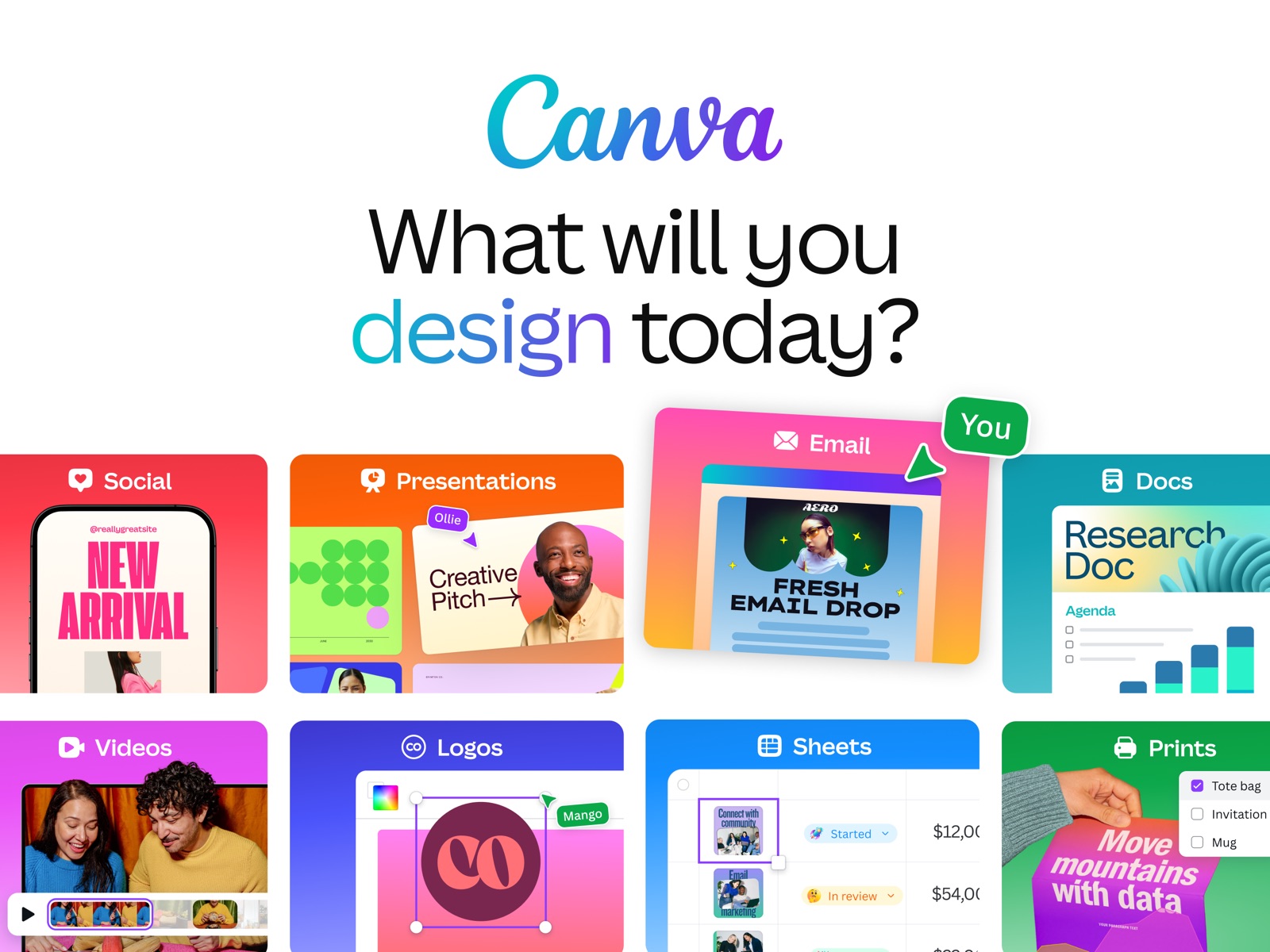


32 store screenshots


Pricing & paywalls
- Canva Pro - Monthly — $14.99/month
- Canva Pro - Monthly — $15.00/month
- Canva Pro - Monthly — $18.00/month
- Canva Pro - Monthly — $119.99/year ($9.99/mo)
- Canva Pro - Monthly — $143.99/year ($11.99/mo)
- Canva Business - Monthly — $25.00/month
- Canva Teams - Monthly — $30.00/month
- Canva Credit — $1.99
- Canva Credit 2 Pack — $2.99
- Free to download
- In-app purchases: $1.49 - $300.00 per item
Ratings & reviews
-
5/5Top 5 apps
I've used a lot of editing apps over the years, but Canva is one of the few that consistently makes the creative process enjoyable. What makes it stand out isn't just the number of features it offers it's how accessible those features are. Whether you're designing a thumbnail, presentation, wallpaper, infographic, social media post, or simple edit, everything feels intuitive and easy to learn. One of Canva's biggest strengths is that it allows anyone to create professional looking designs without needing years of graphic design experience. The huge library of templates, fonts, icons, and editing tools gives you the freedom to bring almost any idea to life while still making it feel like your own. What I appreciate most is how much time it saves. Instead of spending hours trying to figure out complicated software, I can focus on the creative side of designing. It removes many of the technical barriers and lets creativity take the spotlight. Overall, Canva is more than just a design app it's a tool that encourages creativity and makes creating something you're proud of feel achievable. Whether you're a beginner or someone with years of experience, it's an app that's easy to recommend. Sorry if this is a lot i just really love this app and if you are wondering the 25$ pro member ship is worth it💯🙌🔥 luv you canva🌹 ~ from Afilmnerd
nick got hit · 29 Sep 2026
-
4/5Not great for video editing
I love canva to create my own wallpapers, create simple animations, and design sophisticated school projects. I created an invitation for a birthday party on canva also and it came out so well. I have two problems with this app. There aren’t as many options for images to add if you don’t have canva pro. The pro images and free images are mixed together so you have to scroll down to find one that you like that isn’t something you have to pay for. They have a section for only pro images, but you have to scroll forever to find a good free image. They tend to put the bad free images at the top so I’ll be more likely to buy pro I guess? It’s annoying though. Understandable however, as they are trying to make money. I just wish there was an option to only search for free images. It might make the app less money but it would save me time and effort. Another big thing is video editing. I got this app for video editing, and don’t. It’s trash for video editing. It’s super pixelated and there’s lag. Soemtimes it does weird things like not matching up audio and video and I’ll have to restart the app for it to act normally. It’s so annoying having to constantly restart the app. It crashes all the time too. Canva just can’t handle big attachments like that. I know other reviewers were complaining about the lagging and crashing problem as well, and it needs to be fixed overall in canva, but especially in the video editing section.
ScubyPlays · 29 Sep 2026
-
4/5Canva is great BUT glitchy
Im a beginner in video editing and creating content for social media and Canva has been very simple to use and my content always looks great! I’m very impressed with how many things are available, sometimes you don’t even know what to pick (mind you I have the pro account). However, the only con I see is that Canva is very glitchy. For example, if I’m editing a video, the video will buffer and sometimes won’t run smoothly if I’ve been working on the video for awhile. I also have the app on my phone and it’s difficult to complete projects if im toggling between apps on my mac book and phone not sure if Canva is intended for this kind of use but if I’m working from home on the app on my Mac and then I want to complete the project on my phone (vice-versa) the video will not open properly and I cannot continue editing because the video won’t play/run as it should. Sometimes I need to reload the app and then it still doesn’t work properly. There’s been a few times that I’ve had to delete whatever I’m working on and restart a new and complete right then and there because I know if I’m come back to it will be hard to complete. Another note that sometimes it’s difficult to upload media on the app (Mac book) iPhone seems to work pretty well. Overall, I highly recommend Canva. I hope that someone from Canva team reads this review and and provides some assistance or on the next update fixes these glitches.
Jupas22 · 29 Sep 2026
-
5/5Canva is the best designing app you will find
Canva is my go to app for any projects I’m working on. (Except videos, those don’t make much sense on Canva in my opinion) I think it’s best purpose is for flyers. You can really have however much freedom you want: you could get a guided template, or just start from scratch with anything on it, really. I enjoy making book covers, websites, presentations, flyers, and invitations. Also, the tools are very easy to use but yet it feels like you have unlimited possibilities. Like, I. E, you making an invitation and you think: “what if I add pink balloons and sparkles in the background, and make all the text smaller,” then you could find an easy way to do that. Also, though I don’t have a very active social media presence being 11, there’s lots of things you could do on there for that kind of stuff like designing an instagram post picture. Speaking of, it’s also a great (free) photo editor. Doesn’t necessarily have photo shop abilities, but is still good. The only con is that about a quarter of Canva’s better stuff is only available for people who have bought “Canva pro” but I honestly don’t think it’s a necessary purchase considering the amount of things you could do without it. Canva is a wonderful app for anything. It has much more than you could imagine. It’s huge. It’s wonderful.
Small world queen · 29 Sep 2026
-
5/5More bad then good.
I heard so much about this app. As a student and student teacher along with running my own business I was happy see Canva. Especially since it’s ios and I can use on Mac. However I did the free version for while but I couldn’t get it to save nor stop crashing so I reverted to using 4 apps to do one thing which still was faster and more productive then Canva. I emailed responses wasn’t fast always delayed I got one good member that even gave me free credit. But issue still was there with saving crashing and my work going to some page I wasn’t on. I said okay let me do trail maybe the Canva for work since paid and expensive might work. I missed using the trail cause I couldn’t get it to work from my iPhone X my iPad Pro my Mac book or Mac book pro ! None loaded as I worked. Finally I figured how get it to load 2.0 and one blog post saved. I missed using it during the trail okay fine they charged me $99 bucks I’m using it I’m trying see about the version free or paid. I see a lot things still cost $ also it kept crashing and my work was in 1.0 vs working in 2.0 I’m annoyed now. I email my thoughts concerned they respond back telling me they without my permission downgraded my account nor did they tell me how to solve the site or app from crashing. If your looking for app to use I’ll give this a 2 star cause it’s layout is easy they have nice options n photos. They just don’t work great. I give up. Hope someone makes a app that’s better more affordable and give better performance. Cause I was given canva free for work then less then 3wks they took it away it was just a lot of confusion just stick to the free and use other apps in between to get what you need done
Valriechang · 29 Sep 2026
-
5/5
Its nice app friendly user...
carmari demillo · 1 Aug 2026
-
5/5
it's actually a great app for beginners
Adesokan Abdulmateen · 1 Aug 2026
-
5/5
ggood ever
Sami · 1 Aug 2026
-
5/5
good work
Name Ahmmed Rakib · 1 Aug 2026
-
5/5
𝐢𝐬 𝐯𝐞𝐫𝐫𝐲 𝐠𝐨𝐨𝐝
Jessica Cupta · 1 Aug 2026
Privacy & accessibility
Privacy
- Data Linked to You — Analytics — Contact Info — Email Address Developer declared
- Data Linked to You — Analytics — Identifiers — User ID Developer declared
- Data Linked to You — Analytics — Location — Coarse Location Developer declared
- Data Linked to You — Analytics — Purchases — Purchase History Developer declared
- Data Linked to You — Analytics — Search History Developer declared
- Data Linked to You — Analytics — Usage Data — Advertising Data Developer declared
- Data Linked to You — Analytics — Usage Data — Product Interaction Developer declared
- Data Linked to You — Analytics — User Content — Customer Support Developer declared
- Data Linked to You — Analytics — User Content — Other User Content Developer declared
- Data Linked to You — App Functionality — Contact Info — Email Address Developer declared
- Data Linked to You — App Functionality — Contact Info — Name Developer declared
- Data Linked to You — App Functionality — Contact Info — Phone Number Developer declared
- Data Linked to You — App Functionality — Contact Info — Physical Address Developer declared
- Data Linked to You — App Functionality — Diagnostics — Crash Data Developer declared
- Data Linked to You — App Functionality — Diagnostics — Other Diagnostic Data Developer declared
- Data Linked to You — App Functionality — Diagnostics — Performance Data Developer declared
- Data Linked to You — App Functionality — Financial Info — Payment Info Developer declared
- Data Linked to You — App Functionality — Identifiers — User ID Developer declared
- Data Linked to You — App Functionality — Location — Coarse Location Developer declared
- Data Linked to You — App Functionality — Purchases — Purchase History Developer declared
- Data Linked to You — App Functionality — Search History Developer declared
- Data Linked to You — App Functionality — Usage Data — Advertising Data Developer declared
- Data Linked to You — App Functionality — Usage Data — Product Interaction Developer declared
- Data Linked to You — App Functionality — User Content — Audio Data Developer declared
- Data Linked to You — App Functionality — User Content — Other User Content Developer declared
- Data Linked to You — App Functionality — User Content — Photos or Videos Developer declared
- Data Linked to You — Developer’s Advertising or Marketing — Contact Info — Email Address Developer declared
- Data Linked to You — Developer’s Advertising or Marketing — Contact Info — Name Developer declared
- Data Linked to You — Developer’s Advertising or Marketing — Identifiers — Device ID Developer declared
- Data Linked to You — Developer’s Advertising or Marketing — Identifiers — User ID Developer declared
- Data Linked to You — Developer’s Advertising or Marketing — Location — Coarse Location Developer declared
- Data Linked to You — Developer’s Advertising or Marketing — Purchases — Purchase History Developer declared
- Data Linked to You — Developer’s Advertising or Marketing — Search History Developer declared
- Data Linked to You — Developer’s Advertising or Marketing — Usage Data — Advertising Data Developer declared
- Data Linked to You — Developer’s Advertising or Marketing — Usage Data — Product Interaction Developer declared
- Data Linked to You — Product Personalization — Contact Info — Email Address Developer declared
- Data Linked to You — Product Personalization — Contact Info — Name Developer declared
- Data Linked to You — Product Personalization — Identifiers — User ID Developer declared
- Data Linked to You — Product Personalization — Location — Coarse Location Developer declared
- Data Linked to You — Product Personalization — Purchases — Purchase History Developer declared
- Data Linked to You — Product Personalization — Search History Developer declared
- Data Linked to You — Product Personalization — Usage Data — Advertising Data Developer declared
- Data Linked to You — Product Personalization — Usage Data — Product Interaction Developer declared
- Data Linked to You — Product Personalization — User Content — Other User Content Developer declared
- Data Linked to You — Third-Party Advertising — Contact Info — Email Address Developer declared
- Data Linked to You — Third-Party Advertising — Contact Info — Name Developer declared
- Data Linked to You — Third-Party Advertising — Identifiers — Device ID Developer declared
- Data Linked to You — Third-Party Advertising — Identifiers — User ID Developer declared
- Data Linked to You — Third-Party Advertising — Location — Coarse Location Developer declared
- Data Linked to You — Third-Party Advertising — Search History Developer declared
- Data Linked to You — Third-Party Advertising — Usage Data — Advertising Data Developer declared
- Data Linked to You — Third-Party Advertising — Usage Data — Product Interaction Developer declared
- Data Linked to You — Contact Info Developer declared
- Data Linked to You — Diagnostics Developer declared
- Data Linked to You — Financial Info Developer declared
- Data Linked to You — Identifiers Developer declared
- Data Linked to You — Location Developer declared
- Data Linked to You — Purchases Developer declared
- Data Linked to You — Search History Developer declared
- Data Linked to You — Usage Data Developer declared
- Data Linked to You — User Content Developer declared
- Data Used to Track You — Identifiers — Device ID Developer declared
- Data Used to Track You — Identifiers Developer declared
Accessibility
No accessibility labels collected yet.
Privacy
- Data collected — App functionality — App activity — App interactions Developer declared
- Data collected — App functionality — App activity — In-app search history Developer declared
- Data collected — App functionality — App info and performance — Crash logs Developer declared
- Data collected — App functionality — App info and performance — Diagnostics Developer declared
- Data collected — App functionality — App info and performance — Other app performance data Developer declared
- Data collected — App functionality — Audio — Music files Developer declared
- Data collected — App functionality — Audio — Other audio files Developer declared
- Data collected — App functionality — Audio — Voice or sound recordings Developer declared
- Data collected — App functionality — Device or other IDs Developer declared
- Data collected — App functionality — Files and docs Developer declared
- Data collected — App functionality — Financial info — Purchase history Developer declared
- Data collected — App functionality — Messages — Other in-app messages Developer declared
- Data collected — App functionality — Personal info — Address Developer declared
- Data collected — App functionality — Personal info — User IDs Developer declared
- Data collected — App functionality — Photos and videos — Photos Developer declared
- Data collected — App functionality — Photos and videos — Videos Developer declared
- Data collected — App functionality, Account management — Personal info — Phone number Developer declared
- Data collected — App functionality, Developer communications, Advertising or marketing, Personalization, Account management — Personal info — Email address Developer declared
- Data collected — Developer communications, Advertising or marketing, Personalization, Account management — Personal info — Name Developer declared
- Security practices — Your data is transferred over a secure connection — Data is encrypted in transit Developer declared
- Security practices — The developer provides a way for you to request that your data be deleted — You can request that data be deleted Developer declared
Accessibility
No accessibility labels collected yet.
Versions
-
4.194.0
• Important: For users on iOS 26.0 or 26.0.1, please upgrade to 26.1 for a better experience. Thanks! • Serve scroll-stoppers with Video 2.0: Layer, sync, and time every element on an upgraded timeline. Comes with fresh templates and watermark-free exports. • NEW Magic Video (iPhone only): Drop in clips and AI stitches a social-ready video with beats, effects, and text. Discover more launches and surprises (gradient text, anyone?) in the app. Happy designing!
-
4.195.0
• Important: For users on iOS 26.0 or 26.0.1, please upgrade to 26.1 for a better experience. Thanks! • Serve scroll-stoppers with Video 2.0: Layer, sync, and time every element on an upgraded timeline. Comes with fresh templates and watermark-free exports. • NEW Magic Video (iPhone only): Drop in clips and AI stitches a social-ready video with beats, effects, and text. Discover more launches and surprises (gradient text, anyone?) in the app. Happy designing!
-
4.195.1
• Important: For users on iOS 26.0 or 26.0.1, please upgrade to 26.1 for a better experience. Thanks! • Serve scroll-stoppers with Video 2.0: Layer, sync, and time every element on an upgraded timeline. Comes with fresh templates and watermark-free exports. • NEW Magic Video (iPhone only): Drop in clips and AI stitches a social-ready video with beats, effects, and text. Discover more launches and surprises (gradient text, anyone?) in the app. Happy designing!
-
4.197.0
• Important: For users on iOS 26.0 or 26.0.1, please upgrade to 26.1 for a better experience. Thanks! • Serve scroll-stoppers with Video 2.0: Layer, sync, and time every element on an upgraded timeline. Comes with fresh templates and watermark-free exports. • NEW Magic Video (iPhone only): Drop in clips and AI stitches a social-ready video with beats, effects, and text. Discover more launches and surprises (gradient text, anyone?) in the app. Happy designing!
-
4.198.0
• Important: For users on iOS 26.0 or 26.0.1, please upgrade to 26.1 for a better experience. Thanks! • Serve scroll-stoppers with Video 2.0: Layer, sync, and time every element on an upgraded timeline. Comes with fresh templates and watermark-free exports. • NEW Magic Video (iPhone only): Drop in clips and AI stitches a social-ready video with beats, effects, and text. Discover more launches and surprises (gradient text, anyone?) in the app. Happy designing!
-
4.199.0
• Important: For users on iOS 26.0 or 26.0.1, please upgrade to 26.1 for a better experience. Thanks! • Serve scroll-stoppers with Video 2.0: Layer, sync, and time every element on an upgraded timeline. Comes with fresh templates and watermark-free exports. • NEW Magic Video (iPhone only): Drop in clips and AI stitches a social-ready video with beats, effects, and text. Discover more launches and surprises (gradient text, anyone?) in the app. Happy designing!
-
4.200.0
• Important: For users on iOS 26.0 or 26.0.1, please upgrade to 26.1 for a better experience. Thanks! • Serve scroll-stoppers with Video 2.0: Layer, sync, and time every element on an upgraded timeline. Comes with fresh templates and watermark-free exports. • NEW Magic Video (iPhone only): Drop in clips and AI stitches a social-ready video with beats, effects, and text. Discover more launches and surprises (gradient text, anyone?) in the app. Happy designing!
-
4.201.0
• Important: For users on iOS 26.0 or 26.0.1, please upgrade to 26.1 for a better experience. Thanks! • Serve scroll-stoppers with Video 2.0: Layer, sync, and time every element on an upgraded timeline. Comes with fresh templates and watermark-free exports. • NEW Magic Video (iPhone only): Drop in clips and AI stitches a social-ready video with beats, effects, and text. Discover more launches and surprises (gradient text, anyone?) in the app. Happy designing!
-
4.202.0
• Important: For users on iOS 26.0 or 26.0.1, please upgrade to 26.1 for a better experience. Thanks! • Serve scroll-stoppers with Video 2.0: Layer, sync, and time every element on an upgraded timeline. Comes with fresh templates and watermark-free exports. • NEW Magic Video (iPhone only): Drop in clips and AI stitches a social-ready video with beats, effects, and text. Discover more launches and surprises (gradient text, anyone?) in the app. Happy designing!
-
4.203.0
• Important: For users on iOS 26.0 or 26.0.1, please upgrade to 26.1 for a better experience. Thanks! • Serve scroll-stoppers with Video 2.0: Layer, sync, and time every element on an upgraded timeline. Comes with fresh templates and watermark-free exports. • NEW Magic Video (iPhone only): Drop in clips and AI stitches a social-ready video with beats, effects, and text. Discover more launches and surprises (gradient text, anyone?) in the app. Happy designing!
-
4.204.0
• Important: For users on iOS 26.0 or 26.0.1, please upgrade to 26.1 for a better experience. Thanks! • Serve scroll-stoppers with Video 2.0: Layer, sync, and time every element on an upgraded timeline. Comes with fresh templates and watermark-free exports. • NEW Magic Video (iPhone only): Drop in clips and AI stitches a social-ready video with beats, effects, and text. Discover more launches and surprises (gradient text, anyone?) in the app. Happy designing!
-
4.205.0
• Important: For users on iOS 26.0 or 26.0.1, please upgrade to 26.1 for a better experience. Thanks! • Serve scroll-stoppers with Video 2.0: Layer, sync, and time every element on an upgraded timeline. Comes with fresh templates and watermark-free exports. • NEW Magic Video (iPhone only): Drop in clips and AI stitches a social-ready video with beats, effects, and text. Discover more launches and surprises (gradient text, anyone?) in the app. Happy designing!
-
4.206.0
• Important: For users on iOS 26.0 or 26.0.1, please upgrade to 26.1 for a better experience. Thanks! • Serve scroll-stoppers with Video 2.0: Layer, sync, and time every element on an upgraded timeline. Comes with fresh templates and watermark-free exports. • NEW Magic Video (iPhone only): Drop in clips and AI stitches a social-ready video with beats, effects, and text. Discover more launches and surprises (gradient text, anyone?) in the app. Happy designing!
-
4.207.0
• Important: For users on iOS 26.0 or 26.0.1, please upgrade to 26.1 for a better experience. Thanks! • Serve scroll-stoppers with Video 2.0: Layer, sync, and time every element on an upgraded timeline. Comes with fresh templates and watermark-free exports. • NEW Magic Video (iPhone only): Drop in clips and AI stitches a social-ready video with beats, effects, and text. Discover more launches and surprises (gradient text, anyone?) in the app. Happy designing!
-
4.208.0
• NEW Magic Layers: Split any flat design into editable layers. Try it on generated images you've always wanted to edit. • NEW templates: Get inspiration from our new Winnie the Pooh and Devil Wears Prada 2 collections. • Presenter notes improvements: Write with custom AI prompts and track speaking time per slide. • Accessible PDFs: Designs exported as PDF now meet accessibility standards — readable by screen readers and assistive tools. Need help? Visit canva.com/help Happy designing!
-
4.209.0
• NEW Magic Layers: Split any flat design into editable layers. Try it on generated images you've always wanted to edit. • NEW templates: Get inspiration from our new Winnie the Pooh and Devil Wears Prada 2 collections. • Presenter notes improvements: Write with custom AI prompts and track speaking time per slide. • Accessible PDFs: Designs exported as PDF now meet accessibility standards — readable by screen readers and assistive tools. Need help? Visit canva.com/help Happy designing!
-
4.210.0
• NEW Magic Layers: Split any flat design into editable layers. Try it on generated images you've always wanted to edit. • NEW templates: Get inspiration from our new Winnie the Pooh and Devil Wears Prada 2 collections. • Presenter notes improvements: Write with custom AI prompts and track speaking time per slide. • Accessible PDFs: Designs exported as PDF now meet accessibility standards — readable by screen readers and assistive tools. Need help? Visit canva.com/help Happy designing!
-
4.211.0
• NEW Magic Layers: Split any flat design into editable layers. Try it on generated images you've always wanted to edit. • NEW templates: Get inspiration from our new Winnie the Pooh and Devil Wears Prada 2 collections. • Presenter notes improvements: Write with custom AI prompts and track speaking time per slide. • Accessible PDFs: Designs exported as PDF now meet accessibility standards — readable by screen readers and assistive tools. Need help? Visit canva.com/help Happy designing!
-
4.212.0
• NEW Magic Layers: Split any flat design into editable layers. Try it on generated images you've always wanted to edit. • NEW templates: Get inspiration from our new Winnie the Pooh and Devil Wears Prada 2 collections. • Presenter notes improvements: Write with custom AI prompts and track speaking time per slide. • Accessible PDFs: Designs exported as PDF now meet accessibility standards — readable by screen readers and assistive tools. Need help? Visit canva.com/help Happy designing!
-
4.213.0
• NEW Magic Layers: Split any flat design into editable layers. Try it on generated images you've always wanted to edit. • NEW templates: Get inspiration from our new Winnie the Pooh and Devil Wears Prada 2 collections. • Presenter notes improvements: Write with custom AI prompts and track speaking time per slide. • Accessible PDFs: Designs exported as PDF now meet accessibility standards — readable by screen readers and assistive tools. Need help? Visit canva.com/help Happy designing!
-
4.214.0
• NEW Magic Layers: Split any flat design into editable layers. Try it on generated images you've always wanted to edit. • NEW templates: Get inspiration from our new Winnie the Pooh and Devil Wears Prada 2 collections. • Presenter notes improvements: Write with custom AI prompts and track speaking time per slide. • Accessible PDFs: Designs exported as PDF now meet accessibility standards — readable by screen readers and assistive tools. Need help? Visit canva.com/help Happy designing!
-
4.215.0
• NEW Magic Layers: Split any flat design into editable layers. Try it on generated images you've always wanted to edit. • NEW templates: Get inspiration from our new Winnie the Pooh and Devil Wears Prada 2 collections. • Presenter notes improvements: Write with custom AI prompts and track speaking time per slide. • Accessible PDFs: Designs exported as PDF now meet accessibility standards — readable by screen readers and assistive tools. Need help? Visit canva.com/help Happy designing!
-
4.216.0
• NEW Magic Layers: Split any flat design into editable layers. Try it on generated images you've always wanted to edit. • NEW templates: Get inspiration from our new Winnie the Pooh and Devil Wears Prada 2 collections. • Presenter notes improvements: Write with custom AI prompts and track speaking time per slide. • Accessible PDFs: Designs exported as PDF now meet accessibility standards — readable by screen readers and assistive tools. Need help? Visit canva.com/help Happy designing!
-
4.217.0
• NEW Magic Layers: Split any flat design into editable layers. Try it on generated images you've always wanted to edit. • NEW templates: Get inspiration from our new Winnie the Pooh and Devil Wears Prada 2 collections. • Presenter notes improvements: Write with custom AI prompts and track speaking time per slide. • Accessible PDFs: Designs exported as PDF now meet accessibility standards — readable by screen readers and assistive tools. Need help? Visit canva.com/help Happy designing!
-
4.218.0
· 22 Jul 2026
• NEW Magic Layers: Split any flat design into editable layers. Try it on generated images you've always wanted to edit. • NEW templates: Get inspiration from our new Winnie the Pooh and Devil Wears Prada 2 collections. • Presenter notes improvements: Write with custom AI prompts and track speaking time per slide. • Accessible PDFs: Designs exported as PDF now meet accessibility standards — readable by screen readers and assistive tools. Need help? Visit canva.com/help Happy designing!
-
4.219.0
· 31 Jul 2026
• NEW AI Post Writer: Never stare at a blank caption box again. Canva writes on-brand captions for you in the publish flow. Finish you social media design → tap share → pick your platform → Generate Caption. • NEW Moana template collection: Make way for creativity! Discover Disney Moana-inspired posters, stickers, social posts and more for personal use. • Canva website improvements: NEW Domain extensions (.ai, .blog, .design) and simpler domain setup with auto-DNS for 50+ registrars. Happy designing!
-
4.221.0
• NEW AI Post Writer: Never stare at a blank caption box again. Canva writes on-brand captions for you in the publish flow. Finish you social media design → tap share → pick your platform → Generate Caption. • NEW Moana template collection: Make way for creativity! Discover Disney Moana-inspired posters, stickers, social posts and more for personal use. • Canva website improvements: NEW Domain extensions (.ai, .blog, .design) and simpler domain setup with auto-DNS for 50+ registrars. Happy designing!
-
4.222.0
• NEW AI Post Writer: Never stare at a blank caption box again. Canva writes on-brand captions for you in the publish flow. Finish you social media design → tap share → pick your platform → Generate Caption. • NEW Moana template collection: Make way for creativity! Discover Disney Moana-inspired posters, stickers, social posts and more for personal use. • Canva website improvements: NEW Domain extensions (.ai, .blog, .design) and simpler domain setup with auto-DNS for 50+ registrars. Happy designing!
-
4.223.0
· 19 Aug 2026
• NEW AI Post Writer: Never stare at a blank caption box again. Canva writes on-brand captions for you in the publish flow. Finish you social media design → tap share → pick your platform → Generate Caption. • NEW Moana template collection: Make way for creativity! Discover Disney Moana-inspired posters, stickers, social posts and more for personal use. • Canva website improvements: NEW Domain extensions (.ai, .blog, .design) and simpler domain setup with auto-DNS for 50+ registrars. Happy designing!
-
4.224.0
· 29 Aug 2026
• NEW AI Post Writer: Never stare at a blank caption box again. Canva writes on-brand captions for you in the publish flow. Finish you social media design → tap share → pick your platform → Generate Caption. • NEW Moana template collection: Make way for creativity! Discover Disney Moana-inspired posters, stickers, social posts and more for personal use. • Canva website improvements: NEW Domain extensions (.ai, .blog, .design) and simpler domain setup with auto-DNS for 50+ registrars. Happy designing!
-
4.225.0
• NEW AI Post Writer: Never stare at a blank caption box again. Canva writes on-brand captions for you in the publish flow. Finish you social media design → tap share → pick your platform → Generate Caption. • NEW Moana template collection: Make way for creativity! Discover Disney Moana-inspired posters, stickers, social posts and more for personal use. • Canva website improvements: NEW Domain extensions (.ai, .blog, .design) and simpler domain setup with auto-DNS for 50+ registrars. Happy designing!
-
4.225.1
• NEW AI Post Writer: Never stare at a blank caption box again. Canva writes on-brand captions for you in the publish flow. Finish you social media design → tap share → pick your platform → Generate Caption. • NEW Moana template collection: Make way for creativity! Discover Disney Moana-inspired posters, stickers, social posts and more for personal use. • Canva website improvements: NEW Domain extensions (.ai, .blog, .design) and simpler domain setup with auto-DNS for 50+ registrars. Happy designing!
-
4.226.0
We’re working on bigger and better features. Meanwhile, we freshened up the app with new content and minor bug fixes. Got a question in mind? Let us know at canva.com/help Happy designing!
-
4.227.0
· 17 Sep 2026
We’re working on bigger and better features. Meanwhile, we freshened up the app with new content and minor bug fixes. Got a question in mind? Let us know at canva.com/help Happy designing!
- 2.371.0 · 29 Jul 2026
- 2.375.0 · 26 Aug 2026
- 2.379.0 · 30 Sep 2026
Alternatives
- VSCO: Photo & Video Editor — Same category + similar ratings
- Background Eraser 〜 Stickers — Same category + similar ratings
- Phonto - Text on Photos — Same category + similar ratings
- Picsart AI Photo Editor, Video — Same category + similar ratings
- Lightroom: AI Photo Editor — Same category + similar ratings
- Background Eraser - Remove BG* — Same category + similar ratings
Availability by market
- US
Data quality & evidence
- Page completeness
- Live store listing
- Last verified
- 30 Sep 2026
- Sources
- App Store, Google Play
- Apoku editorial summary has not been published yet.