
Quick verdict
- What it is
- Store information collected; an Apoku editorial summary is not yet published.
- At a glance
-
- Free to download
Categories and search queries
Official categories
- Photo & Video
Apoku categories
Key functions
| Function | Availability | Access | Scope | Evidence |
|---|---|---|---|---|
| Free app | Yes | Free | Context-specific | Store published |
Screens
App Store
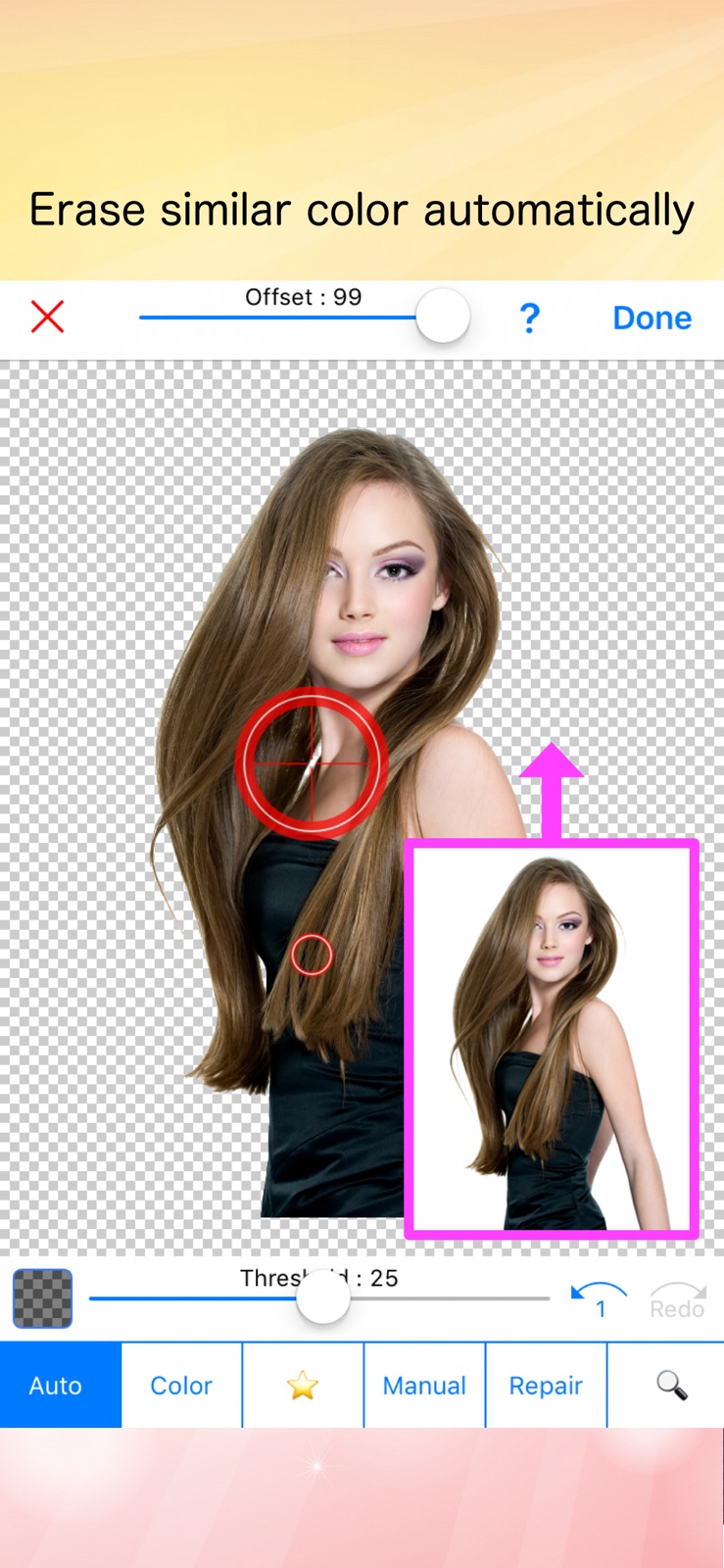
4 store screenshots


Pricing & paywalls
App Store
- Free to download
Ratings & reviews
App Store
-
5/5Impressed
I needed something that would remove background for product photos. I read through the reviews of all the other apps and they all had complaints for one thing or another. I read the reviews for this one and most were great. Took a chance and glad I chose this one it takes about a minute to take the photo and have it ready for advertising. Highly recommended for those looking for a quick and no cost app to quickly remove background or make it solid white.
qqqqqggggdddd · 29 Sep 2026
-
5/5This app works greatly
Most of these apps don’t really work well but this one is the greatest I’ve tried so far. First, you don’t gotta pay any money, it’s for free and when you want to erase the background it works greatly and you don’t have to do too much with your image. Another thing is that every time you get your photo done it gives you an add but that’s not too much problem actually and it’s worth it I highly recommend this app, it’s free and works real well.
SausagewBaconZ · 29 Sep 2026
-
5/5The only eraser app I will use
Most other apps who charge hefty fees automatically erase background, but this is a problem for users like myself who need full control over particular areas and elements that need to stay or be removed. This app is extremely easy to use, with all the tools a user needs to make manual edits. If this app ever gets removed, my business would be in real trouble as none of the other erasing apps give this same control.
Dreadful Lee · 29 Sep 2026
-
5/5It actually works?!
I absolutely love editing photos, but it's extremely difficult to do so when the annoying and irreverent background gets in the way of the perfect collage. I've went through dozens of these types of apps but they either didn't work or they were complicated and impossible to use. To my surprise, this app works fantastically! My collages came out great without a trace of the former background. Thank you sooo much for the amazing app! ❤️❤️💫🌟
NeverSayHi · 29 Sep 2026
-
5/510/10
Overall great app and everything i could hope for in a background erasing app. Though a small, but very annoying bug that happens is that when the cursor is set to “Colour” or “Auto” the slider cant be set to 100. This seems like something small but it always leaves a small line of the removed colour that can’t be removed, even if the colours are very different, i.e: black and white.
Clous Rortos · 29 Sep 2026
Privacy & accessibility
App Store
Privacy
- Data Not Linked to You — Analytics — Diagnostics — Crash Data Developer declared
- Data Not Linked to You — Analytics — Diagnostics — Other Diagnostic Data Developer declared
- Data Not Linked to You — Analytics — Diagnostics — Performance Data Developer declared
- Data Not Linked to You — Analytics — Usage Data — Other Usage Data Developer declared
- Data Not Linked to You — Analytics — Usage Data — Product Interaction Developer declared
- Data Not Linked to You — Third-Party Advertising — Diagnostics — Crash Data Developer declared
- Data Not Linked to You — Third-Party Advertising — Identifiers — Device ID Developer declared
- Data Not Linked to You — Third-Party Advertising — Usage Data — Advertising Data Developer declared
- Data Not Linked to You — Diagnostics Developer declared
- Data Not Linked to You — Identifiers Developer declared
- Data Not Linked to You — Usage Data Developer declared
- Data Used to Track You — Identifiers — Device ID Developer declared
- Data Used to Track You — Identifiers Developer declared
- Data Used to Track You — Usage Data — Advertising Data Developer declared
- Data Used to Track You — Usage Data Developer declared
Accessibility
No accessibility labels collected yet.
Versions
App Store
-
11.0.0
Optimized for iOS 11. Bugs are fixed.
-
11.1.0
・Improved greatly ! ・New mode is added. ( Erase by detecting image edges automatically )
-
11.1.1
・Settings are saved automatically. ・App Icon is changed. ・Small bugs are fixed.
-
11.1.2
・"Auto" & "Color" modes are improved to erase the background efficiency. ・"Manual" & "Repair" modes are improved. ・Fixed bugs in order not to crash while editing.
-
12.0.0
- Small bugs are fixed. - A little more convenient.
-
13.0.0
- Optimized for iOS13
-
13.1.0
- Bugs are fixed.
-
13.3.0
- Bugs are fixed.
-
14.0.0
- Optimized for iOS 14
-
14.5.0
- Small bugs are fixed. - Optimized for the new iOS.
-
15.0.0
- Small bugs are fixed.
-
15.1.0
- Small bugs are fixed.
-
15.2.0
- Performance improvement.
-
15.3.0
- Small bugs are fixed.
-
15.3.1
- Small bugs are fixed.
-
15.4.0
- Small bugs are fixed.
-
17.0.0
- Optimized for iOS 17.
-
26.0.0
· 15 Jan 2026
- Optimized for iOS 26 - Minor improvements
- 8.0.1
-
8.1.0
Optimized for iOS9
Alternatives
- Background Eraser: AI Remove — Same category + similar ratings
- Background Eraser - Remove BG* — Same category + similar ratings
- Background Eraser - — Same category + similar ratings
- Phonto - Text on Photos — Same category + similar ratings
- Remove Objects: AI Retouch — Same category + similar ratings
- Grid Post - Grids Photo Crop — Same category + similar ratings
Availability by market
- US
Data quality & evidence
- Page completeness
- Live store listing
- Last verified
- 29 Sep 2026
- Sources
- App Store
- Apoku editorial summary has not been published yet.