
Quick verdict
- What it is
- Store information collected; independent summary not yet available.
- At a glance
-
- From $2.99/mo
- Free to download
- In-app purchases
Categories and search queries
Official categories
- Productivity
- Education
AppCorpus categories
Key functions
| Function | Availability | Access | Scope | Evidence |
|---|---|---|---|---|
| Family Sharing | Yes | Unknown | App Store | Store published |
| Free app | Yes | Free | — | Store published |
| In-app purchases | Yes | Limited free | — | Store published |
Screens
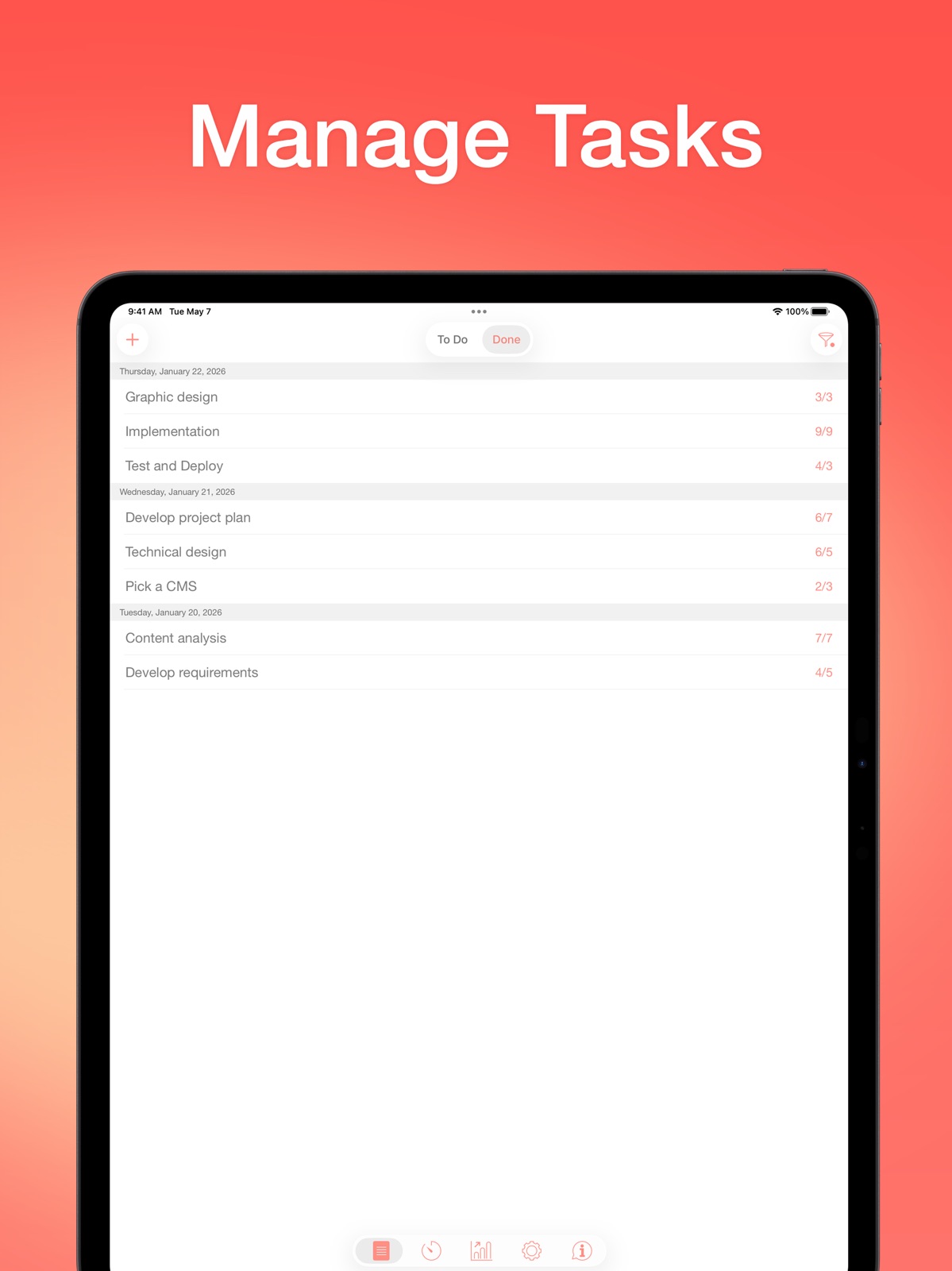
App Store
21 store screenshots


Pricing & paywalls
App Store
- Monthly Pro — $2.99/month
- Monthly Pro — $19.99/year ($1.66/mo)
- Lifetime Pro — $39.99
Ratings & reviews
App Store
-
4/5Great product to help you focus, but sometimes can glitch
I’ve been using this product for years on the free version. I decided to upgrade to the pro version. Mainly I use it with my Apple Watch both at work and to study and it allows me to work 1 hour increments and remember to take breaks and answer personal messages during those breaks. Only problem that I’ve seen sometimes happens is when this app glitches, such as you could be in the middle of a timer and it just resets or stops out of nowhere, or you want to keep track of how many intervals you’ve completed and it messes up the count. Hopefully it’s a minor bug that can be fixed. Otherwise it’s a great tool for focus and productivity
Goolaub' Jammin · 6 Aug 2026
-
5/5Developers continue to improve it!!!
Edit: my 5 star review from 6 months ago, below, is out of date. App is still a 5 star app but even better. Love how the developers continue to actively improve this ALL THE TIME. They added the time into the Mac menu bar and added the ability to kick off using shortcuts!! Seriously beyond impressed. For the price of 2 cups of coffee, you could increase your productivity forever. Love love love this app. (Now if only they let you use seconds or fractions of minutes as a unit of measure. Sometimes you really want a break to be 30 seconds because: reasons) But for real. Incredible app. Original review early 2025: I love this app — or rather, I really want to love it. I’ve found that it comes the closest to most timer / Pomodoro apps out there to being exactly what I need. The biggest complaint I have? It lives on its own island. Using it on the iPad? No ability to do split screen or otherwise quickly peek at how much time is left. Using it on the Mac? No ability to see the time remaining in the menu bar without clicking up there. (And no easy way to call the app from Shortcuts to write your own workaround to assign hotkeys / macros). It helpfully shows time in the iPhone Dynamic island and helpfully sends notifications to your Apple Watch. Again, nearly perfect and well thought through: certainly the best at what it does and easily worth the price. But when you become a power user, you’ll find yourself wishing it could do just a LITTLE more…
AKMpls · 6 Aug 2026
-
4/5Helpful App
I find this app, very helpful. It has some great features, and it is free to use. Very helpful for people like me with ADHD that struggle with time management and keeping track of things/time/tasks. I would love if you could have the sound on the timer go off even if your phone was on silent. I often have my ringer off so that every text/notification doesn’t interrupt me. However, that means I can’t hear the end of the timer. Another improvement that I would love to see, that would make this app even more helpful Would be the ability to make different lists. You can make topics, but I haven’t figured out if you can look at just certain things under a topic. That way you could make job/home/project type of lists. Or make list that are for the day, or the week or the month, etc.
treywedad · 6 Aug 2026
-
4/5Useful and simple
After downloading a few pomodoro apps, I liked this one the best due to it's simplicity, and that it has the features I wanted. It includes an alarm, easy to categorize your "focus" times, and make any adjustments if needed. A lot of other apps were very complex. I wanted something I could learn in the matter of seconds. If your main focus is to spend more deliberate times, why spend too much time learning an app? I am able to categorize my work, study, and free time. I'd recommend to the developers to create a feature where you can enter your own manual time, more of a time management tool. That would make a good addition, making the app a more robust. Even for $1.99, I'd buy it. Especially since I would want to enter my time I'm wasting. I could compare how much I'm spending on productive time vs wasteful times.
WildElizaThornberry · 6 Aug 2026
-
3/5A Few Things
Seeing as how this app hasn’t been updated in over a year, I doubt anything will be done about this. It tracks time and tasks well, I like the categorization of tasks feature. My issues lie with the Watch app being hit or miss as to whether you can begin tracking from the app. Sometimes it works, I can literally see the clock ticking away. Then I check it a few minutes later and it has reset as if it was never started in the first place, and no progress is logged for the task even if the allotted time has passed. Which brings me to my second issue... notifications. The app is again unreliable in chiming when time is up. It does this on both the phone and the watch. It makes it difficult to take breaks when time is up, or to know when a break is over and it’s time to begin working again.
cGardios · 6 Aug 2026
Privacy & accessibility
App Store
Privacy
- Data Linked to You — Analytics — Diagnostics — Performance Data Developer declared
- Data Linked to You — Analytics — Identifiers — Device ID Developer declared
- Data Linked to You — Analytics — Location — Coarse Location Developer declared
- Data Linked to You — Analytics — Usage Data — Advertising Data Developer declared
- Data Linked to You — Analytics — Usage Data — Product Interaction Developer declared
- Data Linked to You — App Functionality — Contact Info — Email Address Developer declared
- Data Linked to You — App Functionality — Diagnostics — Performance Data Developer declared
- Data Linked to You — Developer’s Advertising or Marketing — Contact Info — Email Address Developer declared
- Data Linked to You — Developer’s Advertising or Marketing — Contact Info — Name Developer declared
- Data Linked to You — Developer’s Advertising or Marketing — Identifiers — User ID Developer declared
- Data Linked to You — Developer’s Advertising or Marketing — Location — Coarse Location Developer declared
- Data Linked to You — Third-Party Advertising — Diagnostics — Performance Data Developer declared
- Data Linked to You — Third-Party Advertising — Identifiers — Device ID Developer declared
- Data Linked to You — Third-Party Advertising — Location — Coarse Location Developer declared
- Data Linked to You — Third-Party Advertising — Usage Data — Advertising Data Developer declared
- Data Linked to You — Third-Party Advertising — Usage Data — Product Interaction Developer declared
- Data Linked to You — Contact Info Developer declared
- Data Linked to You — Diagnostics Developer declared
- Data Linked to You — Identifiers Developer declared
- Data Linked to You — Location Developer declared
- Data Linked to You — Usage Data Developer declared
- Data Not Linked to You — Analytics — Diagnostics — Crash Data Developer declared
- Data Not Linked to You — App Functionality — Diagnostics — Crash Data Developer declared
- Data Not Linked to You — App Functionality — User Content — Customer Support Developer declared
- Data Not Linked to You — Third-Party Advertising — Diagnostics — Crash Data Developer declared
- Data Not Linked to You — Diagnostics Developer declared
- Data Not Linked to You — User Content Developer declared
- Data Used to Track You — Diagnostics — Crash Data Developer declared
- Data Used to Track You — Diagnostics — Performance Data Developer declared
- Data Used to Track You — Diagnostics Developer declared
- Data Used to Track You — Identifiers — Device ID Developer declared
- Data Used to Track You — Identifiers Developer declared
- Data Used to Track You — Location — Coarse Location Developer declared
- Data Used to Track You — Location Developer declared
- Data Used to Track You — Usage Data — Advertising Data Developer declared
- Data Used to Track You — Usage Data — Product Interaction Developer declared
- Data Used to Track You — Usage Data Developer declared
Accessibility
No accessibility labels collected yet.
Versions
App Store
- 1.1
-
1.2
Multiple fixes and improvements
-
1.4
• Ability to edit the number of pomodoros • Reports for the selected task • Auto-start the next timer (option) • Vibration at the end of the timer (option) • 3D Touch • Supports Apple Watch • Multiple fixes and improvements
-
1.5
- Updated the completion sounds - Added the ability to paste a task list from other applications - Fixed the issue with "Skip break if idle" - Added the ability to hide the task "Other" - Changed the app name - Improved performance - Multiple fixes and improvements
-
1.6
• Updated application icon • Minor fixes and improvements
-
1.6.1
• Updated application icon • Minor fixes and improvements
-
1.6.2
• Multiple fixes and improvements
-
1.7
• Added the ability to adjust the volume of notifications • Added the ability to change frequency and volume of the Chronometer sound • Added the ability to turn off the Chronometer sound for breaks • New Work Completed / End Break sounds added • Added the ability to view the amount of skipped intervals for the preferred period to the Reports • Added a "Pie Chart" to the Reports, which allows to estimate how much time was spent on a certain tasks • Added the ability to change account password • Added support for iPhone X • Multiple fixes and improvements Thanks for using Be Focused. Love the app? Rate us! Your feedback helps us to make Be Focused even better.
-
1.7.1
• Added the ability to adjust the volume of notifications • Added the ability to change frequency and volume of the Chronometer sound • Added the ability to turn off the Chronometer sound for breaks • New Work Completed / End Break sounds added • Added the ability to view the amount of skipped intervals for the preferred period to the Reports • Added a "Pie Chart" to the Reports, which allows to estimate how much time was spent on a certain tasks • Added the ability to change account password • Added support for iPhone X • Multiple fixes and improvements Thanks for using Be Focused. Love the app? Rate us! Your feedback helps us to make Be Focused even better.
-
1.7.5
Minor fixes and improvements
-
1.7.6
Minor fixes and improvements
-
2.0
• Ability to specify different timer settings for different tasks • Task details panel where you can: - Add notes to a task - Assign a due date - Specify activity type (you can configure a set of activity types to specify different timer settings for different tasks) - Estimate a number of intervals required to complete a task (then you can evaluate the estimation error for completed tasks in reports) - View and manage completed intervals • Improved reports, so now you can: - Switch report units between Intervals and Hours - Evaluate the estimation error for completed tasks - Auto save report settings between application sessions • Multiple bug fixes and improvements
-
2.0.1
Minor fixes and improvements
-
2.0.2
• Compatibility with the latest version of operating system and latest devices • Other minor fixes and improvements
-
2.1.1
Fixed the problem with saving data on the latest OS versions
-
2.2
• New widgets • Improved work of the app on Apple Watch • Ability to upgrade to Pro version directly in the app
-
2.2.1
• Widgets for Lock Screen • Additional widget for Home Screen • Support for the latest devices and OS versions
-
2.3
• Live activities for Lock Screen and Dynamic Island • Widgets for Lock Screen and Home Screen • Minor fixes and improvements
-
2.3.1
• Improved data synchronization • Minor fixes and improvements
-
2.4
• Support for the latest OS version • Added subscription options • Minor fixes and improvements
-
2.4.2
• Compatibility with the latest version of Focus Matrix • Minor fixes and improvements Important: If you also use Focus Matrix, please update it to the latest version to ensure smooth syncing with Be Focused.
-
2.5
• Start or stop the timer from the Lock Screen, Controls Center, or Action Button • Integrate with the Shortcuts app to automate workflow (control tasks and timers via Shortcuts app) • Trigger Shortcuts automatically on specific events in Be Focused • Multiple fixes and improvements
-
2.6
• Liquid Glass design • Optimized for the latest iOS • Multiple fixes and improvements
-
2.7
· 18 Feb 2026
• Added Dark Mode support • Multiple fixes and improvements
Alternatives
- Pomodoro - Focus Timer — Same category + similar ratings
- Flow: Focus & Pomodoro Timer — Same category + similar ratings
- Focus & Pomodoro Timer - Foca — Same category + similar ratings
- FocusPomo · Pomodoro Timer — Same category + similar ratings
- Focus To-Do: Focus Timer&Tasks — Same category + similar ratings
- Emphasis: Flow & Focus Timer — Same category + similar ratings
Availability by market
- US
Data quality & evidence
- Page completeness
- Live store listing
- Last verified
- 6 Aug 2026
- Sources
- App Store
- Independent summary has not been published yet.