
Quick verdict
- What it is
- Store information collected; independent summary not yet available.
- At a glance
-
- Free to download
- In-app purchases
Categories and search queries
Official categories
- Graphics & Design
- Entertainment
AppCorpus categories
Key functions
| Function | Availability | Access | Scope | Evidence |
|---|---|---|---|---|
| Family Sharing | Yes | Unknown | App Store | Store published |
| Free app | Yes | Free | — | Store published |
| In-app purchases | Yes | Limited free | — | Store published |
Screens
App Store
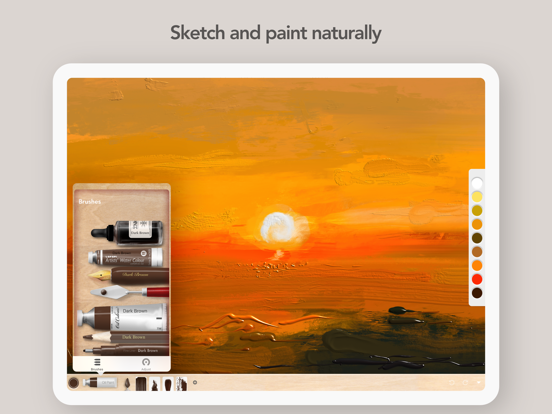
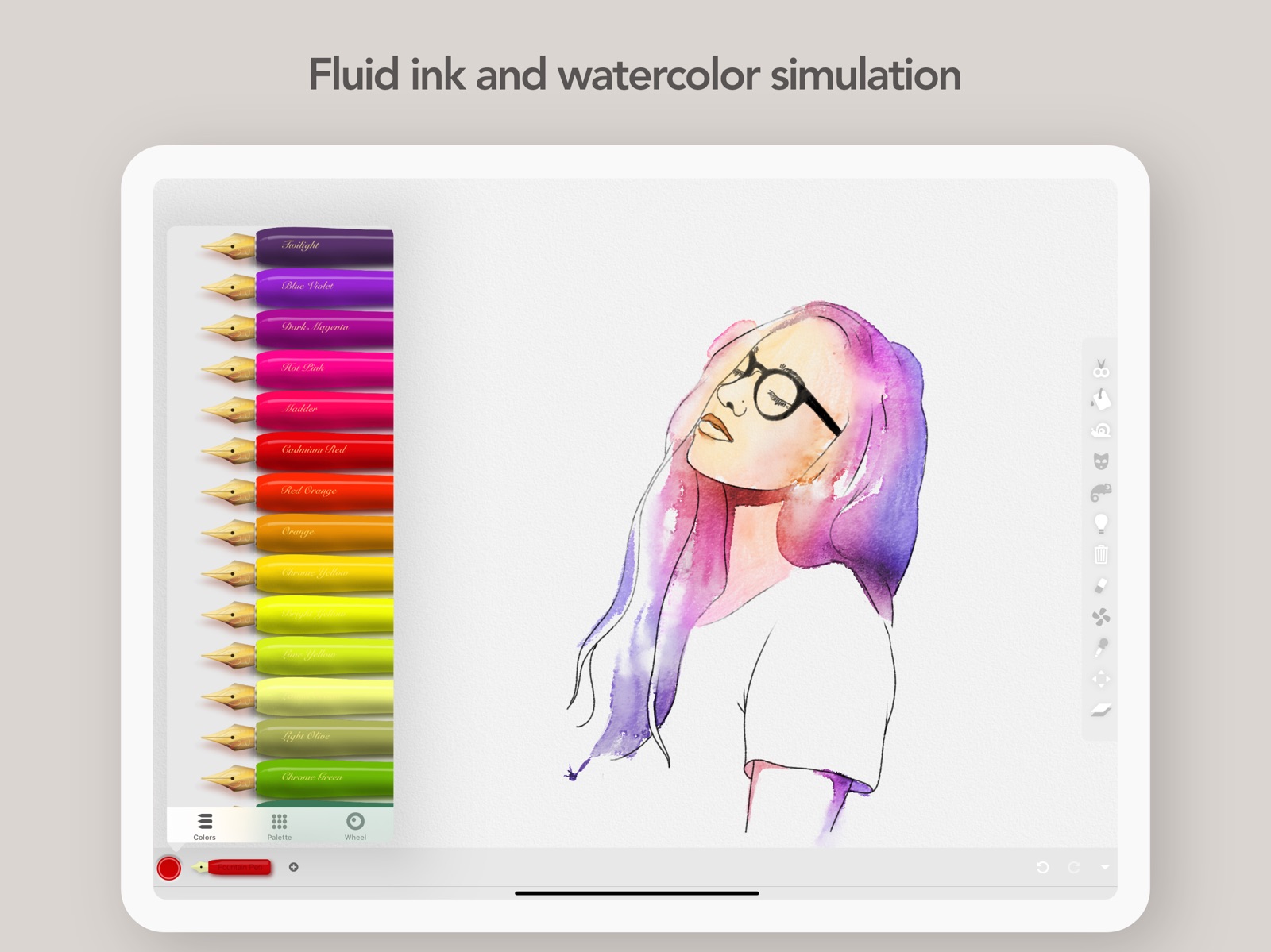
20 store screenshots

Pricing & paywalls
App Store
- Unlock All — $12.99
Ratings & reviews
App Store
-
5/5Literally the best art app
So I mean this is like the best I was just scrolling and trying to find some more apps because like they are really bad like usually I can’t find free ones and like there are all these expensive ones and I was just scrolling and scrolling and I found this beautiful app and this is the app I forgot the name and I’m writing a review well that’s great but this is beautiful like it is realistic and if you are a really good artist I was so recommend you use this oh yeah procreate I mean $12 just for a app are you crazy so this is not procreate obviously it’s beautiful The graphics are awesome and it is so realistic you can zoom in a lot and it’s pixelated a little if you zoom out it’s not pixelated and it is awesome and if you zoom in a lot then you can get like that the little details you want on there and it is it is awesome if you want to buy the the full app you can it’s just a few other brushes but I would still recommend it’s just free it’s a freemium that’s what they call apps that you have to pay for to get to the whole version it’s awesome like I would still recommend and if they had 10 stars and give it 10 out of 10 it’s awesome(☆▽☆)♥♥♥ and did I say there’s no ads zilch zero no ads just straight Pure Drawing do whatever you want it’s awesome like please buy don’t buy so my God you can’t buy it please get this it is awesome like I am I would recommend it 10 out of 10 so realistic
sindy05c · 30 Aug 2026
-
5/5The oils are amazing and it makes me feel ecstatic
Hello so this is like a really good app just for the oils alone. Because I’m in school I have access to stuff made by things like Adobe and Adobe doesn’t even come close to what you could do with the oils in it. I don’t even really write reviews a lot I just love this so much. I’d honestly compare it to something like logic pro or garage band and that something that was once extremely difficult to access is now democratize and easy to accessThe oils they’re not real they don’t look exactly right but I don’t have the money for tons of tubes of oil paint I wish I did but I don’t and so this is just absolutely exquisite because it is really really really good at simulating oil paints better than any program I know of even like very professional ones. I haven’t bought the pro version I think I will but I don’t think I want to do it yet because I like the constraints placed on me by the free version. Do you know how artists need constraints? But there’s enough to do in the free version that will last me sometime and then I’ll give them some money because I mean I don’t even care who made this they deserve it I mean for the price of oil paints this is endless oil paints and it doesn’t smell and it doesn’t you don’t have to clean it up in the slop sink it’s beautiful it’s shines it’s not oil’s but it looks close. I like to think of it as like digital oil paint. It’s going to be a dumb thing it’s not gonna be oil paint but it’s beautiful it’s like garage band. You know the other things are pretty good too but some of them aren’t as good but the oil is where it is at
Kirbykazooie · 30 Aug 2026
-
5/5Still exploring..needs gesture Undo
I’ve been using this app now for a few weeks and I’m enjoying the nature of the full suite of tools. There’s much to explore and endless hours of experimenting ahead. For now I’ll say I’m truly enjoying it. It’s great for conceptualizing as a designer and I can see spending hours with each tool just expressing with the different types of media. The tools are lag free (iPad Pro 12”). The only “request” I have that I can’t seem to live without at the moment is a two-finger (gesture) tap erase function, which has become standard on many of the top art apps competing with this one. It’s just second nature at this point for many of us using Procreate or Paper to 2 finger tap to erase, so I find myself having to look for the undo button. That can become frustrating after a while if your hand is at rest and you are trying to achieve a certain style that requires accuracy with more editing (it’s just tedious and poorly located as a touch button). I did look for a way to set tools as hand gestures and found none at this point so I’m guessing it doesn’t exist (would be happy if I were wrong). Otherwise, this is an amazing app, far better than the other 3D paint apps out there. Worth it and will bring hours of enjoyment for mixed media designers or art lovers.
Mina on the iPad · 30 Aug 2026
-
5/5Best
I’ve used a lot of art programs, including Photoshop, Corel Painter and Procreate. The lack of realism of the brushes has bothered me. It feels like this program has brought back some of the joy of painting for me (without the mess). I especially like the squishy and subtle versions of oil paints… the various depths of paint is nice. I also like the watercolors. They have some of the watery “bleed” that they do in Adobe Fresco, though I haven’t figured out the rough edges and splatter in the pagoda demo painting, which I really want to do. Please more colors of metallic paint, and maybe some non-glitter metallics and brighter light metallics, maybe some “crazy” stuff like “rusty paint” that gives a chunkier texture or a paint with light dusty speckles in it… also some more subtle palette colors like the skintone colors and versions of those colors as saturated darks. I would love more watercolor brush types. I would recommend this app to any artist who wants to do natural-looking media on iPad. It has more brushes that have realistic effect than any program I’ve seen. It is clear that they didn’t just create a brush engine and then try to recreate every media through that engine, but actually tried to figure out how to give each media type as authentic a look and feel as they could.
Serein · 30 Aug 2026
-
5/5So many way to make great art!
I am loving this app. At first I didn’t understand how powerful it was. The paid version is really awesome and for the price, worth every penny. I cannot believe how many options and how flexible this app is in allowing me to do things I would value in procreate and sketchbook pro but, with much richer paint textures. I love the 3D paint textures and the ability to create depth with the paint and not just the shadows. Please keep supporting this app. It really is wonderful and I hope that more people find it and enjoy what it offers. There is so much room to be creative. I am also enjoying the ability to import photos, the cut function, the layers, the layer settings, well…there just so much to work with that it’s so easy to be creative and also paint with what I think are the hands down BEST paint textures I have been able to find in an iPad app. The textures is what got me to purchase the app, the other capabilities are what are keeping me using it everyday. There is also a help section where they have posted an easy to read documentation. Once you go through that, the app becomes soooo easy to use and figure out. I also wanted to add that yes, you can make a square frame and the sizing is flexible which I love.
Aylavue · 30 Aug 2026
Privacy & accessibility
App Store
Privacy
- Data Not Collected Developer declared
Accessibility
No accessibility labels collected yet.
Versions
App Store
-
1.2.5
- Fixes
-
1.2.6
- Bug Fixes
-
1.2.7
- Fixes
-
1.2.8
Fixes
-
1.3
- Larger Icons. See clearer preview swatches and life like representations of brushes. You can always switch between these and the originals in the settings. - Hold for EyeDropper. Hold the canvas to activate the color eye dropper. You can adjust the activation delay and sensitivity to your taste in the settings. - Bug Fixes and stability improvements
-
1.3.1
- Bug Fixes and stability improvements - Larger Icons. See clearer preview swatches and life like representations of brushes. You can always switch between these and the originals in the settings. - Hold for EyeDropper. Hold the canvas to activate the color eye dropper. You can adjust the activation delay and sensitivity to your taste in the settings.
-
1.3.2
- Bug Fixes and stability improvements - Larger Icons. See clearer preview swatches and life like representations of brushes. You can always switch between these and the originals in the settings. - Hold for EyeDropper. Hold the canvas to activate the color eye dropper. You can adjust the activation delay and sensitivity to your taste in the settings.
-
1.3.3
- Bug Fixes and stability improvements - Larger Icons. See clearer preview swatches and life like representations of brushes. You can always switch between these and the originals in the settings. - Hold for EyeDropper. Hold the canvas to activate the color eye dropper. You can adjust the activation delay and sensitivity to your taste in the settings.
-
1.3.4
- Bug Fixes and stability improvements
-
1.3.5
- Bug Fixes and stability improvements
-
1.3.6
- Bug Fixes and stability improvements
-
1.3.7
- Bug Fixes and improvements to Error handling for documents
-
1.3.8
- Bug Fixes and stability improvements to document handling
-
1.3.9
- Stability improvements and faster launch times.
-
1.4
- Blur and Threshold filter fix on latest iOS
-
1.4.1
- Improvements to stroke detection - Bug Fixes
-
1.4.2
- Time-lapse Video Recording of your strokes from Canvas
-
1.5
- Metallic Colors - Layered PSD Export - New large Brush Adjustment Sliders - Bug Fixes
-
1.5.1
- Bug Fix on transparent pixel rendering
-
1.6
- 50 Amazing New brushes! - New HSB and RGB Color Sliders placable onto the toolbars for quick and easy adjustments. - Apple Pencil only mode disables touch drawing - Main toolbar can be placed at the top of the screen - Stability improvements
-
1.6.1
- Legacy device fix for older iPad models running iOS 12
-
1.6.6
Performance and stability improvements.
-
1.6.7
Stability on flood fill and Bug Fix.
-
1.6.8
- Apple Pencil 2 Double Tap feature moved to main Apple Pencil Settings - Fixes issue some users experienced with Apple Pencil 2 Double Tap
-
1.6.9
· 16 Nov 2023
Bug fixes and stability improvements.
Alternatives
- MediBang Paint – Drawing & Art — Same category + similar ratings
- Tayasui Sketches — Same category + similar ratings
- Clip Studio Paint — Same category + similar ratings
- Artstudio Pro: Draw, Paint — Same category + similar ratings
- Infinite Painter — Same category + similar ratings
- ShadowDraw: Learn How to Draw — Same category + similar ratings
Availability by market
- US
Data quality & evidence
- Page completeness
- Live store listing
- Last verified
- 30 Aug 2026
- Sources
- App Store
- Independent summary has not been published yet.