
Quick verdict
- What it is
- Store information collected; independent summary not yet available.
- At a glance
-
- Free to download
Categories and search queries
Official categories
- Photo & Video
AppCorpus categories
Key functions
| Function | Availability | Access | Scope | Evidence |
|---|---|---|---|---|
| Free app | Yes | Free | — | Store published |
Screens
App Store
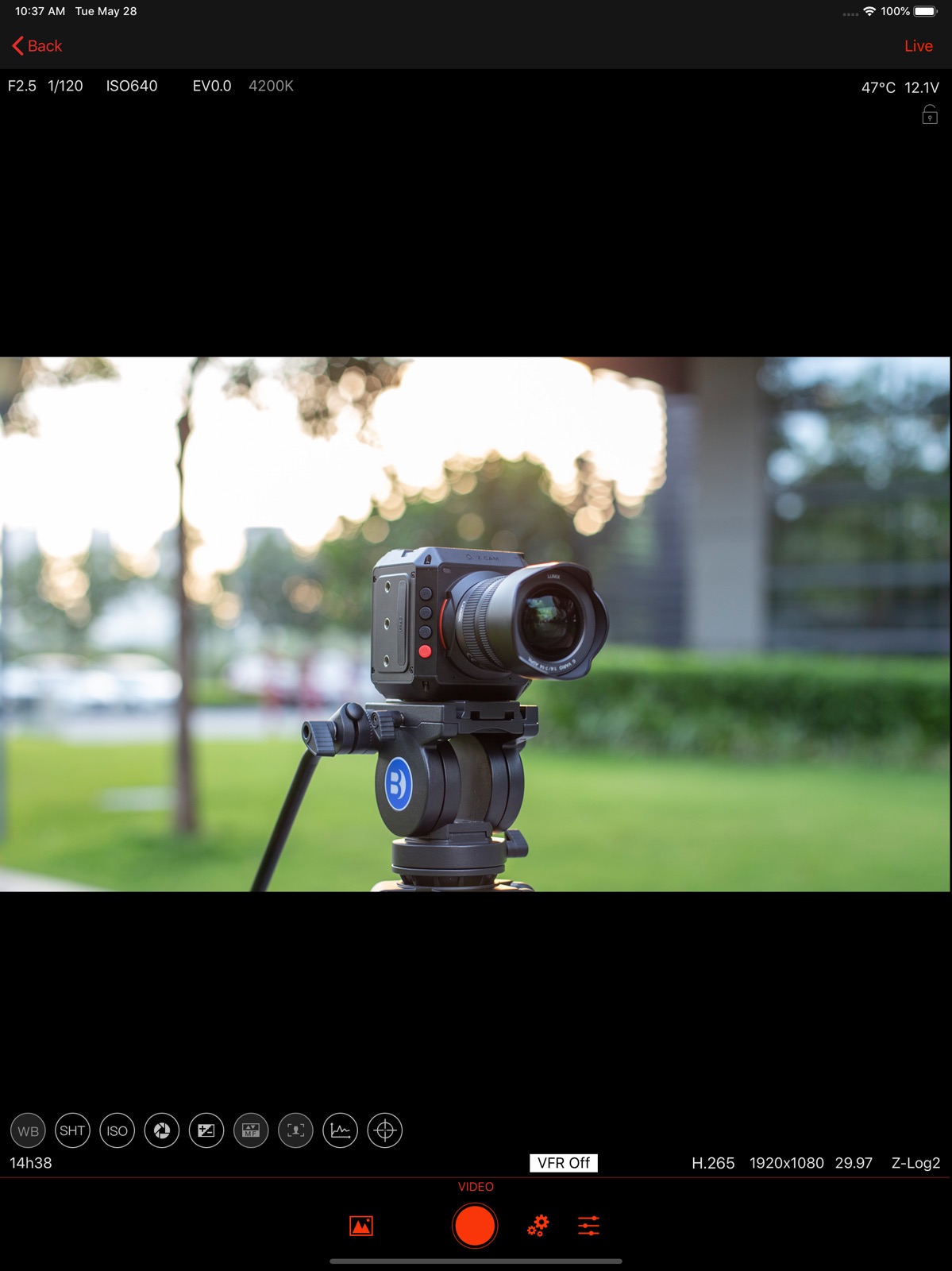
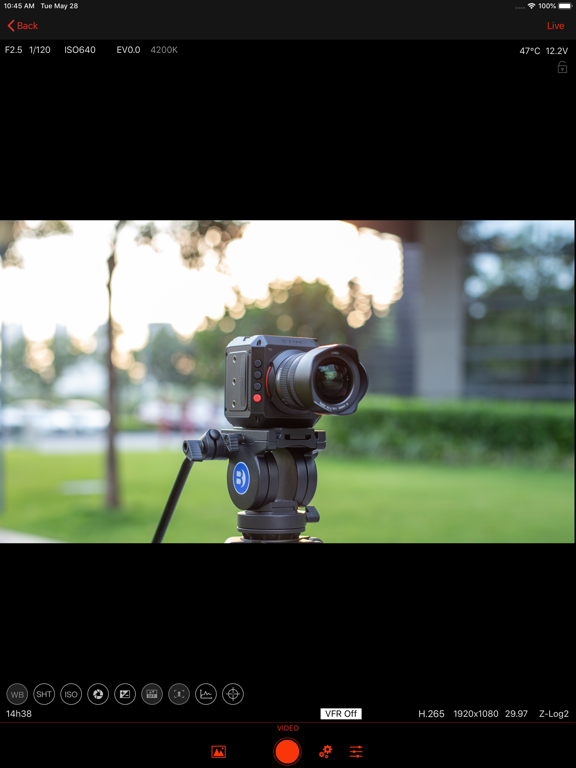
18 store screenshots


Pricing & paywalls
App Store
Shown for US
- Free
Ratings & reviews
App Store
Shown for US
-
3/5Automatic connection No longer works
Hello there, thanks for the hard work you guys are putting into this app. I appreciate most of the changes done. I just wanted to point out something that negatively changed after the 2.14 update. Now, except for the first boot-up, even if the Iphone is connected to the camera via lightning cable, the app won’t automatically recognize the camera when you power it off and back on (unless manually disconnecting and reconnecting the lightning cable) So now I have to physically disconnect and reconnect the camera to the phone every time I turn it off to be able to access the preview and other functions (I own a Zcam F6) This occurred after the lates 2.14 update since I used to keep my phone and camera connected at all times, tuned it on and off and the app would be ready to go. This is no longer possible. In a practical level, this means that Im forced to keep the camera on at all times to be able to stay connected to the app, otherwise the app won’t recognize the camera after powering on. Idk if this makes sense to you but this means that this app is not longer useful for run and gun types of shoots when you work on batteries and need to constantly boot the system on and off to stretch battery life. Please fix this inconvenience as soon as possible!
hjramirez · 6 Aug 2026
-
2/5Great features, does not work on 12 Pro
I love the features when I use it with my M4 on my iPads, but my primary mobile device, iPhone 12 Pro, the app doesn’t work. The camera connects via Wifi, but the app doesn’t recognize a camera is connected. I’ve deleted, power cycled, and reinstalled the app several times, checked all permissions… it’s a significant bug I certainly hope is fixed very soon.
N Wiens · 6 Aug 2026
-
2/5Needs updates live mode missing
Is there going to be any updates? I see the photos you posted but this current version looks nothing like what your showing. There is no live mode or any option to control the focus. It’s really frustrating.
MarcCaro · 6 Aug 2026
-
4/5What Gives?
What’s going on with the new update? The app has never given me any issues until now. I can’t click record via the screen or see the menu options to see recording preferences or audio or anything else for that matter. The only thing that’s working is the bottom icon options. Not sure if it’s something going on with my equipment because I reset everything and reinstalled everything and it still the same problem. Please fix this. Thanks ZCAM team. EDIT: I reinstall the app. It works again. False alarm.
DarrylJP · 6 Aug 2026
-
5/5Reliable and useful app for my monitor
I've been using this app as my monitor with my iPhone for my Z CAM exclusively for 3 years now, very reliable and love the features included.
JimmyJommy · 6 Aug 2026
Privacy & accessibility
App Store
Privacy
- Data Not Linked to You — App Functionality — Diagnostics — Crash Data Developer declared
- Data Not Linked to You — Diagnostics Developer declared
Accessibility
No accessibility labels collected yet.
Versions
App Store
-
2.0
1. Support E2 2. Add assist tool 3. Add scope tool 4. New control interface without preview
-
2.1
1.Add live function, such as live to sina. 2.Add beauty function (used for live function). 3.Support downloading files to mobile phones through lightning interface. 4.Adding more shortcut settings and shortcut information display. 5.Grouping of settings adjusted. 6.Supporting new functions of camera. 7.Optimize the function of connecting camera. 8.Optimized preview function. 9.Fixed some other bugs.
-
2.10
1. Add the reminder of low power of camera 2. Add the history of the live address 3. Optimize Preview 4. Support to view photos in DNG and HEIC format 5. Modify the peak mode
-
2.11
1. Support new monitor device 2. Function optimization of shortcut key 3. Other function optimization
-
2.12
Performance optimization
-
2.13
1. WiFi can be switched in app 2. Add a button to rotate preview 3. Support push stream by SRT 4. Add sharpening function 5. Optimization of assistive tools 6. Add some new LUT files 7. Optimization of other functions
-
2.14
Fix : third party RTMP stream error
-
2.15
Performance optimization
-
2.17
Bug fixes.
-
2.19
1. Compatible with 'Avatar Camera' 2. Performance optimization and fix bugs;
-
2.2
1.Add support asyn record to IOS device (connect by type-c) 2.Add support audio play and audio level (connect by type-c) 3.Modify the luts about zlog2 4.Add some assist tools 5.Optimize the process of live 6.Bug fix
-
2.20
1.Fix auto connect to 10.98.33.1; 2.Fix E2C Cam can't control problem, or updating the firmware of Camera from 1.0.0 to latest version will fix too.
-
2.21
Fix some bugs;
-
2.22
fix bugs
-
2.23
• Added adaptation for PTZ devices
-
2.24
• Added adaptation for PTZ devices • fix bug
-
2.25
Performance optimization, operation optimization, fix problems.
-
2.26
· 3 Mar 2026
Problem fixed, new firmware adapted.
-
2.3
1. The audio level meter, add stage color, add the peak 2. Optimization the algorithm of looks 3. Support import 3D LUT form camera 4. Support sound when connect by WiFi 5. Assist:added some new set items 6. Scope:add some new set items 7. Optimal preview 8. Support preview if camera be occupied 9. Support setting camera by label in the screen 10. Optimization UI, support move record controller to the left and add more shortcut button 11. Add monitor mode (only preview, can not control camera) 12. Add a button to lock rotation 13. Adjust the structure of the menu 14. Some other optimize
-
2.4
Bug fix: 1.Switch on Frame line, live gets darker 2.Camera E1, App crash after start record 3.Camera E1, sometimes, can not get menu 4.Wrong state about quick button menu at landscape Optimize: 1.Optimize playback function 2.Support magnify preview follow camera 3.Add support some new setting items 4.Add help about looks 5.Add camera orientation setting in beauty face 6.Modify some setting items and alert
-
2.5
1.Optimize playback function, support add 3D-LUT, and support desqueeze display 2.Compatibility with new camera firmware 3.Performance optimization
-
2.6
1.UI optimization 2.Add support camer E2-S6/F6/F8
-
2.7
1. UI optimization 2. Playback function optimization 3. Support new firmware of camera
-
2.8
Partial function optimization
-
2.9
1.Repair beauty function 2.Repair screen lock function for iPhone
Alternatives
- Cadrage Director's Viewfinder — Same category + similar ratings
- CameraKit: Camera Tools — Same category + similar ratings
- LensKit: Lens Tools — Same category + similar ratings
- Bluetooth+ for Blackmagic — Same category + similar ratings
- ZoeLog — Same category + similar ratings
Availability by market
- US
Data quality & evidence
- Page completeness
- Live store listing
- Last verified
- 6 Aug 2026
- Sources
- App Store
- Independent summary has not been published yet.