
Quick verdict
- What it is
- Store information collected; an Apoku editorial summary is not yet published.
- At a glance
-
- From $6.00/mo
- Free to download
- In-app purchases
Categories and search queries
Official categories
- Productivity
- Business
Apoku categories
Key functions
| Function | Availability | Access | Scope | Evidence |
|---|---|---|---|---|
| Free app | Yes | Free | Context-specific | Store published |
| In-app purchases | Yes | Limited free | Context-specific | Store published |
Screens
App Store
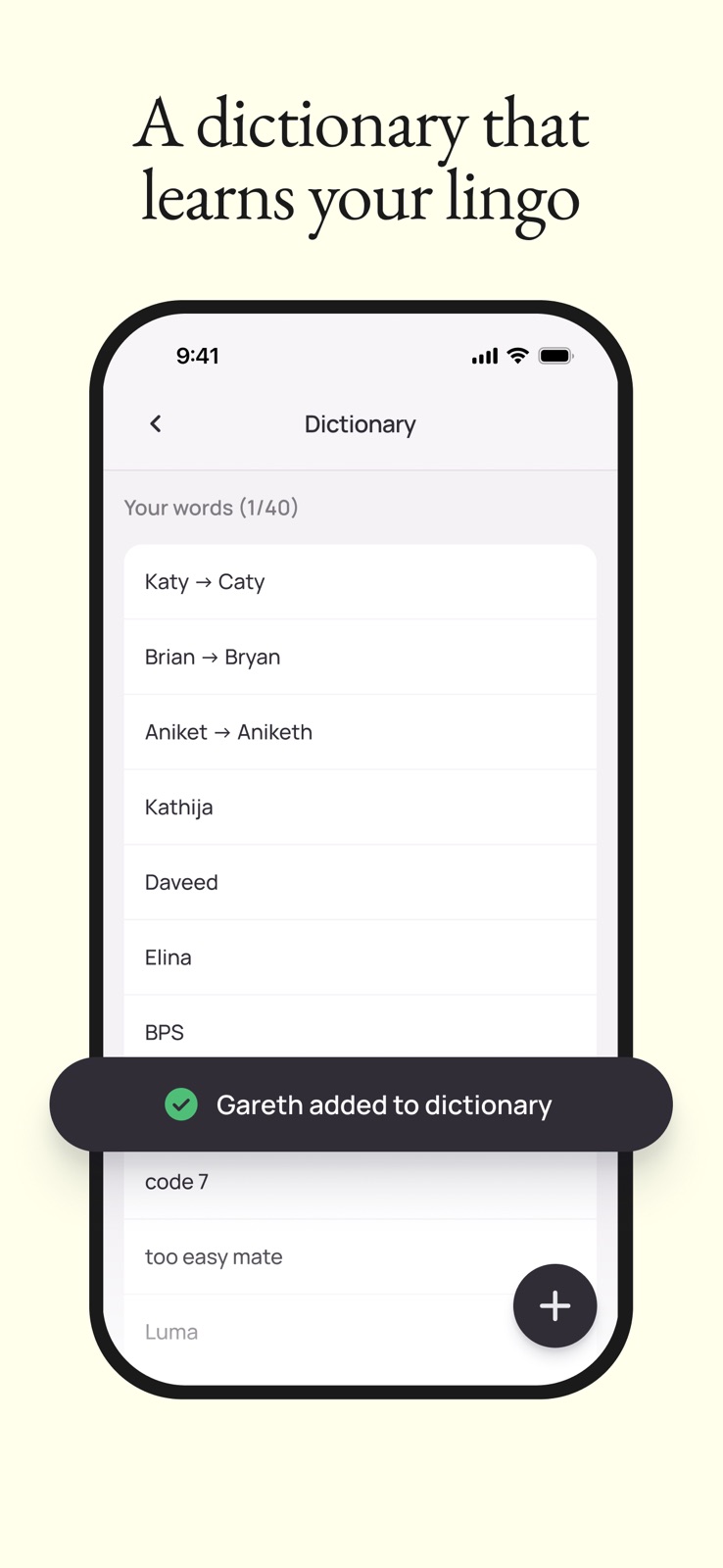
6 store screenshots


Pricing & paywalls
App Store
- Monthly Student Plan — $7.49/month
- Monthly Student Plan — $72.00/year ($6.00/mo)
- Pro Monthly Plan — $4.49/week
- Pro Monthly Plan — $15.00/month
- Pro Monthly Plan — $143.99/year ($11.99/mo)
Ratings & reviews
App Store
-
3/5Great potential but irritating quirks.
So I've experienced an issue now at least five times when making a voice note or a flow note that should be saved to scratch pad. I will say whatever it is that I need to say in the moment with the hopes of it being captured and saved. Once I finish what my voice memo or voice note actually is, there's an error with the transcription and nothing can be found. I thought the functionality allowed for the actual voice memo to at least be saved, even if the transcription wasn't, but that's not happening. Given that a lot of my work relies on me capturing things in the moment, this is a huge issue for me. It happened once, I was okay. It happened twice, I was okay. Now this has happened five or six times, so I would like to kind of understand: what is the root cause for this? Is this normal? Is this something that's on your radar? What is the recommended fix? Because at this point it is costing me intellectual property, and that's an issue. Wispr Flow does great if I were using it to replace my keyboard and do talk to text, but if I'm being honest, Siri can do that. I really want to see the value from Wispr Flow, which is why I decided to buy the subscription, but this has been a frustration for me.
0501 1322 19 · 12 Oct 2026
-
5/5Wow, game changer! Greatest dictation app so far invented.
I use dictation as many people do because it is so much faster than texting. But even though the dictation features on smartphones and computers have gotten very, very good, they're still full of typos, they lack context, and generally you sound kind of like an imbecile - especially with ChatGPT. It's amazing that it can even understand what I'm saying at all. This app changes everything. It is context-aware. It capitalizes and adds punctuation properly. It automatically adds bullet points, lists, and paragraphs. Pair this with Raycast and the command feature, and you will barely have to type anymore. I imagine that for disabled and injured people, this is life-changing. It is shockingly good. Not only that, but assuming a typical risk profile, privacy mode is more than sufficient to ensure that if you don't want your input permanently archived. I used this for 5 minutes before I was like, "this is just going to be part of my life now. It's that good." You see what it did there? It added quotes automatically. Incredible.
Reviews When Warranted · 12 Oct 2026
-
2/5Works Well on Some Devices, But iPad Users Should Skip
Works Best on Mac, But Has Frustrating Issues on Mobile Devices I had high hopes for this based on all the positive reviews. The app performs quite well on Mac, which is why I’m giving it three stars instead of fewer. However, both the iPhone and iPad versions have significant problems. On iPhone, every time you use it, the app has to reopen and you need to swipe over multiple times. This often causes you to lose your screen entirely and have to start over—really frustrating when you’re trying to work efficiently. On iPad, it’s even worse. If you’re a creator who uses the Apple Keyboard or any external keyboard, the app simply doesn’t function properly. The most frustrating issue is that it disables the native repeat dictation feature, which creates major workflow problems. After dealing with constant headaches trying to make it work on my iPad, I ultimately had to uninstall it. It’s disappointing that these mobile compatibility issues haven’t been addressed yet. If you primarily work on iPhone or iPad with a keyboard setup, I’d recommend looking elsewhere until these problems are resolved. Mac users will likely have a better experience. Note no customer supports not one review was replied to either positive or negative that speaks volumes. Not one email request for support answered. I canceled my renewal
EarlyFreak · 12 Oct 2026
-
5/5Not sure I'll be able to go back
I've gotten pretty good at talking to machines through the default voice-to-text applications, but I have to say, this takes it to the next level. I kept hearing about it and seeing it on different ads, and I gotta say, I was skeptical, especially after reading some of the incoherent reviews on here. Given my experience over the last few days, I am inclined to think those were written by competitors trying to make this app look bad. This thing is pretty amazing at picking up what I say and punctuating it in the proper context without me having to say "colon" and "period" all the time. My only gripe is that the built-in keyboard for correcting your text isn't nearly as responsive as my phone's normal keypad. I honestly expect the developers to get that fixed pretty soon. This is an awesome app. I hate to say it, but I think I'm going to keep the paid version after the free trial runs out. And yes, I did this review using the Wispr app, and I only had to make a few small corrections.
Person-not-machine · 12 Oct 2026
-
5/5Fantastic dictation for people with disabilities
I suffer from lithium tremors, a side effect of one of the many medications I take for a mood disorder. If you're unfamiliar, that means I have shaking hands and I'm struggling to type. This app is so much better at dictation than the native version that Apple puts in their phone. This app is worth every penny and I'm writing this right now with Wispr Flow. My one and only complaint is NOT that you have to open the app in order for the keyboard to work. It's that what it gives you to correct the dictation is the number and punctuation keyboard. I have to close the keyboard and open another keyboard to make any corrections to the dictation. That's very frustrating. I also have to switch keyboards if I want to insert an emoji. Again this is very frustrating. I would like to remind you that I have a disability that makes it very difficult for me to type on my phone and that is why I use this app. These barriers for simple corrections are very frustrating. I hope the developer reads this and takes this into consideration. I understand why the Punctuation keyboard is what is available for correction but I wish that there was a way to go back into the Alphabetic keyboard rather than the Numeric. If you don't suffer from a disability that prevents you from typing, this is just a minor inconvenience. Again I highly recommend this app. I think it's fantastic. More than anything I'm using this avenue to reach out to the developer.
Randallf.lhtx · 12 Oct 2026
Privacy & accessibility
App Store
Privacy
- Data Linked to You — Analytics — Contact Info — Email Address Developer declared
- Data Linked to You — Analytics — Contact Info — Name Developer declared
- Data Linked to You — Analytics — Diagnostics — Performance Data Developer declared
- Data Linked to You — Analytics — Usage Data — Product Interaction Developer declared
- Data Linked to You — App Functionality — Contact Info — Email Address Developer declared
- Data Linked to You — App Functionality — Contact Info — Name Developer declared
- Data Linked to You — App Functionality — Diagnostics — Crash Data Developer declared
- Data Linked to You — App Functionality — Diagnostics — Performance Data Developer declared
- Data Linked to You — App Functionality — Usage Data — Product Interaction Developer declared
- Data Linked to You — Developer’s Advertising or Marketing — Contact Info — Email Address Developer declared
- Data Linked to You — Developer’s Advertising or Marketing — Identifiers — Device ID Developer declared
- Data Linked to You — Developer’s Advertising or Marketing — Identifiers — User ID Developer declared
- Data Linked to You — Developer’s Advertising or Marketing — Usage Data — Advertising Data Developer declared
- Data Linked to You — Developer’s Advertising or Marketing — Usage Data — Product Interaction Developer declared
- Data Linked to You — Contact Info Developer declared
- Data Linked to You — Diagnostics Developer declared
- Data Linked to You — Identifiers Developer declared
- Data Linked to You — Usage Data Developer declared
- Data Used to Track You — Identifiers — Device ID Developer declared
- Data Used to Track You — Identifiers — User ID Developer declared
- Data Used to Track You — Identifiers Developer declared
- Data Used to Track You — Usage Data — Advertising Data Developer declared
- Data Used to Track You — Usage Data Developer declared
Accessibility
No accessibility labels collected yet.
Versions
App Store
-
1.44
We tuned up Flow to make it smoother than ever so that you can stop typing – and start speaking
-
1.46
We tuned up Flow to make it smoother than ever so that you can stop typing – and start speaking
-
1.47
We tuned up Flow to make it smoother than ever so that you can stop typing – and start speaking
-
1.47.1
We tuned up Flow to make it smoother than ever so that you can stop typing – and start speaking
-
1.48
We tuned up Flow to make it smoother than ever so that you can stop typing – and start speaking
-
1.49
We tuned up Flow to make it smoother than ever so that you can stop typing – and start speaking
-
1.50
We tuned up Flow to make it smoother than ever so that you can stop typing – and start speaking
-
1.51
We tuned up Flow to make it smoother than ever so that you can stop typing – and start speaking
-
1.52
We tuned up Flow to make it smoother than ever so that you can stop typing – and start speaking
-
1.53
We tuned up Flow to make it smoother than ever so that you can stop typing – and start speaking
-
1.54
We tuned up Flow to make it smoother than ever so that you can stop typing – and start speaking
-
1.55
We tuned up Flow to make it smoother than ever so that you can stop typing – and start speaking
-
1.56
We tuned up Flow to make it smoother than ever so that you can stop typing – and start speaking
-
1.57
We tuned up Flow to make it smoother than ever so that you can stop typing – and start speaking
-
1.58
• Major battery life improvements. • Notes: manual sync, better markdown, and tidier auto-titles. • Smoother onboarding with clearer dictation error messages.
-
1.59
We tuned up Flow to make it smoother than ever so that you can stop typing – and start speaking
-
1.59.1
We tuned up Flow to make it smoother than ever so that you can stop typing – and start speaking
-
1.60
We tuned up Flow to make it smoother than ever so that you can stop typing – and start speaking
-
1.61
We tuned up Flow to make it smoother than ever so that you can stop typing – and start speaking
-
1.62
* Never lose a transcription: if a call, Siri, or the time limit cuts a dictation short while you're in another app, Flow saves the transcript to your history and sends you a notification. Anything that fails is clearly marked there, and one tap retries it. * Dictations started from the keyboard now show a live timer in the Dynamic Island and on your lock screen, so you always know Flow is listening. * For Chinese and Japanese, fixed stray spaces appearing around dictated text, and word stats now count correctly in languages written without spaces. * Reliability improvements throughout.
-
1.63
We tuned up Flow to make it smoother than ever so that you can stop typing – and start speaking
-
1.64
We tuned up Flow to make it smoother than ever so that you can stop typing – and start speaking
-
1.65
We tuned up Flow to make it smoother than ever so that you can stop typing – and start speaking
-
1.66
We tuned up Flow to make it smoother than ever so that you can stop typing – and start speaking
-
1.67
· 28 Jul 2026
We tuned up Flow to make it smoother than ever so that you can stop typing – and start speaking
-
1.68
We tuned up Flow to make it smoother than ever so that you can stop typing – and start speaking
-
1.69
We tuned up Flow to make it smoother than ever so that you can stop typing – and start speaking
-
1.70
We tuned up Flow to make it smoother than ever so that you can stop typing – and start speaking
-
1.71
We tuned up Flow to make it smoother than ever so that you can stop typing – and start speaking
-
1.72
· 27 Aug 2026
We tuned up Flow to make it smoother than ever so that you can stop typing – and start speaking
-
1.73
We tuned up Flow to make it smoother than ever so that you can stop typing – and start speaking
-
1.74
We tuned up Flow to make it smoother than ever so that you can stop typing – and start speaking
-
1.75
We tuned up Flow to make it smoother than ever so that you can stop typing – and start speaking
-
1.76
We tuned up Flow to make it smoother than ever so that you can stop typing – and start speaking
-
1.77
· 1 Oct 2026
We tuned up Flow to make it smoother than ever so that you can stop typing – and start speaking
Alternatives
- Voicenotes AI Notes & Meetings — Same category + similar ratings
Availability by market
- US
Data quality & evidence
- Page completeness
- Live store listing
- Last verified
- 12 Oct 2026
- Sources
- App Store
- Apoku editorial summary has not been published yet.