
Quick verdict
- What it is
- Store information collected; independent summary not yet available.
- At a glance
-
- Free to download
Categories and search queries
Official categories
- Music
- Entertainment
AppCorpus categories
Key functions
| Function | Availability | Access | Scope | Evidence |
|---|---|---|---|---|
| Free app | Yes | Free | — | Store published |
Screens
App Store
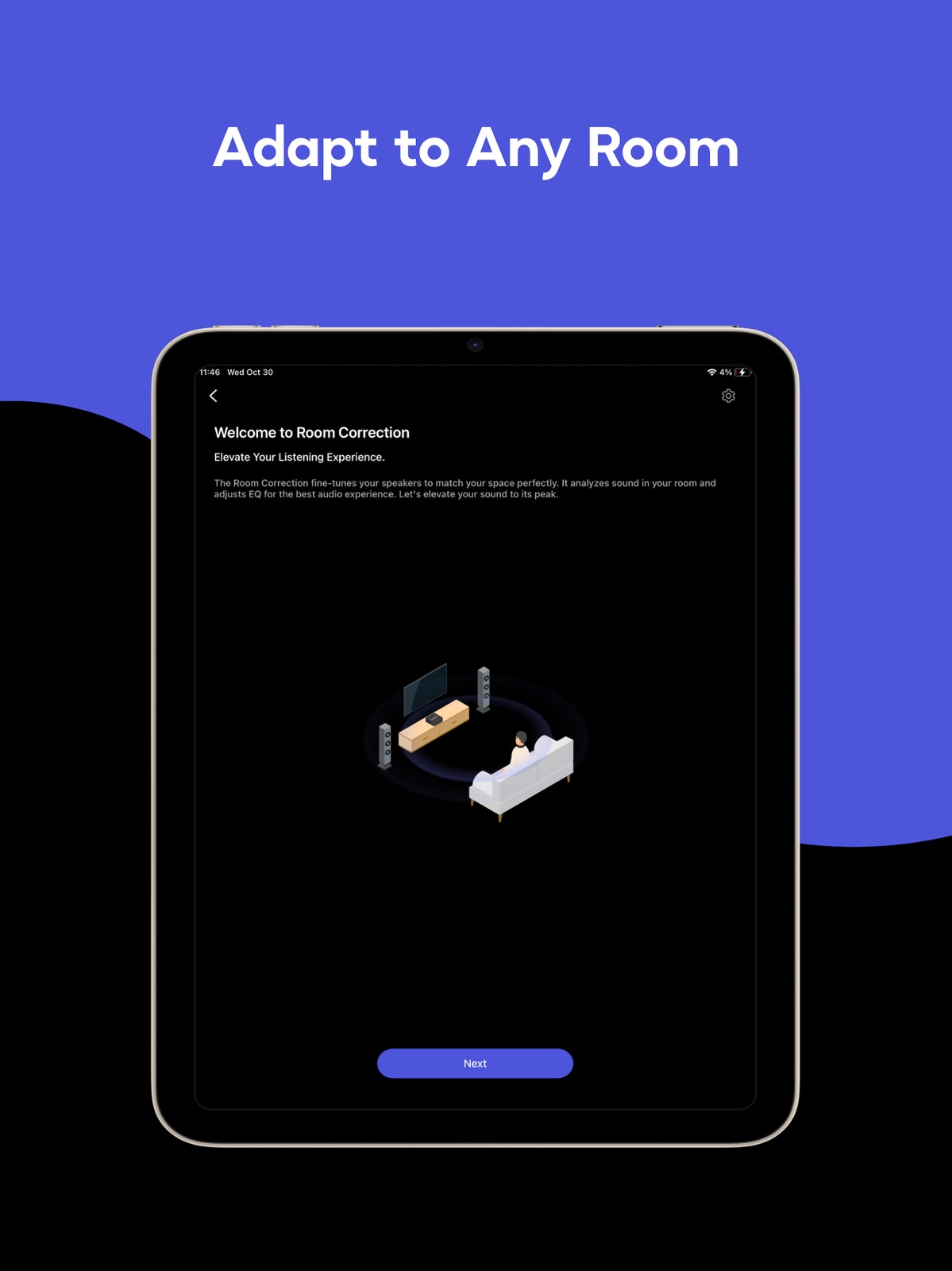
15 store screenshots



Pricing & paywalls
App Store
- Free
Ratings & reviews
App Store
-
4/5Good App, but room for improvement
Am enjoying the sound quality from my WiiM Pro, which I set up to stream mainly from my QNAP NAS, with a Schiit Modi DAC, to a vintage integrated amp. The user interface, thus app, is good but still missing some features. Setup via the app was simple and fast, which is a big plus. Was up and running in a couple of minutes. I have a Plex server set up on my NAS with dlna support and was easily able to stream my music. Areas for improvement: It’s missing gapless playback for dlna but my understanding is that it’s coming. It doesn’t support existing playlists, though to be fair, other apps don’t either. As playlists need to be re-created, it’s a little inconvenient, and worse, looks like playlists created are only saved on the device they are created on. In my case, I created a playlist on my iPhone, so when switching to my iPad, the playlist was not there. Would be great if the playlists can be shared across devices. No landscape mode for now playing. My goal was to display songs playing via my iPad which I would sit on table next to my stereo, but only works in portrait, but for a tablet, landscape would be much better. Looking forward to more updates.
BLthe808 · 31 Jul 2026
-
5/5Fantastic App!!!
I BlueSound and Sonos for many years. There is almost no comparison between those terrible apps and the excellent WiiM home app in 2025. My $1,000 Bluesound Powernode developed a buzzing sound in the subwoofer out. I had a WiiM Amp for some patio speakers but never really used it much until I had to swap out my critical listening syringes due to the BlueSound hardware failure. OMG I had no idea what I was missing!!! The WiiM home app not only works great and is easy to use, but it’s LOADED with amazing features. Whoever the product managers are at WiiM, as well as the software dev team, deserve accolades for their fantastic work. Using a calibrated mic, I used the WiiM amp to tune the sound for my room, and I have never in my life had such an amazing sounding Hi-Fi system, all from a little affordable WiiM Amp! I have now purchased the WiiM Ultra and am a total WiiM fan! Whoever is reading this from WiiM, you folks are amazing. Please keep it up and don’t let the finance and marketing people destroy this amazing app and system you have developed! Do not go the way of BlueSound and Sonos!
Atreyu8 · 31 Jul 2026
-
5/5Amazing App!
The WiiM Home app has great functionality for most average audio consumers. The functionality of the room correction opened my eyes to some of my room acoustic issues. It is not perfect but it is starting point to investigate further if you choose. You can check your room acoustics in minutes and the software can set a profile to compensate if necessary. I attached a 1TB hard drive to the WiiM Ultra with music, it indexed it without issues. It did take quite a while to do it, but once complete all my content is easily accessible in the app. You can browse all your content and play it instantly. The sub out capability works well and highly configurable to your needs/taste. The DAC section has several filters to suit your taste. You can create/save many profiles and presets which are easily available once created. I am really enjoying my WiiM Ultra for its value/ Ease of use/and functionality.
BillyG_137 · 31 Jul 2026
-
1/5Hot flaming garbage
The WiiM device has the potential to be an incredibly good value in the HiFi streaming space. It sounds fantastic and does have a bunch of junk I don’t need like a useless DAC. I love this device… or the incredibly rare occasion I can actually get it working. The App unfortunately is garbage. The app can see that the device is connected to my network. It even shows me the name of my network. The same network my phone is connected to. The App however can find and connect to the device, which means I can’t use it for any of the great potential functions. The Beta Mac OS App find the device first try every time, but that doesn’t yet have the streaming services baked in so I still can’t use it to play Tidal. The reason I bought the device in the first place. I reached out to customer service and after two full days of waiting for a response, they told me to try the same exact troubleshooting as laid out in the app for when things aren’t working. Great, thanks, like I didn’t already try that 25+ times. I informed them I had already tried that repeatedly… crickets. No reply. Don’t waste your time or money with WiiM.
otherwillsmith · 31 Jul 2026
-
5/5The perfect streamer for me…
I wanted a streamer for my home stereo system that wasn’t dependent on my mobile phone. I also didn’t want to spend hundreds of dollars for something I can get with an app. The Wiim mini streamer checked all of my boxes. It was easy to set up and use. Love the ability to stream in HD and Hi-res. (Yes, I can hear the difference, although it is subtle.) The App is relatively straightforward and responsive as long as my wifi signal is strong. My phone now acts as the remote control only so I don’t have to hear notifications on my loudspeakers. I have had issues with my wifi previously but my new service seems to be holding up much better and with that I’ve been able to really enjoy all of the benefits of streaming audio through the Wiim. Great value for the price. Strongly recommend. Five stars overall
Schmaviles · 31 Jul 2026
Privacy & accessibility
App Store
Privacy
- Data Not Linked to You — App Functionality — Diagnostics — Crash Data Developer declared
- Data Not Linked to You — Diagnostics Developer declared
Accessibility
No accessibility labels collected yet.
Versions
App Store
-
3.4.1
1. Improved SMB browsing with multi-level folders and better file-name support 2. Unified search UI and multi-line titles across music services 3. Plex upgrade with new API and WAN server access 4. YouTube library sorting and accurate podcast timing 5. Smarter OOBE with Wi-Fi password checks and signal indicators 6. New VU-meters, wallpapers, and audio-spectrum screens (Ultra/Amp Ultra) 7. Custom volume step for WiiM Mini (firmware required) 8. Stability, localization, and playback fixes
-
3.4.12
Beta Features 1. Sync Main Speakers & Sub: Align main speakers and subwoofer for the listening position using the phone’s microphone (requires an upcoming beta firmware update). 2. Standby Source Mode: Automatically switch to a selected input source when the device enters Standby (requires an upcoming beta firmware update). Improvements 1. Qobuz Radio: Added support for Artist, Album, and Track Radio (requires an upcoming firmware update). 2. Room Correction: Added Variable, Psychoacoustic, and ERB smoothing options. 3. OOBE: Improved Wi-Fi setup stability. 4. Screen: Added per-input playback screen customization (requires an upcoming firmware update). Bug Fixes 1. Plex: Fixed a bitrate downsampling issue. 2. NAS: Fixed local playlist playback failures and resolved Synology indexing issues on certain models.
-
3.4.13
Bug Fixes: 1. Amazon Music & Amazon Alexa: Resolved an issue that could cause sign-in failures.
-
3.4.2
Bug Fixes: 1. Plex: Fixed a crash issue in Plex.
-
3.4.3
1. New Features & Enhancements Enhanced Bluetooth Control: View connection history, customize latency settings, and access pairing mode more easily. Streamlined Setup: Improved stability with added support for Enterprise Wi-Fi and easier streaming service selection. RoomFit™ Correction: Updated logic allows you to retry uploads directly without re-recording. WiiM Ultra Display: Added support for a "Black Background" option during playback (Requires firmware update). SMB Support: Added support for anonymous login. 2. Visual & Interface Updates Improved Readability: Added multi-line support for long track titles in SoundCloud, SoundMachine, Search, and Favorites. Visual Polish: Fixed blurry album art on Plex and refined the TuneIn "Now Playing" interface. Device Management: Optimized the "Grouping" interface "More" Tab: Layout for better organization 3. Performance & Stability General: Various bug fixes and performance improvements to enhance your listening experience.
-
3.4.5
General Fixes: performance improvements and bug fixes.
-
3.4.6
What’s New: 1. NAS: Added memory caching to improve browsing performance. 2. Group Volume: Unified the Group Volume control on the player to match the Devices tab. 3. Plex: Improved connection stability and playback quality.
-
3.4.7
General Fixes: performance improvements and bug fixes.
-
3.4.8
What's New: 1. Synology Support: Improved media browsing via NAX indexing. 2. [Beta] New iHeart (requires an upcoming beta firmware update): - Cleaner, more intuitive layout for easier browsing - Supports browsing by Artist, Playlist, and Podcast.
-
3.4.9
What’s New: 1. Release Notes: Now localized by app language. 2. OOBE (Setup): Added a WPA3-Personal (SAE) timeout alert with guidance to switch Wi-Fi security. Bug Fixes 1. YouTube Podcasts: Corrected the playback screen to include backward and forward control buttons.
-
3.5.0
General Improvements 1. Open Network Stream: UI/UX redesigned included sorting, import, and export support. 2. Recently Played: Added input source switching in Recently Played. Connectivity & Setup Stability 1. Change Network: Improved stability during network switching. Audio Features 1. Headphone EQ (Beta): Added a dedicated EQ for headphone output, independent from other outputs. Local Library 1. Jellyfin: Fixed incomplete song indexing. 2. NAS: Fixed an issue where saved playlists could fail to play. 3. Synology: Fixed indexing issues on certain models.
-
3.5.1
1. [Beta] Sound Mode: Adds sound mode selection for Sub Pro (Movie / Music) in the app (requires the upcoming beta Sub Pro update). 2. [Beta] Standby Source Mode: Allows selecting the input used in standby for immediate input playback (requires the upcoming beta firmware). 3. [Beta] Surround Setup: Simplifies surround setup (requires the upcoming beta firmware).
-
3.5.10
General Improvements 1. Alarm: Fixed an issue where one-time alarms would not work after being edited.
-
3.5.11
Bug Fixes 1. RoomFit™: Fixed a landscape layout issue on iPad.
-
3.5.2
Beta Features 1. Simultaneous Output (Beta): Supports Optical/Coaxial with Line Out for simultaneous playback. 2. Stereo Pair (Beta): Simplifies stereo pair setup. Device Settings 1. Device Screen: Adds per-input screen on/off settings. 2. Automatic Updates: Adds an option to delay automatic firmware updates. NAS & Streaming 1. NAS Browsing: Optimizes NAS browsing cache to reduce outdated data. 2. Open Network Stream: Improves handling of spaces in imported Custom Radio file names. Setup 1. OOBE: Improves OOBE guidance to help troubleshoot setup issues. 2. Permissions: Improves permission explanation pages.
-
3.5.3
Bug Fixes: 1. Permissions: Fixed an unexpected location permission request.
-
3.5.4
General Fixes: performance improvements and bug fixes.
-
3.5.5
General Improvements 1. Group Volume: Fixed an issue where device and group volumes appeared inconsistent in the device list. 2. Performance: Improved network efficiency through HTTP connection reuse. Device Features 1. Line Out: Added a 1.5 Vrms Line Out option for better compatibility with external audio equipment (requires upcoming firmware). Streaming & Services 1. Samba (SMB): Added support for .m3u8 and .pls playlist playback. 2. Open Network Stream: Added support for importing and playing .pls playlists. 3. USB/NAS: Playlists now follow the original file order by default. 4. Plex: Improved playback performance by automatically switching from Relay to Local connection when available.
-
3.5.6
Bug Fixes: 1. General Fixes: performance improvements and bug fixes.
-
3.5.7
New Features 1. Sub Calibration: Automatically aligns the level and timing between your subwoofer and main speakers at your listening position (require upcoming update). 2. TV Remote: Adds an option to adjust the volume step for the TV remote. General Improvements 1. OOBE: Adds more helpful guidance during setup. 2. Synology: Supports folder access in Advanced Mode. 3. Search: Improves search results when special characters are included. 4. USB Playlist: Corrects the track order in USB playlists. 5. Stereo Pair: Improves iPad UI compatibility for Stereo Pair.
-
3.5.8
Music Services 1. WiiM Radio: Adds WiiM Radio with 600+ stations and more coming soon. (Requires an upcoming firmware update.) 2. Open Network Stream: Adds alphabet index jumping for faster browsing. 3. QNAP: Fixes duplicate tracks after indexing. 4. Qobuz: Corrects album sorting by release date when browsing favorite albums sorted by artist. General Improvements 1. iOS 26 Compatibility: Optimizes page layouts for iOS 26. 2. Now Playing: Improves the Now Playing screen experience.
-
3.5.9
Bug Fixes 1. UI Issues: Fixed Playback Screen layout issues with Large Text display and an issue where the mini player overlapped the tab bar on iPhone SE.
-
3.6.0
New Features 1. Vibelink: Added firmware version check and input switching support. 2. Feedback: Added support for attaching videos when submitting a ticket. Music Services 1. YouTube Music: Added Singles & EPs to the artist page. 2. Plex: Added EPs & Singles to the artist page and four additional stations for premium accounts. 3. iHeart: Fixed a playback failure issue in New Zealand and Australia. General Improvements 1. Open Network Stream: Added filters to help you find streams more easily. 2. Samba: Added support for saving Samba playback as a Preset. 3. Sub Pro: Fixed an issue where Sub Pro was not displayed in the app. 4. UI Improvements: Updated Device Settings, Mini Player, and EQ pages.
-
3.6.1
General Fixes: performance improvements and bug fixes.
-
3.6.2
· 22 Jul 2026
General Fixes: performance improvements and bug fixes.
Alternatives
- Qobuz: Music & Editorial — Same category + similar ratings
- MusicCast Controller - US — Same category + similar ratings
Availability by market
- US
Data quality & evidence
- Page completeness
- Live store listing
- Last verified
- 31 Jul 2026
- Sources
- App Store
- Independent summary has not been published yet.