
Quick verdict
- What it is
- Store information collected; independent summary not yet available.
- At a glance
-
- Free to download
Categories and search queries
Official categories
- Entertainment
- Photo & Video
AppCorpus categories
Key functions
| Function | Availability | Access | Scope | Evidence |
|---|---|---|---|---|
| Free app | Yes | Free | — | Store published |
Screens
App Store
21 store screenshots

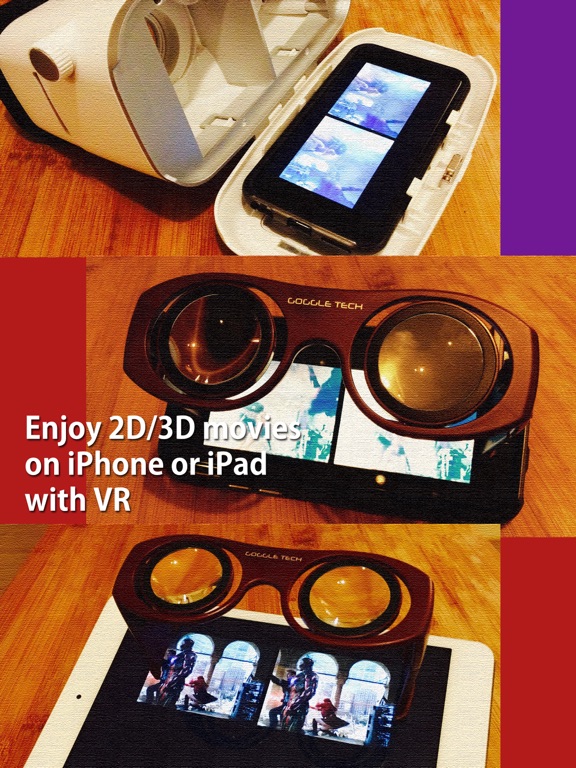

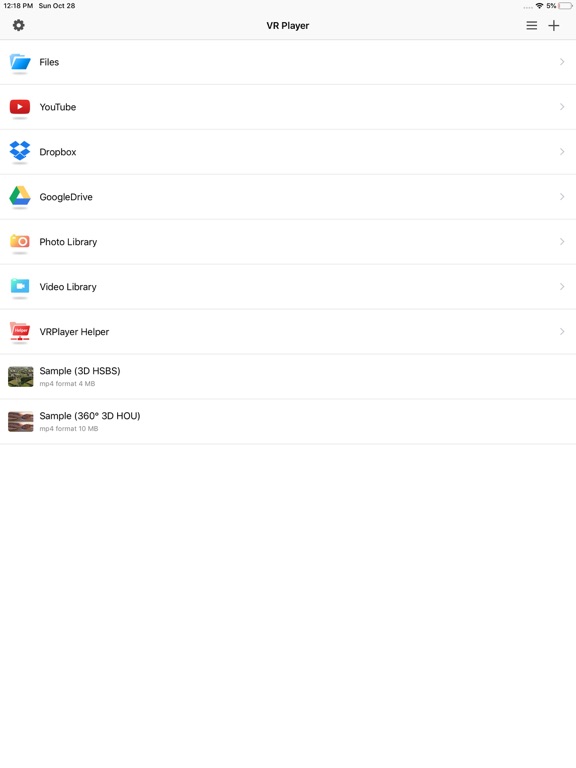
Pricing & paywalls
App Store
- Free
Ratings & reviews
App Store
-
3/5Good and bad
It functions quite well with the videos it works with and is easy to use. VR videos I try from the last two years don’t seem to be compatible but the older ones all work great. It says you can load from Google Drive which would be incredibly helpful for phone storage when viewing VR. Unfortunately Google says not to trust the app with your information and will auto revoke access. So I’m leaving this review in hope they fix that!
Ryan187575379928 · 6 Aug 2026
-
4/5VR Photo & Video Viewer
This does everything I want, except for the option to slow down videos and speed them up. Most video viewers go like this: Slower 1.0 normal .9 .8 .7 .6 .5 Faster 1.0 normal 1.1 1.2 1.3 1.4 1.5 Some go faster like 2.0 to 4.0 but that’s ludicrous speed to me. From .5 to 1.5 would be perfect. I would not only buy that option, but I’d buy a few more that are already in the app. Without the option to slow down or speed up as standard video players usually do I just can’t justify buying anything right now for this app. This app does everything else and I want to upgrade it. Hopefully this will be added and I’ll definitely change the 4 star rating to 5. It should be higher, but that’s my opinion. Thank you for being the only one out of at least 10 apps that work for looking at pictures. To me, that’s just a cool new way to look at my pictures. Use your imagination and it almost feels like you could relive a special moment in your past. I can’t wait to try out the 360 videos I’m making.
Groundhog1471 · 6 Aug 2026
-
5/5Great app for me
I don’t know why so many people download an add supported app then gripe about ads. This app works great for me and I tested with 5 different VR formats from SBS, Cardboard, 360, etc. I was able to switch them to work with my headset easily, tracking was terrific, and I didn’t notice any lag. After testing it out I was happy to pay a few bucks for this great tool. I have not tried the helper app yet but without it the mobile app is still well worth the price. Use the add supported version just to make sure it works then upgrade. Is worth it
david_lee_smith · 6 Aug 2026
-
4/5Almost all negative reviews over ads for unpaid version
Was looking for a player to split screen video for the cheap ‘VR’ goggles you can buy. This does exactly that plus a good handful of other fun options. If you don’t like the ads, try paying the programmer. I would suggest adding in a ‘Shuffle Play’ option for the video library option, my kids love watching stuff on the phone using the goggles, but not in the same order every time.
8oonanna · 6 Aug 2026
-
2/5One video worked great, now totally broken
This played one video amazingly well, and then it just stopped playing all videos that are VR. Whenever you hit the “play” button on the bottom, it’s just a black screen. Really a shame, because it has great features and the one single video it played WAS great. But as it stands this is just broken iOS VR app #717.
Solardeity · 6 Aug 2026
Privacy & accessibility
App Store
Privacy
- Data Linked to You — Analytics — Diagnostics — Crash Data Developer declared
- Data Linked to You — Analytics — Diagnostics — Performance Data Developer declared
- Data Linked to You — Analytics — Identifiers — Device ID Developer declared
- Data Linked to You — Analytics — Location — Coarse Location Developer declared
- Data Linked to You — Analytics — Usage Data — Advertising Data Developer declared
- Data Linked to You — Analytics — Usage Data — Product Interaction Developer declared
- Data Linked to You — Third-Party Advertising — Diagnostics — Crash Data Developer declared
- Data Linked to You — Third-Party Advertising — Diagnostics — Performance Data Developer declared
- Data Linked to You — Third-Party Advertising — Identifiers — Device ID Developer declared
- Data Linked to You — Third-Party Advertising — Location — Coarse Location Developer declared
- Data Linked to You — Third-Party Advertising — Usage Data — Advertising Data Developer declared
- Data Linked to You — Third-Party Advertising — Usage Data — Product Interaction Developer declared
- Data Linked to You — Diagnostics Developer declared
- Data Linked to You — Identifiers Developer declared
- Data Linked to You — Location Developer declared
- Data Linked to You — Usage Data Developer declared
- Data Used to Track You — Diagnostics — Crash Data Developer declared
- Data Used to Track You — Diagnostics — Performance Data Developer declared
- Data Used to Track You — Diagnostics Developer declared
- Data Used to Track You — Identifiers — Device ID Developer declared
- Data Used to Track You — Identifiers Developer declared
- Data Used to Track You — Location — Coarse Location Developer declared
- Data Used to Track You — Location Developer declared
- Data Used to Track You — Usage Data — Advertising Data Developer declared
- Data Used to Track You — Usage Data — Product Interaction Developer declared
- Data Used to Track You — Usage Data Developer declared
Accessibility
No accessibility labels collected yet.
Versions
App Store
-
3.0.8
● partial screen display bug fix on iPhone Plus ● video library listing bug fix on iOS 8.x ● minor bug fix
-
3.0.9
● support multilingual filesystem for VRPlayer Helper. ● minor bug fix
-
3.1.0
● support "open In" feature for smi/srt files. ● minor bug fix
-
3.1.1
● support Picture In Picture mode for iPad. ● add more options for screen position. ● bug fix for dropbox. ● minor bug fix
-
3.1.2
● minor bug fix
-
3.1.3
● Bug fixes
-
3.1.5
● Bug fixes
-
3.1.6
● Bug fixes
-
3.1.7
● FTP bug fixes on iOS 10.3.x
-
3.1.8
● critical initialize bug fixes on iOS 10.3.2
-
3.1.9
● bug fixes for Dropbox & GoogleDrive
-
3.2.0
● bug fixes for recognizing hevc & h265 codec ● now you can control function buttons on video screen with number key when using keyboard control - 1 : Toggle 360°/180° Video - 2 : Toggle VR Mode - 3 : Change 2D/3D Mode - 4 : Zoom In/Out - 5 : Back To Center / Motion Tracking - 6 : Motion Tracking Constraint - 7 : Loop - 8 : Audio/Subtitle
-
3.2.1
● support OpenGL ● bug fixes for iOS 11
-
3.2.2
● bug fixes for 180° video
-
3.2.3
● iPhone X compatibility ● Bug fixes
-
3.2.5
● iPhone X layout bug fixes ● Minor bug fixes
-
3.2.6
● Add import/export feature for 'Files' app. ● Minor bug fixes
-
3.2.7
● Folder lock feature bug fixes for face ID devices.
-
3.2.8
● support iOS 13 dark mode feature. ● You can control VRPlayer with Game Controller ※ supported controller - XBox controller - Playstation Dualshock controller - Other MFi certified game controller ※ while navigating - up / down : move cursor by item - up / down + RB : move cursor by page - right / A : select item - left / B : back to previous ※ while playing - up / down : move cursor by button - A : select button & do action - B : stop & back to list - X : play & pause - right : move forward 5 seconds - left : move backward 5 seconds - right + RB : move forward 1 minute - left + RB : move backward 1 minute - up + RB : play previous video - down + RB : play next video ● minor bug fixes.
-
3.2.9
● support iOS 15 ● minor bug fixes
-
3.3.0
● fix minor bugs on iOS 15
-
3.3.1
● VRPlayer can record screen/audio of your desktop and streaming it to VRPlayer via VRPlayer Helper. - to use this feature "VRPlayer Helper" should be installed and executed on your desktop. please select or add "VRPlayer Helper" item on vrplayer app and follow instruction first. - this feature is experimental for now. so there might be considerable amount of latency and unstability depends on network environment and system spec where helper is running ● improve transcoding performance of VRPlayer Helper. ● fix minor bugs on iOS 18.
-
3.3.2
● fix intermittent pausing when toggle 360/180 play mode.
-
3.3.3
● fix minor bugs on iOS 18 (replace deprecated function)
-
3.3.5
· 3 Jun 2025
● fix bug about back to center feature (was not working when roll angle is over 90°) ● improve audio/subtitle track selection for VRPlayer Helper
Alternatives
- Mobile VR Station® — Same category + similar ratings
- VR Tube: 360 & 3D Video — Same category + similar ratings
- Reality Augmented (VR) — Same category + similar ratings
- Mobile VR Station® (Ported) — Same category + similar ratings
Availability by market
- US
Data quality & evidence
- Page completeness
- Live store listing
- Last verified
- 6 Aug 2026
- Sources
- App Store
- Independent summary has not been published yet.