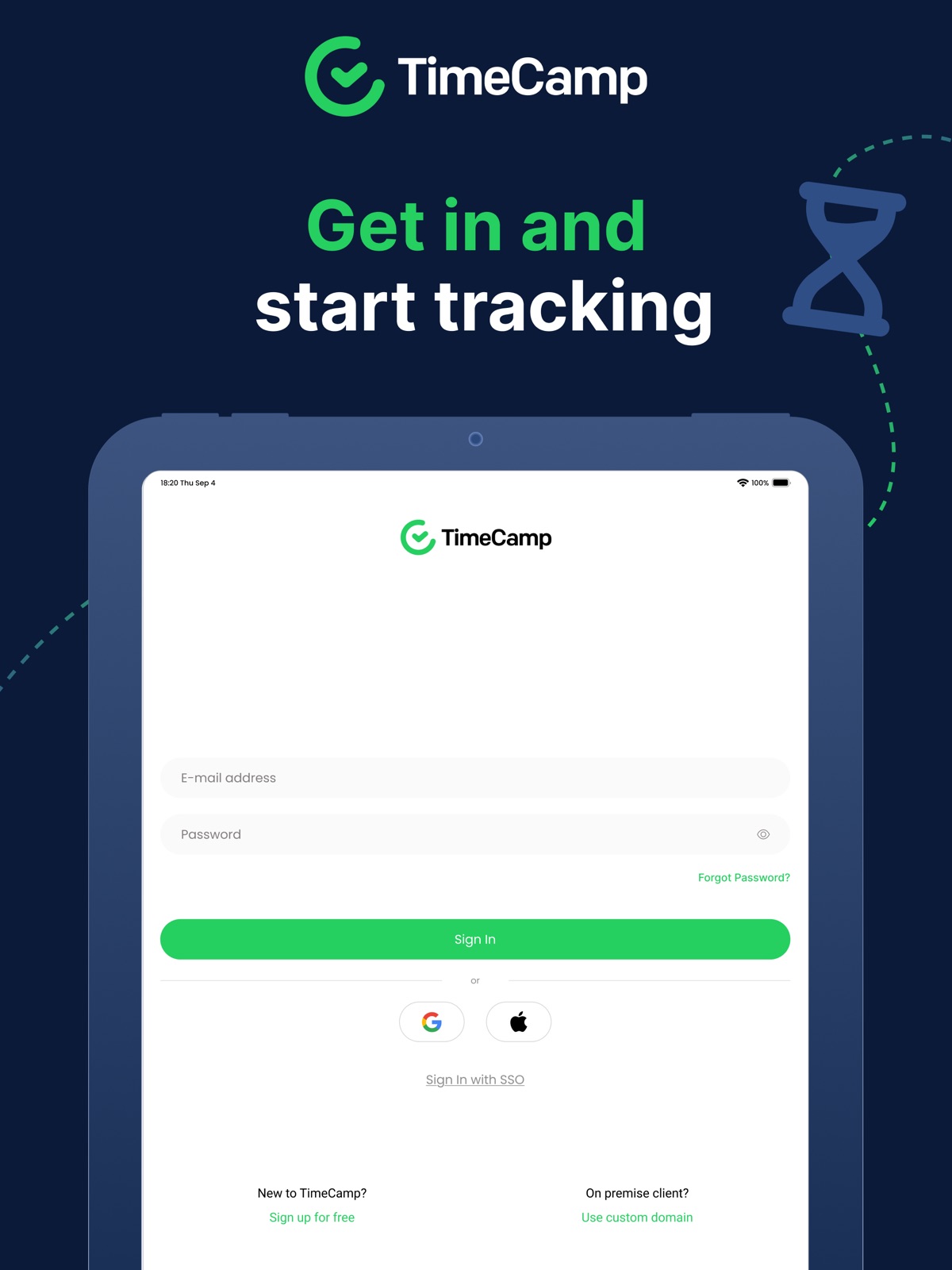
Apoku MCP provides app discovery, detailed cards, evidence, sources and screenshots where available. Unknown or conflicting prices stay explicit.
View JSON
GET /api/v3/apps/881820002
{
  "app_id": 881820002,
  "canonical_url": "https://appcorpus.com/apps/timecamp-time-tracker-881820002",
  "identity": {
    "name": "TimeCamp Time Tracker",
    "slug": "timecamp-time-tracker",
    "developer": {
      "name": "TimeCamp S.A.",
      "url": "https://appcorpus.com/developers/timecamp-s-a-developer_ce6402399bb619776330b76a0e4718a5"
    },
    "icon_url": "https://is1-ssl.mzstatic.com/image/thumb/Purple211/v4/b8/41/98/b8419835-fd3a-fb81-c854-81ea39fffc96/AppIcon-0-0-1x_U007emarketing-0-8-0-85-220.png/512x512bb.jpg",
    "stores": [
      "apple"
    ],
    "platforms": [
      "iphone",
      "ipad"
    ],
    "status": {
      "state": "active",
      "label": "Active",
      "last_checked": "2026-08-07",
      "last_checked_label": "7 Aug 2026",
      "banner": null,
      "region_note": null,
      "data_state": "stale",
      "data_state_label": "Some store data may be out of date"
    }
  },
  "listings": [
    {
      "store": "apple",
      "status": "ACTIVE",
      "url": "https://apps.apple.com/us/app/timecamp-time-tracker/id881820002?uo=4",
      "rating": 3.1,
      "rating_count": 69,
      "formatted_price": "Free",
      "is_free": true,
      "has_iap": false,
      "has_subscription": null,
      "version": "3.12.0",
      "updated": "2026-08-07",
      "currency": "USD"
    }
  ],
  "summary": {
    "one_liner": null,
    "summary": null,
    "best_for": [],
    "not_for": [],
    "status": "fallback",
    "at_a_glance": [
      "Free to download"
    ]
  },
  "categories": {
    "official": [
      "Productivity",
      "Business"
    ],
    "appcorpus": [
      {
        "category_id": "productivity",
        "label": "Productivity",
        "url": "https://appcorpus.com/categories/productivity"
      },
      {
        "category_id": "business",
        "label": "Business",
        "url": "https://appcorpus.com/categories/business"
      }
    ]
  },
  "use_cases": [],
  "features": [
    {
      "capability_id": "free_app",
      "label": "Free app",
      "availability": "yes",
      "access_level": "free",
      "scope": null,
      "evidence": "Store published"
    }
  ],
  "pricing": [
    {
      "store": "apple",
      "formatted_price": "Free",
      "is_free": true,
      "has_iap": false,
      "has_subscription": null,
      "currency": "USD",
      "market": "us",
      "last_verified": "2026-08-07",
      "rows": [
        "Free to download"
      ],
      "state": "current"
    }
  ],
  "screens": [
    {
      "url": "https://is1-ssl.mzstatic.com/image/thumb/PurpleSource221/v4/ec/dd/34/ecdd3422-257f-d598-d9e2-7d26be6fd51e/1-Rejestracja.png/1600x1600bb.jpg",
      "store": "apple",
      "platform": "ipad",
      "alt": "TimeCamp Time Tracker ipad screenshot 1"
    },
    {
      "url": "https://is1-ssl.mzstatic.com/image/thumb/PurpleSource211/v4/fa/72/21/fa7221dc-fabf-1b49-483d-285397596af0/65379436-6855-4c66-9de3-8d600cd32ca9_Simulator_Screenshot_-_iPad_Pro__U002812.9-inch_U0029__U00286th_generation_U0029_-_2024-08-20_at_18.32.43.png/576x768bb.png",
      "store": "apple",
      "platform": "ipad",
      "alt": "TimeCamp Time Tracker ipad screenshot 2"
    },
    {
      "url": "https://is1-ssl.mzstatic.com/image/thumb/PurpleSource221/v4/2e/8d/e5/2e8de5d0-1e83-c5a7-34fc-ff6076b88bfd/2-Logowanie.png/1600x1600bb.jpg",
      "store": "apple",
      "platform": "ipad",
      "alt": "TimeCamp Time Tracker ipad screenshot 3"
    },
    {
      "url": "https://is1-ssl.mzstatic.com/image/thumb/PurpleSource221/v4/58/50/8f/58508fe8-7e7d-f8a6-e840-3577ccd8ea9d/c877e695-c16e-42e5-a5f9-8c280b7f6b48_Simulator_Screenshot_-_iPad_Pro__U002812.9-inch_U0029__U00286th_generation_U0029_-_2024-08-20_at_18.32.40.png/576x768bb.png",
      "store": "apple",
      "platform": "ipad",
      "alt": "TimeCamp Time Tracker ipad screenshot 4"
    },
    {
      "url": "https://is1-ssl.mzstatic.com/image/thumb/PurpleSource221/v4/46/c1/93/46c19334-2b13-aadc-b9fb-b8aa78f992ac/3-timesheet_z_taskami.png/1600x1600bb.jpg",
      "store": "apple",
      "platform": "ipad",
      "alt": "TimeCamp Time Tracker ipad screenshot 5"
    },
    {
      "url": "https://is1-ssl.mzstatic.com/image/thumb/PurpleSource211/v4/ae/10/ae/ae10ae0f-7c84-7e59-e479-4af414cec88c/b3b76cbd-2498-44fa-9722-7b61aa54cc0c_Simulator_Screenshot_-_iPad_Pro__U002812.9-inch_U0029__U00286th_generation_U0029_-_2024-08-20_at_18.31.31.png/576x768bb.png",
      "store": "apple",
      "platform": "ipad",
      "alt": "TimeCamp Time Tracker ipad screenshot 6"
    },
    {
      "url": "https://is1-ssl.mzstatic.com/image/thumb/PurpleSource221/v4/db/f7/39/dbf73969-58f6-17a7-6542-d78563f4c530/4-timesheet_z_naliczanym_czasem.png/1600x1600bb.jpg",
      "store": "apple",
      "platform": "ipad",
      "alt": "TimeCamp Time Tracker ipad screenshot 7"
    },
    {
      "url": "https://is1-ssl.mzstatic.com/image/thumb/PurpleSource211/v4/44/c4/49/44c449cd-1594-2d45-2406-d6179381e552/a0530da6-263a-4e99-acdd-798144784261_Simulator_Screenshot_-_iPad_Pro__U002812.9-inch_U0029__U00286th_generation_U0029_-_2024-08-20_at_18.31.43.png/576x768bb.png",
      "store": "apple",
      "platform": "ipad",
      "alt": "TimeCamp Time Tracker ipad screenshot 8"
    },
    {
      "url": "https://is1-ssl.mzstatic.com/image/thumb/PurpleSource221/v4/39/a6/4a/39a64ae5-2766-7615-df6e-c33fd6f1f134/8-New_entry.png/1600x1600bb.jpg",
      "store": "apple",
      "platform": "ipad",
      "alt": "TimeCamp Time Tracker ipad screenshot 9"
    },
    {
      "url": "https://is1-ssl.mzstatic.com/image/thumb/PurpleSource211/v4/0c/76/e8/0c76e8b7-5093-60e9-7195-48da39e1cb29/5ac2ed8a-bb47-41e0-ab52-11d1dfa9ad30_Simulator_Screenshot_-_iPad_Pro__U002812.9-inch_U0029__U00286th_generation_U0029_-_2024-08-20_at_18.31.34.png/576x768bb.png",
      "store": "apple",
      "platform": "ipad",
      "alt": "TimeCamp Time Tracker ipad screenshot 10"
    },
    {
      "url": "https://is1-ssl.mzstatic.com/image/thumb/PurpleSource211/v4/4a/ff/73/4aff73c6-3dbb-34a9-4358-2d1f16cc0537/5-projekty.png/1600x1600bb.jpg",
      "store": "apple",
      "platform": "ipad",
      "alt": "TimeCamp Time Tracker ipad screenshot 11"
    },
    {
      "url": "https://is1-ssl.mzstatic.com/image/thumb/PurpleSource221/v4/07/6b/e4/076be430-e35f-6142-8808-e7d43bbdb243/96c47077-f614-45d5-9e08-3368cecadaf4_Simulator_Screenshot_-_iPad_Pro__U002812.9-inch_U0029__U00286th_generation_U0029_-_2024-08-20_at_18.32.29.png/576x768bb.png",
      "store": "apple",
      "platform": "ipad",
      "alt": "TimeCamp Time Tracker ipad screenshot 12"
    },
    {
      "url": "https://is1-ssl.mzstatic.com/image/thumb/PurpleSource221/v4/f7/7a/36/f77a3611-b4ae-efa7-c97d-8028698e0d9b/7-produktywnosc.png/1600x1600bb.jpg",
      "store": "apple",
      "platform": "ipad",
      "alt": "TimeCamp Time Tracker ipad screenshot 13"
    },
    {
      "url": "https://is1-ssl.mzstatic.com/image/thumb/PurpleSource211/v4/65/41/71/6541713f-53a8-bd6e-968e-742ef45af032/6e88d87a-af2e-44ec-81dc-62f1b94232ff_Simulator_Screenshot_-_iPad_Pro__U002812.9-inch_U0029__U00286th_generation_U0029_-_2024-08-20_at_18.31.53.png/576x768bb.png",
      "store": "apple",
      "platform": "ipad",
      "alt": "TimeCamp Time Tracker ipad screenshot 14"
    },
    {
      "url": "https://is1-ssl.mzstatic.com/image/thumb/PurpleSource211/v4/cf/5e/a9/cf5ea97f-6d1d-9b30-f20b-3e7ccb6ff6a0/6-expense.png/1600x1600bb.jpg",
      "store": "apple",
      "platform": "ipad",
      "alt": "TimeCamp Time Tracker ipad screenshot 15"
    },
    {
      "url": "https://is1-ssl.mzstatic.com/image/thumb/PurpleSource211/v4/77/a3/c4/77a3c471-3c9f-bb05-c0c6-d4fa92fe849a/9-New_expense.png/1600x1600bb.jpg",
      "store": "apple",
      "platform": "ipad",
      "alt": "TimeCamp Time Tracker ipad screenshot 16"
    },
    {
      "url": "https://is1-ssl.mzstatic.com/image/thumb/PurpleSource211/v4/81/e0/18/81e0181f-9397-8342-f6cf-53eaf9f1edbb/10-Settings.png/1600x1600bb.jpg",
      "store": "apple",
      "platform": "ipad",
      "alt": "TimeCamp Time Tracker ipad screenshot 17"
    },
    {
      "url": "https://is1-ssl.mzstatic.com/image/thumb/PurpleSource221/v4/a3/f3/ff/a3f3ff70-35ef-3439-2740-9e1c67993eb4/2-Rejestracja.png/1242x1600bb.jpg",
      "store": "apple",
      "platform": "iphone",
      "alt": "TimeCamp Time Tracker iphone screenshot 18"
    },
    {
      "url": "https://is1-ssl.mzstatic.com/image/thumb/PurpleSource221/v4/6c/f4/2c/6cf42ce2-c467-70d3-c09d-e876219290f6/2-Logowanie__U00281_U0029.png/1242x1600bb.jpg",
      "store": "apple",
      "platform": "iphone",
      "alt": "TimeCamp Time Tracker iphone screenshot 19"
    },
    {
      "url": "https://is1-ssl.mzstatic.com/image/thumb/PurpleSource211/v4/53/0e/44/530e44d6-2843-f55c-9f4d-8c727bfc1263/4-timesheet_z_taskami.png/1242x1600bb.jpg",
      "store": "apple",
      "platform": "iphone",
      "alt": "TimeCamp Time Tracker iphone screenshot 20"
    },
    {
      "url": "https://is1-ssl.mzstatic.com/image/thumb/PurpleSource211/v4/73/11/be/7311becf-61de-462c-249d-f622b4e773ba/5-timesheet_z_naliczanym_czasem.png/1242x1600bb.jpg",
      "store": "apple",
      "platform": "iphone",
      "alt": "TimeCamp Time Tracker iphone screenshot 21"
    },
    {
      "url": "https://is1-ssl.mzstatic.com/image/thumb/PurpleSource211/v4/a5/22/3d/a5223db8-075c-75a5-83d4-ac53f206be49/11-New_entry.png/1242x1600bb.jpg",
      "store": "apple",
      "platform": "iphone",
      "alt": "TimeCamp Time Tracker iphone screenshot 22"
    },
    {
      "url": "https://is1-ssl.mzstatic.com/image/thumb/PurpleSource211/v4/fa/5c/b1/fa5cb177-a9be-b250-de3a-50563d2760a4/10-Projekty.png/1242x1600bb.jpg",
      "store": "apple",
      "platform": "iphone",
      "alt": "TimeCamp Time Tracker iphone screenshot 23"
    },
    {
      "url": "https://is1-ssl.mzstatic.com/image/thumb/PurpleSource221/v4/3e/8d/d6/3e8dd611-7ae7-45a3-a8d1-eb533a599e84/9-raporty.png/1242x1600bb.jpg",
      "store": "apple",
      "platform": "iphone",
      "alt": "TimeCamp Time Tracker iphone screenshot 24"
    },
    {
      "url": "https://is1-ssl.mzstatic.com/image/thumb/PurpleSource221/v4/05/3e/e0/053ee0d7-0373-a155-6f59-aef35c99f0fd/6-expense.png/1242x1600bb.jpg",
      "store": "apple",
      "platform": "iphone",
      "alt": "TimeCamp Time Tracker iphone screenshot 25"
    },
    {
      "url": "https://is1-ssl.mzstatic.com/image/thumb/PurpleSource211/v4/25/c8/76/25c876e3-16dc-798d-a826-7c8a8e850e25/7-New_expense.png/1242x1600bb.jpg",
      "store": "apple",
      "platform": "iphone",
      "alt": "TimeCamp Time Tracker iphone screenshot 26"
    },
    {
      "url": "https://is1-ssl.mzstatic.com/image/thumb/PurpleSource221/v4/7a/0b/1e/7a0b1e48-9484-7eb3-62b4-6609ced49db8/12-Settings.png/1242x1600bb.jpg",
      "store": "apple",
      "platform": "iphone",
      "alt": "TimeCamp Time Tracker iphone screenshot 27"
    }
  ],
  "data_states": {
    "screens": "current"
  },
  "ratings": [
    {
      "store": "apple",
      "average": 3.1,
      "count": 69,
      "market": "us",
      "observed_at": "2026-08-07",
      "state": "current",
      "reviews": [
        {
          "rating": 4,
          "title": "Good So Far",
          "body": "First, I like the ChatBot/Live Chat support. IDK if I’m getting a machine response or an actual human. However, I typically work early in the morning (US Central) and US companies aren’t open. Getting a helpful response rather than “we don’t have any agents available at the moment” is great! I’ve only started using the software/app for about 2 1/2 weeks and not a ton. So far it works pretty well. I need to track time across multiple projects and clients - it does that to at least three levels of project specificity (Project/Task/Sub-task). I love that. The Mac desktop software has been my preference so far. I find that the app is a little less intuitive. But, I’ve spent less time with it. Finally, to echo another comment - the time is a little buggy. I’ve noticed it keeps running when I swear I stopped it ... and just now my desktop timer stopped. I readily admit user error could be the cause, though. So far, recommended. I have not paid yet - I have 14 more days if the free trial. Right now I’m planning on a single seat of Pro, possibly with additional Basic seats for two contractors. Not sure though.",
          "author": "TXYarnGirl",
          "date": "7 Aug 2026"
        },
        {
          "rating": 4,
          "title": "Love the Software, Hate the App",
          "body": "5-Stars for the actual software product, 1-Star for the App. I really love this product (5-stars) for keeping track of time. I have the Basic subscription, and love the ability to be able to export my timesheets to a Google Drive to share with my employer. With that said, the iPad/iPhone App is totally useless to me (1-Star.) I do the majority of my work on an ipad, and the app is not screen orientation sensitive. So, I have to turn the iPad vertically, which means I can’t use the keyboard. I don’t bother using the app unless I really have no choice due to no internet. Otherwise, I’ll just log into the website and track my time there. I hope this gets fixed with future updates to the App.",
          "author": "Reasers",
          "date": "7 Aug 2026"
        },
        {
          "rating": 4,
          "title": "Good Time Tracking App",
          "body": "I have used TimeCamp for years now. It has proven to be a very useful app that works well for keeping track of my time with my clients. On rare occasions there is a glitch, but the company is extremely responsive and fixes things quickly. I also like that they follow up to make sure everything is working properly.",
          "author": "MALF12",
          "date": "7 Aug 2026"
        },
        {
          "rating": 5,
          "title": "Could not live without",
          "body": "I mostly use the desktop and web version of TimeCamp. I work with multiple clients and am constantly jumping between tasks. With the desktop version I’m able to easily change what I am working on. I could not live without the feature that tells me which apps or websites I’m visiting. When I’m super busy and forget to change my task between clients I’m able to fix my time. Time camp goes above and beyond for my uses.",
          "author": "Kara444",
          "date": "7 Aug 2026"
        },
        {
          "rating": 5,
          "title": "Best time tracker for tracking projects",
          "body": "I tried many time trackers for my projects. This is the best one I’ve seen (and I’ve tried everything Wrike, Monday, harvest, ATracker, etc.). I love that it allows me to nest tasks, track time on each of those tasks and then see the cumulative time spent. I also love that I can use it on my computer as well as my phone!",
          "author": "Danny Zh",
          "date": "7 Aug 2026"
        }
      ]
    }
  ],
  "privacy": [
    {
      "store": "apple",
      "declarations": [
        {
          "title": "Data Linked to You",
          "detail": "Analytics — Usage Data — Other Usage Data",
          "source": "Developer declared"
        },
        {
          "title": "Data Linked to You",
          "detail": "App Functionality — Diagnostics — Other Diagnostic Data",
          "source": "Developer declared"
        },
        {
          "title": "Data Linked to You",
          "detail": "App Functionality — Identifiers — User ID",
          "source": "Developer declared"
        },
        {
          "title": "Data Linked to You",
          "detail": "App Functionality — Location — Coarse Location",
          "source": "Developer declared"
        },
        {
          "title": "Data Linked to You",
          "detail": "App Functionality — Location — Precise Location",
          "source": "Developer declared"
        },
        {
          "title": "Data Linked to You",
          "detail": "App Functionality — User Content — Customer Support",
          "source": "Developer declared"
        },
        {
          "title": "Data Linked to You",
          "detail": "Diagnostics",
          "source": "Developer declared"
        },
        {
          "title": "Data Linked to You",
          "detail": "Identifiers",
          "source": "Developer declared"
        },
        {
          "title": "Data Linked to You",
          "detail": "Location",
          "source": "Developer declared"
        },
        {
          "title": "Data Linked to You",
          "detail": "Usage Data",
          "source": "Developer declared"
        },
        {
          "title": "Data Linked to You",
          "detail": "User Content",
          "source": "Developer declared"
        }
      ],
      "accessibility": []
    }
  ],
  "changes": [
    {
      "store": "apple",
      "version": "3.0.8",
      "released_at": null,
      "notes": "- Performance improvement - Application stabilization - Platform-specific bug fixes"
    },
    {
      "store": "apple",
      "version": "3.1.0",
      "released_at": null,
      "notes": "- Added the ability to log in using a custom domain. - Bug fixes"
    },
    {
      "store": "apple",
      "version": "3.10.2",
      "released_at": null,
      "notes": "Key areas of focus include: *Bug fixes *UX/UI improvements to the timesheet view *Improvements to approval buttons"
    },
    {
      "store": "apple",
      "version": "3.1.1",
      "released_at": null,
      "notes": "- bug fix"
    },
    {
      "store": "apple",
      "version": "3.11.0",
      "released_at": null,
      "notes": "- Bug fixes. - The “Attendance” module has been added, which allows you to manage types of workdays."
    },
    {
      "store": "apple",
      "version": "3.11.1",
      "released_at": null,
      "notes": "- Bug fixes."
    },
    {
      "store": "apple",
      "version": "3.1.2",
      "released_at": null,
      "notes": "- bug fixes"
    },
    {
      "store": "apple",
      "version": "3.12.0",
      "released_at": "2026-07-14",
      "notes": "Changes to API endpoints"
    },
    {
      "store": "apple",
      "version": "3.3.0",
      "released_at": null,
      "notes": "- Geofencing improvement - Bug fix"
    },
    {
      "store": "apple",
      "version": "3.4.2",
      "released_at": null,
      "notes": "- Fix for syncing the time of an active timer. - Fix for unresponsive timesheets for weeks other than the current one. - Enforce the selection of a mandatory tag when required. - Minor bug fixes to improve rendering performance."
    },
    {
      "store": "apple",
      "version": "3.5.4",
      "released_at": null,
      "notes": "- Added information about unsaved changes on the TimeEntryDetails screen. - The mobile app now remembers the duration format independently of the settings on the web. - Bug fixes"
    },
    {
      "store": "apple",
      "version": "3.6.0",
      "released_at": null,
      "notes": "Added expenses module with option to assign costs to projects, define category, add notes, and attach receipts."
    },
    {
      "store": "apple",
      "version": "3.6.1",
      "released_at": null,
      "notes": "- Bug fixes"
    },
    {
      "store": "apple",
      "version": "3.6.3",
      "released_at": null,
      "notes": "- bug fixes"
    },
    {
      "store": "apple",
      "version": "3.6.4",
      "released_at": null,
      "notes": "- bug fixes"
    },
    {
      "store": "apple",
      "version": "3.6.5",
      "released_at": null,
      "notes": "- bug fixes"
    },
    {
      "store": "apple",
      "version": "3.6.6",
      "released_at": null,
      "notes": "- bug fixes"
    },
    {
      "store": "apple",
      "version": "3.6.7",
      "released_at": null,
      "notes": "- bug fixes"
    },
    {
      "store": "apple",
      "version": "3.8.0",
      "released_at": null,
      "notes": "Added support for Polish and Spanish languages. Redesigned Settings view for improved usability. Fixed issues with login via Google, Apple, and SSO."
    },
    {
      "store": "apple",
      "version": "3.8.4",
      "released_at": null,
      "notes": "1. Auto log-out fix. 2. Fix for incorrect translation key in geofencing failure notification. 3. Fix for the customer report."
    }
  ],
  "alternatives": [
    {
      "app_id": 909469423,
      "name": "Tracking Time PRO",
      "url": "https://appcorpus.com/apps/tracking-time-pro-909469423",
      "reason": "Same category + similar ratings"
    },
    {
      "app_id": 1304431926,
      "name": "Clockify Time Tracker",
      "url": "https://appcorpus.com/apps/clockify-time-tracker-1304431926",
      "reason": "Same category + similar ratings"
    },
    {
      "app_id": 971894122,
      "name": "Hubstaff Time Tracker",
      "url": "https://appcorpus.com/apps/hubstaff-time-tracker-971894122",
      "reason": "Same category + similar ratings"
    },
    {
      "app_id": 1215214688,
      "name": "EARLY: Time Tracking",
      "url": "https://appcorpus.com/apps/early-time-tracking-1215214688",
      "reason": "Same category + similar ratings"
    },
    {
      "app_id": 1425368544,
      "name": "Timery: Time Tracker",
      "url": "https://appcorpus.com/apps/timery-time-tracker-1425368544",
      "reason": "Same category + similar ratings"
    }
  ],
  "evidence_summary": {
    "index_state": "S1",
    "evidence_level": 1,
    "level_label": "Live store listing",
    "indexable": true,
    "last_verified_at": "2026-08-07",
    "unknown_fields": [
      "Apoku editorial summary has not been published yet."
    ],
    "sources": [
      "App Store"
    ]
  },
  "availability_markets": {
    "live": [
      "us"
    ],
    "selected": "us",
    "note": null
  },
  "feature_events": {
    "events": []
  },
  "features_slice": {
    "plans": [],
    "features": [],
    "unknown_features": [],
    "data_cutoff": "7 Aug 2026"
  }
}