
Quick verdict
- What it is
- Store information collected; an Apoku editorial summary is not yet published.
- At a glance
-
- From $1.24/mo
- Free download · core features require a paid plan
- In-app purchases
Categories and search queries
Official categories
- Productivity
- Utilities
Apoku categories
Key functions
| Function | Availability | Access | Scope | Evidence |
|---|---|---|---|---|
| Free app | Yes | Free | Context-specific | Store published |
| In-app purchases | Yes | Limited free | Context-specific | Store published |
| Subscription | Yes | Paid | Context-specific | Store published |
| Family Sharing | Unknown | Unknown | Scope unknown | Store published |
Screens
App Store
35 store screenshots
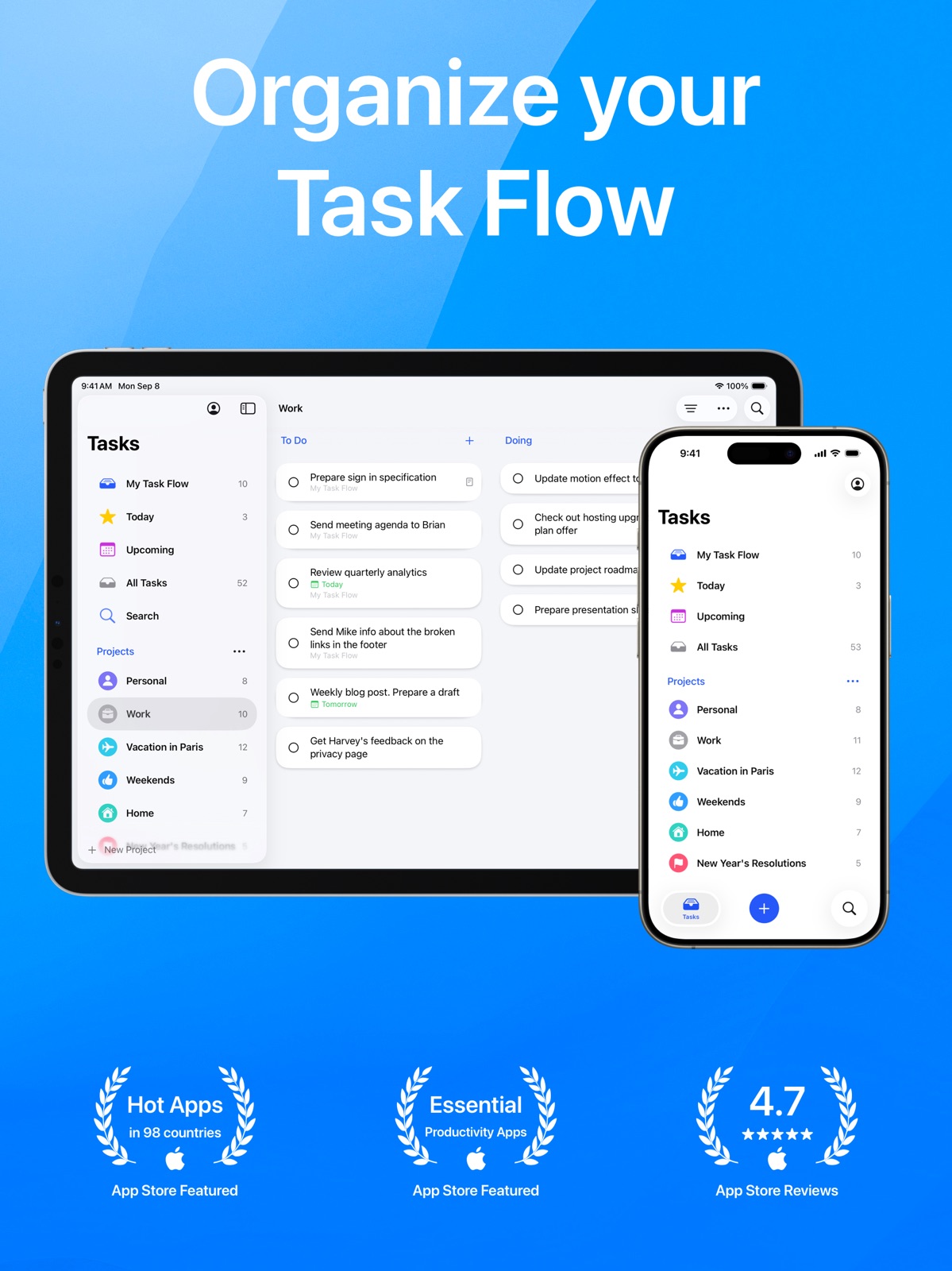
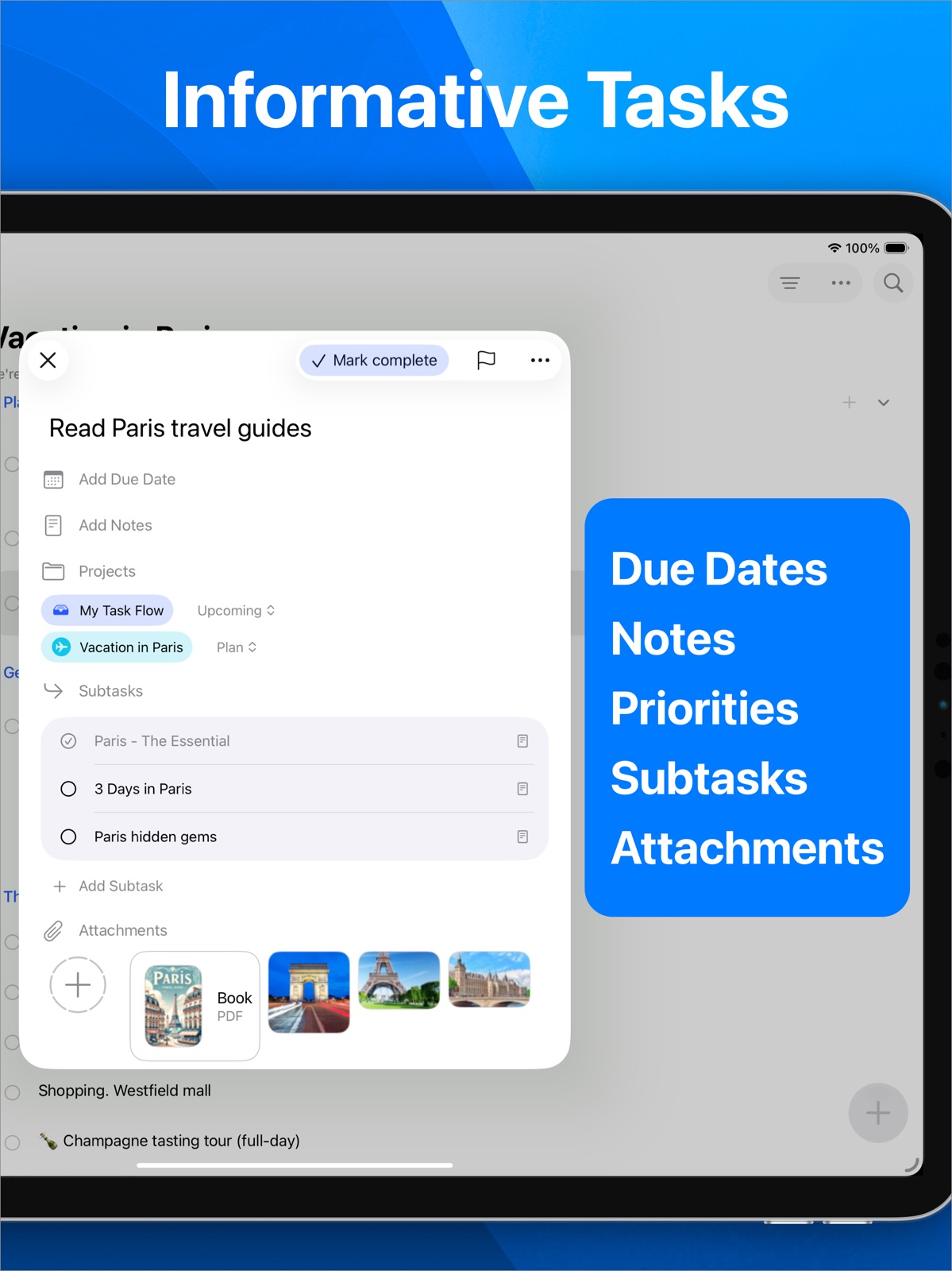
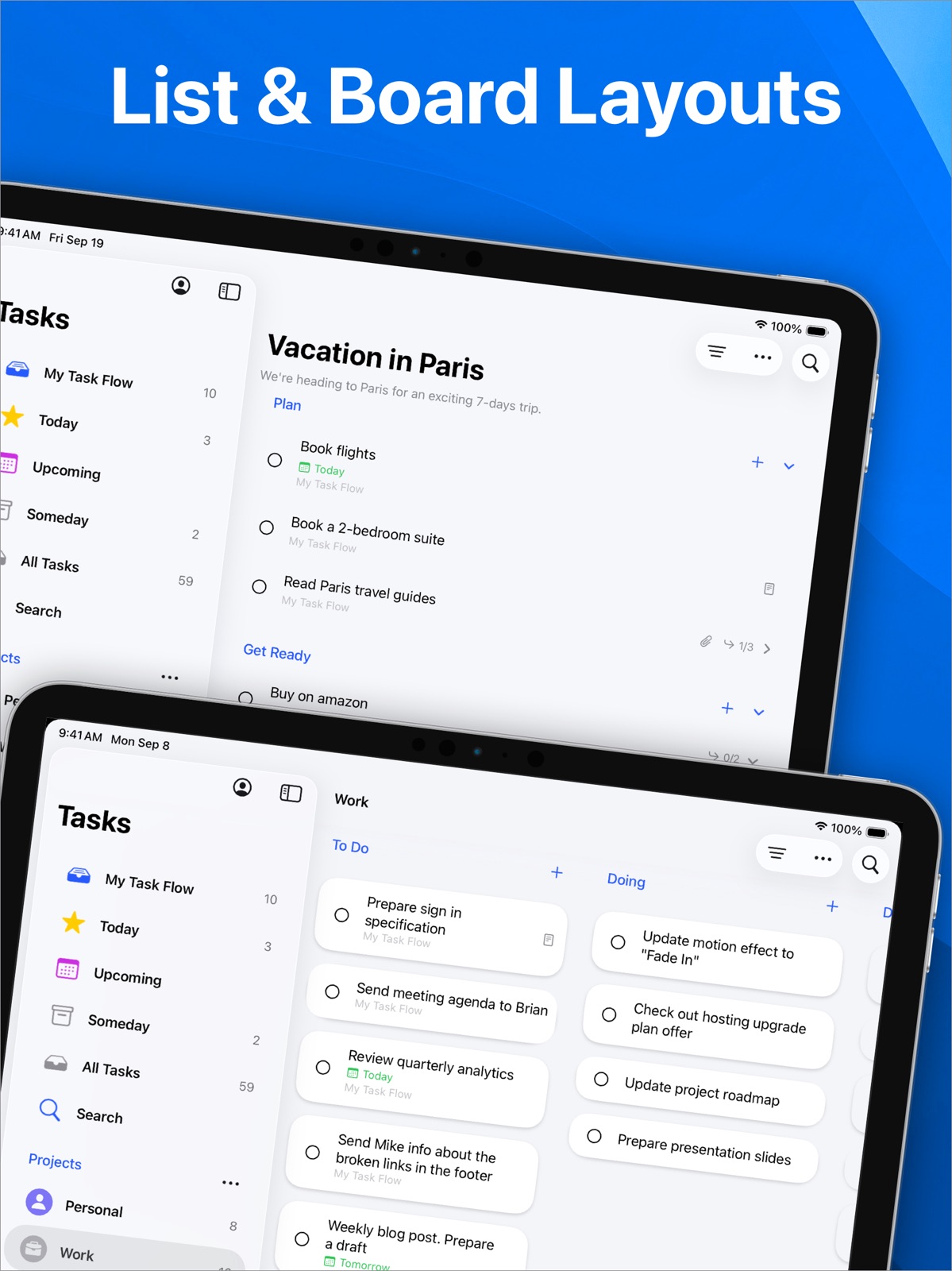
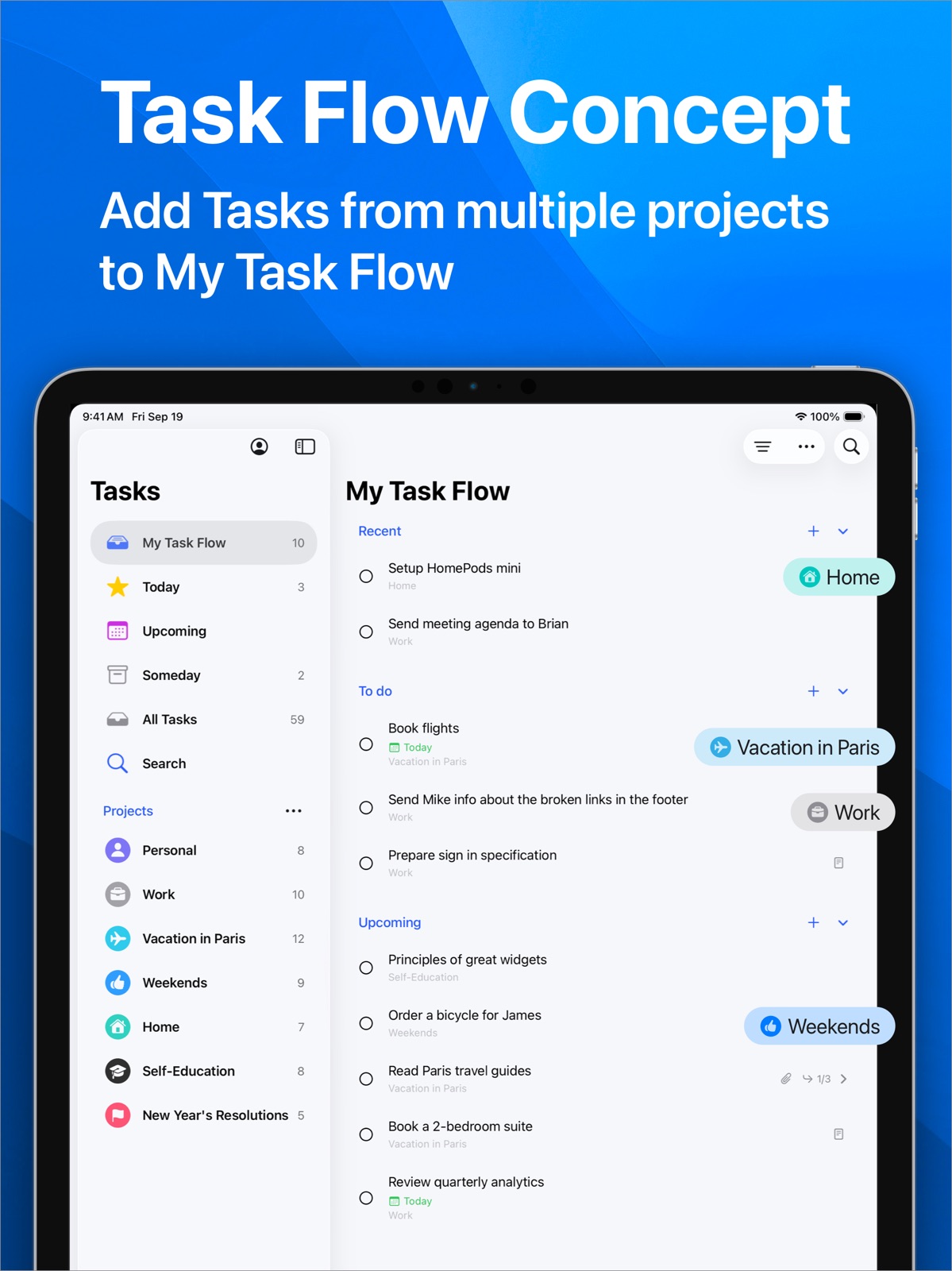
Pricing & paywalls
App Store
- Task Flow+ ( ) — $2.99/month (derived from the IAP title)
- Task Flow+ ( ) — $14.99/year ($1.24/mo) (derived from the IAP title)
Ratings & reviews
App Store
-
5/5Great App So Far
Have to say it’s really good. Interface is nice & app seems reliable so far. I’m just personally waiting to upgrade when an alternative alert tone is added. Idk why Apple decided to change it to some dull noise. I can’t hear these alerts at all. App offered checklists & subtasks & options to make text bold etc. Great touch. Only wish & hope it comes soon is when an alerts pops up on screen & select it, it will take you straight to that reminder itself. Plus it would BE GREAT if it had a SUBJECT line to input what the reminder is about. It’s super helpful & if it displayed on the alert & watch would be ideal Also the ability to use backlinks to other apps like notes you want to go back to. It also needs to be able to share documents from phone or phone apps like documents into TaskFlow. Hope development continues & it doesn’t stop after awhile 🙏🏼
Rogers📝 · 31 Jul 2026
-
5/5Really Really Good
I love this app. Feel smooth and works as advertised. The simplistic look and feel is a nice touch. Settings menu is nice and straight forward. This app will definitely help you stay on track and be more productive. A couple features I would love to see. 1. The ability to set a time on certain tasks. Currently you can pick the day but not the time. 2. Natural language support to create tasks with the day and time would be a nice added touch to what is already a well made app. Great work by the dev. Looking forward to future updates.
Mclaren_7 · 31 Jul 2026
-
4/5The best!! (almost)
It keeps improving with every update, syncs using CloudKit (iCloud), drag and drop emails to create tasks, subtasks, recurring tasks, reminders, attachments (including documents and PDFs) and everything you want in a kanban. Love the iOS versions too. Just a couple of issues: 1. I wish we can control which project launches at launch. The developers gave us a chice to keep the window size we last used when we close the app, why not the same for the peroject? There is essentially one project that I work with at the office, and dont like getting the TaskFlow window every time I launch the app. 2. Same issue when creating a widget on MacOS 14 (sonoma). I like to be able to set the widget so it displays a specific list (like doing or up next, for example) from a specific project.
SBCpp · 31 Jul 2026
-
4/5Getting Better and Better ...
Decided to give this app another go because a lot of work has been done on it as the rate of updates shows. Very unique app for project / task management. It lets you place a task in multiple projects / areas, which is more akin to right brain thinking. And the way it works is better than simply using tags (which aren’t present or really needed for the most part). This ability allows Task Flow to facilitate a broader perspective and more wholistic approach to planning goals. Somehow it makes it more fun. You don’t have to worry about exactly where a task should go like in most rigid one-list-per-task systems — since it’s so flexible your task can live in more than one place. ### Wish List - Call back URLs clickable in notes (like website URLs) — for links to content in other apps (like Bear notes for example). Surprised this is mysteriously missing, with so many apps now offering direct links to their content. - Log book for completed tasks (to track a history of completed tasks across projects) - Project start and due dates - Task start dates (in addition to due dates) - Additional project icons to choose from - Project Groups (for better organization) - Archive projects (or complete) - Project notes (that can be placed in any section) - Global search (in addition to project search which is already available) - Be able to change completion date of tasks (you don’t always mark a task complete the day you do it). - Display system calendar events (like Things does) - Task Flow Watch app 🤞 This is one major shortcoming that I am disappointed the app is without. I would like to carry a list on my wrist for shopping and work related tasks, without having to get my phone out my pocket, which isn’t always possible. - A full-fledged theming system (like Bear) … one can dream. Overall the app fulfills most of my discerning desires, but I believe it would be benefited by the addition of some of the features mentioned above.
iOSBliss · 31 Jul 2026
-
5/5ABSOLUTLELY AMAZING
I have been looking for a good app for just highschool classes and this is the best one ever! It helps to keep everything orgnized and i love the notes fiture on it because I can put a comment that I need or even a list or something like that! This app is really amazing and not super complecated to use! Most of the apps out there are very complecated to use and it would take me forever to figure out how to use it! Also it connects across every device which is amazing and it updates imeditley which is super helpful to me!
Alexa0795 · 31 Jul 2026
Privacy & accessibility
App Store
Privacy
- Data Not Linked to You — Analytics — Usage Data — Product Interaction Developer declared
- Data Not Linked to You — App Functionality — Purchases — Purchase History Developer declared
- Data Not Linked to You — Purchases Developer declared
- Data Not Linked to You — Usage Data Developer declared
Accessibility
- Dark Interface — SUPPORTED Store published
- Differentiate Without Color Alone — SUPPORTED Store published
- Larger Text — SUPPORTED Store published
- Reduced Motion — SUPPORTED Store published
- Sufficient Contrast — SUPPORTED Store published
- Voice Control — SUPPORTED Store published
- VoiceOver — SUPPORTED Store published
Versions
App Store
-
2.3.3
Enhancements: - Subtask Navigation Improved: Each subtask now directly links back to its parent task, making navigation easier and quicker. Fixes: - Focus and Someday Projects: Fixed an issue where the 'Focus' and 'Someday' system projects occasionally failed to open. - Task Sorting: Addressed a bug that caused incorrect sorting of some tasks in the 'All Tasks' view. - Subtask Visibility: Adjusted the 'All Tasks' view to hide completed subtasks by default.
-
2.3.4
We have increased the minimum required iOS version to 15.0.
-
2.3.5
Enhancements: - Added support for deep linking to other apps. - Enhanced localization for multiple languages.
-
2.4
New Features: - Copy Link to a Task: Easily open tasks from other applications with a simple link. - Open Tasks from Widgets: Access and open your tasks directly from widgets. - Chinese Language Support: Task Flow is now available in Chinese. Enhancements: - Added an app setting to show motivational quotes in the Today list. - Added an app setting to add tasks to the top of the section. - Added an app setting to play a sound when a task is completed. - The collapse/expand state of the Completed Today section is now preserved. Fixes: - Fixed an issue where dropped items from other apps were not saved in some cases. - Fixed incorrect section size after adding a new section. Thank you to everyone who sends feedback and suggestions to [email protected]! We're continuously working on adding new features. Stay tuned! If you like Task Flow, please take a moment to rate it on the App Store. Your review helps us reach more users and continue to improve the app. Your support is greatly appreciated!
-
2.4.1
Bug fixes and improvements.
-
2.4.2
Bug fixes and improvements.
-
3.0
New Features: - Siri Integration. Now you can use Siri to add new tasks, view and open tasks, access projects and lists, and search for tasks. - New Controls. Quickly add tasks and open your favorite projects with new controls for Control Center, Lock Screen, and the Action button. - Spotlight Search. Your tasks are now searchable directly from the system's Spotlight. - Semantic Search. The new Search tab with semantic search capabilities makes finding tasks faster and more intuitive. - Shortcuts Integration. Create custom workflows using the Shortcuts app. - Dark and Tinted App Icons. Enjoy a refined Task Flow icon optimized for both Dark and Tinted modes. - Due Date Filter. New options to filter tasks by due date, including today, tomorrow, next week, and tasks with no due date. Thank you to everyone who sends feedback and suggestions to [email protected]! We're continuously working on adding new features. Stay tuned! If you like Task Flow, please take a moment to rate it on the App Store. Your review helps us reach more users and continue to improve the app. Your support is greatly appreciated!
-
3.0.1
Bug fixes and improvements.
-
3.0.2
Bug fixes and improvements.
-
3.1
New Features: - New Search screen interface for a better experience. - Added task filters to the search screen, making it easier to find specific tasks. - Introduced swipe gestures and a context menu for quick actions on search results. - Add Open Project Control. Enhancements: - Enhanced search result ranking for more relevant results. - Use Command + Shift + F to open search instantly on Mac and iPad. - Search and Spotlight data now reindexes automatically in the background. - Increased the speed of keyboard appearance when adding a new task. - Widgets now support tinted colors for better customization. Fixes: - Fixed an issue where widgets didn’t refresh immediately after being added. - Resolved a bug that prevented tasks marked as complete from updating in the Today view. - Fixed an issue causing the project list to break after deleting a project. - Corrected a problem where reordering tasks to the end of a section sometimes showed a duplicate task. - Fixed Shortcuts using an incorrect deep link for new tasks. - Resolved an issue on iOS 18 where task priority couldn’t be set from the new task panel. Thank you to everyone who sends feedback and suggestions to [email protected]! We're continuously working on adding new features. Stay tuned! If you like Task Flow, please take a moment to rate it on the App Store. Your review helps us reach more users and continue to improve the app. Your support is greatly appreciated!
-
3.2
New features: - Customize your projects further by using emojis or Genmoji as project icons. - Create unique project icons with Apple Intelligence Image Playground. - Quickly access Apple Intelligence writing tools for notes with a new button, now available in task details and when creating new tasks. Enhancements: - Refreshed project list interface with a cleaner design and larger icons. Fixes: - Minor fixes and improvements. Thank you to everyone who sends feedback and suggestions to [email protected]! We're continuously working on adding new features. Stay tuned! If you like Task Flow, please take a moment to rate it on the App Store. Your review helps us reach more users and continue to improve the app. Your support is greatly appreciated!
-
3.2.1
Bug fixes and improvements.
-
3.3
New Features: - Easily import tasks from Apple’s Reminders app. - Share actions from other apps to Task Flow. - Drag and drop file attachments into a project list to create tasks. - Task Flow is now available in more European languages: Catalan, Czech, Danish, Dutch, Greek, Italian, Norwegian, Romanian, and Swedish. - View task history with the new activity log. Enhancements: - Improved drag-and-drop support for attachments, now including email files (EML and MSG). - Significant user experience improvements for visionOS. Bug fixes: - Various minor fixes and performance improvements. Thank you to everyone who sends feedback and suggestions to [email protected]! We're continuously working on adding new features. Stay tuned! If you like Task Flow, please take a moment to rate it on the App Store. Your review helps us reach more users and continue to improve the app. Your support is greatly appreciated!
-
3.3.1
Enhancements: - Sharing attachments with other apps now preserves the original file name. - Improved scrolling behavior in board layout. - Refreshed the date picker interface for a more consistent experience. Bug fixes: - Fixed an issue where macOS didn’t request access to Reminders. - Fixed the share extension not appearing on visionOS. - Fixed launch crashes on macOS 12 and 13. - Other minor fixes and improvements.
-
3.3.2
Bug fixes and improvements.
-
3.4
New Features: - Archive completed projects to keep your workspace organized. - Task Flow is now available in Arabic, Japanese, Hindi, and Korean. Enhancements: - Time reminders now auto-select when setting a due time. - Enhanced Siri support across multiple languages. - Repeat conditions are now preserved when importing from Reminders. Bug Fixes: - Fixed an issue where tasks couldn’t be marked complete from the Lock Screen notification. - Various bug fixes and performance improvements. Requirements Update: - Task Flow now requires iOS 16.0, macOS 13.0, and visionOS 2.0 or later. Thank you to everyone who sends feedback and suggestions to [email protected]! We're continuously working on adding new features. Stay tuned! If you like Task Flow, please take a moment to rate it on the App Store. Your review helps us reach more users and continue to improve the app. Your support is greatly appreciated!
-
3.5
Bug fixes and improvements.
-
4.0
Liquid Glass Redesign: - Liquid Glass across the app: new task sheet and redesigned modals (project & date pickers). - Refreshed tab and navigation controls. - Improved, redesigned search experience. - Floating Liquid Glass sidebar on the board layout. Easier Navigation: - New Task button moved to the bottom toolbar for easier reach. - Account moved from the tab bar to the toolbar. - Sidebar refreshed with a cleaner, modern UI. - iPad multiwindow and menu support. - Alerts now open from the button you tap for clearer context. App Icon: - Refreshed primary and alternate app icons with a modern Liquid Glass look. Thank you to everyone who sends feedback and suggestions to [email protected]! We're continuously working on adding new features. Stay tuned! If you like Task Flow, please take a moment to rate it on the App Store. Your review helps us reach more users and continue to improve the app. Your support is greatly appreciated!
-
4.0.1
Bug fixes and improvements.
-
4.0.2
Bug fixes and improvements.
-
4.0.3
Bug fixes and improvements.
-
4.1
New features: - Automatically detect dates from the task title Improvements: - The task details screen now adjusts its height based on the content Fixes: - Fixed an issue where the Share Extension could fail on iOS 26 - Fixed an issue where long task notes did not scroll when the keyboard was visible - Fixed an issue where checklist items in task notes sometimes did not toggle correctly - Fixed a crash that could happen when editing a project icon - Other fixes and improvements Thank you to everyone who sends feedback and suggestions to [email protected]! We're continuously working on adding new features. Stay tuned! If you like Task Flow, please take a moment to rate it on the App Store. Your review helps us reach more users and continue to improve the app. Your support is greatly appreciated!
-
4.2
Task Flow AI - Added an AI summary to Today view to help you plan faster. - Get AI suggestions to make task titles and notes more actionable. - Generate suggested subtasks with AI. More Updates - iPhone: Long-press actions are now available on tasks. - iPad: Tasks now support a context menu. - New languages: Finnish, Hebrew, Indonesian, Thai, Turkish, Vietnamese. Fixes - Fixed a delay before the floating “Add Task” button appears. - Fixed an issue where Markdown double spaces weren’t recognized correctly. - macOS: Window frame restoration now applies only on the same screen. - Other bug fixes and improvements. Thank you to everyone who sends feedback and suggestions to [email protected]! We're continuously working on adding new features. Stay tuned! If you like Task Flow, please take a moment to rate it on the App Store. Your review helps us reach more users and continue to improve the app. Your support is greatly appreciated!
-
4.3
New Features: - Move tasks between projects with drag and drop. Open the project list from the sidebar, then drag a task into another project. - Set an end date for repeating tasks. - Duplicate tasks to quickly create a copy with the same title, notes, subtasks, and other details. - Print task details. - Move deeply nested subtasks one level up using the new action in the task menu. - Choose a custom notification sound for task reminders. Improvements: - Global search now supports semantic search, making it easier to find tasks by meaning, not just exact words. - The Tasks tab is now hidden for a cleaner main screen. - New languages: Croatian, Hungarian, Malay, Slovak, Slovenian. Fixes - Tasks now refresh automatically when the app stays open past midnight. - Other fixes and improvements. Thank you to everyone who sends feedback and suggestions to [email protected]! We're continuously working on adding new features. Stay tuned! If you like Task Flow, please take a moment to rate it on the App Store. Your review helps us reach more users and continue to improve the app. Your support is greatly appreciated!
-
4.4
· 16 Jul 2026
Bug fixes and improvements.
Alternatives
- Sofa: Downtime Organizer — Same category + similar ratings
Availability by market
- US
Data quality & evidence
- Page completeness
- Live store listing
- Last verified
- 31 Jul 2026
- Sources
- App Store
- Apoku editorial summary has not been published yet.