
Quick verdict
- What it is
- The Steam Mobile App allows users to browse and purchase PC games, manage their game library, and stay updated on community news and discussions. It also provides features such as two-factor authentication and account security management.
- Best for
-
- someone who plays PC games
- someone who wants to stay updated on game news
- At a glance
-
- Free to download
Categories and search queries
Official categories
- Entertainment
- Social Networking
AppCorpus categories
Key functions
| Function | Availability | Access | Scope | Evidence |
|---|---|---|---|---|
| Free app | Yes | Free | — | Store published |
Screens
App Store
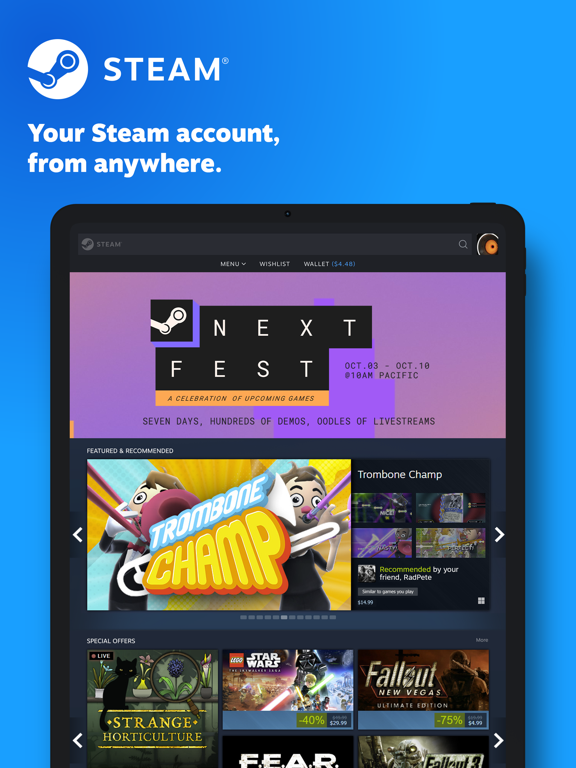
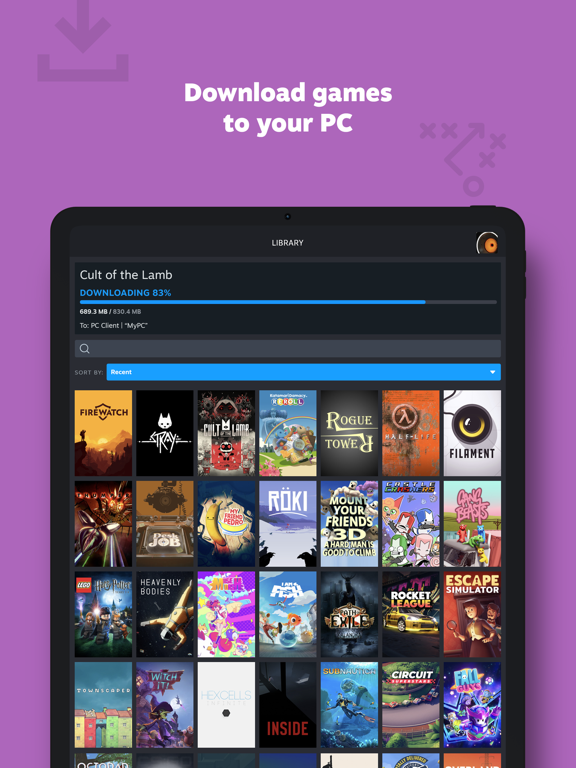
15 store screenshots


Pricing & paywalls
App Store
Shown for US
- Free
Ratings & reviews
App Store
Shown for US
-
4/5Take your product reviews to product pages
A lot of people are review bombing this app with their personal gripes about transactions made that they didn’t read the description of. Steam isn’t responsible for your early access game getting cancelled and delisted, nor is it responsible for you losing your account cause you refused to update your recovery info for some reason? App works (a solid 90% of the time), I think if you’re looking more into the experimental features and trying to squeeze all of the functionality out of this and rely on it as a solid way to manage your steam library and purchase games while simultaneously downloading them at home, you’re sorely mistaken. This is a solid app to see sales, buy games for your library at home, message and sell your items, other than that I don’t really try to push it too hard haha. This is a solid app if you simply want to be able to browse and buy games while not at your desktop, also if you like trading items. If you don’t know how to read EULAs and point fingers when you can’t read everything laid out in front of you, this app isn’t for you.
Jordan.C. · 30 Aug 2026
-
1/5Can’t even create an account!
There has been a game surfacing in the internet that I’ve been really interested in and have been wanting to play for a while now. I figured that I could only find it on steam so I decided to go on steam on my laptop and get the game. I couldn’t play the game because I had to create an account which I have tried multiple times but it just will not allow me to create an account. I go through everything, putting my email in, doing the bot verification, etc etc; everytime I do that it says some error occurred such as “please get off of any VPNs or proxies” or “captcha couldn’t verify your identity”. I am not on any VPNS or proxies and I don’t know how to combat this captcha issue. Also steams help center isn’t helpful whatsoever when it comes to creating an account. Anything account related is only for users who have an existing account. This app doesn’t even allow me to create an account, there is no section that says “create an account” it just makes you sign in form the very beginning. But I do not have an account. There are times where I have gotten as far as verifying my email. But that does not work. I would get the email and press on the link it gives me and it brings me to a steam page but every single time I do this, it always says “couldn’t verify email”. I stopped trying for a few days just to give it some time. It’s been over three weeks and it is still doing the same thing. I just wish a dev could get back to this comment and help me, I JUST WANT TO PLAY A GAME!!! Creating an account should not be this difficult.
Jmin23 · 30 Aug 2026
-
1/5I am FRUSTRATED. Mobile Authenticator DOES NOT WORK! Only causes more problems.
The STEAM application on my computer told me to download the mobile application to remove the trade/market holds. This was my first time using the STEAM market, so I thought that sounded great! It worked the moment I activated the Authenticator, allowing me to sell and trade cards. Two days later, my account suddenly has the holds again. I thought I’d simply refresh the Authenticator and it would fix it. I was horribly mistaken. Adding the Mobile Authentication to your account does NOTHING. It does NOT remove trade holds consistently and it extremely frustrating to try and understand. After authenticating for the second time, it not only didn’t release my trade hold, but removed my ability to use the Community Market for 15 DAYS!! I’ll forget all about my trades and badges I was crafting by then! There’s no button to prove that it was you that made the trade, you just have to suffer in silence for 15 days. THIS IS AN AWFUL SYSTEM! If you’re downloading this app just for the authentication, its more worth it to just buy the cards straight up or farm gems than go through sell/trade side of the Community Market. 0/10 experience. All I wanted was badges for my favorite games. P.S. Same thing happened to my friends in the past. NOT JUST ME! VALVE, FIX THIS!! All we need is a “I made that transaction” button! That’s it!! No more holding our stuff for 15 days!
_Lunar_ · 30 Aug 2026
-
1/5Terrible, only get if you have to.
Terrible App. You’d think they would have at least a semi-decent app but you can trust the App Store reviews for sure on this one. Actual trash. I’m completely locked out from using the app with my account or any account for that matter. I changed my password because someone logged into my account from another country, and now it has me in a non-stop loop of trying to log me in and acting like it did, not actually logging me in though, verifying my account info when I’m trying to go on community page/look at my profile, and then giving me the same error message over and over. Sometimes, the screen just freezes gray in the app and I can’t do anything in the app unless I delete the app and re-download, AND THEN it still only works for a little bit before it starts crashing again. To top it all off, because I’ve been trying to log in since I’m trying to verify that everything in my account is OKAY after someone tried getting into it, I have been locked out of my account for trying to login too many times. I still don’t know if my account’s okay. Not worth the migraine.
please1212 · 30 Aug 2026
-
1/5My account being restricted due to a “fraudulent purchase”.
So I tried to purchase Cyberpunk 2077 while it was on sale. I am fairly new to steam and this would be my second purchase ever. My bank account had the purchase pending and so did steam. An hour and a half go by and I check steam and my account was restricted and I was unable to purchase anything. I was then told to contact their customer support. I did so with no issues because maybe they made a mistake. Also my bank account didn’t report this purchase as fraudulent and I was easily able to prove it was my credit card used to attempt in purchasing the game. It is now the end of the day, and I haven’t gotten any response. I wrote a message to customer service during an average company business hours and days. This is horrible customer service, why would I even use your platform if you don’t fix our problems. I still haven’t received a email saying they reviewed my message. This is ridiculous and this company definitely needs to work on their customer support. I am now going to sleep without any ability to purchase or even download games.
John Montrell Washington · 30 Aug 2026
Privacy & accessibility
App Store
Privacy
- Data Linked to You — Analytics — Diagnostics — Crash Data Developer declared
- Data Linked to You — Analytics — Diagnostics — Other Diagnostic Data Developer declared
- Data Linked to You — Analytics — Diagnostics — Performance Data Developer declared
- Data Linked to You — Analytics — Identifiers — Device ID Developer declared
- Data Linked to You — Analytics — Identifiers — User ID Developer declared
- Data Linked to You — Analytics — Purchases — Purchase History Developer declared
- Data Linked to You — Analytics — Search History Developer declared
- Data Linked to You — Analytics — Usage Data — Product Interaction Developer declared
- Data Linked to You — App Functionality — Contact Info — Email Address Developer declared
- Data Linked to You — App Functionality — Contact Info — Name Developer declared
- Data Linked to You — App Functionality — Contact Info — Phone Number Developer declared
- Data Linked to You — App Functionality — Contact Info — Physical Address Developer declared
- Data Linked to You — App Functionality — Diagnostics — Crash Data Developer declared
- Data Linked to You — App Functionality — Diagnostics — Other Diagnostic Data Developer declared
- Data Linked to You — App Functionality — Diagnostics — Performance Data Developer declared
- Data Linked to You — App Functionality — Financial Info — Payment Info Developer declared
- Data Linked to You — App Functionality — Identifiers — Device ID Developer declared
- Data Linked to You — App Functionality — Identifiers — User ID Developer declared
- Data Linked to You — App Functionality — Purchases — Purchase History Developer declared
- Data Linked to You — App Functionality — Search History Developer declared
- Data Linked to You — App Functionality — Usage Data — Product Interaction Developer declared
- Data Linked to You — App Functionality — User Content — Customer Support Developer declared
- Data Linked to You — App Functionality — User Content — Other User Content Developer declared
- Data Linked to You — Product Personalization — Identifiers — User ID Developer declared
- Data Linked to You — Product Personalization — Purchases — Purchase History Developer declared
- Data Linked to You — Contact Info Developer declared
- Data Linked to You — Diagnostics Developer declared
- Data Linked to You — Financial Info Developer declared
- Data Linked to You — Identifiers Developer declared
- Data Linked to You — Purchases Developer declared
- Data Linked to You — Search History Developer declared
- Data Linked to You — Usage Data Developer declared
- Data Linked to You — User Content Developer declared
Accessibility
No accessibility labels collected yet.
Versions
App Store
-
3.10.0
- Improvements to the Move Authenticator flow - Other minor fixes and improvements
-
3.10.11
· 30 Aug 2026
- Fixed an issue with certain labels within the app not being localized correctly - Improved the reliability of some communications the embedded Steam store browser has with the app - Updated internal dependencies to bring in external fixes and improvements
-
3.10.2
- Fixed an issue which would unexpectedly bump users out of the app and into the browser
-
3.10.3
- Fixed confirmations screen sort order - Fixed rare camera open failure - Other minor fixes and improvements
-
3.10.5
- Fixed issue that could prevent moving the Steam Guard authenticator to a previously used device - Fixed issue where the app could become stuck on the Steam Guard page
-
3.10.6
- Updates to newer versions of core components - Fixed issue where the app may not navigate to a deep link correctly - Added support for wireless sign in to Steam Frame
-
3.10.7
- Added pinch zoom to QR code scanning - Fixed issue where the map would not show up on some login requests
-
3.10.9
· 6 Mar 2026
- Improvements to Steam Frame bluetooth scanning reliability - Other minor fixes
-
3.6.0
Fixes and changes in this build: - Fixed dialog title text not updating to accurately reflect Store or Community - Fixed dialog back button not enabled to close the dialog - Added push notification settings for Help request replies, Major sales, and Steam Turn Notifications. - Comment notifications now use the group avatar for the notification image - Other minor bug fixes and performance improvements
-
3.6.1
On the notifications page new notifications include a green dot next to them for 10 minutes after they are first viewed. This is to better highlight notifications which are new or very recent.
-
3.6.2
Fix webpage authentication issues on some Steam pages
-
3.6.3
Additional fixes for authentication on some Steam pages
-
3.6.4
-Fixed Store Navigation Issue
-
3.6.8
Added Indonesian language support
-
3.7.0
- Performance improvements - Fixed an issue updating the mobile app's display language when your account's preferred language changes - Fixed an issue if you changed your account password the mobile app may not ask you to sign in again
-
3.7.2
- Opening a wishlist notification for multiple games now displays only those games. Previously this displayed your entire wishlist. - Fixed a broken loading animation - Updates to adding an authenticator flow
-
3.7.3
- Added links on the sign in screen to assist new users - Fixed the "send code again" link while adding the Steam Guard Mobile Authenticator - Improved login request and login confirmation screens - If you use the phone's camera app to scan a Steam QR code the app will now navigate to the Steam Guard scan page
-
3.7.4
- Allow a filtered view of the notifications page for accounts with Family View enabled - Other minor fixes
-
3.7.7
- Fixed issue with confirmations not showing up in the notifications tab - Fixed issue where launching the app without a network connection or when unable to reach Steam servers could leave you on a blank screen
-
3.8.0
- Fixed an issue with new notification types causing notifications to fail to load - Updated phone number confirmation screen for some special cases - Updates to confirmation screen to allow for more direct access via push notifications - Fixed some data being lost across app restore
-
3.9.0
- Added a new notification type - Updated many of our dependencies to pull in behind-the-scenes bug fixes and performance improvements
-
3.9.1
- Fixed rare issue with app getting stuck at blank screen after startup - Fixed UI issue with library screen menu
-
3.9.3
- Added new UI for login confirmations that Steam detects as being unusual - Fixed a bug where URLs that open the Steam app would open the resulting page as if you were not logged in - Fixed a bug where some game images in the Library screen would not load correctly - Other minor bug fixes
-
3.9.4
- Updated some missing non-English localization - Added ability for Steam web content to request account verification in order to allow certain protected operations to proceed - Other minor fixes
-
3.9.7
- Fixed an issue with the Parental PIN lock screen showing up unintentionally - Other minor bug fixes
-
3.9.9
- Added link to game notes in game content section of the Library screen - Fixed an issue where some games would not appear on the Library screen for accounts that were part of a Steam Family - Other minor fixes and improvements
Alternatives
- Riot Mobile — Same category + similar ratings
- Battle.net — Same category + similar ratings
- Tracker Network Stats — Same category + similar ratings
- PS Remote Play — Same category + similar ratings
- XBOX — Same category + similar ratings
- Logitech G — Same category + similar ratings
Availability by market
- US
Data quality & evidence
- Page completeness
- Independent summary published
- Last verified
- 30 Aug 2026
- Sources
- App Store