
Quick verdict
- What it is
- Store information collected; independent summary not yet available.
- At a glance
-
- Free to download
- In-app purchases
Categories and search queries
Official categories
- Music
- Music & Audio
AppCorpus categories
Key functions
| Function | Availability | Access | Scope | Evidence |
|---|---|---|---|---|
| Free app | Yes | Free | — | Store published |
| In-app purchases | Yes | Limited free | — | Store published |
Screens
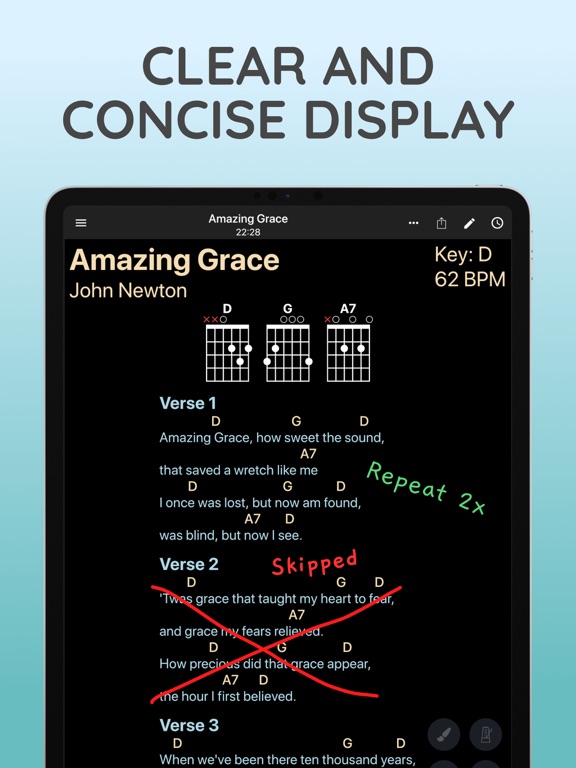
19 store screenshots


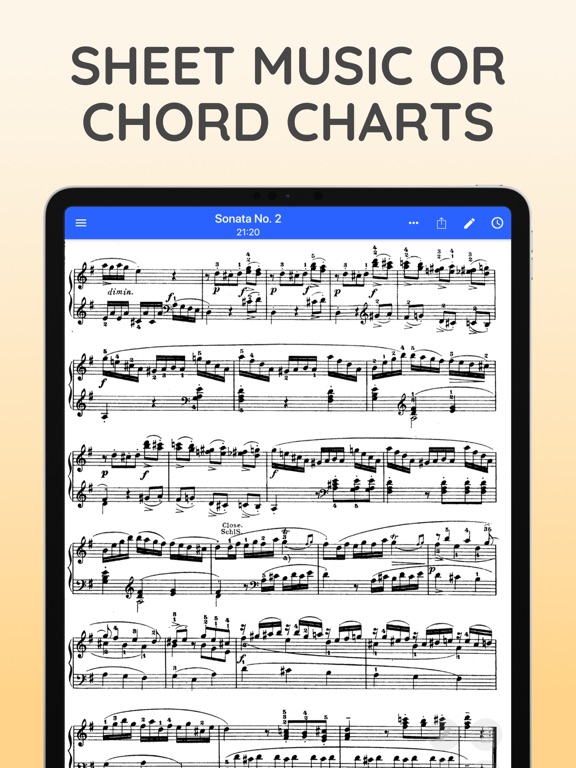
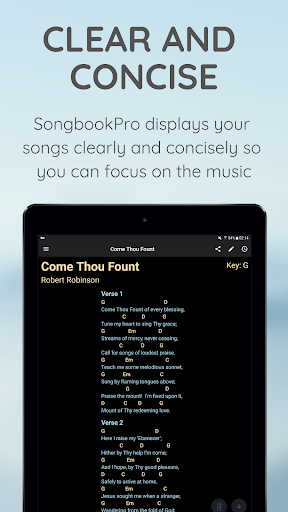
7 store screenshots



Pricing & paywalls
- Full Version Upgrade — $5.99
- Free to download
- In-app purchases: $6.99 per item
Ratings & reviews
-
5/5Songbook Pro is the best I’ve found!
I have tried several apps for lyrics and chords. I have found dealbreakers with every one of them except Songbook Pro. I can add songs by searching on the internet with one tap on SBP. It takes you to Ultimate Guitar. You choose the version you want, choose your key, push one button and it’s saved in SBP. It’s that easy! You can edit the mistakes that are often in UG, like chords not lining up with the right word, etc. Making sets is easy too. On stage, in sets mode, you swipe left and it goes to the next song. You can scroll but I don’t use that feature. It takes time to get the tempo right, and then during the guitar solo, it still gets ahead of where you need to be. My work around is to memorize the chorus, then delete the chorus between the first and second verse. Now you can see the second verse without swiping up. It syncs easily between iPad and iPhone too. If my iPad falls and breaks or just fails, I can put my iPhone on a music stand and get through the night. Tip… increase the font size on your iPhone (in SBP) and turn it sideways on the stand. Otherwise the chords won’t line up with the words. I absolutely could not gig without this amazing app! It’s only a few bucks and worth way more!
Matt @$:£ · 6 Aug 2026
-
5/5Perfect
Apr 18, 2026- I have been looking for a few years for something to replace OnSong which I have had for umpteen years since it first came out and which has now grown too big for me and has become complicated and expensive. I needed a place to put my songs (including the ones I write) into one place and be user friendly. This one is perfect. Every time I almost found an app, it had something missing that I needed (not just wanted). Songbook Pro has everything I need, and is very easy to learn and work with. I’m now in the process of dumping all my music onto this one and I don’t regret it. I even got my daughter to buy it. The developer asked for suggestions and this is the only thing wish I could do, which OnSong doesn’t do either. I would love to have a simple recorder function on it, nothing elaborate, just a recorder so I can play the song I write or an idea for a song, or one I’m starting to learn with my daughter and friends and remember what we did with it. Then I don’t have to bounce back and forth with my phone recorder to keep an idea. But that’s a want and not a need. THIS IS A GREAT APP.
CenterFret · 6 Aug 2026
-
4/5Still a Great Songbook App… but
UPDATE: Been using this app for several years now and it still is great. Many updates with QoL upgrades and bug fixes. My only complaint is that it doesn’t have the flow feature that OnSong has to edit and adjust the order of the song easily. I tried OnSong but it didn’t work in my setup like this does. I have reached out several times to the dev with no response just to see if there is something I’m missing or if it might be a possibility that it could get added in the future. I don’t know if they are overwhelmed with supporting the app or something else but he used to be very responsive to communication. Not really a deal breaker for now but I worry that if there is a problem in future, I don’t know if it will get addressed or resolved. Original: I’ve only just started using this app but so far I am very impressed. I’ve used other apps similar to this and Songbook Pro does everything I need and more. Features are great, interface is easy and intuitive. Ran into a small bug with the known chords function not working properly. Reported the issue and that same day received a response from the developer Jon that he would be working on it. This bug is minor and in the grand scheme of things does not hinder the usage of the app too much but it is good to see how responsive they are to issues in the system. Makes me hopeful for the long term use of it as I use my iPad for displaying my music while playing at church and need something that works reliably. I already bought the full version knowing that I’ll easily get my money’s worth out of it. Works with all the major page turner pedals and even has a web interface that you can use from a desktop on the same network to make editing songs much easier. I don’t leave reviews too often but I had to share my experience so far with it
notcaptainamerica · 6 Aug 2026
-
5/5LOVE SBP!!! So easy to stay organized.
I up to almost 1800 songs for ukulele or guitar and can’t seem to stop adding. For organization I have a bunch of Folders that each keep songs alphabetized (60’s, 70’s, 80’s, and other genres like rock and folk + Love songs, songs about Driving, Travel, Sun & Moon, Halloween, etc etc. ). THEN from those Folders I create Set Lists for whatever theme feels fun. I hear a song on the radio, tap + to add the song from UltimateGuitar, choose my favorite version, tap Save, then Add it to the appropriate Folders. Then I add info like release date, and any other interesting info. If a song needs editing or cleaning up it’s super easy. (just always hit save or you could lose your edits). And SHARING! Pick a Folder or Set List and Airdrop in 3 secs or text or Email. SO easy. And if the receiving person creates a folder with the same name there’s a decent chance (though it 100%) that the transferred songs will also land in that folder on their device. And SYNC… I sync my iPhone and 2 tablets to OneDrive (Dropbox just started charging for multiple devices) so all of my devices are always backed up and matching and up to date. I understand OnSong is a very expensive competitor, but why pay 4-5 times more for something that’s so similar when SBP works so great? A few small downsides are that you can’t add your own chord diagrams and there are some standard diagrams missing; multiple requests to the programmer to add that feature or some diagrams have fallen on deaf ears. Also, Bluegrass Nashville numbering doesn’t work b/c there are No Roman Numerals so a V7 chord will read 57 which is just plain wrong. Also I wish you could do a select & replace-all to fix chords throughout a song; but that’s not a big deal. I love this app so much and I recommend SongbookPro 🎵 to every jammer musician I know.
KAR1985 · 6 Aug 2026
-
5/5exactly what I need
There are lots of apps out there that display sheet music or chord charts, but this one is perfect for me. I love how easy it is to import music or write out my own lead sheets. The ability to change keys on the fly makes accompanying a vocalist much easier than it used to be when I was making my own documents. Making handdrawn notes overlayed on the sheets is hugely helpful. Being able to share sheets in multiple formats with other people I’m playing with is really valuable. Most of all, I just like having a coherent way of organizing and displaying music I’m playing, even when it’s in a variety of formats (pdf sheets and lead sheets with chords). I’ve also really appreciated that there are improvements always being added—one recent update made the handwritten notes way smoother than it used to be, for example—and they seem to be really responsive to input. There are a few suggestions I think I still have, but I know I can submit these. For a few dollars, this app is a bargain.
adam1stdrafts · 6 Aug 2026
-
4/5
SongbookPro is the best app I've found for managing chord sheets. However, the mobile editor has become very difficult to use. Tapping text often enters selection mode instead of placing the cursor, making editing almost impossible. This issue doesn't occur on the PC version—it works perfectly there. Also, the "Report a Bug" feature doesn't work. I hope this can be fixed soon. Thank you!
Kienfriend Dua · 1 Aug 2026
-
5/5
The app is great and i can recommend it to others. My only suggestions are update the spacing of the lines. Even how many lines i entered to have a spacing from verse to chorus, in actual screen nothing change. Also in backing track it started where you stop before it does not start from the begging if you play it again, you have to scroll the backing track from the beginning.
Dennis Alimuin · 1 Aug 2026
-
5/5
One million stars! This app made it unnecessary for me to subscribe to Ultimate Guitar. I can upload those charts without a subscription! Create setlists, and you can see how long the set will be.bScroll at the speed you like. Transpose in seconds. Many chord diagrams included, or you can hide them. I have the app synced to 5 devices , not sure what the limit is. It's a very smart app for a little bit of money. Excellent app!
Renee 12String · 1 Aug 2026
-
2/5
I have used you app for a number of years. I purchased it and have paid my $12.99 twice now as this bug popped up a couple of years back. There is a bug that wants me to pay yet again! So annoying when your product is the best. trying to setup a gig for the weekend and now the app thinks I am on a trial version again.
Papamoa Macs · 1 Aug 2026
-
4/5
great app, it could use some improvements. As is it works and is difficult to break.
Chuck · 1 Aug 2026
Privacy & accessibility
Privacy
- Data Not Linked to You — Analytics — Diagnostics — Crash Data Developer declared
- Data Not Linked to You — Analytics — Usage Data — Product Interaction Developer declared
- Data Not Linked to You — Diagnostics Developer declared
- Data Not Linked to You — Usage Data Developer declared
Accessibility
No accessibility labels collected yet.
Privacy
- Data collected — Analytics — App activity — App interactions Developer declared
- Data collected — Analytics — App info and performance — Crash logs Developer declared
- Data collected — Analytics — Device or other IDs Developer declared
- Security practices — The developer doesn’t provide a way for you to request that your data be deleted — Data can’t be deleted Developer declared
- Security practices — Your data is transferred over a secure connection — Data is encrypted in transit Developer declared
Accessibility
No accessibility labels collected yet.
Versions
-
22.1.10
Fixes issue with handwritten notes
-
22.1.8
Fixed an issue with online sync
-
23.0.14
Minor bug fixes and stability improvements
-
23.0.15
Various fixes for library handling
-
23.0.16
Minor bug fixes
-
23.0.17
Bug fixes and minor adjustments
-
23.0.4
Added song zoom live button Added support for importing images Improved support for non-english languages in PDF exports Lots of other improvements and bug fixes
-
23.0.6
Fixed issue with creating app backups
-
23.0.7
Fix for importing songs from Google drive
-
24.0.10
Fixes for pdf song rendering
-
24.0.12
Fixes for in-app purchases on iOS 18.2
-
24.0.13
Various bug fixes
-
24.0.14
Fixed issues with online search
-
24.0.3
Improved song pinch-to-zoom gestures Improved handwritten notes alignment Improved song layouts in PDF exports Improved support for non-english languages in PDF exports Lots of other improvements and bug fixes
-
24.0.6
Fixes a bug with ChordPro to Chord-over-lyrics conversions
-
24.0.9
Minor bug fixes
-
25.0.2
Added importing songs by scanning with the camera Added an option for copying SongbookPro Groups songs to your local library Added an option for transposing songs via touch regions Improved the reliability of online sync system Improved the reliability of backup/restore system Improved the accuracy of handwritten notes Support running the iPad app on macOS devices Lots of other improvements and bug fixes
-
25.0.3
Fixes an issue syncing group libraries
-
25.1.10
Fixes issue with song searching
-
25.1.11
Fixes an issue with web search
-
25.1.12
Fixes for online search
-
25.1.13
· 29 Apr 2026
Fixes for the song importer
-
25.1.4
Various fixes for issues introduced by iOS 26 Handwritten notes can now by synced Added a chromatic tuner Added pining setlists to the top of the list Added ability to replace the PDF file of a song Multiple MIDI messages can be added to each song Support for ChordPro Grid syntax Added option to print set overviews in a compact table format Added option to disable swipe gestures between songs in sets
-
25.1.5
Updated translations
-
25.1.7
Fixes background audio playback
- 25.1.13 · 28 Apr 2026
Alternatives
- OnSong 2026 — Same category + similar ratings
- SongSheet Pro: Setlist helper — Same category + similar ratings
- SongBook+ — Same category + similar ratings
- Jamzone - Sing & Play Along — Same category + similar ratings
- Charts by WorshipTools — Same category + similar ratings
- BandHelper — Same category + similar ratings
Availability by market
- US
Data quality & evidence
- Page completeness
- Live store listing
- Last verified
- 6 Aug 2026
- Sources
- App Store, Google Play
- Independent summary has not been published yet.