
Simple Transfer - Photo+Video
Transfer and convert photos and videos between devices.
by Rambax, LLC
iPhone · iPad
Quick verdict
- What it is
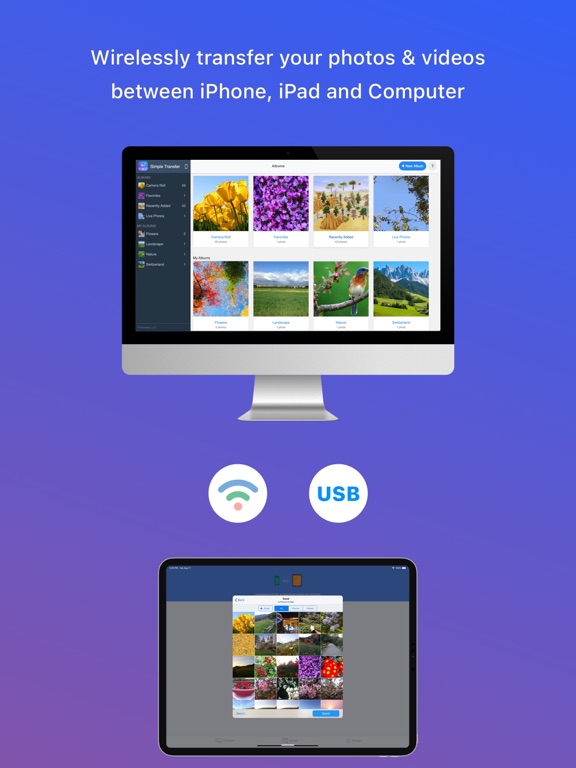
- Simple Transfer is an app that allows users to transfer and convert photos and videos between devices, including iPhones, iPads, and computers, using WiFi or USB.
- Best for
-
- someone who needs to transfer media files between devices
- At a glance
-
- From $1.66/mo
- Free to download
- In-app purchases
Categories and search queries
Official categories
- Photo & Video
- Utilities
AppCorpus categories
Key functions
| Function | Availability | Access | Scope | Evidence |
|---|---|---|---|---|
| Family Sharing | Yes | Unknown | App Store | Store published |
| Free app | Yes | Free | — | Store published |
| In-app purchases | Yes | Limited free | — | Store published |
Screens
App Store
18 store screenshots



Pricing & paywalls
App Store
- Yearly Premium — $19.99/year ($1.66/mo)
- Yearly — $29.99/year ($2.49/mo)
- Legacy - Pro Version — $19.99
- Lifetime — $69.99
- Lifetime Premium — $49.99
- Photo Cleaner — $9.99
Ratings & reviews
App Store
-
5/5FINALLY
Tried it all folks. Spent 4 or five days looking for a solution to transferring photos and videos. You can google your brains out and it will start something like, plug your phone into the computer. Stop right there. This will help transfer a few photos and you can play with your settings in photos and camera until Christmas but guess what? You probably won’t ever get the videos. You can try it from iCloud. Ha! I finally in desperation googled, “transferring videos from iPhone to pc no hope.” A you tube video on the subject I hadn’t watch comes up. Transfer Large Videos From IPhone To PC Or Mac | Transfer iPhone Videos To PC | 2019 Tutorial. Mmtuts is the channel. He introduced me to simple transfer. Cost me 9 dollars to get premium to convert videos to H.264. Whatever! It works and it doesn’t put your pictures or videos on the internet. Does it via wifi. Plus if you are tired trying to download to the computer and then transferring to a mass storage device, you can just choose the mass storage device and bypass the computer. I have never written a review in my life, I don’t know this company, but I just used their app and it ended five days of misery. I’m hesitant to download anything online. I was driven to it this time and I’m glad I did. If you need a positive review to use this. There you have it.
CCUWANN · 4 Sep 2026
-
5/5The BEST app to backup pics to a windows PC from iPhone
I have worked in IT for 25 years. Everything from tech support to systems administrator to a programmer. Yet after days of trial and error and research, I was still unable to import images and video from my iPhone to my Windows PC. I tried working with iTunes and the Windows Photos app to no avail. I tried other App Store apps with high reviews but they had their own issues like importing several files then failing to import files that were on iCloud but not the phone. None of the solutions were easy and well thought out. This app changed all that. Stupid simple. And best of all, they thought of everything: All the various Apple specific image and video formats that either can’t be viewed in Windows or can’t be viewed properly in Windows are automatically converted into Windows compatible formats by this app. The USB cable transfer worked great and quickly. Just make sure you leave the iPhone app open and don’t move to another app while copying is taking place. 6,000 images and videos taken over 12 months transferred in about 30 minutes. Well worth the money!
jftufdfjj TX ssgb · 4 Sep 2026
-
5/5This app is amazing!
I’m a photographer and videographer. Although I have digital cameras and video cameras, there are many times I don’t want to carry the heavy gear around. I just returned from a trip to Australia where I had the food camera, but also took many photos and videos using my iPhone Pro Max. When home trying to download all the files, I had a moment of Panic! My photo album on the phone was corrupted and I wasn’t able to download many of the files. I tried several file manager or transfer apps and was very frustrated until I found this app. Wow, it simply worked! Not only was I able to do the downloads, but it handled the file conversions and deletion of the files from my iPhone. It made my day and I immediately bought the lifetime license which is very affordable. It also has some nice tools for organizing my iPhone! I love it!
LadyWithCamera · 4 Sep 2026
-
5/5STRESS RELIEVER
I am a real estate agent so I usually take lots of pictures and videos. it has always been a giant pain to plug in my iPhone usually cables etc multiple multiple times to get the files to transfer to my desktop for editing. It would always lock up. In addition trying to use one cloud or I cloud is invasive. It adds to the memory of your phone. They're trying to get you to buy another phone and upgrade. I'm tired of that game! It's the same game that Sony played with their Betamax videotapes when they came out. This program has been a total stress reliever for me as it quickly transfers files to my desktop much as you could go from iPhone to iPhone in a very short period of time It also allows you to delete the photos on your phone and keeps the mp4 or jpg formats if wanted. I'm very happy I found this. The Pro version was totally worth $10.
tomtheatombomb · 4 Sep 2026
-
5/5This app deserves a reward
First off I did not like how they try and make you buy premium by defaulting to your oldest pictures and videos which would have made this a useless app. Fortunately, there is a loophole around it you can create a new album and move your newest content onto there to download. Appreciate the simplicity of this app. I don’t usually do reviews but this is a huge pain point for many especially if they recently moved onto apple and don’t have the budget to buy a mac( apple computer). Quick and easy download without deteriorating the quality of your media. I will consider buying your premium because this hits a huge pain point for me. As of now I’m going to enjoy editing my project with this “Simple Transfer” :)
yeuuz · 4 Sep 2026
Privacy & accessibility
App Store
Privacy
- Data Not Linked to You — Analytics — Diagnostics — Performance Data Developer declared
- Data Not Linked to You — App Functionality — Purchases — Purchase History Developer declared
- Data Not Linked to You — Diagnostics Developer declared
- Data Not Linked to You — Purchases Developer declared
Accessibility
No accessibility labels collected yet.
Versions
App Store
-
7.4.10
This update includes stability improvements and bug fixes.
-
7.4.11
This update include stability improvements and bug fixes.
-
7.4.12
• Resolved an issue with downloading large videos. • Various bug fixes and performance enhancements.
-
7.4.13
• Resolved an issue with downloading large videos. • Various bug fixes and performance enhancements.
-
7.4.3
This version fixes a bug where connecting from web browser crashes the app if accessed without port in IP address.
-
7.4.4
This update includes minor bug fixes.
-
7.4.5
This updated fixes a bug where it wouldn't clear the the cache files after transfer.
-
7.4.6
This update includes minor bug fixes.
-
7.4.7
This update fixes a bug on devices with older iOS.
-
7.4.8
This update fixes an issue in Duplicate Photos and includes minor improvements.
-
7.4.9
This update includes stability improvements.
-
7.5
• SimpleTransfer Desktop v4.0: Improved UI, faster performance, and powerful new features like Download Original/Adjusted versions, Search and Add to Album. *** Important for Windows users *** Please reinstall the new app directly from the Microsoft Store. https://apps.microsoft.com/detail/9NC2X8TWP5KK • Web browser access now matches the Desktop app with a more consistent, modern interface and new capabilities. • Performance enhancements, UI refinements, and various bug fixes across the app for a smoother experience.
-
7.5.1
• SimpleTransfer Desktop v4.0: Improved UI, faster performance, and powerful new features like Download Original/Adjusted versions, Search and Add to Album. *** Important for Windows users *** Please reinstall the new app directly from the Microsoft Store. https://apps.microsoft.com/detail/9NC2X8TWP5KK • Web browser access now matches the Desktop app with a more consistent, modern interface and new capabilities. • Performance enhancements, UI refinements, and various bug fixes across the app for a smoother experience.
-
7.5.2
• SimpleTransfer Desktop v4.0: Improved UI, faster performance, and powerful new features like Download Original/Adjusted versions, Search and Add to Album. *** Important for Windows users *** Please reinstall the new app directly from the Microsoft Store. https://apps.microsoft.com/detail/9NC2X8TWP5KK • Web browser access now matches the Desktop app with a more consistent, modern interface and new capabilities. • Performance enhancements, UI refinements, and various bug fixes across the app for a smoother experience.
-
7.5.3
• SimpleTransfer Desktop v4.0: Improved UI, faster performance, and powerful new features like Download Original/Adjusted versions, Search and Add to Album. *** Important for Windows users *** Please reinstall the new app directly from the Microsoft Store. https://apps.microsoft.com/detail/9NC2X8TWP5KK • Web browser access now matches the Desktop app with a more consistent, modern interface and new capabilities. • Performance enhancements, UI refinements, and various bug fixes across the app for a smoother experience.
-
7.5.4
• SimpleTransfer Desktop v4.0: Improved UI, faster performance, and powerful new features like Download Original/Adjusted versions, Search and Add to Album. *** Important for Windows users *** Please reinstall the new app directly from the Microsoft Store. https://apps.microsoft.com/detail/9NC2X8TWP5KK • Web browser access now matches the Desktop app with a more consistent, modern interface and new capabilities. • Performance enhancements, UI refinements, and various bug fixes across the app for a smoother experience.
-
7.5.6
This update includes stability improvements and minor bug fixes.
-
7.5.7
This update includes stability improvements and minor bug fixes.
-
7.5.8
This update includes stability improvements and minor bug fixes.
-
7.6
- Added support for older Simple Transfer Desktop for Windows. - Added support for uploading WebP images. - Includes various bug fixes and stability improvements.
-
7.6.1
- Added support for older Simple Transfer Desktop for Windows. - Added support for uploading WebP images. - Includes various bug fixes and stability improvements.
-
7.6.2
- Added support for older Simple Transfer Desktop for Windows. - Added support for uploading WebP images. - Includes various bug fixes and stability improvements.
-
7.6.3
- Fixed an issue where photo and video timestamps could shift when downloading via a web browser. - Enhanced performance and stability.
-
7.6.5
This update includes stability improvements and minor bug fixes.
-
7.6.9
· 4 Aug 2026
This update includes stability improvements and minor bug fixes.
Alternatives
- Captiono: AI Subtitles — Same category + similar ratings
- Video Player - All in One — Same category + similar ratings
Availability by market
- US
Data quality & evidence
- Page completeness
- Independent summary published
- Last verified
- 4 Sep 2026
- Sources
- App Store