
Quick verdict
- What it is
- Store information collected; independent summary not yet available.
- At a glance
-
- $19.99
- In-app purchases
Categories and search queries
Official categories
- Music
- Productivity
AppCorpus categories
Key functions
| Function | Availability | Access | Scope | Evidence |
|---|---|---|---|---|
| In-app purchases | Yes | Limited free | — | Store published |
Screens
App Store
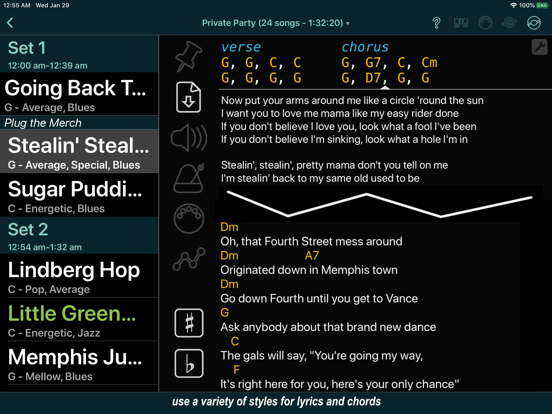
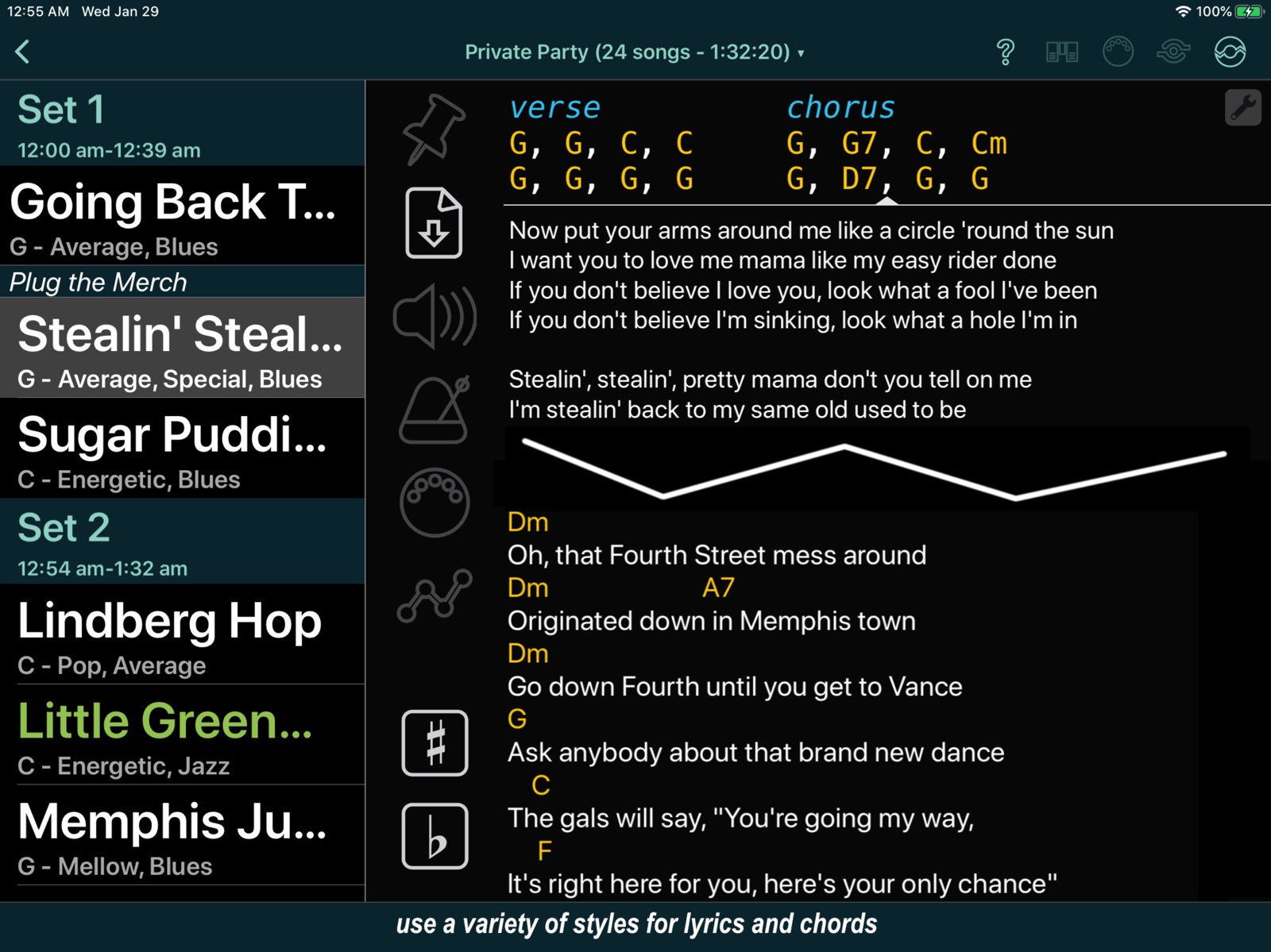
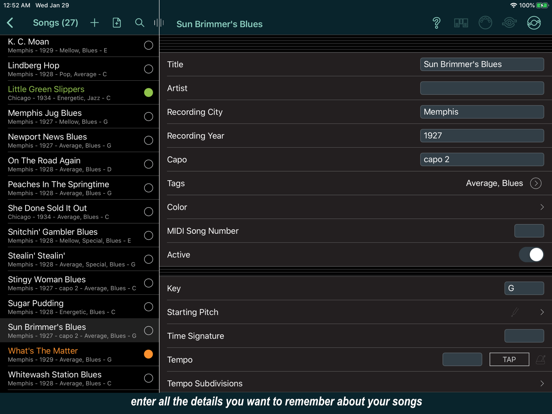
15 store screenshots

Pricing & paywalls
App Store
- Price: $19.99
- Advanced Audio — $3.99
- Automation Tracks — $3.99
- Live Sharing — $4.99
- MIDI — $4.99
- Videos — $2.99
Ratings & reviews
App Store
-
5/5Been a great app. Has saved me multiple times
I have been using this app for years to write my sets and have my lyrics on hand when I forget. It has saved me multiple times and helps with my confidence knowing that if I get forgetful or lost I can quickly touch my screen and get back on track with the right lyrics or chords. It is also seamless when sending out set lists to the band and printing set lists if you wanna go old school. The database is easy to share and archive. Great tool for a band and for singers.
mattchewy67 · 7 Aug 2026
-
5/5Great lyric book!
I’ve been a singer for a long time. All different genres and styles. As such I have a boatload of notebooks and 3-ring binders full of song lyrics. This AWESOME app allows me to put all of my lyrics in one place on my iPad. The ease of importing lyrics from the web made it so easy to transfer ALL of my song lyrics to the app. It’s really easy to put lyrics to your own songs in too. I’m involved in a few different projects, and always doing guest spots so I love having the ability to create set lists for each project using the master song list. This is a great app. I no longer have to carry a huge case with books full of lyrics. Worth every penny just for that! Thank you! Thank you! Thank you!
LeslieLou1963 · 7 Aug 2026
-
3/5Idiosyncratic but usable app— watch out for downgrades
I really hate it when functionality I depend on is suddenly removed. I was standing on the band stand, having said "sure I can do that tune" but when I go to the songs section my buttons to charts and lyrics are suddenly no where to be found, so then the whole band has to wait for me while I find a work around. This is just poor developer etiquette. Smart lists are not a work around— it means I have to make 5 clicks instead of 3 which is already 2 more than it needs to be. Sometimes I end up needing to get to a chart while the song is underway, so the amount of thinking you have to do to find it can really matter. Can't the last used song database come up as the start page? Also save functionality should really be automatic because that is the norm these days.
mheg____ · 7 Aug 2026
-
5/5Everything I wanted and more.
This app is extremely customizable, and is feature rich. It does everything I need and quite a bit more. Seems like the complexity may be off putting to some users, but definitely not for me. I really appreciate how much capability this app has, and it was well worth learning how to use the advanced features. One time I found a bug in the app. I opened a help desk ticket and developer was very responsive. They fixed the bug quickly. Very impressed with this app. Keep up the good work!
nachos are delicious · 7 Aug 2026
-
5/5The best app of its kind available
I used setlists for a long time but it hasn’t been updated in years and gets buggier over time and as OS changes occur so I’ve been searching for an alternative. I tried so many others and none did everything I wanted, or just felt as good as setlists did in its heyday. Having used BandHelper in the past I decided to give this one a go (I rarely need lyrics apps unless it’s a last minute gig or I suddenly have to learn a lot of new songs, otherwise I prefer the more professional approach of knowing the tunes and not having an iPad on stage). This app does everything I need an more and does it elegantly. It just feels great and works. I just input over 100 songs using the built in lyric search and it went smoothly and quickly. Finally, I think I can stop looking for “something better.” To the developer: please a million times, please, never keep this app alive forever! I’m so dependent on it now and I hope I can keep using it for the rest of my life!
Nosfar · 7 Aug 2026
Privacy & accessibility
App Store
Privacy
- Data Not Collected Developer declared
Accessibility
No accessibility labels collected yet.
Versions
App Store
-
2024-07-12
• Updated the transpose function to retain alignment of bar lines (| characters) even when repeated beats aren't marked with dashes. This allows a more horizontally condensed chord chart that can be sized larger without wrapping lines. • Fixed the alignment of ChordPro chords within right-to-left text. • Fixed a crash when exporting documents to BandHelper when the database links to a document that isn't present on the device. • Fixed the button colors in the print popup on the document edit page.
-
2024-07-26
! Changed how standard layouts are added to new databases. The first time you view a show in a new database, instead of prompting you to select a layout template, $site_name will automatically add a landscape and portrait layout from the More Buttons template. You can still add different layouts using the other layout templates. • Updated the More Buttons layout template for phones to include a tempo button and a recording button instead of the transpose buttons. • Sped up the opening of databases by loading document and recording metadata in a background thread. This means if you change this metadata in a different database and then change databases, you might not immediately see the change in the new database. In that case, you can wait a moment and try again. • Updated the edit pages so that selecting a field will move it into view after the on-screen keyboard appears.
-
2024-09-06
• Fixed a problem that created a duplicate layout the first time you view a show. • Improved the alignment of the recording loop region bar against the recording progress bar. • Fixed a crash when transposing chords that use bar lines but only have one bar on a line. • Turned on Settings > Audio & MIDI > Play Audio In Background and Settings > Audio & MIDI > Let Other Apps Play Audio In Background by default for new installations. • When using the Auto-Fit To Page setting on the set list Share Songs page, stopped shrinking the Chords text, unless even the Chords text without the Lyrics text is too long to fit.
-
2024-09-27
• If Personal Transpose is set for a song but Show Roman Numerals is on but the Key is not set, revert to the Personal Transpose function. • Updated the Capitalize Lyrics function to retain the correct formatting positions when the lyrics contain the German letter ß. • Fixed a problem where the current text field wouldn't be visible after switching between apps multiple times. • Removed the Use Analog Video Output setting, since no devices that use it are still supported.
-
2024-10-02
• Fixed the search buttons on the song edit page and map buttons in the Shows list on iOS 18. • Updated the auto-scroll function so if you manually scroll before starting auto-scroll, the speed is not recalculated unless Recalculate Speed If Overridden is on. • Fixed a problem with chord alignment when the Chords field contains a line of non-chord text. • Fixed a problem that expanded the left column to the full screen when switching to another app from the set list share pages. • Added optional External Display Width and External Display Height fields to override the external screen size set by iOS in case that size is incorrect.
-
2024-10-17
• Fixed a problem that caused the screen sharing function to miss some screen updates. • Fixed a problem that skipped the pre-roll when starting auto-scroll for a document with a saved zoom position.
-
2024-10-23
• Fixed a problem that caused the screen sharing function to miss some screen updates.
-
2025-01-24
• Restored the annotation button to the document toolbar for songs that have no documents or lyrics. You can use this to add annotations to a blank canvas for these songs. • Updated the document viewer to stop disabling scrolling when you view a one page document with the two column presentation. • Updated the Roman numerals function to ignore any currently applied transposition. • Fixed a problem where the song list sometimes didn't scroll to show a newly selected song when using live sharing or app control. • Fixed the recording loop buttons when the iOS Accessibility > Display & Text Size > Increase Contrast setting is on. • Added an error message if you use the Quick Add button within a smart list to select a song that isn't in the smart list. Also, ignored Settings > Advanced > Insert Duplicate Quick Added Songs in a smart list. • Stopped hiding the song list from app control actions in layouts where the song list is not layered on top.
-
2025-01-27
• Fixed a crash on the Share Set List page.
-
2025-02-21
• Added Settings > Advanced > Trigger Song Completion From Duration, which is on by default for existing databases. If you turn this off, song completion actions will only be triggered from the end of a recording, video or automation track. • Updated the month values for date filters in smart lists to take a decimal value. For example, you could add a filter "Date Updated greater than .25" to show songs updated within approximately the last week (or .23 to be more precise, since a typical month has 4.28 weeks). • Updated the document picker to save and reload the last used sort value. • Reduced the transparency in the inactive layers when editing layouts to make aligning objects between layers easier.
-
2025-06-06
• Updated the Start Recording app control action to do nothing (instead of pausing the recording) if the recording is already playing. • Updated the Start Automation app control action to resume the automation (instead of doing nothing) if the automation is paused. • Updated the Stop Automation app control action to stop any recording, video, tempo or auto-scroll that was started from the automation track. This is consistent with the behavior of the automation button and the automation controls. • Renamed the Start/Stop Automation app control action to Play/Pause Automation to better reflect its behavior. • Fixed a problem where the completed song marks didn't update when reordering a set list. • Adjusted the text length on the set list Edit Songs page to avoid overlapping the options buttons. • Updated multi-line text fields to scroll to the cursor position after pasting text in. • Stopped adding an automatic Start marker to lyrics that have a marker before the first line when the first line contains ChordPro chords. • Disabled the Clear Formatting button on formatted text fields when no text is selected.
-
2025-08-22
• Fixed a problem that retained custom field values when deleting a custom field. • Stopped hiding parentheses in lines containing parenthesized text but no chords when Settings > Appearance > Hide Parentheses In Chord Lines is on.
-
2025-09-10
• Updated for iOS 26. • Improved how layouts are scaled to fit different devices. ! Improved how new layouts are created to fit different OS versions. If you have an older layout that doesn't fully scale to your screen, you can click Help > Utilities > Update Layout Height. You will only be able to do this from the same device you originally created the layout on, or a device with the same screen size, and you should only do it once for a given layout. • Fixed a problem saving Settings > Audio & MIDI > MIDI Preset Order.
-
2025-09-15
• Restored support for iOS 12-14.
-
2025-09-16
• Restored the updates for iOS 26. Ended support for iOS 12-14. Set List Maker now requires iOS 15 or newer.
-
2025-09-26
• Fixed a problem that sometimes hid top toolbar buttons on phones on iOS 26. • Fixed a crash when playing SMF music files on iOS 26.
-
2025-10-03
• Fixed a problem that triggered a swipe gesture when dragging a slider on iOS 26.
-
2025-10-28
• Restored the marker edit options on iOS 26.
-
2026-01-16
• Fixed an incorrect page count after resizing the lyrics text in the show view. • Improved the scaling of layout elements with the Copy For This Size function on the layout Edit Details page.
-
2026-01-30
• Fixed a problem that caused the app to show a duplicate connection to Bluetooth MIDI devices on iOS 26. • Fixed a crash with the Import Playlist function on iOS 26.
-
2026-02-27
• Updated the Tempo field to support fractional bpm values entered with a comma as the decimal delimiter on devices that use a comma as the decimal delimiter. • Tightened the decay on some of the tempo click sounds to reduce the sensation of a reverb effect. • Implemented code updates required by upcoming iOS versions.
-
2026-03-03
• Fixed a problem that prevented sharing a file from another app to BandHelper.
-
2026-03-04
• Fixed a crash when an external display is connected.
-
2026-06-15
• Stopped warning about annotations saved with the old format. That warning is over 10 years old, so any annotations still not updated are probably broken and will be deleted.
-
2026-06-29
· 30 Jun 2026
• Updated the Bluetooth input code for more reliable foot switch connections on iOS 26.
Alternatives
- Setlist Helper — Same category + similar ratings
- Songbookly: Songbook & Setlist — Same category + similar ratings
- LivePrompter 2 — Same category + similar ratings
- SongSheet Pro: Setlist helper — Same category + similar ratings
- SongBook+ — Same category + similar ratings
- Gig Hard! Autoscrolling Lyrics — Same category + similar ratings
Availability by market
- US
Data quality & evidence
- Page completeness
- Live store listing
- Last verified
- 7 Aug 2026
- Sources
- App Store
- Independent summary has not been published yet.