
Quick verdict
- What it is
- Store information collected; independent summary not yet available.
- At a glance
-
- $3.99
Categories and search queries
Official categories
- Utilities
- Productivity
AppCorpus categories
Key functions
| Function | Availability | Access | Scope | Evidence |
|---|---|---|---|---|
| Family Sharing | Yes | Unknown | App Store | Store published |
Screens
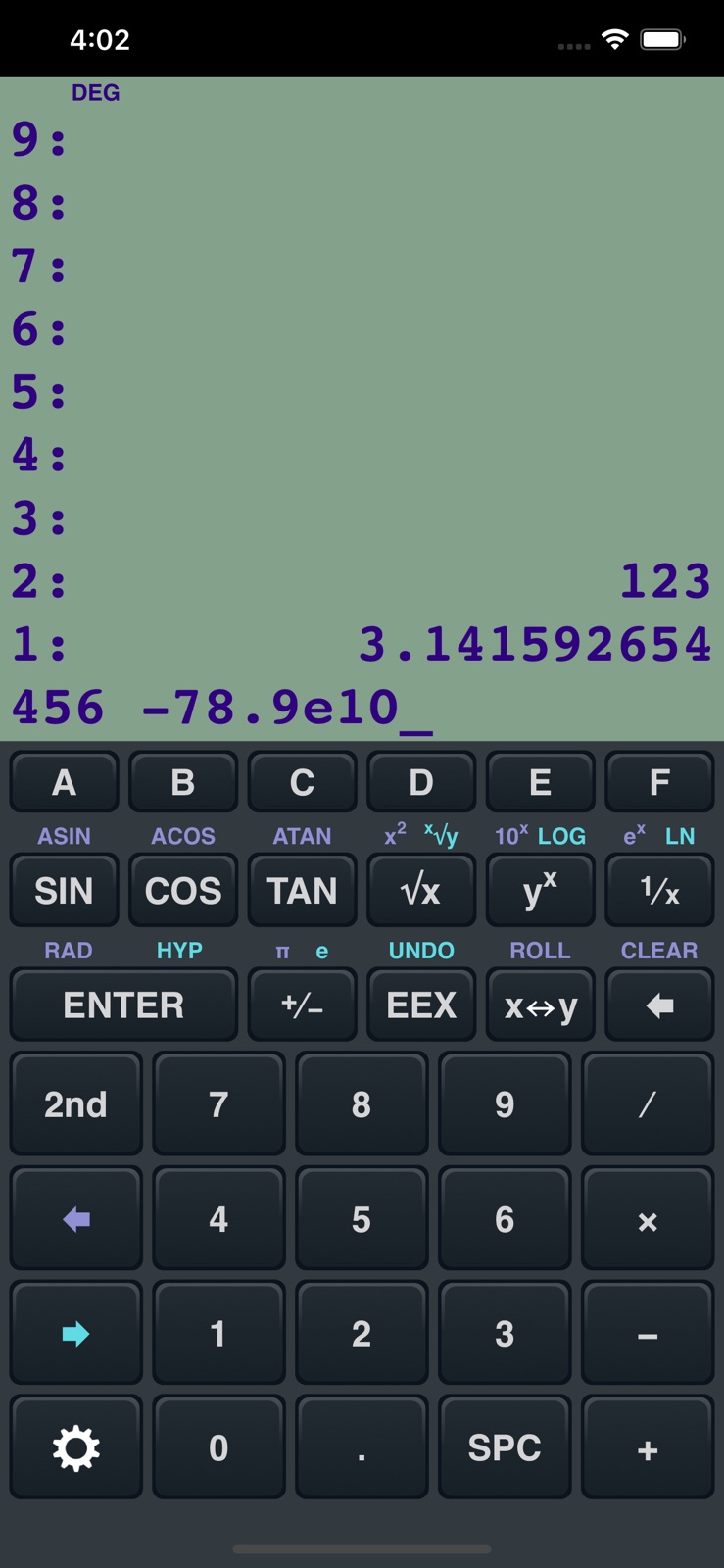
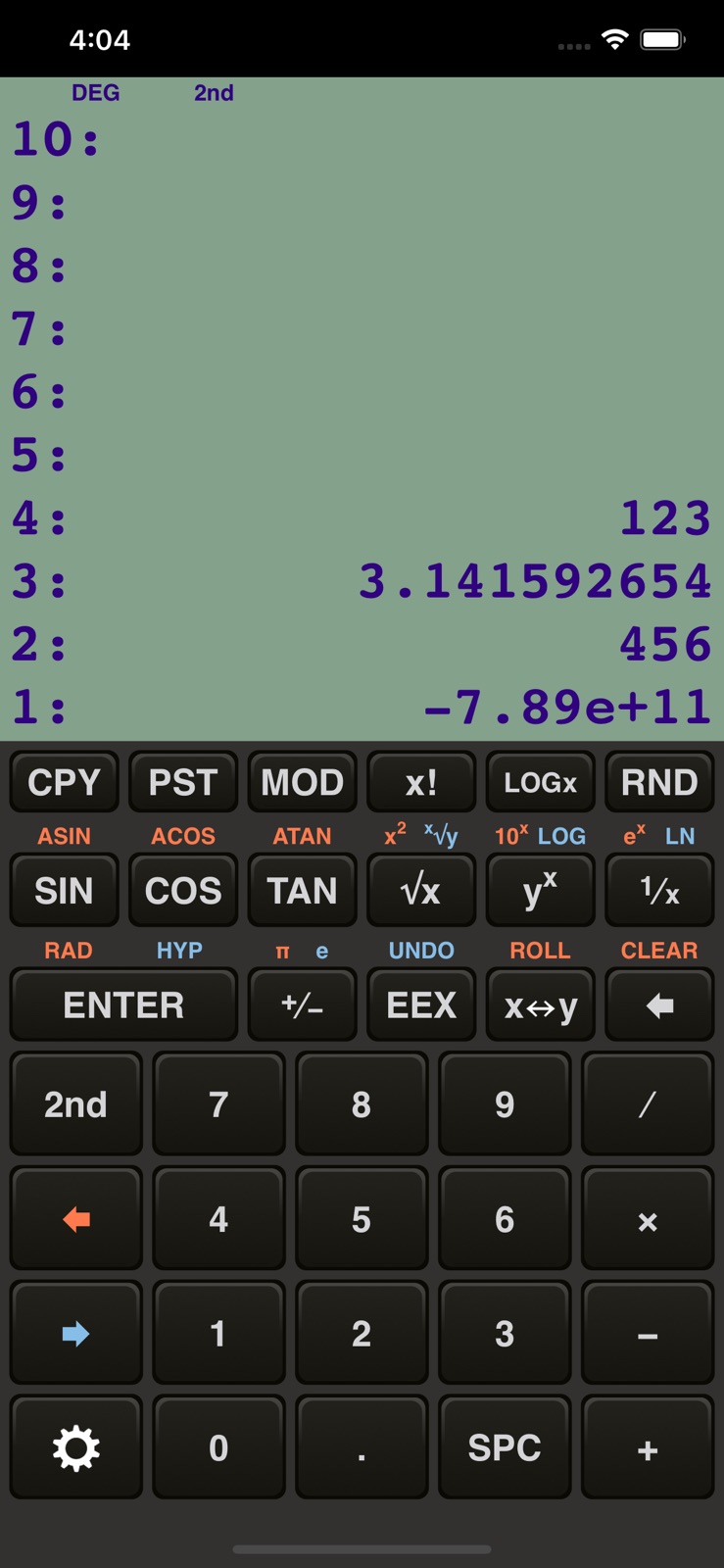
App Store
4 store screenshots


Pricing & paywalls
App Store
- Price: $3.99
Ratings & reviews
App Store
-
5/5Fantastic
Most importantly, it doesn't do what you don't want to do. How novel! I deleted my last RPN. Gave up. With that one they went thru great effort make it look EXACTLY like a 32s. Er uh- we aren't matching a set of seat cushions here. You needed a toothpick to hit each tiny little key. Also- who is going to do complex clacs on a hand held? If you're a student taking a test you can't. If you're a student at home you have your desktop or laptop. If you're an engineer, you're holding this thing in your had while the computer is doing the complicated stuff. Or you're at a job. You're going to solve a 3rd order poly equation out on a job holding this thing in your hand? No you go back to your car and use your laptop. Geeze! Don't app writers get out much? Theses guys that designed this one kind of get it. A perfect product. And you can set the keys to flash when you press them. That's the best idea I've seen in a long time. No looking back and forth to the screen to see if you pushed the right key. And a settings window? Gee- why not make it like the 32s where you can't figure out anything without spending 30 min sorting thru a 200 page pdf copy of the manual? (written by the same guys that designed the program). Thanks. You guys (the designers) made my week.
MattEngineer · 7 Aug 2026
-
5/5It just works
I bought my first iPhone--an iPhone SE--about two weeks ago. One of the first apps I downloaded was HP Prime. The buttons were so tiny, especially on this screen, that it was almost useless. So I tried using Apple's builtin calculator app. I didn't like it. At all. RPN 48 is exactly what I was looking for: polished, functional, and practical. It's little things like switching the color scheme to your preferred 48 and flashing the buttons as you type out characters, that make this calculator go above and beyond. The developer could have just designed an also ran app that only included RPN, but he cared enough to go the extra mile. Thank you! As a side note, I uninstalled the Apple calculator app, and now my wife doesn't know how use my phone as a calculator when she doesn't have hers!
tommii3 · 7 Aug 2026
-
5/5Hella Dope
Awesome app for RPN users. This is not a true emulator, so many functions and keys are missing. This is, however, exactly what I wanted since I do not use a phone for heavy calculations. The basic day-to-day operands are here, as well as enough advanced functions for light field work. It is, in my opinion, an RPN equivalent of something between the IOS calculator and Windows calculator — clean, modern, intuitive, and plenty capable for a iPhone/iPad. My biggest gripe is that this app does not support landscape mode on iPads, which is evidently an oddball Apple issue. I look forward to a potential future update. Until then, this is easily the best RPN app I’ve found and is well worth it.
whargarblll · 7 Aug 2026
-
5/5The Best RPN on iOS
Hands down the best calculator app for those biased to RPN. It has all the basic functions that you’d want to execute on your phone and nothing else to clutter the display. I really like the HUGE stack as well. The layout is clean and the color schemes add a nice little touch of flair. I can’t speak highly enough about this app. My only gripe is that you can fill the stack and it will prevent you from entering more numbers. This doesn’t come up often since the stack has to be around 100 entries, but I’d prefer if it would start overwriting the top of the stack as a new number is entered.
Phil_Avenger · 7 Aug 2026
-
5/5Best RPN iOS calculator
I’ve tried several free versions. I read the reviews and figured this one was worth the $4 risk. No jankyness / bad UI. Mimics my old 48GX pretty well (minus the graphing features). Everything works as expected! I don’t mind paying for software, especially if it motivates the developer to continue porting the app to each iOS release— (historically, a lot of my freeware apps have lost modern iOS support whenever Apple deprecates an old feature.)
rmj411 · 7 Aug 2026
Privacy & accessibility
App Store
Privacy
- Data Not Collected Developer declared
Accessibility
No accessibility labels collected yet.
Versions
App Store
- 1.0.0
-
1.0.1
- High-resolution graphics for the Retina Display - Commas - "Fixed" notation - Adjustable number of significant digits - Setting to use commas for decimal points
-
1.0.2
- Added a slider to control the volume of the keyboard sound effect - Fixed a graphics incompatibility with iOS 5.1
-
1.0.3
- Added support for the iPhone 5's new screen size - Added copy and paste functions (via the "2nd" menu) (Please note that this version requires iOS 4.3 or newer.)
-
1.0.4
- Updated for iOS 7 - New "flat" icon to match iOS 7's design language
-
1.0.5
- Native support for the iPhone 6 and 6 Plus screen resolutions - Fixes an incompatibility with iOS 9
-
1.0.6
- Added support for all current iPhone screen sizes and shapes - Updated the keyboard sounds to match the current iOS sounds - Now you can adjust the sound volume with the standard volume up/down buttons instead of a slider in the settings menu - Added scientific and engineering notation - Improved fixed notation: if a number is too big or too small to display, it's automatically displayed using scientific notation
-
1.0.7
- The "LOGx" button was incorrectly labeled "LOGy". Fixed.
-
1.0.8
· 4 Feb 2025
- Added support for hardware keyboards - Added an option for haptic feedback in the main menu
Alternatives
- PCalc — Same category + similar ratings
- PCalc Lite — Same category + similar ratings
- The Best Calculator - Calc Pro — Same category + similar ratings
- Twindo (formerly Canvas) — Same category + similar ratings
Availability by market
- US
Data quality & evidence
- Page completeness
- Live store listing
- Last verified
- 7 Aug 2026
- Sources
- App Store
- Independent summary has not been published yet.