
Reolink
Remotely monitor and watch live streaming of your home and business with the Reolink App.
by Reolink Digital Technology Co., Ltd
iPhone · iPad
Quick verdict
- What it is
- The Reolink App allows users to access their IP cameras and NVRs remotely, monitor live streaming, and record video.
- Best for
-
- someone who wants to monitor their home or business remotely
- At a glance
-
- Free to download
Categories and search queries
Official categories
- Utilities
AppCorpus categories
Key functions
| Function | Availability | Access | Scope | Evidence |
|---|---|---|---|---|
| Free app | Yes | Free | — | Store published |
Screens
App Store
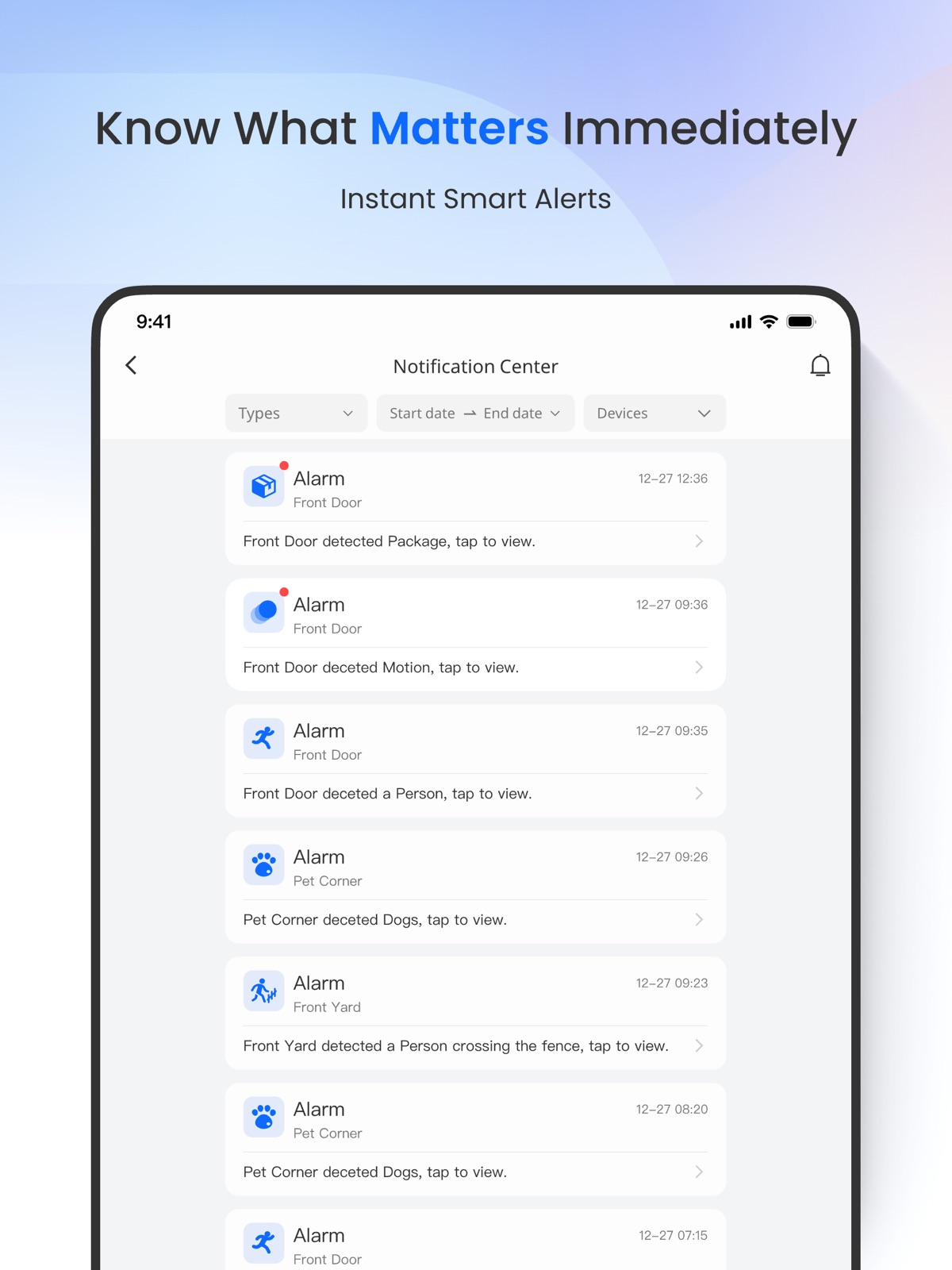
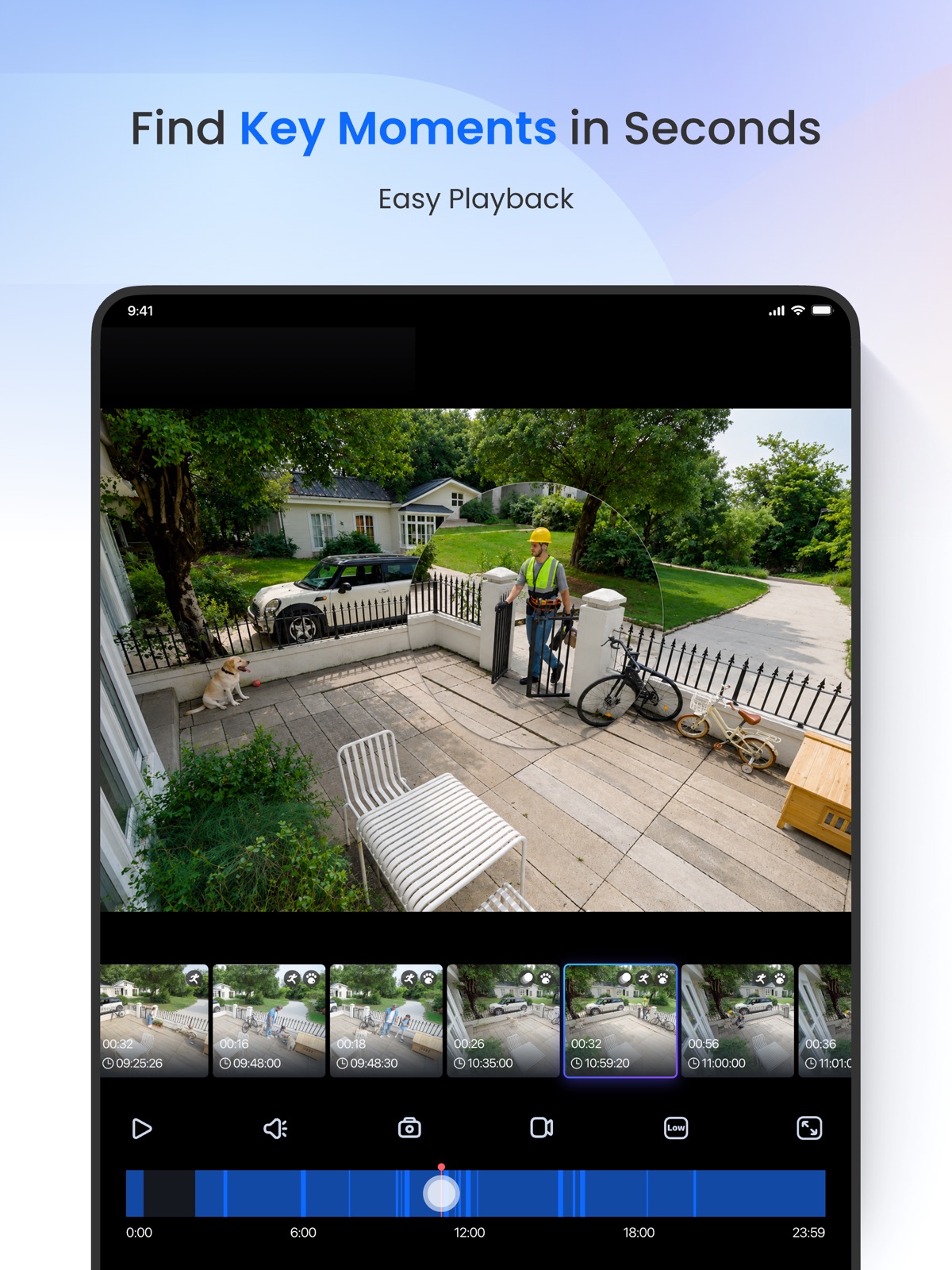
10 store screenshots


Pricing & paywalls
App Store
- Free
Ratings & reviews
App Store
-
3/51 step forward, 2 steps back
// === July 2023 === The main issue from March seems to be fixed now. However one of the recent versions introduced a new problem: Loading camera streams are SLOW. Before, I could open the app and within a second or two all four cameras are streaming the live view. Now, loading even a single cam takes on the order of 10 seconds before I get a picture. If I remain in the app, subsequent views seem to load quickly like before, but if the app has been in the background and I respond to a motion detection notification, the ~10 second wait is unacceptable as whatever triggered the detection has moved on. // === March 2023 === The recent UI overhaul (March 2023) brought about undesirable functionality: In 4-cam mode, double tapping one of the cameras enters single-cam mode for the double tapped cam. Previously, this action would open the single-cam with the last used quality setting for that cam (for me, high/clear most of the time). Now, this action always opens single-cam mode with low/fluent quality setting. I presume single-cam view is maintaining the quality setting from 4-cam view, which forces all four cams to low anyway. When one of the four cams is double tapped the transition maintains this low quality state instead of using the previous quality setting for that cam in single-cam mode like before. Single-cam mode still maintains a camera's quality setting when swiping between cameras while staying in single-cam mode. But as soon as I switch to 4-cam, which forces all four cameras to low quality mode, that camera's quality setting get stored as "low" again. Otherwise, the app functions as expected.
rharkanson · 31 Jul 2026
-
4/5Motion filter updates made this worse
The new version of the app that filters playback motion by type has made this so much less usable. First, now I have to check boxes and then hit OK in order to filter, whereas I could simply tap the icons and it automatically filtered in the old version. Two steps note when it used to be one. Then the worst part is that in the old version when I had filtered to just people or vehicles I could quickly find an event, but then while reviewing just the short clip of the event could unfiltere while watching the video and it would take me to the larger 30 min clip. The motion detection isn’t perfect and so often it would cut an event off before it actually completed and I will need to see a bit before or after the motion capture event. And again, this new version makes that much more difficult. As now. I need to completely remove the filter and then go find the event again by time. This is a great example of a programmer or designer not actually using the app that they’re developing and reducing usability in favor of a change that perhaps looks nicer, but is way less functional. Please revert to the old filtering method or revise the new filtering method to allow to get back to the long 30 minute clip when unfiltered automatically.
tobey1kenobe · 31 Jul 2026
-
4/5Very customizable
This isn’t your everyday surveillance system—it’s a breath of fresh air for anyone tired of clunky, one-size-fits-all security setups. Right out of the box, it’s incredibly user-friendly, making it easy for beginners to get started, yet it’s packed with customization options that let you tailor it to your exact needs. One standout feature? The ability to fine-tune alerts. If you’re drowning in notifications, you can adjust settings like object size or rely on the smart AI built into both the software and cameras to filter out the noise. It’s a system that adapts to you, not the other way around, striking a rare balance of simplicity and sophistication for tech newbies and control freaks alike. That said, the hardware consistency leaves something to be desired. I had two identical cameras running the same software, and their PTZ (pan-tilt-zoom) performance didn’t match up. One camera tracked only horizontally, which is what I expected based on the specs. But the other? It unexpectedly tracked both horizontally and vertically—a feature I actually loved, even though it wasn’t supposed to do that. I was thrilled with the added vertical tracking, but also a little disappointed it wasn’t standard across the board. The inconsistency is frustrating when you’re banking on predictable behavior from the same model.
Jason289302 · 31 Jul 2026
-
4/5Latest app update broke single camera view
Hello the latest update for me on multiple iPhones has been a pain. I used to be able to load the app and click a camera see a live feed. Right now it doesn’t work. I’ve reset my home network , and also the cameras themselves. The pc app works flawless on desktop for single view but on iOS since last week I updated I can’t click a single camera and watch the feed. It states connect, starting live viewing , connects but endlessly buffers loading stream. I can hear sound and see I’m connected at around 4800kbps. I have 4 cameras this is on the same WiFi network and via 5guw either way it doesn’t display. I can hear audio however. If I click on the 4 view pane and then select 4 view/multiview again all the cameras instantly connect and display on both networks. I can then select a single camera view to view that specific feed. Again it doesn’t load a single view camera feed any longer when launching the app unless I select multi pane view. Please fix the app or reach out to me via email to troubleshoot I have spent around 1500$ on these lovely cameras.
Epoch716 · 31 Jul 2026
-
4/5Great app
After reading a bunch of the negative reviews I felt compelled to leave one of my own. I have had the app (and 5 cameras - 2 4MP bullet cams, 2 4MP domes, 1 C1 WiFi) installed for the last month. This app has met my expectations ever since install. It was very easy to connect my cameras to the app and I find it much easier to control their settings through the app then through the NVR. The video and audio quality is amazing but that is going to differ depending on your personal internet speeds. Video playback within the app is ok but could be better. Controlling the playback is the hardest part. If you want to specifically see a certain time it can be difficult fine tuning the playback to where you want because you have to use a finicky slider to get to the time you are looking for. The only reason I gave it 4, instead of 5, stars is because of the motion sensing capability. This really is more of a Reolink issue though and not the apps fault. As other users have stated, if you turn motion notification on you will be getting messages all the time. Even when the sensitivity levels are decreased and you adjust the field of sensitivity. Overall though, I use this as a nice back up to my Abode alarm system and it gives me the ability to remotely check on any unexpected status changes or alarm activations. Love the system and plan on getting another C1 camera, in the future, to be used as a nursery camera.
Jrob726 · 31 Jul 2026
Privacy & accessibility
App Store
Privacy
- Data Not Linked to You — Analytics — Usage Data — Other Usage Data Developer declared
- Data Not Linked to You — Analytics — Usage Data — Product Interaction Developer declared
- Data Not Linked to You — App Functionality — Usage Data — Other Usage Data Developer declared
- Data Not Linked to You — App Functionality — Usage Data — Product Interaction Developer declared
- Data Not Linked to You — Usage Data Developer declared
Accessibility
No accessibility labels collected yet.
Versions
App Store
-
4.51.1
【Other】Bugs fixed and user experience enhanced
-
4.52.0
[New] Device sharing available on NVR. [New] Chime connection supported with Reolink Home Hub series. [New] Reolink SIM service added. [Optimization] Linking process between Reolink products and Alexa/Google Home optimized. [Other] Bugs fixed and overall user experience enhanced.
-
4.53.0
【Other】 Bugs fixed and user experience improved
-
4.53.1
1. Playback Experience Improved [New] Recording file deletion enabled (Requires firmware update on Reolink Altas PT Ultra). 2. Reolink SIM Card Plan Enhanced [New] Data usage display for inserted SIM cards on 4G devices enabled. [New] SIM card addition via QR code scanning supported. 3. Email Push Optimized [New] OAuth2 authentication supported. 4. Reolink Home Hub Experience Enhanced [New] Repeater connection supported. [New] Doorbell call event type (answered/missed) added. 5. Reolink Atlas PT Ultra Pre-recording & Recording Improved [New] Power consumption warning for frame rate options added. [New] Pre-recording duration settings added. [Optimization] Smart Battery Mode interaction optimized. 6. Reolink Battery Doorbell Experience Enhanced [New] Custom battery mode during initialization supported. 7.[Optimization] Noise cancellation performance improved 8.[New] Tracking priority settings added 9.[New] Glare and overexposure alert added 10.[Other] Bugs fixed and user experience improved
-
4.53.2
[Other] Bugs fixed and user experience improved
-
4.54.0
【Optimization】App homepage restructured 【Other】Bugs fixed and user experience improved
-
4.54.1
【Optimization】App homepage restructured 【Other】Bugs fixed and user experience improved
-
4.55.0
【Other】Bugs fixed and user experience improved
-
4.55.1
【Other】Bugs fixed and user experience improved
-
4.56.0
【Other】Bugs fixed and user experience improved
-
4.57.0
【Other】Bugs fixed and user experience improved
-
4.57.2
【Other】Bugs fixed and user experience improved
-
4.58.0
【Other】Bugs fixed and user experience improved
-
4.58.1
【Other】Bugs fixed and user experience improved
-
4.58.2
【Other】Bugs fixed and user experience improved
-
4.58.3
【Other】Bugs fixed and user experience improved
-
4.59.0
【Other】Bugs fixed and user experience improved
-
4.59.1
【Other】Bugs fixed and user experience improved
-
4.59.2
【Other】Bugs fixed and user experience improved
-
4.60.0
【Other】Bugs fixed and user experience improved
-
4.60.1
【Other】Bugs fixed and user experience improved
-
4.60.2
【Other】Bugs fixed and user experience improved
-
4.60.3
【Other】Bugs fixed and user experience improved
-
4.60.4
【Other】Bugs fixed and user experience improved
-
4.61.0
· 28 Jul 2026
【Other】Bugs fixed and user experience improved
Alternatives
- Anker — Same category + similar ratings
- TP-Link Deco — Same category + similar ratings
Availability by market
- US
Data quality & evidence
- Page completeness
- Independent summary published
- Last verified
- 31 Jul 2026
- Sources
- App Store