
Quick verdict
- What it is
- Store information collected; an Apoku editorial summary is not yet published.
- At a glance
-
- Free to download
Categories and search queries
Official categories
- Photo & Video
Apoku categories
Key functions
| Function | Availability | Access | Scope | Evidence |
|---|---|---|---|---|
| Free app | Yes | Free | Context-specific | Store published |
Screens
App Store
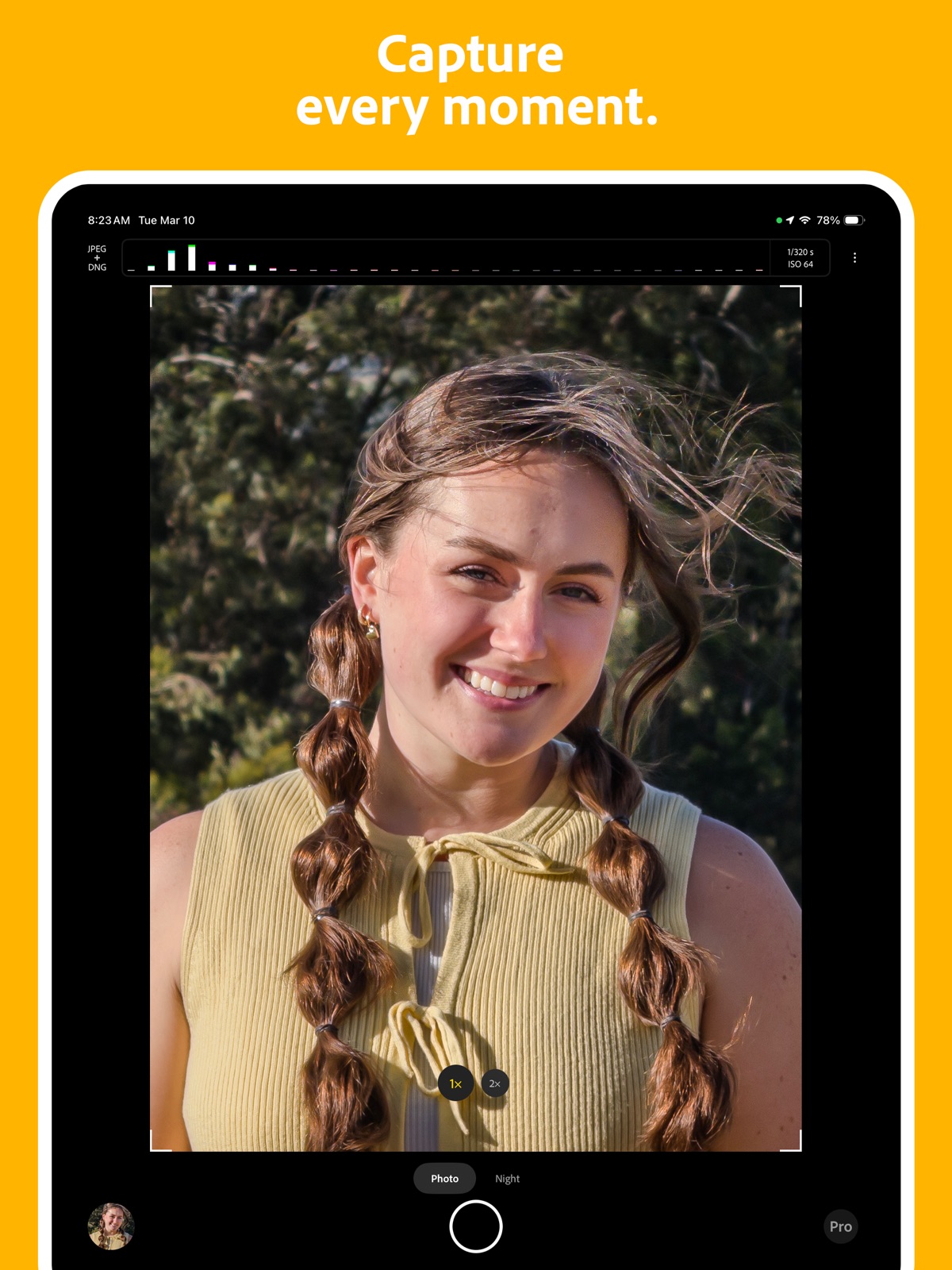
26 store screenshots


Pricing & paywalls
App Store
- Free to download
Ratings & reviews
App Store
-
5/5Outstanding quality
I have an iPhone 15 Pro Max, which isn't the worst camera in the world, but photos from the default camera app or, say, Halide, tend to look a bit punchier than reality. Project Indigo tends to look a lot more balanced in shots that Halide would overrepresent, while still taking extremely pretty and vibrant photos in genuinely saturated environments. It just feels generally a lot more true to life. One of the stated goals of Project Indigo is to make the captured photos look as close as possible to real SLR shots, and while I've personally never used an SLR camera, this certainly looks about up to par with what I'd expect from one. My only gripe is that, like seemingly all third-party camera apps, there is no button to open a photo in the built-in Photos app, nor is there one to open it in the built-in photo editor. There is a button to open the Photos app, but it doesn't take me to the specific photo I was viewing.
LoganDark · 7 Aug 2026
-
5/5A refreshing take on computational photography
As someone who is a smartphone photography enthusiast, I always lamented that, despite improvements in smartphone cameras, you could always immediately tell if a photo was from a phone and not an ILC. This app bridges the gap quite a bit. You won’t get the fidelity and pixel peeping ability of photos from bigger cameras, but you will very often get natural looking photos. I’m satisfied with the super resolution feature—it’s a step above the native camera app’s digital zoom. The manual controls are also sufficient. I don’t use them often, but they’re there. For example, if you manually focus, the viewfinder will show a zoomed in view so you can get the focus you want easily. Something to note is that this app is pretty computationally intense. Photos take a few seconds to process, and you may experience some stuttering if the phone is on low power mode.
StereoSunshine · 7 Aug 2026
-
5/5Much better than native iPhone app
I primarily use my phone for wide shots (landscapes, sunrises) and sometimes for macros. The good/great: 1) It gets rid of that ring around the rising sun, at least mostly and much better than the native iPhone app. 2) Much better in high contrast situations (like sunrise). 3) Nothing is lost when importing to Lightroom and exporting from there, unlike the native app. 4) Takes excellent macro shots when it allows you to switch to macro mode - at least as good as the native app. 5) no need for additional hardware or extra lenses! The challenges: 1) It's a litlte glitchy and it's frozen on me twice. 2) If you change a manual setting, such as exposure, but then you close the manual settings bar it goes fully into auto mode. I usually set my exposure to +1. In the native app, everything I take from then on is +1. In Project Indigo, this is only true if I leave hte manual controls open. If I hide them, it is no longer at +1. Where this gets a little awkward is that if you have the manual controls open, it won't give you the option to switch into macro mode and there is no way to manually switch. You have to close the manual controls, let it prompt you, switch to macro mode and then reopen the manual controls. It's no big deal really, but hopefully something they may fix in the future.
Ls154 · 7 Aug 2026
-
5/5Natural look with smartphone style convenience
The most used camera app on my phone. Finally can get photos out of the iPhone that don’t look out of place next to pictures taken with a traditional camera, while retaining the smartphone style convenience of computational photography. Full manual controls and “raw” sensor modes in other apps sometimes works, but is high effort and leaves the computational strengths of the iPhone to overcome the small sensor size completely unutilized. This app gets really close, sometimes better than images obtained with the Sony Xperia Pro-i, which has a traditional 1 inch type sensor and Sony alpha image processing. Until this app, the Sony was my favorite smartphone photography experience. Even on an iPhone 16e with a much smaller sensor, it’s been very stable and consistent. Makes me excited to take pictures with my iPhone again!
Mr. DHW · 7 Aug 2026
-
5/5Finally, the iPhone camera looks as good as it should
Since the iPhone 12, I’ve always had problems with the built-in iPhone camera. Specially, when zoomed in it will create this fuzzy mess which makes it almost impossible to see anything at high zoom. Also, when I would try to take a photo of something far away zoomed in, it would be out of focus, and I would have to fanagle it to sort of focus correctly. With this app, it solved all of my camera problems. I can manually adjust any settings (like zoom), and every photo I’ve taken (in both day and night conditions) come out in crystal-clear quality, no fuzziness. I particularly like the night mode, even in the daytime, as it really cuts down on the shakiness and fuzziness. I’ve already recommended this app to many of my friends, who had similar reactions as I did.
Devin863 · 7 Aug 2026
Privacy & accessibility
App Store
Privacy
- Data Not Linked to You — Analytics — Identifiers — User ID Developer declared
- Data Not Linked to You — Analytics — Usage Data — Product Interaction Developer declared
- Data Not Linked to You — App Functionality — Location — Coarse Location Developer declared
- Data Not Linked to You — App Functionality — Location — Precise Location Developer declared
- Data Not Linked to You — Identifiers Developer declared
- Data Not Linked to You — Location Developer declared
- Data Not Linked to You — Usage Data Developer declared
Accessibility
No accessibility labels collected yet.
Versions
App Store
- 1.0.0
-
1.0.1
Added a link to the Indigo blog post in the About page.
-
1.0.10
New features: - Added support for favoriting a photo. It synchronizes with Apple Photos favorites and Lightroom ‘flags’. Bug fixes: - iPhone 17-series only: noise issues in low light situations greatly improved. Only available in iOS 26.2. - iPhone 17-series only: wrong selfie camera zebra stripe orientation. - When set to’ auto’, exposure sliders in Pro controls were not correctly reacting to the scene changes. - Zoom UX not showing in Pro controls.
-
1.0.11
New features: - New grid view in the filmstrip. Find your photos more easily. Includes multi-selection for sharing or deletion. - Use the multi-selection feature in the grid view to import multiple photos into the Lightroom mobile app in one go. - Filtering of photos in the filmstrip and grid. Select between All Photos, Indigo Album, and Favorites. - New option to display the 35mm equivalent focal length for rear cameras. Enable in Capture settings. - Support added for iPhone 17e devices. Initial iPad support - Indigo now runs on iPads with at least 6GB of RAM. Note: Project Indigo is not yet tuned for iPad operation. For optimal experience use Project Indigo on an eligible iPhone device. Bug fixes and improvements: - Improved overall app stability with a completely reimplemented camera session. You should experience fewer crashes, delays, or hiccups. - Updated noise and vignetting correction tuning for iPhone 17-series devices. - Fixed an issue with black Indigo DNG thumbnails when viewed on a Mac. - Capped exposure time during viewfinding in Night mode for a more responsive viewfinder experience. - Fixed an issue where overexposed viewfinder was appearing on resuming the app if the app was backgrounded in Night mode with long exposure times. - Tuned tap-to-focus behavior should help improve focus quality when tapping on small objects when the camera is zoomed in. - Fixed a bug with vignetting correction for images utilizing the multi-image super-resolution. - Intra-frame gaps for the Long Exposure feature are now consistent, allowing for better capture of things like light trails. - Viewfinder video stream is now running at 4K (up from 2K) for a better preview experience when using pinch-to-zoom. It also improves focus loupe sharpness. - Fixed an occasional bug where capturing photos in rapid succession resulted in two of the photos being identical. - Fixed a temporary app freeze which may happen occasionally. - Optimized Auto Exposure computation speed Known issues: - In Night mode, when switching quickly from very dark to very bright scenes, the app may get stuck with an overexposed viewfinder for some time. It will converge after a few seconds.
-
1.0.12
Bug fixes and improvements: - Fixed an issue where a developed JPEG was not included in the Indigo album. - Fixed an issue where a JPEG computed by Tech Preview features was not included in the Indigo album. - Removed the Macro mode button when the device only has one camera lens (for example, iPhone 17 Air). - Removed the EIS toggle from the app Settings. - Fixed an issue with captures with BurstSR active occasionally getting lost during app transition from foreground to background. - Fixed an issue with swiping down in Grid view with the image Info panel open causing the UI to become unresponsive. - Improved first run experience with better placing of the first ‘Image processing’ tip in the UI. - iPad only: fixed a crash when sharing directly from Indigo. - iPads with M5 chip can now run Indigo.
-
1.0.13
New features: - New Technology Preview for undoing face warping caused by wide angle lenses. Particularly useful for selfies and ultra-wide camera photos of people. NOTE: this feature processes data on the device only. No data is stored, processed or retained by Adobe or third parties. Bug fixes and improvements: - Revamped onboarding experience for Technology Previews. - Re-instated the EIS (Electronic Image Stabilization) option to camera settings. - Fixed Number of frames slider in Pro controls not snapping into position. - Fixed Number of frames slider automatically resetting to Auto. - Fixed tap-to-focus not working in Pro controls if white balance was set to manual.
-
1.0.2
- Fixed an issue with multi-frame super-resolution quality in bright and low dynamic range scenes. You should now see increased amounts of detail in these conditions. - On lower-performing devices, reduce the rate at which users can capture photos, as well as the number of shots that can be queued for processing (iPhone 15/15+ and below). If the shutter grays out on older phones, just wait a few seconds. - Disabled super-resolution by default on iPhone 14 Pro/Pro Max, and iPhone 15/15+ devices. It can be re-enabled in the Settings menu, but may warm up your phone - Thermal warning is now only shown when the device is in “critical” state. Note that iOS may slow down processing when the device is in “serious” state. - Disabled Tech Previews while there are pending captures being processed. - Various other bug fixes and improvements.
-
1.0.3
# iPhone 17-series support is coming soon # MAJOR PERFORMANCE IMPROVEMENTS - Optimized power use while the viewfinder is active on older devices (iPhone 15/15+ and below). - Improved super-resolution zoom speed. NEW FEATURES - DNG-only mode --- These DNGs still include Indigo’s SDR and HDR looks but rendering to JPEG is deferred until the photo is “developed” in our filmstrip or in Lightroom, which makes capture faster. --- Apple Photos and other non-Adobe DNG viewers/editors do not respect our look and consequently, do not render it properly. - In DNG+JPEG mode, you can now choose between “combined” vs “separate” assets. --- In “separate” mode, each capture will generate two files in your camera roll. - Photos are now by default saved into a “Project Indigo” album, which can be disabled in the settings. - Long Exposure “infinite” capture which continuously captures and merges images until stopped. - Macro mode can be enabled explicitly from the viewfinder - New setting to mirror the selfie camera. OTHER IMPROVEMENTS - When sharing a DNG+JPEG “combined” asset, we now present a sheet letting you choose which to share (DNG, JPEG, or both). - Substantially improved Remove Reflections model. - Downloading and rendering of Tech Preview features can now be cancelled. - “Frames to Merge” Pro control now includes a smaller selection of values on a logarithmic scale for improved ease of use. FIXES - iOS 26 support. - Various stability improvements - Accessibility --- Viewfinder dashboard is more friendly to Display Zoom with improved font size and spacing. --- The user interface is more friendly when the Button Shapes accessibility feature is enabled. - AI Denoise --- Fixed a rare crash when the input image is captured with 5x or higher digital zoom. --- Fixed an issue where the field of view changes slightly when using AI Denoise. - Added a splash screen when launching the app (noticeable on first launch or when the device is throttled). KNOWN ISSUES - When developing new images in the filmstrip, they may be added to the right of the original (i.e., as if they are older). Workaround: when Indigo is restarted the order should be restored. - When capturing in DNG-only mode, the viewfinder thumbnail may be rendered with inconsistent tone and color.
-
1.0.4
# iPhone 17-series support is coming soon # HOTFIX: fixed a bug which occasionally caused first captures in a session to process for a long time.
-
1.0.5
MAJOR UPDATE: iPhone 17-series support is finally here! After some time in the workshop and a lot of grinding, sanding, welding and polishing, Indigo team is happy to announce that your brand new iPhone 17-series device can now run Indigo. * Front camera support for 17-series devices will be added in the next app version, following iOS 26.1 public release which includes a bug fix needed for front camera operation. * Users who upgraded to iPhone 17-series immediately might have missed the 1.0.3 app release which included a lot of updates and new features. Please review release notes on the App Store for details. * We have also included a new questionnaire in the app settings. Answering it will take 5 minutes and will greatly help us determine which directions to take with Indigo to make it a better app for passionate mobile photographers. We hope you will send in your responses and we greatly appreciate your inputs. KNOWN ISSUES (ON IPHONE 17 DEVICES) Front-facing camera is currently disabled. It will be enabled in the next app release targeting iOS 26.1. Issues with very noisy captures in Photo mode in low light if ISO is high. We suggest using Night mode to capture such scenes, or lowering ISO to 500 or less. Auto Exposure may flicker in Photo mode in low-light conditions. 4× telephoto images on 17 Pro and Pro Max devices may exhibit a brighter band toward the bottom of the image. OTHER IMPROVEMENTS Tuned Auto-Exposure to improve dynamic range on iPhone 13 Pro Max and 16 Pro Max devices Increased the device tilt amount at which the level is visible to 60 degrees. BIG FIXES The Exposure compensation slider now works when rotated into landscape orientation. TipKit no longer obscures the filmstrip in landscape orientation. Filmstrip gestures now work correctly on iOS 26. Fixed a rare memory leak when the app is backgrounded during preview. The number of frames slider now has haptic feedback. Fixed an issue where certain Pro Controls are not respected if the individual component’s UI is not visible. Fixed an issue where newly captured photos cannot be shared from the filmstrip.
-
1.0.6
New features: - iPhone 17-series devices now support front camera use. - New Ancillary tools view, now accessible via the three dots menu. - Long-press on individual Pro controls to reset them. Bug fixes: - Fixed a regression where multi-image super-resolution would produce overly noisy images with a blue tint in low-light situations. - iPhone 17-series only: improved very noisy Night photos in low-light conditions. - iPhone 17-series only: improved occasional viewfinder flickering in low-light conditions. - DNGs captured with multi-image super-resolution now have the baseline exposure correctly set. Known issues: - iPhone 17-series: image quality in Photos mode shots in very low-light situations can occasionally be reduced, and may still exhibit a blue tint in shadows. We recommend switching to Night mode. We are working with Apple to address this issue.
-
1.0.7
HOTFIX: found the misplaced front camera button and put it back on the viewfinder! New features: - iPhone 17-series devices now support front camera use. - New Ancillary tools view, now accessible via the three dots menu. - Long-press on individual Pro controls to reset them. Bug fixes: - Fixed a regression where multi-image super-resolution would produce overly noisy images with a blue tint in low-light situations. - iPhone 17-series only: improved very noisy Night photos in low-light conditions. - iPhone 17-series only: improved occasional viewfinder flickering in low-light conditions. - DNGs captured with multi-image super-resolution now have the baseline exposure correctly set. Known issues: - iPhone 17-series: image quality in Photos mode shots in very low-light situations can occasionally be reduced, and may still exhibit a blue tint in shadows. We recommend switching to Night mode. We are working with Apple to address this issue.
-
1.0.8
- iPhone 17-series only: fixed a bug which was impacting image quality, especially in low light conditions. Requires iOS 26.2 Beta 3 or later.
-
1.0.9
A few Thanksgiving bug fixes.
-
1.1.0
New features: - AI Playground experiment: powered by Google’s Nano Banana image editing models, this is an in-app experience to quickly edit and share your photos. Also provides photo guidance with critique and recapture/editing suggestions. The experience will be free and available only to a fraction of users. For more details look for our blog on Adobe Research team page. Improvements: - Updated Remove Reflections ML model with improved quality, and now only 100MB to download (previously 400MB). - iPhone 17-series: Improved JPEG and DNG denoising and vignetting correction. Will improve photographic accuracy in some settings.
-
1.1.1
· 31 Jul 2026
AI Playground sign-up - If you weren't selected for the experiment, you can now apply for access via Apple’s TestFlight app. Tap the AI Playground icon in the filmstrip and fill in the form with your email address to request access. NOTE: slots are limited and will be filled on a first-come, first-served basis. AI Playground experiment improvements: - Custom edit now saves a history of the last 10 edits. - Cleaned up the multi-select experience and Cancel/Save/Delete workflow. - Improved the onboarding experience when the last photo in the Camera Roll was not captured with Indigo. - Added a confirmation dialog when dismissing the current session so the generations are not irreversibly lost. - Shows a label for the last feature used to generate the photo for easier navigation during a session. - Disabled the filmstrip long-press gesture while in AI Playground mode, as it could leave the UI in an inconsistent state. - AI Playground is now locked in portrait orientation. - Various minor improvements and bug fixes. Other improvements: - Reduced the delay for the stability indicator to transition from shaky to stable, which should improve quality in some low-light situations. - Tuned per-frame exposure time in Night mode to favor longer exposures. Total capture duration remains the same.
Alternatives
- Leica LUX - Pro Manual Camera — Same category + similar ratings
- No Fusion-Powerful Pro Cam — Same category + similar ratings
- (Not Boring) Camera — Same category + similar ratings
- Halide Mark III - Pro Camera — Same category + similar ratings
- Luminar: Image Editor&Enhancer — Same category + similar ratings
- VSCO Capture: Preset Camera — Same category + similar ratings
Availability by market
- US
Data quality & evidence
- Page completeness
- Live store listing
- Last verified
- 7 Aug 2026
- Sources
- App Store
- Apoku editorial summary has not been published yet.