
Quick verdict
- What it is
- Store information collected; an Apoku editorial summary is not yet published.
- At a glance
-
- From $1.66/mo
- Free to download
- In-app purchases
Categories and search queries
Official categories
- Utilities
- Finance
Apoku categories
Key functions
| Function | Availability | Access | Scope | Evidence |
|---|---|---|---|---|
| Free app | Yes | Free | Context-specific | Store published |
| In-app purchases | Yes | Limited free | Context-specific | Store published |
Screens
App Store
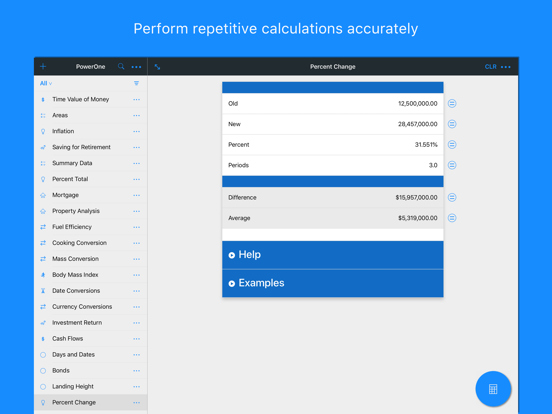
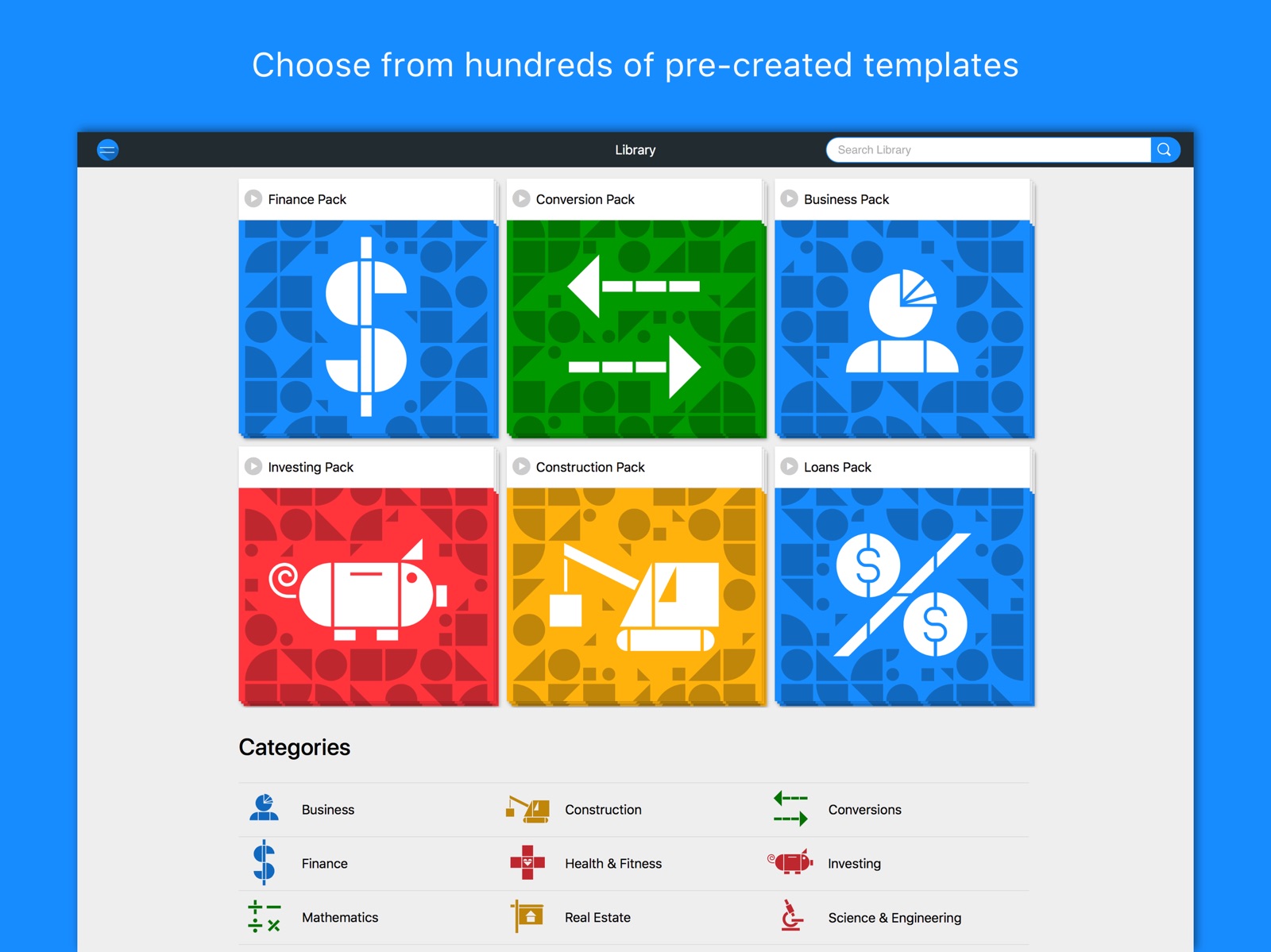
18 store screenshots


Pricing & paywalls
App Store
- Monthly Premium Subscription — $2.99/month
- Monthly Premium Subscription — $19.99/year ($1.66/mo)
Ratings & reviews
App Store
-
5/5Lost my favorite App, then found it again.
Update: the developer fixed my issues, so glad to have functionality back again in the new app. :) I Just changed to a newer iPhone, and no longer have access to my favorite app, “Power One Financial Calculator”. Sadly, this same developer made a worse and more cumbersome version of it. I used to be able to calculate my 401k, and see the depreciation of an investment account, (without internet access!) but now I would have to pay eternally recurring payments to have access to all of that. And I have to search and add every template to get the list of templates I had before, and those I do get have parts of them removed, so I can’t reverse my calculations. The free versions of my most used templates are hamstrung. I’ll now need to use formulas in numbers until I can find a better and faster iOS financial calculator to replace what is now “Advanced” Savjngs and 401(K) I wish there was a better way to support developers of relatively simple apps like this.
EzraEngle · 6 Aug 2026
-
1/5Subscription
Subscription services are lucrative for developers, I guess. But, for the user I have to decide which apps to subscribe to (if any) and which ones I have to quit using because I can’t afford a subscription for every app I use. I don’t mind buying an app at all, but having to pay an annual fee is just beyond my means. And so, I will switch my "calculator" app to something else other than PowerOne because they, at some point, will go to the next version (x.x or y.x or whatever) and I will be left in the dust having to subscribe to keep up with the technology. If every developer ends up with subscription requirements I will just have to abandon my support for them all. How many $50, $20, $75, $20, $40, $20, $25 services can you afford? For me it’s not many and so I just stop using an app that thinks their product should charge me a monthly or annual fee to use it!! There are plenty of alternatives out there. The smart developer will appreciate their customer’s PURCHASE of an app and take into consideration that users will have to decide which apps to keep or which apps to abandon. The less used apps I have will be the first to go. And, PowerOne falls into that category as there are many alternatives that don’t require a subscription fee after purchase. I’ve paid enough for the prior versions of this app, remove ads. etc. I’m done.
Wdav · 6 Aug 2026
-
5/5Great app
I’ve been using PowerOne for many years now. I was in need of a good RPN calculator and liked their version 4 design. So I took a good look at the rest of the app and discovered the templates. What a discovery it turned out to be too. I’ve spent a lot of time and money on programmable calculators over the years and never found any that worked out. Until now, PowerOne is the definition of programmable, customizable what ever you want to call it. It’s just a lot fun to play around with and when you are done playing you have a powerful tool with you. It is too bad PowerOne is stuck in the calculator section of the App Store. It’s so much more than just a calculator. Although it does have a great calculator. However that’s just a small part of what PowerOne really is. In Version 6 they brought back Version 4’s interface which was very easy to use and Version 6 is a lot easier to program than Version 4 was, so now we have the best of both versions. I never had a problem with the login. Because I know what I’m getting in return. Things only a login can provide, syncing across all my devices, and a web based editor. Plus there are things coming in future versions I don’t even know about yet. Pricing, I don’t understand how you can make money at a 1 time 5 dollar fee. It turns out you can’t. So if we want to keep using PowerOne the developer needs to get paid. The complainers have no idea of what they have. I do, and I’m willing to pay for it.
Finally-A-Great-App · 6 Aug 2026
-
5/5Greedy
I’ve had the earlier version of this on my iPad for years. I’ve written dozens of templates for custom applications I used in the office. I was aware that they were no longer supporting it, but when I had to restore my iPad, it couldn’t download the app because they took it off the server. That’s the Apple server, the App Store. And all this because they weren’t charging for the first one and discovered that they could charge for the second one. They’re lame excuse “due to a massive server, crash“ was such a cop out. I’m a programmer and you know exactly how these things work. It’s a total cop out and now I’ve lost a good calculator. I would gladly pay a flat fee for the original version to be able to restore all the templates I have written.
Namaste122112 · 6 Aug 2026
-
5/5Great app! Always making it better... but... there’s the minus “-“ quirk
This is by far the best calculator app there is. Plus the versatility. But, there are always few little things and bugs to squash. There is an annoying thing about how it works after a result shows, if you press the “+” or the “*”, “/“ it will, obviously, invoque the “last” result plus the new operator pressed and it will let you continue with the operation, as expected, but if you press the “-“ it won’t apply that to the “last” but will start as a new operation. The other thing is that when you open a menu it constantly changes its height to accommodate the content. It cool, but it annoys the eye, but in this case, maybe it is just me. But trust me, this is the one and only calculator to have!
Beny! · 6 Aug 2026
Privacy & accessibility
App Store
Privacy
- Data Not Linked to You — Analytics — Usage Data — Product Interaction Developer declared
- Data Not Linked to You — App Functionality — Usage Data — Product Interaction Developer declared
- Data Not Linked to You — Product Personalization — Usage Data — Product Interaction Developer declared
- Data Not Linked to You — Usage Data Developer declared
Accessibility
- Dark Interface — SUPPORTED Store published
- Differentiate Without Color Alone — SUPPORTED Store published
- Larger Text — SUPPORTED Store published
- Sufficient Contrast — SUPPORTED Store published
- Voice Control — SUPPORTED Store published
- VoiceOver — SUPPORTED Store published
Versions
App Store
-
5.2
The big news this release is Team accounts! Contact us at [email protected] if you are interested in sharing templates with your team. In addition, we added some treats specifically for those of you who create your own calculation templates: - Added a setting to treat all variables as case sensitive. (V = v + a has three variables, not two.) - Added a setting to assume equations have math left of the equals sign. (A+B=C+D has four variables, not three.) Now... Rick and I are ready to focus on the feedback we received from all of you! So excited! Elia
-
6.0
Major revision of PowerOne from your feedback. We spent thousands of hours rethinking, rewriting, and redesigning PowerOne. - Hundreds of calculation templates available from the library - Redesigned, full-featured standard and RPN calculator available from anywhere - Improved template-calculator integration - Improved iPad Slide Over and Split View support - Improved keyboard support for templates + better table editing - Add to Siri available from the extras (•••) menu in both templates and the calculator - Search templates from the application launcher - Full hardware keyboard support - Dynamic type and VoiceOver support across the entire app - Beautiful themes makes PowerOne more personal
-
6.0.1
This release is a continuation of items not quite completed for 6.0, plus fixes a few bugs we did not catch before PowerOne 6 launched. - RPN users rejoice! Percent change works again! 34 [ENT] 15 [%] [+ or -] will return the expected result - Added a calculator custom button to show all functions (use the ••• at the bottom of the list of available functions) - Those who do not have accounts that sync can manually and permanently delete templates (Change the tag to Trash : ••• for the template desired : Delete Permanently) - Choose an icon to appear in the template list within the iOS app on your custom templates (edit a template : ••• : Settings) - Restart the import/tutorial process (template list : ••• : Settings) - Added the function product() Bug Fixes: - Improved tap area of the extras button in the template list and in the calculator - Resolved an issue where, in certain cases, the app would crash when changing the template's title - Resolved an issue with importing templates when noequals or hideequals was used in version 4 templates - Add team members who are new to PowerOne and do not have an account on an iOS device - External URLs launch PowerOne, such as links to a template or the calculator, and team activations --- These above updates and fixes for 6.0.1 expand on the work done for 6.0. 6.0 is a major revision of PowerOne from customer feedback. We spent thousands of hours rethinking, rewriting, and redesigning PowerOne. - Redesigned template presentation - Hundreds of calculation templates available from the library - Redesigned, full-featured standard and RPN calculator available from anywhere - Improved template-calculator integration - Improved iPad Slide Over and Split View support - Improved keyboard support for templates + better table editing - Add to Siri available from the extras (•••) menu in both templates and the calculator - Search templates from the application launcher or within the app - Full hardware keyboard support - Dynamic type and VoiceOver support across the entire app - Beautiful themes makes PowerOne more personal This release also segments features between free users and Premium users, a subscription service coming soon.
-
6.0.2
This release is a continuation of items not quite completed for 6.0, plus fixes a few bugs we did not catch before PowerOne 6 launched. - RPN users rejoice! Percent change works again! 34 [ENT] 15 [%] [+ or -] will return the expected result - Added a calculator custom button to show all functions (use the ••• at the bottom of the list of available functions) - Those who do not have accounts that sync can manually and permanently delete templates (Change the tag to Trash : ••• for the template desired : Delete Permanently) - Choose an icon to appear in the template list within the iOS app on your custom templates (edit a template : ••• : Settings) - Restart the import/tutorial process (template list : ••• : Settings) - Added the function product() Bug Fixes: - Improved tap area of the extras button in the template list and in the calculator - Resolved an issue where, in certain cases, the app would crash when changing the template's title - Resolved an issue with importing templates when noequals or hideequals was used in version 4 templates - Add team members who are new to PowerOne and do not have an account on an iOS device - External URLs launch PowerOne, such as links to a template or the calculator, and team activations - List view's extras options always selecting top option even if lower option selected --- These above updates and fixes for 6.0.1 expand on the work done for 6.0. 6.0 is a major revision of PowerOne from customer feedback. We spent thousands of hours rethinking, rewriting, and redesigning PowerOne. - Redesigned template presentation - Hundreds of calculation templates available from the library - Redesigned, full-featured standard and RPN calculator available from anywhere - Improved template-calculator integration - Improved iPad Slide Over and Split View support - Improved keyboard support for templates + better table editing - Add to Siri available from the extras (•••) menu in both templates and the calculator - Search templates from the application launcher or within the app - Full hardware keyboard support - Dynamic type and VoiceOver support across the entire app - Beautiful themes makes PowerOne more personal This release also segments features between free users and Premium users, a subscription service coming soon.
-
6.1
- Syncing for all! This release adds syncing and access to the web version for everyone — even those of you who prefer to remain anonymous — available at https://power.one! - New template creation tutorial: Steps through template basics and various settings. And of course, it can be skipped if you already know what you’re doing. - Template creation: Includes a completely new editor, significantly improving the template creation process on iOS. - Complete rethink of sync plumbing: We’ve made it more stable long-term. Hopefully you won't notice any differences! - Improvements to account creation: Easily move between a named and anonymous account, access to web version with an anonymous account, change your email and/or password, and more. - Subscriptions: While most of PowerOne is free, choose between monthly and annual subscriptions to access premium templates, template creation, advanced sharing, and extra themes. Please support PowerOne development. Subscribe today! - Web improvements to match iOS changes. - iOS 12.1 compatibility for the new iPads Pro. Bug Fixes: - Fixed a bug where subtract and power would not automatically continue calculations in the calculator (standard input mode). - Fixed a bug where using PowerOne with a physical keyboard could cause the keyboard to stop responding to input after the first modified row. - Other fixes and stability improvements. Please send any feature requests, found bugs, or general thoughts to [email protected]. We'd love to hear from you!
-
6.1.1
A solid release. We appreciate all of you who reported issues and helped us track them down! We can always be reached at [email protected]. - Library and help themed to match iOS theme. - New templates added to the library. - Refined percent calculations in RPN mode. Now reports intermediate results when 2 or more values pushed on the stack. - Fixed a precedence issue where RPN was incorrectly handling negative values raised to an even power. - Improved template ordering when sort order Last Modified selected. - Double-dashes no longer turn into em dashes when editing a template row. - Fixed issue where clearing the template could cause issues with performing further calculations within the app. - Resolved issue where inserting or deleting rows between rows in a table could cause the changes to not save.
-
6.1.2
- New templates in the library! - Tapping a link to another template already on the device now opens it directly - Fixed a search issue when % symbol used - Fixed an issue where default tags were ignored - Fixed an issue where importing a template failed when version 4 comments were in multiple rows simultaneously - Fixed an issue linking website and app when tapping a template url - Other bug fixes and improvements More details available at https://power.one/t/help_releasenotes. Find something? Please tell us: [email protected].
-
6.2
- Added engineering display mode in the calculator - Template equations can now contain returns, comments and line indention - Fixed bug where tables utilizing 1.000,00 number format could not inverse a cell's sign - New templates added to the library! Find an issue? Want a new feature? Please reach out: [email protected].
-
6.2.1
This is the "of course we always miss something with a big release" release: - Decimal setting respected for all display modes - Changes in display mode and decimal setting updates view window and stack values - Fractions set to 1/8th respects your wishes Got a problem? A feature request? As Billy Joel almost once said, tell us about it! [email protected].
-
6.2.2
Resolved bugs, especially on iOS 13. This includes search issues and misbehaving in split view on an iPad. See anything? Please tell us. [email protected].
-
6.3
Big update! • Hundreds of calculation templates • New themes • Engineering input mode in the calculator • Output as fractional inches (calculator and templates) • New template creation features: - Units in tables - Returns and inline comments in equations - New functions for sorting, looping, data validations, table handling and math, and more
-
6.3.1
Version 6.3.1 ------------ - Minor improvements associated with presenting different account types Version 6.3 ------------ Big update! • Hundreds of calculation templates • New themes • Engineering input mode in the calculator • Output as fractional inches (calculator and templates) • New template creation features: - Units in tables - Returns and inline comments in equations - New functions for sorting, looping, data validations, table handling and math, and more
-
6.3.2
Version 6.3.2 ------------- - Works wonderfully on your M1 Mac! - Fixed an issue with calculator-template integration when using fractional inches - Various bug fixed and layout issues - Updates to support iOS 14 Version 6.3.1 ------------- - Minor improvements associated with presenting different account types Version 6.3 ------------ Big update! • Hundreds of calculation templates • New themes • Engineering input mode in the calculator • Output as fractional inches (calculator and templates) • New template creation features: - Units in tables - Returns and inline comments in equations - New functions for sorting, looping, data validations, table handling and math, and more
-
6.3.3
Version 6.3.3 ------------- - Fixed an issue with the date keyboard where it would crash PowerOne on iOS 13.4 and later devices since v6.3.2 was released. Thanks, Christopher, for the help in discovering this one! Find an issue? Please tell us: [email protected]. Version 6.3.2 ------------- - Works wonderfully on your M1 Mac! - Fixed an issue with calculator-template integration when using fractional inches - Various bug fixed and layout issues - Updates to support iOS 14 Version 6.3.1 ------------- - Minor improvements associated with presenting different account types Version 6.3 ------------ Big update! • Hundreds of calculation templates • New themes • Engineering input mode in the calculator • Output as fractional inches (calculator and templates) • New template creation features: - Units in tables - Returns and inline comments in equations - New functions for sorting, looping, data validations, table handling and math, and more
-
6.3.4
Version 6.3.4 ------------- - Now possible to enter negative feet-inch and fractional inch lengths - Fixed issue with negative feet-inch and fraction inch length results in the calculator and templates - Fixed issue where RPN input mode could display too low on an iPad, cutting off the bottom of the entry area. Thanks, Paul, for the assist! - Drag bars and selection indicators in various settings appear more clearly in dark themes - Fixed issue where clearing a table can leave the template in an odd state that requires leaving and returning to the template - Improvements and fixes related to using PowerOne with a physical keyboard - Other improvements related to iOS 13 and iOS 14 Find an issue? Please tell us: [email protected]. Version 6.3.3 ------------- - Fixed an issue with the date keyboard where it would crash PowerOne on iOS 13.4 and later devices since v6.3.2 was released. Thanks, Christopher, for the help in discovering this one! Version 6.3.2 ------------- - Works wonderfully on your M1 Mac! - Fixed an issue with calculator-template integration when using fractional inches - Various bug fixed and layout issues - Updates to support iOS 14 Version 6.3.1 ------------- - Minor improvements associated with presenting different account types Version 6.3 ------------ Big update! • Hundreds of calculation templates • New themes • Engineering input mode in the calculator • Output as fractional inches (calculator and templates) • New template creation features: - Units in tables - Returns and inline comments in equations - New functions for sorting, looping, data validations, table handling and math, and more
-
6.3.5
Version 6.3.5 ------------- - Resolve issue introduced by iOS 14.5 where PowerOne could leave new user in an unknown state if an older version found on the same device during startup. PowerOne 6 no longer attempts to import templates and settings from PowerOne FE or SE. Version 6.3.4 ------------- - Now possible to enter negative feet-inch and fractional inch lengths - Fixed issue with negative feet-inch and fraction inch length results in the calculator and templates - Fixed issue where RPN input mode could display too low on an iPad, cutting off the bottom of the entry area. Thanks, Paul, for the assist! - Drag bars and selection indicators in various settings appear more clearly in dark themes - Fixed issue where clearing a table can leave the template in an odd state that requires leaving and returning to the template - Improvements and fixes related to using PowerOne with a physical keyboard - Other improvements related to iOS 13 and iOS 14 Find an issue? Please tell us: [email protected]. Version 6.3.3 ------------- - Fixed an issue with the date keyboard where it would crash PowerOne on iOS 13.4 and later devices since v6.3.2 was released. Thanks, Christopher, for the help in discovering this one! Version 6.3.2 ------------- - Works wonderfully on your M1 Mac! - Fixed an issue with calculator-template integration when using fractional inches - Various bug fixed and layout issues - Updates to support iOS 14 Version 6.3.1 ------------- - Minor improvements associated with presenting different account types Version 6.3 ------------ Big update! • Hundreds of calculation templates • New themes • Engineering input mode in the calculator • Output as fractional inches (calculator and templates) • New template creation features: - Units in tables - Returns and inline comments in equations - New functions for sorting, looping, data validations, table handling and math, and more
-
6.3.6
Version 6.3.6 ------------- - Keep turning out releases. This one encompasses some bug fixes. Version 6.3.5 ------------- - Resolve issue introduced by iOS 14.5 where PowerOne could leave new user in an unknown state if an older version found on the same device during startup. PowerOne 6 no longer attempts to import templates and settings from PowerOne FE or SE. Version 6.3.4 ------------- - Now possible to enter negative feet-inch and fractional inch lengths - Fixed issue with negative feet-inch and fraction inch length results in the calculator and templates - Fixed issue where RPN input mode could display too low on an iPad, cutting off the bottom of the entry area. Thanks, Paul, for the assist! - Drag bars and selection indicators in various settings appear more clearly in dark themes - Fixed issue where clearing a table can leave the template in an odd state that requires leaving and returning to the template - Improvements and fixes related to using PowerOne with a physical keyboard - Other improvements related to iOS 13 and iOS 14 Find an issue? Please tell us: [email protected]. Version 6.3.3 ------------- - Fixed an issue with the date keyboard where it would crash PowerOne on iOS 13.4 and later devices since v6.3.2 was released. Thanks, Christopher, for the help in discovering this one! Version 6.3.2 ------------- - Works wonderfully on your M1 Mac! - Fixed an issue with calculator-template integration when using fractional inches - Various bug fixed and layout issues - Updates to support iOS 14 Version 6.3.1 ------------- - Minor improvements associated with presenting different account types Version 6.3 ------------ Big update! • Hundreds of calculation templates • New themes • Engineering input mode in the calculator • Output as fractional inches (calculator and templates) • New template creation features: - Units in tables - Returns and inline comments in equations - New functions for sorting, looping, data validations, table handling and math, and more
-
6.3.7
Version 6.3.7 ------------- - Updates to support iOS 15. Version 6.3.6 ------------- - Keep turning out releases. This one encompasses some bug fixes. Version 6.3.5 ------------- - Resolve issue introduced by iOS 14.5 where PowerOne could leave new user in an unknown state if an older version found on the same device during startup. PowerOne 6 no longer attempts to import templates and settings from PowerOne FE or SE. Version 6.3.4 ------------- - Now possible to enter negative feet-inch and fractional inch lengths - Fixed issue with negative feet-inch and fraction inch length results in the calculator and templates - Fixed issue where RPN input mode could display too low on an iPad, cutting off the bottom of the entry area. Thanks, Paul, for the assist! - Drag bars and selection indicators in various settings appear more clearly in dark themes - Fixed issue where clearing a table can leave the template in an odd state that requires leaving and returning to the template - Improvements and fixes related to using PowerOne with a physical keyboard - Other improvements related to iOS 13 and iOS 14 Find an issue? Please tell us: [email protected]. Version 6.3.3 ------------- - Fixed an issue with the date keyboard where it would crash PowerOne on iOS 13.4 and later devices since v6.3.2 was released. Thanks, Christopher, for the help in discovering this one! Version 6.3.2 ------------- - Works wonderfully on your M1 Mac! - Fixed an issue with calculator-template integration when using fractional inches - Various bug fixed and layout issues - Updates to support iOS 14 Version 6.3.1 ------------- - Minor improvements associated with presenting different account types Version 6.3 ------------ Big update! • Hundreds of calculation templates • New themes • Engineering input mode in the calculator • Output as fractional inches (calculator and templates) • New template creation features: - Units in tables - Returns and inline comments in equations - New functions for sorting, looping, data validations, table handling and math, and more
-
6.4
- Calculator memory recall improvements: recalls the value if it can do so safely without losing precision; otherwise identifies the memory location by identifier with improved display - Holding down calculator backspace now continues to delete until released - Show more functions simultaneously in the calculator - More calculator functions, including DMS conversions - Updates to support iOS 16 - Other bug fixes and general improvements
-
6.4.1
Version 6.4.1 ========== - Fixed bug where What's New view will display each time the app is run. Oops! Version 6.4 ========= - Calculator memory recall improvements: recalls the value if it can do so safely without losing precision; otherwise identifies the memory location by identifier with improved display - Holding down calculator backspace now continues to delete until released - Show more functions simultaneously in the calculator - More calculator functions, including DMS conversions - Updates to support iOS 16 - Other bug fixes and general improvements
-
6.4.2
Bug fixes and improvements.
-
6.4.3
Bug fixes and improvements
-
6.4.4
Tracked down and fixed a major crash that was impacting PowerOne, especially on app launch. If you can reproduce a crash in the application, please drop an email to [email protected] with steps.
-
6.4.5
Maintenance release and bug fixes, including resolving crash when creating templates. Also sharing results now adds row numbers to tables and some other behind the scenes improvements.
-
6.4.6
· 13 Aug 2025
Maintenance release and bug fixes, including resolving crash when creating templates. Also sharing results now adds row numbers to tables and some other behind the scenes improvements.
Alternatives
- The Best Calculator - Calc Pro — Same category + similar ratings
- Calculator Max — Same category + similar ratings
- Construction Calculator — Same category + similar ratings
- Feet&Inches Calculator — Same category + similar ratings
- CALC Smart Calculator ± — Same category + similar ratings
- PCalc Lite — Same category + similar ratings
Availability by market
- US
Data quality & evidence
- Page completeness
- Live store listing
- Last verified
- 6 Aug 2026
- Sources
- App Store
- Apoku editorial summary has not been published yet.