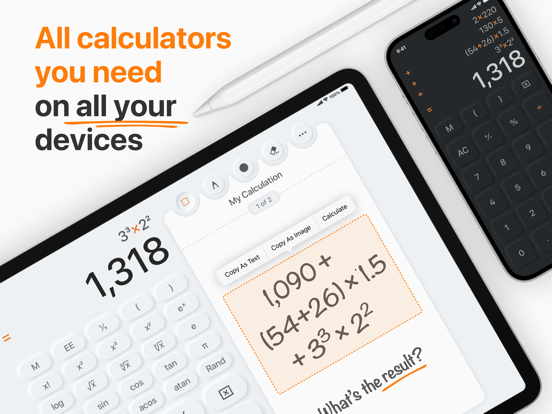
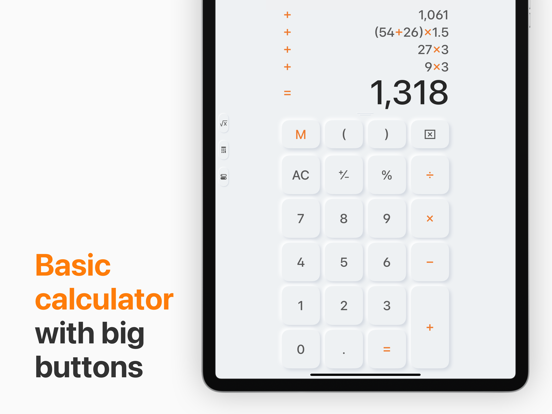
AppCorpus MCP gives your agent current app data, prices, screens, features and sources.
View JSON
GET /api/v3/apps/364905554
{
  "app_id": 364905554,
  "canonical_url": "https://appcorpus.com/apps/calculator-max-364905554",
  "identity": {
    "name": "Calculator Max",
    "slug": "calculator-max",
    "developer": {
      "name": "CrowdCafé",
      "url": "https://appcorpus.com/developers/crowdcafe-developer_82cc67bd35209e9bd5ffbd6ce3fb51d8"
    },
    "icon_url": "https://is1-ssl.mzstatic.com/image/thumb/Purple211/v4/db/96/32/db96323b-0b52-89f8-4cfc-c2c75b758a8f/AppIcon-0-0-1x_U007epad-0-0-0-11-0-0-P3-85-220.png/512x512bb.jpg",
    "stores": [
      "apple"
    ],
    "platforms": [
      "iphone",
      "ipad"
    ],
    "status": {
      "state": "active",
      "label": "Active",
      "last_checked": "2026-08-06",
      "last_checked_label": "6 Aug 2026",
      "banner": null,
      "region_note": null
    }
  },
  "listings": [
    {
      "store": "apple",
      "status": "ACTIVE",
      "url": "https://apps.apple.com/us/app/calculator-max/id364905554?uo=4",
      "rating": 4.3,
      "rating_count": 1922,
      "formatted_price": "Free",
      "is_free": true,
      "has_iap": true,
      "has_subscription": false,
      "version": "4.6.1",
      "updated": "2025-11-18",
      "currency": "USD"
    }
  ],
  "summary": {
    "one_liner": null,
    "summary": null,
    "best_for": [],
    "not_for": [],
    "status": "fallback",
    "at_a_glance": [
      "Free to download",
      "In-app purchases"
    ]
  },
  "categories": {
    "official": [
      "Utilities",
      "Productivity"
    ],
    "appcorpus": [
      {
        "category_id": "utilities",
        "label": "Utilities",
        "url": "https://appcorpus.com/categories/utilities"
      },
      {
        "category_id": "productivity",
        "label": "Productivity",
        "url": "https://appcorpus.com/categories/productivity"
      }
    ]
  },
  "use_cases": [],
  "features": [
    {
      "capability_id": "family_sharing",
      "label": "Family Sharing",
      "availability": "yes",
      "access_level": "unknown",
      "scope": "App Store",
      "evidence": "Store published"
    },
    {
      "capability_id": "free_app",
      "label": "Free app",
      "availability": "yes",
      "access_level": "free",
      "scope": null,
      "evidence": "Store published"
    },
    {
      "capability_id": "in_app_purchases",
      "label": "In-app purchases",
      "availability": "yes",
      "access_level": "free_limited",
      "scope": null,
      "evidence": "Store published"
    }
  ],
  "pricing": [
    {
      "store": "apple",
      "formatted_price": "Free",
      "is_free": true,
      "has_iap": true,
      "has_subscription": false,
      "currency": "USD",
      "market": "us",
      "last_verified": "2026-08-06",
      "rows": [
        "Calculator Max Pro — $3.99",
        "Calculator Max Pro — $4.99"
      ]
    }
  ],
  "screens": [
    {
      "url": "https://is1-ssl.mzstatic.com/image/thumb/PurpleSource116/v4/38/0a/21/380a212a-2aa6-1bb7-a9c5-65d4396334dc/0a3d5ec6-3938-4dae-b4b9-9c4d464cddb6_01.png/1600x1600bb.jpg",
      "store": "apple",
      "platform": "ipad",
      "alt": "Calculator Max ipad screenshot 1"
    },
    {
      "url": "https://is1-ssl.mzstatic.com/image/thumb/PurpleSource116/v4/7e/7d/68/7e7d6896-210d-7f11-e949-4a884cec69be/badb43c6-e204-4a7d-bdca-885e20ceb525_02.png/1600x1600bb.jpg",
      "store": "apple",
      "platform": "ipad",
      "alt": "Calculator Max ipad screenshot 2"
    },
    {
      "url": "https://is1-ssl.mzstatic.com/image/thumb/PurpleSource126/v4/2c/db/55/2cdb551b-f509-1d34-1cff-4f7c3ae518b6/0033e94d-8e27-4693-ad7f-b8ecf373b2d9_01.png/552x414bb.png",
      "store": "apple",
      "platform": "ipad",
      "alt": "Calculator Max ipad screenshot 3"
    },
    {
      "url": "https://is1-ssl.mzstatic.com/image/thumb/PurpleSource126/v4/4a/6f/10/4a6f10a5-56d4-5784-c75c-a546783390c9/dba5c462-f77d-436e-a08d-35cf9ca9799e_02.png/552x414bb.png",
      "store": "apple",
      "platform": "ipad",
      "alt": "Calculator Max ipad screenshot 4"
    },
    {
      "url": "https://is1-ssl.mzstatic.com/image/thumb/PurpleSource126/v4/f2/29/58/f229581b-e74f-f975-1f97-b866ccd15f39/0fcd7e14-b0d6-4b87-aa45-a3568e555733_03.png/1600x1600bb.jpg",
      "store": "apple",
      "platform": "ipad",
      "alt": "Calculator Max ipad screenshot 5"
    },
    {
      "url": "https://is1-ssl.mzstatic.com/image/thumb/PurpleSource116/v4/e4/b7/4e/e4b74e66-e63e-b076-0444-fe126c21bfb5/ae709ae2-174e-4202-920f-0ff6a3c5ed61_04.png/1600x1600bb.jpg",
      "store": "apple",
      "platform": "ipad",
      "alt": "Calculator Max ipad screenshot 6"
    },
    {
      "url": "https://is1-ssl.mzstatic.com/image/thumb/PurpleSource126/v4/a3/a6/47/a3a64724-f8f7-450c-6045-741dd0e09d2a/f0c75f18-61ba-4dfa-b4d6-0809e34a566d_03.png/552x414bb.png",
      "store": "apple",
      "platform": "ipad",
      "alt": "Calculator Max ipad screenshot 7"
    },
    {
      "url": "https://is1-ssl.mzstatic.com/image/thumb/PurpleSource126/v4/63/0a/d9/630ad9e9-f0d5-1113-2544-740a9a98305c/dd25ad1e-74b3-408d-b730-dd73fb2a1539_04.png/552x414bb.png",
      "store": "apple",
      "platform": "ipad",
      "alt": "Calculator Max ipad screenshot 8"
    },
    {
      "url": "https://is1-ssl.mzstatic.com/image/thumb/PurpleSource126/v4/da/88/d6/da88d6f9-01b6-2a34-15ac-19bfdc5af7a2/2a7c95ff-44a3-426f-92fc-182e068aa163_05.png/1600x1600bb.jpg",
      "store": "apple",
      "platform": "ipad",
      "alt": "Calculator Max ipad screenshot 9"
    },
    {
      "url": "https://is1-ssl.mzstatic.com/image/thumb/PurpleSource116/v4/db/e4/05/dbe4053f-aa12-7b35-910d-1e9d07f58289/b071fa41-503a-4aac-939e-b03d11d03cbc_06.png/1600x1600bb.jpg",
      "store": "apple",
      "platform": "ipad",
      "alt": "Calculator Max ipad screenshot 10"
    },
    {
      "url": "https://is1-ssl.mzstatic.com/image/thumb/PurpleSource126/v4/4e/85/d5/4e85d55c-765c-f700-3a2e-009ecf5ff589/07333499-d7bd-46dc-9fcc-6eb95375c19c_05.png/552x414bb.png",
      "store": "apple",
      "platform": "ipad",
      "alt": "Calculator Max ipad screenshot 11"
    },
    {
      "url": "https://is1-ssl.mzstatic.com/image/thumb/PurpleSource116/v4/31/e9/09/31e90997-5572-59bd-33e1-278cec2b5685/db9bc8dd-92a8-4d5d-b954-10e06ebeb97a_06.png/552x414bb.png",
      "store": "apple",
      "platform": "ipad",
      "alt": "Calculator Max ipad screenshot 12"
    },
    {
      "url": "https://is1-ssl.mzstatic.com/image/thumb/PurpleSource126/v4/63/e4/d3/63e4d3d6-85b3-407d-7f2d-71511c5d42ed/5da3e741-3968-4359-bcd6-7891afbb7abc_07.png/1600x1600bb.jpg",
      "store": "apple",
      "platform": "ipad",
      "alt": "Calculator Max ipad screenshot 13"
    },
    {
      "url": "https://is1-ssl.mzstatic.com/image/thumb/PurpleSource116/v4/1c/ce/f6/1ccef6df-6db7-2206-d9a4-0aeaf8097f84/584fbbed-34cd-48c7-b38f-ea1ed527b941_08.png/1600x1600bb.jpg",
      "store": "apple",
      "platform": "ipad",
      "alt": "Calculator Max ipad screenshot 14"
    },
    {
      "url": "https://is1-ssl.mzstatic.com/image/thumb/PurpleSource116/v4/6a/dc/e7/6adce762-cada-db99-47ce-844cbde71fa8/0ac8d334-4286-4de7-bd8a-ec293362e055_07.png/552x414bb.png",
      "store": "apple",
      "platform": "ipad",
      "alt": "Calculator Max ipad screenshot 15"
    },
    {
      "url": "https://is1-ssl.mzstatic.com/image/thumb/PurpleSource116/v4/48/4e/31/484e312c-0e1f-5c5a-a2e2-1ba77f892c79/9b0fbef4-df87-44dd-b312-a11c8afb734b_09.png/1600x1600bb.jpg",
      "store": "apple",
      "platform": "ipad",
      "alt": "Calculator Max ipad screenshot 16"
    },
    {
      "url": "https://is1-ssl.mzstatic.com/image/thumb/PurpleSource126/v4/33/7c/1a/337c1a22-72c0-e4bc-5969-bc9a9695513f/192ae08c-4c07-4643-8a98-6f957212f65f_08.png/552x414bb.png",
      "store": "apple",
      "platform": "ipad",
      "alt": "Calculator Max ipad screenshot 17"
    },
    {
      "url": "https://is1-ssl.mzstatic.com/image/thumb/PurpleSource116/v4/d8/98/34/d898343a-21bb-6d92-482f-64da48266d5f/60d664fc-20c8-4b58-9a5a-4fc3640ad536_09.png/552x414bb.png",
      "store": "apple",
      "platform": "ipad",
      "alt": "Calculator Max ipad screenshot 18"
    },
    {
      "url": "https://is1-ssl.mzstatic.com/image/thumb/PurpleSource126/v4/c6/ef/54/c6ef5462-e557-405f-8ff3-d995deca5eed/c3877d67-7a69-44b8-b9e0-966b97ca45b3_10.png/1600x1600bb.jpg",
      "store": "apple",
      "platform": "ipad",
      "alt": "Calculator Max ipad screenshot 19"
    },
    {
      "url": "https://is1-ssl.mzstatic.com/image/thumb/PurpleSource116/v4/2e/5c/2f/2e5c2ff6-6d57-c3a4-bb93-8ad3523240b0/61504a3d-fd2f-4a49-826d-57a9b8b39b38_10.png/552x414bb.png",
      "store": "apple",
      "platform": "ipad",
      "alt": "Calculator Max ipad screenshot 20"
    },
    {
      "url": "https://is1-ssl.mzstatic.com/image/thumb/PurpleSource116/v4/d2/44/0d/d2440d98-77a8-54f6-3f7b-e4db8ff7abcb/15b6f437-1fa3-4f05-91ca-0c30edbfb7a8_01.png/1284x1600bb.jpg",
      "store": "apple",
      "platform": "iphone",
      "alt": "Calculator Max iphone screenshot 21"
    },
    {
      "url": "https://is1-ssl.mzstatic.com/image/thumb/PurpleSource116/v4/4f/53/53/4f535314-2068-9307-1dc9-d9c32a0f42fa/c5780012-24a8-4686-adf8-2ec076b053d5_02.png/1284x1600bb.jpg",
      "store": "apple",
      "platform": "iphone",
      "alt": "Calculator Max iphone screenshot 22"
    },
    {
      "url": "https://is1-ssl.mzstatic.com/image/thumb/PurpleSource126/v4/87/89/19/8789195d-8ca7-bdbb-6d90-7f094867826f/2a216759-f1fe-463b-b79f-8d334956e8ba_03.png/1284x1600bb.jpg",
      "store": "apple",
      "platform": "iphone",
      "alt": "Calculator Max iphone screenshot 23"
    },
    {
      "url": "https://is1-ssl.mzstatic.com/image/thumb/PurpleSource116/v4/7e/d3/34/7ed3347f-050f-1014-ad63-910a23abdf14/1d6786a0-935c-4d98-9127-d76f84ac173a_04.png/1284x1600bb.jpg",
      "store": "apple",
      "platform": "iphone",
      "alt": "Calculator Max iphone screenshot 24"
    },
    {
      "url": "https://is1-ssl.mzstatic.com/image/thumb/PurpleSource116/v4/06/d4/ab/06d4ab79-d75b-d62a-02aa-281bdfc02114/9b406cda-fce2-42ae-8968-64334c7766a1_05.png/1284x1600bb.jpg",
      "store": "apple",
      "platform": "iphone",
      "alt": "Calculator Max iphone screenshot 25"
    },
    {
      "url": "https://is1-ssl.mzstatic.com/image/thumb/PurpleSource126/v4/d7/2e/9e/d72e9e65-503c-5535-874d-a421c3d1bbae/4b9f3d64-ba56-42aa-b3c5-8fac7d58aae3_06.png/1284x1600bb.jpg",
      "store": "apple",
      "platform": "iphone",
      "alt": "Calculator Max iphone screenshot 26"
    },
    {
      "url": "https://is1-ssl.mzstatic.com/image/thumb/PurpleSource126/v4/06/71/62/0671627d-e450-7f32-0a05-13ae017e82a2/1cea1ca7-77ee-452f-a0dd-407ef1c773a5_07.png/1284x1600bb.jpg",
      "store": "apple",
      "platform": "iphone",
      "alt": "Calculator Max iphone screenshot 27"
    },
    {
      "url": "https://is1-ssl.mzstatic.com/image/thumb/PurpleSource116/v4/b8/ab/da/b8abda94-bdac-3ff0-b35a-5ef9f014058a/4553a49d-cd4a-4a33-a246-4145359e9cd6_08.png/1284x1600bb.jpg",
      "store": "apple",
      "platform": "iphone",
      "alt": "Calculator Max iphone screenshot 28"
    },
    {
      "url": "https://is1-ssl.mzstatic.com/image/thumb/PurpleSource126/v4/5d/33/c5/5d33c50e-c881-ac0e-65d7-68a918f05133/01be5c96-2607-4719-a43a-14d4045404e6_09.png/1284x1600bb.jpg",
      "store": "apple",
      "platform": "iphone",
      "alt": "Calculator Max iphone screenshot 29"
    },
    {
      "url": "https://is1-ssl.mzstatic.com/image/thumb/PurpleSource116/v4/a7/f3/a9/a7f3a904-1a19-619e-2746-d24a88ca1ddb/9586f3bd-43ff-471f-b10d-63d67aebaf07_10.png/1284x1600bb.jpg",
      "store": "apple",
      "platform": "iphone",
      "alt": "Calculator Max iphone screenshot 30"
    },
    {
      "url": "https://is1-ssl.mzstatic.com/image/thumb/PurpleSource126/v4/e0/35/8e/e0358e8e-ae80-8cd4-6d85-3b3dff50e843/c1dfe85c-04fb-4b6c-8d24-064914f8e4c7_01.png/1600x1600bb.jpg",
      "store": "apple",
      "platform": "mac",
      "alt": "Calculator Max mac screenshot 31"
    },
    {
      "url": "https://is1-ssl.mzstatic.com/image/thumb/PurpleSource116/v4/ff/07/f7/ff07f781-b702-8682-74b5-0b5befc746c2/aed18eb7-224d-4806-9c76-343bb56484d9_02.png/1600x1600bb.jpg",
      "store": "apple",
      "platform": "mac",
      "alt": "Calculator Max mac screenshot 32"
    },
    {
      "url": "https://is1-ssl.mzstatic.com/image/thumb/PurpleSource126/v4/4b/bc/0e/4bbc0e2f-d582-cbb8-898e-8e8a02ab201f/f0fd2205-c734-4071-9b65-db81059d62b6_03.png/1600x1600bb.jpg",
      "store": "apple",
      "platform": "mac",
      "alt": "Calculator Max mac screenshot 33"
    },
    {
      "url": "https://is1-ssl.mzstatic.com/image/thumb/PurpleSource126/v4/db/ee/6e/dbee6e99-ae00-39f5-71f4-46fb8eec326c/9f1bddd3-5443-466e-b95b-71f3eaebac69_04.png/1600x1600bb.jpg",
      "store": "apple",
      "platform": "mac",
      "alt": "Calculator Max mac screenshot 34"
    },
    {
      "url": "https://is1-ssl.mzstatic.com/image/thumb/PurpleSource126/v4/05/5c/a2/055ca265-00d7-dfd7-d428-d73f75c3c7f9/a8e70797-e462-40db-9f02-1810c620a619_05.png/1600x1600bb.jpg",
      "store": "apple",
      "platform": "mac",
      "alt": "Calculator Max mac screenshot 35"
    },
    {
      "url": "https://is1-ssl.mzstatic.com/image/thumb/PurpleSource116/v4/3c/89/33/3c893397-2147-c650-3a4f-afdc7ebc2ad1/b2f285e8-5da7-4edd-b1db-996116d10225_06.png/1600x1600bb.jpg",
      "store": "apple",
      "platform": "mac",
      "alt": "Calculator Max mac screenshot 36"
    },
    {
      "url": "https://is1-ssl.mzstatic.com/image/thumb/PurpleSource126/v4/28/70/c2/2870c21a-9e19-65a2-0552-95e7d6faf340/b3f5d523-153e-4a8c-8fed-51d558edb1e4_07.png/1600x1600bb.jpg",
      "store": "apple",
      "platform": "mac",
      "alt": "Calculator Max mac screenshot 37"
    },
    {
      "url": "https://is1-ssl.mzstatic.com/image/thumb/PurpleSource116/v4/80/04/80/80048008-098c-8d29-5beb-cffbae622ee9/576a9400-8b48-4469-b708-e4a077eb43c4_08.png/1600x1600bb.jpg",
      "store": "apple",
      "platform": "mac",
      "alt": "Calculator Max mac screenshot 38"
    },
    {
      "url": "https://is1-ssl.mzstatic.com/image/thumb/PurpleSource126/v4/ff/8b/b7/ff8bb7d8-c7f6-dcc3-8d44-60040b68cfa1/fbefd301-36f8-4d55-b23f-910c675c651a_09.png/1600x1600bb.jpg",
      "store": "apple",
      "platform": "mac",
      "alt": "Calculator Max mac screenshot 39"
    }
  ],
  "ratings": [
    {
      "store": "apple",
      "average": 4.3,
      "count": 1922,
      "market": "us",
      "observed_at": "2026-08-06",
      "reviews": [
        {
          "rating": 1,
          "title": "Good app made bad! Don’t update! Don’t buy!!",
          "body": "This was a good app that was intuitive and easy to use. Calculators should be quick and easy to use, as this one used to be. However, This latest “modern” update turns an easy to use app into an obtuse mess. Grey fonts on a light grey background make reading difficult. Minimized / no borders around anything make icons and functions bleed together. Hiding the tape so one can now “scroll it” instead of just looking at it when it was normally visible, is just dumb, and makes one hunt for something that just used to be there. Save yourself frustration and stay with the current version. Do NOT update like I did. Also, given the history of this developer, do NOT buy! Most likely, in a couple of years the developer will release another update that will again invalidate your previous purchases. I don’t trust companies that take away features you paid for, just so they can charge you again for an app that was previously working fine. Off to find a replacement.",
          "author": "Bobjtx",
          "date": "6 Aug 2026"
        },
        {
          "rating": 5,
          "title": "Great Multi-function Calculator",
          "body": "This is more than just your standard calculator. There are 4 modes to choose from. The one I find most useful is the Tape Mode. It is great for itemized calculations. There are just a couple of small issues that prevent me from giving it a perfect 5-star rating. The first is that while having a Scientific Mode is great, having a Scientific Mode with a graphing screen would have made any other calculator app obsolete. Secondly, there is no backspace key. This would make it so much easier to fix the most common typos. Instead, you must clear and re-enter the entry altogether. Not a huge problem, but just a bit inconvenient.",
          "author": "Renard M",
          "date": "6 Aug 2026"
        },
        {
          "rating": 5,
          "title": "Just what i was looking for, works as billed",
          "body": "This is one of those great apps that does exactly what it says it will and what you want it to do. The only difficulty was actually finding it. There nothing to tell one it has a tape, the feature I was looking for. I just happened on the app. But of course, like most apps that are great, you want stuff added. For example, adding a text note to the tape would be helpful, as would negative numbers on the tape appearing in red.",
          "author": "Scarlatti2",
          "date": "6 Aug 2026"
        },
        {
          "rating": 1,
          "title": "Terrible Update",
          "body": "Hate the change to the interface. Lost all the original functionality that I paid for (tape, interface choice, export, printing) etc. Expect me to pay for it again? Don’t think so. Can some one please tell me how I can restore the old version? I received a response from the developer explaining that all the functionality of the prior version was still there. Functionality, maybe but usability, no. Here is my reply to the developers I used your calculator app on my iPad for many years. I liked it very much. The interface was clean and professional. I liked the “tape” function. The latest update completely changed the interface. It is now one big blob of white where you can barely tell the buttons apart. The tape is no longer conveniently beside the calculator. It must be accessed separately. I understand that the colors can be changed with the in app purchase. That’s not the point. The new interface and way the calculator/tape work is a step backwards. For me the calculator is now clunky , awkward and difficult to use. For me it’s so bad that I had to delete the update and restore the old version. Consider going back to what worked because for me this doesn’t, and I’m certainly not going to purchase the premium features since the basics are unusable for me.",
          "author": "GunSlingerTX",
          "date": "6 Aug 2026"
        },
        {
          "rating": 1,
          "title": "Awful update :-(",
          "body": "This was my favorite calculator. Everything I loved about it has been swept away with the latest update: the warm, simple desktop look, the handy tape that was easily visible as I worked, and the simplicity with which I could clear or print it. I also hate the unicolor design of the update. It is much harder on my eyes than the previous version, and in my opinion is just blah, plain, and ugly instead of elegant like it was before. It is also harder to use. In spite of my efforts to view the tape and toggle between the tape and the calculator keypad, I get stuck in one view or the other and find the whole thing useless. Please bring back the previous version, or offer it as an option for those of us who prefer it.",
          "author": "Sheep's Pen",
          "date": "6 Aug 2026"
        }
      ]
    }
  ],
  "privacy": [
    {
      "store": "apple",
      "declarations": [
        {
          "title": "Data Not Collected",
          "detail": "",
          "source": "Developer declared"
        }
      ],
      "accessibility": []
    }
  ],
  "changes": [
    {
      "store": "apple",
      "version": "2.0.1",
      "released_at": null,
      "notes": "- Correctly formatting numbers according to your country settings. - Minor interface enhancements."
    },
    {
      "store": "apple",
      "version": "2.0.2",
      "released_at": null,
      "notes": "– Rare freezing occurence fixed – Improved stability and performance – Faster application startup"
    },
    {
      "store": "apple",
      "version": "3.0",
      "released_at": null,
      "notes": "– Brand new Note Calculator with blank sheet of paper for your hand-drawn notes and sketches – Multitasking support - very fast application start-up for users with iOS 4.2 – Office decorations can now be removed from the desk – Improved stability and performance"
    },
    {
      "store": "apple",
      "version": "3.1",
      "released_at": null,
      "notes": "– AirPrint support added - print the tape with all of your entries right from your iPad (iOS 4.2 or higher) – Improved stability"
    },
    {
      "store": "apple",
      "version": "3.2",
      "released_at": null,
      "notes": "– Optimized to run smoothly on both iOS 4 and iOS 5 – Rare inaccurate behavior of RAND and EE buttons fixed – Minor UI and graphics improvements"
    },
    {
      "store": "apple",
      "version": "3.3",
      "released_at": null,
      "notes": "– Compatibility with iOS 5.1 – Minor bug fixes"
    },
    {
      "store": "apple",
      "version": "3.4",
      "released_at": null,
      "notes": "- Gorgeous Retina graphics - Proper work of multitasking gestures - Tape Calculator performance improved - Optimized for iPad with Retina display and for iPad mini - Spanish and Italian localization added - iOS 6 & iOS 7 support"
    },
    {
      "store": "apple",
      "version": "3.5",
      "released_at": null,
      "notes": "– Optimized for iOS 8"
    },
    {
      "store": "apple",
      "version": "3.6",
      "released_at": null,
      "notes": "– Optimized for iOS 9"
    },
    {
      "store": "apple",
      "version": "4.0",
      "released_at": null,
      "notes": "This update brings the calculator you love in entirely new, polished design and loaded with revamped functions: — Fresh, modern, easy-to-use interface — More powerful history tape easily accessible in all modes — Fine-tuned interface for both iPhone and iPad — Memory slots for frequent numbers — Extensive export, share and print options — Multitasking support on iPad — External keyboard support — Wide range of designs, sounds and app icons to choose from"
    },
    {
      "store": "apple",
      "version": "4.0.1",
      "released_at": null,
      "notes": "This update brings the calculator you love in entirely new, polished design and loaded with revamped functions: — Fresh, modern, easy-to-use interface — More powerful history tape easily accessible in all modes — Fine-tuned interface for both iPhone and iPad — Memory slots for frequent numbers — Extensive export, share and print options — Multitasking support on iPad — External keyboard support — Wide range of designs, sounds and app icons to choose from"
    },
    {
      "store": "apple",
      "version": "4.0.2",
      "released_at": null,
      "notes": "This update brings the calculator you love in entirely new, polished design and loaded with revamped functions: — Fresh, modern, easy-to-use interface — More powerful history tape easily accessible in all modes — Fine-tuned interface for both iPhone and iPad — Memory slots for frequent numbers — Extensive export, share and print options — Multitasking support on iPad — External keyboard support — Wide range of designs, sounds and app icons to choose from"
    },
    {
      "store": "apple",
      "version": "4.1",
      "released_at": null,
      "notes": "— Tape now offers unlimited capacity (new option in app Settings) — Tape can be scrollable right above the calculator (new option in app Settings) — Mathematical expressions on tape are more precisely completed — Stability a performance improvements"
    },
    {
      "store": "apple",
      "version": "4.1.1",
      "released_at": null,
      "notes": "— Tape now offers unlimited capacity (new option in app Settings) — Tape can be scrollable right above the calculator (new option in app Settings) — Mathematical expressions on tape are more precisely completed — Stability a performance improvements"
    },
    {
      "store": "apple",
      "version": "4.1.2",
      "released_at": null,
      "notes": "— Tape now offers unlimited capacity (new option in app Settings) — Tape can be scrollable right above the calculator (new option in app Settings) — Mathematical expressions on tape are more precisely completed — Stability a performance improvements"
    },
    {
      "store": "apple",
      "version": "4.2",
      "released_at": null,
      "notes": "— Fully flexible calculator layout on iPad — Side tape layouts for easier long records handling — Side tape on iPhone in landscape mode — Light and dark mode can be set independently on system settings — Stability a performance improvements"
    },
    {
      "store": "apple",
      "version": "4.3",
      "released_at": null,
      "notes": "— Now available for your Mac including precisely adapted interface — Buy once & use on all your devices (iPhone, iPad, Mac) — Stability and performance improvements"
    },
    {
      "store": "apple",
      "version": "4.3.1",
      "released_at": null,
      "notes": "— Now available for your Mac including precisely adapted interface — Buy once & use on all your devices (iPhone, iPad, Mac) — Stability and performance improvements"
    },
    {
      "store": "apple",
      "version": "4.4",
      "released_at": null,
      "notes": "— Scribble Pad for iPad lets you make handwritten notes and sketches and solves your math equations right in the app — Improved layout switching and user interface on iPad — Run smoothly on iOS and iPadOS 17 — Stability and performance improvements"
    },
    {
      "store": "apple",
      "version": "4.4.1",
      "released_at": null,
      "notes": "— Scribble Pad for iPad lets you make handwritten notes and sketches and solves your math equations right in the app — Improved layout switching and user interface on iPad — Run smoothly on iOS and iPadOS 17 — Stability and performance improvements"
    }
  ],
  "alternatives": [
    {
      "app_id": 661506264,
      "name": "DayCalc - Note Calculator",
      "url": "https://appcorpus.com/apps/daycalc-note-calculator-661506264",
      "reason": "Same category + similar ratings"
    },
    {
      "app_id": 576675190,
      "name": "CALC Smart Calculator ±",
      "url": "https://appcorpus.com/apps/calc-smart-calculator-576675190",
      "reason": "Same category + similar ratings"
    },
    {
      "app_id": 549782479,
      "name": "Calculator--",
      "url": "https://appcorpus.com/apps/calculator-549782479",
      "reason": "Same category + similar ratings"
    },
    {
      "app_id": 782873366,
      "name": "Calculator Pro Lite",
      "url": "https://appcorpus.com/apps/calculator-pro-lite-782873366",
      "reason": "Same category + similar ratings"
    }
  ],
  "evidence_summary": {
    "index_state": "S1",
    "evidence_level": 1,
    "level_label": "Live store listing",
    "indexable": true,
    "last_verified_at": "2026-08-06",
    "unknown_fields": [
      "Independent summary has not been published yet."
    ],
    "sources": [
      "App Store"
    ]
  },
  "availability_markets": {
    "live": [
      "us"
    ],
    "selected": "us",
    "note": null
  },
  "feature_events": {
    "events": []
  },
  "features_slice": {
    "plans": [
      {
        "code": "pro",
        "label": "Calculator Max Pro",
        "kind": "unknown",
        "status": "store_listed",
        "prices": [
          {
            "storefront": "us",
            "formatted": "$3.99",
            "billing_period": null
          },
          {
            "storefront": "us",
            "formatted": "$4.99",
            "billing_period": null
          }
        ],
        "trial": null
      }
    ],
    "features": [],
    "unknown_features": [
      "family_sharing"
    ],
    "data_cutoff": "6 Aug 2026"
  }
}