
Quick verdict
- What it is
- Store information collected; independent summary not yet available.
- At a glance
-
- From $2.49/mo
- Free to download
- In-app purchases
Categories and search queries
Official categories
- Finance
AppCorpus categories
Key functions
| Function | Availability | Access | Scope | Evidence |
|---|---|---|---|---|
| Free app | Yes | Free | — | Store published |
| In-app purchases | Yes | Limited free | — | Store published |
Screens
App Store
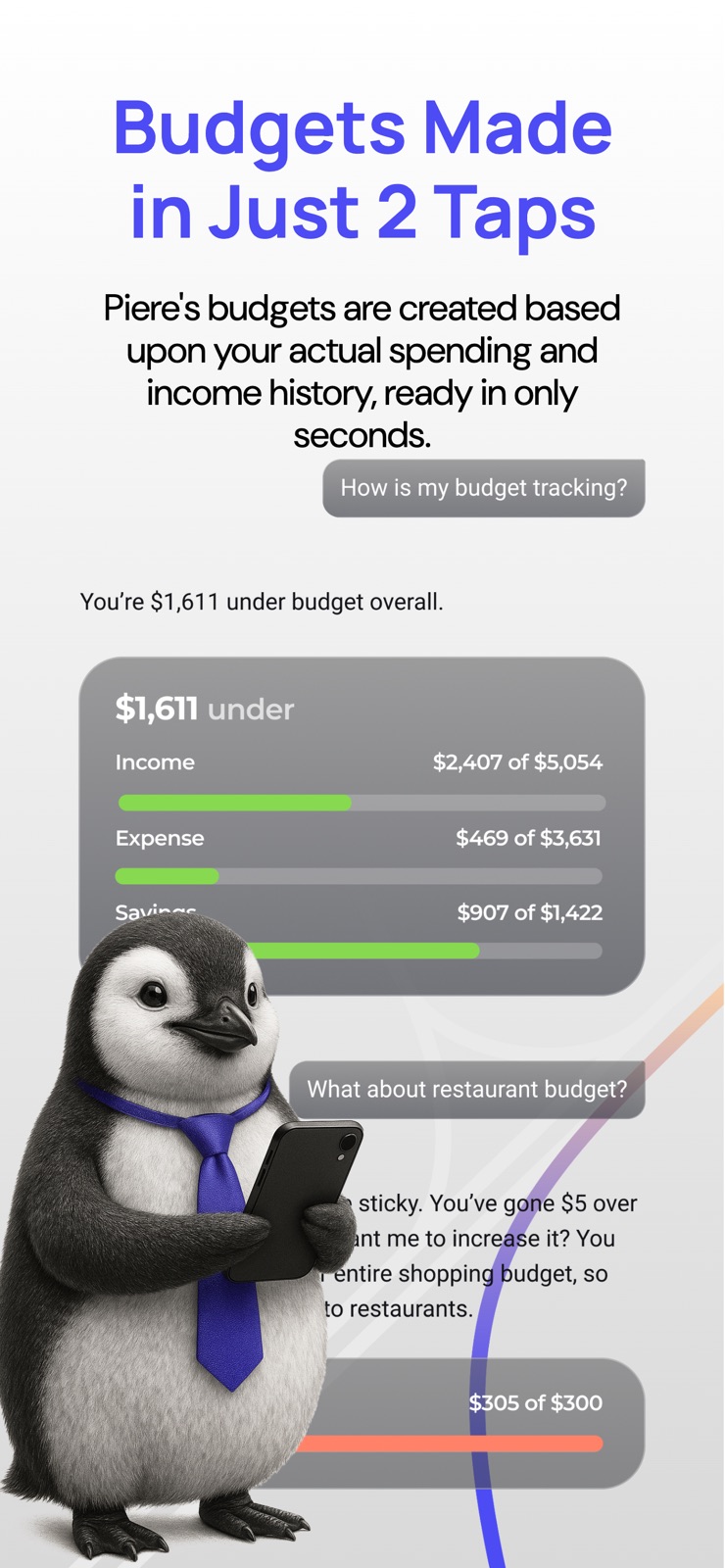
10 store screenshots



Pricing & paywalls
App Store
- Piere Platinum Annual — $29.99/year ($2.49/mo)
- Piere Platinum Financial Automation — $79.99
- Piere Platinum with Moves — $29.99
Ratings & reviews
App Store
-
4/5Looking great so far!
Another Mint user frantically searching for an alternative. I’m eagerly awaiting the desktop version because the mobile app is a bit of a challenge, in small ways. If I have to nitpick, I would love bolder type on the category headings so I don’t have to hunt down glasses, hah. I would also love to be able to tap on a field to edit vs trying to tap just the right spot on the edit icon to get it to pull up. That tried my patience, esp w trying to edit a transaction title. Also, it would be really helpful to be able to set an individual budget item over x number of months so it accumulates until the expenditure. Ie, I only get a water bill every other month, same with haircut. Love being able to see and categorize all transactions. Can change dates and title if needed too, perfect. For now, it’s really helpful and has a Mint feel. I do agree tho that trends for income and spending and ability to filter by category are crucial to the long term success of this app. I used Mint for not only personal but also small business taxes, so I really need those functions to tally up the totals. And I would happily pay a small monthly fee if it meant getting all that functionality back. Just did my personal finances for now, will hold off on business to see how this develops but am excited about the direction it’s taking and appreciate the value you are placing on our feedback. Keep going!
Bethshillside · 6 Aug 2026
-
2/5Sadly, disappointing
I was really excited to use this app. It’s amazing to me that there really isn’t a good option for budgeting, paid or otherwise. I started with Mint, which was pretty good, but I had a lot of problems keeping accounts connected. Then Empower, when I simply couldn’t connect half my accounts. First day with Piere (the 18th of the month), I had some minor issues connecting certain accounts, so I reached out to support. In the ticket submittal form it said something like ‘could take up to 48 hours for a response’. Two days later, no response. Three days later, all of a sudden a number of my accounts had become disconnected, and I am not able to reconnect them. I was on the 7-day trial before my card would be charged $60. Sent out another support request. So far, I am now on day 5 of having the app, and have not seen a single response to any of the support requests I submitted (3 total). Not even an auto-generated ‘hey, we got your request, we’ll be back with you soon’ (I mean, don’t these folks work with AI?). In the meantime, they have managed to send me 1-3 marketing emails every day! Pretty disappointed. I canceled my free trial, because I didn’t want to forget or be an hour late, getting charged for an app that I can’t make work. I’m guessing that if they can’t respond to support request, getting them to refund my money would be very challenging. I would not recommend Piere.
Tankfj40 · 6 Aug 2026
-
5/5BEST Mint Alternative
Like many others, I’ve been struggling to find a Mint alternative. I used EveryDollar for 2024 but found the “micro-management” of counting every dollar was a bit much and, to be honest, completely unattainable. Real life never follows an EveryDollar budget. Plus, you spend $80 for a year’s subscription and then your husband bans you from looking at credit card transactions all of Nov and Dec because of Christmas shopping-and you feel like a sixth of your subscription was just wasted. I wanted FREE so I didn’t have to feel like I was wasting money on something that was supposed to help me save money. Well, I finally stumbled upon Piere, and this is exactly what I’ve been searching for! It’s free, simple, syncs bank transactions, has an aesthetic look, and allows for unlimited customizable budget categories. This is literally all I ever need. Piere Plus is available for those who want it, but I don’t! THANK YOU for making a free app that gets the job done!!! Plus the AI budget creator in the free Plus trial was incredibly useful for building my budget based off my real life spending! Saved me a lot of brainwork.
Clairrya · 6 Aug 2026
-
5/5The award for most improved goes to…
These guys get it. The app is constantly improving, and the last update just took home the gold. Piere actually LISTENS to us, its customers, and added Plaid this month to improve connection issues. And they did it without increasing prices or eliminating the free tier. What other business thinks this way? I’ve tried Monarch, Quicken, YNAB, and they’re all great. But Piere does everything they do and has a team of employees you can actually talk to. They chat us up on Reddit every day, and they don’t condescend. The marketing or PR people need a raise because they get how to talk to us and how to keep their app looking top. It’s not easy to make a budgeting app sound like the future you’ve been missing but they do it. Heck, the planning team who’s thinking up new features and the developers who push out quick updates also need a raise. I’m happy I’ve stayed with these guys and can’t wait to see what they dream up next. They’re coming out with something called self driving money according to their emails and im not sure what it is, but i already need it.
Dingoatebaby · 6 Aug 2026
-
3/5Good money management app, but not there yet!
I have been using Piere for last 6 months and overall it’s a good money management app, however they have been a little unclear regarding subscription levels. I signed up for paid subscription called Piere Plus but soon after I was hit with update saying Piere Platinum would now be top level and cost twice as much. I have tried to find out if they will grandfather me into the platinum plan but I haven’t heard back. Additionally, they have a tool called moves they rolled out and offered $25 towards its use; I tried to participate but it did not work and I have not heard from them regarding rectifying this. Finally, there partnership with MX and Plaid is useful but many institutions that I’ve connected too using these platforms on other apps have failed to connect in conjunction with Piere. I hope they get their stuff together because overall it’s a good model, but thus far it’s felt like all the good is getting crushed under the weight of broken promises and unexpected up charges. I hope they address my issues so I can adjust this review. I would leave 5 stars if not for all the drama.
red222red · 6 Aug 2026
Privacy & accessibility
App Store
Privacy
- Data Linked to You — Analytics — Contact Info — Email Address Developer declared
- Data Linked to You — Analytics — Contact Info — Name Developer declared
- Data Linked to You — Analytics — Contact Info — Other User Contact Info Developer declared
- Data Linked to You — Analytics — Contact Info — Phone Number Developer declared
- Data Linked to You — Analytics — Contact Info — Physical Address Developer declared
- Data Linked to You — Analytics — Contacts Developer declared
- Data Linked to You — Analytics — Financial Info — Other Financial Info Developer declared
- Data Linked to You — Analytics — Financial Info — Payment Info Developer declared
- Data Linked to You — Analytics — Identifiers — Device ID Developer declared
- Data Linked to You — Analytics — Identifiers — User ID Developer declared
- Data Linked to You — Analytics — Location — Precise Location Developer declared
- Data Linked to You — Analytics — Sensitive Info Developer declared
- Data Linked to You — Analytics — Usage Data — Other Usage Data Developer declared
- Data Linked to You — Analytics — Usage Data — Product Interaction Developer declared
- Data Linked to You — Analytics — User Content — Photos or Videos Developer declared
- Data Linked to You — App Functionality — Contact Info — Email Address Developer declared
- Data Linked to You — App Functionality — Contact Info — Name Developer declared
- Data Linked to You — App Functionality — Contact Info — Other User Contact Info Developer declared
- Data Linked to You — App Functionality — Contact Info — Phone Number Developer declared
- Data Linked to You — App Functionality — Contact Info — Physical Address Developer declared
- Data Linked to You — App Functionality — Contacts Developer declared
- Data Linked to You — App Functionality — Financial Info — Other Financial Info Developer declared
- Data Linked to You — App Functionality — Financial Info — Payment Info Developer declared
- Data Linked to You — App Functionality — Identifiers — Device ID Developer declared
- Data Linked to You — App Functionality — Identifiers — User ID Developer declared
- Data Linked to You — App Functionality — Location — Precise Location Developer declared
- Data Linked to You — App Functionality — Sensitive Info Developer declared
- Data Linked to You — App Functionality — Usage Data — Other Usage Data Developer declared
- Data Linked to You — App Functionality — Usage Data — Product Interaction Developer declared
- Data Linked to You — App Functionality — User Content — Photos or Videos Developer declared
- Data Linked to You — Developer’s Advertising or Marketing — Contact Info — Email Address Developer declared
- Data Linked to You — Developer’s Advertising or Marketing — Contact Info — Name Developer declared
- Data Linked to You — Developer’s Advertising or Marketing — Contact Info — Other User Contact Info Developer declared
- Data Linked to You — Developer’s Advertising or Marketing — Contact Info — Phone Number Developer declared
- Data Linked to You — Developer’s Advertising or Marketing — Contact Info — Physical Address Developer declared
- Data Linked to You — Developer’s Advertising or Marketing — Contacts Developer declared
- Data Linked to You — Developer’s Advertising or Marketing — Financial Info — Other Financial Info Developer declared
- Data Linked to You — Developer’s Advertising or Marketing — Financial Info — Payment Info Developer declared
- Data Linked to You — Developer’s Advertising or Marketing — Identifiers — Device ID Developer declared
- Data Linked to You — Developer’s Advertising or Marketing — Identifiers — User ID Developer declared
- Data Linked to You — Developer’s Advertising or Marketing — Location — Precise Location Developer declared
- Data Linked to You — Developer’s Advertising or Marketing — Sensitive Info Developer declared
- Data Linked to You — Developer’s Advertising or Marketing — Usage Data — Other Usage Data Developer declared
- Data Linked to You — Developer’s Advertising or Marketing — Usage Data — Product Interaction Developer declared
- Data Linked to You — Developer’s Advertising or Marketing — User Content — Photos or Videos Developer declared
- Data Linked to You — Other Purposes — Contact Info — Email Address Developer declared
- Data Linked to You — Other Purposes — Contact Info — Name Developer declared
- Data Linked to You — Other Purposes — Contact Info — Other User Contact Info Developer declared
- Data Linked to You — Other Purposes — Contact Info — Phone Number Developer declared
- Data Linked to You — Other Purposes — Contact Info — Physical Address Developer declared
- Data Linked to You — Other Purposes — Contacts Developer declared
- Data Linked to You — Other Purposes — Financial Info — Other Financial Info Developer declared
- Data Linked to You — Other Purposes — Financial Info — Payment Info Developer declared
- Data Linked to You — Other Purposes — Identifiers — Device ID Developer declared
- Data Linked to You — Other Purposes — Identifiers — User ID Developer declared
- Data Linked to You — Other Purposes — Location — Precise Location Developer declared
- Data Linked to You — Other Purposes — Sensitive Info Developer declared
- Data Linked to You — Other Purposes — Usage Data — Other Usage Data Developer declared
- Data Linked to You — Other Purposes — Usage Data — Product Interaction Developer declared
- Data Linked to You — Other Purposes — User Content — Photos or Videos Developer declared
- Data Linked to You — Product Personalization — Contact Info — Email Address Developer declared
- Data Linked to You — Product Personalization — Contact Info — Name Developer declared
- Data Linked to You — Product Personalization — Contact Info — Other User Contact Info Developer declared
- Data Linked to You — Product Personalization — Contact Info — Phone Number Developer declared
- Data Linked to You — Product Personalization — Contact Info — Physical Address Developer declared
- Data Linked to You — Product Personalization — Contacts Developer declared
- Data Linked to You — Product Personalization — Financial Info — Other Financial Info Developer declared
- Data Linked to You — Product Personalization — Financial Info — Payment Info Developer declared
- Data Linked to You — Product Personalization — Identifiers — Device ID Developer declared
- Data Linked to You — Product Personalization — Identifiers — User ID Developer declared
- Data Linked to You — Product Personalization — Location — Precise Location Developer declared
- Data Linked to You — Product Personalization — Sensitive Info Developer declared
- Data Linked to You — Product Personalization — Usage Data — Other Usage Data Developer declared
- Data Linked to You — Product Personalization — Usage Data — Product Interaction Developer declared
- Data Linked to You — Product Personalization — User Content — Photos or Videos Developer declared
- Data Linked to You — Third-Party Advertising — Identifiers — User ID Developer declared
- Data Linked to You — Contact Info Developer declared
- Data Linked to You — Contacts Developer declared
- Data Linked to You — Financial Info Developer declared
- Data Linked to You — Identifiers Developer declared
- Data Linked to You — Location Developer declared
- Data Linked to You — Sensitive Info Developer declared
- Data Linked to You — Usage Data Developer declared
- Data Linked to You — User Content Developer declared
- Data Used to Track You — Identifiers — User ID Developer declared
- Data Used to Track You — Identifiers Developer declared
Accessibility
No accessibility labels collected yet.
Versions
App Store
-
5.2.4
We can't help you edit what you said in that argument with your spouse last night, but we can set you to work editing your Net Worth. NEW in this update, edit your Net Worth data in just a few taps to get rid of spikes and dips in your chart: - Head to the Net Worth chart and tap the (...) menu to start editing - Select any point in time to see your account balances on that day - Select an account to edit the balance data
-
5.2.5
We can't help you edit what you said in that argument with your spouse last night, but we can set you to work editing your Net Worth. NEW in this update, edit your Net Worth data in just a few taps to get rid of spikes and dips in your chart: - Head to the Net Worth chart and tap the (...) menu to start editing - Select any point in time to see your account balances on that day - Select an account to edit the balance data
-
5.2.6
We can't help you edit what you said in that argument with your spouse last night, but we can set you to work editing your Net Worth. NEW in this update, edit your Net Worth data in just a few taps to get rid of spikes and dips in your chart: - Head to the Net Worth chart and tap the (...) menu to start editing - Select any point in time to see your account balances on that day - Select an account to edit the balance data
-
5.2.7
It's your life - you don't have to follow the rules, but you should at least know what they are. In this release, we've enhanced the Transaction Rules page with new search and filter options to help you better identify and manage your created rules. Big, new purple things arriving in this space soon.
-
5.2.8
It's your life - you don't have to follow the rules, but you should at least know what they are. In this release, we've enhanced the Transaction Rules page with new search and filter options to help you better identify and manage your created rules. Big, new purple things arriving in this space soon.
-
5.3.0
Don't ask financial questions in the same app you use to generate dating pics and wildly exaggerated job resumes. NEW in Piere 5.3 is Chat with Piere, our new purpose built agent that adapts to your finances! - Move money between your connected accounts (try: Keep my checking balance above $2,000) - Ask detailed questions about your financial habits (try: What are my biggest red flag spending categories?) - Ask about specific accounts (try: Have I paid my credit card this month?) There's so much more to come with this feature, so please send us your feedback in the app!
-
5.3.1
Don't ask financial questions in the same app you use to generate dating pics and wildly exaggerated job resumes. NEW in Piere 5.3 is Chat with Piere, our new purpose built agent that adapts to your finances! - Move money between your connected accounts (try: Keep my checking balance above $2,000) - Ask detailed questions about your financial habits (try: What are my biggest red flag spending categories?) - Ask about specific accounts (try: Have I paid my credit card this month?) There's so much more to come with this feature, so please send us your feedback in the app!
-
5.4.0
NEW: Sure, you could download some app to chat about your money, or you could just tell Piere IQ to grow it and sit back while it happens. Now available is Piere IQ, the AI companion that listens, then acts on your behalf: - Piere IQ recommends transfers between your accounts to save more, reduce debt, and reach your goals - With your permission, Piere IQ makes each transfer automatically - Get a clear roadmap of each recommendation with charts, reports, and budget breakdowns - Ask anything about your money, and Piere IQ responds.
-
5.4.1
NEW: Sure, you could download some app to chat about your money, or you could just tell Piere IQ to grow it and sit back while it happens. Now available is Piere IQ, the AI companion that listens, then acts on your behalf: - Piere IQ recommends transfers between your accounts to save more, reduce debt, and reach your goals - With your permission, Piere IQ makes each transfer automatically - Get a clear roadmap of each recommendation with charts, reports, and budget breakdowns - Ask anything about your money, and Piere IQ responds.
-
5.4.2
NEW: Sure, you could download some app to chat about your money, or you could just tell Piere IQ to grow it and sit back while it happens. Now available is Piere IQ, the AI companion that listens, then acts on your behalf: - Piere IQ recommends transfers between your accounts to save more, reduce debt, and reach your goals - With your permission, Piere IQ makes each transfer automatically - Get a clear roadmap of each recommendation with charts, reports, and budget breakdowns - Ask anything about your money, and Piere IQ responds.
-
5.4.3
You've got new reasons to chat with Piere IQ in the app! New charts are available in the app. To try them, ask about: - Budget: create and edit your budget using only the chat - Spending: get a detailed trend comparison - Net Worth: filter the chart with all your follow up questions
-
5.4.4
NEW in this update (y'all -- we've been on a roll, if you've been watching), you'll find new capabilities within the Piere IQ chat: - Submit support tickets right from your conversation - Edit every transaction field and bulk edit transactions - Create and edit your budget
-
5.4.5
If you've been feeling a little disconnected lately, there's not a thing we can do about that. But for your accounts? That's another story! NEW for Piere IQ chat in this version, you can reconnect your accounts in just a few words. Keep an eye on this space for more updates to come.
-
5.4.6
If you've been feeling a little disconnected lately, there's not a thing we can do about that. But for your accounts? That's another story! NEW for Piere IQ chat in this version, you can reconnect your accounts in just a few words. Keep an eye on this space for more updates to come.
-
5.4.7
If you've been feeling a little disconnected lately, there's not a thing we can do about that. But for your accounts? That's another story! NEW for Piere IQ chat in this version, you can reconnect your accounts in just a few words. Keep an eye on this space for more updates to come.
-
5.5.0
We accidentally told the App Store our next version would be 5.5.0, so we knew we had to fill it with something BIG. NOW in Piere: - For all us recovering high school goths, dark mode is here - Completely overhauled home page putting Piere IQ at your fingertips - All your chat history is now available
-
5.6.0
Piere has polished up his crystal ball and can now peer into your financial future. NEW in this version: - Get proactive insights on your finances right on your app's Home page - Create new Moves for roundups, since even the small change adds up to big growth - Home page updates including new widget shortcuts that you can customize - Updated navigation & Reports page
-
5.6.1
- Choose between the Dashboard and Piere IQ Insights for your app's default Home page experience - Select from multiple new app icons to fit your mood
-
5.6.2
Bug fixes: - Restored the ability to set the Dashboard as the default Home page experience for all users - Tapping the account list items on the Net Worth page now route to the account details page
-
5.6.3
Santa has his elves, Gaga has her monsters, and we've got Piere the penguin. Here's what he's been up to today: - NEW! Edit your pending transactions - Small bug fixes
-
5.6.4
Fixed a bug where making edits to your profile settings would unintentionally hide the surplus from budget
-
5.6.5
Login and security enhancements
-
6.0
Our all-new Budget has just landed! Check out the changes: - Set budgets by parent category, sub-category, or both - Fully category management, including emoji customization - Add planned expenses on the fly that keep your budget faithful - Rollover budgeting is completely reimagined - Choose what number to track: Left to Spend, Safe to Spend, Spent, or Leftover
-
6.0.1
- View your transaction edit history on the Transaction Details page - Added new Budget settings for tracking $x / $x and $x over/under
-
6.1.1
· 6 Aug 2026
Moved banks? Paid off a loan? Now, mark your closed accounts in the Piere app to keep your net worth accurate, and your accounts list neat and tidy. - Navigate to the Institutions page - Tap on any account - From the account details page, use the updated control options to mark your account as closed, and to set the final balance and closing date - Migrate your Discover Card to Capital One - Link your existing account to SSO (Google or Apple sign-in)
Alternatives
- Debbie - Payoff, Save, Earn — Same category + similar ratings
- Arro: Build & Grow Credit — Same category + similar ratings
- Get Paid Early: Cash Advance — Same category + similar ratings
Availability by market
- US
Data quality & evidence
- Page completeness
- Live store listing
- Last verified
- 6 Aug 2026
- Sources
- App Store
- Independent summary has not been published yet.