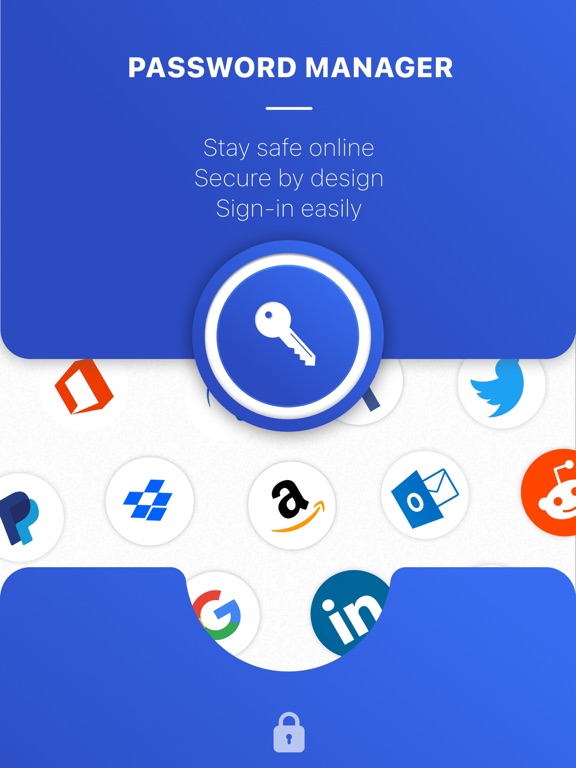
Apoku MCP provides app discovery, detailed cards, evidence, sources and screenshots where available. Unknown or conflicting prices stay explicit.
View JSON
GET /api/v3/apps/1464513090
{
  "app_id": 1464513090,
  "canonical_url": "https://appcorpus.com/apps/password-manager-safe-lock-1464513090",
  "identity": {
    "name": "Password Manager - Safe Lock",
    "slug": "password-manager-safe-lock",
    "developer": {
      "name": "App Rover",
      "url": "https://appcorpus.com/developers/app-rover-developer_cbca561491990a2d0361a31027f31cab"
    },
    "icon_url": "https://is1-ssl.mzstatic.com/image/thumb/Purple221/v4/c8/05/3e/c8053ed2-820c-914e-837b-fcde2f074e3d/AppIcon-0-0-1x_U007emarketing-0-7-0-0-85-220.png/512x512bb.jpg",
    "stores": [
      "apple"
    ],
    "platforms": [
      "iphone",
      "ipad"
    ],
    "status": {
      "state": "active",
      "label": "Active",
      "last_checked": "2026-10-05",
      "last_checked_label": "5 Oct 2026",
      "banner": null,
      "region_note": null,
      "data_state": "partial",
      "data_state_label": "Some information is not yet confirmed"
    }
  },
  "listings": [
    {
      "store": "apple",
      "status": "ACTIVE",
      "url": "https://apps.apple.com/us/app/password-manager-safe-lock/id1464513090?uo=4",
      "rating": 4.5,
      "rating_count": 16524,
      "formatted_price": "Free",
      "is_free": true,
      "has_iap": true,
      "has_subscription": null,
      "version": "1.08.00",
      "updated": "2026-10-05",
      "currency": "USD"
    }
  ],
  "summary": {
    "one_liner": null,
    "summary": null,
    "best_for": [],
    "not_for": [],
    "status": "fallback",
    "at_a_glance": [
      "Free download · core features require a paid plan",
      "In-app purchases"
    ]
  },
  "categories": {
    "official": [
      "Productivity"
    ],
    "appcorpus": [
      {
        "category_id": "productivity",
        "label": "Productivity",
        "url": "https://appcorpus.com/categories/productivity"
      }
    ]
  },
  "use_cases": [],
  "features": [
    {
      "capability_id": "free_app",
      "label": "Free app",
      "availability": "yes",
      "access_level": "free",
      "scope": null,
      "evidence": "Store published"
    },
    {
      "capability_id": "in_app_purchases",
      "label": "In-app purchases",
      "availability": "yes",
      "access_level": "free_limited",
      "scope": null,
      "evidence": "Store published"
    },
    {
      "capability_id": "subscription",
      "label": "Subscription",
      "availability": "yes",
      "access_level": "paid",
      "scope": null,
      "evidence": "Store published"
    }
  ],
  "pricing": [
    {
      "store": "apple",
      "formatted_price": "Free",
      "is_free": true,
      "has_iap": true,
      "has_subscription": null,
      "currency": "USD",
      "market": "us",
      "last_verified": "2026-10-05",
      "rows": [
        "Password Manager Premium Pass — $7.99"
      ],
      "state": "current"
    }
  ],
  "screens": [
    {
      "url": "https://is1-ssl.mzstatic.com/image/thumb/PurpleSource122/v4/bd/a1/c7/bda1c764-1d23-01d8-658f-77d0e6a5e6a4/18df5ac6-7e82-4c28-8047-2bad8382bb8d_en-ipad-01.jpg/1600x1600bb.jpg",
      "store": "apple",
      "platform": "ipad",
      "alt": "Password Manager - Safe Lock ipad screenshot 1"
    },
    {
      "url": "https://is1-ssl.mzstatic.com/image/thumb/PurpleSource122/v4/16/c0/66/16c066e1-c13e-4ac5-8ac5-45d6778e2e3e/ad26c9a4-99f2-472b-bb6b-13c6855fd105_en-ipad-01.jpg/576x768bb.jpg",
      "store": "apple",
      "platform": "ipad",
      "alt": "Password Manager - Safe Lock ipad screenshot 2"
    },
    {
      "url": "https://is1-ssl.mzstatic.com/image/thumb/PurpleSource122/v4/ee/63/1c/ee631c46-912c-4651-af31-69483f2ebfd9/c0c157e2-341f-4df8-8bc6-a8072f6e9a7e_en-ipad-02.jpg/1600x1600bb.jpg",
      "store": "apple",
      "platform": "ipad",
      "alt": "Password Manager - Safe Lock ipad screenshot 3"
    },
    {
      "url": "https://is1-ssl.mzstatic.com/image/thumb/PurpleSource122/v4/e8/b5/c3/e8b5c3a4-3dd8-3934-57dd-a04698e4356a/18d70953-7e10-4697-bc85-0e559a65773d_en-ipad-02.jpg/576x768bb.jpg",
      "store": "apple",
      "platform": "ipad",
      "alt": "Password Manager - Safe Lock ipad screenshot 4"
    },
    {
      "url": "https://is1-ssl.mzstatic.com/image/thumb/PurpleSource112/v4/3a/32/55/3a3255b8-abdc-08d7-af10-37f7268af2ef/4235942b-75ec-4621-b788-9d45200069ec_en-ipad-03.jpg/1600x1600bb.jpg",
      "store": "apple",
      "platform": "ipad",
      "alt": "Password Manager - Safe Lock ipad screenshot 5"
    },
    {
      "url": "https://is1-ssl.mzstatic.com/image/thumb/PurpleSource122/v4/78/e0/df/78e0df08-71cb-eff3-4ed9-df0935cf6a41/bdfff819-a036-4412-b683-7ab94d21988c_en-ipad-03.jpg/576x768bb.jpg",
      "store": "apple",
      "platform": "ipad",
      "alt": "Password Manager - Safe Lock ipad screenshot 6"
    },
    {
      "url": "https://is1-ssl.mzstatic.com/image/thumb/PurpleSource122/v4/91/2b/60/912b60ff-d28c-5619-af4a-c600f4938c2d/5d7e5ec8-385b-4d8e-9f47-3f2f696cf352_en-ipad-04.jpg/1600x1600bb.jpg",
      "store": "apple",
      "platform": "ipad",
      "alt": "Password Manager - Safe Lock ipad screenshot 7"
    },
    {
      "url": "https://is1-ssl.mzstatic.com/image/thumb/PurpleSource112/v4/08/3a/f2/083af2af-b3ad-b9cb-b4ff-19512eda0972/02d2c0b7-f923-4cb4-9f1e-0ba80fd985c6_en-ipad-04.jpg/576x768bb.jpg",
      "store": "apple",
      "platform": "ipad",
      "alt": "Password Manager - Safe Lock ipad screenshot 8"
    },
    {
      "url": "https://is1-ssl.mzstatic.com/image/thumb/PurpleSource122/v4/99/7e/84/997e84b3-a4ba-a86b-0f8d-737c54301b52/99794b59-1dcd-4385-adfd-1be98f3d89c6_en-ipad-05.jpg/1600x1600bb.jpg",
      "store": "apple",
      "platform": "ipad",
      "alt": "Password Manager - Safe Lock ipad screenshot 9"
    },
    {
      "url": "https://is1-ssl.mzstatic.com/image/thumb/PurpleSource112/v4/d0/94/38/d094386c-e082-e2f9-7d20-1f5faefc7e4f/5045d51e-19af-4da1-86e8-769d4295165a_en-ipad-05.jpg/576x768bb.jpg",
      "store": "apple",
      "platform": "ipad",
      "alt": "Password Manager - Safe Lock ipad screenshot 10"
    },
    {
      "url": "https://is1-ssl.mzstatic.com/image/thumb/PurpleSource122/v4/3e/45/20/3e45206c-7198-4a5c-a188-09280b234b9d/e8badca7-b990-4b44-b99c-c27c9a9a52af_en-iphonex-01.jpg/1242x1600bb.jpg",
      "store": "apple",
      "platform": "iphone",
      "alt": "Password Manager - Safe Lock iphone screenshot 11"
    },
    {
      "url": "https://is1-ssl.mzstatic.com/image/thumb/PurpleSource112/v4/0d/78/43/0d784305-cea8-ded7-2aa3-6b8780072c7f/25be0067-3e00-46bd-b3f9-28516d66125a_en-iphonex-02.jpg/1242x1600bb.jpg",
      "store": "apple",
      "platform": "iphone",
      "alt": "Password Manager - Safe Lock iphone screenshot 12"
    },
    {
      "url": "https://is1-ssl.mzstatic.com/image/thumb/PurpleSource122/v4/b9/ae/3f/b9ae3f10-581a-9779-f520-4c0bb0302c66/a4e2551d-e00d-4a43-9fad-19c9f179d9a0_en-iphonex-03.jpg/1242x1600bb.jpg",
      "store": "apple",
      "platform": "iphone",
      "alt": "Password Manager - Safe Lock iphone screenshot 13"
    },
    {
      "url": "https://is1-ssl.mzstatic.com/image/thumb/PurpleSource112/v4/b0/32/25/b032259c-f793-8812-e783-cac61a36fa49/72686540-c7f5-4a0c-bd18-8e964111e07e_en-iphonex-04.jpg/1242x1600bb.jpg",
      "store": "apple",
      "platform": "iphone",
      "alt": "Password Manager - Safe Lock iphone screenshot 14"
    },
    {
      "url": "https://is1-ssl.mzstatic.com/image/thumb/PurpleSource112/v4/2e/34/e2/2e34e2fd-db1e-b56d-fd80-c4df25db0891/8195286b-1607-48ae-a97a-c7dded86487d_en-iphonex-05.jpg/1242x1600bb.jpg",
      "store": "apple",
      "platform": "iphone",
      "alt": "Password Manager - Safe Lock iphone screenshot 15"
    }
  ],
  "data_states": {
    "screens": "current"
  },
  "ratings": [
    {
      "store": "apple",
      "average": 4.5,
      "count": 16524,
      "market": "us",
      "observed_at": "2026-10-05",
      "state": "current",
      "reviews": [
        {
          "rating": 5,
          "title": "AWESOME 🤩🤩🤩",
          "body": "Ok so first off, I just wanted to say that this app is amazing and really convenient. I found this app from an ad on Instagram and at first I was skeptical because I was scared of getting hacked, so I tested the app with an instagram account that I have and so far my account is fine. For everyone who can’t get passed the trial screen, there’s words in the middle of the screen that says something like “ads+locked features” I just pressed that and it got me passed the trial screen for free. I do like how you have to have a password called your “Master Password” (there’s also an option to add face recognition or Touch ID) to get into your passwords so people can’t access your passwords without the password. I like all the different “apps” you can save your passwords in, I would also like to get to save my password for other trending apps like TikTok ect. if you have the rights for that. For everybody who’s also looking to save some identity info, credit card info, passwords, and even secret notes, this app is definitely for you!! I’m not sure what the app is like if you pay for it but trust me there is a way to get passed the trial screen!! I definitely recommend this app and I will tell my friends about this app! Thank you!! 😁😁 (also reading back through this review I realized I said “password (s)” a lot. 😂",
          "author": "Somone You Dont Need To Know",
          "date": "5 Oct 2026"
        },
        {
          "rating": 5,
          "title": "This app doesn’t deserve the backlash",
          "body": "I personally love this app. I think that the reason people are giving bad reviews is because it is hard to get out of the free trial screen. I recommend looking up a video on how to do it because once you get out of it (which it is pretty easy to do) it doesn’t bother you any more with the trial. I also love how someone actually takes the time and responds to these terrible reviews, when most other companies don’t. Thank you Hannah!! And just to be clear, I am not one of those people who work for the companies and dish out good reviews for money. I just like this app. The only other thing that I do t like about this app is that there is no way to be sure if they are going to steal my info, but there is no way for the apps to make us trust us. So I am still trusting them. Thank you for reading!! Have a good day.",
          "author": "mrpatatoes",
          "date": "5 Oct 2026"
        },
        {
          "rating": 5,
          "title": "This actually works!",
          "body": "I read all the most recent reviews about this and all of them had like 1 star or 2 stars saying they couldnt get off the trial page thingy, when i got on the page, the trial thing was on my screen but then i saw a button called ‘master password’ so i clicked it and then it took me to write a password so i can get all my passwords things secured or finger print, i did both, anyways this app works perfectly fine, im just not sure if its safe to write passwords in apps cause i dont know if any hacker can hack this app and take passwords but nothing has happened, im just not sure about the credit card details, but yeah nonetheless this app works! Thank you",
          "author": "episodeLoverLOLidk",
          "date": "5 Oct 2026"
        },
        {
          "rating": 5,
          "title": "For the people that keep saying “ I can’t exit the trial page”.",
          "body": "If you want to exit the trial page you will see a button called “Ads and locked version” press it then it will ask for your master password. After you do that you have to go to setting go to passwords and auto fill, then press auto fill passwords! After that tap the password manager app button. After you do those instructions you can log in or don’t (your choice). Then when log in at any app you will find passwords! It will open the app and ask you for your finger print or master password. After that it will log in in the app Thank you for your time Faisal",
          "author": "faisal nazer",
          "date": "5 Oct 2026"
        },
        {
          "rating": 5,
          "title": "About a passcode",
          "body": "Hi I am Olivia princess and all your passcodes with your thumb and your passcode I’m not telling nobody mine because somebody can be spying on me and my iPad if you haven’t saw on Facebook you can see right now but it’s a really good app and I can download any app I want it’s very very very very very very very very very very good but I love it I just love it the whole thing like why would I not download it is the best Ok bye",
          "author": "Joshel Menefee",
          "date": "5 Oct 2026"
        }
      ]
    }
  ],
  "privacy": [
    {
      "store": "apple",
      "declarations": [
        {
          "title": "Data Linked to You",
          "detail": "Analytics — Identifiers — Device ID",
          "source": "Developer declared"
        },
        {
          "title": "Data Linked to You",
          "detail": "Analytics — Identifiers — User ID",
          "source": "Developer declared"
        },
        {
          "title": "Data Linked to You",
          "detail": "Analytics — Usage Data — Product Interaction",
          "source": "Developer declared"
        },
        {
          "title": "Data Linked to You",
          "detail": "Identifiers",
          "source": "Developer declared"
        },
        {
          "title": "Data Linked to You",
          "detail": "Usage Data",
          "source": "Developer declared"
        },
        {
          "title": "Data Not Linked to You",
          "detail": "App Functionality — Diagnostics — Crash Data",
          "source": "Developer declared"
        },
        {
          "title": "Data Not Linked to You",
          "detail": "Diagnostics",
          "source": "Developer declared"
        },
        {
          "title": "Data Used to Track You",
          "detail": "Identifiers — Device ID",
          "source": "Developer declared"
        },
        {
          "title": "Data Used to Track You",
          "detail": "Identifiers",
          "source": "Developer declared"
        }
      ],
      "accessibility": []
    }
  ],
  "changes": [
    {
      "store": "apple",
      "version": "1.00.00",
      "released_at": null,
      "notes": ""
    },
    {
      "store": "apple",
      "version": "1.01.00",
      "released_at": null,
      "notes": "This new version includes minor bug fixes. Keep writing at [email protected], And if you like our Password App, make sure to rate it on the store :)"
    },
    {
      "store": "apple",
      "version": "1.02.01",
      "released_at": null,
      "notes": "This new version includes minor bug fixes. Keep writing at [email protected], And if you like our Password App, make sure to rate it on the store :)"
    },
    {
      "store": "apple",
      "version": "1.03.00",
      "released_at": null,
      "notes": "This new version includes minor bug fixes. Keep writing at [email protected], And if you like our Password App, make sure to rate it on the store :)"
    },
    {
      "store": "apple",
      "version": "1.04.00",
      "released_at": null,
      "notes": "This new version includes: - Bug fixing - AppTrackingTransparency permission"
    },
    {
      "store": "apple",
      "version": "1.04.01",
      "released_at": null,
      "notes": "Improve support for iOS 14"
    },
    {
      "store": "apple",
      "version": "1.04.03",
      "released_at": null,
      "notes": "Fix some of the remaining bugs."
    },
    {
      "store": "apple",
      "version": "1.04.04",
      "released_at": null,
      "notes": "Thanks for using Password Manager! This update contains multiple bug fixes and performance improvements. We have also added an easy way to contact our support team directly from the app settings."
    },
    {
      "store": "apple",
      "version": "1.04.05",
      "released_at": null,
      "notes": "We fixed some bugs in this new version"
    },
    {
      "store": "apple",
      "version": "1.05.00",
      "released_at": null,
      "notes": "Welcome to Password Manager! We have updated the app icon and fixed some bugs to make the app better."
    },
    {
      "store": "apple",
      "version": "1.06.00",
      "released_at": null,
      "notes": "We fixed some bugs in this version."
    },
    {
      "store": "apple",
      "version": "1.07.00",
      "released_at": null,
      "notes": "We fixed some bugs in this version."
    },
    {
      "store": "apple",
      "version": "1.08.00",
      "released_at": "2024-08-20",
      "notes": "We fixed some bugs in this version."
    },
    {
      "store": "apple",
      "version": "1.14.02",
      "released_at": null,
      "notes": "We fixed some bugs in this new version"
    }
  ],
  "alternatives": [
    {
      "app_id": 998953281,
      "name": "Password Manager'",
      "url": "https://appcorpus.com/apps/password-manager-998953281",
      "reason": "Same category + similar ratings"
    },
    {
      "app_id": 1063795594,
      "name": "mSecure: Password Manager",
      "url": "https://appcorpus.com/apps/msecure-password-manager-1063795594",
      "reason": "Same category + similar ratings"
    },
    {
      "app_id": 1451571399,
      "name": "Password Manager & Generator",
      "url": "https://appcorpus.com/apps/password-manager-generator-1451571399",
      "reason": "Same category + similar ratings"
    },
    {
      "app_id": 895062927,
      "name": "Password Manager: Safe",
      "url": "https://appcorpus.com/apps/password-manager-safe-895062927",
      "reason": "Same category + similar ratings"
    },
    {
      "app_id": 716514347,
      "name": "iPassworder Password Manager",
      "url": "https://appcorpus.com/apps/ipassworder-password-manager-716514347",
      "reason": "Same category + similar ratings"
    }
  ],
  "evidence_summary": {
    "index_state": "S1",
    "evidence_level": 1,
    "level_label": "Live store listing",
    "indexable": true,
    "last_verified_at": "2026-10-05",
    "unknown_fields": [
      "Apoku editorial summary has not been published yet."
    ],
    "sources": [
      "App Store"
    ]
  },
  "availability_markets": {
    "live": [
      "us"
    ],
    "selected": "us",
    "note": null
  },
  "feature_events": {
    "events": []
  },
  "features_slice": {
    "plans": [
      {
        "code": "password-manager-premium-pass",
        "label": "Password Manager Premium Pass",
        "kind": "subscription",
        "status": "store_verified",
        "prices": [
          {
            "storefront": "us",
            "formatted": "$7.99",
            "billing_period": null,
            "scope_status": "scoped",
            "market_mismatch": false,
            "source_market": "us",
            "observed_at": "2026-10-05 21:51:56.149905+00:00"
          }
        ],
        "trial": null
      }
    ],
    "features": [],
    "unknown_features": [],
    "data_cutoff": "5 Oct 2026"
  }
}