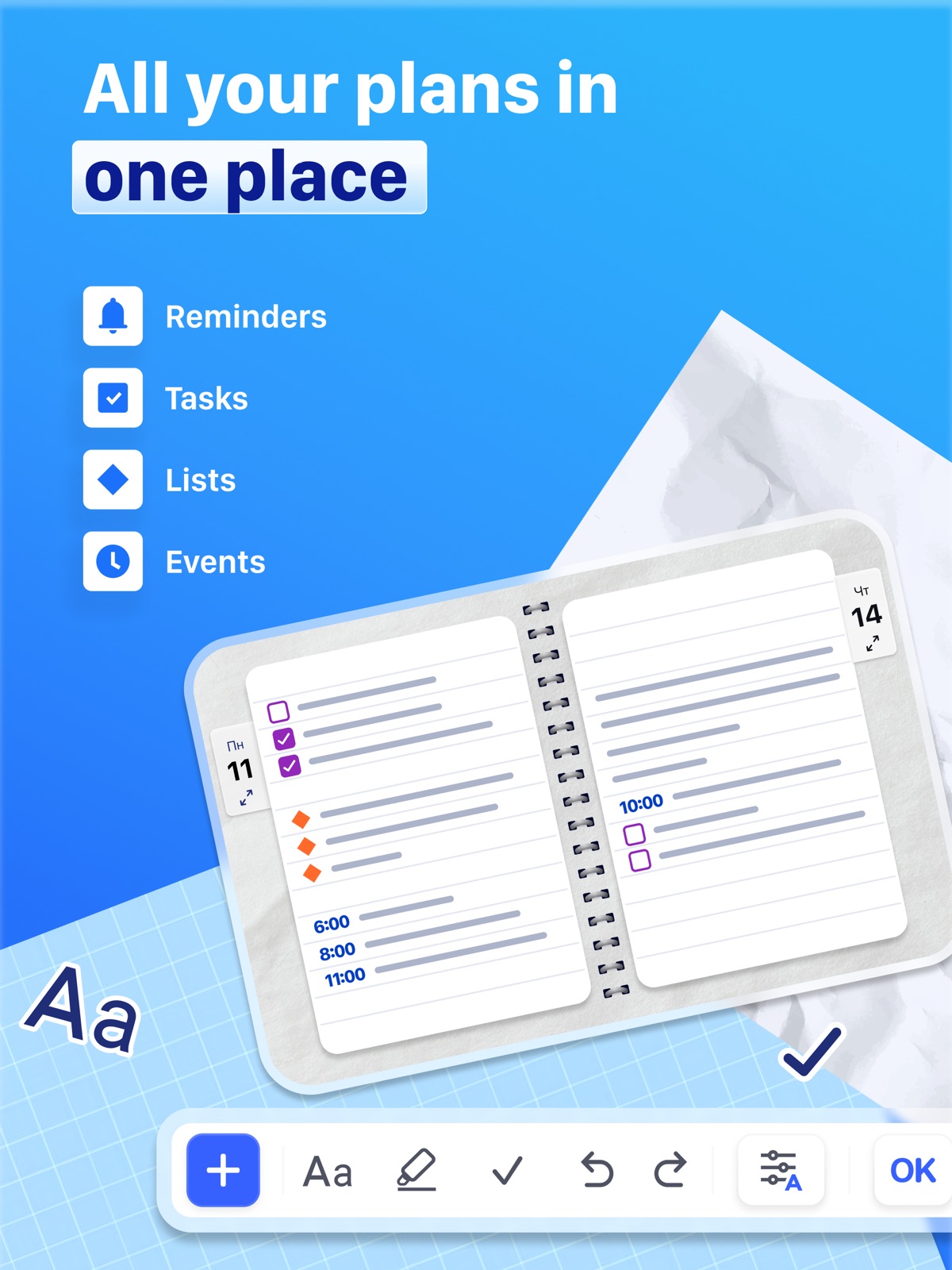
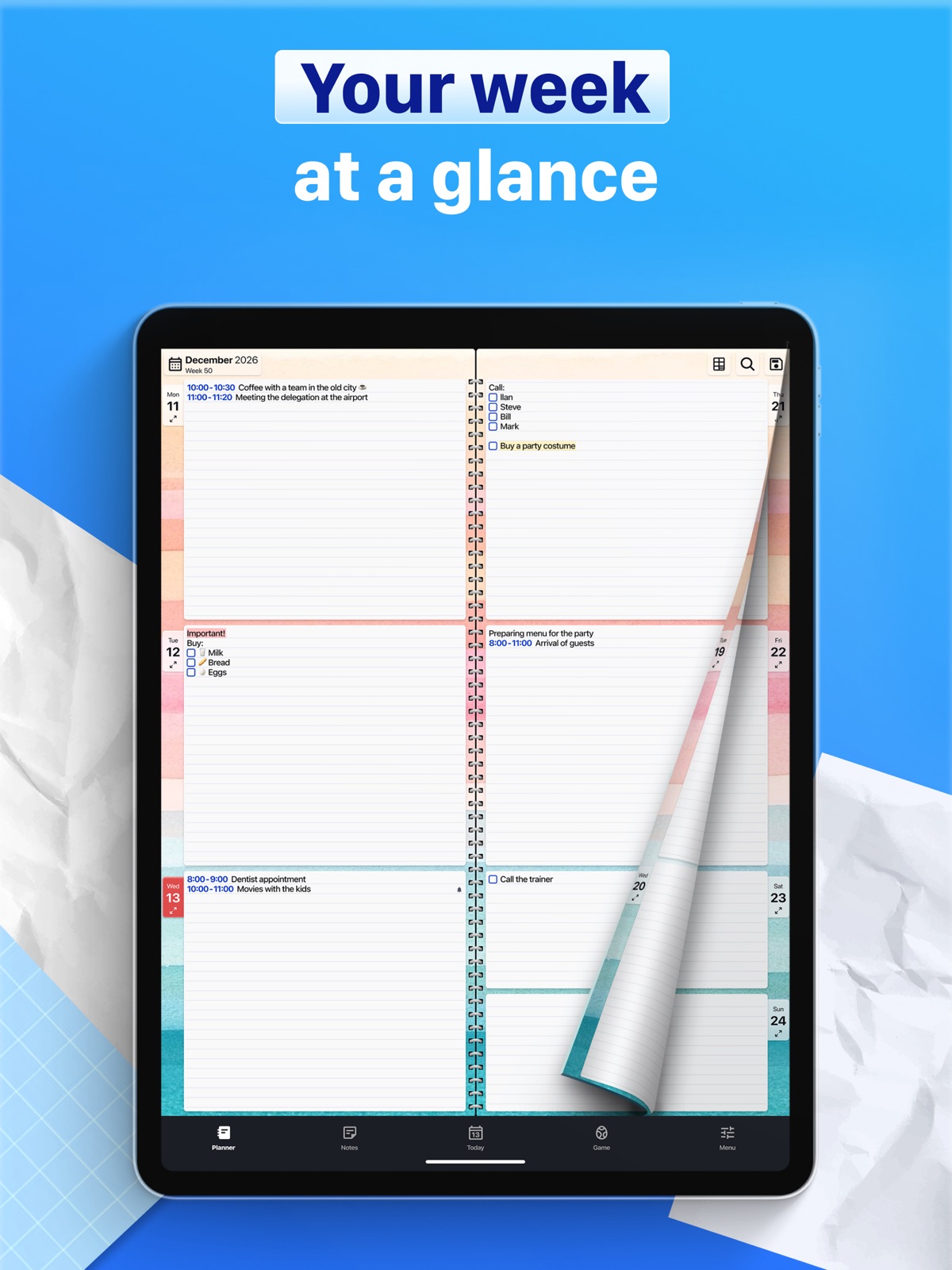
Apoku MCP provides app discovery, detailed cards, evidence, sources and screenshots where available. Unknown or conflicting prices stay explicit.
View JSON
GET /api/v3/apps/977552680
{
  "app_id": 977552680,
  "canonical_url": "https://appcorpus.com/apps/paper-planner-diary-calendar-977552680",
  "identity": {
    "name": "Paper Planner, Diary, Calendar",
    "slug": "paper-planner-diary-calendar",
    "developer": {
      "name": "Digital Legal Tech",
      "url": "https://appcorpus.com/developers/digital-legal-tech-developer_35ea6e2ad05d11f8bed8d36eccb43f65"
    },
    "icon_url": "https://is1-ssl.mzstatic.com/image/thumb/Purple221/v4/f8/f9/5c/f8f95cb8-6927-aece-ff16-8d31537ac032/AppIcon-0-0-1x_U007epad-0-1-0-sRGB-85-220.png/512x512bb.jpg",
    "stores": [
      "apple"
    ],
    "platforms": [
      "iphone",
      "ipad"
    ],
    "status": {
      "state": "active",
      "label": "Active",
      "last_checked": "2026-08-07",
      "last_checked_label": "7 Aug 2026",
      "banner": null,
      "region_note": null,
      "data_state": "stale",
      "data_state_label": "Some store data may be out of date"
    }
  },
  "listings": [
    {
      "store": "apple",
      "status": "ACTIVE",
      "url": "https://apps.apple.com/us/app/paper-planner-diary-calendar/id977552680?uo=4",
      "rating": 4.6,
      "rating_count": 1130,
      "formatted_price": "Free",
      "is_free": true,
      "has_iap": true,
      "has_subscription": null,
      "version": "5.2.1",
      "updated": "2026-08-07",
      "currency": "USD"
    }
  ],
  "summary": {
    "one_liner": null,
    "summary": null,
    "best_for": [],
    "not_for": [],
    "status": "fallback",
    "at_a_glance": [
      "Free to download",
      "In-app purchases"
    ]
  },
  "categories": {
    "official": [
      "Productivity",
      "Education"
    ],
    "appcorpus": [
      {
        "category_id": "productivity",
        "label": "Productivity",
        "url": "https://appcorpus.com/categories/productivity"
      },
      {
        "category_id": "education",
        "label": "Education",
        "url": "https://appcorpus.com/categories/education"
      }
    ]
  },
  "use_cases": [],
  "features": [
    {
      "capability_id": "free_app",
      "label": "Free app",
      "availability": "yes",
      "access_level": "free",
      "scope": null,
      "evidence": "Store published"
    },
    {
      "capability_id": "in_app_purchases",
      "label": "In-app purchases",
      "availability": "yes",
      "access_level": "free_limited",
      "scope": null,
      "evidence": "Store published"
    }
  ],
  "pricing": [
    {
      "store": "apple",
      "formatted_price": "Free",
      "is_free": true,
      "has_iap": true,
      "has_subscription": null,
      "currency": "USD",
      "market": "us",
      "last_verified": "2026-08-07",
      "rows": [
        "3D Shapes (lifetime) — $1.99",
        "Extra design pack - Textures — $1.99",
        "Gradients (lifetime) — $1.99",
        "Holiday designs (lifetime) — $1.99",
        "Textures (lifetime) — $1.99"
      ],
      "state": "current"
    }
  ],
  "screens": [
    {
      "url": "https://is1-ssl.mzstatic.com/image/thumb/PurpleSource211/v4/35/19/bb/3519bbbd-99e8-e34c-82c2-9b1e77d0dc9e/PP_English_01.png/1600x1600bb.jpg",
      "store": "apple",
      "platform": "ipad",
      "alt": "Paper Planner, Diary, Calendar ipad screenshot 1"
    },
    {
      "url": "https://is1-ssl.mzstatic.com/image/thumb/PurpleSource211/v4/35/19/bb/3519bbbd-99e8-e34c-82c2-9b1e77d0dc9e/PP_English_01.png/360x480bb.jpg",
      "store": "apple",
      "platform": "ipad",
      "alt": "Paper Planner, Diary, Calendar ipad screenshot 2"
    },
    {
      "url": "https://is1-ssl.mzstatic.com/image/thumb/PurpleSource221/v4/a0/5f/bf/a05fbfdb-67cf-97f7-0bc1-5debd610d321/PP_English_02.png/1600x1600bb.jpg",
      "store": "apple",
      "platform": "ipad",
      "alt": "Paper Planner, Diary, Calendar ipad screenshot 3"
    },
    {
      "url": "https://is1-ssl.mzstatic.com/image/thumb/PurpleSource221/v4/a0/5f/bf/a05fbfdb-67cf-97f7-0bc1-5debd610d321/PP_English_02.png/360x480bb.jpg",
      "store": "apple",
      "platform": "ipad",
      "alt": "Paper Planner, Diary, Calendar ipad screenshot 4"
    },
    {
      "url": "https://is1-ssl.mzstatic.com/image/thumb/PurpleSource211/v4/45/12/55/451255ee-73ff-4e33-4e7d-15f64f9c31a8/PP_English_03.png/1600x1600bb.jpg",
      "store": "apple",
      "platform": "ipad",
      "alt": "Paper Planner, Diary, Calendar ipad screenshot 5"
    },
    {
      "url": "https://is1-ssl.mzstatic.com/image/thumb/PurpleSource211/v4/45/12/55/451255ee-73ff-4e33-4e7d-15f64f9c31a8/PP_English_03.png/360x480bb.jpg",
      "store": "apple",
      "platform": "ipad",
      "alt": "Paper Planner, Diary, Calendar ipad screenshot 6"
    },
    {
      "url": "https://is1-ssl.mzstatic.com/image/thumb/PurpleSource221/v4/6c/4f/20/6c4f20bd-46ce-9638-c37c-e52bcfbbfc27/PP_English_04.png/1600x1600bb.jpg",
      "store": "apple",
      "platform": "ipad",
      "alt": "Paper Planner, Diary, Calendar ipad screenshot 7"
    },
    {
      "url": "https://is1-ssl.mzstatic.com/image/thumb/PurpleSource221/v4/6c/4f/20/6c4f20bd-46ce-9638-c37c-e52bcfbbfc27/PP_English_04.png/360x480bb.jpg",
      "store": "apple",
      "platform": "ipad",
      "alt": "Paper Planner, Diary, Calendar ipad screenshot 8"
    },
    {
      "url": "https://is1-ssl.mzstatic.com/image/thumb/PurpleSource211/v4/30/9e/3d/309e3d96-09d8-51aa-2ff7-ea8e8850e29d/PP_English_05.png/1600x1600bb.jpg",
      "store": "apple",
      "platform": "ipad",
      "alt": "Paper Planner, Diary, Calendar ipad screenshot 9"
    },
    {
      "url": "https://is1-ssl.mzstatic.com/image/thumb/PurpleSource211/v4/30/9e/3d/309e3d96-09d8-51aa-2ff7-ea8e8850e29d/PP_English_05.png/360x480bb.jpg",
      "store": "apple",
      "platform": "ipad",
      "alt": "Paper Planner, Diary, Calendar ipad screenshot 10"
    },
    {
      "url": "https://is1-ssl.mzstatic.com/image/thumb/PurpleSource221/v4/fd/70/97/fd70979b-b6ed-f61d-b428-554937aefffc/PP_English_06.png/1600x1600bb.jpg",
      "store": "apple",
      "platform": "ipad",
      "alt": "Paper Planner, Diary, Calendar ipad screenshot 11"
    },
    {
      "url": "https://is1-ssl.mzstatic.com/image/thumb/PurpleSource221/v4/fd/70/97/fd70979b-b6ed-f61d-b428-554937aefffc/PP_English_06.png/360x480bb.jpg",
      "store": "apple",
      "platform": "ipad",
      "alt": "Paper Planner, Diary, Calendar ipad screenshot 12"
    },
    {
      "url": "https://is1-ssl.mzstatic.com/image/thumb/PurpleSource211/v4/7d/25/83/7d25831c-4889-c079-f9ce-519003f8d18b/PP_English_07.png/1600x1600bb.jpg",
      "store": "apple",
      "platform": "ipad",
      "alt": "Paper Planner, Diary, Calendar ipad screenshot 13"
    },
    {
      "url": "https://is1-ssl.mzstatic.com/image/thumb/PurpleSource211/v4/7d/25/83/7d25831c-4889-c079-f9ce-519003f8d18b/PP_English_07.png/360x480bb.jpg",
      "store": "apple",
      "platform": "ipad",
      "alt": "Paper Planner, Diary, Calendar ipad screenshot 14"
    },
    {
      "url": "https://is1-ssl.mzstatic.com/image/thumb/PurpleSource211/v4/2a/67/49/2a6749d4-9c48-cf76-9995-781a76be563d/PP_English_08.png/1600x1600bb.jpg",
      "store": "apple",
      "platform": "ipad",
      "alt": "Paper Planner, Diary, Calendar ipad screenshot 15"
    },
    {
      "url": "https://is1-ssl.mzstatic.com/image/thumb/PurpleSource211/v4/2a/67/49/2a6749d4-9c48-cf76-9995-781a76be563d/PP_English_08.png/360x480bb.jpg",
      "store": "apple",
      "platform": "ipad",
      "alt": "Paper Planner, Diary, Calendar ipad screenshot 16"
    },
    {
      "url": "https://is1-ssl.mzstatic.com/image/thumb/PurpleSource221/v4/e1/ea/28/e1ea28e8-4cbd-c86d-4597-0659b4b9b237/PP_English_09.png/1600x1600bb.jpg",
      "store": "apple",
      "platform": "ipad",
      "alt": "Paper Planner, Diary, Calendar ipad screenshot 17"
    },
    {
      "url": "https://is1-ssl.mzstatic.com/image/thumb/PurpleSource221/v4/e1/ea/28/e1ea28e8-4cbd-c86d-4597-0659b4b9b237/PP_English_09.png/360x480bb.jpg",
      "store": "apple",
      "platform": "ipad",
      "alt": "Paper Planner, Diary, Calendar ipad screenshot 18"
    },
    {
      "url": "https://is1-ssl.mzstatic.com/image/thumb/PurpleSource211/v4/ec/5c/35/ec5c35ee-e80c-4d17-f481-3ebc425db02e/PP_English_10.png/1600x1600bb.jpg",
      "store": "apple",
      "platform": "ipad",
      "alt": "Paper Planner, Diary, Calendar ipad screenshot 19"
    },
    {
      "url": "https://is1-ssl.mzstatic.com/image/thumb/PurpleSource211/v4/ec/5c/35/ec5c35ee-e80c-4d17-f481-3ebc425db02e/PP_English_10.png/360x480bb.jpg",
      "store": "apple",
      "platform": "ipad",
      "alt": "Paper Planner, Diary, Calendar ipad screenshot 20"
    },
    {
      "url": "https://is1-ssl.mzstatic.com/image/thumb/PurpleSource211/v4/c7/71/7c/c7717c14-03a0-118b-2326-126c770895bd/PP_English_01.png/1260x1600bb.jpg",
      "store": "apple",
      "platform": "iphone",
      "alt": "Paper Planner, Diary, Calendar iphone screenshot 21"
    },
    {
      "url": "https://is1-ssl.mzstatic.com/image/thumb/PurpleSource211/v4/29/c7/47/29c7472b-4ea1-e248-3481-5a8eb5fc4f9c/PP_English_02.png/1260x1600bb.jpg",
      "store": "apple",
      "platform": "iphone",
      "alt": "Paper Planner, Diary, Calendar iphone screenshot 22"
    },
    {
      "url": "https://is1-ssl.mzstatic.com/image/thumb/PurpleSource211/v4/27/c1/d8/27c1d829-2079-e271-c2a9-4996e474613a/PP_English_03.png/1260x1600bb.jpg",
      "store": "apple",
      "platform": "iphone",
      "alt": "Paper Planner, Diary, Calendar iphone screenshot 23"
    },
    {
      "url": "https://is1-ssl.mzstatic.com/image/thumb/PurpleSource221/v4/59/b2/3f/59b23feb-e0f9-6db1-54e7-aa2ea42a340d/PP_English_04.png/1260x1600bb.jpg",
      "store": "apple",
      "platform": "iphone",
      "alt": "Paper Planner, Diary, Calendar iphone screenshot 24"
    },
    {
      "url": "https://is1-ssl.mzstatic.com/image/thumb/PurpleSource211/v4/c9/2c/c9/c92cc9a3-6118-d78e-4c44-bf7298fd90f7/PP_English_05.png/1260x1600bb.jpg",
      "store": "apple",
      "platform": "iphone",
      "alt": "Paper Planner, Diary, Calendar iphone screenshot 25"
    },
    {
      "url": "https://is1-ssl.mzstatic.com/image/thumb/PurpleSource221/v4/2b/86/38/2b863883-2cc2-c2d8-f33a-d3b07c75d32b/PP_English_06.png/1260x1600bb.jpg",
      "store": "apple",
      "platform": "iphone",
      "alt": "Paper Planner, Diary, Calendar iphone screenshot 26"
    },
    {
      "url": "https://is1-ssl.mzstatic.com/image/thumb/PurpleSource211/v4/b3/fd/46/b3fd460b-623c-9d5f-46f1-63fc2cc7d835/PP_English_07.png/1260x1600bb.jpg",
      "store": "apple",
      "platform": "iphone",
      "alt": "Paper Planner, Diary, Calendar iphone screenshot 27"
    },
    {
      "url": "https://is1-ssl.mzstatic.com/image/thumb/PurpleSource211/v4/14/bb/76/14bb76e5-1d57-8a78-09ed-36ab54b2ea7f/PP_English_08.png/1260x1600bb.jpg",
      "store": "apple",
      "platform": "iphone",
      "alt": "Paper Planner, Diary, Calendar iphone screenshot 28"
    },
    {
      "url": "https://is1-ssl.mzstatic.com/image/thumb/PurpleSource221/v4/72/4d/88/724d8854-176d-3a1a-acac-897d0d5c0428/PP_English_09.png/1260x1600bb.jpg",
      "store": "apple",
      "platform": "iphone",
      "alt": "Paper Planner, Diary, Calendar iphone screenshot 29"
    },
    {
      "url": "https://is1-ssl.mzstatic.com/image/thumb/PurpleSource221/v4/f6/aa/2c/f6aa2c7b-2fad-37a2-4a5f-57ec33976e74/PP_English_10.png/1260x1600bb.jpg",
      "store": "apple",
      "platform": "iphone",
      "alt": "Paper Planner, Diary, Calendar iphone screenshot 30"
    }
  ],
  "data_states": {
    "screens": "current"
  },
  "ratings": [
    {
      "store": "apple",
      "average": 4.6,
      "count": 1130,
      "market": "us",
      "observed_at": "2026-08-07",
      "state": "current",
      "reviews": [
        {
          "rating": 5,
          "title": "Journal/ planner",
          "body": "Great journal/ planner I only have the free version right now but I plan on getting the whole thing. I love just the planner alone with out all the extras but how can you beat paying 7$ for a life time . Just a great price. Looking at all the xtra in the paid version they all seem like great options I can read small print but I did see the page get bigger when I downloaded the app . I’d like to see what that’s all about . I’ve only used for just over a week and I love it I’m gonna start my free trial soon as I get some time to really check it out. 5 stars for the planner alone. So super easy to flip to the day and jot down anything that needs remembering or maybe some you did that day you don’t wanna forgot.I’d love to be able to start buying some apps but Apple keeps over charging my credit card on everything I buy at least twice then some foreign charges no one knows where there coming from",
          "author": "mshelly45",
          "date": "7 Aug 2026"
        },
        {
          "rating": 5,
          "title": "it's the best",
          "body": "RELIABLE. sometimes I use an old iPad to take notes...there is no delay. ever. except for the quick sync to my other device, usually at the start. other apps either need to reload or I move to fast for them to process my last entry. this app takes everything I give it and as long as I hit 'DONE' I know it's there. I trust the simplicity. (others I don't use any more because their fancy updates messed up my entries or deleted them) (waaagh)...and Pages is so bloated and self important it barely opens. but that's not all. I've found that the format of the daily expandable entries, the whole week displayed as an open book, and the flipping turning pages, make it so engaging and easy to find relevant entries. I enjoy this app and am happy to have the opportunity to rate it as thank you to the developers.",
          "author": "Ede'",
          "date": "7 Aug 2026"
        },
        {
          "rating": 5,
          "title": "Was a 3, Now a 5-star...",
          "body": "I thoroughly enjoy the app’s font size and paper appearance options. I like that I can detail events with, if necessary, copious notes and then refer to said same from my regular monthly calendar. What I can NOT do is go to any page directly. I have to “page flick” forward or backwards to get anywhere. The FAQ section mentions icons at the top of the page — NO ICONS except the one that displays today’s date. No response when pressed or held. So, flick, flick, flicking dictates the 3-star rating. ===FLASH UPDATE=== Went back to FAQ and released I had not properly pressed the Month-Year labeling in the left corner... I subsequently was able to go forward or back in time to desired location(s). This development has caused a reevaluation...5 STARS. Thanx.",
          "author": "m💩c",
          "date": "7 Aug 2026"
        },
        {
          "rating": 5,
          "title": "Lovely!",
          "body": "I love the weekly layout since the minute-by-minute layout of some planners is just too much for me. Simple, easy to follow, and perfect for those who love planning their day/week out. Worth the dollar, and great for those who can’t keep up with paper planners. SUGGESTION: Allowing us to use bold or italics. I use my planner as a bullet to do list, but I’ll add notes to each task which can get confusing when I can’t see which is the task and which is the add-on note. The use of bold or italics would be great. Thank you!",
          "author": "alanisvu0616",
          "date": "7 Aug 2026"
        },
        {
          "rating": 2,
          "title": "Seems To Have Glitches",
          "body": "I like the layout of the app, but too many things are not working properly. The little bars don’t work for me. I have to click it over and over to get it to work. I can make one calendar entry, but not once have I been able to enter a second entry on the same date. I have tried different dates and various lines but it won’t let me enter anything else. My final is the fact that you give 4 choices to repeat either daily, monthly, weekly or yearly. But sometimes you need to make it to repeat every 6 weeks or twice a month, or the first Monday of each month and repeat that yearly. Just missing too many things, and a bit glitchy to be my go to calendar. Will keep the app for a little while to see if anything works any better",
          "author": "Sharonpetersson",
          "date": "7 Aug 2026"
        }
      ]
    }
  ],
  "privacy": [
    {
      "store": "apple",
      "declarations": [
        {
          "title": "Data Not Linked to You",
          "detail": "App Functionality — Diagnostics — Crash Data",
          "source": "Developer declared"
        },
        {
          "title": "Data Not Linked to You",
          "detail": "Diagnostics",
          "source": "Developer declared"
        }
      ],
      "accessibility": []
    }
  ],
  "changes": [
    {
      "store": "apple",
      "version": "4.1.12",
      "released_at": null,
      "notes": "Bug fixes and small improvements"
    },
    {
      "store": "apple",
      "version": "4.1.13",
      "released_at": null,
      "notes": "1. Import events and entries from the Calendar. 2. Transparent designs. 3. Possibility of cleaning the Diary. 4. New Year's designs. 5. New Year's effect."
    },
    {
      "store": "apple",
      "version": "4.1.14",
      "released_at": null,
      "notes": "Bug fixes & small improvements"
    },
    {
      "store": "apple",
      "version": "4.1.15",
      "released_at": null,
      "notes": "1. We strive to make our planner as simple as possible for users all over the world. It has Artificial Intelligence (Planny) integrated now, which knows perfectly how the application works and will answer any questions regarding the operation of the planner in any language. 2. We added the possibility to cut / copy / paste FORMATTED text."
    },
    {
      "store": "apple",
      "version": "4.1.16",
      "released_at": null,
      "notes": "Bug fixes"
    },
    {
      "store": "apple",
      "version": "4.1.17",
      "released_at": null,
      "notes": "Bug fixes (PRO still appeared on widget of PRO-users)."
    },
    {
      "store": "apple",
      "version": "4.1.18",
      "released_at": null,
      "notes": "Big spring update! We have integrated a simple but enjoyable game into the Diary. Play for fun in your free time! Saving, exporting and printing records in PDF format in any convenient and familiar form. Placing the date on the side or on top of the day of the week - in a convenient or familiar format. Page layout (lines, dots, boxes, etc.)"
    },
    {
      "store": "apple",
      "version": "4.1.19",
      "released_at": null,
      "notes": "Bug fixes (Copy-Paste)"
    },
    {
      "store": "apple",
      "version": "4.1.20",
      "released_at": null,
      "notes": "1. Correction of \"military time\" for the countries concerned. 2. Updated screenshots. 3. Bug fixes."
    },
    {
      "store": "apple",
      "version": "4.1.21",
      "released_at": null,
      "notes": "Enjoy the new version and new design of the Egg Merge Game inside the Planner (Diary)."
    },
    {
      "store": "apple",
      "version": "4.1.22",
      "released_at": null,
      "notes": "New themes of the Eggs Merge Game (for spare time - please see in Settings of the App)"
    },
    {
      "store": "apple",
      "version": "4.1.23",
      "released_at": null,
      "notes": "Dark widget and a number of user-friendly improvements"
    },
    {
      "store": "apple",
      "version": "4.1.24",
      "released_at": null,
      "notes": "Bug fixes"
    },
    {
      "store": "apple",
      "version": "4.1.25",
      "released_at": null,
      "notes": "- 2025 icon - Minor improvements"
    },
    {
      "store": "apple",
      "version": "4.1.26",
      "released_at": null,
      "notes": "- New configuration of the \"Contact US\" section - New Year's icon"
    },
    {
      "store": "apple",
      "version": "4.1.28",
      "released_at": null,
      "notes": "Bug fixes"
    },
    {
      "store": "apple",
      "version": "4.1.29",
      "released_at": null,
      "notes": "Tuned and refined widgets for iOS 26"
    },
    {
      "store": "apple",
      "version": "4.1.30",
      "released_at": null,
      "notes": "Minor improvements"
    },
    {
      "store": "apple",
      "version": "4.1.31",
      "released_at": null,
      "notes": "Minor improvements Optimized screenshots"
    },
    {
      "store": "apple",
      "version": "5.0.0",
      "released_at": null,
      "notes": "By popular demand — we finally did it! Major update! • Manageable Recurring Events: Birthdays, workouts, routines — now repeat them daily, weekly, monthly, annually, and delete them as you wish. • Smart Reminders: Automatic alerts so you never miss what matters. • Task Ticks: Mark tasks as done and feel that sweet productivity hit. • Flexible Planning: Prefer structured blocks or simple notes? Use both — effortlessly."
    }
  ],
  "alternatives": [
    {
      "app_id": 1613129298,
      "name": "Planmore: Schedule Planner App",
      "url": "https://appcorpus.com/apps/planmore-schedule-planner-app-1613129298",
      "reason": "Same category + similar ratings"
    },
    {
      "app_id": 1135683789,
      "name": "LazyMonkey: Agenda & Planner",
      "url": "https://appcorpus.com/apps/lazymonkey-agenda-planner-1135683789",
      "reason": "Same category + similar ratings"
    },
    {
      "app_id": 571588936,
      "name": "Planner Pro - Daily Planner",
      "url": "https://appcorpus.com/apps/planner-pro-daily-planner-571588936",
      "reason": "Same category + similar ratings"
    },
    {
      "app_id": 1631348027,
      "name": "Daily Schedule Planner - MyDay",
      "url": "https://appcorpus.com/apps/daily-schedule-planner-myday-1631348027",
      "reason": "Same category + similar ratings"
    },
    {
      "app_id": 1500028479,
      "name": "CalenDraw: Calendar Notes",
      "url": "https://appcorpus.com/apps/calendraw-calendar-notes-1500028479",
      "reason": "Same category + similar ratings"
    }
  ],
  "evidence_summary": {
    "index_state": "S1",
    "evidence_level": 1,
    "level_label": "Live store listing",
    "indexable": true,
    "last_verified_at": "2026-08-07",
    "unknown_fields": [
      "Apoku editorial summary has not been published yet."
    ],
    "sources": [
      "App Store"
    ]
  },
  "availability_markets": {
    "live": [
      "us"
    ],
    "selected": "us",
    "note": null
  },
  "feature_events": {
    "events": []
  },
  "features_slice": {
    "plans": [
      {
        "code": "3d-shapes-lifetime",
        "label": "3D Shapes (lifetime)",
        "kind": "one_time",
        "status": "store_verified",
        "prices": [
          {
            "storefront": "us",
            "formatted": "$1.99",
            "billing_period": "one_time",
            "scope_status": "scoped",
            "market_mismatch": false,
            "source_market": "us",
            "observed_at": "2026-08-07 00:23:59.118682+00:00"
          }
        ],
        "trial": null
      },
      {
        "code": "extra-design-pack-textures",
        "label": "Extra design pack - Textures",
        "kind": "one_time",
        "status": "store_verified",
        "prices": [
          {
            "storefront": "us",
            "formatted": "$1.99",
            "billing_period": null,
            "scope_status": "scoped",
            "market_mismatch": false,
            "source_market": "us",
            "observed_at": "2026-08-07 00:23:59.118682+00:00"
          }
        ],
        "trial": null
      },
      {
        "code": "gradients-lifetime",
        "label": "Gradients (lifetime)",
        "kind": "one_time",
        "status": "store_verified",
        "prices": [
          {
            "storefront": "us",
            "formatted": "$1.99",
            "billing_period": "one_time",
            "scope_status": "scoped",
            "market_mismatch": false,
            "source_market": "us",
            "observed_at": "2026-08-07 00:23:59.118682+00:00"
          }
        ],
        "trial": null
      },
      {
        "code": "holiday-designs-lifetime",
        "label": "Holiday designs (lifetime)",
        "kind": "one_time",
        "status": "store_verified",
        "prices": [
          {
            "storefront": "us",
            "formatted": "$1.99",
            "billing_period": "one_time",
            "scope_status": "scoped",
            "market_mismatch": false,
            "source_market": "us",
            "observed_at": "2026-08-07 00:23:59.118682+00:00"
          }
        ],
        "trial": null
      },
      {
        "code": "textures-lifetime",
        "label": "Textures (lifetime)",
        "kind": "one_time",
        "status": "store_verified",
        "prices": [
          {
            "storefront": "us",
            "formatted": "$1.99",
            "billing_period": "one_time",
            "scope_status": "scoped",
            "market_mismatch": false,
            "source_market": "us",
            "observed_at": "2026-08-07 00:23:59.118682+00:00"
          }
        ],
        "trial": null
      }
    ],
    "features": [],
    "unknown_features": [],
    "data_cutoff": "7 Aug 2026"
  }
}