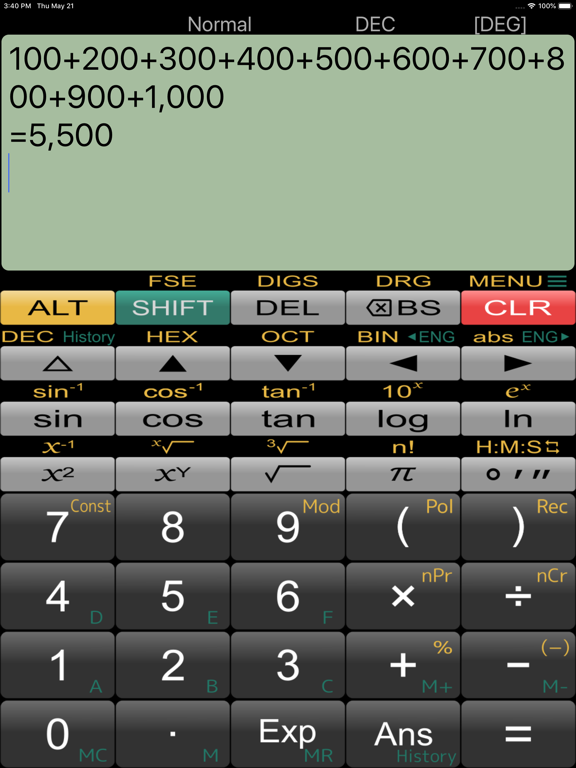
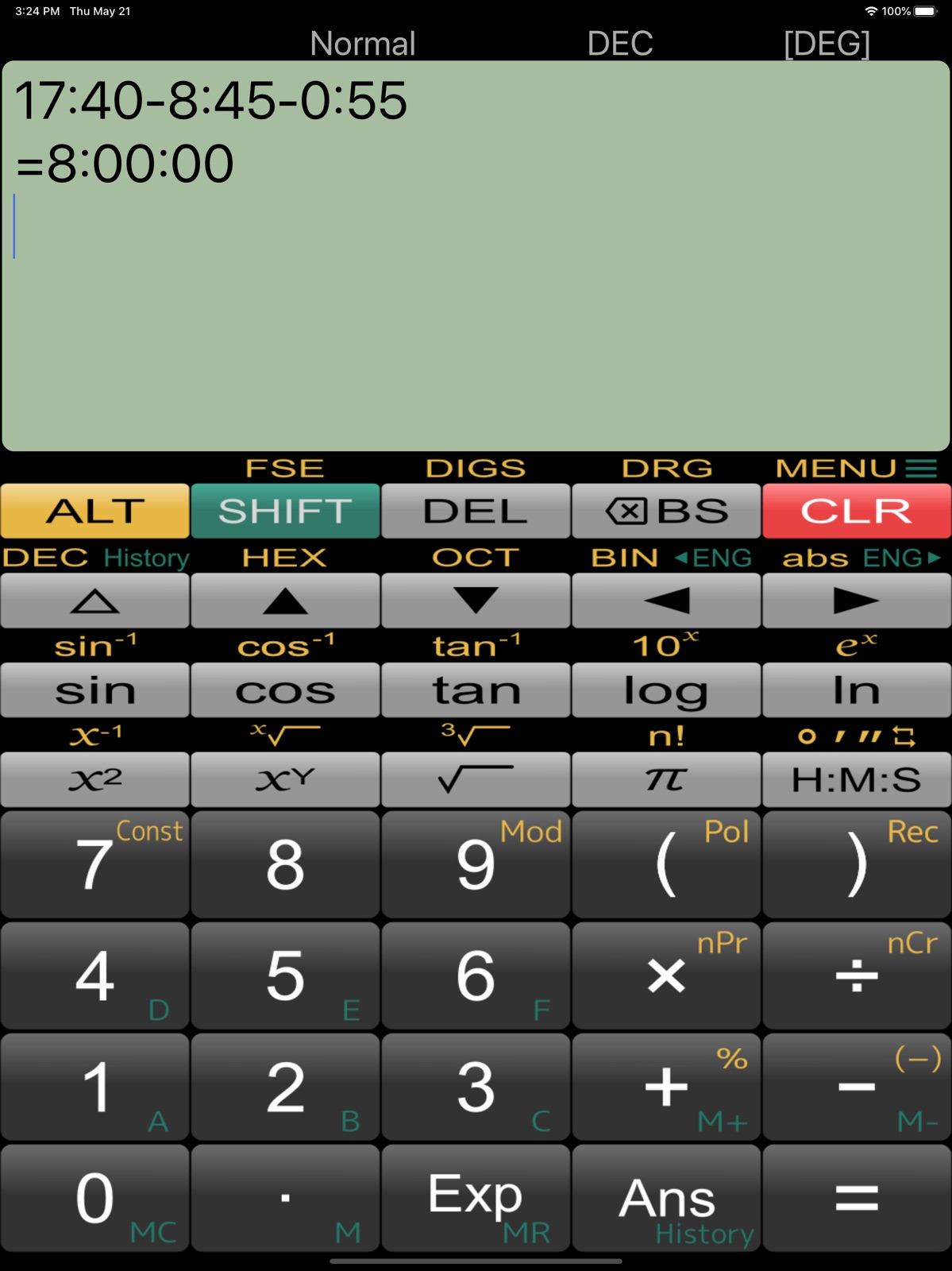
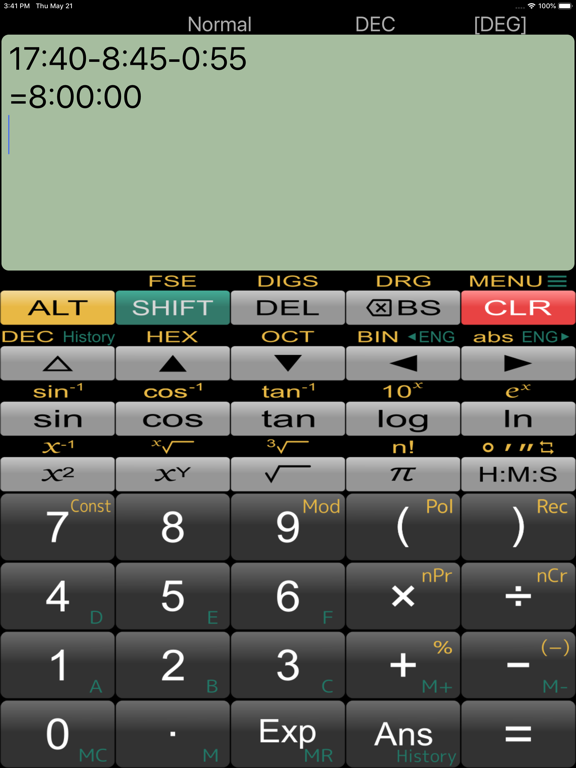
AppCorpus MCP gives your agent current app data, prices, screens, features and sources.
View JSON
GET /api/v3/apps/672649451
{
  "app_id": 672649451,
  "canonical_url": "https://appcorpus.com/apps/panecal-plus-sci-calculator-672649451",
  "identity": {
    "name": "Panecal Plus Sci. Calculator",
    "slug": "panecal-plus-sci-calculator",
    "developer": {
      "name": "Noriyasu Kutsuzawa",
      "url": "https://appcorpus.com/developers/noriyasu-kutsuzawa-developer_aa418233536573103de743c2e9e13742"
    },
    "icon_url": "https://is1-ssl.mzstatic.com/image/thumb/Purple211/v4/7f/cb/41/7fcb4117-5591-b150-3af5-8ed71f7c3fab/AppIcon-0-0-1x_U007emarketing-0-8-0-0-85-220.png/512x512bb.jpg",
    "stores": [
      "apple"
    ],
    "platforms": [
      "iphone",
      "ipad"
    ],
    "status": {
      "state": "active",
      "label": "Active",
      "last_checked": "2026-08-07",
      "last_checked_label": "7 Aug 2026",
      "banner": null,
      "region_note": null
    }
  },
  "listings": [
    {
      "store": "apple",
      "status": "ACTIVE",
      "url": "https://apps.apple.com/us/app/panecal-plus-sci-calculator/id672649451?uo=4",
      "rating": 4.8,
      "rating_count": 365,
      "formatted_price": "$2.99",
      "is_free": false,
      "has_iap": false,
      "has_subscription": false,
      "version": "7.7.1",
      "updated": "2026-05-21",
      "currency": "USD"
    }
  ],
  "summary": {
    "one_liner": null,
    "summary": null,
    "best_for": [],
    "not_for": [],
    "status": "fallback",
    "at_a_glance": [
      "$2.99"
    ]
  },
  "categories": {
    "official": [
      "Utilities",
      "Business"
    ],
    "appcorpus": [
      {
        "category_id": "utilities",
        "label": "Utilities",
        "url": "https://appcorpus.com/categories/utilities"
      },
      {
        "category_id": "business",
        "label": "Business",
        "url": "https://appcorpus.com/categories/business"
      }
    ]
  },
  "use_cases": [],
  "features": [
    {
      "capability_id": "family_sharing",
      "label": "Family Sharing",
      "availability": "yes",
      "access_level": "unknown",
      "scope": "App Store",
      "evidence": "Store published"
    }
  ],
  "pricing": [
    {
      "store": "apple",
      "formatted_price": "$2.99",
      "is_free": false,
      "has_iap": false,
      "has_subscription": false,
      "currency": "USD",
      "market": "us",
      "last_verified": "2026-08-07",
      "rows": [
        "Price: $2.99"
      ]
    }
  ],
  "screens": [
    {
      "url": "https://is1-ssl.mzstatic.com/image/thumb/Purple211/v4/36/d5/66/36d56638-ac78-742c-34c6-21532ffab262/pr_source.png/1600x1600bb.jpg",
      "store": "apple",
      "platform": "ipad",
      "alt": "Panecal Plus Sci. Calculator ipad screenshot 1"
    },
    {
      "url": "https://is1-ssl.mzstatic.com/image/thumb/Purple221/v4/7e/32/d9/7e32d995-2cca-2763-24ba-f91b84a32aa0/pr_source.png/576x768bb.png",
      "store": "apple",
      "platform": "ipad",
      "alt": "Panecal Plus Sci. Calculator ipad screenshot 2"
    },
    {
      "url": "https://is1-ssl.mzstatic.com/image/thumb/Purple211/v4/04/df/f6/04dff6e4-36e5-cdd3-258c-4f72e8a29ca8/pr_source.png/1600x1600bb.jpg",
      "store": "apple",
      "platform": "ipad",
      "alt": "Panecal Plus Sci. Calculator ipad screenshot 3"
    },
    {
      "url": "https://is1-ssl.mzstatic.com/image/thumb/Purple221/v4/f3/67/94/f36794b0-c538-ace1-2c0b-a02cdd7806b6/pr_source.png/576x768bb.png",
      "store": "apple",
      "platform": "ipad",
      "alt": "Panecal Plus Sci. Calculator ipad screenshot 4"
    },
    {
      "url": "https://is1-ssl.mzstatic.com/image/thumb/Purple221/v4/97/80/a4/9780a41e-3f5b-9146-ec6c-adca33140f19/pr_source.png/1600x1600bb.jpg",
      "store": "apple",
      "platform": "ipad",
      "alt": "Panecal Plus Sci. Calculator ipad screenshot 5"
    },
    {
      "url": "https://is1-ssl.mzstatic.com/image/thumb/Purple221/v4/92/46/02/9246021a-4abb-07f6-46f4-b01c6b2aa2e3/pr_source.png/576x768bb.png",
      "store": "apple",
      "platform": "ipad",
      "alt": "Panecal Plus Sci. Calculator ipad screenshot 6"
    },
    {
      "url": "https://is1-ssl.mzstatic.com/image/thumb/Purple211/v4/e0/af/4d/e0af4d60-ffc7-cf31-84d6-d5333b00438c/pr_source.png/1600x1600bb.jpg",
      "store": "apple",
      "platform": "ipad",
      "alt": "Panecal Plus Sci. Calculator ipad screenshot 7"
    },
    {
      "url": "https://is1-ssl.mzstatic.com/image/thumb/Purple211/v4/ea/3b/13/ea3b134a-c518-51b1-b384-35d7ef63e63b/pr_source.png/576x768bb.png",
      "store": "apple",
      "platform": "ipad",
      "alt": "Panecal Plus Sci. Calculator ipad screenshot 8"
    },
    {
      "url": "https://is1-ssl.mzstatic.com/image/thumb/Purple221/v4/dc/16/6a/dc166a82-9910-6e85-a93c-4a37eabf7a1b/pr_source.png/1600x1600bb.jpg",
      "store": "apple",
      "platform": "ipad",
      "alt": "Panecal Plus Sci. Calculator ipad screenshot 9"
    },
    {
      "url": "https://is1-ssl.mzstatic.com/image/thumb/Purple221/v4/ef/5c/6c/ef5c6c7e-f065-3e7e-4b55-bc103a80c4db/pr_source.png/552x414bb.png",
      "store": "apple",
      "platform": "ipad",
      "alt": "Panecal Plus Sci. Calculator ipad screenshot 10"
    },
    {
      "url": "https://is1-ssl.mzstatic.com/image/thumb/Purple211/v4/72/10/eb/7210eb76-9464-aaf9-8a07-adf23e15654a/pr_source.png/1600x1600bb.jpg",
      "store": "apple",
      "platform": "ipad",
      "alt": "Panecal Plus Sci. Calculator ipad screenshot 11"
    },
    {
      "url": "https://is1-ssl.mzstatic.com/image/thumb/Purple221/v4/24/67/cf/2467cfef-0115-c1cb-7483-09e1fcb52d07/pr_source.png/552x414bb.png",
      "store": "apple",
      "platform": "ipad",
      "alt": "Panecal Plus Sci. Calculator ipad screenshot 12"
    },
    {
      "url": "https://is1-ssl.mzstatic.com/image/thumb/Purple221/v4/30/f6/c1/30f6c111-a437-ccfb-61a1-b3f792eea768/pr_source.png/1242x1600bb.jpg",
      "store": "apple",
      "platform": "iphone",
      "alt": "Panecal Plus Sci. Calculator iphone screenshot 13"
    },
    {
      "url": "https://is1-ssl.mzstatic.com/image/thumb/Purple211/v4/89/b7/2b/89b72b91-1eed-181f-c215-20434a206dec/pr_source.png/1242x1600bb.jpg",
      "store": "apple",
      "platform": "iphone",
      "alt": "Panecal Plus Sci. Calculator iphone screenshot 14"
    },
    {
      "url": "https://is1-ssl.mzstatic.com/image/thumb/Purple221/v4/22/47/4c/22474c58-6ba1-4271-2211-d24b78771f35/pr_source.png/1242x1600bb.jpg",
      "store": "apple",
      "platform": "iphone",
      "alt": "Panecal Plus Sci. Calculator iphone screenshot 15"
    },
    {
      "url": "https://is1-ssl.mzstatic.com/image/thumb/Purple221/v4/45/6b/96/456b96fd-3a0d-951d-ce96-411bc2d8c571/pr_source.png/1242x1600bb.jpg",
      "store": "apple",
      "platform": "iphone",
      "alt": "Panecal Plus Sci. Calculator iphone screenshot 16"
    }
  ],
  "ratings": [
    {
      "store": "apple",
      "average": 4.8,
      "count": 365,
      "market": "us",
      "observed_at": "2026-08-07",
      "reviews": [
        {
          "rating": 5,
          "title": "Great again after fixing display scroll bug!",
          "body": "This is the best calculator in the App Store for regular use that’s not emulating another calculator. The developer is super responsive! I had edited my review from 5 stars to 1 star because of annoying display scroll bug, but the developer fixed the problem and it’s back to five stars. It’s an amazingly simple to use algebraic notation calculator. Does everything I need except time value money calculations, but I use an HP emulator calculator for those. Thank you for the great implementation and for responding to my review!",
          "author": "norfe",
          "date": "7 Aug 2026"
        },
        {
          "rating": 5,
          "title": "Great calculator, shows all number inputs!",
          "body": "I hated the iPhone calculator because it would only show the numbers you were currently entering into a calculation. Making it hard to catch mistakes. Just started using it but like that you can see everything you enter before pressing (=). From other comments it seems the developer is very attentive and responsive too",
          "author": "CommandCaboose",
          "date": "7 Aug 2026"
        },
        {
          "rating": 5,
          "title": "Perfect for scientific math. Very simple to use",
          "body": "It is the simplest to operate. You can incorporate any scientific math (sin exponent powers etc.). It has one step memory for 10 variables. It has brackets, just put them as needed. Extremely easy to edit your work. Everything is saved and visible. Best of all. ALL ON A SINGLE SCREEN. if I need a powerful computer I wouldn’t use my iPhone but Excel or c++ on desktop. My TI 36X Pro is just gathering dust.",
          "author": "XYZ NickNameunav",
          "date": "7 Aug 2026"
        },
        {
          "rating": 5,
          "title": "Doesn’t try to make you pay monthly",
          "body": "This app is just a good scientific calculator, much better than the default calculator app. The free version has unobtrusive ads. The paid version is reasonably priced. The author isn’t trying to screw you by limiting basic functionality until you cough up a monthly subscription (for a calculator!) Highly recommend. I use it regularly.",
          "author": "zenogais",
          "date": "7 Aug 2026"
        },
        {
          "rating": 5,
          "title": "Old School",
          "body": "Does everything I need done. People including me used to pay (in todays money) hundreds of dollars for this technology and this is all it did. And it was 10 times as bulky as your cell phone. For me: just used to this format for a calculator and my needs are limited as it relates to functions.",
          "author": "Old School $1972",
          "date": "7 Aug 2026"
        }
      ]
    }
  ],
  "privacy": [
    {
      "store": "apple",
      "declarations": [
        {
          "title": "Data Not Linked to You",
          "detail": "Analytics — Diagnostics — Crash Data",
          "source": "Developer declared"
        },
        {
          "title": "Data Not Linked to You",
          "detail": "Analytics — Diagnostics — Performance Data",
          "source": "Developer declared"
        },
        {
          "title": "Data Not Linked to You",
          "detail": "Analytics — Identifiers — Device ID",
          "source": "Developer declared"
        },
        {
          "title": "Data Not Linked to You",
          "detail": "Analytics — Location — Coarse Location",
          "source": "Developer declared"
        },
        {
          "title": "Data Not Linked to You",
          "detail": "Analytics — Usage Data — Product Interaction",
          "source": "Developer declared"
        },
        {
          "title": "Data Not Linked to You",
          "detail": "App Functionality — Diagnostics — Performance Data",
          "source": "Developer declared"
        },
        {
          "title": "Data Not Linked to You",
          "detail": "App Functionality — Identifiers — Device ID",
          "source": "Developer declared"
        },
        {
          "title": "Data Not Linked to You",
          "detail": "App Functionality — Location — Coarse Location",
          "source": "Developer declared"
        },
        {
          "title": "Data Not Linked to You",
          "detail": "App Functionality — Usage Data — Product Interaction",
          "source": "Developer declared"
        },
        {
          "title": "Data Not Linked to You",
          "detail": "Diagnostics",
          "source": "Developer declared"
        },
        {
          "title": "Data Not Linked to You",
          "detail": "Identifiers",
          "source": "Developer declared"
        },
        {
          "title": "Data Not Linked to You",
          "detail": "Location",
          "source": "Developer declared"
        },
        {
          "title": "Data Not Linked to You",
          "detail": "Usage Data",
          "source": "Developer declared"
        },
        {
          "title": "Data Used to Track You",
          "detail": "Identifiers — Device ID",
          "source": "Developer declared"
        },
        {
          "title": "Data Used to Track You",
          "detail": "Identifiers",
          "source": "Developer declared"
        }
      ],
      "accessibility": []
    }
  ],
  "changes": [
    {
      "store": "apple",
      "version": "7.0.6",
      "released_at": null,
      "notes": "-Fixed for stability. -Fixed a problem of modification settings for iPad(iOS10)."
    },
    {
      "store": "apple",
      "version": "7.0.7",
      "released_at": null,
      "notes": "-Improved stability. -Fixed some buttons highlight when tapping."
    },
    {
      "store": "apple",
      "version": "7.0.8",
      "released_at": null,
      "notes": "- Improved stability. - Fixed a home bar behavior."
    },
    {
      "store": "apple",
      "version": "7.0.9",
      "released_at": null,
      "notes": "- Improved stability. - Fixed a home bar behavior."
    },
    {
      "store": "apple",
      "version": "7.1.0",
      "released_at": null,
      "notes": "-Improved stability. -Supported the new devices."
    },
    {
      "store": "apple",
      "version": "7.1.2",
      "released_at": null,
      "notes": "- Fixed to work with iOS Zoomed setting. - Improved stability."
    },
    {
      "store": "apple",
      "version": "7.2.0",
      "released_at": null,
      "notes": "- Added a option for ÷ and / selection. - Changed the design of the DEL key. - Fixed the Mod function for continually calculation. - Improved stability."
    },
    {
      "store": "apple",
      "version": "7.2.1",
      "released_at": null,
      "notes": "- Adjusted the timing of touch sound and vibration. - Improved stability."
    },
    {
      "store": "apple",
      "version": "7.2.2",
      "released_at": null,
      "notes": "- Fixed an issue about exponentiation calculation."
    },
    {
      "store": "apple",
      "version": "7.3.0",
      "released_at": null,
      "notes": "- Added the constant calculation by pressing the [=] key after calculation."
    },
    {
      "store": "apple",
      "version": "7.3.1",
      "released_at": null,
      "notes": "- Fixed a problem of memory calculation."
    },
    {
      "store": "apple",
      "version": "7.4.0",
      "released_at": null,
      "notes": "- Improved support for external keyboards. - Improved calculation processing speed. - Fixed a radix conversion issue."
    },
    {
      "store": "apple",
      "version": "7.5.0",
      "released_at": null,
      "notes": "- Support iPhone 14, iPhone 14 Plus, iPhone 14 Pro, iPhone 14 Pro Max. - Fixed a bug in editing DMS value. - Added an ALT Ans button."
    },
    {
      "store": "apple",
      "version": "7.5.1",
      "released_at": null,
      "notes": "- Improved the stability of calculations."
    },
    {
      "store": "apple",
      "version": "7.5.2",
      "released_at": null,
      "notes": "- Fixed a display scroll problem."
    },
    {
      "store": "apple",
      "version": "7.5.3",
      "released_at": null,
      "notes": "- Improved calculation accuracy."
    },
    {
      "store": "apple",
      "version": "7.5.4",
      "released_at": null,
      "notes": "- Updated libraries. - Fixed a scroll problem."
    },
    {
      "store": "apple",
      "version": "7.5.5",
      "released_at": null,
      "notes": "- Fixed a screen scroll problems."
    },
    {
      "store": "apple",
      "version": "7.5.6",
      "released_at": null,
      "notes": "- Fixed an issue where the display would collapse when DMS calculations (time calculations) were performed repeatedly. - Improved calculation accuracy."
    },
    {
      "store": "apple",
      "version": "7.5.7",
      "released_at": null,
      "notes": "- Fixed an issue where the display would collapse when calculating by modifying past formulas."
    }
  ],
  "alternatives": [
    {
      "app_id": 284666222,
      "name": "PCalc",
      "url": "https://appcorpus.com/apps/pcalc-284666222",
      "reason": "Same category + similar ratings"
    },
    {
      "app_id": 451544502,
      "name": "The Best Calculator - Calc Pro",
      "url": "https://appcorpus.com/apps/the-best-calculator-calc-pro-451544502",
      "reason": "Same category + similar ratings"
    },
    {
      "app_id": 1450111750,
      "name": "Calculator, basic and advanced",
      "url": "https://appcorpus.com/apps/calculator-basic-and-advanced-1450111750",
      "reason": "Same category + similar ratings"
    },
    {
      "app_id": 885770968,
      "name": "jCalc – Scientific Calculator",
      "url": "https://appcorpus.com/apps/jcalc-scientific-calculator-885770968",
      "reason": "Same category + similar ratings"
    },
    {
      "app_id": 804548449,
      "name": "Numerical³",
      "url": "https://appcorpus.com/apps/numerical3-804548449",
      "reason": "Same category + similar ratings"
    },
    {
      "app_id": 571121141,
      "name": "Calculator HD Pro Lite",
      "url": "https://appcorpus.com/apps/calculator-hd-pro-lite-571121141",
      "reason": "Same category + similar ratings"
    }
  ],
  "evidence_summary": {
    "index_state": "S1",
    "evidence_level": 1,
    "level_label": "Live store listing",
    "indexable": true,
    "last_verified_at": "2026-08-07",
    "unknown_fields": [
      "Independent summary has not been published yet."
    ],
    "sources": [
      "App Store"
    ]
  },
  "availability_markets": {
    "live": [
      "us"
    ],
    "selected": "us",
    "note": null
  },
  "feature_events": {
    "events": []
  },
  "features_slice": {
    "plans": [],
    "features": [],
    "unknown_features": [
      "family_sharing"
    ],
    "data_cutoff": "7 Aug 2026"
  }
}