
Quick verdict
- What it is
- Store information collected; independent summary not yet available.
- At a glance
-
- Free (App Store) · Free (Google Play)
- In-app purchases
Categories and search queries
Official categories
- Communication
- Utilities
AppCorpus categories
Key functions
| Function | Availability | Access | Scope | Evidence |
|---|---|---|---|---|
| Apple Wallet | Yes | Unknown | App Store | Store published |
| Free app | Yes | Free | — | Store published |
Screens
21 store screenshots

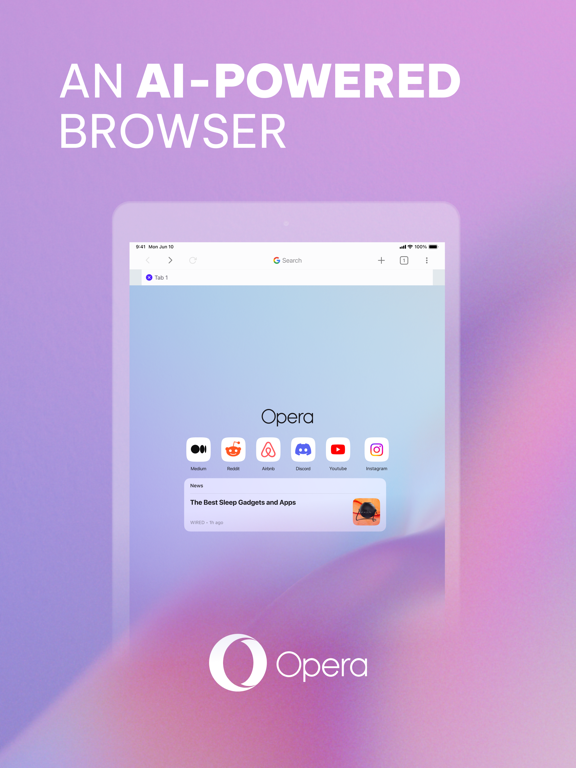

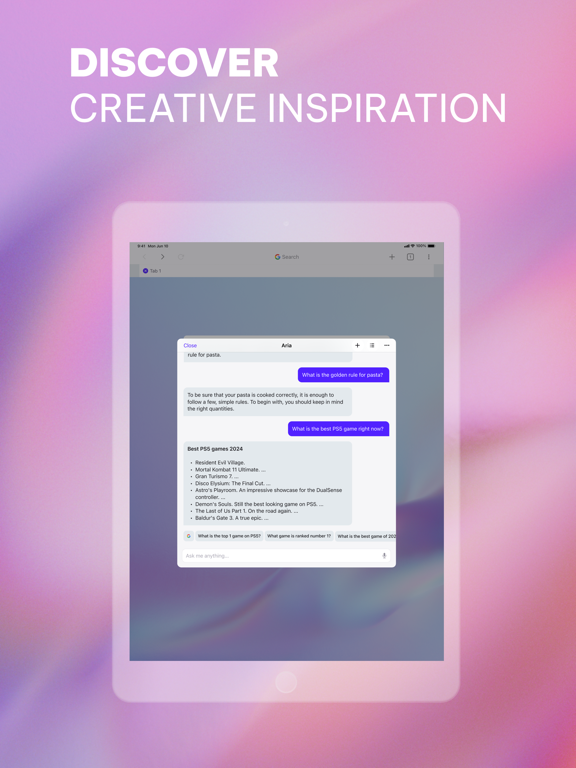
15 store screenshots


Pricing & paywalls
Shown for US
- Free to download
Shown for US
- Free to download
- In-app purchases: $5.99 - $29.99 per item
Ratings & reviews
Shown for US
-
5/5Best decision I made was switching to Opera
I was winding down from work one day watching CasualGeographic, and all of a sudden he ran an add for this browser, it seemed good so I checked it out. Let me just say it’s the best decision I’ve made for my work life, the separate homes, tab islands, even operaAI(I realize it’s backdoor Gemini but still amazing) is amazingly helpful with its read current page feature. I’ve proceeded to show this to my bosses and coworkers and now everyone is using it. The fact they make it so easy to transfer your previous bookmarks and history as well made it feel much less alien, and I felt super comfortable with the switch from chrome. Great product, and if I made more I’m sure that I’d purchase a Neon subscription as well but I find it hard to justify when One works this well. My advice to anyone thinking about this switch is use the free version, the paid features seem nice, but unless you have a serious need for a vpn or more ai features there’s really no need. My one hope is that eventually Claude becomes integrated the same way we have GPT and Gemini, because (and I imagine many feel this way) it is the ai almost every company ecosystem runs through.
Jack Quags · 30 Aug 2026
-
5/510/10 when you pair with Opera
I'm IT staff for a school district. I've been using Opera on all my windows machines for longer than my career.. all because of the security and resource drain when in background. Try running chrome on a linux/windows 2011 thinkpad. It's a nightmare. Even manages more idle power draw when I clamshell my laptop. Chrome is meant for chromebooks. Opera for any pc. That being said. Opera Touch is literally everything I never knew I wanted in a mobile browser. It's amazing. Real legitimate tab management and built in ad-blocking on an iOS platform is insanely convenient. I use my secured Opera account and my iCloud keychain as my only password managers. They outright and upfront choose user privacy and security over data collection and targeted advertisement. Switch to Opera. Switch to Opera Touch. The seamless integration with your accounts, info, browsing data, all stored securely for you and only you. Also seriously stop using Chrome. And use duckduckgo... gmail is a decent mail service, but they do not care to hide that they sell user data and use search patterns to target you with ads. This isn't a tinfoil rant, it's 2019. The internet has changed faster than web browsers. Time to change browsers.
Norman.Swartz · 30 Aug 2026
-
5/5Best desktop browser on the planet
I’ve been using Opera”s desktop browser for about 24 years and it is HANDS DOWN THE BEST BROWSER ON EARTH! Everything is quick and snappy, zoom settings, click and define words, text to voice, “paste and go” has been used by Opera for 24 years, current browsers are just NOW beginning to clue in on the great time saving feature of paste and go....and the best feature on Opera that NOBODY has effectively adopted and EVEN Windows and MAC should adopt is... MOUSE GESTURES! Briefly hold down the right mouse button while sliding mouse left or right allows you the absolute simplest and most effective way to go back and forward to and from websites or web pages. No other browser does this and I have NO IDEA WHY! Firefox made a failed attempt a few years back, I.E. - never, Netscape - never, Chrome - never, Edge - never, Safari - never and I’ve never seen it on any less known browsers, ONLY OPERA and it is a franchise feature once you use it and get it “down”! The portable version of Opera has not had nearly the same effect on me as the desktop version BUT it works very well even though I haven’t found it to be far superior like their desktop offering.
cburd63 · 30 Aug 2026
-
5/5Features features features!!!
I love this browser. I’m trying to find the best option for my mind and how it works. I’ve been using safari but have been very disappointed with its performance after a couple hours of use. I like firefox almost as much as opera products. I find opera touch to be friendlier, faster, and it keeps getting better. The UI is simple yet powerful. My personal UX is delightful. I’ve been using the Mac OS version and encourage using it as a supplemental browser at first then post a review or contact opera support with any suggestions and hopefully find a hidden gem of variety in your browsing experience. For those that were not familiar with my use of acronyms previously. UI is user interface and UX is smarrypants lingo for user experience. As for my rating ... i see many apps rated 5 stars. This app under promises and over delivers. In the USA, I’m fortunate to have a voice and proudly state opinions and question authority. Share your thoughts shamelessly with pride and kindness. That is an option that i choose. Every person makes choices. I will read other reviews and probably agree with some things that need improvement. For now. 7 stars with a few planetary solar systems that support life equally.
pewpewmadafakasonline.com · 30 Aug 2026
-
5/5What Voodoo Magic Is This.
As a child of Oregon Trail on Floppy and DoS based realness, I’ve seen a thing or two, and even become a little cut throat regarding my opinion on apps and operating systems. But I remember the screaming sounds of 56k dial up and AOL on CD being the primary source of internet, so I have no qualms saying how disappointing Browsers continue to be. Lots of solid well built ones but it’s the way we interact and experience the net around us that’s seemed to have peaked then flatlined. Suddenly, Opera busts through like the cool-aid guy with this High level Battle Mage and lets the magic fly. Everything from the discoverable tools that keep appearing like new upgraded spells in an epic RPG, to the beautiful interface and flow from corner to corner it has you feeling like you’re wearing hover boots in a world of flip flops. Truly Magic, and simply put, this is the browser the internet of the future I imagined back in the early 90s deserves. Gold Standard right here, Mozilla and Chrome time to take some lessons, Opera is clearly with us in saying it’s our time, the future is ours and it starts not!
TheWanderer(LABeam) · 31 Jul 2026
Shown for US
-
1/5
exceptionally good
Sandilev qungu · 1 Aug 2026
-
5/5
good
Lazarus Mayeza · 1 Aug 2026
-
5/5
I love how we can block adds and stuff
Terryn Buford · 1 Aug 2026
-
5/5
yes, good, i downloaded it because i want to watch a porn with vpn
Sebastian Jack Junior · 1 Aug 2026
-
5/5
great app, that's all
James Werning · 1 Aug 2026
Privacy & accessibility
Privacy
- Data Not Linked to You — Analytics — Diagnostics — Performance Data Developer declared
- Data Not Linked to You — Analytics — Identifiers — Device ID Developer declared
- Data Not Linked to You — Analytics — Location — Coarse Location Developer declared
- Data Not Linked to You — Analytics — Usage Data — Advertising Data Developer declared
- Data Not Linked to You — Analytics — Usage Data — Product Interaction Developer declared
- Data Not Linked to You — App Functionality — Diagnostics — Crash Data Developer declared
- Data Not Linked to You — App Functionality — Diagnostics — Performance Data Developer declared
- Data Not Linked to You — App Functionality — Identifiers — Device ID Developer declared
- Data Not Linked to You — App Functionality — Usage Data — Product Interaction Developer declared
- Data Not Linked to You — Product Personalization — Usage Data — Product Interaction Developer declared
- Data Not Linked to You — Third-Party Advertising — Diagnostics — Performance Data Developer declared
- Data Not Linked to You — Third-Party Advertising — Identifiers — Device ID Developer declared
- Data Not Linked to You — Third-Party Advertising — Location — Coarse Location Developer declared
- Data Not Linked to You — Third-Party Advertising — Usage Data — Advertising Data Developer declared
- Data Not Linked to You — Third-Party Advertising — Usage Data — Product Interaction Developer declared
- Data Not Linked to You — Diagnostics Developer declared
- Data Not Linked to You — Identifiers Developer declared
- Data Not Linked to You — Location Developer declared
- Data Not Linked to You — Usage Data Developer declared
Accessibility
No accessibility labels collected yet.
Privacy
- Data collected — Advertising or marketing — Location — Approximate location Developer declared
- Data collected — Analytics — App activity — App interactions Developer declared
- Data collected — Analytics — App activity — Installed apps Developer declared
- Data collected — Analytics — App info and performance — Crash logs Developer declared
- Data collected — Analytics — App info and performance — Diagnostics Developer declared
- Data collected — Analytics — App info and performance — Other app performance data Developer declared
- Data collected — Analytics — Personal info — Other info Developer declared
- Data collected — Analytics, Advertising or marketing, Fraud prevention, security, and compliance, Personalization — Device or other IDs Developer declared
- Data collected — App functionality, Analytics, Personalization — Web browsing — Web browsing history Developer declared
- Data shared — Advertising or marketing, Fraud prevention, security, and compliance — Device or other IDs Developer declared
- Security practices — Your data is transferred over a secure connection — Data is encrypted in transit Developer declared
- Security practices — This app has been independently validated against a global security standard. See details — Independent security review Developer declared
- Security practices — The developer provides a way for you to request that your data be deleted — You can request that data be deleted Developer declared
Accessibility
No accessibility labels collected yet.
Versions
App Store
-
5.5.2
Bug fixes and UI improvements
-
5.5.3
- Aria fixes and added sections with sources and related questions at the end of Aria's answers - Fix for crash when showing search suggestions - UI improvements and bug fixes
-
5.5.4
- Improved Tracker protection, option in Ad-Block settings - Aria shortcut in bottom bar, option in Aria settings. - UI improvements - Bug fixes
-
5.5.5
- Bug fixes and UI improvements
-
6.0.0
Tabs - New Tab Design - Dual layouts: Grid and List - Drag and drop to organize - Search tabs - Select multiple tabs to share or close multiple tabs Menu - Facelift design - Clean layout Tracker Blocker New Cookie Dialog Blocker (with less interference of the webpage) Optimized Ad-Block (faster blockrule updates)
-
6.1.0
Another BIG update: - Group and organize your tabs - iPad tab bar facelift and update - Customize the main menu - Import bookmarks from your Opera account - Opera account settings - Smoother transitions on toolbars and webpage when scrolling up/down - Loads of bugs squashed and fixups under the hood
-
6.1.1
Another BIG update: - Group and organize your tabs - iPad tab bar facelift and update - Customize the main menu - Import bookmarks from your Opera account - Opera account settings - Smoother transitions on toolbars and webpage when scrolling up/down - Loads of bugs squashed and fixups under the hood - Crash fixes
-
6.1.2
Another BIG update: - Group and organize your tabs - iPad tab bar facelift and update - Customize the main menu - Import bookmarks from your Opera account - Opera account settings - Smoother transitions on toolbars and webpage when scrolling up/down - Loads of bugs squashed and fixups under the hood - FIXED: Startup Data Migration freeze - Bug fixes and UI improvements
-
6.1.3
In 6.1.3 - Startup Data Migration Fix 2: adding a fallback, just restart if first try fails (using minimal memory, slower but safer) - Crash/Bug fixes and UI improvements In 6.1.0 to 6.1.2 - Group and organize your tabs - iPad tab bar facelift and update - Customize the main menu - Import bookmarks from your Opera account - Opera account settings - Smoother transitions on toolbars and webpage when scrolling up/down - Loads of bugs squashed and fixups under the hood
-
6.1.4
6.1.4: - Startup Data Migration Fix 3 - Crash/Bug fixes and UI improvements In 6.1.0 to 6.1.3 - Group and organize your tabs - iPad tab bar facelift and update - Customize the main menu - Import bookmarks from your Opera account - Opera account settings - Smoother transitions on toolbars and webpage when scrolling up/down - Loads of bugs squashed and fixups under the hood - Migration crash/freeze fixes
-
6.1.5
- Recently Closed Tabs - Tabs sync/import - Aria update (faster, lower latency responses) - Fix for slow typing experience in Search - Bug fixes and UI improvements
-
6.1.6
- Crash fixes (6.1.6) - Recently Closed Tabs - Tabs sync/import - Aria update (faster, lower latency responses) - Opened link in a new tab, if navigating back will close the tab and return to parent tab - Fix for slow typing experience in Search - Bug fixes and UI improvements
-
6.1.7
- Crash fixes (in 6.1.6 and 6.1.7) - Recently Closed Tabs - Tabs sync/import - Aria update (faster, lower latency responses) - When link is opened in a new tab, if navigating back, Opera will close the tab and return to the parent tab - Fix for slow typing experience in Search - Bug fixes and UI improvements
-
6.1.8
Bug fixes and UI improvements
-
6.2.0
- Password import/sync - Blocked ads & tracker counter - Crash fixes - Bug fixes and UI improvements
-
6.3.0
- iOS26 optimizations - Bug fixes and UI improvements
-
6.4.0
- Ask AI directly in a tab, find old AI chats in history and tabs, browse naturally - Updated Search interface - Option to Ask AI directly from search - Manage AI functionality in Settings - Extended file upload support in AI chat - Updated Opera AI branding, no more "Aria" - iPad tab bar improvements - Tab UI fixes - Allow Media playback in background - Improved memory management - Crash fixes - Bug fixes and UI improvements
-
6.4.1
- Bug fixes and UI improvements - Crash fixes
-
6.5.0
BIG Update! - Support for Right-to-Left languages (RTL) - Additional languages: Arabic, Farsi, Urdu and Hebrew - Bi-directional UI, the interface gets "mirrored" for RTL languages - News: added 100+ newsfeeds for additional countries and languages - Startpage shortcuts (AI mode and Private) - Option in settings to show/hide shortcuts - Connection Error page includes VPN switch to bypass network obstacles - Stability improvements to media playback in background - Many more bug fixes and UI improvements
-
6.5.1
- Couple of crashes fixed - A bunch of bug fixes and improved stability
-
6.5.2
6.5.2: Hotfix for crash in Private Mode 6.5.1: A bunch of bug fixes, more crash fixes and improved stability
-
6.5.3
Bug fixes and UI improvements
-
6.6.0
- Media controls for background tabs - If a tab is playing audio in a background tab, the user will be able to mute/unmute the tab from the search or tab bar, by long pressing the tab icon, or from inside the Tabs overview. In order to find the playing tab, there is an animation on the tab inside the Tab view and a pulse on the tab icon. There is also a mute/unmute icon in the search bar. Finally, if a tab is muted and you want to unmute it quickly, you can just press the device volume up/down buttons. - Improved Sync and Backup - Bookmarks, Tabs and Passwords will sync quicker both ways. Improved status info in Account and Sync settings Added onboarding for sync and backup and easy account sign in/up - Bug fixes and UI improvements -
-
6.6.1
- Media controls for background tabs - If a tab is playing audio in a background tab, the user will be able to mute/unmute the tab from the search or tab bar, by long pressing the tab icon, or from inside the Tabs overview. In order to find the playing tab, there is an animation on the tab inside the Tab view and a pulse on the tab icon. There is also a mute/unmute icon in the search bar. Finally, if a tab is muted and you want to unmute it quickly, you can just press the device volume up/down buttons. - Improved Sync and Backup - Bookmarks, Tabs and Passwords will sync quicker both ways. Improved status info in Account and Sync settings Added onboarding for sync and backup and easy account sign in/up - Bug fixes and UI improvements - File and image upload in search for AI queries New languages (Estonian, Malay (Malaysia), Burmese, Burmese (Zawgyi), Sinhala, Slovenian, Swahili, Tamil and Tagalog/Filipino) Hot fix: Crash fixes x 4 (in 6.6.1)
-
6.6.2
· 9 Jul 2026
- Media controls for background tabs - If a tab is playing audio in a background tab, the user will be able to mute/unmute the tab from the search or tab bar, by long pressing the tab icon, or from inside the Tabs overview. In order to find the playing tab, there is an animation on the tab inside the Tab view and a pulse on the tab icon. There is also a mute/unmute icon in the search bar. Finally, if a tab is muted and you want to unmute it quickly, you can just press the device volume up/down buttons. - Improved Sync and Backup - Bookmarks, Tabs and Passwords will sync quicker both ways. Improved status info in Account and Sync settings Added onboarding for sync and backup and easy account sign in/up - Bug fixes and UI improvements - File and image upload in search for AI queries New languages (Estonian, Malay (Malaysia), Burmese, Burmese (Zawgyi), Sinhala, Slovenian, Swahili, Tamil and Tagalog/Filipino) Hot fix: Crash fixes x 4 (in 6.6.1)
-
6.7.0
· 27 Aug 2026
- App links dialog. Sometimes links will open in external apps by default on iOS. This feature will allow the users to decide (dialog) if they want to open the link in the browser or in the external app. The choice will be stored as default behavior for each domain/link and can be changed in Settings. - Media Settings A user can enable "Forced Media Playback in background tabs or if app is in background. - Always mute a domain If a website automatically plays media or sound that you find annoying, you can choose to always mute it (until unmuted) when loaded. Long press the mute button in the searchbar and select "Always mute domain" - We've removed the Opera AI sheet Opera AI will always open in a normal tab from now on. Old AI chats can be found as separate tabs in the tab manager. - Memory optimization Various changes in order to minimize memory usage - Other bug fixes and UI improvements
Alternatives
- Phoenix Browser + Proxy VPN — Same category + similar ratings
- Aloha Browser – Private VPN — Same category + similar ratings
- Firefox Focus: Privacy browser — Same category + similar ratings
- Vivaldi Powerful Web Browser — Same category + similar ratings
- Private Browsing Web Browser — Same category + similar ratings
- Firefox Fast & Private Browser — Same category + similar ratings
Availability by market
- US
Data quality & evidence
- Page completeness
- Live store listing
- Last verified
- 31 Aug 2026
- Sources
- App Store, Google Play
- Independent summary has not been published yet.