
Quick verdict
- What it is
- Store information collected; independent summary not yet available.
- At a glance
-
- Free to download
- In-app purchases
Categories and search queries
Official categories
- Travel
- Lifestyle
AppCorpus categories
Key functions
| Function | Availability | Access | Scope | Evidence |
|---|---|---|---|---|
| Apple Wallet | Yes | Unknown | App Store | Store published |
| Free app | Yes | Free | — | Store published |
| In-app purchases | Yes | Limited free | — | Store published |
Screens
App Store
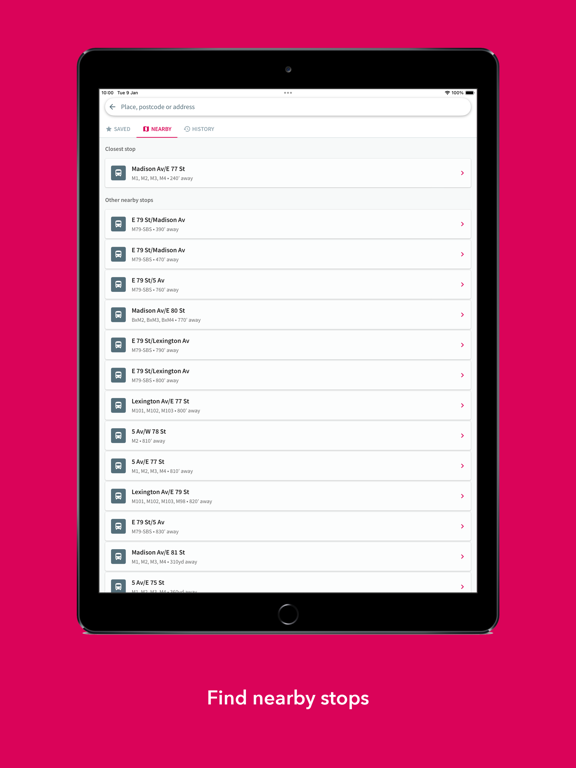
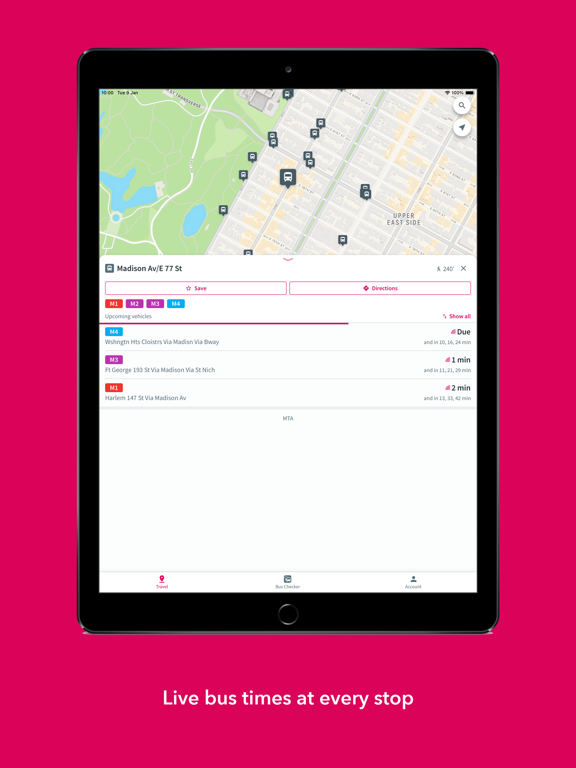
16 store screenshots


Pricing & paywalls
App Store
- Remove the Ads — $8.99
Ratings & reviews
App Store
-
5/5Great app - a must have in NY
If you ride the bus but hate it's unpredictability this is the solution. Tells you the time it will take pretty accurately and everything is displayed on a map that can geo locate you. Only thing I would like to see is an overlay map that shows you the route of a selected bus.
Linda Carrion · 7 Aug 2026
-
4/51. VPN 2. font size 3. widgets
Great app, use it all the time. Three things that could be improved: 1. The app doesn’t load data when a VPN is on. Works after turning off the VPN. Please make the app VPN friendly. 2. iOS 16 has a per-app font size selector, accessible via Control Center -> Text Size -> Bus Checker Only. This app could utilize that feature so users can quickly and easily adjust arrival time font size to their preference - super small for those who want to see more at a glance, super big for those who can’t see smaller text, etc. 3. This app is a perfect candidate for a widget. Users could set their favorite bus stops in the widget (or maybe have one widget for each bus stop) so they’d be able to see the arrival times on each bus stop for let’s say the next 3 buses (to quickly decide if missing the very next bus would be a problem or not). Thanks.
MStyleFTW · 7 Aug 2026
-
4/5Bus checker
I was really loving this app it accurately tells you when the bus is coming but lately it will say no bus stops are there and I would go online to see where my bus is it still has army time I’m not in the army and I don’t know how to tell army time and when I’m waiting for the bus it’s not giving me the stop I’m standing at it’s giving me a bus stop down the block can these issues be fixed !!!
Eb1980 · 7 Aug 2026
-
3/5Not accurate.
Sometimes this app works but most of y time it’s WAY off. For example, I left my apartment 10 minutes ago when the app said the bus was 8 minutes away. After 10 minutes of waiting the app still says it’s 8 minutes away. This happens every other time I use this app. Buses also disappear from the app. The app will say a bus is five minutes away and a minute later that bus has been removed from the cue and the next one is 10 to 20 minutes away.
dlcdlc17 · 7 Aug 2026
-
3/5Lately it hasn’t been working
When this app works- it’s amazing! A must-have! The bus countdowns are accurate and super helpful for my daily commute. However lately (the last 3ish months), the app hasn’t been work properly. It shows the bus scheduled times - not the countdown of how many minutes away the bus is (real time)- and it’s not accurate. My commute has become a small nightmare just with this minor hiccup on that’ll app. Please fix it!
PersephoneXO · 7 Aug 2026
Privacy & accessibility
App Store
Privacy
- Data Linked to You — App Functionality — Contact Info — Email Address Developer declared
- Data Linked to You — App Functionality — Contact Info — Name Developer declared
- Data Linked to You — App Functionality — Identifiers — User ID Developer declared
- Data Linked to You — App Functionality — Location — Precise Location Developer declared
- Data Linked to You — Contact Info Developer declared
- Data Linked to You — Identifiers Developer declared
- Data Linked to You — Location Developer declared
- Data Not Linked to You — Analytics — Diagnostics — Crash Data Developer declared
- Data Not Linked to You — Analytics — Usage Data — Product Interaction Developer declared
- Data Not Linked to You — Third-Party Advertising — Identifiers — Device ID Developer declared
- Data Not Linked to You — Third-Party Advertising — Usage Data — Advertising Data Developer declared
- Data Not Linked to You — Diagnostics Developer declared
- Data Not Linked to You — Identifiers Developer declared
- Data Not Linked to You — Usage Data Developer declared
- Data Used to Track You — Identifiers — Device ID Developer declared
- Data Used to Track You — Identifiers Developer declared
- Data Used to Track You — Usage Data — Advertising Data Developer declared
- Data Used to Track You — Usage Data Developer declared
Accessibility
No accessibility labels collected yet.
Versions
App Store
-
10.37
* You can now filter the journey planner to show routes based on your transport mode preferences * Stability and performance improvements
-
10.38
* You can now monitor a live arrival and see real time information on your lock screen * Disruption messages can now be hidden and restored * A new settings menu has been introduced
-
10.38.1
* You can now monitor a live arrival and see real time information on your lock screen * Disruption messages can now be hidden and restored * A new settings menu has been introduced
-
10.39
* A new layer control button has been introduced allowing you to customise the map * Alerts for major events impacting the transport network may now appear in the app * A link to real time information for available transit stops now appear in journey plan results
-
10.39.1
* A new layer control button has been introduced allowing you to customise the map * Alerts for major events impacting the transport network may now appear in the app * A link to real time information for available transit stops now appear in journey plan results
-
10.39.2
* A new layer control button has been introduced allowing you to customise the map * Alerts for major events impacting the transport network may now appear in the app * A link to real time information for available transit stops now appear in journey plan results
-
10.40
* We have made small changes to naming and navigation in the app following a usability review * Improved error messaging has been implemented
-
10.41
* The Travel screen has been redesigned, with the removal of the transit panel and the addition of extra buttons on the map. * A special map icon for Saved Stops will now be used on the map. * Journey Mode and Stop Type filters have been redesigned following user testing - they are now much simpler and easier to use. * Search functionality and journey planning have been improved to include easy access to Saved Stops and nearby places
-
10.42
* Changes to the splash screen * Improved the use of colour in stop lists * App wide alerts title now shows on banner instead of description
-
10.43
* Improvements have been made to the route screen. It's now possible to zoom to a stop on this map and access the board for an upcoming stop easily * Additional onboarding hints have been added for new users
-
10.44.1
* We’ve added the ability to rotate the map screen when viewing Journey Plan results * It’s now possible to toggle show and hide a password when signing up, or signing in * Our stop boards now contain a refresh animation to indicate to users when the page will next automatically refresh
-
10.45.0
* Your customised saved stop names are now used throughout the app - for example on the departure/arrival board, in search results and within the journey planner * The service information screen and the stop board now shows a list of affected routes for each disruption. * A count of active disruptions is now also available on the stop board. * It’s now possible to save any location to the your favourites/saved list - you'll be able to see these on the map and use them in journey planning.
-
10.45.1
* Your customised saved stop names are now used throughout the app - for example on the departure/arrival board, in search results and within the journey planner * The service information screen and the stop board now shows a list of affected routes for each disruption. * A count of active disruptions is now also available on the stop board. * It’s now possible to save any location to the your favourites/saved list - you'll be able to see these on the map and use them in journey planning. * Stability improvements
-
10.46
* New stop board functionality allows the user to browse schedules for up to two weeks in advance. * We've introduced a new accessibility mode, enabled in settings, providing an improved experience for visually impaired users. * Our 'On Map' feature has been replaced with an improved 'Nearby Stops' feature - accessed through Search.
-
10.46.1
* New stop board functionality allows the user to browse schedules for up to two weeks in advance. * We've introduced a new accessibility mode, enabled in settings, providing an improved experience for visually impaired users. * Our 'On Map' feature has been replaced with an improved 'Nearby Stops' feature - accessed through Search.
-
10.48
Stability improvements and bug fixes.
-
10.48.3
Stability improvements and bug fixes.
-
10.49
Support for new vehicle information display and bug fixes.
-
11.0.0
Support for Dark Mode and bug fixes.
-
11.3.0
New: Choose light or dark mode in settings, plus bug fixes and performance improvements.
-
11.3.1
Bug fixes & improvements.
-
11.4.0
Bug fixes & improvements.
-
11.4.2
Bug fixes & improvements.
-
11.5.0
Bug fixes & improvements.
-
11.6.0
· 1 Dec 2025
Bug fixes & improvements.
Alternatives
- New York MTA Bus Time — Same category + similar ratings
- NYC Bus Tracker - MTA — Same category + similar ratings
- NYC Transit: MTA Subway & Bus — Same category + similar ratings
- NYC Transit - MTA Transit — Same category + similar ratings
- New York Subway Map MTA NYC — Same category + similar ratings
- Subway Time NYC — Same category + similar ratings
Availability by market
- US
Data quality & evidence
- Page completeness
- Live store listing
- Last verified
- 7 Aug 2026
- Sources
- App Store
- Independent summary has not been published yet.